
Shopify QuickBooks Integration

Sync Inventory, Products & Orders in Real-Time

Managing a Shopify store alongside a QuickBooks Online account manually leads to accounting gaps, mismatched sales data, and hours of manual cleanup.

QuickSync’s Shopify QuickBooks integration automatically syncs sales, inventory, taxes, payments, and financial data so your books stay accurate without manual work.

No manual accounting. No data mismatches. Just clean, reliable financial records.

No Credit Card Required
Cancel anytime
15+ Integrations

10K+

Shopify Sellers Worldwide

4.6/5

Star Reviews

10M+

Products Synced

100%

Sync Accuracy

Running Shopify & QuickBooks Without Real-Time Sync Causes Accounting Errors

When Shopify and QuickBooks Online are managed separately, accounting errors grow as online sales increase. Shopify transactions don’t always reflect correctly in QuickBooks, leading to mismatched sales data, incorrect stock levels, and unreliable financial reports.

Refunds, Shopify fees, and Shopify payouts are often missed or recorded in the wrong expense account. Sales tax tracking becomes unreliable when tax rates, discounts, and payment gateways don’t sync properly. Over time, this results in incorrect revenue reports, delayed reconciliation, and unreliable profit numbers.

QuickSync’s QuickBooks Shopify integration ensures all transaction data flows automatically, so your books stay accurate without guesswork.
Shopify QuickBooks integration

Challenges Retailers Face When Shopify and QuickBooks Aren’t Connected

Retailers running Shopify without a proper QuickBooks Online integration often deal with issues like:

Manual data entry of Shopify orders into QuickBooks
Missing or incorrectly categorized Shopify fees
Sales tax mismatches and unreliable tax deductions
Inventory counts that don’t reflect real Shopify sales
Duplicate or missing customer records
Payment data not matching bank feed deposits
Difficulty reconciling Shopify payouts in QuickBooks
Extra time spent fixing accounting data every month

How Integrating Shopify with QuickBooks Benefits Retailers


Retailers who integrate Shopify with QuickBooks using QuickSync gain full visibility and control over their accounting as sales grow. Shopify orders sync automatically into QuickBooks Online in real time, so sales data, payments, fees, and taxes are recorded accurately without repeated manual entry or spreadsheet work.

With a dependable Shopify QuickBooks integration, inventory levels, SKUs, and order details stay aligned between the Shopify store and the QuickBooks accounting system. Refunds, cancellations, and payouts are reflected correctly.

By removing manual bookkeeping and duplicate data entry, businesses reduce operational costs and avoid hiring extra staff just to manage accounts. With QuickBooks and Shopify integration, retailers spend less time fixing accounting issues and more time focusing on scaling their business.

Shopify QuickBooks integration
Key features

What Gets Synced Between Shopify & QuickBooks

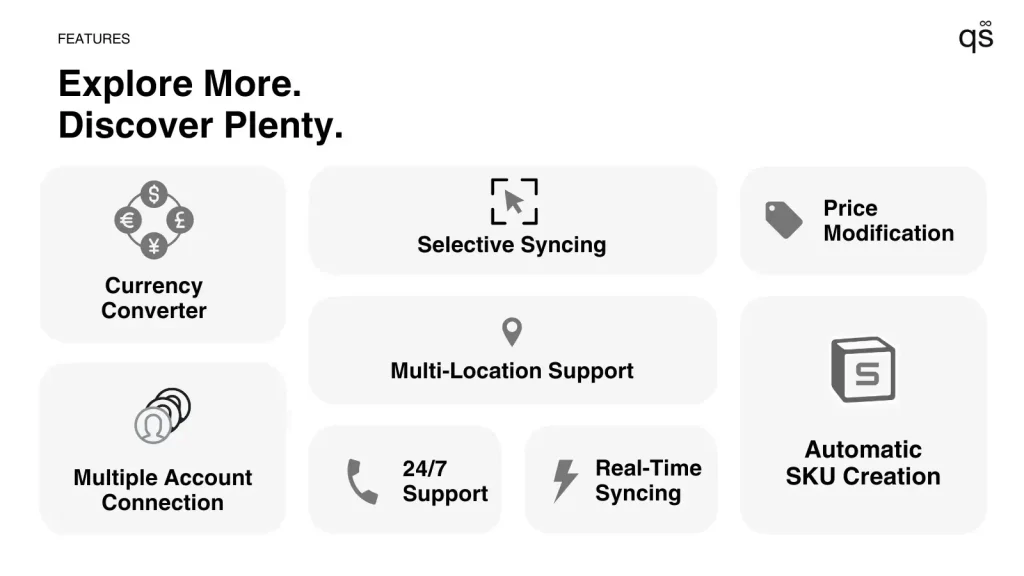
QuickSync syncs what matters for accurate accounting and clean books. The QuickBooks Shopify integration with QuickSync offers various features, such as: 

Shopify QuickBooks integration

Inventory sync between Shopify and QuickBooks in near real time. Stock adjusts automatically after every sale or return, helping prevent mismatches between sales and inventory records.

Shopify QuickBooks integration

Retailers can choose QuickBooks as the order fulfillment store and push orders from Shopify into QuickBooks with QuickSync’s order syncing feature for smooth order tracking and shipping.

Shopify QuickBooks integration

Product & Item Data Sync

Product names, titles, prices, and images stay aligned between Shopify and QuickBooks. Updates made in Shopify reflect correctly in QuickBooks items, keeping reports clean and organized.

Shopify QuickBooks integration

Every Shopify order is automatically recorded in QuickBooks as a Sales Receipt or Invoice, including totals, taxes, discounts, and payments: no manual entry or missed transactions.

Shopify QuickBooks integration

When an order is refunded or cancelled in Shopify, QuickSync creates a matching Refund Receipt in QuickBooks, so your revenue reports always stay accurate.

Shopify QuickBooks integration

SKU Syncing

All product SKUs sync automatically between systems. QuickSync also creates SKUs for products that don’t have them, preventing duplicate items and tracking errors in QuickBooks.

Pricing

Affordable, Transparent, Built for Growth

Stop thousands of dollars in potential losses for the price of a daily coffee.

$19/mo

Lite Plan

Start strong without overspending

Accurate inventory sync across stores
Import and export products instantly
Automate basics and avoid manual work
Simple setup with zero learning curve

Best for startups entering multichannel selling

$29/mo

Pro Plan

Unlock full multichannel power

Real-time inventory syncing
Product syncing from master store
Order syncing to prevent overselling
Faster sync speeds for growing stores

Scale your sales without adding workload

$69/mo

Ultra Plan

The ultimate automation upgrade

Done-for-you setup to save time
Priority product syncing performance
Priority order syncing reliability
Videos, notes, forex & price rules

Built for high-volume, complex operations

How do i combine data from multiple square accounts into one report?

Who Is This Shopify QuickBooks Integration For? 

QuickSync’s Shopify QuickBooks integration is built for Shopify sellers who want clean, accurate accounting without manual entries or bookkeeping errors. QuickBooks Shopify integration will benefit:

Shopify merchants tired of manual bookkeeping
Businesses using QuickBooks Online for ecommerce accounting
High-volume Shopify stores handling large order data
Sellers managing multiple online sales channels
Small businesses that want accurate financial data without errors
Teams that need full control without limited sync modes

How to Connect Shopify to QuickBooks

Getting started with QuickSync is quite simple and doesn’t require technical skills. Follow these steps to get started with Shopify and QuickBooks integration.

Step 01
Sign up on QuickSnyc

Step 01
Step 02
Connect your Shopify account

Step 02
Step 03
Connect your QuickBooks online account

Step 03
Step 04
Choose what to sync- inventory, products, orders

Step 04

Once connected, QuickSync runs automatically in the background. No manual uploads, no manual sync, no daily checks.

Why QuickSync Is the Best Shopify QuickBooks Integration 

QuickSync is trusted by Shopify merchants who use QuickBooks Online to keep accounting accurate as sales scale. With QuickSync, multichannel retailers can avail the following perks:

Easy Setup – Install, connect, and start syncing quickly
Product Listing Sync – Items stay consistent across systems
Real-Time Syncing – Keep Shopify and QuickBooks aligned automatically
Error-Free Accounting – Reduce reconciliation issues and mismatched data
Inventory Accuracy – Track inventory correctly as sales happen
Accurate SKU Syncing – Item-level accuracy without duplicates
No Manual Entry – No spreadsheets or copy-paste work
Clean Accounting – Shopify fees & payments synced
Scales With Sales – Handles high Shopify order volume
Affordable Plans – From $19/month + free trial
Expert Support – 24/7 assistance when you need it
Shopify QuickBooks integration

Save Time With Shopify QuickBooks Integration – Start Your Free Trial

Simplify Accounting With Shopify QuickBooks Integration. Turn Shopify sales into clean QuickBooks records automatically.

Start your 14-day free trial today and scale with confidence. Cancel anytime.

Reviews

Trusted by 10k+ merchants

What growing businesses say about us

Shopify QuickBooks integration

Probably the best support I’ve ever received from an app. Joseph went above and beyond to answer questions and provide documentation I needed to confirm what was syncing between the app and my store. Great follow through and super friendly. Thank you!

Shopify QuickBooks integration

Fat Flower

United States

Shopify QuickBooks integration

Easy to set up, and online support was fast and very helpful. Joseph was great to work with and willing to really help me get the app up and running. Thanks!no

Shopify QuickBooks integration

Milky Tomato

United States

Shopify QuickBooks integration

This app really helps you with your store having two different systems to chase your products. Also when I was having a struggle with something Customer Service Agent Normie helped me with a very simple task but swiftly.
Thank you!

Shopify QuickBooks integration

MON Online Store

Japan

Frequently Asked Questions