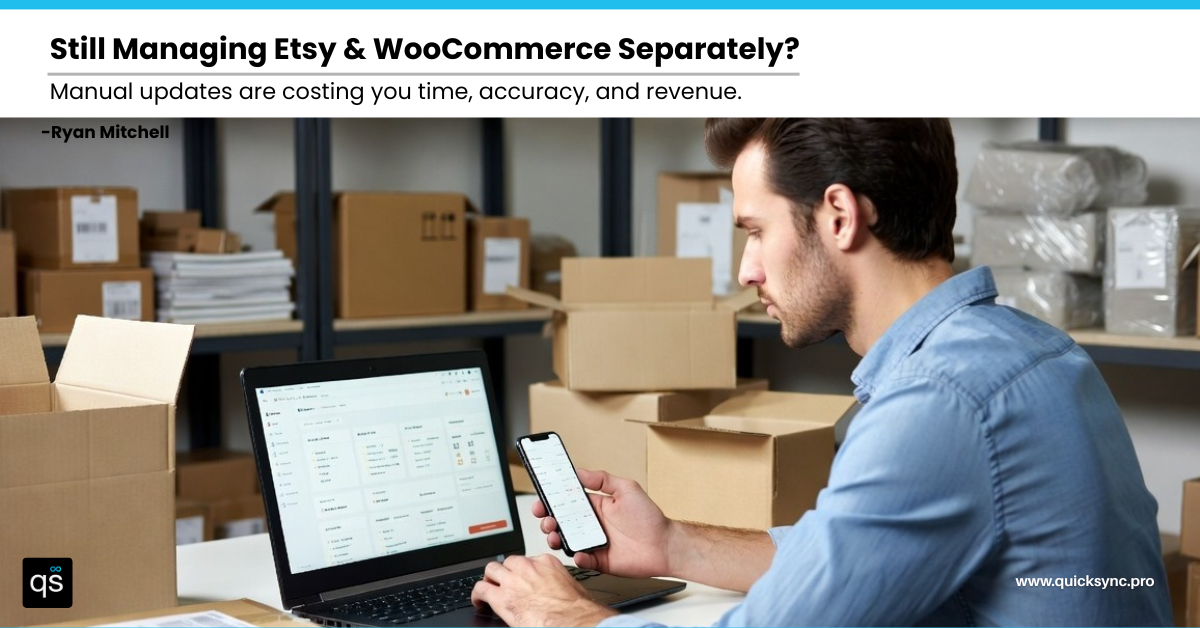
You are not losing sales because of bad products. You are losing them because your stores are out of sync. WooCommerce Etsy sync is not just a technical setup. It is the difference between smooth growth and silent revenue loss.
One product sells out on Etsy, but your WooCommerce store still shows it as available. Another order comes in. Now you are canceling, apologizing, and risking a negative review.
This is what running WooCommerce and Etsy without proper sync actually looks like. Not one dramatic failure. A slow, compounding drain on your time, your reputation, and your revenue.
The good news? This is a solved problem. This guide will show you exactly how WooCommerce Etsy integration works, what breaks without it, and how to set it up the right way so you can run both channels like a single, unified business.
What Is WooCommerce Etsy Sync?
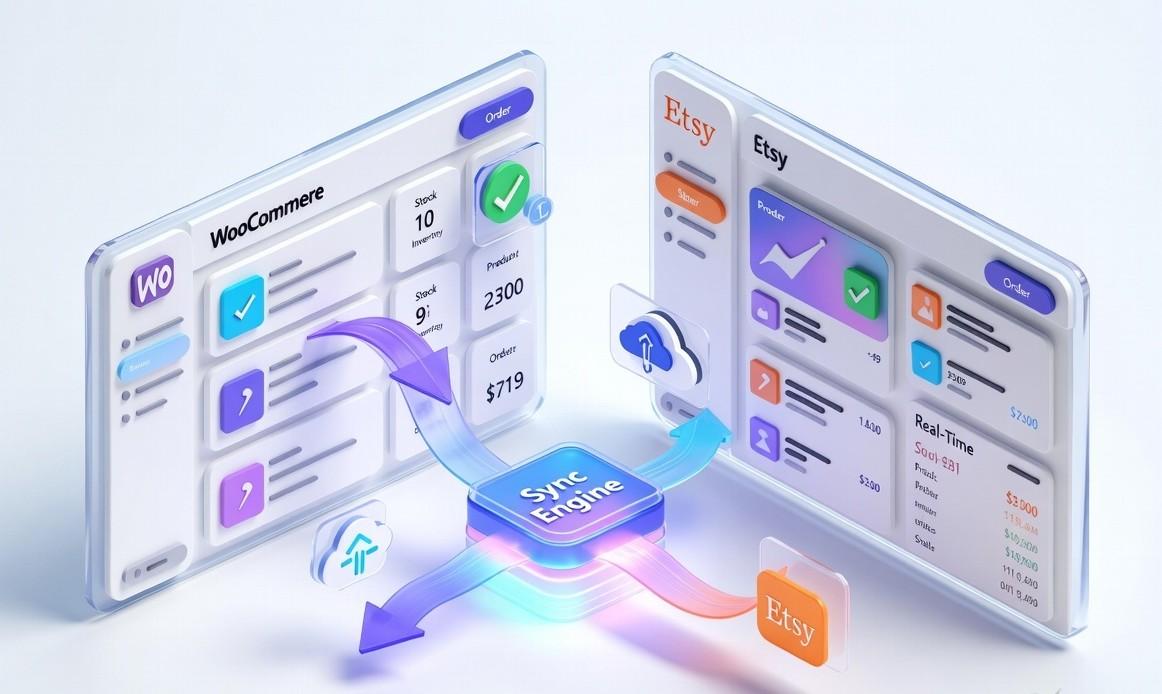
Etsy WooCommerce inventory sync means your WooCommerce store and your Etsy shop stay connected automatically. Your product details, inventory levels, and orders are updated across both platforms without any manual effort.
When something changes on one platform, it updates on the other almost instantly. For example, if a product sells on Etsy, your WooCommerce stock is updated right away. If you change a price or product detail in WooCommerce, it reflects on Etsy as well.
Real WooCommerce Etsy integration works in real time. It keeps your inventory accurate, your product listings consistent, and your orders organized in one place. Without proper sync, you end up managing the same products twice, dealing with stock mismatches, and risking errors that can lead to lost sales.
That is why WooCommerce Etsy integration is not just helpful. It is essential to run both platforms smoothly.
Problems Sellers Face When WooCommerce and Etsy Are Not Synced
Understanding syncing is one thing. Seeing what happens without it is another. Most sellers do not face major issues immediately. The real problems begin as the business grows.
More products, more orders, and more updates create gaps between Etsy and WooCommerce. Over time, these gaps turn into operational challenges that are hard to ignore.
Overselling and Stockouts:
This is the fastest way to lose customer trust. You have 10 units in stock, and 5 of them have sold out on WooCommerce. But Etsy still shows ten available. More orders come in, but you cannot fulfill them.
Now you are canceling orders, issuing refunds, and dealing with frustrated customers. Many of them will not return. Each mistake is not just a lost sale. It is a lost customer.
Updating Product Details Manually:
Every product update has to be done twice. Add a new item, change a price, update an image, or fix a description. You repeat the same process on both platforms.
As your catalog grows, this becomes exhausting and time-consuming. And sooner or later, something gets missed. One platform shows updated information, while the other does not. Customers notice these inconsistencies, and it affects how they perceive your brand.
Inventory Discrepancies and Mismatched SKUs
When you manage WooCommerce and Etsy separately, your product data slowly starts drifting out of sync. SKUs no longer match, and product listings begin to vary across platforms.
As a result, confusion builds behind the scenes. Orders get fulfilled with the wrong items, returns become harder to track, and inventory records lose their accuracy. Over time, it reaches a point where you can no longer fully trust your own data, which makes day-to-day operations far more difficult than they should be.
Inconsistent Pricing Across Channels
Pricing mistakes can quickly damage customer trust, often faster than you expect. For instance, you might run a discount on WooCommerce but forget to update Etsy at the same time.
This creates a noticeable gap. Customers compare prices, spot the difference, and start questioning your reliability. Some may ask for adjustments, while others simply leave without buying. In the end, inconsistent pricing affects sales and brand reputation.
Fragmented Order Management
Without proper sync, your orders are split between two separate systems. You find yourself constantly switching back and forth just to stay updated.
At first, it feels manageable. But as order volume increases, keeping track becomes more challenging. Orders get delayed, updates are missed, and communication slows down. Gradually, this starts affecting the overall customer experience and, ultimately, your ratings and reviews.
Time Loss That Slows Your Growth
The biggest impact is often the one you do not notice immediately. It is the time spent on repetitive manual tasks every single day.
Checking inventory, updating listings, managing orders, and fixing small errors. These tasks may seem minor on their own, but together they consume hours of your time. Instead of focusing on growing your business, you are stuck managing processes that should have been automated from the start.
The Different Methods of Linking WooCommerce and Etsy
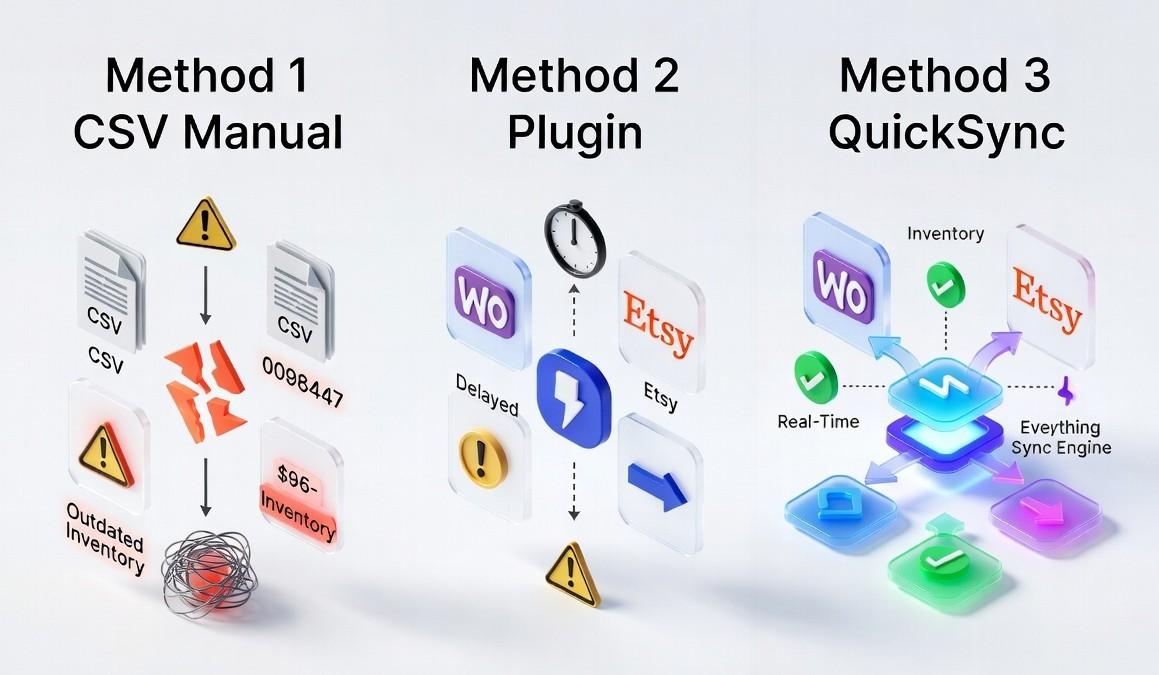
When it comes to integrating WooCommerce with Etsy, you’ve got three methods. Two out of them may work for a while, but one actually works as you grow. So let’s dive into all three and see which methods bring what to the table for you.
Method 1: Manual CSV Export and Import
This is where most multichannel sellers begin. You export your WooCommerce catalog as a CSV, adjust it to fit Etsy’s format, and upload it. For inventory, you track stock manually and update both platforms periodically.
At first, it feels simple and cost-effective. But the cracks appear quickly.
The reasons why this method fails:
- There’s no real-time sync, and data becomes outdated the moment you export it.
- Every update requires repeating the full export, edit, and upload process.
- WooCommerce and Etsy use different structures, so mapping data takes time every time.
- High risk of errors with no proper tracking or alerts.
- Becomes unmanageable as your product catalog grows.
This method gives the illusion of control, but in reality, it creates gaps that lead to overselling, inconsistencies, and lost time.
Method 2: WooCommerce Etsy integration plugin
Plugins connect WooCommerce to Etsy directly from your WordPress dashboard. They reduce manual work and usually offer scheduled syncing every few minutes or hours.
It sounds like a solid upgrade, but important limitations remain.
Reasons why it falls short:
- Sync is delayed, which still creates inventory gaps and overselling risk.
- Often, it’s a one-way sync, so Etsy sales may not update WooCommerce instantly.
- Limited support for complex products, variants, and Etsy-specific requirements.
- Plugin reliability depends on updates, and failures can go unnoticed.
- Orders are often not fully centralized, so you still manage multiple dashboards.
Plugins improve efficiency, but they do not eliminate the core problem. There is always a delay, and that delay creates risk.
Method 3: QuickSync – The Reliable Syncing Engine
This is the one method that we talked about that actually works. QuickSync is built for sellers who want WooCommerce and Etsy to function as one system, not two loosely connected platforms.
Instead of scheduled updates, it runs continuous real-time syncing across products, inventory, and orders.
Reasons why it works:
- Real-time inventory sync so sales update instantly across both platforms.
- True bi-directional sync for products, stock, and orders.
- Master store control means updating once in WooCommerce, and changes reflect everywhere.
- Centralized order management with automatic tracking updates.
- Smart handling of API limits, errors, and platform-specific rules.
- Scales smoothly whether you process ten orders or thousands.
QuickSync removes the gaps completely. You no longer worry about mismatched stock, delayed updates, or managing multiple systems.
Key Features to Look for in a WooCommerce Etsy Sync Solution
Not every tool that claims to sync WooCommerce and Etsy delivers the same level of reliability. Before choosing a solution, evaluate it against these non-negotiable capabilities.
If you want a solution that truly works, these are the features that make the difference between a temporary fix and a reliable system.
| Feature | Why It Matters | Without It |
| Real-time inventory sync | Keeps stock updated instantly across both platforms, especially during high sales periods | Overselling, stockouts, cancellations, unhappy customers |
| Centralized order management | Lets you manage all orders from one place, simplifying fulfillment | Missed orders, delayed shipping, operational confusion |
| Automatic product listing sync | Ensures titles, images, and descriptions stay consistent everywhere | Manual work, mismatched listings, avoidable errors |
| Accurate SKU mapping | Maintains correct product identity across platforms | Wrong shipments, increased returns, customer complaints |
| Dynamic pricing rules | Helps adjust pricing based on fees, discounts, or currency differences | Reduced margins, pricing conflicts, lost competitiveness |
| Error detection and recovery | Identifies and fixes issues before they impact your store | Silent sync failures, broken data, lost sales |
| Scalable multichannel support | Allows you to expand without changing systems later | Operational bottlenecks when you grow |
Based on the aforementioned key features, QuickSync seems to be the right solution. It brings everything together in one system. Inventory stays accurate, orders stay organized, and your data stays consistent across WooCommerce and Etsy.
No gaps, no manual fixes, just smooth scaling for serious multichannel sellers.
Meet QuickSync: The Reliable Solution for WooCommerce Etsy Integration
QuickSync is built for sellers who are done dealing with sync errors and want a system that works in the background.
True Real-Time Sync: Most tools rely on scheduled updates, which always leave room for delays. QuickSync works differently. The moment a sale happens, inventory updates instantly across all connected platforms. There are no gaps, no delays, and no risk of overselling.
Built for Etsy Requirements: Etsy has its own rules, from title limits to category structures and image standards. QuickSync handles all of this automatically, so your Etsy listings stay optimized and compliant without extra effort.
Smarter Inventory Control: You get better control over how your inventory management is done. Set stock buffers, manage channel-specific availability, and keep your inventory accurate without constant manual checks. It helps you avoid overselling while still maximizing what you can sell.
Seamless Two-Way Sync: Orders from Etsy appear instantly in your WooCommerce dashboard, right alongside your regular sales. You manage everything in one place, and when you update tracking, it syncs back automatically. No switching between platforms, no missed updates.
Built to Scale With You: Whether you handle a few orders a day or large volumes during peak periods, QuickSync keeps everything running smoothly. It handles growth without slowing down or creating extra work for you.
How to Sync Etsy with WooCommerce Using QuickSync: 4 Simple Steps
Getting started with QuickSync is fast and straightforward. You do not need any technical skills, and the entire setup takes just a few minutes.
Step 1: Create Your QuickSync Account
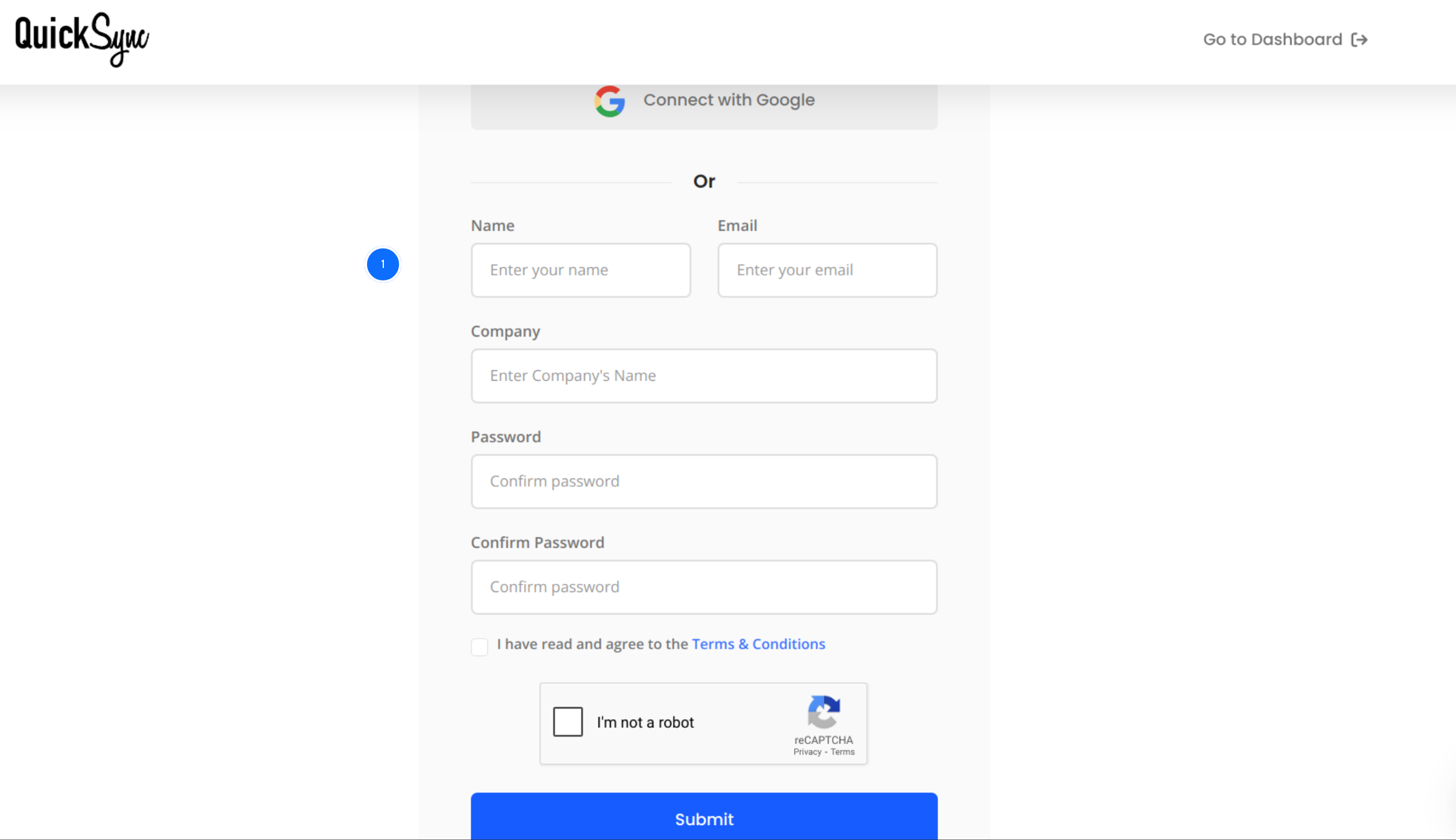
- Visit QuickSync.pro and sign up or log in to your existing account to access your dashboard.
Step 2: Connect Your WooCommerce Store
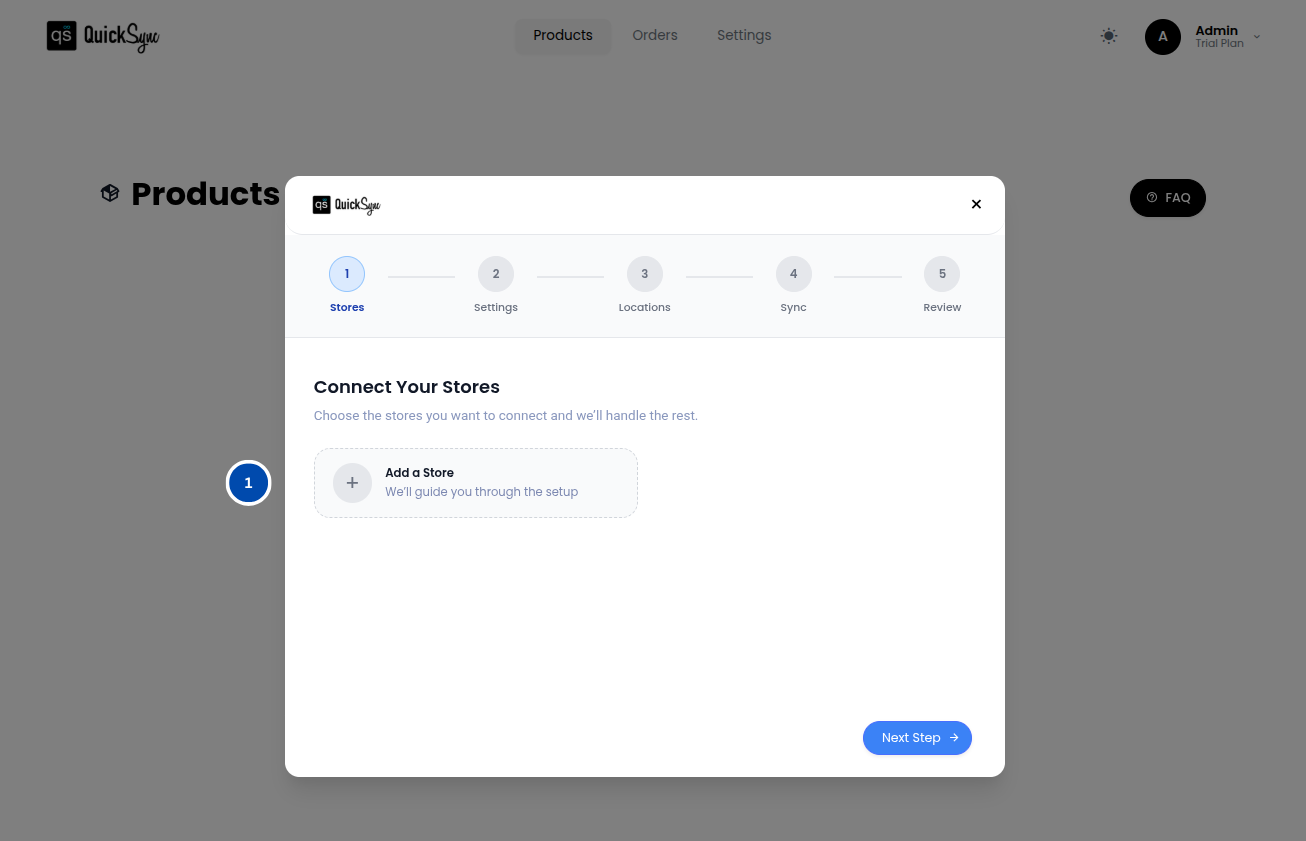
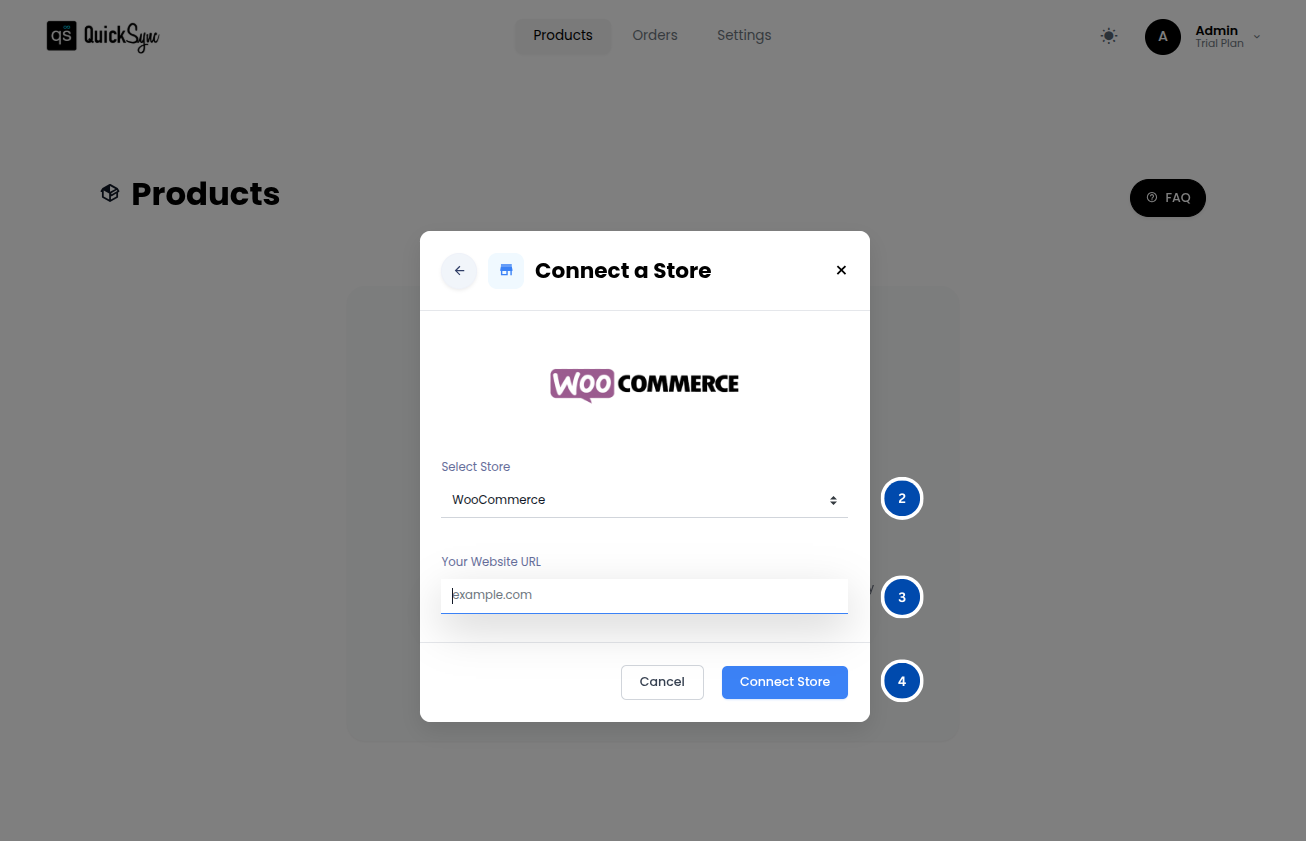
- Go to your QuickSync dashboard and click Store → Add a Store, then choose WooCommerce.
- Enter your store URL (like yourstore.com) and click Connect.
- Approve the permission request so QuickSync can access your products, inventory, and orders.
Wait for the setup to finish. Once it’s done, your WooCommerce store will be connected and ready to go.
Step 3: Connect Your Etsy Shop
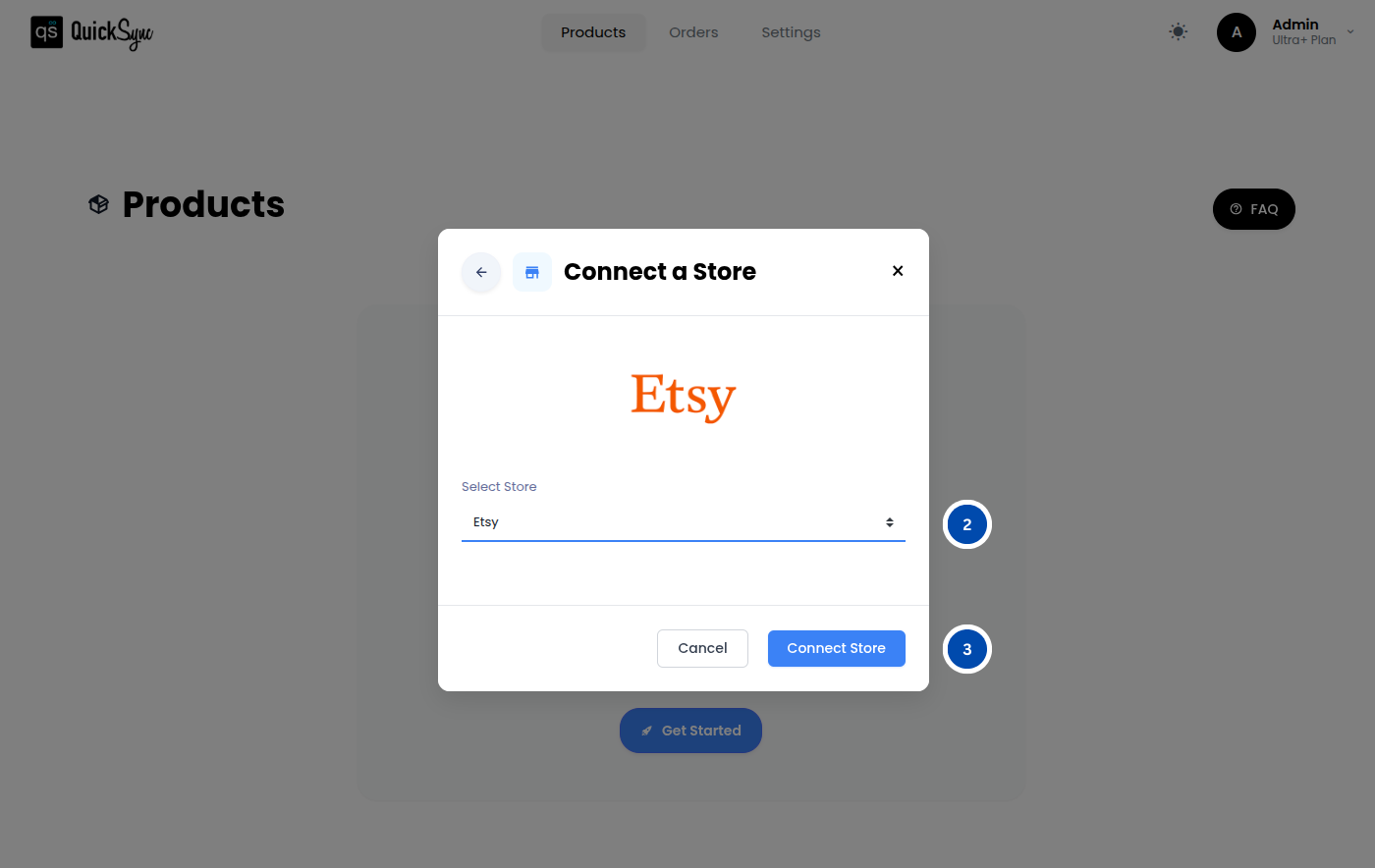
- Again, click Add a Store, choose Etsy, and connect your shop.
After granting permissions, QuickSync imports your listings, inventory, and shipping details without any manual setup.
Step 4: Set Your Sync Preferences
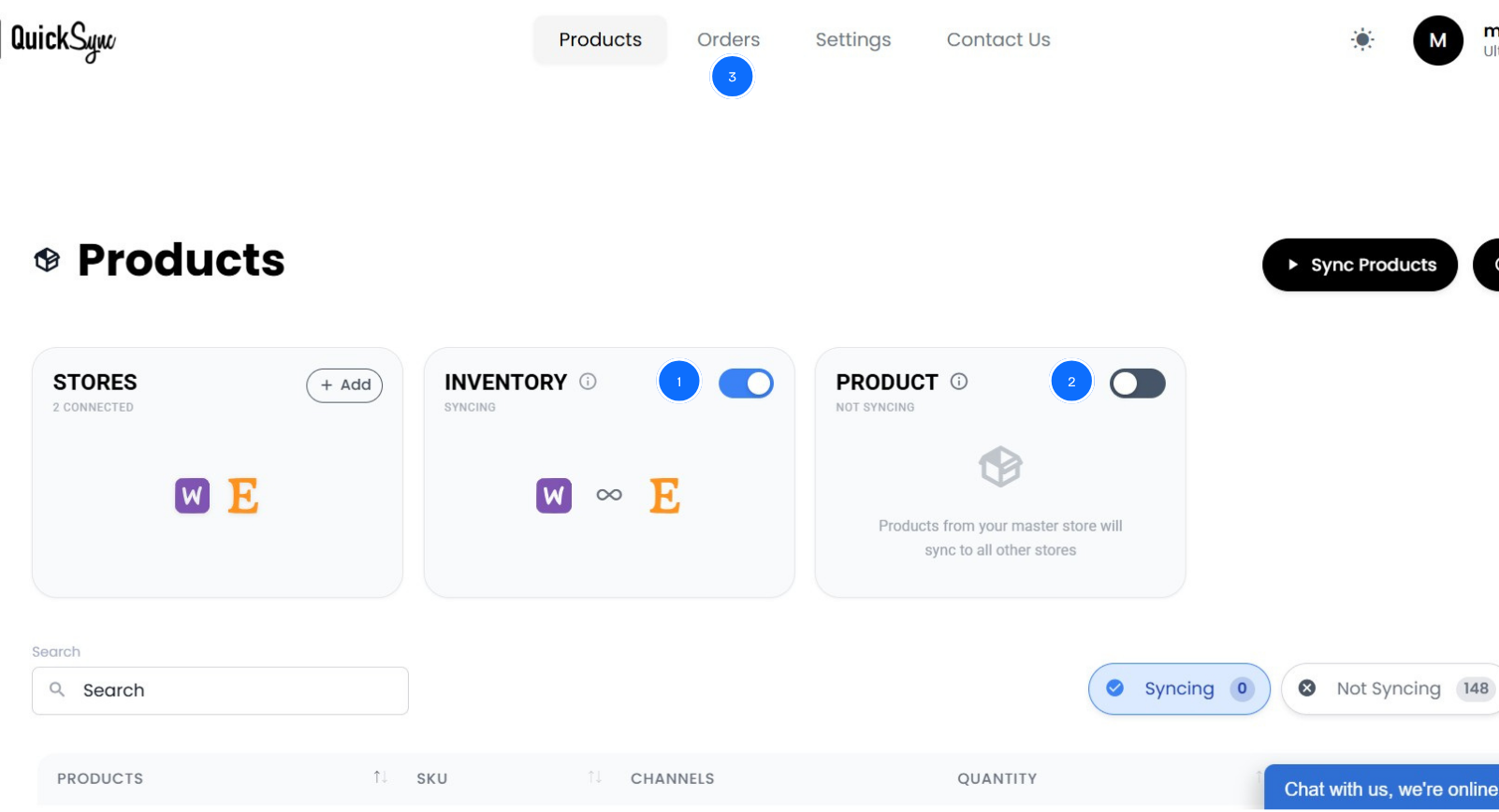
After connecting both platforms, choose what you want to sync, whether it is products sync, inventory sync, orders sync, or everything together.
Once setup is complete, everything runs automatically. Your inventory stays updated, orders appear in one place, and product changes sync across both platforms. You no longer manage two systems. QuickSync keeps everything aligned while you focus on growing your sales.
Best Practices for a Smooth Etsy and WooCommerce Sync
Connecting WooCommerce and Etsy is just the first step. What truly makes the difference is how your sync performs as your business grows.
Many sellers get everything set up, but still face issues later because their system cannot keep up with increasing orders and updates. A connection alone is not enough. It needs to stay accurate, consistent, and reliable every day.
Use WooCommerce as Your Master Store:
Keep WooCommerce as your single source of truth. Make all product updates there, including pricing, descriptions, images, and variants, and let QuickSync handle the rest. Avoid editing directly on Etsy after syncing, as even small changes can create conflicts and break consistency.
Maintain Clean and Consistent SKUs:
Before enabling sync, take time to organize your SKUs. A clear and consistent structure makes it easier to track products, avoid mismatches, and prevent fulfillment errors. While QuickSync can generate SKUs automatically, having your own system in place keeps everything more reliable in the long run.
Sync Only Relevant Products:
Not every product belongs on Etsy. Since Etsy charges per listing, it is important to be selective. Focus on products that match Etsy’s audience, and use QuickSync to sync only what makes sense instead of your entire catalog.
Keep Real-Time Sync Always On:
Consistency is key. Turning off sync, even temporarily, creates gaps that can lead to poor inventory management. Keeping real-time sync active ensures your data stays accurate across both platforms at all times.
Check Your Dashboard Regularly:
Automation does most of the work, but a quick weekly check helps you stay ahead of any issues. Review inventory, order flow, and any alerts so small problems never turn into bigger ones.
Centralize Fulfillment in WooCommerce:
By managing all orders through WooCommerce, you simplify your entire workflow. Orders from Etsy appear automatically, and tracking updates sync back without extra effort. This keeps everything organized and gives you full visibility over your operations.
The Bottom Lines: What Next!
By now, it is clear that managing WooCommerce and Etsy separately only creates gaps that slow your growth and lead to avoidable errors.
A proper WooCommerce Etsy sync brings everything together. Your inventory stays accurate, your orders stay organized, and your product data remains consistent across both platforms.
With QuickSync, setup is simple, and everything runs automatically. No manual fixes, no constant checking, just a system that supports your growth.