
WooCommerce Integration: Sync Products, Inventory, and Orders Across Every Channel
Connect WooCommerce with every marketplace, POS system, ecommerce platform, and accounting tool you sell through. With QuickSync WooCommerce integration, your store products, inventory, and orders sync in real time between channels, all from one dashboard.
No custom coding. No stock mismatches. No repeated product uploads.

Average sync
time

Active sellers
worldwide

Platform uptime
guaranteed

Free Trial
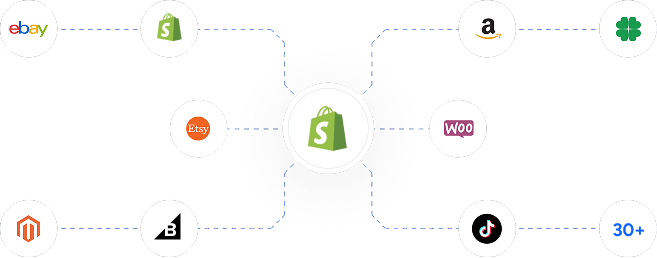
Integrate Your Clover With Leading Sales Channels
Manage WooCommerce Operations From One QuickSync Dashboard
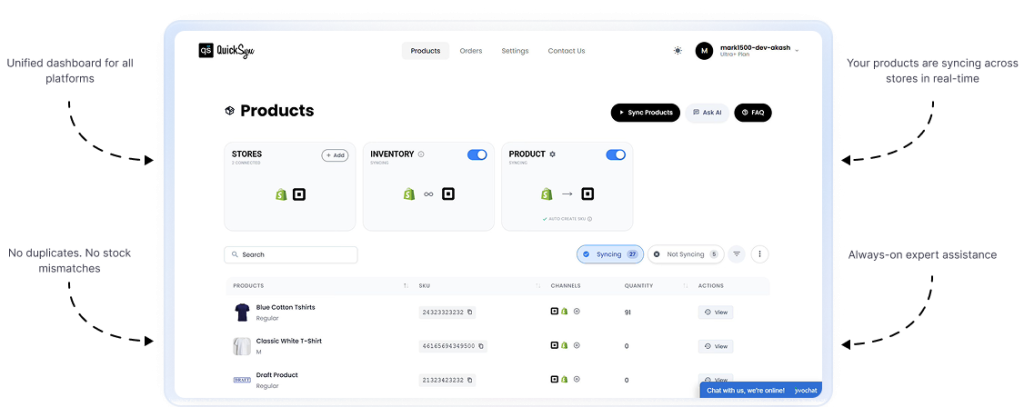
QuickSync turns your WooCommerce store into the command center for your entire business. Connect once, choose what to sync, and let products, inventory, and orders sync automatically between WooCommerce and every channel you sell on. One dashboard replaces daily platform switching. One stock count replaces the guesswork. Setup takes minutes, not weeks, and no custom coding is required. Stop managing separate dashboards. Connect and let it run. That’s it.
QuickSync Features That Keep WooCommerce in Sync With Other Platforms
QuickSync gives WooCommerce store owners the advanced automation features they need to run every connected channel with less effort and more control.
Product Sync That Removes Repeated Work
QuickSync syncs WooCommerce products across connected sales channels with product names, descriptions, SKUs, prices, images, product categories, option groups, and variants mapped correctly. You can sync product details once and keep all connected platforms catalog’s accurated without rewriting listings across every sales channel with QuickSync product sync software.

No duplicate uploads

No scattered product

No messy catalog work

Inventory Sync That Protects Every Sale
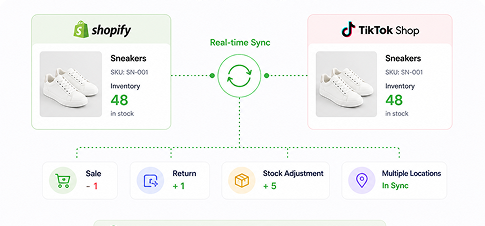
QuickSync keeps WooCommerce inventory sync across your connected platforms in real time. When a product sells, gets returned, restocked, or canceled, inventory updates automatically across supported channels. This helps WooCommerce store owners prevent overselling, reduce refunds, avoid stock confusion, and trust the stock numbers inside their store.

No overselling

No stock mismatch

No manual quantity checks
Order Sync That Centralizes Fulfillment
QuickSync can push orders from connected channels into WooCommerce when you choose WooCommerce as your fulfillment store. Customer details, order items, shipping data, cancellations, carrier names, tracking numbers, and order status stay connected. Your team can fulfill more orders from one place instead of chasing orders across dashboards.

No missed orders

No scattered fulfillment

No customer data gaps
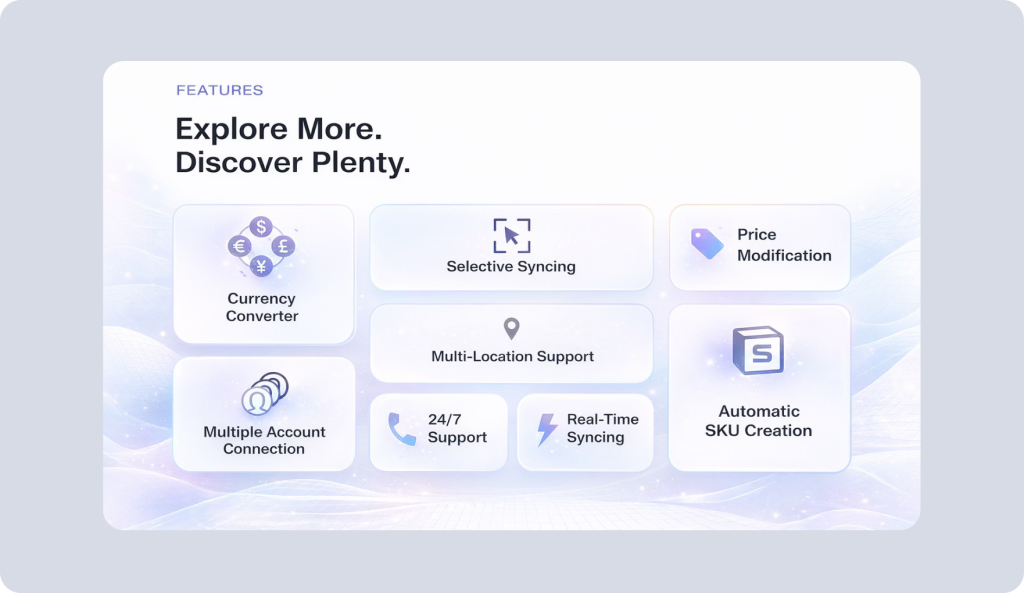
Live Inventory Updates
All product variants from Shopify are synced precisely to TikTok Shop. Each variant retains its structure, SKU, and selection logic.
Real-Time Updates That Keep Channels Moving
QuickSync keeps WooCommerce updates moving quickly between your online store and connected platforms. Product changes, stock movements, order activity, tracking details, and cancellations stay synced automatically, so your team spends less time fixing backend issues and more time improving customer engagement, checkout performance, and sales growth.

No slow updates

No stale data

No dashboard switching
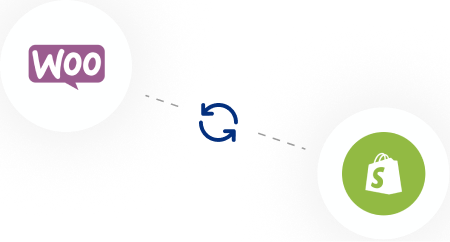
Connect WooCommerce With the Channels That Drive More Sales
Your WooCommerce store may start as one website, but growth rarely stays on one platform. QuickSync helps you connect WooCommerce with the channels that bring new customers, repeat purchases, and stronger marketplace reach.
Everything QuickSync Can Automate for WooCommerce Stores
QuickSync gives WooCommerce store owners the right integration features to automate daily work, protect inventory accuracy, and scale without adding more backend pressure.

Inventory Sync
QuickSync keeps WooCommerce stock updated across every connected platform after sales, returns, restocks, and adjustments.
Product Sync
Sync titles, descriptions, SKUs, images, prices, taxes, categories, and variants automatically with QuickSync.
Order Sync
Push marketplace, POS, and channel orders into WooCommerce for cleaner fulfillment and faster processing.

Selective Sync
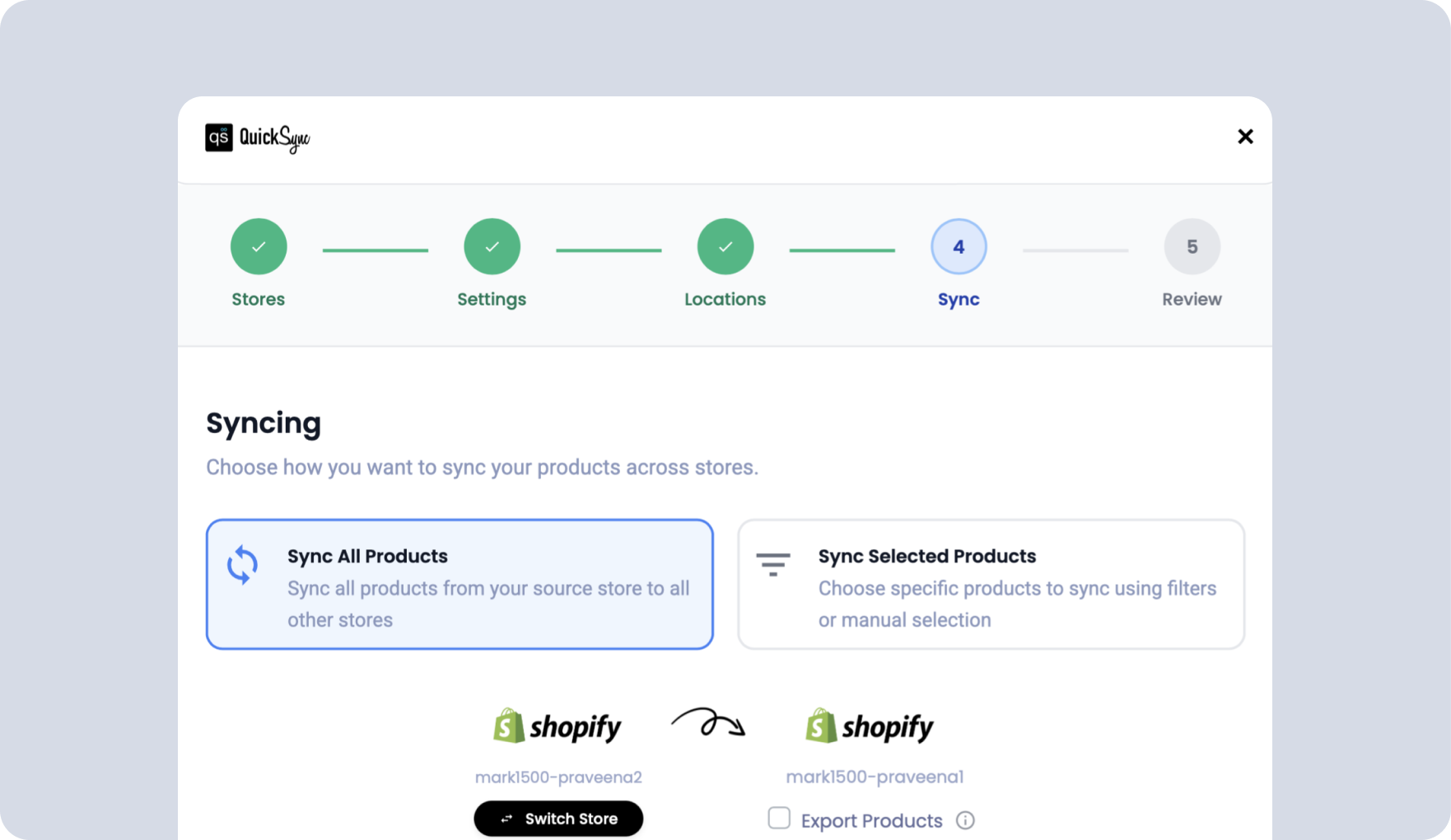
Sync only selected WooCommerce products and publish chosen items live across connected channels.
Pricing Sync
Keep retail prices, compare-at prices, and channel pricing synced automatically across your stores.
Image Sync
QuickSync syncs up to 100 WooCommerce images for cleaner product pages everywhere.
Variant Sync
QuickSync can sync up to 100 product variants with SKUs, prices, images, and option groups.

Customer Data
QuickSync pulls customer details into WooCommerce for fulfillment, support, and better order visibility.
Tracking Sync
Sync carrier names and tracking numbers with supported WooCommerce shipment tracking setup.

Multi-Location Inventory
Manage stock across multiple locations while QuickSync keeps WooCommerce inventory more accurate.
Real Stories From WooCommerce Sellers Using QuickSync
QuickSync is built for store owners who want fewer backend problems and more confidence when selling across channels
“WooCommerce was our main store, but Etsy and eBay were becoming hard to manage manually. QuickSync helped us keep products, prices, and inventory aligned without checking three dashboards every day.”

“We had a few overselling issues during a holiday sale, and that was enough. Since connecting WooCommerce with QuickSync, inventory updates across our channels much faster. Our team trusts the stock numbers now.”
“The best part is that orders now come back into WooCommerce. Our team already knows that dashboard, so fulfillment became easier immediately. We no longer copy customer details from marketplace orders.”
“We sell online and at local events using POS. Before QuickSync, stock control was messy. Now our WooCommerce inventory stays connected with Square, and we do not need to adjust everything manually after weekends.”
“WooCommerce was our main store, but Etsy and eBay were becoming hard to manage manually. QuickSync helped us keep products, prices, and inventory aligned without checking three dashboards every day.”
“We had a few overselling issues during a holiday sale, and that was enough. Since connecting WooCommerce with QuickSync, inventory updates across our channels much faster. Our team trusts the stock numbers now.”
“The best part is that orders now come back into WooCommerce. Our team already knows that dashboard, so fulfillment became easier immediately. We no longer copy customer details from marketplace orders.”
“We sell online and at local events using POS. Before QuickSync, stock control was messy. Now our WooCommerce inventory stays connected with Square, and we do not need to adjust everything manually after weekends.”
“Our WooCommerce catalog has many variants, and syncing them always made me nervous. QuickSync handled SKUs, option groups, prices, and images much better than the tools we tried before.”
“We wanted to add TikTok Shop but did not want another channel to manage by hand. QuickSync gave us the confidence to connect it while keeping WooCommerce as our main system.”
“QuickSync saved our team hours every week. Product updates now move automatically, orders are easier to process, and our inventory finally feels connected across channels.”
“I like that we can choose what syncs. Some products need different pricing on marketplaces, while others stay the same. QuickSync gives us control without making the setup complicated.”
“We use WooCommerce, QuickBooks, and multiple marketplaces. Before QuickSync, reconciliation was painful. Now our order and product data is much cleaner before it reaches accounting.”
“Our WooCommerce catalog has many variants, and syncing them always made me nervous. QuickSync handled SKUs, option groups, prices, and images much better than the tools we tried before.”
“We wanted to add TikTok Shop but did not want another channel to manage by hand. QuickSync gave us the confidence to connect it while keeping WooCommerce as our main system.”
“QuickSync saved our team hours every week. Product updates now move automatically, orders are easier to process, and our inventory finally feels connected across channels.”
“I like that we can choose what syncs. Some products need different pricing on marketplaces, while others stay the same. QuickSync gives us control without making the setup complicated.”
“We use WooCommerce, QuickBooks, and multiple marketplaces. Before QuickSync, reconciliation was painful. Now our order and product data is much cleaner before it reaches accounting.”
FAQ
Have questions? We have answers. Can’t find what you’re looking for?
What is WooCommerce used for?
How to integrate WooCommerce in WordPress?
Install the WooCommerce plugin inside your WordPress dashboard. Complete the setup steps, add products, choose payment gateways, and configure shipping. To connect WooCommerce with other sales channels, use an integration tool like QuickSync for product, inventory, and order automation.
How to connect WooCommerce app?
You can connect your WooCommerce app to other e-commerce channels using an integration tool like QuickSync. With QuickSync, you can connect WooCommerce with Shopify, Etsy, eBay, TikTok Shop, Square, Clover, and more. It automatically syncs products, inventory, orders, customer data, and tracking updates across connected platforms.
How to integrate WooCommerce with Shopify?
You can integrate WooCommerce with Shopify using an integration tool like QuickSync. Connect both stores to QuickSync, select WooCommerce or Shopify as your main system, choose what to sync, and start automation. Once both stores are connected, WooCommerce automatically syncs products, inventory, orders, images, prices, variants, and product details.
What are WooCommerce integrations?
WooCommerce integrations connect your WooCommerce store with other platforms. These include marketplaces, POS systems, CRM systems, shipping providers, accounting tools, payment processing apps, marketing tools, and analytics platforms. QuickSync helps create seamless WooCommerce integrations without custom coding or manual uploads.
Which is the best WooCommerce integration tool?
The best WooCommerce integration tool should support product sync, inventory sync, order sync, pricing, images, variants, customer data, and fulfillment workflows. This is exactly what QuickSync offers. QuickSync easily connects WooCommerce with marketplaces, POS systems, and ecommerce platforms. QuickSync offers inventory sync, order sync, and product sync features that make multichannel selling easier.
Can WooCommerce orders sync automatically?
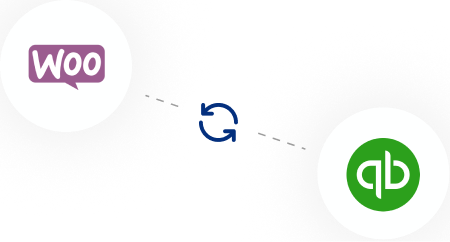
Yes, QuickSync supports WooCommerce integration with QuickBooks. It helps sync WooCommerce products, inventory, orders, payments, refunds, customer data, and accounting details with QuickBooks Online. With QuickSync, you reduce manual entry. It gives store owners cleaner records for sales, taxes, reporting, and reconciliation.
Does QuickSync support Clover US and EU?
Yes, WooCommerce order sync is possible with the QuickSync order sync tool. Orders from connected platforms can move into WooCommerce for fulfillment. Customer details, product details, shipping data, cancellations, carrier names, tracking numbers, and order status can stay connected inside your WooCommerce workflow.
Can WooCommerce connect with POS systems?
Yes, WooCommerce can connect with POS systems using an integration app like QuickSync. Supported integrations include Square, Clover, and Lightspeed. This helps online store and retail data stay aligned, including products, inventory, orders, prices, customer data, and fulfillment details across physical and digital sales.
How much does WooCommerce integration with QuickSync cost?
QuickSync offers affordable, scalable pricing for growing ecommerce businesses. You can start with a free 14-day trial, no credit card required. Plans are built to match your product volume and channel count. Visit the pricing page for current plan details and figures.
Stop losing sales to inventory
conflicts
Join thousands of merchants who’ve automated their multichannel operations with QuickSync.
- No credit card required
- Cancel anytime
- 14-day free trial
Enter your email and we’ll set up your account in minutes.
Free for 14 days. No credit card needed.