Most inventory management systems don’t cost what their pricing page says. The monthly figure is where the bill starts; what sets it is a meter underneath: orders a year, user seats, warehouses, or how many items you carry. A seller keeping one stock count across two sales channels can be quoted $19 a month or $349 a month for that job, depending on which meter the tool runs on.
If you sell through more than one channel, the short version of this list is in our multichannel inventory management software guide, which compares nine tools on what sets the bill and how fast stock moves. Still on a spreadsheet? The free inventory templates log movements instead of overwriting counts.
So this list of inventory management software is arranged by what sets the bill. For each tool below you get the entry price, the meter, the limits, and who it suits. We make one of them, so we’ve said where QuickSync is the wrong choice too: with one shop and under 500 items you don’t need software yet, and with a warehouse, purchase orders and staff you need something heavier than us.
Quick comparison: what each tool costs and what sets the bill
Ten tools, one table, before the detail. Prices are each vendor’s public list price as stated in its section below; Cin7 and Linnworks were re-checked on 21 August 2026 and updated. For a small business the second column matters more than the first: a bill that meters orders or users grows with you, a bill on catalogue size does not.
| Tool | From | What sets the bill | Best for |
|---|---|---|---|
| QuickSync | $19/mo, two shops | Variation count × connected shops | Two to eight shops; the count itself |
| Cin7 Core | $349/mo | Users, orders a year, integrations | Multi-warehouse, B2B, manufacturing |
| Zoho Inventory | Free to 50 orders; $29/mo billed annually | Orders, users, locations | Businesses already on Zoho Books |
| Katana | Free to 30 SKUs; $299/mo | Plan tier plus add-ons | Small manufacturers |
| inFlow Inventory | $161/mo | Users and orders | Wholesale and B2B with purchase orders |
| Linnworks | Quote only | Order volume, modules, onboarding | Warehouses shipping at scale |
| Finale Inventory | $499/mo | Users, orders, integrations | Mid-market with multiple warehouses |
| AnyDB | Free plan; paid plans from $50/mo | Plan and service level | Custom inventory, purchasing, and warehouse operations |
| NetSuite | Quote; typically $1,000+/mo | Users and modules | Companies that need an ERP |
| Ordoro | Free shipping; inventory from $349/mo | Plan tier | Shipping-first operations |
| Extensiv (Skubana) | Quote only | Order volume | 3PLs and high-volume brands |
If you’re a small business: three picks by size
- One shop, under 500 items: you don’t need software yet. A spreadsheet that logs movements instead of overwriting counts does the job; the free inventory templates are built that way, with a reorder point per SKU.
- Two to eight shops, any mix of marketplace, website and till: QuickSync, because the bill is on catalogue size ($19 to $99 a month for two shops) and never on orders, and because eight of its eleven channels push changes to it the moment they happen. Zoho if you already run Zoho Books.
- A warehouse, purchase orders and staff: inFlow or Finale at the small end, Cin7 Core above that, Linnworks or NetSuite when the operation has a warehouse manager. Expect implementation measured in weeks, not minutes.
The full method for choosing between these, with the pricing models worked through for one seller, is in our multichannel inventory management software guide.
What Is Inventory Management Software and Why Do Ecommerce Sellers Need It?
Before jumping into the list of tools, it is important to first understand what multichannel inventory management software actually does. Inventory management software helps ecommerce sellers track and manage inventory across all the platforms they sell on.
It automatically updates product quantities when sales, returns, or restocks happen, so you always know exactly how much inventory is available in real time.
Without inventory software, every sales channel manages stock separately. A good inventory management system keeps all your channels connected with one real-time inventory count. Now the question comes: who should have inventory management software? Look at the below-mentioned points, and if you relate to any point, then you must get an inventory management tool.
- Sellers managing products across multiple sales channels.
- Ecommerce businesses with growing product catalogs.
- Brands running flash sales or high-volume promotions.
- Retailers selling both online and in physical stores.
- Businesses struggling with spreadsheets and manual stock updates.
How We Reviewed Each Inventory Tool for Real Ecommerce Use
We didn’t randomly select these inventory management tools. Each one was reviewed based on how it performs in real ecommerce scenarios, ensuring this list is useful for actual business decisions, not just marketing claims.
We keep side-by-side pages for a few of the tools sellers weigh against us: Linnworks, Shopventory and SKU IQ. Each one covers pricing and which channels the two sides support.
What Factors We Tested
- Inventory sync quality: Does the tool sync in real time? How accurately and how quickly do inventory changes appear across all connected channels?
- Product sync depth: What product details sync between platforms? We checked names, descriptions, images, variants, pricing, categories, tags, and SKUs.
- Order management capability: Does the tool centralize orders from all channels into one dashboard? How does it handle order routing, cancellations, and returns?
- Platform and channel coverage: Which platforms does each tool actually support and how deep is that support beyond just the marketing page claims?
- POS integration: Does the tool connect to physical point-of-sale systems like Clover and Square?
- Accounting integration: Does the tool connect to QuickBooks, Xero, or other accounting software, and what does that connection actually do?
- Ease of setup: How long does it take to go from sign-up to live sync? Can a non-technical seller configure it without developer help?
- Pricing transparency: Is pricing published clearly and does it scale reasonably as order volume grows?
- Real-world seller feedback: We reviewed feedback from actual merchants using each tool to understand how it performs in practice, not just in demos.
Read this first: QuickSync publishes this page, and QuickSync is the first entry on the list. Take the ranking with the salt it deserves and read the limitations under each tool, ours included, which is where a comparison is actually worth anything. Nobody has paid to appear here or to be placed.
Shortlisting by the combination you actually run is usually faster than shortlisting by tool. Squarespace and Etsy, Etsy and Amazon, Amazon and QuickBooks and Square and Etsy each have a page saying what moves, how quickly, and where it stops.
A Quick Overview of Multichannel Inventory Management Software
Every inventory management tool in this list is built for a different type of business. Some focus on simple syncing across sales channels, while others offer advanced automation, manufacturing support, or enterprise-level control.
To help you compare them easily, here is a quick side-by-side overview of all 10 inventory management tools.
| Tool | Platforms Supported | Sync Type | Inventory Sync | Product Sync | Order Sync | POS Support | Starting Price | Best For |
| QuickSync | Shopify, WooCommerce, Amazon, eBay, Etsy, TikTok Shop, Clover, Square, QuickBooks | Real-time | Yes | Yes (full) | Yes | Yes | $19/mo | Multichannel sellers needing full sync across ecommerce, POS, and accounting |
| Cin7 | Amazon, eBay, Shopify, WooCommerce, built-in POS, B2B portal | Real-time | Yes | Yes | Yes | Yes (built-in) | $349/mo | Omnichannel brands with wholesale, retail, and online needs |
| Zoho Inventory | Amazon, eBay, Etsy, Shopify, WooCommerce | Scheduled (30 min) | Yes | Yes | Yes | No | $29/mo | Small sellers on a budget with predictable order volumes |
| Katana | Shopify, WooCommerce, Amazon, QuickBooks, Xero | Real-time | Yes | Yes | Yes | No | $299/mo | Brands that manufacture or assemble their own products |
| inFlow Inventory | Shopify, Amazon, QuickBooks | Real-time | Yes | Yes | Yes | No | $161/mo | Small to mid-size businesses needing simple inventory and order management |
| Linnworks | Amazon, eBay, Walmart, Shopify, WooCommerce, TikTok Shop, 100+ | Real-time | Yes | Yes | Yes | No | Contact for pricing | High-volume enterprise sellers across many channels |
| Finale Inventory | Shopify, Amazon, eBay, Etsy, WooCommerce, QuickBooks | Real-time | Yes | Yes | Yes | No | $499/mo | Growing brands needing inventory, orders, and accounting together |
| AnyDB | Shopify; other connections via APIs, Zapier, and Make | Automatic via webhooks or manual | Yes, with Shopify | Yes, with Shopify | Yes, with Shopify | No built-in POS | Free plan; paid plans from $50/mo | Customizable inventory systems with purchasing, barcode scanning, automations, and reporting |
| NetSuite | Amazon, Shopify, eBay, custom ERP integrations | Real-time | Yes | Yes | Yes | No | Contact for pricing | Large enterprises needing a full ERP system |
| Ordoro | Shopify, WooCommerce, Amazon, eBay, Etsy, Walmart | Real-time | Yes | Yes | Yes | No | $349/mo | Sellers focused on order management and dropshipping |
| Skubana (Extensiv) | Amazon, Walmart, Target, Shopify, BigCommerce, WooCommerce | Real-time | Yes | Yes | Yes | No | Contact for pricing | Growing mid-market brands needing analytics and forecasting |
11 Best Inventory Management Tools for Ecommerce Sellers
Now that we’ve covered what inventory management software is, why it matters, and how we evaluated each tool, it’s time to look at the solutions that actually stand out.
1. QuickSync
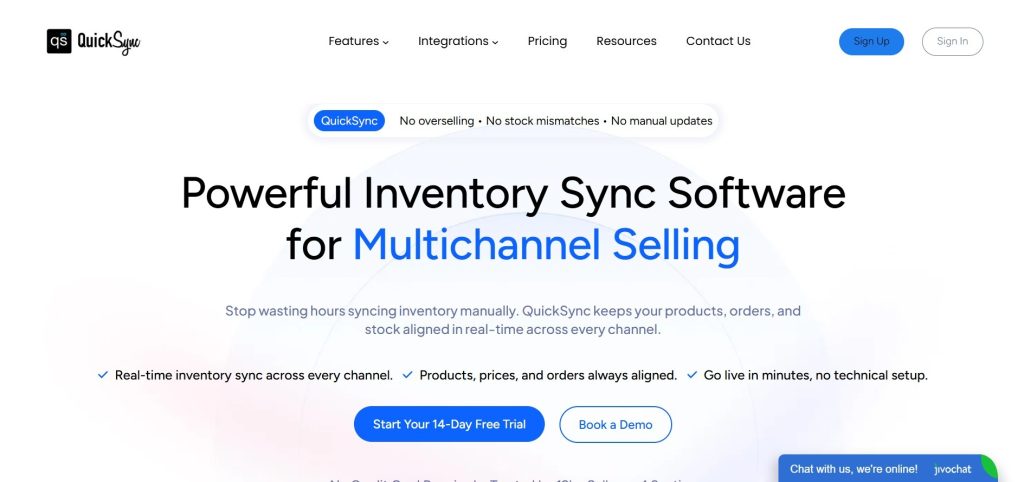
QuickSync is an inventory management software that keeps stock, listings and orders in step across your sales channels. It works with ecommerce platforms, marketplaces, POS systems, and accounting tools in one place.
Most tools split ecommerce, POS, and accounting into separate systems. QuickSync connects them so sellers can manage everything from a single dashboard without switching tools.
We ranked QuickSync at #1 because it offers the most complete all-in-one sync experience, combining inventory, POS, and accounting integration at an affordable price.
Key Features of QuickSync
- Real-time inventory sync: Supported changes arrive through webhooks or scheduled checks, depending on the platform and event. Check intervals are not delivery guarantees; queue processing and retries can add time.
- Full product sync: All product details like name, description, images, variants, SKU, price, categories, and tags update automatically everywhere.
- Centralized order management: All orders from every channel come into one dashboard so you can manage fulfillment easily.
- POS sync with Clover and Square: Clover sale-stock checks run 30 minutes after order import; queue processing and platform responses can add time. Square sends supported stock changes by webhook. Eligible orders can route to your selected fulfillment store on Pro or higher.
- Accounting integration: Every sale automatically updates your accounting records without manual data entry.
- Master Store architecture: One main system controls everything, and all updates automatically flow to connected channels.
- Multi-location inventory: Track inventory accurately across different warehouses and store locations in real time.
Supported Platforms by QuickSync
Shopify, WooCommerce, Amazon, eBay, Etsy, TikTok Shop, Clover POS, Square, QuickBooks, Squarespace, Lightspeed
Pricing Plan at QuickSync
- Lite: $19 per month (up to 1,000 items, two shops included, inventory sync). Every plan connects up to 8 shops; each shop past the first two adds the plan price again.
- Pro: $29 per month (up to 2,500 items, full product and order sync).
- Ultra: $69 per month (up to 10,000 items, full setup service, video sync, Forex pricing).
Note: 14-day free trial on all plans. No credit card required.
Limitations of QuickSync:
- QuickSync is made by the company publishing this page. We have put it first and said so, instead of placing it fourth to look impartial.
- Eight shops per plan. Past that, Linnworks or Extensiv below are the right shape and we are not.
- Etsy publishes no webhook, so an Etsy sale reaches your other shops up to 5 minutes later, and Etsy stock, eBay and Squarespace stock are checked every 2 minutes. Every tool on this list polls Etsy; we are naming the number.
- No tracking number goes back to Amazon, Square, Clover or QuickBooks, and Lightspeed is marked shipped without the number. On Amazon that matters, because despatch confirmation feeds account health.
- Amazon quantity updates cover merchant-fulfilled items only.
- No purchase orders, bin locations, demand forecasting or manufacturing. Cin7, Katana, Finale and NetSuite above all do things we do not.
- Squarespace stock does not sync across multiple locations, and customer data is available only when Shopify is the connected store.
Who it suits: sellers running two to eight shops who want the counts to agree without anyone retyping them, from $19 a month. Who should skip it: anyone who needs purchase orders, warehouse bins, forecasting or manufacturing, anyone past eight shops, and anyone whose Amazon despatch confirmation has to be automatic.
2. Cin7
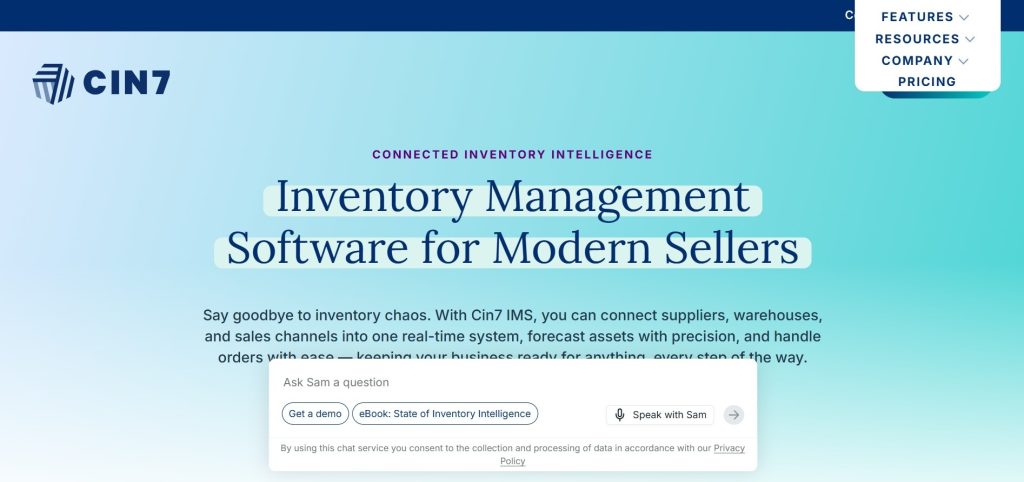
Cin7 is a feature-rich inventory management solution built for businesses with online, retail, and wholesale operations. It brings inventory tracking, point-of-sale functionality, and wholesale ordering into one system. For brands managing multiple sales channels, it offers a convenient way to keep everything connected.
We ranked Cin7 at #7 because while it offers strong multi-channel and retail capabilities, it is more complex and expensive than mid-market tools, and better suited for established businesses rather than most growing ecommerce sellers.
Key Features of Cin7
- Real-time inventory sync: Inventory levels update automatically across all sales channels and locations.
- Built-in POS system: Manage in-store sales without needing separate retail software.
- B2B ordering portal: Wholesale customers can place orders directly through the platform.
- EDI integrations: Connect with major retailers and business partners for smoother order processing.
- Multi-warehouse management: Track and manage inventory across multiple storage locations.
- Advanced reporting: Access insights into sales performance, inventory trends, and profitability.
Supported Platforms by Cin7
Amazon, eBay, Shopify, WooCommerce, BigCommerce, Magento, built-in POS, B2B portal, EDI connections
Pricing Plans at Cin7
- Standard: $349/month (5 users, 2 integrations, 6,000 sales orders/year).
- Pro: $599/month (10 users, 4 integrations, 24,000 sales orders/year).
- Advanced: $1,199/month (15 users, 6 integrations, 120,000 sales orders/year).
- Omni: Custom pricing for enterprise businesses.
Note: Additional integrations, automation features, POS, and advanced capabilities are available as add-ons. Prices re-checked at cin7.com/pricing on 21 August 2026; annual billing takes about 8% off, and implementations run four to twelve weeks.
Limitations of Cin7
- The starting price is $349 per month, which is much higher than many similar tools.
- Setting up the software can be difficult, especially for businesses that are new to inventory management systems.
- Some important features cost extra and are not included in the standard subscription.
Our Verdict: If your business sells through multiple channels and requires advanced inventory control, Cin7 is a strong contender. Its comprehensive feature set is designed to support growing and established brands with complex operations. However, its premium pricing makes it less appealing for businesses with simpler needs. Online-only sellers can often achieve similar results with more affordable software.
3. Zoho Inventory
Zoho Inventory is a practical choice for small businesses that need inventory management without the cost and complexity of enterprise software. It offers a free plan, affordable upgrades, and all the essential tools needed to track stock efficiently. Its biggest advantage is how well it integrates with the broader Zoho ecosystem, making it an excellent fit for businesses already using Zoho products.
We placed it at #7 because it works well for small businesses but does not offer the advanced features or scalability needed for larger ecommerce operations.
Key Features of Zoho Inventory
- Inventory tracking: Get alerts when stock is low, set automatic reorder levels, and manage inventory across multiple warehouses.
- Multichannel order management: Handle orders from Amazon, eBay, Etsy, and Shopify in one dashboard.
- Zoho ecosystem integration: Connect easily with Zoho Books for accounting and Zoho CRM for managing customers.
- Serial and batch tracking: Track products individually or in batches for full traceability.
- Purchase order management: Create and automate supplier orders based on how quickly products sell.
- Basic demand forecasting: Predict future demand (available on higher-priced plans).
Supported Platforms by Zoho Inventory
Amazon, eBay, Etsy, Shopify, WooCommerce
Pricing Plans at Zoho Inventory
- Free plan available (50 orders/month).
- Standard: $29/month.
- Professional: $79/month.
- Premium: $129/month.
- Enterprise: $249/month.
Limitations of Zoho Inventory
- Inventory updates are scheduled every 30 minutes, which can increase the risk of overselling.
- It does not support POS systems, so it is not suitable for physical retail stores.
- The free plan is quite limited and may not be enough as order volume grows.
- It offers fewer integrations compared to tools like QuickSync or Linnworks.
- Demand forecasting is only available on higher-priced plans.
Our Verdict: Zoho Inventory works best for small businesses with simple, low-volume sales and limited channel complexity. The free plan is a strong starting point for sellers moving beyond spreadsheets. However, its scheduled syncing can create stock accuracy issues during active sales periods.
4. Katana
Katana is a niche inventory management platform made for ecommerce brands that manufacture their own products. It tracks the entire production flow, including raw materials, work-in-progress, and finished stock, instead of just completed items. This makes it a strong fit for businesses that assemble or produce goods before selling them.
We ranked Katana at #4 because it offers excellent manufacturing and production workflow management that most inventory tools do not provide, making it highly valuable for product-based brands that build their own goods.
Key Features of Katana
- Bill of materials management: Create a clear list of all parts needed to make each product, and automatically reduce materials when a sale is made.
- Production order tracking: Plan, manage, and track manufacturing work from start to finish.
- Real-time raw material tracking: Automatically update raw material stock when finished products are sold.
- Shop floor app: Let production teams update job progress directly from the workshop in real time.
- Accounting integration: Connect with QuickBooks and Xero to automatically sync financial records.
- Demand forecasting: Use past sales and upcoming orders to plan future production more effectively.
Supported Platforms by Katana
Shopify, WooCommerce, Amazon, QuickBooks, Xero, and various 3PL integrations
Pricing Plans at Katana
- Free Plan: Free (up to 30 SKUs).
- Core Plan: Starts at $299/month.
- Advantage Plan: Custom pricing.
Note: Additional add-ons are available for manufacturing management, warehouse management, and traceability.
Limitations of Katana
- It is more expensive than many other tools, starting at $199 per month.
- It is designed only for manufacturers, so sellers of finished goods will not get much benefit from it.
- It has fewer marketplace integrations compared to tools like QuickSync or Linnworks.
- It can take time to learn, especially the production and bill of materials features.
- It does not support POS systems, so it is not suitable for retail stores.
Our Verdict: Katana is ideal for manufacturers that need full control over production and inventory, from raw materials to finished goods. It performs extremely well for production-based businesses. However, for sellers of finished goods, tools like QuickSync or Linnworks are usually more practical and cost-effective.
5. inFlow Inventory
inFlow Inventory is a simple inventory management tool designed for small- and mid-sized businesses. It helps track stock, manage orders, and handle purchasing in one easy-to-use system. It also includes strong B2B features, making it a good fit for wholesalers and businesses selling across multiple channels.
We ranked it at #5 because it offers a good balance of simplicity and useful features, especially for small to mid-sized businesses. However, it lacks the advanced automation and scalability of higher-ranked tools, which is why it sits in the middle of the list.
Key Features of inFlow Inventory
- Real-time inventory tracking: Stock level accuracy with low stock alerts and reorder points
- Barcode scanning: Scan to receive, pick, and count stock in physical warehouse settings
- B2B customer portal: Wholesale customers place orders directly without phone or email
- Purchase order management: Create and track supplier orders for inventory replenishment
- QuickBooks integration: Financial records sync automatically for accounting accuracy
- Mobile app: Manage inventory and scan barcodes from a smartphone or tablet
Supported Platforms by inFlow Inventory
Amazon, Shopify, BigCommerce, eBay, QuickBooks Online, SquareSpace, Square, WooCommerce, and Xero.
Pricing Plans at inFlow Inventory
inFlow Inventory offers tiered plans with pricing based on business size and usage:
- Entrepreneur: starts at $161/month (limited users and orders).
- Small Business: starts at $436/month.
- Mid-Size: starts at $874/month.
- Enterprise: custom pricing (for large organizations).
Note: Pricing also changes based on number of users, integrations, order volume, and optional add-ons.
Limitations of inFlow Inventory
- It supports only a few ecommerce platforms like Shopify and Amazon.
- It does not connect with major channels like eBay, Etsy, WooCommerce, or TikTok Shop.
- It has no POS support for physical retail stores.
- Pricing increases quickly as you add more team members.
- It is not ideal for sellers who need wide multichannel selling support.
Our Verdict: inFlow Inventory is a solid inventory tracking software for small businesses that sell primarily through Shopify and Amazon and need barcode scanning, purchase order management, and a B2B portal in one accessible tool. Its limited platform coverage is the main constraint.
6. Linnworks
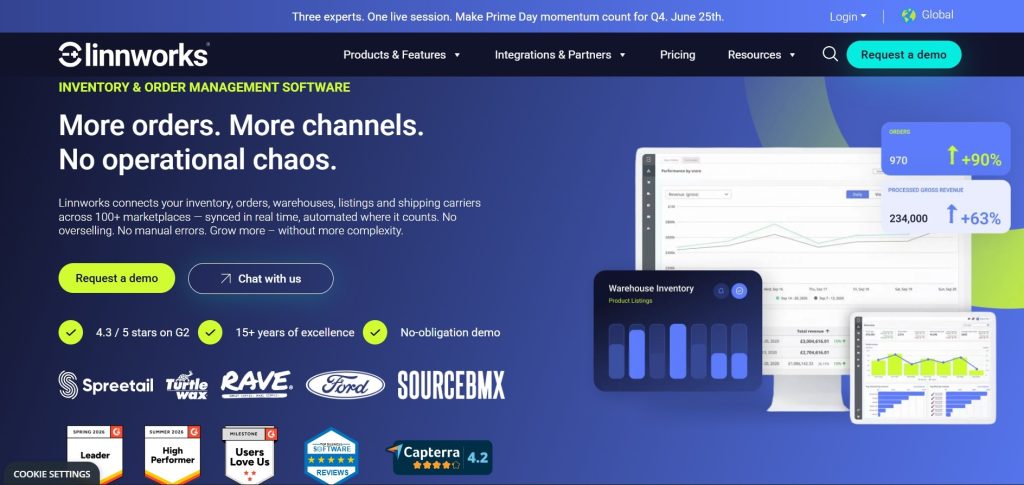
Linnworks is an enterprise inventory management solution for high-volume ecommerce sellers. It connects with 100+ platforms like Amazon, eBay, Shopify, and more. The system is built to automate and manage complex operations, including inventory, shipping, listings, and warehousing. It is best suited for large businesses handling thousands of orders daily.
Key Features of Linnworks
- 100+ channel integrations: Works with more platforms than any other tool on this list, giving very wide marketplace coverage.
- Advanced automation engine: Automatically routes orders, updates stock, and handles workflows without manual work.
- Multi-warehouse management: Tracks inventory across multiple warehouse locations in real time.
- Listing management: Create and manage product listings across all sales channels from one dashboard.
- Purchase order management: Automates restocking based on sales speed and reorder levels.
- Detailed analytics: Provides reports on sales performance, inventory health, and channel profitability.
Supported Platforms by Linnworks
Amazon, eBay, Walmart, Shopify, WooCommerce, BigCommerce, Magento, TikTok Shop, Lazada, and 100+ others
Pricing Plans at Linnworks
Linnworks no longer publishes prices. Plans are quoted on monthly order volume with overage charges, paid add-ons for Listing, WMS, Forecasting and Analytics, and a one-off onboarding fee; third-party listings cite entry points around 9 a month, and there is no self-serve trial. Re-checked at linnworks.com/pricing on 21 August 2026.
Limitations of Linnworks
- Linnworks setup is complex and often requires professional onboarding support.
- It has a steep learning curve, and many features take time to configure properly.
- It does not include built-in accounting integrations and relies on third-party tools like QuickBooks or Xero.
Our Verdict: Linnworks is built for large businesses that need to manage high order volumes across multiple channels. It delivers powerful automation and scalability. But for most sellers, it is too advanced and expensive. QuickSync is a simpler and more affordable choice for earlier stages.
7. Finale Inventory
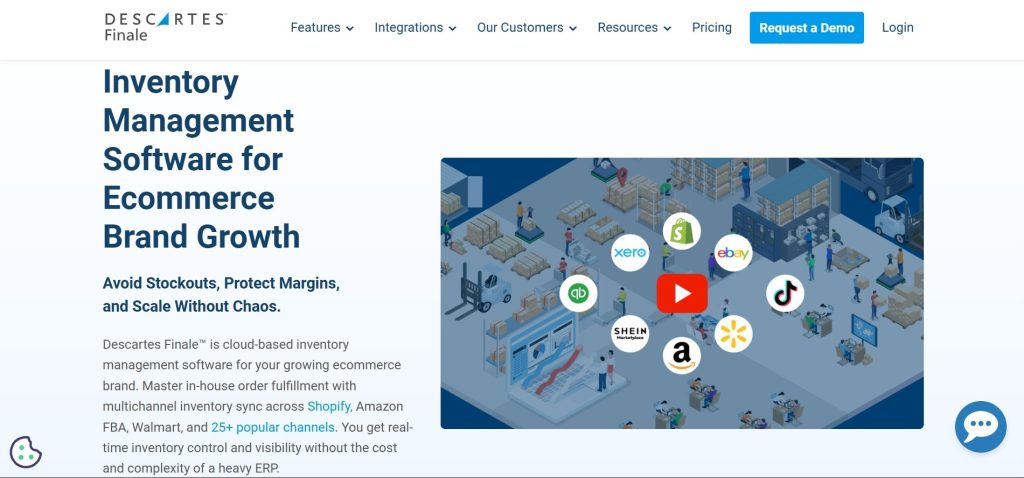
Finale Inventory is a cloud-based inventory and warehouse management tool for growing ecommerce businesses. It helps manage inventory, orders, and accounting in one system and works especially well with QuickBooks integration, along with features like purchase orders and barcode scanning. It ranks #7 because it is more advanced than basic tools but not as powerful as enterprise-level solutions.
Key Features of Finale Inventory
- Real-time inventory sync: Keeps stock updated across all sales channels and locations.
- QuickBooks integration: Automatically syncs inventory transactions with accounting.
- Purchase order automation: Creates restock orders based on sales and stock levels.
- Barcode scanning: Makes receiving stock and warehouse counting faster and easier.
- Bundle management: Automatically updates stock when bundled products are sold.
- Inventory reports: Shows stock levels, sales performance, and inventory health.
Supported Platforms by Finale Inventory
Shopify, Amazon, eBay, Etsy, WooCommerce, BigCommerce, QuickBooks
Pricing Plans at Finale Inventory
Final inventory pricing starts at $499 per month. The final cost depends on factors like users, order volume, integrations, and additional features. Since it is a flexible mid-market solution, businesses need to request a custom quote instead of selecting fixed plans.
Limitations of Finale Inventory
- It starts at a higher price compared to many basic inventory tools.
- It does not support POS systems for physical retail stores.
- Its interface can feel complex for new users.
- It requires more time and setup compared to simpler tools.
- It offers limited support for social commerce channels compared to some competitors like QuickSync.
Our Verdict: Finale Inventory is a strong choice for growing ecommerce businesses that need inventory sync, order management, and QuickBooks integration in one platform. However, it comes at a higher price. For sellers who need POS support or a lower-cost option, QuickSync can be a better alternative starting at $19 per month.
8. AnyDB
AnyDB is a customizable inventory and operations platform that connects stock, suppliers, purchasing, fulfillment, and more. Businesses can load prebuilt solutions directly from the app or start with ready-to-use objects from its Business Object Library, then customize fields, views, and workflows to fit their processes.
Key Features of AnyDB
- Barcode scanners and mobile scanning: Use a hardware barcode scanner or the AnyDB mobile app to find inventory records, then record stock counts, receipts, transfers, and adjustments.
- Multi-location inventory: Track stock on hand, reserved and available quantities, reorder levels, and movement history across warehouses, stores, and other locations.
- Purchasing and receiving: Connect suppliers, purchase orders, line items, and goods receipts to inventory records, keeping purchasing and stock movements together.
- Workflow automations: Configure conditions to send low-stock notifications, assign follow-up work, and create or update related records when inventory data changes.
- Reports and charts: Create reusable reports with filters, grouped totals, and bar, pie, or line charts to review stock quantities, inventory movements, purchasing data, and more.
- MCP integration: Connect an AI assistant to find, create, and update inventory records, work with files, and build reports and workflows using natural-language instructions.
- Customizable inventory systems: Adapt fields, views, forms, and workflows to your operations, with permissions that control who can view and edit inventory data.
Supported Platforms
AnyDB connects with Shopify through configurable two-way updates for products, inventory, orders, customers, and locations. Merchants can manage purchasing, receiving, transfers, and fulfillment around their store data.
Special orders connect out-of-stock customer requests to supplier purchase orders, expected delivery dates, receiving, and customer notifications, keeping each request traceable through fulfillment.
Additional connections are available through APIs, webhooks, Zapier, and Make.
Pricing Plans at AnyDB
- Start Free: $0.
- Build It Yourself: From $50/month.
- We Build & Manage It: From $150/month.
Limitations of AnyDB
- Custom workflows require initial configuration.
- Connections beyond Shopify may require third-party tools or custom development.
Our Verdict: AnyDB is a good fit for small and mid-sized businesses that need inventory connected to purchasing, warehouse activity, and other operational processes. Teams can start with a prebuilt solution and extend it as their requirements change
9. NetSuite Inventory Management
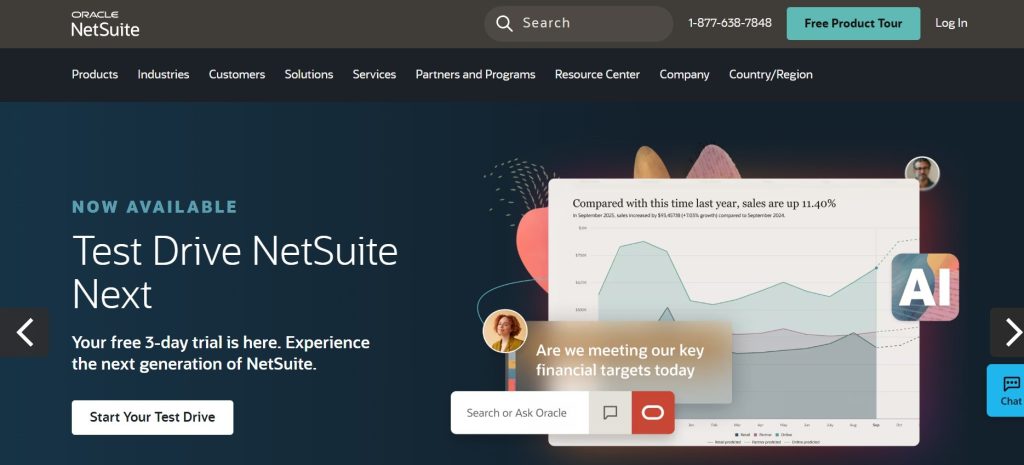
NetSuite Inventory Management is a module within the Oracle NetSuite ERP system that helps enterprises manage inventory across multiple locations in real time. It integrates inventory with finance, sales, and supply chain operations for complete business visibility. It is ranked #8 because it is designed for large enterprises and is often too advanced and costly for standard ecommerce businesses.
Key Features of NetSuite Inventory Management
- Unified system: Connects inventory with finance, HR, CRM, and accounting in one platform.
- Demand forecasting: Helps predict future stock needs and optimize inventory levels.
- Multi-entity support: Manages multiple companies, regions, and currencies in one system.
- Automated accounting: Updates financial records automatically with every transaction.
- Detailed reporting: Offers advanced analytics across all business functions.
- Flexible setup: Can be customized for different industries and workflows.
Supported Platforms by NetSuite Inventory Management
Amazon, Shopify, eBay, and custom integrations via SuiteCloud development platform
Pricing Plans at NetSuite Inventory Management
NetSuite pricing is not publicly listed. You must contact Oracle NetSuite for a quote. It usually costs between $1,000 and $10,000+ per month based on requirements.
Limitations of NetSuite Inventory Management
- It comes with enterprise-level pricing, making it unsuitable for most small and mid-sized ecommerce sellers.
- It requires complex setup and often needs expert implementation support.
- It offers more functionality than most ecommerce businesses actually need.
- It has fewer out-of-the-box ecommerce integrations compared to dedicated tools.
- It is best suited for large enterprises with complex, multi-entity operations.
Our Verdict: NetSuite is built for enterprise-level businesses that need a complete ERP system. For most sellers, it is overly complex and expensive, making tools like QuickSync or Linnworks a better fit.
10. Ordoro
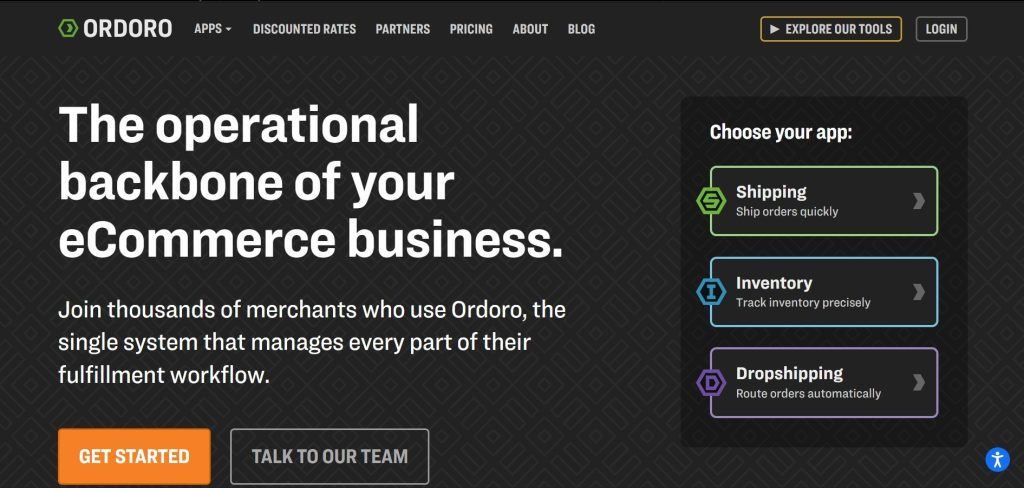
Ordoro combines inventory tracking, order management, and shipping automation in one platform. It’s a great choice for ecommerce businesses and dropshippers looking to speed up fulfillment. We placed it at #9 because it excels in shipping management, but its inventory features are not as advanced as some of the higher-ranked solutions.
Key Features of Ordoro
- Manage all orders in one place: View and process orders from all your sales channels through a single dashboard.
- Easy shipping management: Compare shipping rates and print labels from multiple carriers.
- Built for dropshipping: Automatically send orders to suppliers and manage vendors easily.
- Real-time inventory updates: Keep stock levels accurate across all connected sales channels.
- Support for bundles and kits: Inventory updates automatically when bundled products are sold.
- Simplified supplier management: Create purchase orders and manage suppliers for faster restocking.
Supported Platforms by Ordoro
Shopify, Shopify Plus, WooCommerce, BigCommerce, Squarespace, Amazon, eBay, Etsy, Walmart, and other ecommerce marketplaces and shopping carts.
Pricing Plans at Ordoro
- Shipping: Free to start.
- Inventory: Starts at $349/month.
- Dropshipping: Starts at $299/month.
Limitations of Ordoro
- Costs can increase for high-volume sellers since pricing depends on orders/shipments.
- No support for physical store POS systems.
- No direct integration with accounting tools like QuickBooks or Xero.
- Product syncing is less advanced compared to some competitors.
- More focused on order and shipping management than deep inventory control.
Our Verdict: Ordoro is ideal for sellers who mainly need strong order and shipping management across multiple channels. However, it lacks deeper inventory syncing and accounting features, making other tools such as QuickSync and Linnworks a better all-round choice for full inventory management.
11. Skubana (Extensiv)

Skubana, now known as Extensiv, is an inventory management platform designed for growing ecommerce businesses. It helps brands manage inventory, products, and orders across multiple sales channels from one dashboard.
The software also offers demand forecasting and analytics, making it easier for businesses to plan purchases and avoid stock issues. For ecommerce brands handling a high volume of orders, Extensiv provides greater visibility and control over inventory operations.
Key Features of Skubana (Extensiv)
- Live inventory tracking: Keep stock levels updated across all sales channels in real time.
- Predict future stock needs: Know what products to reorder before they run out.
- Track profitable products: Identify which items and sales channels bring in the most revenue.
- Manage fulfillment partners: Control inventory handled by third-party warehouses from a single dashboard.
- Automatic reordering: Generate purchase orders automatically when stock gets low.
- Faster order fulfillment: Route orders to the nearest or most efficient warehouse automatically.
Supported Platforms by Skubana (Extensiv)
Amazon, Walmart, Target, Shopify, BigCommerce, WooCommerce
Pricing Plans at Extensiv
Extensiv does not display its pricing on its website. To get a price, you’ll need to contact their sales team. The software is typically more expensive than basic inventory management solutions.
Limitations of Extensiv
- Pricing information is not available publicly, so you’ll need to contact the sales team to get a custom quote.
- The platform can be expensive and may be more complex than necessary for small businesses or new sellers.
- Businesses with physical retail stores may find the software limiting, as it does not offer built-in POS integration.
- Compared to some competitors like Linnworks, it supports fewer niche and regional marketplaces.
Our Verdict: Skubana (Extensiv) is a great choice for growing ecommerce businesses that need advanced features like inventory forecasting, profitability tracking, and 3PL management. However, smaller businesses may find it too expensive or complex, making inventory management tools a more practical option.
Things to Cross-check in Inventory Management Software
From my experience, choosing the wrong inventory management software can create even more operational problems later. Every tool looks good on the surface, but the real difference comes from how well it fits your business needs.
That is why I always recommend checking the core features, integrations, scalability, and automation capabilities before selecting any inventory management software. The right tool should save time, reduce errors, and help the business scale smoothly
Real-time inventory sync:
This is one feature I never compromise on while choosing inventory management software. Real-time inventory syncing means inventory updates instantly across every sales channel the moment a product sells, gets returned, or is restocked. Some tools only sync every 15 to 60 minutes, and during busy sales periods, that delay is enough to cause overselling and stock mismatches.
Product Sync Depth:
When you update a product on one platform, does the change push to every other channel automatically? Product sync should cover names, descriptions, images, pricing, variants, categories, and tags. The more of this that happens automatically, the less manual work you do.
Order Management in One Place:
All your orders from all your channels should land in one dashboard. The best ecommerce inventory management software centralizes your entire order workflow, so your fulfillment team never has to check multiple platforms to see what needs to ship today.
POS Integration Support:
If you run both online and physical stores, POS integration is essential. Your inventory software should connect directly with your point of sale system so in-store sales instantly update online stock. Without this, your channels can quickly go out of sync, leading to overselling or stock mismatches. This is an important feature to verify before choosing multichannel e-commerce solutions.
Accounting Integration Support:
If you manage your own books, accounting integration is a must. Connecting your inventory system with QuickBooks or Xero ensures every sale and adjustment is recorded automatically. It keeps your finances accurate and reduces the workload during month-end closing and tax season.
Transparent Pricing:
A good inventory tool should have clear and published pricing. If you need to talk to sales just to get a price, it often means higher costs later. Always think ahead and calculate pricing based on your future growth, not just today.
So Which Is the Best Inventory Management Software for You?
We’ve analyzed all 10 tools in detail, and now we’re breaking them down based on features, pricing, and ideal use cases so you can easily see which solution is right for your type of business.
| Business Type | Best Tool | Why |
| Shopify multichannel seller | QuickSync | Full inventory, product, and order sync across Shopify, marketplaces, POS, and QuickBooks |
| Amazon seller | QuickSync or Linnworks | QuickSync for mid-size; Linnworks for high-volume enterprise Amazon operations |
| Marketplace seller (eBay, Etsy, Walmart) | QuickSync or Ordoro | QuickSync for full sync; Ordoro for order-management-first approach |
| POS and retail business (Clover, Square) | QuickSync or Cin7 | QuickSync for ecommerce plus POS sync; Cin7 for wholesale and B2B alongside retail |
| Small business on a budget | Zoho Inventory or inFlow or QuickSync | Lowest starting prices with core inventory and order management features |
| High-volume enterprise seller | Linnworks or NetSuite | Linnworks for multichannel automation; NetSuite for full ERP integration |
| Seller needing accounting sync | QuickSync or Finale Inventory | Both connect directly to QuickBooks for automatic financial record creation |
| Manufacturing or production brand | Katana | Built for raw materials, production tracking, and finished goods inventory |
| Dropshipper or order-focused seller | Ordoro or QuickSync | Ordoro for dropship workflows; QuickSync for full multichannel sync alongside orders |
| Wholesale and B2B brand | Cin7 and QuickSync | Built-in B2B portal, and multi-warehouse management |
| Growing mid-market brand | Skubana and QuickSync | Demand forecasting, SKU profitability, and 3PL management for scaling brands |
There isn’t a single answer, and a page written by one of the ten is the wrong place to look for one. Sort by the problem instead. If two to eight shops disagree about a number, a syncing tool is the cheap fix and QuickSync does order sync, POS and accounting from $19 a month. If you are ordering stock, running bins or making the goods, that is a different purchase.
Other tools like Linnworks, Katana, and NetSuite are better for specific advanced use cases, but they are designed for larger or more complex businesses.
Pick the row that matches what actually hurts today, and be suspicious of any list on which the publisher wins every category.
The Bottom Line
In short, there is no single best inventory management software for everyone. Katana is ideal for manufacturing, Linnworks and NetSuite handle enterprise-level complexity, Ordoro focuses on shipping workflows, and Zoho Inventory works for smaller operations.
However, for most multichannel ecommerce sellers, QuickSync tends to be the most balanced option. It handles inventory sync, product sync, and order management alongside POS integration and QuickBooks connection, all starting at $19 per month. That combination at that price is what makes it the right starting point for most sellers
So stop letting inventory distortion cost you orders, customers, and marketplace standing. Start your free 14-day trial at QuickSync.pro today. No credit card required.