
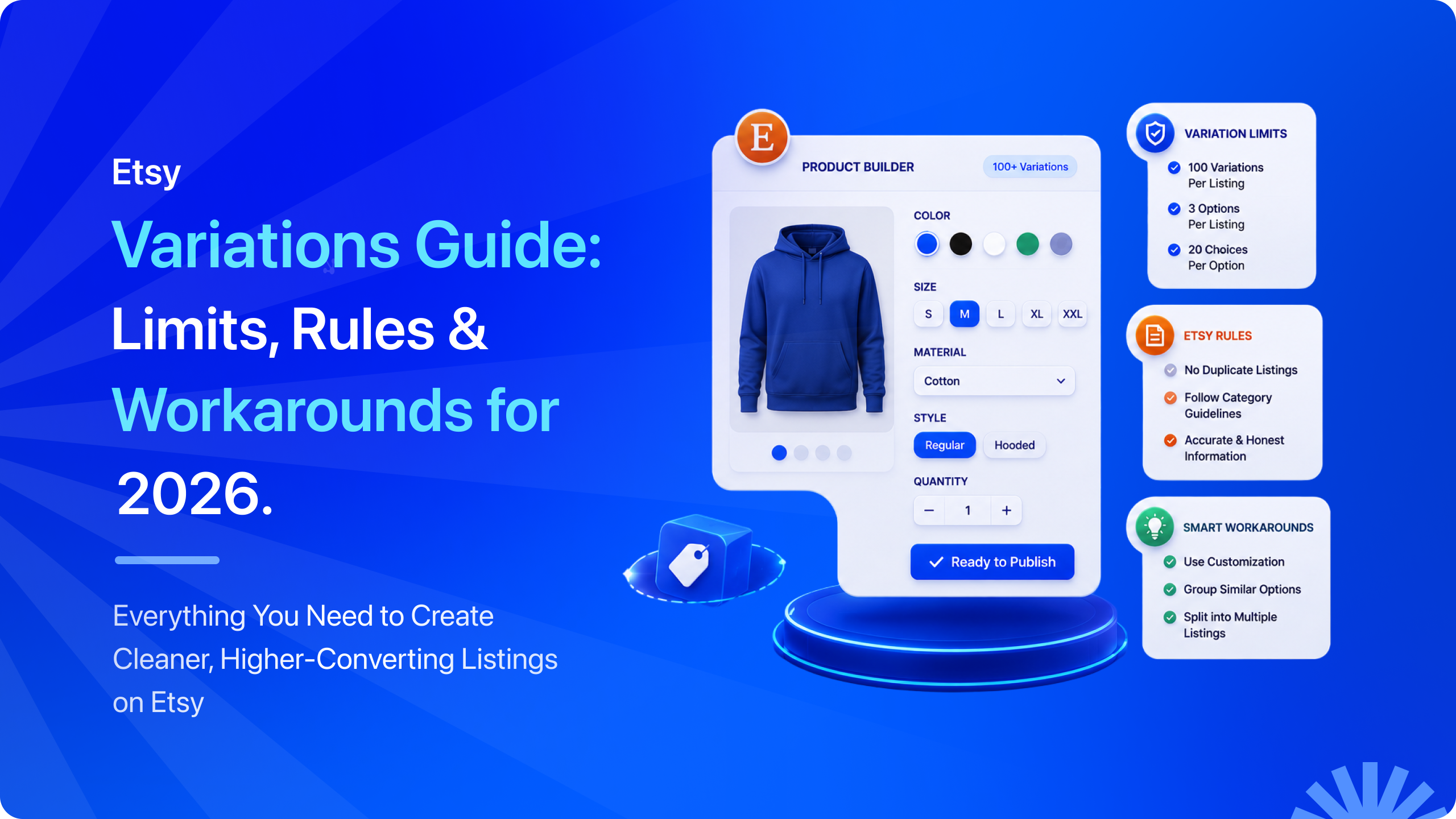
How many variations can you have on Etsy? It’s one of the most common questions sellers ask when listing products with multiple options. Whether you sell clothing, jewelry, home decor, or personalized items, knowing Etsy’s variation limits helps you create cleaner listings and provide a better shopping experience.
With over 86 million active buyers on Etsy as of 2026, getting your listings structured correctly is one of the most impactful things you can do to make your products discoverable and easy to buy. Whether you are just starting out or optimizing an existing shop, this blog has everything you need to know about Etsy listing variations.
In this guide, we cover the exact Etsy variation limits for 2026, how to add variations to your listings step by step, how to handle situations where you need more than two variation types, and how to decide between variations and separate listings.
TL;DR: Etsy Variation Limits at a Glance
| → Etsy allows up to 2 variation types per listing, such as Size and Color. → Each listing can have a maximum of 70 total variation options across both variation types. → You can assign different prices, quantities, SKUs, processing times, and photos to individual variation options where supported. → If your product needs more than 2 variation types, there are several proven workarounds to organize your listings without confusing buyers. → Choosing between product variations and separate Etsy listings depends on your inventory, product differences, and SEO strategy. |
What Are Variations on Etsy?
Before we get into the limits, let us make sure we are on the same page about what Etsy variations actually are and what they do for your listings.
Variations are the different versions of the same product that you offer within a single listing. Instead of creating a separate listing for a red t-shirt, another for a blue one, and another for a green one, you create one listing and add color as a variation with red, blue, and green as the options.
Buyers can then choose their preferred version directly on the listing page before adding to cart. Think of it like this. A listing is the product. Variations are the versions of that product. One listing, multiple options, one clean page for buyers to land on and choose what they want.
This keeps your Etsy shop organized, reduces the number of listings you need to manage, and gives buyers a smoother shopping experience because they can see all their options in one place.
What Can You Customize with Etsy Variations?
Variations on Etsy are more flexible than many sellers realize. When you set up variation options in your listing, you can customize the following for each individual option:
- Price: Set different prices for each variation to reflect differences in size, material, style, or other product attributes. For example, a larger size or premium finish can be priced higher than the standard option.
- Quantity: Track inventory for each variation independently. This ensures accurate stock management by allowing you to set separate quantities for every combination, such as 10 Small Red T-shirts and 3 Large Blue T-shirts.
- SKU: Assign a unique SKU to every variation for easier inventory tracking, order fulfillment, and product management. This is especially valuable if you sell across multiple sales channels or use inventory management software.
- Photos: Upload variation-specific photos so buyers can instantly see the exact option they select. Showing the correct image for each color, pattern, or style creates a better shopping experience and helps reduce purchase mistakes.
These customization options are what make variations genuinely powerful for managing a product-based business. Now, let us look at exactly how many variation types and options you can use.
How Many Variations Can You Have on Etsy in 2026?
As of 2026, Etsy allows a maximum of 2 variation types per listing and up to 70 total options across those two variation types. These limits have been consistent for several years and are documented in Etsy’s official seller help center.
What This Looks Like in Practice
The 70-option limit is the total number of options you can add across both variation types in a single Etsy listing. For example, if you have 10 color options and 5 size options, you’ve used 15 of the 70 available options. Here are some examples of how that distributes across common Etsy listing variation setups.
| Variation Setup | Type 1 Options | Type 2 Options | Total Options Used |
| Size + Color | 10 Sizes | 7 Colors | 17 of 70 |
| Material + Finish | 5 Materials | 14 Finishes | 19 of 70 |
| Scent + Size | 14 Scents | 5 Sizes | 19 of 70 |
| Style + Color | 7 Styles | 10 Colors | 17 of 70 |
| Length + Width | 10 Lengths | 7 Widths | 17 of 70 |
Etsy’s 70-option limit is enough for most product catalogs. The platform counts individual choices, not all possible combinations. For example, 10 sizes plus 7 colors equals 17 options, leaving plenty of space for additional variations. Most sellers are more limited by the two variation types allowed per listing.
Popular Etsy Variation Combinations for Different Products
The best variation types depend on what you sell and which product attributes buyers need to choose before purchasing. Here are common Etsy variation combinations across different product categories:
- Apparel and Accessories: Size and Color, Style and Size, Material and Color.
- Jewelry: Metal Type and Stone, Length and Finish, Size and Engraving Style.
- Home and Decor: Size and Color, Material and Finish, Style and Design.
- Art and Prints: Size and Frame Type, Paper Type and Finish, Orientation and Size.
- Candles and Bath Products: Scent and Size, Color and Scent, Container Type and Size.
Choosing the right variation types helps customers find the exact product they want while keeping your Etsy listings organized and easier to manage.
How to Add Variations to an Etsy Listing Step-by-Step?
Now that you know the limits, let us go through exactly how to add variations on Etsy to your listing. Whether you are creating a new listing or updating an existing one, the process is the same. Follow these steps and you will have your variation options live in under five minutes.
1. Log into Etsy and go to your Shop Manager
From your Etsy account, click the shop icon or navigate to Shop Manager from the main menu.
2. Select Listings from the left-hand menu:
This shows all your current listings. To edit an existing one, click on it. To start fresh, click Add a listing.
3. Scroll down to the Variations section:
On the listing page, scroll past the title, description, and photos until you reach the section labeled Variations. Click Add Variations to begin.
4. Choose your first variation type:
Etsy gives you a dropdown menu with common variation types like Size, Color, Material, Style, and more. You can also select Custom to create your own variation name. Choose the type that fits your product best.
5. Add all options for your first variation type:
Type in each option for that variation. If you chose “Color,” add each color you offer. If you chose “Size,” add each size. Press Enter or click Add after each one.
6. Add your second variation type if needed:
Click Add Another Variation to add your second type. Choose from the dropdown or create a custom one. Add all the options for this second type as well.
7. Set price, quantity, and SKU for each variation option:
After entering your variation types and options, Etsy generates a grid showing every possible combination. For each row, you can set a specific price, quantity, and SKU. If all variations have the same price, you can apply it to all at once.
8. Add photos to specific variations if relevant:
If your variations look noticeably different from each other, adding variation-specific photos helps buyers understand exactly what they will receive. Click on a variation option to assign a photo to it.
9. Review and save your listing:
Scroll through the variation grid to make sure everything looks correct. Check prices, quantities, and any assigned SKUs. When you are satisfied, save the listing and preview it to see exactly how buyers will see it.
10. Publish or update your listing:
If this is a new listing, complete the remaining fields and publish. If you are editing an existing listing, click “Save,” and your variations will go live immediately.
One thing worth noting here: When adding variations for the first time, Etsy will ask you to enter the available quantity for each option. For made-to-order products, you can set a larger quantity if you do not manage inventory. If you keep products in stock, enter the exact number available for each variation.
How to Edit Variations on an Existing Etsy Listing
If you want to change the variations on an Etsy listing, the process is quick and easy. You can add new options, update existing ones, or remove variations that are no longer available. After saving your edits, the changes appear immediately.
Go to your Shop Manager and select Listings:
Find the listing you want to update and click on it to open the edit view.
Scroll to the Variations section:
If the listing already has variations, you will see the existing setup. If it does not, you will see the option to Add Variations.
Make your changes:
You can add new variation options, remove options that are no longer available, update prices and quantities for specific options, or change variation type names if needed.
Update quantities carefully:
If you are removing a variation option, make sure there are no open orders for that specific variation first. Removing an active variation option can create fulfillment confusion.
Save and review:
After making changes, save the listing and preview it to confirm the variations display correctly for buyers.
One thing to be aware of when editing live listings: if you change variation names or options, Etsy may treat them as new variations rather than updates to existing ones. This can occasionally affect how existing favorites or saves display. For significant variation restructuring, it is sometimes cleaner to create a new listing rather than heavily editing an existing one.
How to Add More Than 2 Variations on Etsy: 4 Practical Workarounds
Knowing how to add and edit variations is only part of the equation. As your product range expands, you may find that two variation types aren’t enough to cover every option you offer.
Whether you’re selling products with multiple sizes, colors, materials, styles, or finishes, Etsy’s two-variation limit can feel restrictive. Fortunately, several simple workarounds experienced sellers use every day. We have also tested them and seen all of these working effectively.
Workaround 1: Combine Two Variation Types Into One
This is the most popular solution because it lets you stay within Etsy’s variation limits while keeping everything in a single listing. Instead of creating separate variation types for Size and Material, combine them into one. Your options might look something like:
- Small, Cotton
- Medium, Cotton
- Small, Linen
- Medium, Linen
For example, imagine you sell a tote bag available in 3 sizes, 2 materials, and 4 colors. You could combine the size and material into six options, then use Color as your second variation type. Buyers would first choose a combined Size + Material option, followed by their preferred color.
- Best for: Products where two variation types have a relatively small number of options, making the combined choices easy to browse.
- Less ideal for: Products with dozens of possible combinations, as the variation list can quickly become long and difficult to navigate.
Pro tip: Keep option names concise and easy to scan. Labels like “Small,” “Cotton,” or “S / Cotton” are much easier to read than lengthy descriptions.
Workaround 2: Use the Personalization Box for the Third Option
Etsy lets you add a personalization field to any listing. This is a text box where buyers can type a custom request. If your third variation type involves a choice the buyer specifies rather than one you manufacture in advance, the personalization box handles it neatly.
This works well for products where customers need to enter details such as the following:
- A name or initials
- An engraving message
- A preferred font
- Custom measurements
- Special color requests
Simply enable the personalization option in your listing settings and provide clear instructions about what buyers should enter before placing their order.
- Works best: When buyers need to type in their own details, such as a name, message, or custom measurements.
- Not ideal: When different options have different prices or inventory, since the personalization box can’t manage those.
Workaround 3: Create Separate Listings for Different Variation Groups
Sometimes the simplest solution is to split your product into multiple listings.
For example, suppose you sell candles available in several scent families, along with different sizes and jar colors. Instead of trying to fit everything into one listing, you could create a separate listing for each scent family. Within each listing, buyers would still choose from the available sizes and colors using Etsy’s built-in variation options.
This approach also offers an SEO advantage because each listing can target different search terms. Someone searching for a Lavender Soy Candle is looking for something different from someone searching for a Vanilla Soy Candle, allowing each listing to rank independently.
- Best for: Products where the primary variation is something shoppers actively search for.
- Less ideal for: Shops with many similar products, since creating too many listings can make inventory management more time-consuming.
Workaround 4: Use Product Photos to Communicate Additional Options
If the extra variation is mainly visual and doesn’t affect pricing or inventory, your listing photos can do much of the work.
Include images that clearly display every available option, then ask buyers to specify their preferred choice using the personalization box or a note with their order. Numbering or labeling each option in your images also makes it easier for buyers to communicate exactly what they want.
This approach is commonly used for products with decorative patterns, print designs, or finish options that don’t require separate inventory tracking.
- Best for: Visual choices that don’t change the product’s price or stock levels.
- Less ideal for: Variations that require separate inventory management or different pricing, since photos alone can’t handle those settings.
How to Choose Between Etsy Variations and Separate Listings?
The workarounds above make it possible to offer more product options without exceeding Etsy’s variation limit. However, that doesn’t always mean keeping everything in a single listing is the best approach.
Sometimes, creating separate listings gives buyers a better shopping experience and helps your products appear in more relevant Etsy searches. So, how do you know which approach is right for your products?
This is a question that comes up constantly in the Etsy seller community and the answer is not one-size-fits-all. Both approaches have genuine advantages depending on what you are selling and how you want your shop to be structured.
Here is a clear framework to help you decide.
| Factor | Use Variations | Use Separate Listings |
| Product relationship | Different versions of the same product | Distinct products |
| Title and description | Shared across all variations | Customized for each listing |
| SEO opportunities | One listing targets one group of keywords | Each listing can target different keywords |
| Reviews | All sales contribute to one review count | Reviews are split across listings |
| Buyer experience | Buyers choose options from one page | Buyers browse multiple listings |
| Inventory management | Managed within one listing | Tracked separately for each listing |
| Listing fees | One listing fee covers all variations | Each listing requires its own listing fee |
| Example | A T-shirt available in different sizes and colors | A matching ring and necklace sold separately |
When to Use Variations Listings?
Use Etsy listing variations when your options are genuinely different versions of the same product. The buyer is making a choice between versions, not between different products. A T-shirt in three colors is one product. A matching necklace and earring set are two products.
Variations also make more sense when you want all your options to share the same reviews. A listing with 500 sales and strong reviews will always outperform a listing with 50 sales in search, so consolidating multiple variations into one listing accelerates review accumulation rather than spreading it across multiple listings.
When to Use Separate Listings?
Separate listings are usually the better choice when each product appeals to a different search intent or deserves its own presentation.
For example, shoppers searching for a gold birthstone necklace aren’t necessarily looking for a birthstone bracelet, even if both belong to the same collection. Giving each product its own listing allows you to write unique titles, descriptions, and keywords that better match what buyers are searching for.
You should also create separate listings if each product requires different photos, pricing, or product descriptions. If combining everything into one listing makes it harder for buyers to understand what they’re purchasing, splitting the products into separate listings is often the better option.
The One Question That Simplifies the Decision
If you’re still unsure, ask yourself one question: Would buyers see these as different versions of the same product or as completely different products?
- If they’re simply choosing between different versions, such as colors, sizes, or materials, use variations.
- If each option serves a different purpose, targets different keywords, or deserves its own product page, create separate listings instead.
Keeping this simple rule in mind will help you choose the approach that creates the best shopping experience for buyers while making your Etsy shop easier to manage.
How to Set Prices, Quantities, and SKUs for Each Etsy Variation
Once you’ve decided to use variations, the next step is configuring them correctly. Etsy doesn’t just let buyers choose between different product options. It also allows you to manage pricing, inventory, and SKUs for each variation individually.
Taking advantage of these settings helps you keep inventory accurate, charge the right price for every option, and make order fulfillment much easier. Here’s how each feature works.
Can You Set Different Prices for Each Variation?
Yes. Etsy lets you assign a different price to each variation, making it easy to reflect differences in production costs or product value.
For example, you might charge more for:
- Larger sizes that require extra materials.
- Premium materials, such as sterling silver instead of stainless steel.
- Upgraded finishes or custom add-ons.
- Rush production or priority processing options.
After you’ve added your variation types and options, Etsy creates a variation grid showing every available combination. Simply enter a unique price for each row as needed. If most variations share the same price, you can use Etsy’s bulk editing feature and then adjust only the exceptions.
Can You Set Different Quantities for Each Variation?
Yes, and we strongly recommend using this feature for any product where you actually track stock. Setting accurate quantities per variation prevents overselling, which is one of the most common frustrations for both sellers and buyers on Etsy.
For example, if you have:
- 15 Small Red T-shirts
- 8 Medium Red T-shirts
- 3 Large Blue T-shirts
You can enter those exact quantities for each variation. When one option sells out, Etsy automatically marks only that variation as unavailable while keeping the rest of the listing active.
Why do SKUs matter for each variation?
A SKU (Stock Keeping Unit) is a unique code used to identify each product or variation in your inventory. While adding SKUs isn’t required on Etsy, it’s a good habit to develop, especially if your shop has a growing product catalog or you sell on multiple marketplaces.
Using unique SKUs for each variation can help you:
- Speed up order fulfillment by making it easy to identify the exact item that needs to be packed and shipped.
- Keep inventory organized by matching Etsy stock with your physical inventory.
- Manage multichannel sales by using the same SKU across platforms, allowing inventory management tools to sync products accurately.
- Track your best-selling variations and understand which colors, sizes, or styles generate the most sales.
A simple and consistent naming system works best, especially if you plan to use inventory sync tools across multiple selling platforms. For example:
- TSHIRT-RED-S
- TSHIRT-BLUE-L
- MUG-WHITE-11OZ
Using a clear SKU format makes inventory management easier today and saves time as your Etsy business grows.
Can You Add Photos to Etsy Variations?
Yes. Etsy allows you to assign specific photos to individual variation options, and this feature is one of the most underused tools in the Etsy listing toolkit. When buyers select a variation from the dropdown, the listing photo can automatically change to show exactly what that variation looks like.
It is a simple feature with a meaningful impact on buyer confidence.
Steps to Add Photos to Etsy Variations
1. Upload photos for each variation option:
Start by adding all relevant product photos to your listing. Include images that clearly show the different versions of your product, such as different colors, designs, finishes, or styles.
2. Open the Variations section:
After setting up your variation types and options, go to the Variations section in your listing editor. Etsy will show the option to connect photos with specific variation choices.
3. Assign photos to each variation:
Select each variation option and choose the photo that represents it best. For example, if you sell a shirt in multiple colors, assign the red shirt image to the red color option and the blue shirt image to the blue color option.
4. Preview your listing:
Before publishing your changes, preview your listing to make sure everything works correctly. Select different variations from the dropdown menu and confirm that the displayed photo changes to match the selected option.
Adding variation-specific photos is one of those small touches that communicates professionalism and attention to detail to buyers. It reduces hesitation before purchasing because buyers know exactly what they will receive.
Best Practices for Managing Etsy Variations Without Losing Your Mind
Once your variations are set up, the ongoing management is where many sellers run into problems. Managing multiple options, inventory levels, and customer choices becomes the bigger challenge. So, here are practical tips to make variation management much smoother as your shop grows.
Use Clear and Consistent Variation Labels:
Avoid abbreviations, codes, or anything that requires a buyer to think twice. “Black Small” is better than “BLK-SM”. “14 inches” is better than “14”. The clearer your variation options are labeled, the less likely buyers are to order the wrong version and request a return.
Assign SKUs to Every Variation:
We said it in the previous section, and we will say it again here because it matters. If you do not have SKUs on your Etsy variations now, add them. They take a few minutes to set up and save hours of confusion later, especially when you start growing your shop or selling across multiple platforms.
Set Accurate Quantities and Update Them Regularly:
Overselling a specific variation is one of the most avoidable problems on Etsy. Update your inventory per variation after every restock and check your quantities regularly for fast-moving options. If you make products to order and do not track stock, set a high quantity like 999 so your listing never shows as sold out unexpectedly.
Use Etsy Analytics to Find Your Bestselling Variations:
Etsy’s built-in analytics can show you which listings are performing best. When you also assign unique SKUs per variation, you can cross-reference your order history to identify which specific variations sell fastest. This tells you where to focus your production and inventory investment.
Deactivate Rather Than Delete Sold-Out Variations:
If a specific variation is temporarily out of stock, deactivating it rather than deleting it preserves the option for future restocking without disrupting the rest of your listing. Deleting a variation permanently removes it, and you would need to recreate it manually if you want to offer it again.
Keep Variation Names Consistent Across Your Shop:
If you use “Navy” in one listing and “Navy Blue” in another for the same color, buyers browsing your shop see an inconsistency. Standardizing your variation names across all listings gives your shop a professional, polished feel that builds buyer trust.
How QuickSync Helps Etsy Sellers Manage Variation Inventory Across Channels
Managing Etsy variations becomes much more complex when your products are also listed on other sales channels. If you sell on channels like Shopify, WooCommerce, TikTok Shop, Square, Clover, or eBay, manually updating inventory for every variation can quickly become time-consuming and risky.
QuickSync solves this by connecting your Etsy shop to all your other sales channels and syncing variation-level inventory in real time. The moment a specific variation sells on any connected channel, every other platform updates the count for that exact variation instantly.
Here is What QuickSync Does for Etsy Variation Management
- Variation-level inventory sync: Stock counts update per variation in real time across Etsy and every connected channel the moment any sale happens
- Product sync: Variation names, prices, and photos stay consistent across Etsy and all other platforms automatically
- Order sync: Every Etsy order for every variation lands in one central fulfillment dashboard alongside orders from all other channels
- SKU-based product matching: QuickSync uses your SKUs to match the same variation across different platforms accurately, which is why assigning consistent SKUs matters so much
QuickSync keeps your Etsy variation inventory accurate across every channel you sell on. So try it out for free for 14 days, and that too without a credit card.
The Final Words
Summing it up, how many variations can you have on Etsy? Each Etsy listing supports up to 2 variation types with 70 total options combined. For most sellers, that is enough to showcase different product choices while keeping listings organized.
If you need more options, you can use smart workarounds like combining variations, using personalization, creating separate listings, or adding clear product photos.
The right variation setup helps buyers choose confidently and helps sellers manage products efficiently. When selling across multiple platforms, QuickSync keeps your variation inventory synchronized automatically so you can avoid overselling and manual updates.
Start your free 14-day trial at QuickSync.pro today. No credit card required.


