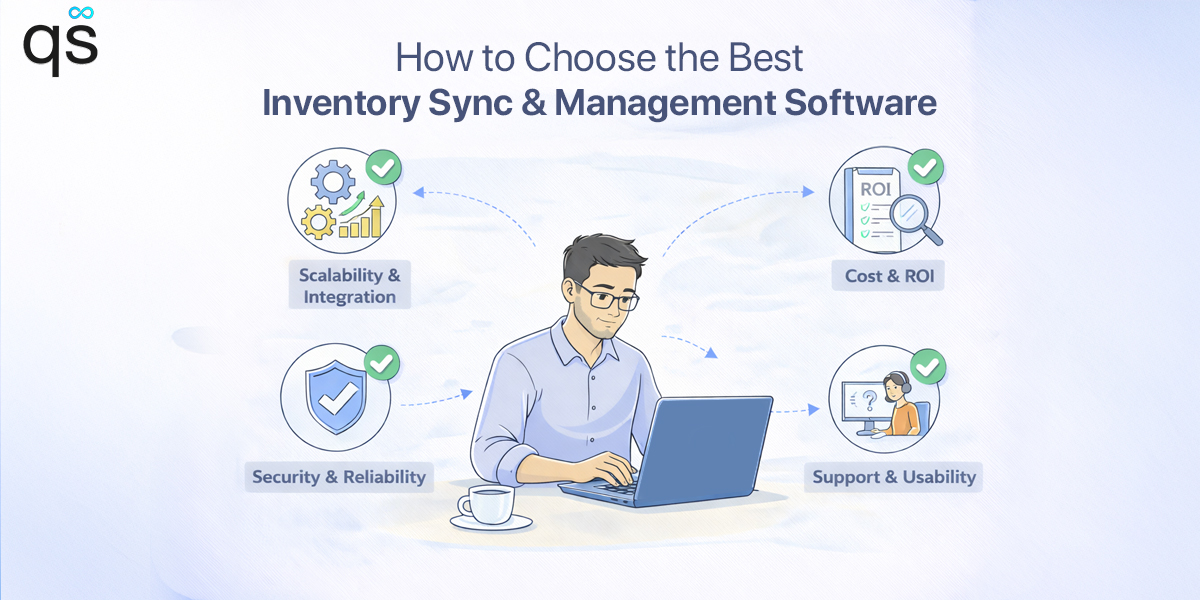
Manually managing inventory can lead to errors such as overselling, understocking, and angry customers. One product sells on your website, but the stock doesn’t update on your marketplace. A customer places an order, and later you realize the item is already out of stock. Orders get cancelled, refunds increase, and customer trust takes a hit.
Retailers worldwide lose an estimated $1.77 trillion each year due to out-of-stocks and overstocks caused by inventory inaccuracies, according to RetailInsight. In my expertise, these problems happen because inventory is handled manually. This is why a reliable inventory sync software becomes essential.
Let’s dive in to know what exactly is an inventory sync software is and how to choose inventory sync software.
What Is Inventory Sync Software?
Inventory sync software is a system that keeps your stock levels accurate across all your sales channels. When a product is sold, returned, or cancelled, the inventory updates automatically everywhere else.
For multichannel sellers, updating inventory store by store leads to errors. Instead of managing inventory separately on Shopify, Clover, WooCommerce, etc., inventory sync software keeps an accurate stock count. This removes the need for manual updates and reduces the chance of error for multichannel sellers.
For example, if an item sells in your physical store through a POS system. The inventory sync software instantly updates the stock on the online store and marketplaces. This prevents customers from ordering items that are no longer available.
Why Choosing the Right Inventory Sync Software Matters
Inventory management mistakes cost more than just money. They affect customer experience, internal operations, and long-term business growth.
When stock levels are wrong, sellers oversell products and cancel orders. This leads to disappointing customers. Even one cancelled order can lead to a customer not buying from your store again. Over time, repeated inventory issues damage brand reputation.
Internally, inventory problems slow everything down. Support teams spend hours responding to “Where is my order?” or “Why was my order cancelled?” Warehouse teams waste time searching for products that don’t exist. Finance teams struggle to reconcile inventory values.
Choosing the right inventory sync software helps businesses:
- Track real-time inventory accurately across all platforms
- Avoid overselling across multiple sales channels
- Reduce manual updates and spreadsheet dependency
- Manage inventory across warehouses and locations
- Support high-volume sales without operational stress
The best software doesn’t just sync inventory. It protects operations, customer trust, and future growth.

Common Inventory Sync Problems Without the Right Tool
Retailers selling across multiple channels often face inventory issues like overselling or running out of stock. These mistakes lead to wasted money, cancelled orders, and unhappy customers. That’s why choosing the right inventory sync software is so important.
Many businesses delay using inventory sync software until problems become hard to control. Below are some of the most common issues sellers face without the right system in place.
Manual Data Entry Across Channels
Updating stock manually across platforms is time-consuming and leads to many errors. One missed update can cause overselling across all your sales channels. As order volume increases, manual updates become impossible to maintain consistently.
Inventory Mismatches
When retailers are selling on many platforms like online stores, websites, and POS systems, stock gets inaccurate. This creates confusion for retailers, which can lead to overstocking or understocking. Due to this, orders get delayed or cancelled.
Overselling and Order Cancellations
When inventory does not sync in real time, products continue to sell even after stock is finished. This results in cancelled orders, refunds, and unhappy customers. This affects your brand image, and your customer team has to deal with negative reviews.
Poor Visibility Across Locations
Businesses with multiple warehouses or retail locations often struggle to track inventory. It becomes hard to know where the stock is actually available. Without clear visibility, orders may be fulfilled from the wrong warehouse location. This creates confusion for both fulfillment and customer service teams.
Scaling Becomes Difficult
As order volume increases, manual inventory processes start to fail. Adding new sales channels, pop-up stores, or marketplaces makes inventory management more difficult. Without reliable inventory sync software, business growth leads to errors instead of higher profits.
Features to Look for in Inventory Sync Software
You will find multiple inventory sync software in the market. However, you need to pick the best software for inventory sync automation that fits your business’s needs. That’s why merchants should carefully look at the features before making a decision.
Real-Time Inventory Updates
This is one of the most important features when choosing inventory sync software. The system should update stock instantly after every sale, return, or stock change. Even a small delay can cause overselling, especially during high-traffic periods or sale events.
Multiple Sales Channels Support
The software should sync inventory across all your sales channels. This includes ecommerce platforms like Shopify and WooCommerce, online marketplaces, and POS systems. If you sell on multiple platforms without proper syncing, inventory errors will happen.
Multi-Location Inventory Management
If you run multiple warehouses or retail stores, the software should track inventory by location. Each warehouse or store should update stock separately. This keeps inventory levels accurate and avoids confusion across locations.
Product and SKU Matching
The software should correctly match products and SKUs across all platforms. If SKUs are not mapped properly, inventory updates go wrong. This can cause incorrect stock levels, listing issues, and order fulfillment problems.
Order Sync and Adjustments
Inventory should update automatically when orders are cancelled, returned, exchanged, or partially fulfilled. If stock has to be adjusted manually every time, the software is not doing its job, and errors become common.
Easy Setup and Use
Inventory sync software should be easy to set up and simple to use. Merchants should be able to manage inventory sync easily. They should not need technical skills or developers for daily updates.

Inventory Sync Software vs Manual Inventory Management
Inventory sync softwares are designed to make retailers work more simply and efficiently. Manual inventory management still causes many operational and stock errors.
This table shows the difference between managing inventory manually and using inventory sync software in daily operations.
| Aspect | Manual Inventory Management | Inventory Sync Software |
| Inventory Updates | Stock needs to be updated separately on each platform. Any missed update creates confusion and errors. | Inventory updates automatically across all connected stores the moment a sale or return happens. |
| Accuracy | High chances of human error due to manual entry and delayed updates. | Stock remains accurate across platforms with minimal manual intervention. |
| Scalability | Becomes difficult to manage as sales volume and channels increase. | Designed to handle growth, new stores, and higher order volumes easily. |
| Multi-Channel Support | Managing multiple platforms is slow and error-prone. | Syncs inventory across ecommerce stores, marketplaces, and POS systems from one place. |
| Time Spent | Daily stock updates consume hours and require constant monitoring. | Saves significant time by automating repetitive inventory tasks. |
| Overselling Risk | Very high, especially during sales or peak seasons. | Overselling is greatly reduced due to real-time syncing. |
| Visibility Across Locations | Hard to track where the stock is actually available. | Clear visibility of inventory across warehouses and store locations. |
| Order & Return Handling | Orders, cancellations, and returns need manual adjustments. | Inventory adjusts automatically for orders, returns, and exchanges. |
| Business Cost Impact | Errors lead to refunds, lost sales, and unhappy customers. | Reduces losses by keeping stock levels accurate and reliable. |
| Customer Experience | Delays, cancellations, and incorrect stock frustrate customers. | Faster fulfillment and accurate listings improve customer trust. |
Manual inventory management may work in the early stage. But as the business grows, it creates delays, losses, and unnecessary stress. Inventory sync software helps retailers stay organized, save time, and manage inventory confidently across all channels.
Matching Inventory Sync Software to Your Business Model & Channels
The best inventory sync software depends on how and where you sell.
Ecommerce + Marketplace Sellers
If you sell on Shopify and list products on marketplaces like eBay or Etsy, you need inventory syncing that updates stock instantly across all platforms. One sale should reflect everywhere.
POS + Online Store Retailers
Retailers running physical POS stores along with ecommerce need inventory sync between in-store and online sales. Without it, overselling and stock confusion become common.
Multi-Warehouse Businesses
Brands managing multiple warehouses or fulfillment centers need location-based inventory syncing. This ensures orders are shipped from the correct location without delays.
Pop-Up and Temporary Stores
Merchants running pop-up shops need fast POS integration that syncs inventory back to the main store in real time. Delayed updates often lead to stock mismatches.

Choosing inventory sync software that fits your business structure avoids unnecessary problems later.
Questions to Ask Before Choosing Inventory Sync Software
Before choosing an inventory sync tool, understand what your business really needs. Ask the right questions first. This helps you avoid tools that add extra work instead of fixing your problems.
How many platforms do you sell on today?
If you operate only one store, basic inventory features may be enough. But if you sell across multiple websites, marketplaces, or POS systems, problems start quickly. Manual inventory tracking soon becomes unreliable.
How large is your product catalog?
Managing a small number of products is manageable at first. As your SKU count increases, tracking stock without automation leads to mistakes and missed orders.
How easy is the system to use daily?
Inventory tools should support your team, not slow them down. If a system needs constant technical help, it will be hard to maintain over time.
How sensitive is your business to inventory errors?
For businesses with tight margins or fast-moving products, even one oversold item can cause losses.
It can also lead to customer complaints.
What happens when orders change?
Returns, cancellations, and exchanges should update inventory automatically. If adjustments require manual fixes, errors will pile up.
Will the software support future growth?
As you add new channels, stores, or warehouses, your inventory system should grow with you instead of forcing a switch.

Asking these questions early helps merchants choose inventory sync software that fits their operations.
Why QuickSync Is the Best Inventory Sync Software
QuickSync is built for businesses selling across multiple channels, locations, and systems. It helps merchants sync inventory, product data, and orders across multiple channels. Multiple retailers consider QuickSync as the best software for inventory sync automation, as it offers:
Real-Time Inventory Updates
Whenever an item is sold or adjusted in any connected store, QuickSync updates inventory across all platforms. This prevents overselling and inventory mismatches, even during high-volume sales.
Multi-Location Support
QuickSync helps merchants map inventory across multiple locations. It syncs stock between warehouses, retail outlets, and fulfillment centers. This keeps inventory accurate and easy to manage. Each location stays accurate independently.
Example: If you manage multiple locations in Shopify and Clover, you can pair each location across platforms. Inventory updates happen per location instead of affecting all stores globally.
Auto Create SKU
QuickSync automatically creates SKUs when products don’t have them. This helps avoid manual SKU creation and reduces errors during product syncing. Auto-created SKUs keep inventory accurate across all connected stores.
Automatic Adjustments
When orders are cancelled, returned, or partially fulfilled, QuickSync updates inventory automatically. This keeps stock levels accurate without manual corrections.
Built for Real Businesses
QuickSync works for POS and online stores, marketplaces, pop-up events, and multi-warehouse operations. It supports growth instead of limiting it.
Product Listing Sync
QuickSync syncs product listings across all connected platforms. Titles, prices, variants, and SKUs stay consistent everywhere. This helps avoid duplicate product listings. It also reduces errors when managing products across multiple sales channels.
Centralized Order Sync
QuickSync brings all orders into one sales channel. Orders from marketplaces, online stores, and POS systems sync automatically. This makes order processing faster and avoids missed or duplicate orders.
24/7 Customer Support
QuickSync offers round-the-clock customer support. Help is available whenever issues arise, including weekends and peak sales hours. This ensures your inventory operations never stop due to technical delays.
Affordable Subscription Plans
QuickSync offers affordable subscription plans for small and growing businesses. You only pay for what you need. This makes inventory sync automation accessible without increasing operational costs.
Conclusion
Inventory problems don’t fix themselves. They grow as the business grows.
Choosing the right inventory sync software helps businesses stay organized, reduce errors, and protect customer trust. It removes manual work and keeps stock accurate. It allows sellers to expand across new sales channels with confidence.
If you manage inventory across multiple stores or platforms, a tool like QuickSync keeps stock aligned automatically. It removes daily manual work. Even small improvements in inventory syncing can boost operations and increase revenue.
FAQs
How does inventory sync software work?
Inventory sync software connects all your sales channels. It updates stock automatically after every sale. This removes manual updates and reduces errors. The right inventory sync automation tool keeps product quantities accurate across all platforms.
Does real-time inventory sync prevent overselling?
Yes, real-time inventory sync prevents overselling by updating stock instantly after each sale. All connected stores show the same stock level. This reduces order cancellations, avoids errors, and builds customer trust.
What is the difference between inventory sync and inventory management systems?
Inventory sync software focuses on keeping stock levels updated across all sales channels. Inventory management systems handle wider tasks like demand planning and warehouse tracking. Many businesses start with inventory sync software before upgrading as their operations grow.
How do POS and marketplace integrations work with inventory sync software?
POS and marketplace integrations connect in-store and online sales through inventory sync software. When a product sells on one POS like Clover, stock updates everywhere instantly, like Etsy or Amazon.
Is inventory sync software suitable for small sellers?
Yes, inventory sync software is ideal for small sellers managing multiple platforms. It reduces manual work, prevents overselling, and saves time. Small businesses should choose an inventory sync tool that is affordable and easy to use.
How to know when inventory sync is needed?
You need inventory sync software if you sell on more than one platform and update stock manually. Frequent overselling or stock errors are clear signs. Understanding how to choose inventory sync software helps businesses fix these issues early.