Who bills you depends on where you signed up. Sign up on our website and we charge your card through Stripe. Install QuickSync from Shopify, Clover, Wix or WooCommerce.com instead, and that platform bills you. The charge goes on its invoice, and you manage it there.
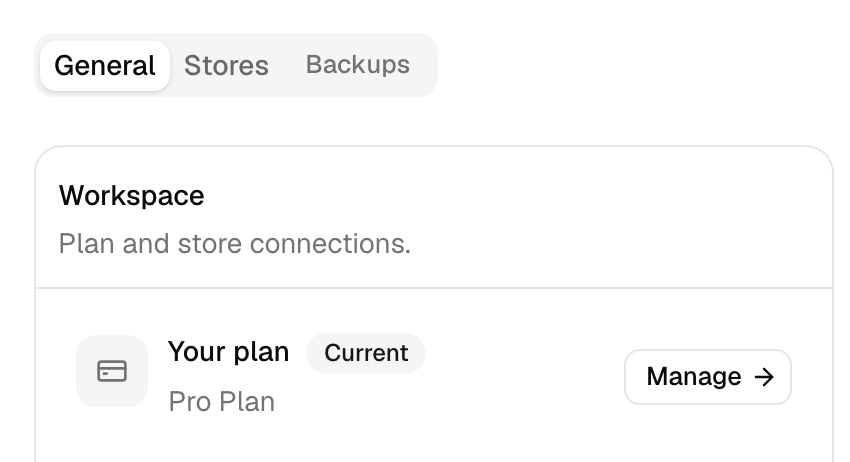
Your Billing page says which applies. Open Settings and click Manage next to Your plan. Under your plan’s name, you’ll see one of these:
- Managed securely through Stripe: we bill your card.
- Charged through your Shopify invoice: Shopify bills you.
- Managed through your connected billing store: Clover, Wix or WooCommerce.com bills you.
The plans don’t change with how you pay. They’re the ones in Plans and item limits, at the same prices, except on Clover and Wix: their own listings set the price.
Card billing through Stripe
If you signed up on our website, including through our WordPress plugin, you pay by card. You pick a plan on the Billing page, then pay on Stripe’s checkout page. Your card details go to Stripe, not to us. Our checkout takes cards only.
We charge the day you pick a plan. After that, it’s the same date each month or year. If you pick it during your free trial, billing starts that day, and the trial days you had left don’t carry over.
App store billing
If you installed QuickSync from a platform’s app store, that platform bills you. You also change or stop the plan there.
| Installed from | Who bills you | Good to know |
|---|---|---|
| Shopify App Store | Shopify, on your Shopify bill | US dollars, monthly or yearly. You approve each plan change in Shopify. |
| Clover App Market (US, EU or Latin America) | Clover | Clover’s listing sets the price. A plan covers Clover plus one more store. On Clover’s free tier in Germany, Austria and the Netherlands, we bill your card instead. |
| Wix App Market | Wix | Wix’s listing sets the price. A plan covers Wix plus one more store. Wix doesn’t let you move to a smaller plan. |
| WooCommerce.com | WooCommerce.com | The same prices as our website, monthly only. |
Only the store you signed up through can bill you. If you signed up on our website and connect Shopify later, Stripe still bills you. Shopify doesn’t.
On Shopify, you approve each new plan on Shopify’s own page. Leave that page without approving, and the Billing page shows Finish approving. Its button takes you back.
Stopping an app store charge
You stop an app store charge on that platform. On Shopify and Clover, that means uninstalling QuickSync from its app page. On Wix, cancel the plan in Wix’s Premium Subscriptions, and it runs to the end of the paid period. We cancel WooCommerce.com plans from our side, so contact support. Some Shopify accounts also see Switch to Free on the Billing page. It stops the charge, and you keep your account.
Uninstalling QuickSync from the store you signed up through deletes your QuickSync account. That’s every connected store, the products and orders we hold, and your logins. Your products stay in your stores. Before you uninstall, read Change or cancel your plan.
Billing dates and proration
- Stripe charges on the same date each month or year. Change your plan or store count and Stripe prorates it. You pay, or get credit for, the difference over the days left in your billing period.
- Shopify renews monthly plans every 30 days. Pick a plan during your trial and Shopify starts charging when the 14 days end, not that day. Shopify’s own rules set any credit when you change plans.
- Clover, Wix and WooCommerce.com set their own billing dates and proration.
Currency
Stripe and Shopify charge in US dollars. Pay with a card in pounds, euros or another currency, and your bank converts the charge. It uses its own rate, so your statement can differ a little from the price. If Shopify bills you in your own currency, Shopify converts the charge and adds its own fee. Clover, Wix and WooCommerce.com show their price on their own listing.
Invoices and receipts
If Stripe bills you, your invoices are in Stripe’s billing portal:
- Open Settings and click Manage next to Your plan.
- Click Manage subscription, then Open billing portal.
- Find the invoice in the portal’s list and download it.
Manage subscription appears once you’ve been through Stripe’s checkout. If an app store bills you, the QuickSync charge is a line on that platform’s invoice. We don’t send a separate one.
Change your card
We don’t hold your card: Stripe does, so you change it in the same portal. Click Manage subscription, then Open billing portal. For app store billing, change the card in your account on that platform.
If a payment fails, the Billing page shows Payment needs attention. Its Update payment button opens the portal. We keep your syncs running meanwhile. Until the payment goes through, you can’t connect another store or move to another paid plan.
Common questions
Where can I find my QuickSync invoices?
If you pay by card, open Settings, click Manage next to Your plan, then Manage subscription and Open billing portal. Stripe’s portal lists every invoice to download. If Shopify, Clover, Wix or WooCommerce.com bills you, the QuickSync charge is a line on that platform’s own invoice. We don’t send a separate one. Your Billing page says which applies to you.
How do I change the card I pay with?
Card payments run through Stripe, so you change the card in Stripe’s billing portal. Open Settings, click Manage next to Your plan, then Manage subscription and Open billing portal. If a payment has failed, the Billing page shows an Update payment button that opens the same portal. If an app store bills you, update the card in your account on that platform.
Does uninstalling QuickSync cancel my subscription?
If Shopify or Clover bills you, uninstalling QuickSync there stops future charges. It also deletes your QuickSync account, because that’s the store you signed up through. On Wix, cancel the plan in Premium Subscriptions. For WooCommerce.com, contact support. If you pay by card, uninstalling the app from a connected store doesn’t stop Stripe billing. Cancel from the Billing page instead: Manage subscription, Cancel subscription, then Continue to cancel and finish in Stripe’s portal.
Why was I charged twice?
Most often because you have two QuickSync accounts, each with its own bill. Install QuickSync from an app store while you’re signed out, and it creates a second account. That platform bills it on its own. Check the Billing page in each account. If both are paying, contact support with both invoice dates before you remove either one.
Will upgrading my plan charge me twice?
No. On card billing, we change your existing Stripe subscription. We don’t start a new one. Stripe charges only the difference for the days left in your billing period. On Shopify, you approve the new plan in Shopify, and Shopify’s rules set any credit. Either way, the Billing page shows the estimated price before you confirm.
Next step
To change your plan or stop paying, read Change or cancel your plan. For refunds, read our refund policy.