When a product’s count reaches 0, we set it to 0 in every store that holds it. Two stores need more than a number. Etsy listings switch off at 0. eBay needs its out-of-stock control on.
Below: what each store does at 0 and when stock comes back, products that keep selling at zero, counts below zero, and the in-stock-only setting.
At zero, store by store
| Store | At zero | When stock returns |
|---|---|---|
| Etsy | Every variation at 0: we switch the listing to inactive. Some variations at 0: those options show 0 and the listing stays on sale | The new count. A listing Etsy shows as sold out goes back on sale. An inactive one stays off until you turn it on |
| eBay | We set 0. A listing you made in eBay takes it only with out-of-stock control on. Otherwise eBay keeps the old count | The new count. A listing we made that eBay took off sale goes live again |
| Shopify | We set 0. Shopify keeps selling only if Continue selling when out of stock is on | The new count |
| WooCommerce | We set 0 and turn on Stock management. We don’t change the stock status or backorders | The new count |
| Square | We set 0 at each connected location | The new count |
| Clover | We set 0 | The new count |
| Lightspeed | We set 0 at each connected outlet | The new count |
| Amazon | We send 0 | The new count |
| TikTok Shop | We set 0 in each connected warehouse you run | The new count |
| Wix | We set 0 | The new count |
| Squarespace | We set 0 | The new count |
Two exceptions run across the table. Shopify, Square, Clover and Lightspeed can go below 0. Etsy, eBay, Amazon, TikTok Shop, Wix and Squarespace get 1 instead of 0 for a product that keeps selling at zero. Both are below.
Etsy switches listings off
Etsy won’t keep an empty listing on sale. When every variation of a listing reaches 0, we switch the listing to inactive. If only some run out, those options drop to 0. The listing stays on sale.
Sometimes Etsy refuses to switch off a listing because it’s already sold out. Then we check the listing can’t sell and record the 0. That stops the old count coming back on your other stores at the next sync.
When stock comes back, we update the count. We switch a listing back on only if Etsy shows it as sold out. An inactive listing stays off. That includes one we switched off at zero. Turn it back on in Etsy. If you’ve set new products to sync as drafts, we don’t switch any listing on.
Two more Etsy rules explain a stray 1. Etsy won’t create a listing with 0. So a product we copy to Etsy with no stock starts at 1. Turn on Only products in stock for your main store to skip those products. And an option that’s switched off in Etsy can keep its old quantity, often 1. It can’t sell, and we ignore that number.
eBay needs out-of-stock control
For listings you created in eBay, eBay lets a listing reach 0 only when out-of-stock control is on for your account. Without it, eBay refuses the update. The listing stays live with its old count. It can sell an item you don’t have. On Overview, the update shows as failed. One option can still go to 0 while another has stock, but eBay may remove an option that has never sold.
Turn on out-of-stock control in eBay’s Selling preferences: under Multi-quantity listings, switch on Listings stay active when you’re out of stock. We retry the update every few minutes. Once the setting is on, the 0 goes through by itself.
For listings we created on eBay, we set 0 too. When stock comes back, we put the listing back on sale if eBay took it off. An ended listing won’t take stock at all. Relist it in eBay, then contact support so we can link the new listing.
Keep selling at zero
Some products should stay buyable at 0, such as made-to-order pieces. In Shopify, that’s Continue selling when out of stock. With it on, Shopify keeps taking orders and its count goes below 0.
Etsy, eBay, Amazon, TikTok Shop, Wix and Squarespace can’t go below 0. For a product that keeps selling, we send them 1 instead of 0. They keep taking orders too. WooCommerce still gets 0.
Clover items that don’t track stock count as keep selling. If Clover is your main store, the Shopify products we create from them have Continue selling when out of stock on. Untick it in Shopify, and it stays off.
Below zero
Shopify, Square, Clover and Lightspeed can hold a negative count. Two stores can sell the last one before either update reaches the other. Then those stores show -1, and the rest show 0. We keep the real number. A delivery of 5 then brings every store to 4.
The in-stock-only setting
Only products in stock is a setting on each store. Open Settings, then Stores, click Manage on the store, and it’s under General. With it on, we skip that store’s products that have no stock. We don’t match them or copy them to your other stores.
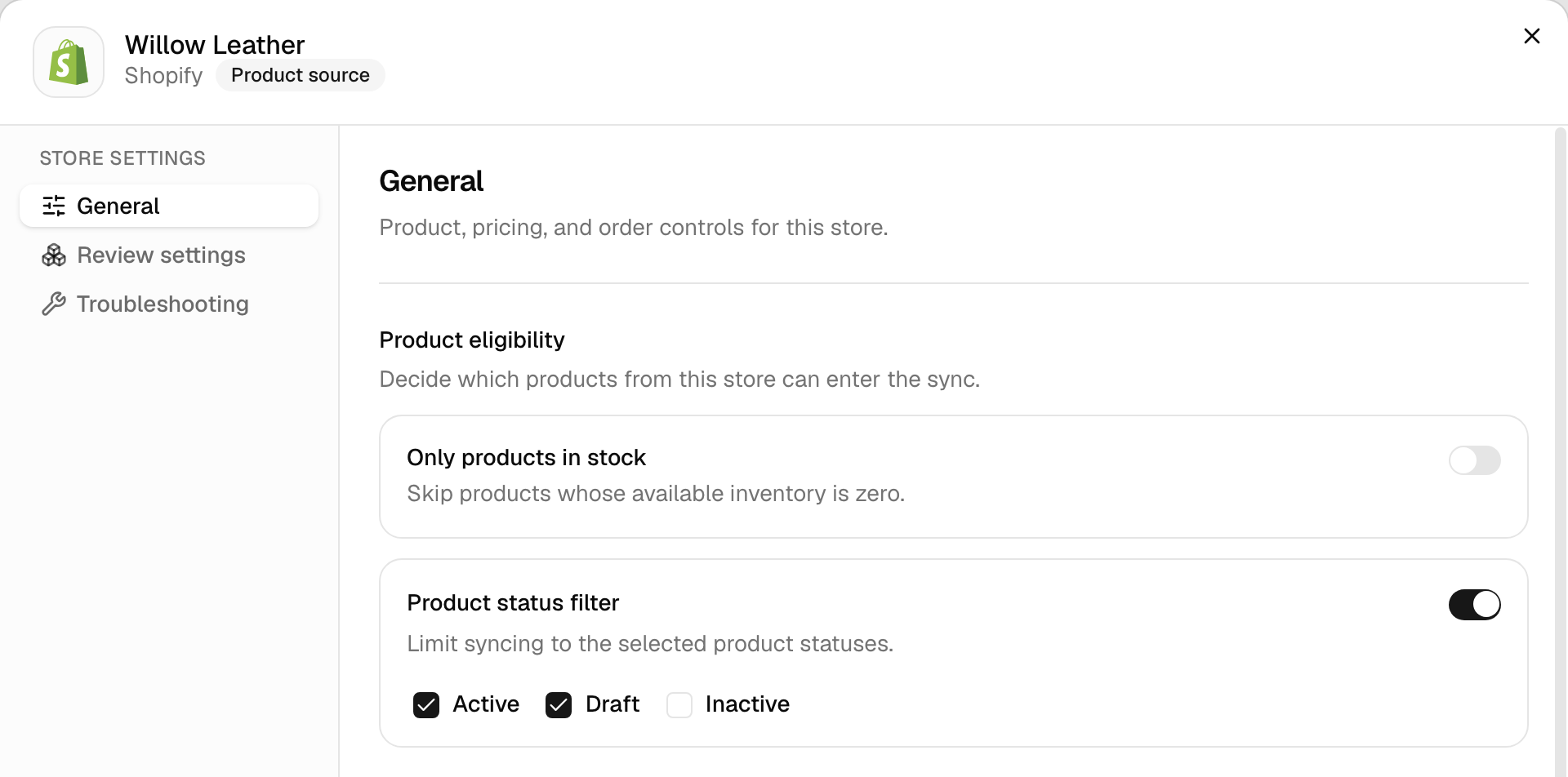
A matched product that runs out shows Out of stock under Needs attention. We stop sending its product details. Its stock still syncs, so your other stores get the 0. When stock comes back, the product returns to Syncing on its own. QuickFix can turn the setting off if you’d rather sync everything.
Common questions
Why is my Etsy listing still inactive after I restocked?
We switch a listing back on only when Etsy shows it as sold out. An inactive listing stays off. That includes one we switched off when its stock hit 0. We still update its count, so turn it back on in Etsy and it sells at the new number. With new products set to sync as drafts, we don’t switch any listing on.
Why does my Etsy listing show 1 when I have none?
There are three reasons. Etsy won’t create a listing with 0, so a product we copy there with no stock starts at 1. A product set to keep selling at zero in Shopify shows 1 on Etsy on purpose. And an option that’s switched off in Etsy can keep its old quantity, often 1. It can’t sell, and we ignore that number.
Why won’t eBay take 0 stock?
eBay refuses 0 on listings created in eBay unless out-of-stock control is on for your account. Until then the listing stays live with its old count. A buyer can order something you don’t have. Turn it on in eBay’s Selling preferences, under Multi-quantity listings. We keep retrying the refused update, so the 0 goes through by itself once the setting is on.
How do I keep selling a product when stock hits zero?
Turn on Continue selling when out of stock for it in Shopify. Shopify then keeps taking orders below 0. Etsy, eBay, Amazon, TikTok Shop, Wix and Squarespace can’t go below 0, so we send them 1 instead, and they keep selling too. That suits made-to-order products. For everything else, leave it off, or you’ll sell stock you don’t have.
Why does Shopify show -1 when Continue selling is off?
Two stores sold the last one before either update reached the other. Sales on Etsy, eBay and Squarespace can take a few minutes to reach us, because we check those stores on a timer. Shopify can hold a negative count, so we send it the real number, -1, while stores that can’t go below zero show 0. A delivery then brings every store back up from the real count.
Next step
For how counts move between your stores, read How stock syncs. If a count didn’t change after a sale, work through Stock didn’t update after a sale.