QuickSync keeps one stock count for each product across all your stores. The first sync copies the counts from the store you trust. After that, a sale, restock or hand edit in one store moves the count in the others.
Below: where the first numbers come from, which number we copy, how two changes at once add up, and what never syncs.
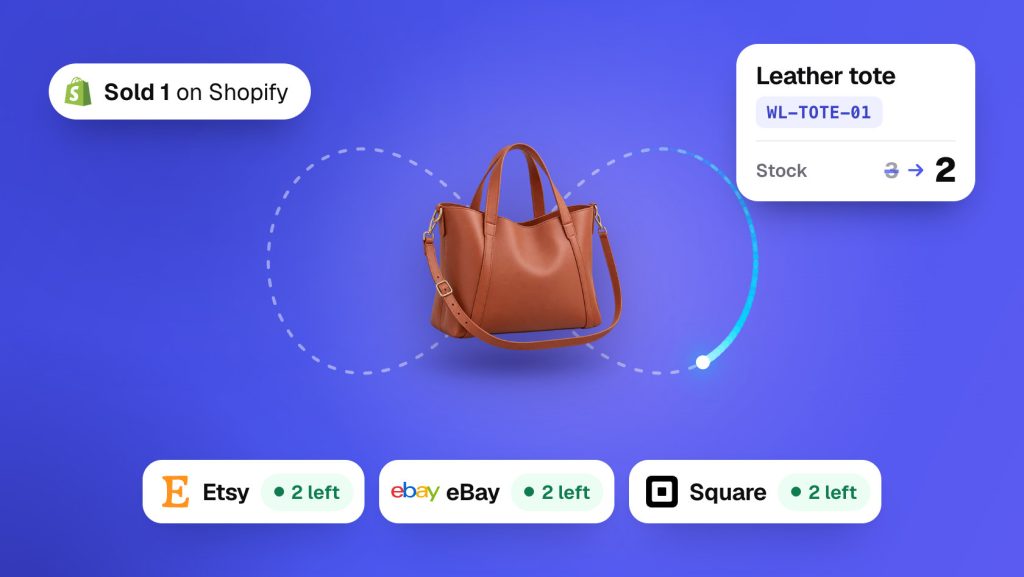
The first sync
Setup asks Which store has the correct stock? That’s your starting store. Press Start syncing, and we’ll match your products by SKU. Then the starting store’s count goes to the matching product in every other store.
Its numbers win. Some counts in your other stores change here. This copy happens once, and products with no match keep their own counts. If a store has several locations, each location’s count goes to the location connected to it.
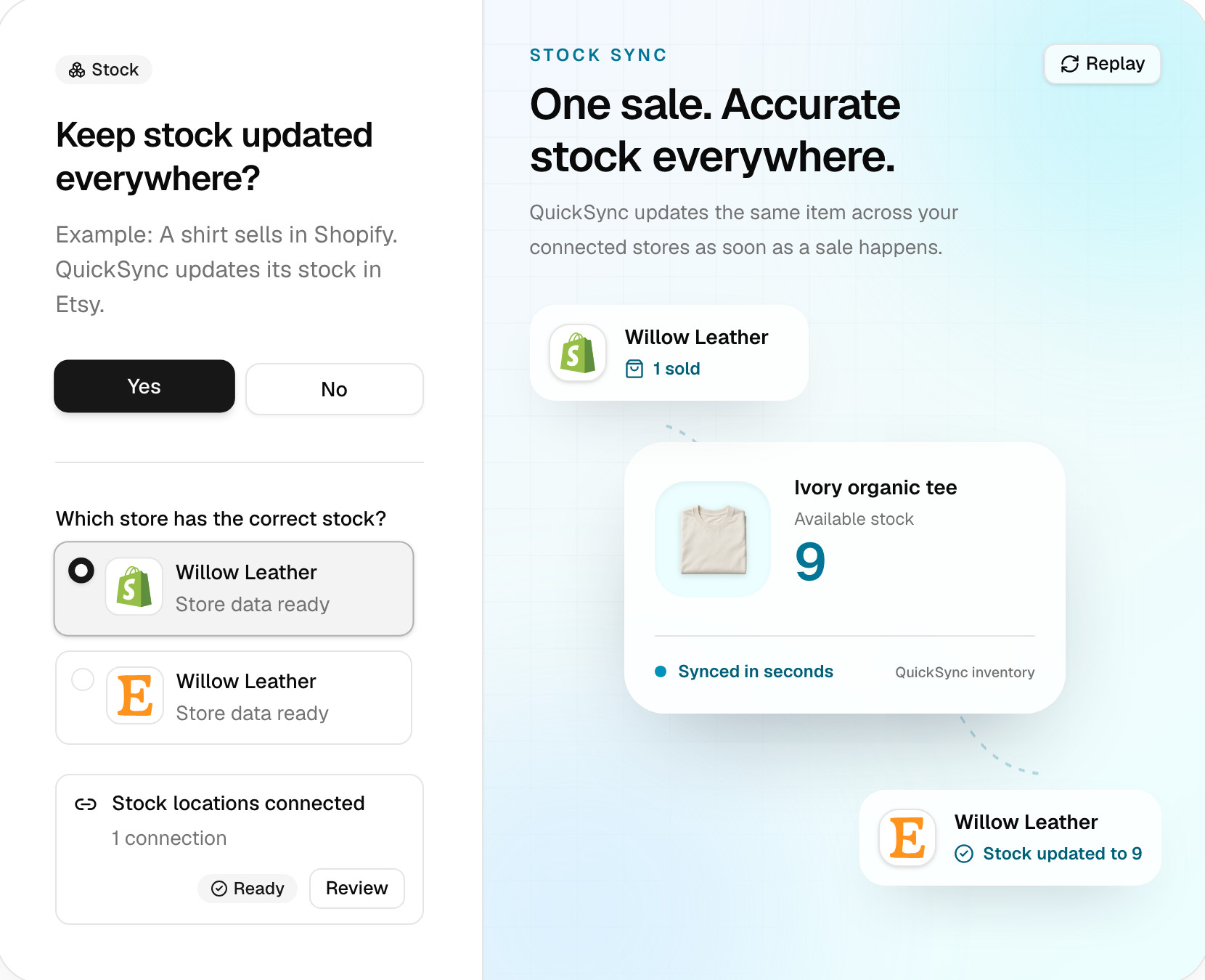
You can run it again. Click Sync products on the Products page. Setup asks which store has the correct stock, then copies that store’s counts again. Use it to even out counts that have drifted, for example after you change your location connections.
After the first sync
Any store can move the count. An Etsy sale lowers Shopify’s count. A delivery you log in Square raises Etsy’s. A number you correct by hand in Shopify replaces the old one everywhere.
Amazon is the exception. We send Amazon every new count, but we can’t promise that a change made there, such as a sale or a Seller Central edit, reaches your other stores. Make stock changes in your other store, and we’ll pass them to Amazon.
Stock has no main store. The main store you pick in setup decides where product details such as titles, prices and photos come from. It doesn’t decide stock.
Stock syncing works on every plan and starts on its own once products match. Connecting another store pauses it until you run Sync products. The Inventory Syncing card on the Products page has its switch. Turning it back on doesn’t replay what changed while it was off. Run Sync products if counts drifted.
Which number we sync
We sync the quantity each store says you can sell, not what’s on the shelf. Shopify calls it available. If a variant has 12 on hand and 3 sit in orders you haven’t shipped, your other stores show 9.
When a store frees reserved stock, its available count rises. We pass that on like any other change. We don’t keep a buffer or reserve stock of our own.
How fast it travels
Most stores tell us about a change as it happens. Etsy, eBay, Squarespace, TikTok Shop and Xero don’t, so we check those on a timer, and we send every new count on straight away. Clover tells us about a sale, but we read the stock it sold later, on a timer. With order syncing on, a TikTok Shop sale may not reach your other stores until the order ships. The minutes for each app are in How QuickSync works.
If a store refuses an update or doesn’t answer, we try that store again a few minutes later. We don’t resend to the stores that already took it.
Two changes at once
We add changes up. We don’t let the last one win. When an update arrives, we compare each store with the count we last synced and add up the differences.
Say a tote is at 10 everywhere. One sells on Shopify and two sell on Etsy close together. Shopify reports 9, Etsy holds 8, and every store ends at 7.
We handle one update per product at a time. A second update waits its turn. We also skip any update older than one we’ve applied. A late message can’t roll a count back.
Refunds and returns
A refund, cancellation or return never adds stock back on its own. Stock goes back only when the store raises its own count. In Shopify, that’s when you restock the items as you refund. That new count then syncs like any other change.
Refund without restocking, and every count stays where it is. That’s right when the item didn’t come back to you.
Below zero
Two stores can sell the last one before either update reaches the other. Then the count falls below zero. Shopify, Square, Clover and Lightspeed can hold a negative count, and we send them the real number. Etsy, eBay, Amazon, WooCommerce, Wix, TikTok Shop and Squarespace get 0 instead.
We keep the real count either way. If Shopify is at -2 and you receive 5, every store shows 3. For products that keep selling at zero, see When stock hits zero.
Several locations
If a store has more than one location, we sync only the locations you connect. We copy a change at one location to every location connected to it. We never add locations together. Two stores with one location each pair up on their own. More in Locations.
See the counts we hold
Open Products and click a product. Inventory by store shows the count we hold for each store and location.
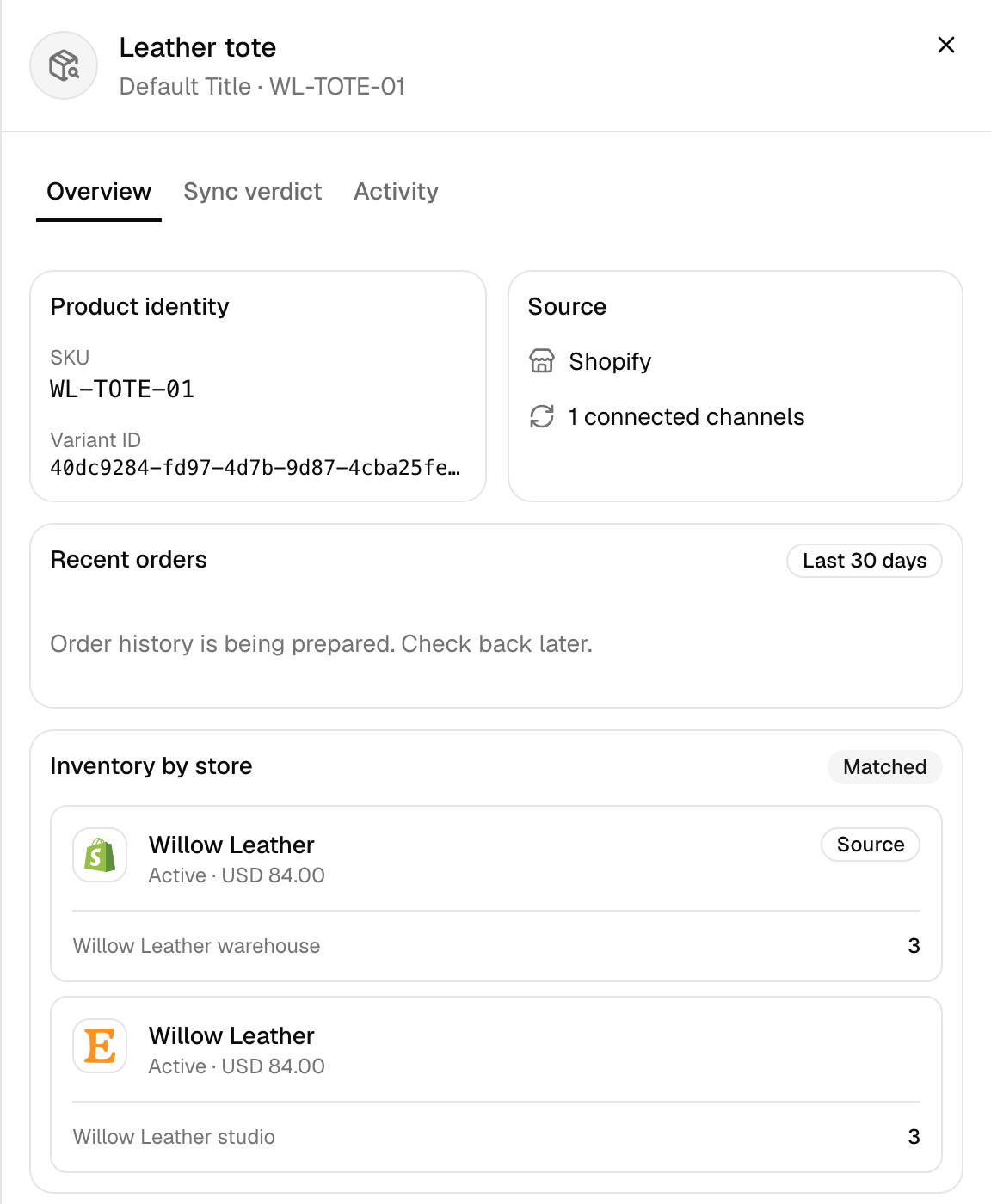
Overview lists the stock changes we handle, in the activity table under Latest Activity with Inventory picked. Search for a product or SKU. Each row shows the store the change came from, the stores we sent it to, and the count before and after, such as 3 → 2. A row that failed has a View error button.
What never syncs
- Fulfillment by Amazon stock. We never read FBA stock. An FBA listing that shares a SKU with your other stores still gets our counts, so give FBA listings SKUs of their own.
- Locations you haven’t connected. Their stock stays out of the sync in both directions. We also leave out Shopify locations that another app runs, such as a print-on-demand service. To include them, turn on Dropshipping locations under Review settings for that store.
- TikTok warehouses you don’t run. Warehouses run by TikTok, return warehouses and disabled ones never get our counts.
- Items that don’t track stock. QuickBooks non-inventory items and Xero items that aren’t tracked as inventory have no count to sync. In Shopify and WooCommerce, an untracked item doesn’t report its sales to us. When we write a count to one, we turn tracking on: Track quantity in Shopify, Stock management in WooCommerce.
- Products that aren’t matched. A product with no SKU, or one that shares its SKU with another product in the same store, doesn’t sync. What each product status means has the fix.
Common questions
Does QuickSync sync inventory both ways?
Yes, for every store but Amazon. Stock syncs both ways between your connected stores, so a sale or restock in one updates the rest. We send Amazon every count too, but we can’t promise that changes made on Amazon come back. The main store you pick in setup controls titles, prices and photos. It doesn’t decide stock.
Which store’s stock does QuickSync use when I start?
It’s the store you pick for Which store has the correct stock? in setup, your starting store. The first sync matches products by SKU and copies that store’s counts to the matching products in your other stores. After that, the starting store has no special say. To copy counts from one store again, click Sync products on the Products page.
What happens if an item sells in two stores at once?
We count both sales. We compare each update with the last count we synced and add the differences together, so a sale in one store can’t wipe out a sale in another. If a tote is at 10 and one sells on Shopify while two sell on Etsy, every store ends at 7. If both sales took the last one, the count drops below zero.
Does a refund put the item back in my other stores?
Only if the store you refunded in puts it back. We sync stock counts, not order events, so a refund or cancellation on its own changes nothing. If you restock the items as part of a refund in Shopify, Shopify raises its count and we pass the new number to your other stores. If you refund without restocking, every count stays the same.
Does QuickSync reset my stock every day?
No. Once a day we read a small sample of counts to catch drift, and that check doesn’t write anything. Counts change when a store reports a sale, restock or edit, when you run Sync products or a QuickFix, and when we retry an update a store refused. If a count keeps changing back, search for the product in the activity table on Overview. Each row names the store that sent the change.
Next step
If a count didn’t change after a sale, work through Stock didn’t update after a sale. For what each store does when a count reaches 0, read When stock hits zero.