

Expanding from Shopify to Etsy is a smart move for many online sellers. By listing products on both platforms, merchants can reach new audiences and increase overall sales. However, managing all your inventory across multiple marketplaces quickly becomes a challenge.
Shopify and Etsy track inventory separately. When a product sells on one platform, the stock level on the other does not update automatically. Without a proper connection between the two systems, inventory data can quickly become inaccurate.
These mismatches can lead to serious operational issues such as overselling, unexpected stockouts, cancelled orders, refunds, and even overstocking.
According to IHL Group, retailers lose nearly $1.8 trillion globally each year due to inventory distortion, including out-of-stocks and overstocks.
Many merchants initially try to manage inventory manually through spreadsheets or manual updates. While this may work at a small scale, it becomes unreliable as order volume increases. That’s why keeping inventory synchronized in real time between Shopify and Etsy is essential for smooth operations.
In this guide, we’ll explain how to sync inventory between Etsy and Shopify. Know why Shopify Etsy integration matters for growing stores, and the most reliable way to automate the process using QuickSync.
What It Means to Sync Shopify and Etsy Inventory and Why It Matters
Before we get into the how to sync inventory between Shopify and Etsy, let me explain what inventory sync actually means, because it’s not just about stock numbers updating between two platforms. There’s more to it than that.
Syncing inventory between Shopify and Etsy means both platforms automatically share the same stock data. When a product sells on one platform, the inventory level updates on the other, so both stores always display accurate product availability.
Without this connection, Shopify and Etsy operate as two completely separate inventory systems. Each platform maintains its own stock count, and neither one knows when a sale happens on the other.
Over time, this creates multiple versions of the same inventory record:
The quantity shown in your Shopify store
The quantity displayed on your Etsy listing
The actual stock you physically have available
When these numbers stop matching, inventory problems start to appear.
A proper inventory sync solves this problem by connecting shopify to etsy through an integration layer. Instead of updating stock manually in two places, the integration automatically keeps inventory levels aligned whenever a sale, order return, or stock adjustment occurs.
Read More: Does Shopify integrate with Etsy
Why Shopify Etsy Inventory Doesn’t Sync Natively
Shopify and Etsy do not have a built-in native integration that automatically synchronizes inventory between the two platforms. That’s why merchants need a third-party app or inventory sync tool to synchronize inventory levels between Shopify and Etsy.
In simple terms, there is no default feature inside Shopify or Etsy that allows both systems to share stock data with each other. Because of this, inventory updates on one platform do not automatically appear on the other.
Both platforms manage inventory independently.
Shopify tracks product stock through the inventory system inside the Shopify admin dashboard.
Etsy tracks product quantities through its own listing and shop management system.
When a sale occurs, only the platform where the order was placed updates its inventory count. The other platform remains unchanged because there is no direct connection between the two systems.
As sales continue across both channels, these separate inventory records gradually drift apart. This leads to inventory mismatches.
Since Shopify and Etsy were not designed to communicate directly, merchants need a third-party sync solution to bridge the two platforms and keep inventory levels aligned.
Risks of Not Syncing Inventory Between Etsy and Shopify
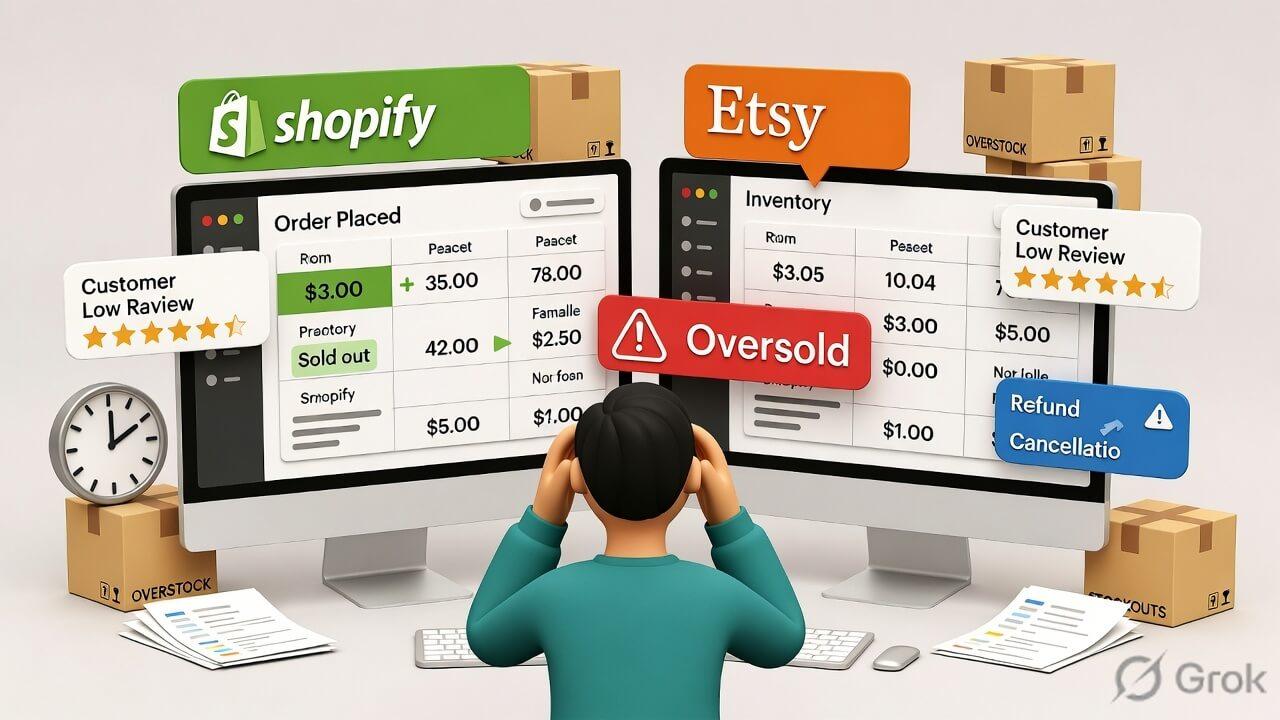
Here’s the truth. Not syncing your inventory isn’t just inconvenient; it actually affects your revenue in the long run. It actively damages your business in ways that compound over time.
Let me walk you through exactly what happens when both stores are running without a sync.
Overselling Leads Directly to Cancelled Orders
When both platforms show the same item as available, but you only have one unit, someone will eventually receive a cancellation. And the order cannot be fulfilled properly for the customer. Oversold orders damage your Etsy shop’s Star Seller status and increase your Order Defect Rate. On Shopify, they raise refund rates and slowly reduce buyer trust.
Negative Reviews Hurt Both Your Shopify Brand and Etsy Ranking
Etsy’s search algorithm considers your shop’s review history and order completion rate. Inventory mismatches that lead to overselling or delayed shipping often trigger etsy reviews that are negative. This directly impacts your Etsy search visibility and lowers your chances of appearing in results. On Shopify, stock issues and cancelled orders reduce buyer confidence.
Manual Stock Updates Consume Hours Every Week
Every hour spent logging into both platforms to adjust stock counts after orders is an hour not spent making products, sourcing raw materials, or marketing your shop. For independent sellers who already handle production, customer service, and shipping on their own, manual inventory management is one of the biggest time drains in the business.
Stockouts Go Unnoticed on Both Shopify and Etsy
A product can sell out on Etsy while your Shopify store continues taking orders, or vice versa. Without sync, you often don’t discover the discrepancy until a customer has already placed an unfulfillable order. Silent stockouts, where one platform shows items as available that are already gone, are a direct revenue and reputation risk.
Inventory Planning Becomes Difficult
When inventory isn’t synced between Shopify and Etsy, your stock data becomes inconsistent. One platform may show stock available even though the item has already sold out on the other. This makes it harder to plan restocking, predict demand, or manage purchasing decisions. Over time, poor inventory visibility leads to missed sales and extra stock that stays unsold.
Benefits of Accurate Shopify Etsy Inventory Sync
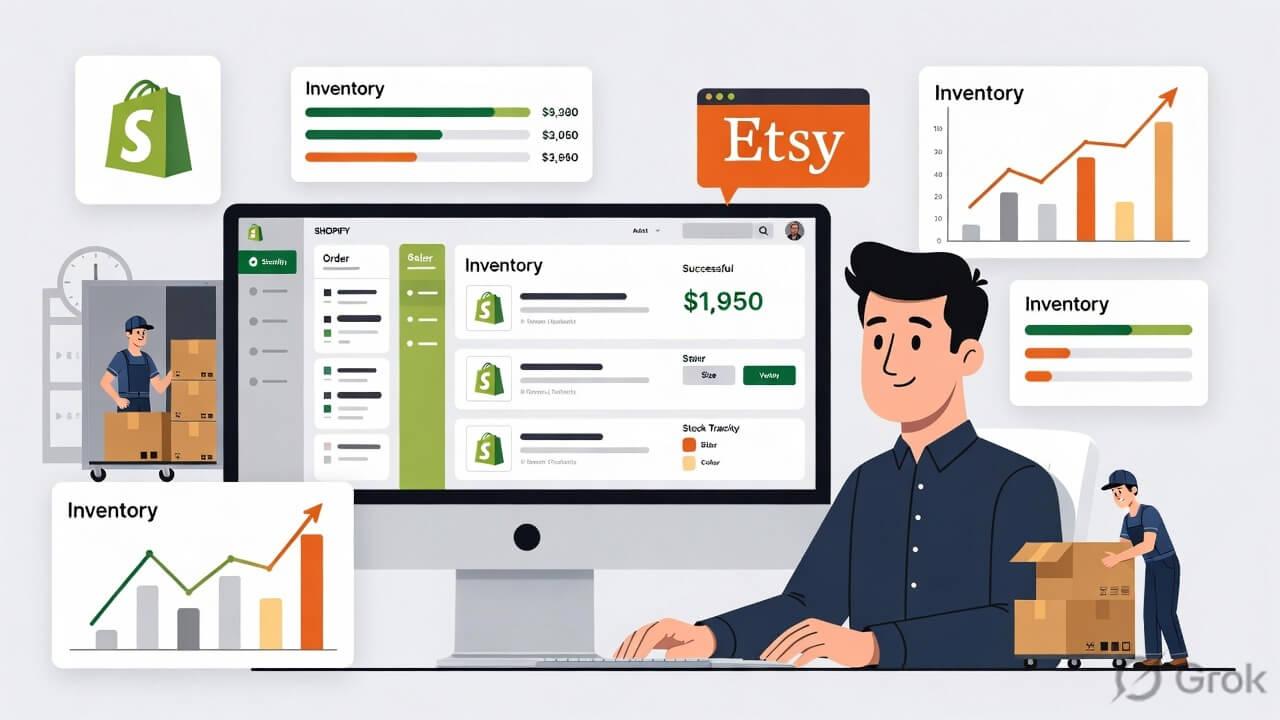
Now let me tell you what actually improves when your Shopify and Etsy inventory is properly synced. These are practical, operational benefits that show up from the very first week when you sync Shopify and Etsy inventory.
You Never Oversell Again on Either Platform
Real-time inventory sync means the moment a product sells on either channel, both platforms update instantly. There’s no window where Shopify shows stock that no longer exists. Inventory sync prevents selling the same item twice. It also protects your seller reputation. It even helps maintain customer trust by ensuring you only sell what is actually available.
Saves Time on Manual Updates
When an automation tool is handling your Shopify and Etsy inventory, you and your team are free from manual work. Instead of logging into Shopify and Etsy separately to adjust stock, everything updates automatically. Studies show automation can reduce operational workload by nearly 30%, allowing you to focus more on marketing and scaling your business.
Smarter Inventory Planning
Real-time sync gives a clear inventory visibility of what is selling on Shopify and Etsy. You can quickly identify best-selling products and plan restocking more accurately. This reduces overstocking and stockouts. It helps you make smarter purchasing decisions based on real demand. Over time, it also improves cash flow by preventing unnecessary stock purchases.
Faster Order Fulfillment
When Shopify and Etsy inventory is accurate, it ensures your warehouse or storage always reflects real-time product availability. This helps you pick, pack, and ship orders faster without checking multiple platforms. It reduces fulfillment mistakes and improves order management. It ensures customers receive exactly what they ordered without delays caused by incorrect stock information.
Accurate Product Variant Inventory Sync
If you sell products with variants like size, color, or style, the inventory sync tool keeps everything accurate. When one variant is sold, only that specific option is updated in real time. Each variant is tracked individually and updated in real time whenever a sale occurs on Shopify or Etsy. This ensures every product option stays accurate across both platforms.
What an Ideal Shopify Etsy Inventory Sync Tool Looks Like
Now that you have an idea about the benefits of syncing inventory, let’s understand what an ideal inventory management tool should offer. A reliable inventory sync setup is not just about connecting two platforms. It should keep Shopify and Etsy perfectly accurate in real time without adjusting stock manually.
If you are choosing an inventory sync tool, here’s what a proper Shopify–Etsy workflow should include:
Real-Time Inventory Updates in Both Directions
A good sync tool should update stock instantly across platforms. When a product sells on Etsy, Shopify inventory should adjust immediately, and vice versa. This real-time inventory syncing is essential to prevent overselling and keep both stores consistently accurate
Variant-Level Inventory Accuracy
Many Shopify–Etsy tools only sync products but fail to correctly match variants. A reliable inventory sync setup keeps each Shopify variant, like size or color, properly aligned with Etsy variations. So inventory mistakes are avoided at the variant level.
Selective Product Syncing Control
Not every Shopify product needs to be listed on Etsy, especially since Etsy charges per listing. A good syncing approach lets you choose exactly which products go live on Etsy. So you only sell what fits your marketing strategy without unnecessary listing costs.
Reliable Sync Logs and Activity Tracking
A good Shopify Etsy tool should provide clear logs of every inventory update, product sync, and order change. This helps you track what was updated, when it happened. It gives full transparency and makes it easier to troubleshoot any syncing issues quickly.
Built to Handle Large Shopify and Etsy Catalogs
An ideal inventory sync tool should smoothly manage large product catalogs without slowing down. Whether you have 100 or 1000s of products and variants. It should keep Shopify and Etsy fully synced in real time without error prone performance issues or data delays.
Different Methods to Sync Etsy and Shopify Inventory
Managing inventory across Shopify and Etsy can be done in different ways depending on your store size and workflow. Some Shopify Etsy integration approaches are simple but manual. While others are fully automated and handle updates in real time. Understanding these options helps you choose what fits your business best.
Let’s look at the common inventory management methods for Shopify and Etsy.
Method 1: Manual Updates
Manual updates are the very first thing that merchants try to manage Shopify and Etsy inventory. For starters, retailers think they can manually handle inventory. For very small catalogs with one or two sales per day, this is technically possible. But it doesn’t stay manageable.
One missed update on a busy day, and you’re oversold.
One forgotten variant and you have a cancelled order.
Manual updates don’t scale beyond a handful of active listings, and they always break down at the worst possible time.
Manual inventory management also requires constant monitoring, which consumes valuable time as sales grow
While this approach works for stores with very few daily orders, it quickly becomes difficult to maintain. Missing even a single update can lead to overselling and cancelled orders.
Method 2: CSV Import and Export
Another method for syncing Shopify inventory with Etsy is CSV import and export. Etsy and Shopify both allow you to export and import inventory data as CSV files. In theory, you can export a stock count from one platform and import it into the other to realign quantities. In practice, this is still a manual process.
The data you export is accurate only at the moment of export.
Sales that happen between the export and the import are already creating new mismatches.
Formatting differences between Shopify and Etsy CSV structures also cause errors during import, especially for variant-heavy catalogs.
This approach reduces some manual work but introduces new errors and still requires you to actively run it. Inventory becoming outdated quickly. For growing stores, this method usually becomes inefficient.
Method 3: QuickSync Inventory Sync Tool (Recommended)
Compared to manual methods or basic integrations, QuickSync is a dedicated solution built to handle Shopify and Etsy inventory in real time. It ensures every sale, product update, and stock change is automatically synced across both sales channels without delay or manual effort.
QuickSync keeps inventory sync after every Shopify and Etsy order. It helps you avoid overselling, stock mismatches, and customer refunds.
Beyond real-time syncing, QuickSync also offers advanced control features like:
Selective Syncing for Etsy – Choose exactly which Shopify products you want to list on Etsy, so you don’t pay unnecessary listing fees or sync unwanted items.
SKU Assignment & Matching – Easily map Shopify and Etsy products using consistent SKUs to ensure correct product linkings.
Variant-Level Syncing – Keeps size, color, and other product variations perfectly aligned.
Multi-Location Inventory Support – Manage stock across different warehouses or locations while keeping Shopify and Etsy fully synced in real time.
Easy-to-Use Setup – Simple onboarding process designed for merchants, with no technical skills.
Smart Title Optimization for Etsy – Shopify product titles are automatically adjusted to meet Etsy’s listing guidelines. This helps products get published smoothly without rejection.
Automatic Description Formatting – Shopify product descriptions are converted into Etsy-compatible formats, ensuring your content stays clean and readable.
Full Image Sync – Sync up to 20 product images from Shopify to Etsy with proper ordering. Image formats like WebP are automatically converted to Etsy-compatible formats.
Product Video Syncing – Product videos from Shopify can also be synced to Etsy listings, allowing you to showcase products more effectively and improve buyer engagement.
Etsy Tag Optimization – Shopify product tags are automatically changed to fit Etsy’s tag limits and structure. It helps your listings remain compliant while improving discoverability on Etsy search.
QuickSync brings all your inventory and operations into one smooth workflow. From inventory to orders, everything stays connected without constant checking or fixes.
It’s built to let you focus more on selling and less on managing systems.
How to Sync Inventory Between Etsy and Shopify Using QuickSync
Now that we understand why QuickSync is a reliable method for Etsy and Shopify inventory sync. Here’s exactly how to get this set up.
Step 1: Create Your QuickSync Account
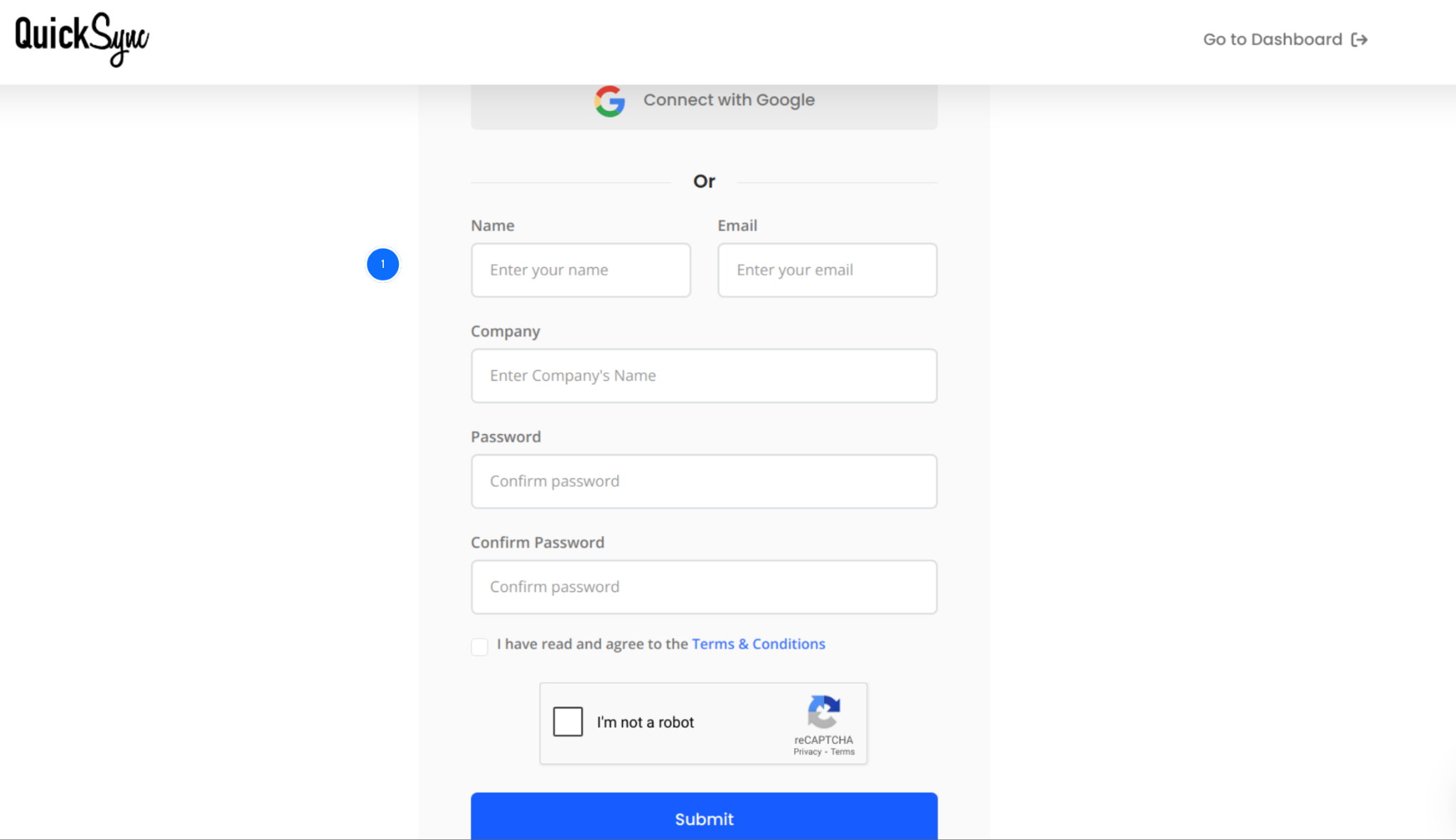
Go to quicksync.pro and sign up with your email and business details.
If you already have an account, log in and open your dashboard. This is where you will manage all your connected stores, sync settings, and order flows.
Step 2: Connect Your Shopify Account
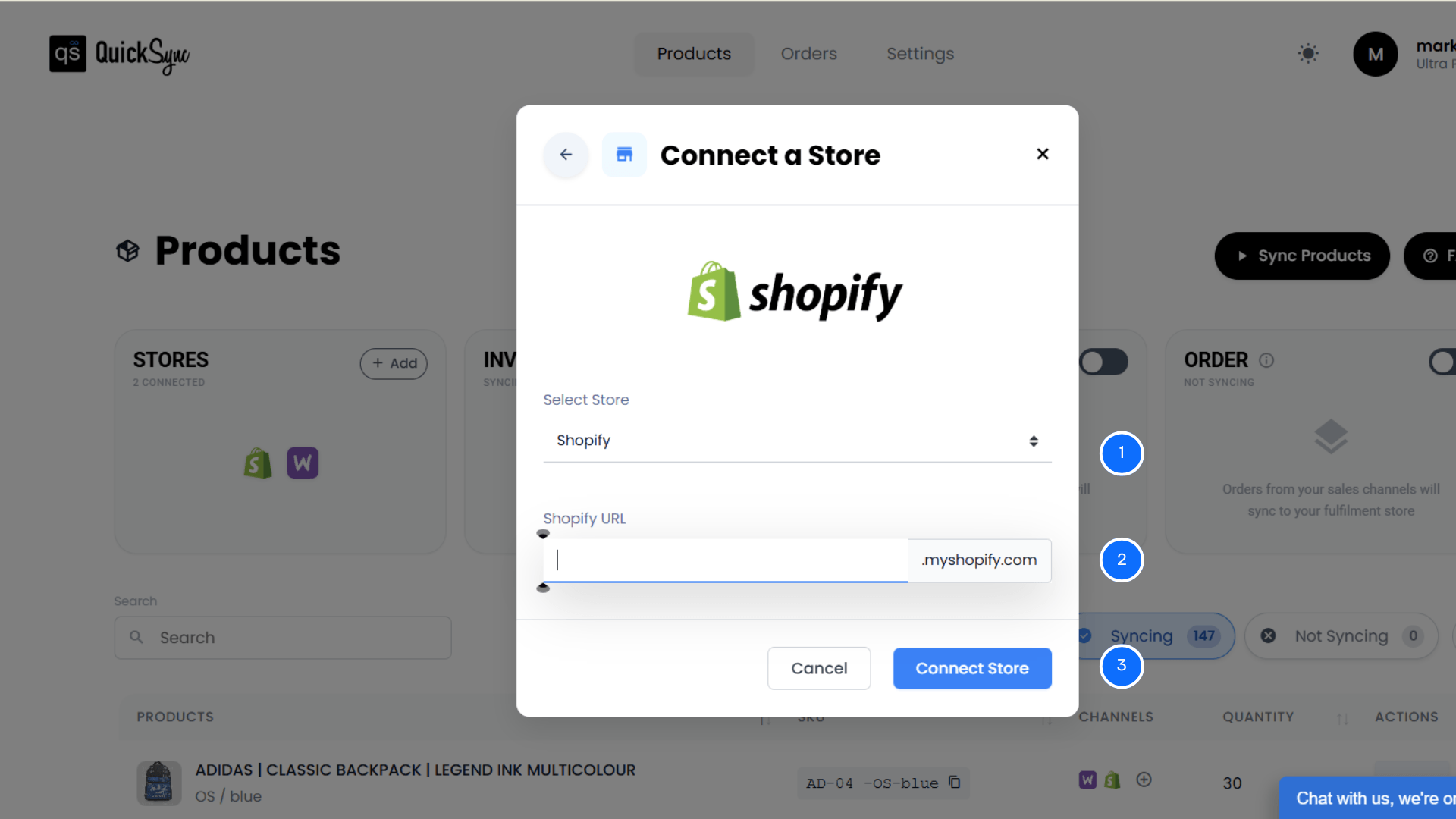
Go to Dashboard → Sync Products → Add Store.
Enter your Shopify store URL (example: yourstore.myshopify.com)
Click Add a Store and log in to your Shopify admin
Approve permissions for products, images, inventory, and orders
QuickSync runs an initial import of your Shopify store details, locations, and product catalog. You’ll see a progress bar in the dashboard. Larger catalogs take a few minutes.
Step 3: Connect Etsy Shop
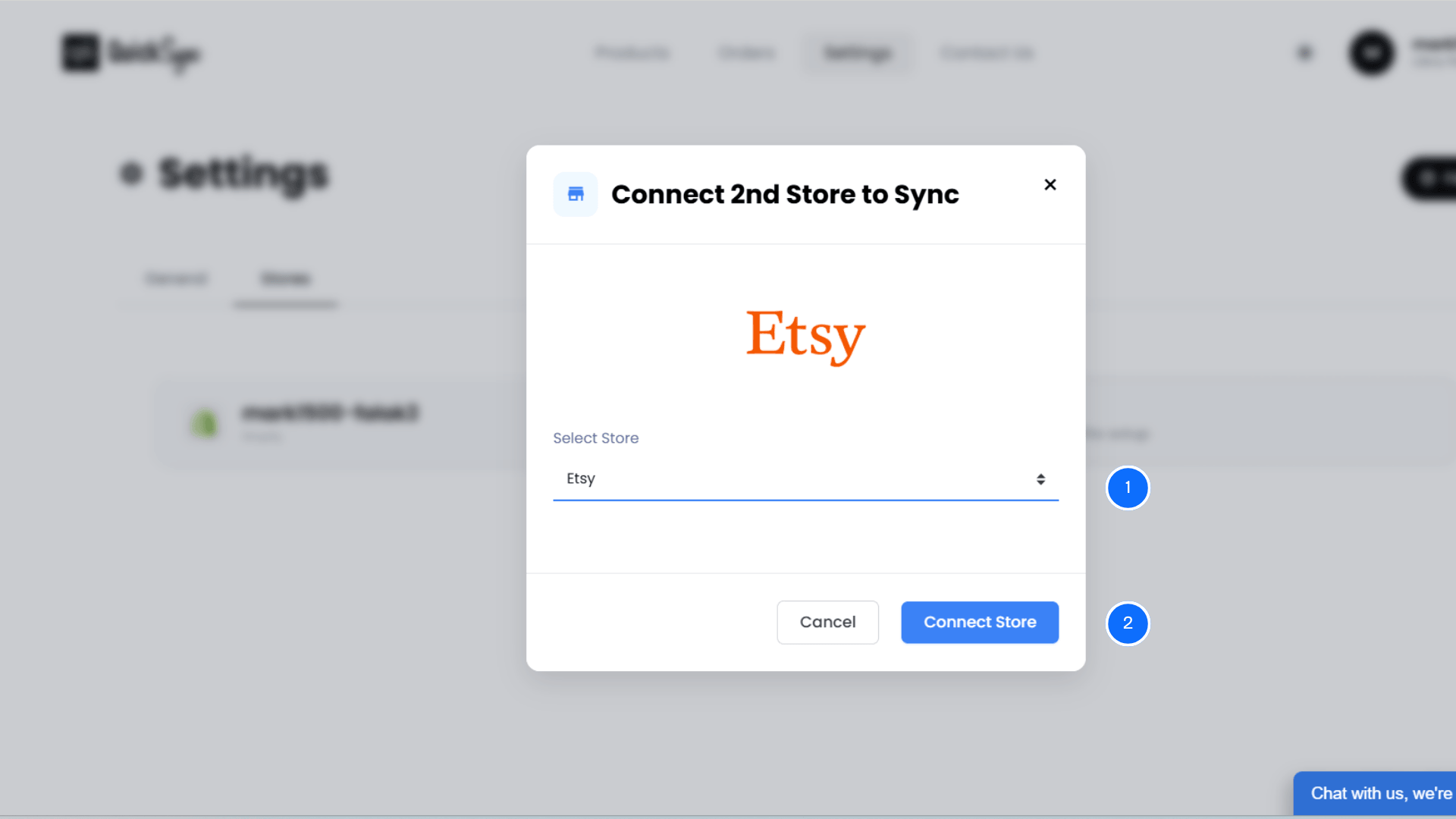
Go to Dashboard → Sync Products→ Select Etsy
Log in to your Etsy account and authorise QuickSync to access your Etsy shop
QuickSync imports your existing Etsy listings and maps them to your Shopify products
Step 4: Configure Your Sync Settings
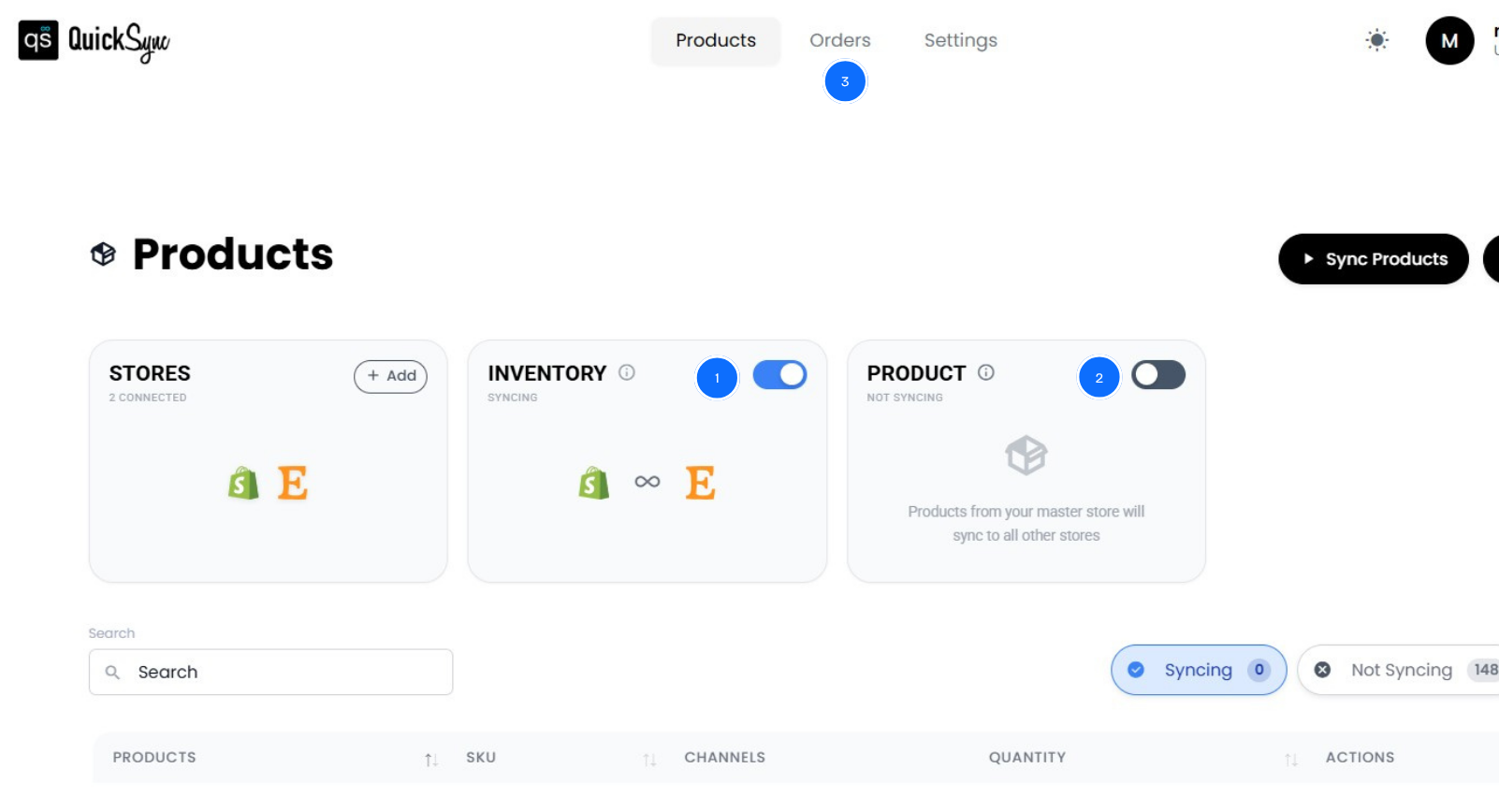
Once you have integrated both the Shopify and Etsy stores with QuickSync, go to the QuickSync dashboard.
Inventory sync activates automatically the moment both platforms are connected. Stock levels update in real time across Shopify and Etsy after every sale, return, or manual adjustment.
Besides inventory sync, QuickSync also offers product sync and order sync. Here’s how
Product sync: Designate Shopify as your Master Store. Every product update made in Shopify pushes to your Etsy shop automatically. Use selective syncing to control exactly which Shopify products appear as Etsy listings.
Order sync: Enable Etsy order sync so all Etsy purchases flow into your Shopify admin. Set Shopify as your Fulfillment Store. Process all orders from one workflow. Shipping details, tracking numbers, and carrier updates sync back to Etsy automatically. So your buyers receive their shipping notifications on time.
Best Practices to Maintain Real-Time Inventory Accuracy
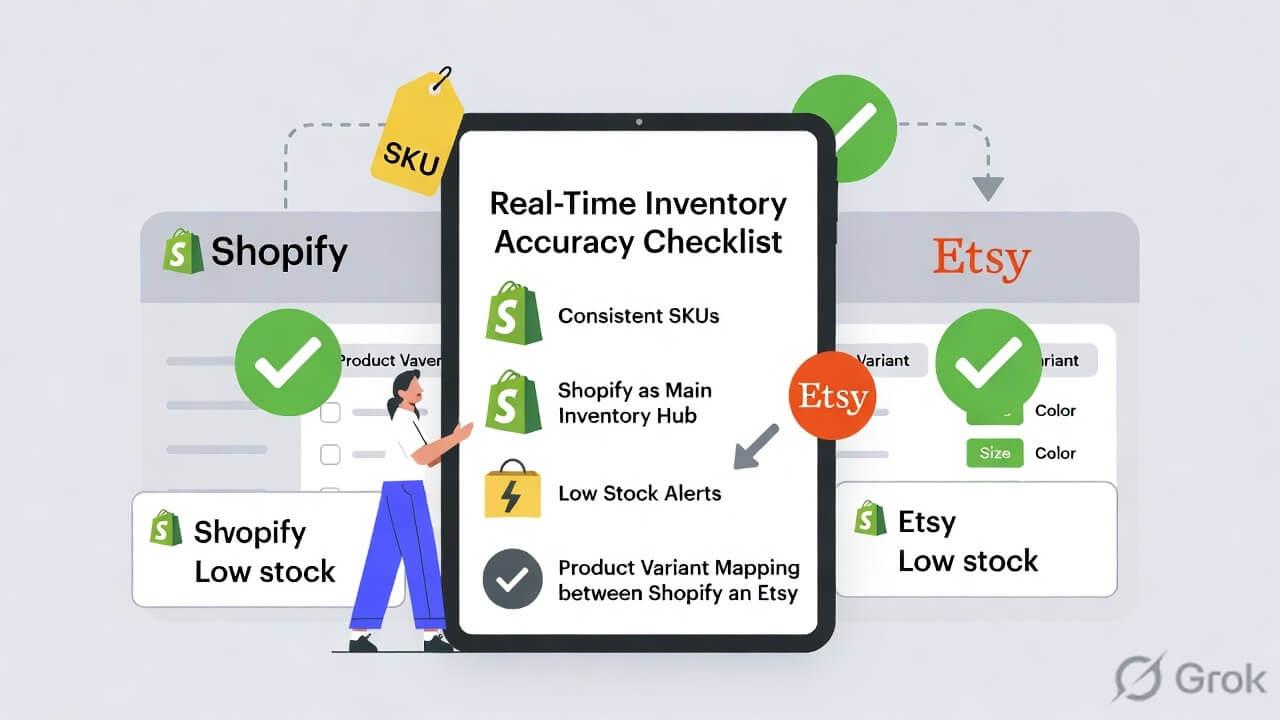
Getting the sync set up correctly is step one. Here’s what keeps inventory stable and accurate on Etsy and Shopify over the long term.
Consistent SKUs Across Both Platforms Before Connecting
Make sure your SKUs are consistent before you connect Shopify and Etsy. QuickSync uses SKUs to match products correctly across both stores. While setting up QuickSync, you can turn on automatic SKU assignment to make things easier. If SKUs don’t match, products may not sync properly.
Keep Shopify as Your Single Source of Truth
Always treat Shopify as your main control center for inventory. Make every product, stock change, and update their first. QuickSync will automatically push changes to Etsy. Avoid updating Etsy directly. As it can create conflicts and lead to mismatched stock across both platforms.
Set Low Stock Alerts Before Inventory Hits Zero
Real-time sync prevents overselling from delayed updates. But it can’t prevent you from running out of stock entirely. Set low stock alerts inside your Shopify admin for your fastest-moving products. When you receive the alert, you have time to restock or pause the listing on Etsy before the last unit sells.
Regularly Check Product and Variant Mapping
Take time to review how Shopify products and variants are mapped to Etsy listings. Small changes in names, SKUs, or structure can break sync over time. A quick weekly or monthly check ensures everything stays correctly linked. Especially for products with multiple variations, like size or color.
Conclusion
Selling on both Shopify and Etsy gives you more reach, but it also creates one hidden problem: disconnected inventory. Every manual update, delayed sync, or platform mismatch increases the risk of overselling, refunds, and lost trust. As your store grows, these small gaps turn into bigger operational leaks.
That is where QuickSync changes the way you work. It connects your Shopify store and Etsy shop so inventory, products, and orders stay synced automatically. Every sale updates everywhere instantly, without manual effort or second-guessing stock levels.


