If you are researching how to sync Shopify with TikTok Shop, you already know the potential, or you are already facing problems. But here is the truth. Most merchants who attempt to integrate Shopify with TikTok fail silently within 90 days.
The causes are always the same. Either it is a basic connector that cannot handle velocity or inventory updates, or it claims to be real-time but lags by 10 minutes. Sellers who believe “connected” means “protected” until demand floods in and both platforms show different stock counts.
That’s when you end up spending weekends dealing with sync inventory between Shopify & TikTok problems instead of scaling. It does not have to be like that.
Therefore, I am writing this because the same broken pattern keeps repeating across stores I review. So, plain and simple, if you are serious about syncing Shopify with TikTok Shop properly, not just quickly, keep reading.
What Does It Really Mean to Sync Shopify with TikTok Shop?
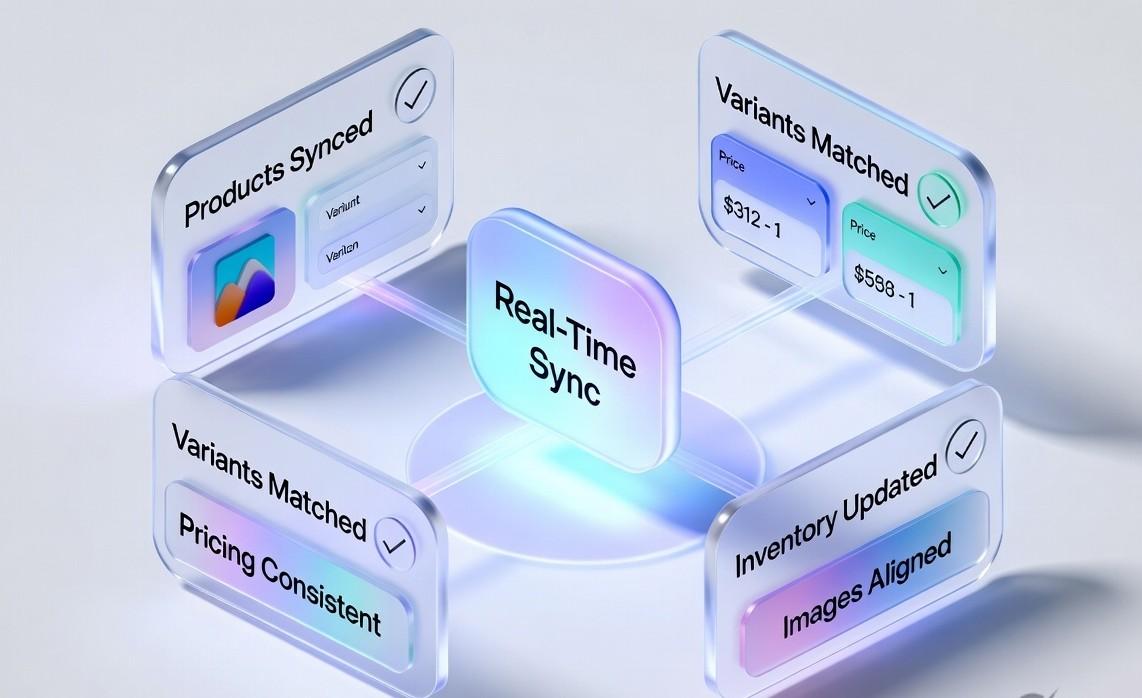
Many merchants think they are synced just because they installed an app and see products on both Shopify and TikTok Shop. But that is not real sync. That is just copying data in two places.
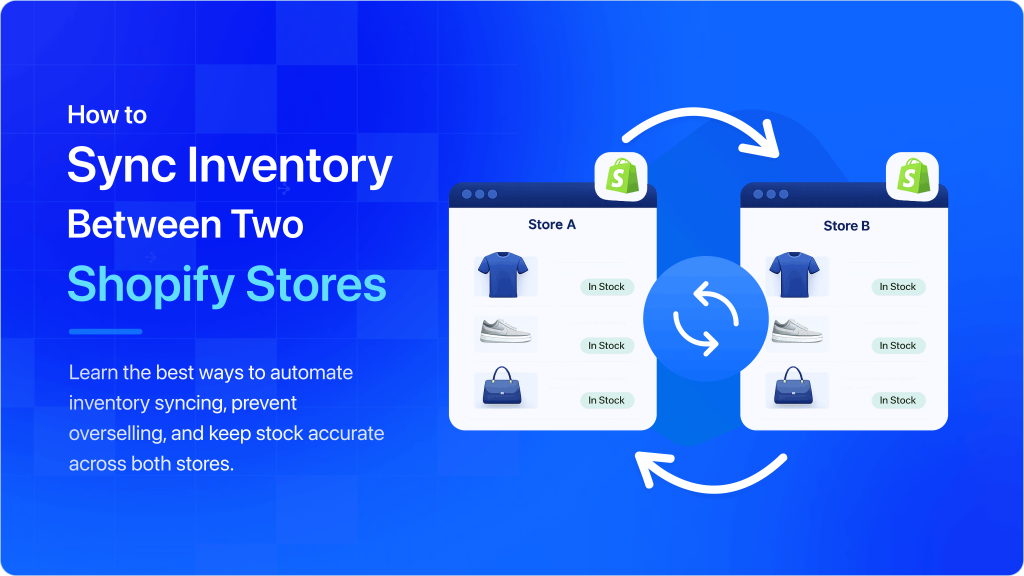
True Shopify TikTok Shop integration means both platforms stay connected in real time. When something changes in Shopify, it automatically updates on TikTok. When an order comes from TikTok, it instantly appears in Shopify. No manual work needed.
If you are updating products, prices, or inventory in two places, you are not synced. You are running two separate stores.
A proper sync keeps everything aligned:
- Products and descriptions stay the same everywhere
- Variants like size and color match correctly
- Prices and discounts stay consistent
- Inventory updates automatically
- Images and product details stay identical
When this works properly, you avoid overselling, wrong orders, and listing errors, and both stores always show the same accurate information. Before integration, merchants must understand the pros and cons of connecting Shopify to TikTok Shop, and how tools can make expansion easy.
What Happens Without Proper Shopify TikTok Shop Integration

If syncing Shopify with TikTok Shop is about keeping everything aligned in real time, then the lack of proper sync is where things quietly start to break.
In audits of multichannel stores, the biggest issues rarely come from ignoring TikTok Shop management. They come from assuming a basic integration is enough. On the surface, everything looks connected. In reality, the data is already drifting apart.
Here is what that disconnect actually looks like in practice.
Inventory mismatches that quietly drain revenue:
Without real-time sync, every system shows slightly different numbers. And once the inventory is off, it is no longer a technical problem. It becomes lost revenue and lost trust.
Studies show many retailers operate below 80% inventory accuracy, leading to stockouts and overselling. So when Shopify and TikTok Shop are not synced properly, you do not just lose sales. You lose customers.
Overselling during viral spikes:
TikTok does not grow slowly. It spikes. One video can bring hundreds of orders in minutes, and if your inventory syncing is even slightly delayed, Shopify and TikTok Shop may both sell stock that is already gone.
That is where overselling happens in real time. It is not a rare edge case, it is a common outcome when systems are not perfectly synced.
At scale, this gets expensive fast. It leads to lost revenue, damaged trust, and on TikTok Shop, it can even hurt your account health and limit future selling ability.
Manual uploads and variant confusion:
Many sellers still manage products on Shopify and TikTok Shop manually. They upload products twice, map variants one by one, and fix errors only after they show up.
This can work when you have a small catalog, but it quickly breaks as you grow.
Every manual step adds risk. A wrong category can lead to rejection, a mismatched variant can result in incorrect orders, and even small SKU differences can disconnect both platforms.
Without automated SKU mapping and proper variant sync, your stores stop behaving like one system. You are not really growing, you are just copying data between platforms.
Pricing gaps and compliance issues:
TikTok Shop has strict rules around pricing, promotions, and category-based requirements. When pricing is managed separately on Shopify and TikTok, updates often fall out of sync.
This leads to simple but costly mistakes. A discount is applied on one platform but not the other. A promotion breaks compliance rules. A price mismatch confuses customers.
Over time, this creates unstable margins and unnecessary listing risks. In some cases, it can even lead to product removals.
Order delays and fulfillment pressure:
Most integrations are not truly real-time. They work in steps where an order is placed, then the system makes automatic updates, and inventory changes only after a short delay.
At low order volume, this usually goes unnoticed. But as sales grow, even small delays start creating operational risk.
In that window, Shopify and TikTok Shop can still show available stock and keep accepting orders. By the time the sync catches up, you are already overcommitted, leading to delays, cancellations, and fulfillment strain.
Also Read: TikTok Shop Trending Products 2026: Viral 10 Products That Actually Sell
What a Proper Shopify–TikTok Shop Sync Solution Should Include
After looking at all the issues that can come from weak or partial syncing, one thing becomes clear. Not every tool that claims to connect Shopify with TikTok Shop is built for scale. A real solution does more than move data between platforms. It protects your entire operation.
So instead of asking, “Is it connected?” the better question is, “Can it hold up when demand spikes?”
Here is what a proper Shopify TikTok Shop sync should actually include:
| Feature | Why It Matters | What Happens Without It |
| AI-powered category mapping | Automatically assigns the right TikTok category from product data | Manual work, rejected listings, slow setup |
| Image and video optimization | Ensures correct formatting, sizing, and video sync from Shopify | Broken listings, poor conversions, compliance issues |
| Clean variant mapping | Keeps SKUs perfectly aligned across both platforms | Wrong orders, mismatched inventory, high returns |
| Real-time inventory sync | Updates stock across platforms within minutes | Overselling, stockouts, account health risk |
| Instant order sync | Pushes orders to Shopify immediately with tracking updates | Delayed fulfillment, missed orders, unhappy customers |
| TikTok compliance handling | Manages rules like certifications, pricing, and category rules | Listing rejections, manual fixes, product removals |
| Smart error handling | Detects and fixes sync issues before they spread | Silent failures, broken sync during spikes, data errors |
When your Shopify TikTok integration includes all of these layers, both platforms finally behave like one system. Not two separate stores trying to stay in sync, but one unified setup that can actually handle growth.
Read More: How to Sell on Etsy and Shopify
Different Methods to Connect Shopify to TikTok Shop
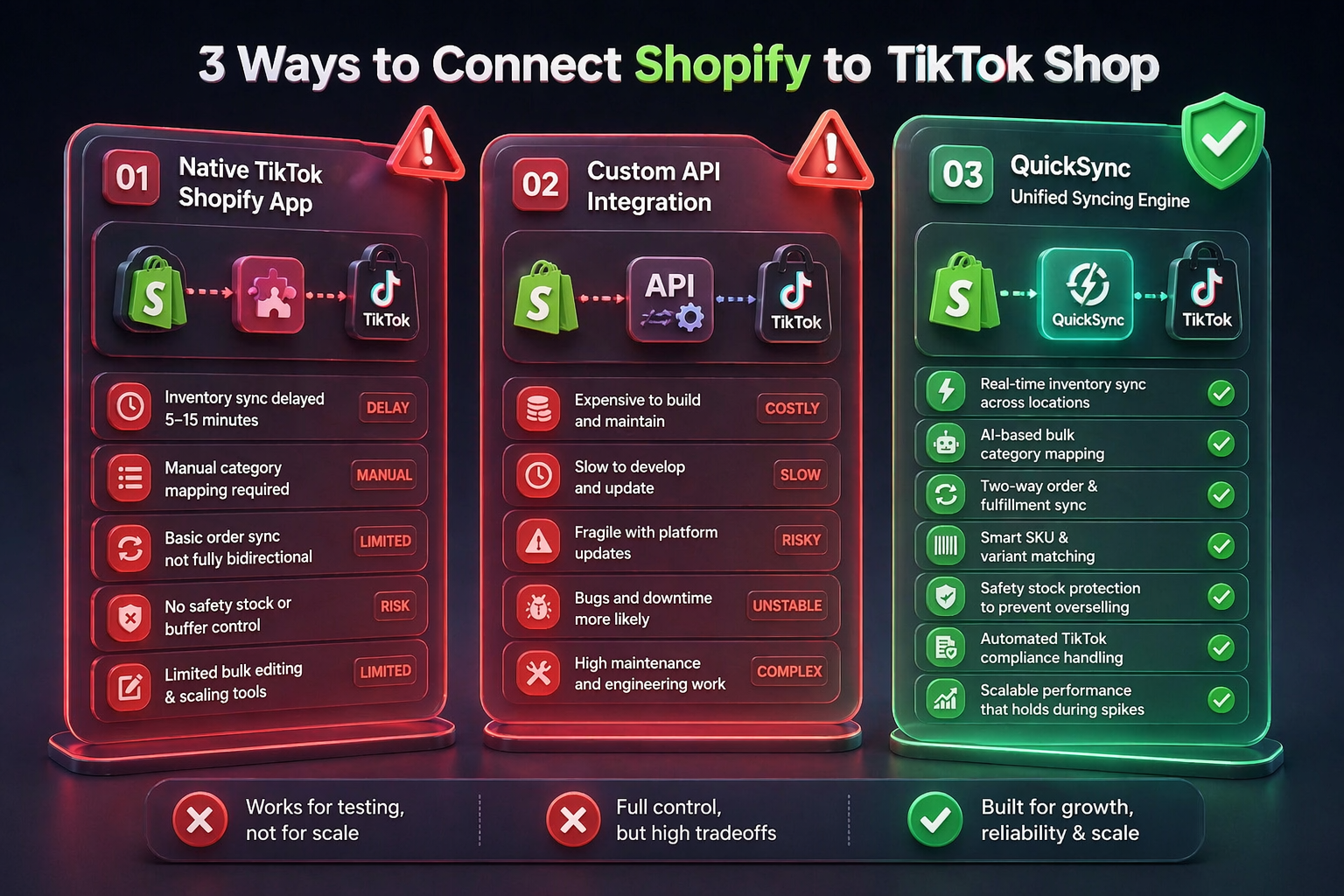
Once you understand the risks of poor sync, the next question is simple. How do you actually connect Shopify with TikTok Shop the right way?
In reality, there are a few methods available. But they are not equal. One is for testing. One is for engineering control. And only one is built for real growth.
Let’s break them down.
Method 1: Native TikTok Shopify App
This is the official Shopify app by TikTok, and it is usually the first step for most Shopify merchants.
It works like you install the app, connect your TikTok Business account, select products to publish, map categories manually, and enable inventory sync with a short delay. But it has certain limitations that you must know.
Limitations:
- Inventory sync is delayed by 5 to 15 minutes
- Every product needs manual category mapping
- Order sync is basic and not fully bidirectional
- No safety stock or buffer control
- Limited bulk editing and scaling tools
At low volume, this setup works fine. But once orders increase, these gaps become operational problems.
Method 2: Custom API Integration
Another method is to have a custom API integration. Some larger brands choose to build a custom connection between Shopify and TikTok Shop using APIs.
On paper, this gives full control. But in reality, it comes with heavy tradeoffs. It is expensive to build, slow to maintain, and fragile when platforms update their APIs. Every change can create bugs or downtime.
So while it offers flexibility, it also creates an ongoing maintenance burden. For most growing brands, it becomes more complex than value.
Method 3: QuickSync – Inventory Sync Tool (Recommended)
QuickSync is designed to remove the gap between Shopify and TikTok Shop entirely. Instead of just connecting platforms, it keeps them continuously aligned in real time.
When you sync Shopify to TikTok Shop with QuickSync, you get:
- Real-time inventory sync across locations
- AI-based bulk category mapping
- Two-way order and fulfillment sync
- Smart SKU and variant matching
- Safety stock protection to prevent overselling
- Automated TikTok compliance handling
- Scalable performance that holds during viral spikes
Instead of managing two separate systems, you run one unified operation. That’s the difference between “connecting platforms” and actually syncing Shopify to Squarespace the right way.
Read More: How to Import Shopify Products to Etsy (and Etsy to Shopify)
Meet QuickSync: The Reliable Shopify TikTok Shop Integration
After comparing different ways to connect Shopify with TikTok Shop, one thing becomes obvious. Most solutions can move data, but very few can handle real operational complexity at scale.
QuickSync is built differently. Instead of just syncing Shopify and TikTok Shop, it actively prepares, corrects, and stabilizes your listings, inventory, and orders so both platforms stay fully aligned in real time.
- Real-time inventory sync: Updates multi-warehouse stock instantly with safety controls to prevent overselling
- Instant order flow: Syncs orders to Shopify immediately using webhook-based real-time updates
- Product Sync with Variant accuracy: Keeps Shopify and TikTok products perfectly matched with SKU and barcode syncing
- AI-powered category mapping: Automatically assigns the correct TikTok category from product data for all regions
- Smart title enforcement: Cleans and adjusts titles to meet TikTok rules before listings go live
- Rich description support: Preserves formatted HTML and syncs inline images without breaking layout
- Image and video optimization: Formats up to 9 images and videos to match TikTok specifications automatically
- Smart retry system: Detects listing errors and auto-fixes them instead of failing or blocking uploads
- Built-in TikTok compliance: Manages certifications, size charts, pricing rules, and category updates automatically.
With QuickSync, everything is handled in the background, so your Shopify TikTok integration behaves like one system, not two disconnected stores.
How to Sync Shopify to TikTok Shop Using QuickSync in 4 Easy Steps
Connecting Shopify to TikTok Shop with QuickSync is simple and fast. You do not need technical skills or any complex setup. Just follow a few guided steps, and your stores will be fully connected and syncing automatically.
Here is how it works:
Step 1: Create Your QuickSync Account
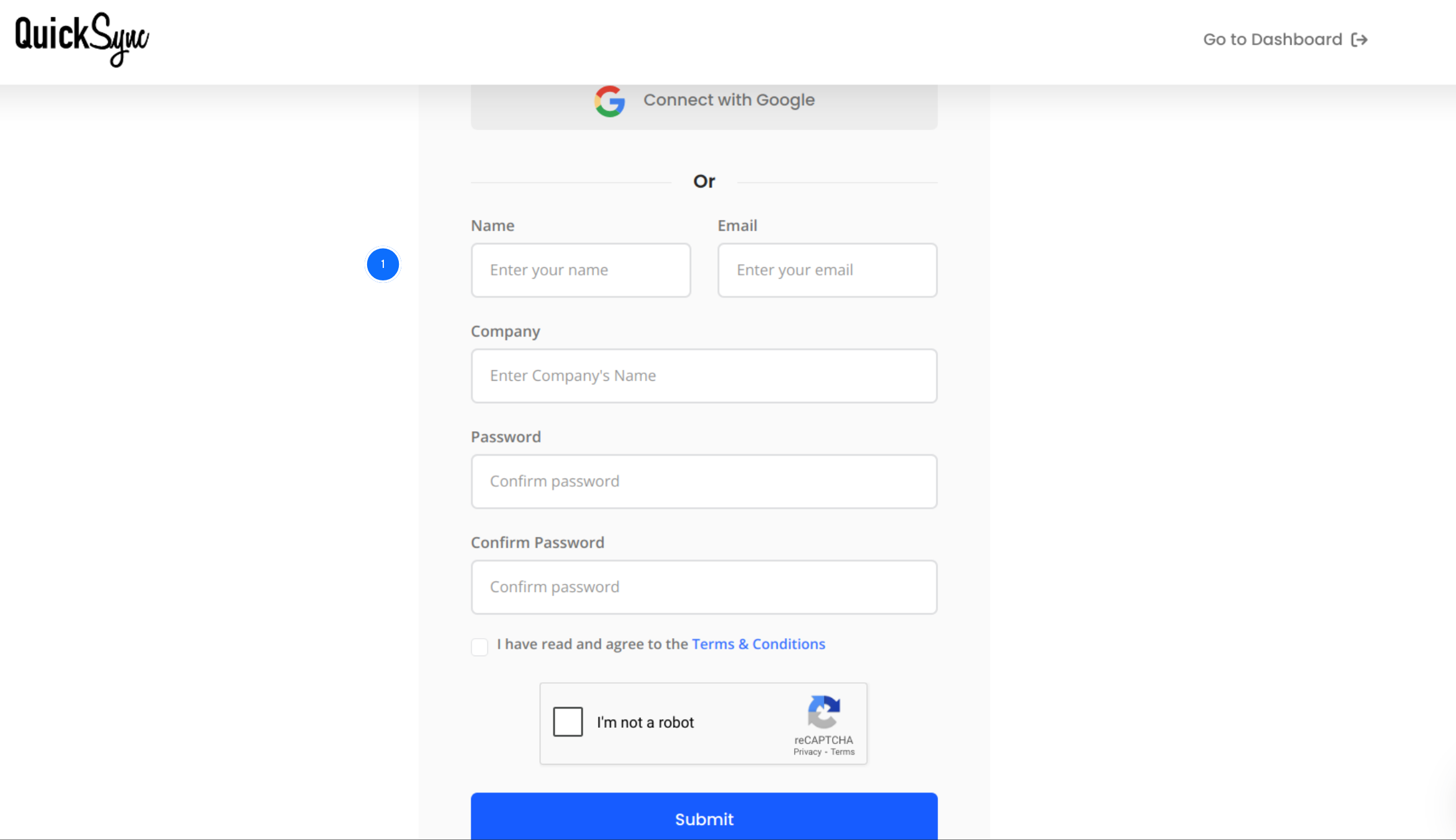
- Start by signing up on QuickSync.pro. If you already have an account, simply log in and open your dashboard to begin setup.
Step 2: Connect Your Shopify Store
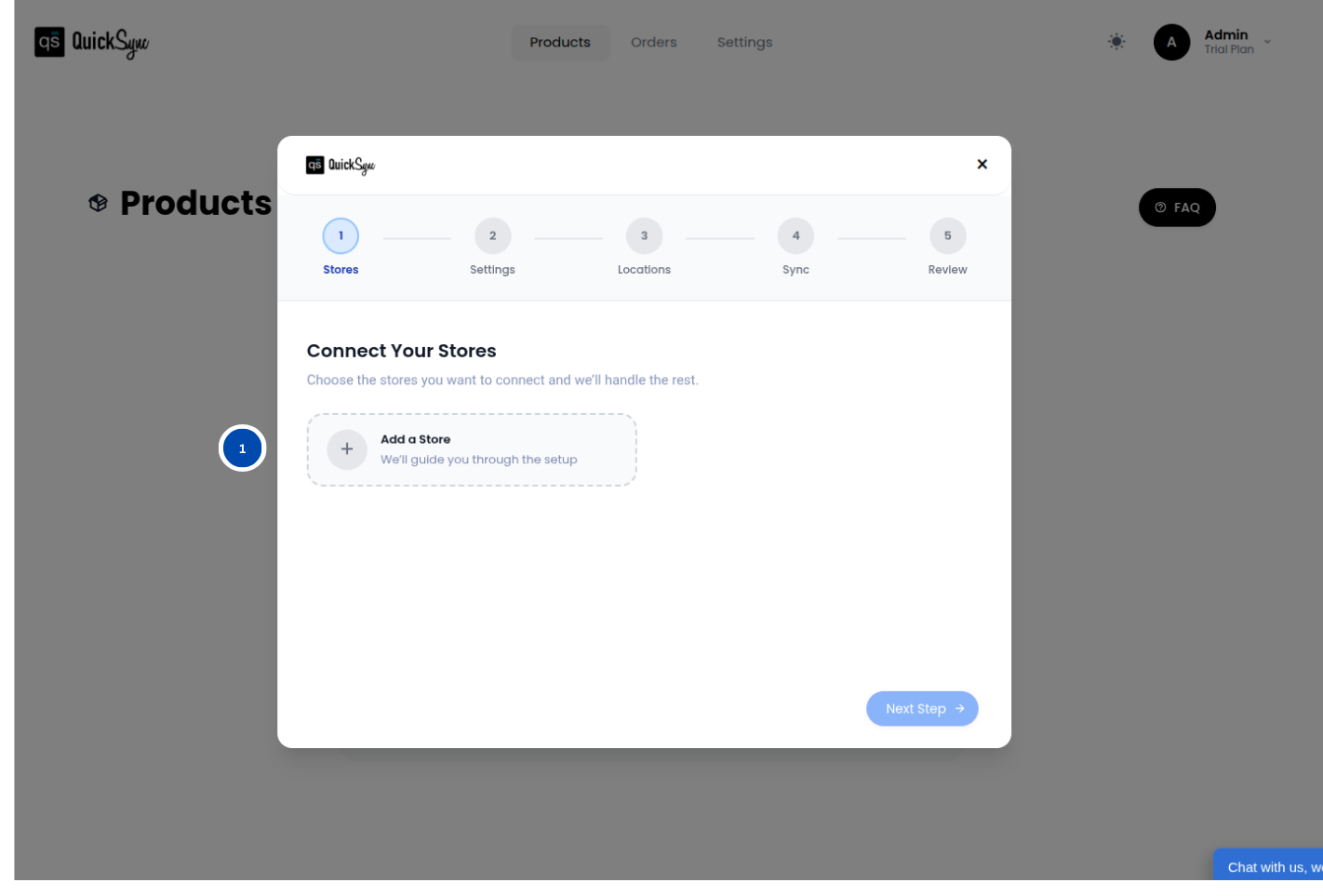
- Go to your QuickSync dashboard and open Sync Products, then click Add Store.
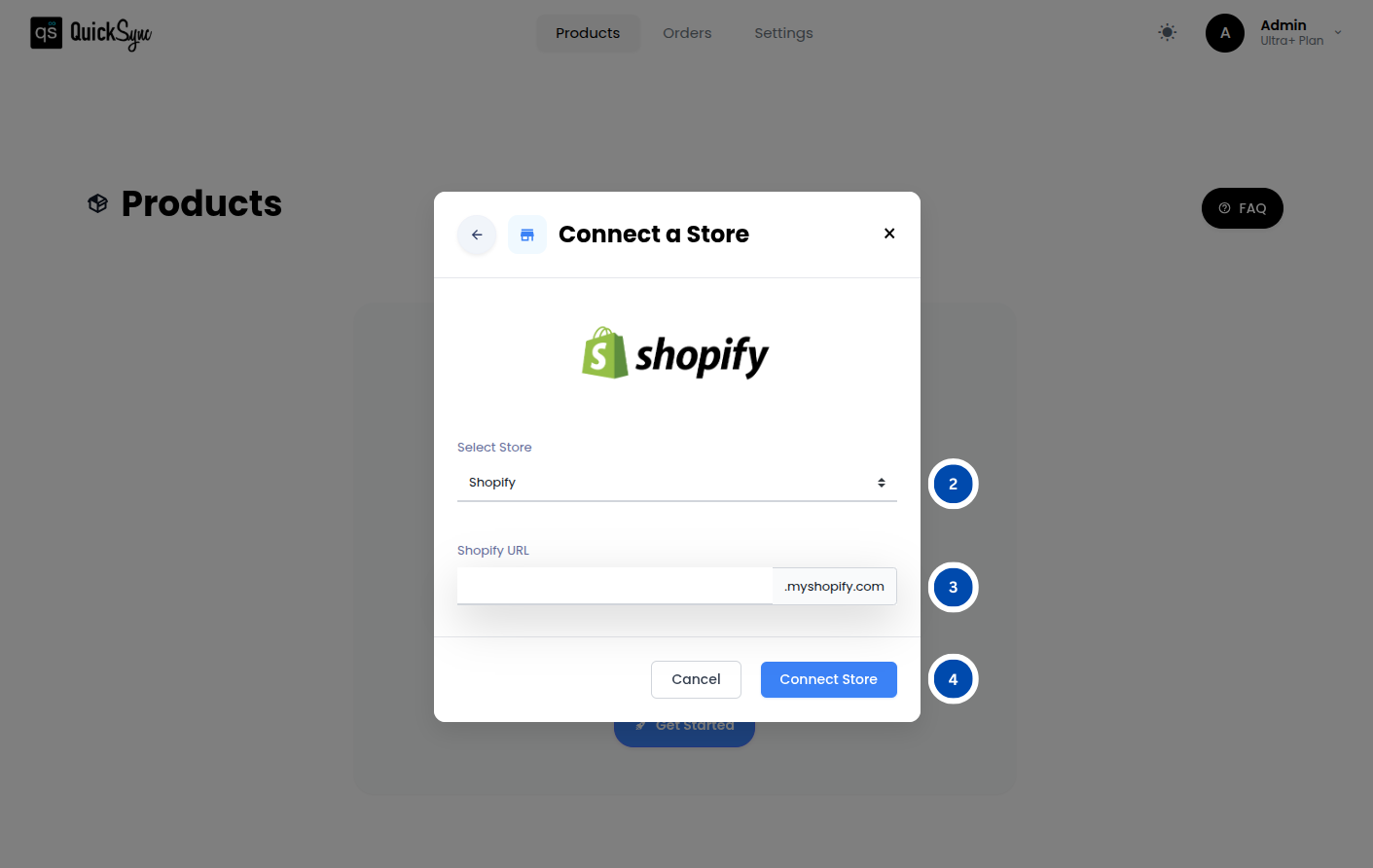
- Select Shopify and enter your store URL (for example: mark1597.myshopify.com).
- Next, click Connect Store, log in to your Shopify account, and approve access for products, images, inventory, and orders.
Once approved, QuickSync will begin importing your store data automatically. Just wait for the progress bar to complete before moving to the next step.
Step 3: Connect Your TikTok Shop
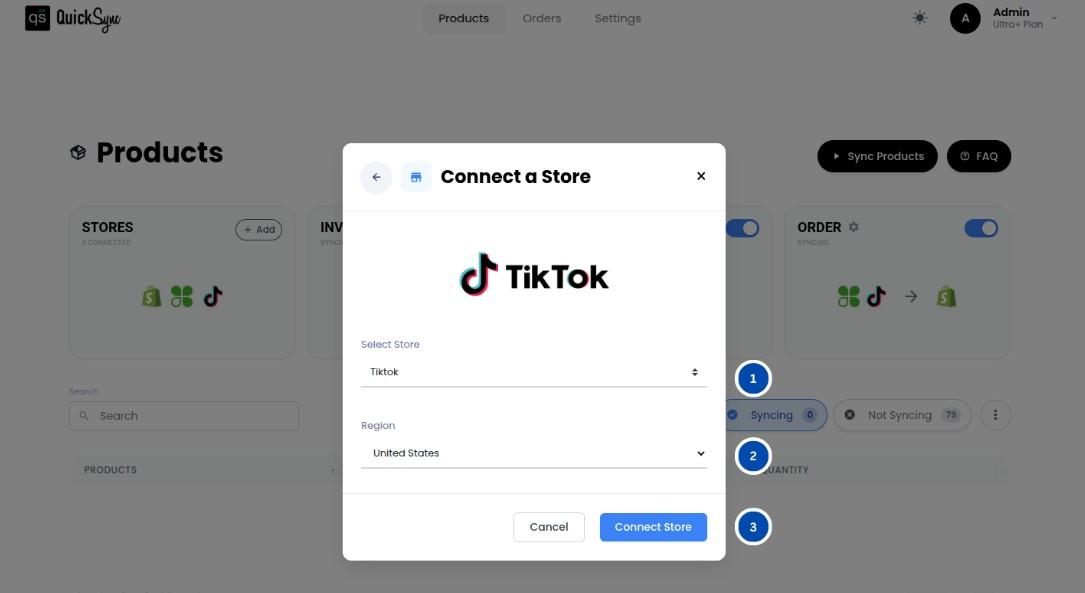
- Go to your QuickSync dashboard and click Store → Add Store.
- Select TikTok Shop as your platform.
- Choose your region (United States or Rest of World) based on your TikTok Seller Center account. Then click Connect Store, log in to your TikTok Seller Center, and approve permissions for products, orders, and inventory.
Once approved, QuickSync will automatically start importing your store data, including products and locations.
Step 4: Select Your Syncing Preferences
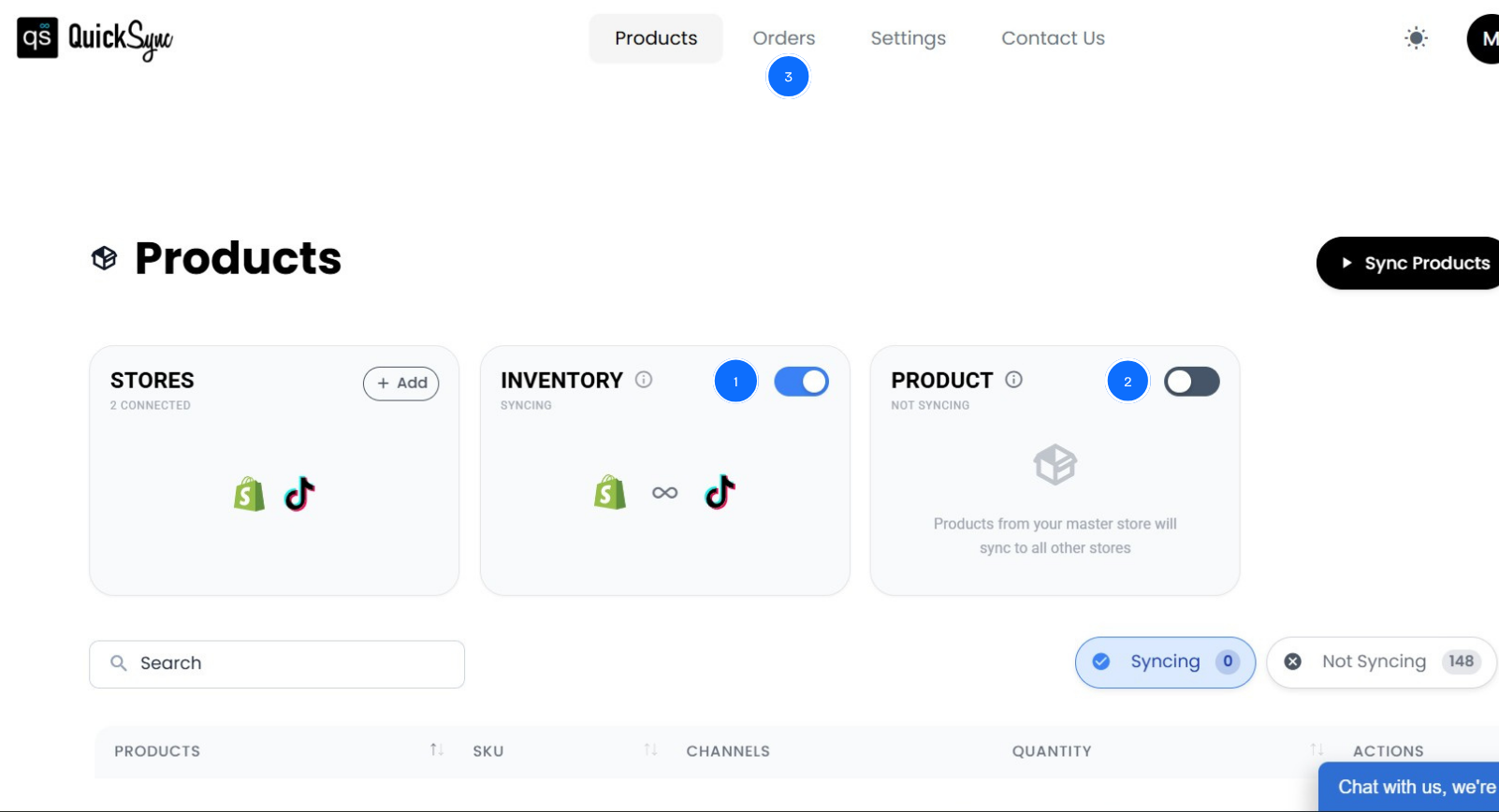
After both stores are connected, you can choose what you want to sync:
- Product syncing
- Inventory syncing
- Order syncing
Once configured, QuickSync automatically syncs everything in real time between Shopify and TikTok Shop.
Benefits of Syncing Shopify with TikTok Shop
When you properly sync Shopify with TikTok Shop, the operational complexity does not just reduce, it largely disappears. Instead of managing two separate systems, you run one connected setup where everything stays aligned automatically.
Here is what actually changes.
Real-time inventory accuracy:
Every sale on Shopify or TikTok Shop updates inventory instantly across both platforms. This eliminates overselling and stock mismatches completely. Whether you manage one warehouse or multiple locations, your stock levels stay accurate at all times when you sync inventory between Shopify and TikTok Shop in real time.
Automated TikTok-ready product listings:
QuickSync uses AI to handle the entire listing process for TikTok Shop. It automatically selects the correct category based on your Shopify product data, fills required fields like material, target audience, and origin, and enforces TikTok title rules before upload.
This means your listings are optimized and compliant from the start, with no manual editing or repeated rejections.
Seamless order management:
Orders from TikTok Shop flow directly into Shopify in real time through webhooks. Tracking updates, shipping status, and cancellations sync back automatically without manual intervention.
If TikTok is fulfilling certain orders (FBT), QuickSync automatically detects and excludes them from your workflow, preventing duplicate processing or confusion.
Complete product consistency:
Your Shopify product data stays fully intact when synced to TikTok Shop. This includes rich HTML descriptions, inline images, product videos, up to 9 optimized images per listing, and up to 3 variant option groups.
Even variant-level images and SKUs are preserved, so customers always see the correct product version across both platforms.
Centralized multi-channel control:
Shopify acts as your primary source of truth. Every change you make, whether it is product data, pricing, or inventory, automatically reflects on TikTok Shop and any other connected channel.
Instead of managing multiple platforms, you manage one system that stays consistent everywhere.
Best Practices for Shopify TikTok Shop Sync
Setting up Shopify TikTok Shop sync is only the first step. The real results come when you manage it the right way so your system stays stable, accurate, and scalable as order volume grows.
Here are the key best practices experienced sellers follow.
Start with a small product batch: Before syncing your full catalog, begin with 10 to 20 products. This helps you verify that categories, images, variants, and inventory are all syncing correctly on TikTok Shop. Once everything looks accurate, you can confidently scale the rest of your catalog.
Keep Shopify as your master store: Always treat Shopify as your single source of truth. Every update, whether it is product details, pricing, or inventory, should start in Shopify and flow to TikTok Shop through QuickSync. Avoid editing products directly in TikTok Shop, as it can create data conflicts and overwrite synced information.
Use inventory controls strategically: If you are selling across multiple channels, consider using controlled inventory visibility. This helps you show a managed stock level on TikTok Shop instead of exposing your full warehouse quantity. It is a simple way to prevent overselling risk during high-traffic spikes.
Monitor compliance alerts regularly: When TikTok requires certifications or additional product data, QuickSync will flag it and move the listing into draft mode. Make it a habit to check your dashboard so you can quickly resolve missing requirements and keep listings active.
Let auto-export handle scaling: If you are launching a large catalog, do not upload everything manually at once. QuickSync’s daily auto-export process handles up to 100 products per day within TikTok’s API limits. This ensures smooth onboarding without risking upload failures or system blocks.
Validate carrier setup early: Tracking issues often come from incorrect carrier mapping. Before fulfilling your first TikTok order, ensure your Shopify carrier names match QuickSync’s detection logic. This helps ensure tracking updates are pushed correctly without delays or mismatches.
Final Words: What Next
TikTok Shop is one of the biggest growth opportunities for Shopify merchants today. But without proper sync, it quickly turns into operational risk when demand spikes. If you want to sync Shopify with TikTok Shop the right way, you need more than a basic connector. You need real-time inventory sync, accurate product mapping, and automated order handling.
QuickSync brings everything together with AI-powered listings, live inventory updates, and webhook-based order flow so your store runs as one system instead of two.