A warehouse address in TikTok Shop is the physical location you ship orders from (and, separately, where returns go). TikTok uses it for courier pickup, shipping estimates, and return routing — so it has to match where your stock actually sits.
If the address is wrong or outdated, you get delayed pickups, bad delivery estimates, and more customer complaints. That hurts TikTok Shop fulfilment metrics.
What is a warehouse address on TikTok Shop?
In Seller Center, a warehouse address is a saved ship-from (pickup) location linked to your shop. Each one needs a name, contact details, and a full street address — not a P.O. Box.
Orders use that location when TikTok calculates shipping times and arranges courier pickup. If you fulfil from more than one place, add each warehouse and keep stock assigned correctly.
Why the warehouse address matters
TikTok treats warehouse details as part of fulfilment. Wrong or stale addresses can delay shipments and lead to penalties. In practice, the address:
-
Determines accurate delivery timelines and shipping fees.
-
Helps TikTok assign orders to the nearest or most appropriate courier.
-
Reduces customer complaints and improves overall store ratings.
If you also sell outside TikTok, keep fulfilment and stock aligned across multiple sales channels.
How to add or edit a warehouse address on TikTok Shop
Labels move a little by market and Seller Center version. Use this path first; if you do not see it, check Orders → Fulfillment Settings for a Warehouse Settings entry.
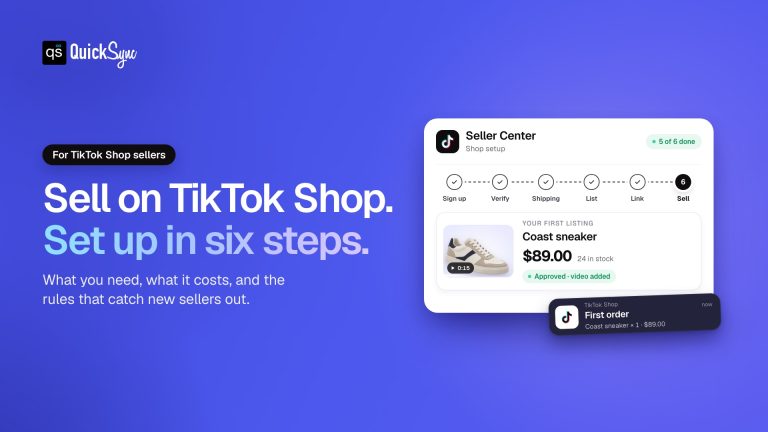
Step 1: Log In to TikTok Shop Seller Center
Log in to the TikTok Shop Seller Center using your credentials on either a desktop or a mobile device.
Step 2: Go to Warehouse Settings
In TikTok Shop Seller Center, go to My account → Account settings → Warehouse settings. From there you manage Pickup warehouse and Return warehouse addresses.
Step 3: Add Your Warehouse Details
Click Add warehouse under Pickup warehouse. Enter the warehouse name, contact person, phone number, and full street address. Set the shipping regions this location can serve. Most shops can add up to 20 pickup warehouses.
Step 4: Set Up Return Warehouse
Set a Return warehouse the same way. Use the same address as pickup, or a different returns location if you have one.
Step 5: Save and Set a Default Warehouse
Check the details, then Save. If you have more than one warehouse, set a Default warehouse so new products are assigned there unless you change them. You can usually edit an address later; deleting a warehouse is often restricted.
Requirements for a valid TikTok warehouse address
TikTok expects warehouse addresses to be real fulfilment locations. That keeps pickup and delivery estimates workable. Typical requirements:
-
Must be a physical location, not a P.O. Box.
-
The address should match the actual inventory location.
-
Include accurate contact information and operating hours.
-
Compliance with regional shipping regulations for couriers.
Meeting these criteria ensures that orders are processed without delays and helps maintain consistent performance metrics across all TikTok shops.
Common mistakes to avoid
These mistakes cause late deliveries and courier failures more often than anything else:
-
Using office or home addresses instead of actual fulfillment centers.
-
Failing to update addresses when switching warehouses or logistics partners.
-
Mismatched region or postal code between warehouse and inventory.
-
Incomplete address information causes courier issues.
Fixing the address early prevents a long trail of late shipments. Managing stock across several warehouses (and channels) has its own operational challenges.
Can TikTok sellers have multiple warehouse addresses?
Yes. TikTok Shop supports multi-warehouse setups for sellers who stock inventory in more than one region (availability can depend on market and account). Benefits include:
-
Faster shipping due to proximity to customers.
-
Lower shipping costs with optimized courier assignments.
-
Improved customer satisfaction by reducing late deliveries.
When multi-warehouse is enabled, TikTok can route orders toward a suitable warehouse based on your setup — which only works if each address and its stock levels are kept accurate.
Also selling on Shopify?
Warehouse addresses live in TikTok Seller Center — QuickSync does not replace that setup. If you also sell on Shopify (or other channels), the usual next problem is stock drifting out of sync when a TikTok order sells a unit.
QuickSync connects TikTok Shop to Shopify so product listings, inventory, and orders stay aligned across those stores. That helps you avoid overselling when the same SKU is listed in more than one place.
See TikTok Shop Shopify integration
Or start from the TikTok Shop integration overview if you sell on more than Shopify.
Tips for keeping warehouse addresses accurate
A short checklist goes further than another tool:
-
Audit warehouse addresses regularly in the TikTok Seller Center.
-
Maintain backup warehouses to handle seasonal demand.
-
Integrate inventory and order data using reliable automation tools.
-
Ensure warehouse locations align with courier logistics to reduce delays.
Bottom line
Set the warehouse address to the place you actually ship from, keep pickup and return locations up to date, and fix mismatches before they show up in late-delivery metrics.
If TikTok is only one of your channels, connect TikTok Shop to Shopify when you are ready to keep stock aligned.