Every product needs a SKU that’s unique in its own store and identical in every store that sells it. Two statuses under Needs attention say that rule is broken. No SKU found means a code is missing. Multiple same SKU found means two variants in one store share a code.
We find the same product in each store by its SKU, and nothing else. That’s why it matters. How matching works has the full rule.
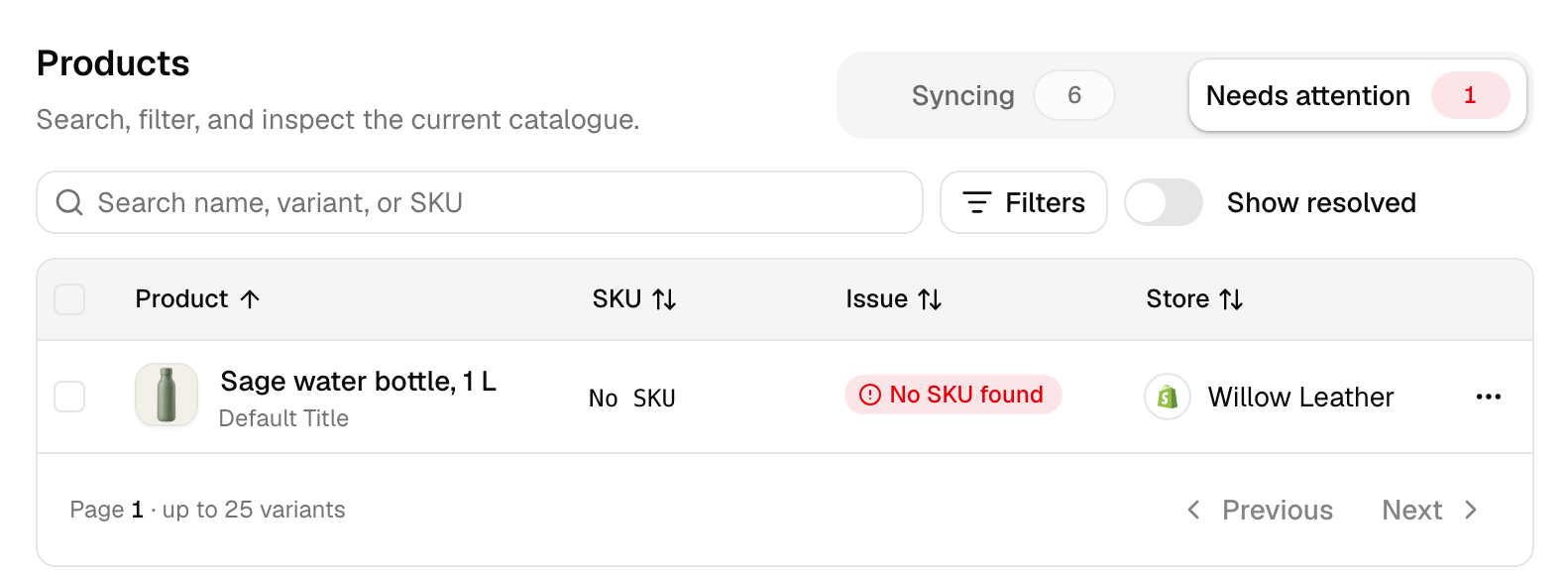
Add missing SKUs
To list them, open the Needs attention tab on the Products page. Under Filters, set Issue to No SKU found. You can type the codes in yourself. Or we can create them for you.
Type them in your store
Add each SKU in the store’s own admin. Use the same code in every store that sells the product. Here’s where each store keeps it:
- Shopify: open the product, then the variant if it has variants. The SKU field is in the Inventory section.
- Etsy: in Shop Manager, edit the listing and fill in SKU. With variations, turn SKUs on for them. Give each one its own.
- Square: in your Square Dashboard, open the item from your item library. Each variation has its own SKU field.
- Clover: in your Clover Dashboard, go to Items, then Item list, and open the item. Use the SKU field. Product code is the barcode.
- eBay: in Seller Hub, edit the listing and fill in Custom label (SKU). Each variation takes its own. A listing with no variations and no SKU shows its eBay item number as the SKU in QuickSync. That won’t match anything.
- WooCommerce: edit the product and open the Inventory tab under Product data. For a variable product, fill in each variation’s SKU under Variations. Don’t leave any blank: WooCommerce fills a blank variation with its parent’s SKU.
Let us create them
We make each code from the store’s own ID for that variant. It’s the first 10 characters of the ID, or the last 10 on Etsy, eBay and TikTok Shop. A Shopify variant with the ID 44851234567890 gets 4485123456. Ask for codes in three places:
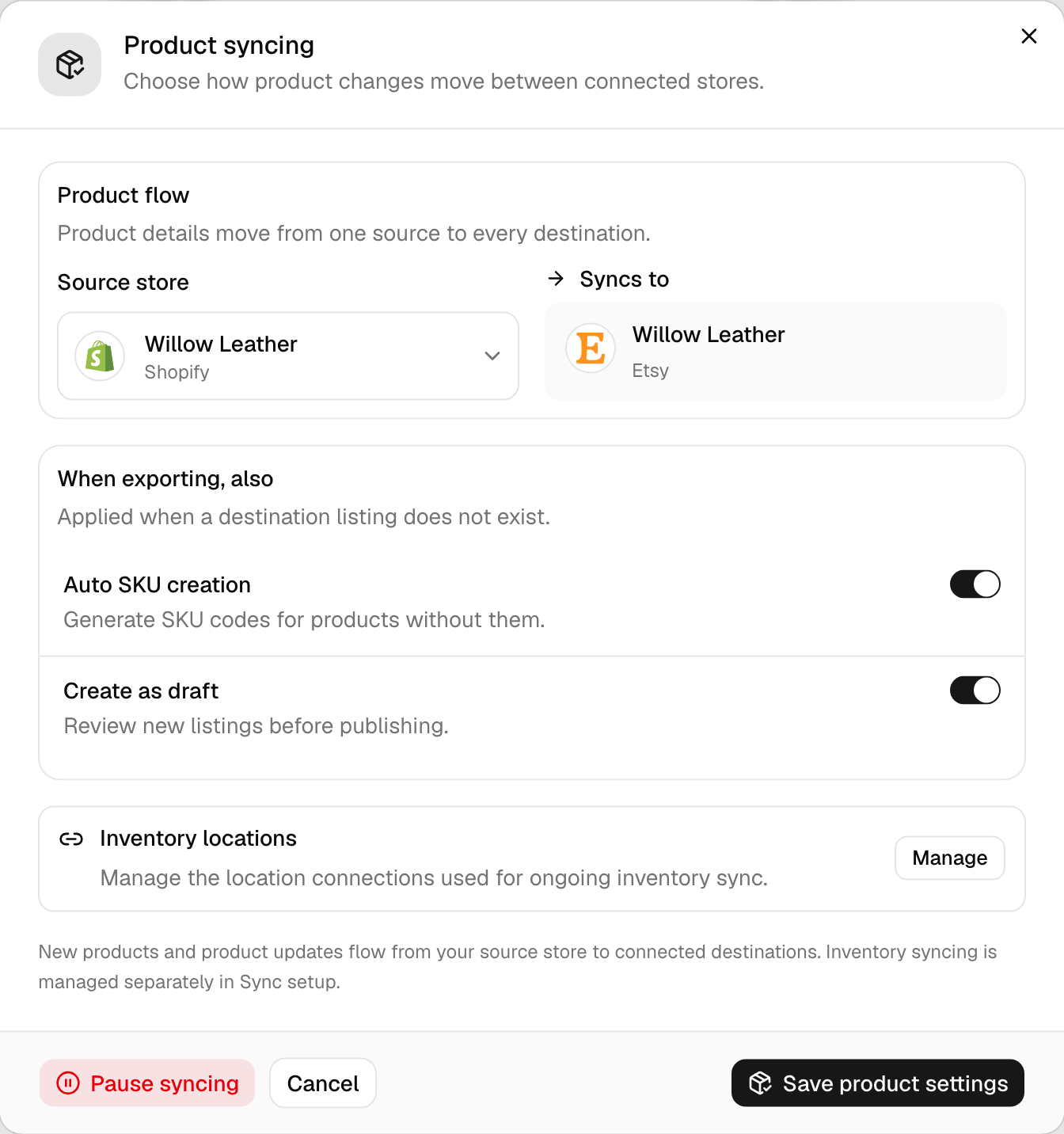
- Setup. A Yes to Create missing SKUs? adds a code to each product in your starting store that has none. It runs only with a Yes to creating missing products, as we copy them across. With product syncing on, it also turns on Auto SKU creation.
- Auto SKU creation. It’s a switch in the Product syncing settings (Pro and above). It adds a code to a main-store product that has none, before we send it out.
- Create SKU & Sync. This fix, on the product or through QuickFix, writes a code in the product’s own store. Then it syncs the product, which can create it in stores that don’t have it.
Our generated codes suit products that live in one store. Don’t use them for a product you already list in two stores. Each store gives it a different ID, so we’d give each listing a different code. Type one code into both instead. Otherwise the two won’t match, and we’ll create a duplicate.
We can’t write Amazon, Lightspeed or Xero SKUs. Add those yourself.
Fix duplicate SKUs
Multiple same SKU found means two or more variants in one store share a code. We can’t tell which one sold, so none of them syncs. We count every product in that store. Drafts and archived ones count too. So do the sizes of one product: if three sizes of a shirt use WL-TEE-01, all three clash. And if one of them was syncing, the clash cuts its link.
Pick one of two fixes:
- Rename by hand. Do this when one of them is the same product as a listing in your other store. Keep the shared SKU on that one. Give the others new codes in the store’s admin, then link the one you kept with QuickFix or Sync products.
- Create new codes and sync. This fix gives each duplicate a new code made from its own ID. Then it syncs each one, which can create it in stores that lack it. Use it when none needs the old code, and delete any listing you don’t want first.
SKU length by store
Each store caps how long a SKU can be. If your code is longer when we create a listing there, here’s what happens:
| Store | Longest SKU | If yours is longer |
|---|---|---|
| Xero | 30 | We cut it to 30 |
| Etsy | 32 | The Etsy listing gets a shorter code that starts with QS- |
| Wix | 40 | We cut it to 40 |
| eBay | 50, no semicolons or control characters | We don’t list it, and the product shows eBay SKU is invalid |
| TikTok Shop | 50 | We cut it to 50 |
| Squarespace | 60 | We cut it to 60 |
| Lightspeed | 64 | We cut it to 64 |
| Square | 80 | We cut it to 80 |
| Clover | 100 | We cut it to 100 |
| QuickBooks | 100 | We cut it to 100 |
| Shopify | 255 | We cut it to 255 |
| WooCommerce | 300 | We cut it to 300 |
| Amazon | Set by Amazon | We don’t create Amazon listings or change their SKUs |
Keep every SKU within the shortest limit among your stores. A cut code no longer equals yours, so anything that looks it up by SKU won’t find it. On Wix, TikTok Shop, Squarespace and QuickBooks, the new listing doesn’t link at all, so its stock won’t sync.
Etsy works differently. A longer SKU still links there, and orders still find their way back to your product. The catch: if two codes in one product would shorten to the same thing, the product shows SKU is too long for Etsy. QuickFix can then shorten the SKU in your source store. It keeps the first 32 characters when no other product there uses them. Otherwise it keeps 30 and adds two characters to make the code unique. It won’t change a SKU that’s already linked or in use in another store.
Capitals and spaces
Does ABC-1 match abc-1? No. We compare SKUs exactly as stores send them. Capitals count. So do spaces, dashes and underscores. ABC-1 with a space at the end is a different SKU too. Lightspeed’s the one exception: we trim spaces off the ends there. If two listings differ by a capital or a space, change one to match.
Change a SKU later
Once two listings link, we follow the link, not the SKU. So changing a SKU on a linked product doesn’t unlink it. Its stock keeps syncing. Three things to watch:
- A clash. If the new code already belongs to another product in that store, both show Multiple same SKU found. We stop syncing both.
- Product syncing. With it on, your main store’s SKU goes out with the product’s other details. So change SKUs in your main store. A change made in another store reverts the next time the product syncs.
- Lookups by SKU. Orders we copy into your packing store find their items by SKU. So does any match we make later. Keep linked codes identical.
Common questions
Why does QuickSync say No SKU found when my product has a SKU?
We read each store’s SKU field. A code in another field doesn’t count, except a Lightspeed barcode. Clover’s Product code is the barcode, for example, and a code in a QuickBooks item’s name isn’t a SKU. Check every variant too: we look at each size on its own. If the SKU’s in the right field and the status stays, click Fetch latest products in Settings and choose Not syncing.
Can QuickSync create SKUs for me?
Yes, in three places: Create missing SKUs in setup (with a Yes to Create missing products), Auto SKU creation in the Product syncing settings, and Create SKU & Sync on a product or through QuickFix. Each makes a code from the store’s own ID for that variant, such as 4485123456 for a Shopify variant. Save them for products in one store. If a product’s in two stores, type the same code into both.
Is QuickSync SKU matching case-sensitive?
Yes. We compare SKUs exactly as each store sends them, so ABC-1 and abc-1 are two different codes. So are ABC-1 and ABC-1 with a space at the end. Lightspeed’s the one exception: we trim spaces off the ends there. To link the two, change one SKU so both match. Then run QuickFix on the product, or click Sync products.
Do draft or archived products count as duplicate SKUs?
Yes. When we check for duplicates, we count every product in that store with the code, whatever its status. Active, draft and archived all count. So an old archived listing that shares a SKU with a live one blocks the live one, which shows Multiple same SKU found. Give the old listing a different SKU, or delete it. Then link the live one with QuickFix or Sync products.
What happens if I change a SKU after syncing?
The link stays. Once two listings link, we follow the link rather than the SKU, so stock keeps syncing. Watch for three things. A new code that clashes with another product in that store blocks both. With product syncing on, your main store’s SKU replaces a change made elsewhere. And orders sent to your packing store find their items by SKU, so keep linked codes identical.
Next step
Once your codes match, read How matching works to see when we link them. For every status and its fix, read What each product status means.