TikTok Shop’s Black Friday campaign isn’t one day. It runs for almost three weeks, from November 11 to Cyber Monday on November 30, and you have to apply to get in.
You can’t just turn on a discount and join. You apply for a place, your shop has to meet TikTok’s standards, and TikTok checks it every day until the campaign ends. Miss a rule and your products can be taken out mid-campaign.
Make sure your products stay in stock and remember that some regular discounts may not apply during the sale. Customers can also return orders placed during the campaign until February 10, 2027.
This guide covers:
- The 2026 campaign dates and deadlines
- Who can join, and how to register
- The rules that catch sellers out
- A checklist from registration to returns
Every rule here comes from TikTok Shop’s 2026 BFCM Seller Campaign Guide for US sellers, updated October 19, 2026.
When is TikTok Shop Black Friday 2026?
TikTok Shop’s US Black Friday and Cyber Monday campaign runs from November 11 to November 30, 2026, Pacific Time. That covers Black Friday on November 27 and Cyber Monday on November 30. Extended return windows and dispatch deadlines run into December and beyond.
| Date | What happens |
|---|---|
| November 1 to December 1 | Creator BFCM challenge runs, with double points during BFCM week |
| November 11 | BFCM campaign starts on TikTok Shop |
| November 27 | Black Friday |
| November 30 | Cyber Monday and the last day of the campaign |
| November 11 to December 5 | Extra dispatch time on orders (see below) |
| November 11 to December 31 | Orders in this window get the extended return window |
| February 10, 2027 | Last day buyers can return those orders |
The creator dates come from TikTok Shop’s creator challenge page. If you work with affiliates, note that some creator and content campaigns require your products to be registered in the product campaign first.
Who can join the TikTok Shop BFCM campaign?
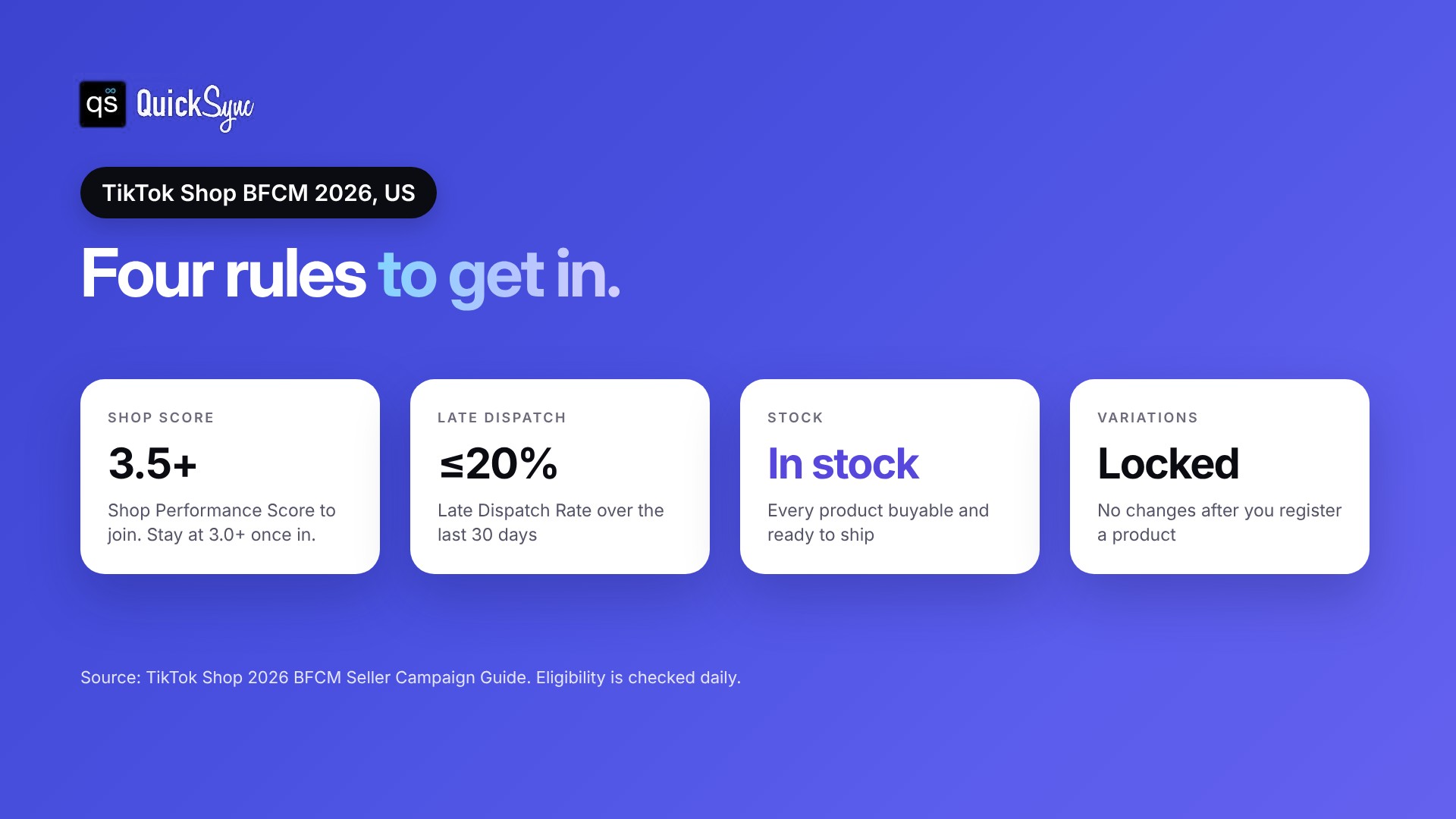
Your shop needs a Shop Performance Score (SPS) of 3.5 or higher and a Late Dispatch Rate of 20% or lower over the last 30 days. New shops without a score can join with fewer than three serious violations in 30 days. Every product you register must be buyable, in stock and ready to ship.
Shop requirements
| Requirement | Rule |
|---|---|
| Shop Performance Score | 3.5 or higher to join, and it must stay at 3.0 or higher once you’re in |
| New shops with no score | Fewer than 3 serious violations in the last 30 days |
| Late Dispatch Rate | 20% or lower over the last 30 days |
| Account Health Rating | Ideally above 150 |
| Holiday Mode | Must be turned off |
Product requirements
| Requirement | Rule |
|---|---|
| Stock | Buyable, in stock and ready to ship |
| Complaints | Low complaint rate compared with similar products in the category |
| New listings | TikTok recommends creating them at least 2 weeks before the campaign starts |
| Variations | Can’t be changed after registration |
TikTok Shop checks eligibility daily, according to its Campaign FAQs. If your score drops or you pick up serious violations during the campaign, products can be removed. Shops with a score of 4.0 or higher may get extra promotion.
Already registered? Jump to the checklist.
How to register for TikTok Shop BFCM
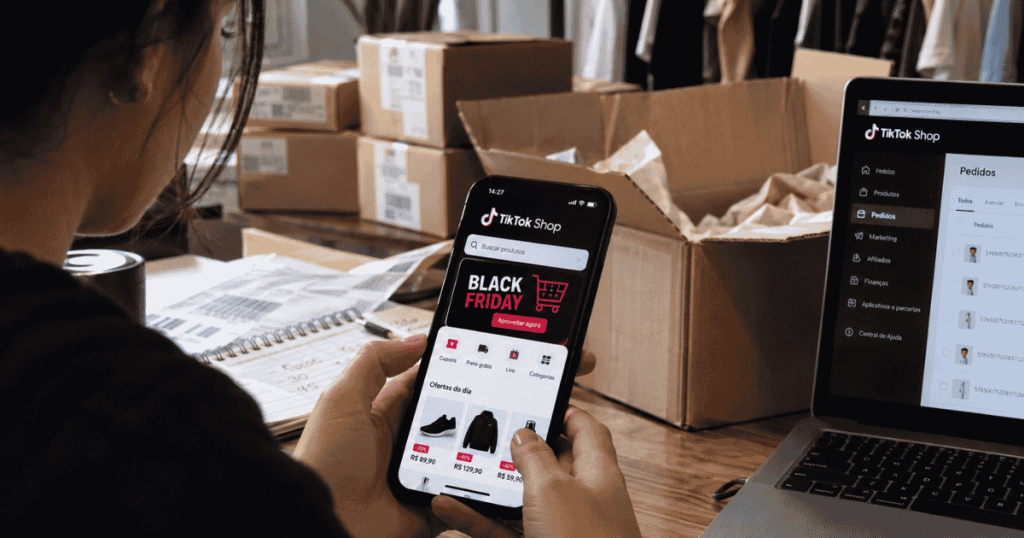
To run a TikTok Shop Black Friday sale through the official campaign, you register products in Seller Center. Here’s the process:
1. Open Seller Center and go to Marketing > Campaigns.
2. Check your shop. The Campaign Details page shows if your shop is eligible. The Shop Criteria page shows your current SPS.
3. Register products. On the Register Products page, add the products you want in the campaign.
4. Track each product’s status. Each one shows Under review, Approved, Rejected or Scheduled.
Reviews usually take 5 to 14 business days. The campaign is already running, so register as early as you can if you want products approved before Black Friday.
The rules that sellers needs to follow
Most sellers know about the score requirement. These five rules cause more problems during the campaign.
Your own discounts may not stack. TikTok Shop says many self-promotion tools, such as extra discounts or flash deals, don’t stack on top of BFCM campaign pricing. The campaign price usually applies first, and some of your promotions may be turned off for campaign items.
Variations are locked. You can’t change variations after you register a product. Add any new sizes or colors before you register, or wait until the campaign ends.
Returns run until February 10, 2027. Items sold between November 11 and December 31 get an extended return window, applied automatically. It replaces your own return window. Some categories, such as electronics and jewelry, keep standard rules, and auction orders don’t get the extension.
Dispatch deadlines are extended, but not for everything. Domestic orders get extra business days to ship:
– November 11 to 24: 1 extra day
– November 25 to December 1: 2 extra days
– December 2 to 5: 1 extra day
Pre-orders and back orders don’t get the extension.
TikTok can cap your orders. If there are fulfillment problems, TikTok can set a temporary Order Volume Limit on your shop. You have to fix the cause to lift it.
Why stock matters more on TikTok Shop during BFCM
On TikTok Shop, a product can sell out fast when a video takes off. During Black Friday Cyber Monday, campaign pricing and creator content push more of those spikes into the same few weeks.
That’s a problem if the same stock is also listed on Shopify, Etsy, eBay or Amazon. Here’s how it goes wrong:
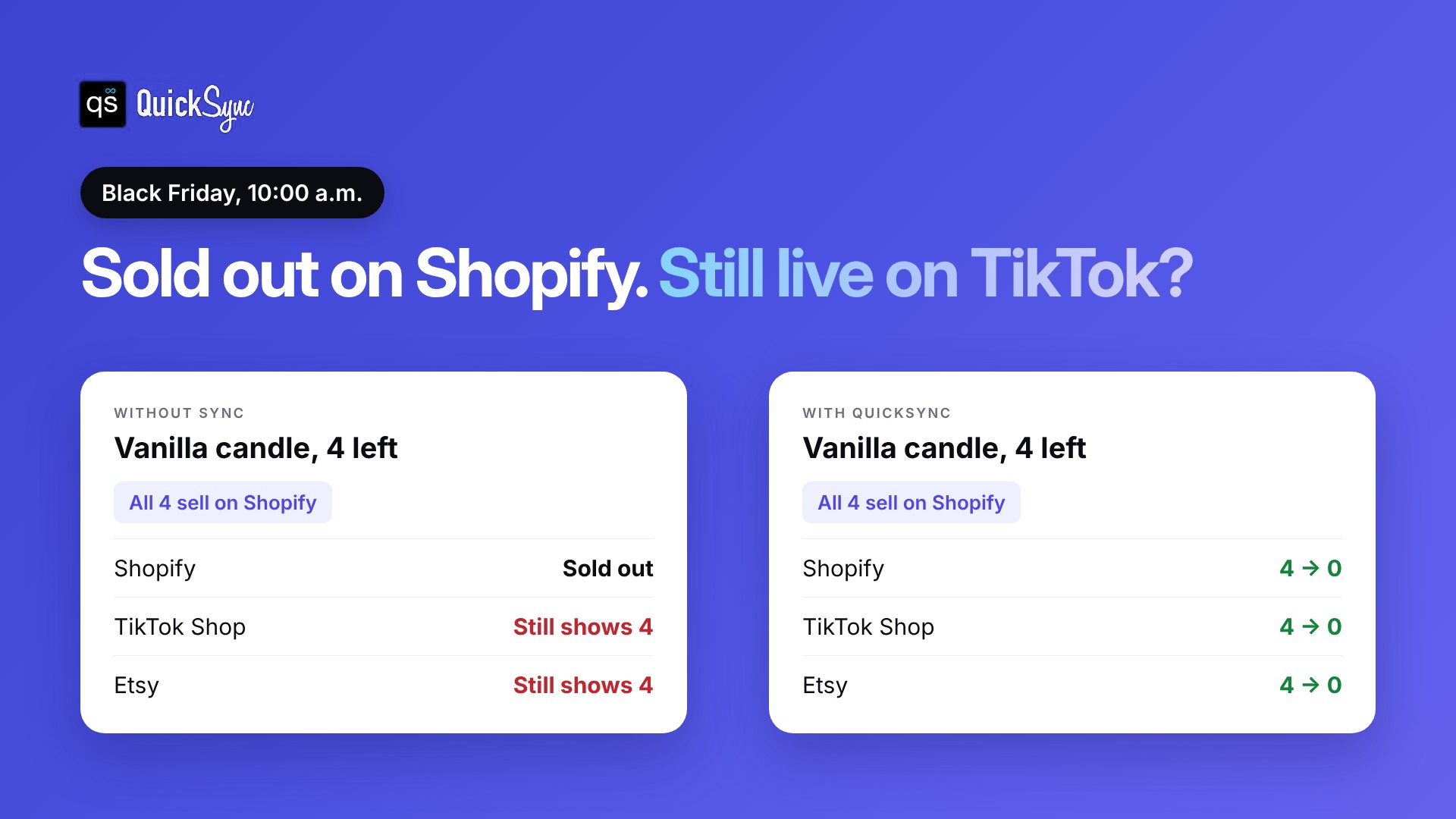
– A sale on another channel doesn’t update TikTok Shop. Your last units sell on Shopify, but TikTok Shop still shows them in stock.
– TikTok Shop takes orders you can’t ship. Those orders go late or get cancelled.
– Late orders put your place at risk. They push up your Late Dispatch Rate, which must be 20% or lower to join. TikTok checks eligibility every day, and a falling score can get products removed.
The fix is one stock count that every channel reads from. When something sells anywhere, TikTok Shop’s quantity drops too. If something sells on TikTok Shop, your other channels drop with it. Our guide on how to prevent overselling covers the basics.
TikTok Shop Black Friday Cyber Monday seller checklist
Work through this list in order. The dates are for the 2026 campaign.
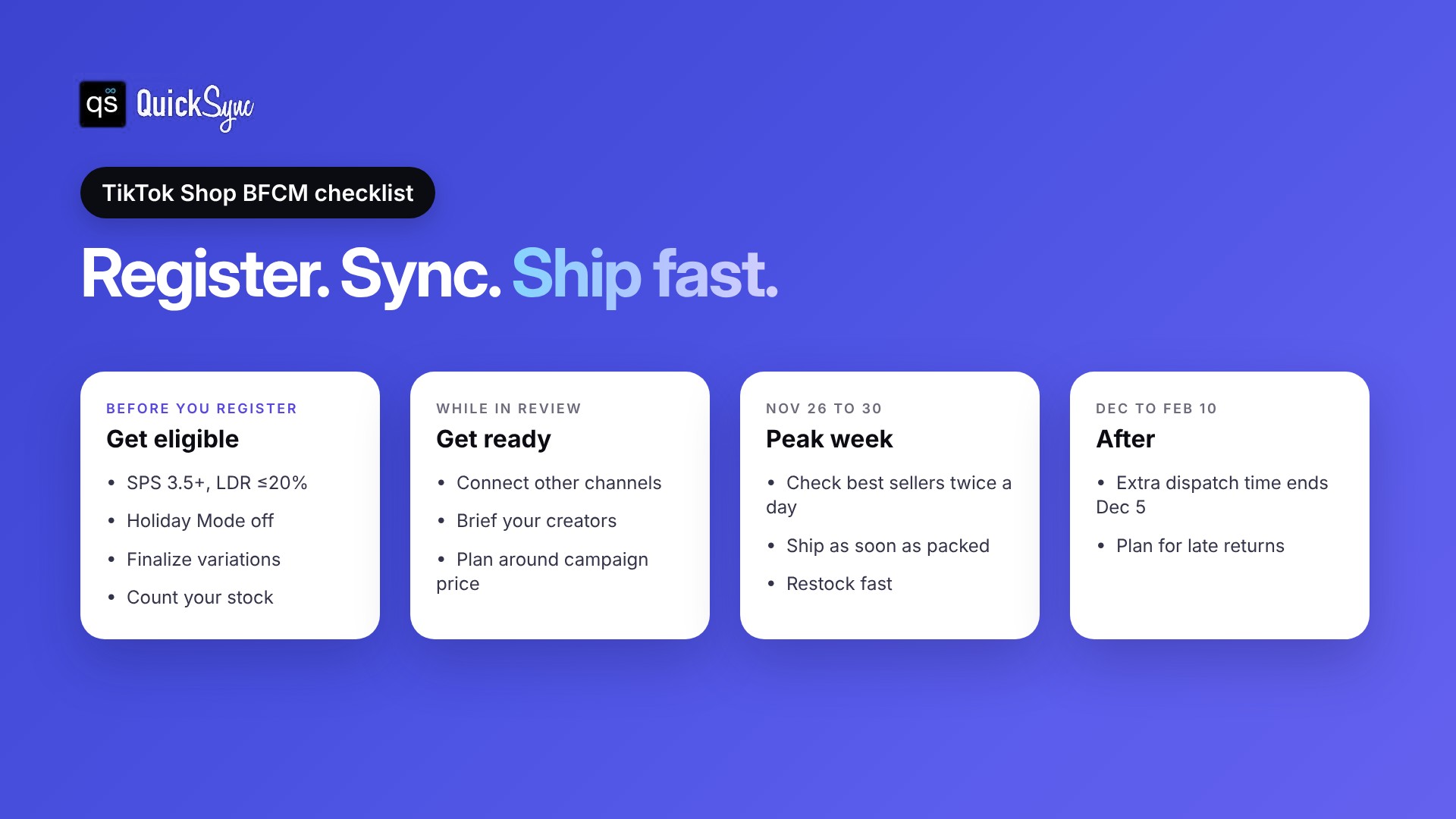
Before you register
1. Check your scores. Confirm your SPS is 3.5 or higher and your Late Dispatch Rate is 20% or lower in Seller Center.
2. Turn off Holiday Mode. It blocks new orders, so TikTok won’t let you join with it on.
3. Finalize your variations. Add every size and color you plan to sell. You can’t change them after registering.
4. Count your stock. Do a physical count of the products you’ll register, and fix the numbers before the campaign price goes live.
While you wait for approval
5. Connect your other channels. If the same products sell on Shopify, Etsy, eBay or Amazon, connect them so stock stays matched. Test with one sale before Black Friday.
6. Brief your creators. Send creators the products that are registered in the campaign. TikTok’s creator challenge uses the hashtags #TikTokShopBlackFriday and #TikTokShopCyberMonday.
7. Check your discounts. Your own flash deals may not stack with campaign pricing. Plan your offer around the campaign price, and check your margin after TikTok Shop fees.
November 26 to 30
8. Watch your best sellers twice a day. Check stock on your top products every morning and evening.
9. Ship orders as soon as they’re ready. TikTok asks sellers to hand orders to the carrier as soon as they’re packed, not at the end of the day.
10. Restock quickly. If a product sells out, update stock as soon as more arrives so it can keep selling. If you use sync, update it in your main store and let sync update TikTok Shop.
December to February 10
11. Watch your dispatch deadlines. Extra dispatch time ends on December 5.
12. Plan for late returns. Campaign orders can be returned until February 10, 2027. Keep enough margin and space for them.
How QuickSync works with TikTok Shop
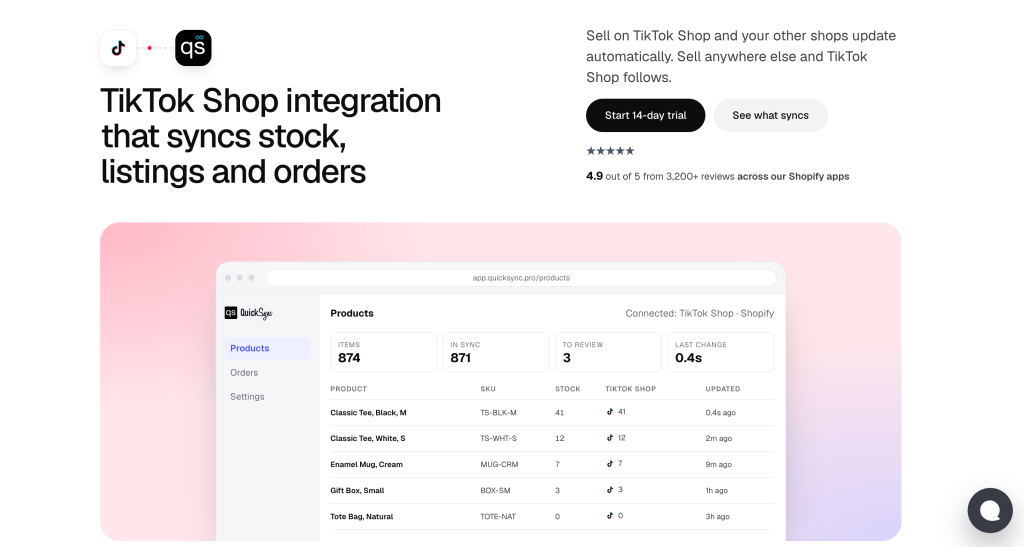
QuickSync connects TikTok Shop to your other channels and keeps one stock count across them. Here’s what it does on TikTok Shop, according to our TikTok Shop integration page:
– Stock syncs both ways. A sale on TikTok Shop lowers stock on Shopify, Etsy, eBay and your other shops, and the other way around.
– TikTok Shop orders come into QuickSync. On the Pro plan, orders from every channel arrive in one list.
– Listings can be created for you. On Pro plan, QuickSync can create TikTok Shop listings from your main store, with an option to create them as drafts first.
– Tracking goes back where supported. For US orders fulfilled by TikTok, tracking doesn’t return to QuickSync.
Plans start at $19 a month for two shops on Lite, which covers stock sync. Pro costs $29 and adds listings and orders. Orders are unlimited on every plan, so a busy BFCM doesn’t change your bill. Every plan starts with a 14-day free trial with no card. See the QuickSync pricing page for details.
Final thoughts
TikTok Shop’s BFCM campaign runs from November 11 to November 30, 2026. Getting in takes a good score, finished listings and stock that’s ready to ship. Staying in takes the same things every day of the campaign.
If you only sell on TikTok Shop, Seller Center’s own stock count is enough. If you sell the same products on other channels too, connect them before Black Friday. That way a sale on one channel can’t leave TikTok Shop selling stock you’ve already sold. Our guide on how to sell on TikTok Shop covers the basics for newer sellers.