You’ve photographed a vintage jacket, written a good description and listed it on eBay. Now you want it on Poshmark and Depop too, because the more people see it, the faster it sells. Typing the same listing out three times takes too long. And once it sells, you have to remember to take it down everywhere else.
That’s the problem crosslisting solves. This guide explains what crosslisting is, how it works, what crosslisting apps cost, and when inventory sync is the better choice. App prices come from each app’s own pricing page, checked in November 2026.
What is crosslisting?

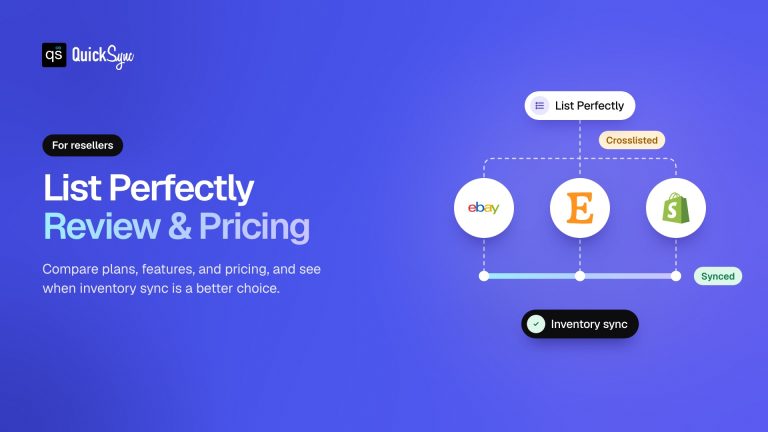
Crosslisting, also written cross listing, is listing the same item on several online marketplaces at the same time. You create the listing once, a crosslisting app copies it to each marketplace, and when the item sells on one, the app removes it from the others.
Resellers use crosslisting to reach more buyers without retyping every listing. It’s most common on resale marketplaces like eBay, Poshmark, Mercari, Depop and Etsy.
Here’s a simple example:
| Step | What happens |
|---|---|
| You list a vintage jacket | Once, in your crosslisting app |
| The app posts copies | On eBay, Poshmark and Depop |
| It sells on Poshmark | The app detects the sale |
| The other listings come down | eBay and Depop are delisted |
Selling the same products again and again? Jump to crosslisting vs inventory sync.
How crosslisting works

Most crosslisting apps follow the same four steps.
- Create one listing. Add photos, a title, a description and a price in the crosslisting app, or import a listing you already have.
- Post it to each marketplace. The app fills in each marketplace’s form for you. You may still need to pick categories or sizes that only one marketplace uses.
- Detect the sale. When the item sells on one marketplace, the app picks up the sale. Some apps do this automatically, and others only on higher plans.
- Delist everywhere else. The app removes the listing from the other marketplaces so nobody else can buy an item you’ve already sold.
Step 4 is the one that matters most. If a sale isn’t detected, or the delist doesn’t happen in time, a second buyer can pay for the same item. Then you have to cancel the order, refund the buyer, and hope the marketplace doesn’t count it against your seller rating.
Pros and cons of crosslisting
Crosslisting saves time, but it isn’t free and it isn’t perfect. Before you pick an app, weigh both sides.
| Pros | Cons |
|---|---|
| More buyers see each item | Monthly fee for the app |
| You write each listing once | Auto-delisting is often on higher plans only |
| Works across resale apps like Poshmark and Depop | Built around single items, not stock you restock |
| Saves hours of retyping | A missed delist can mean selling an item twice |
Crosslisting apps compared
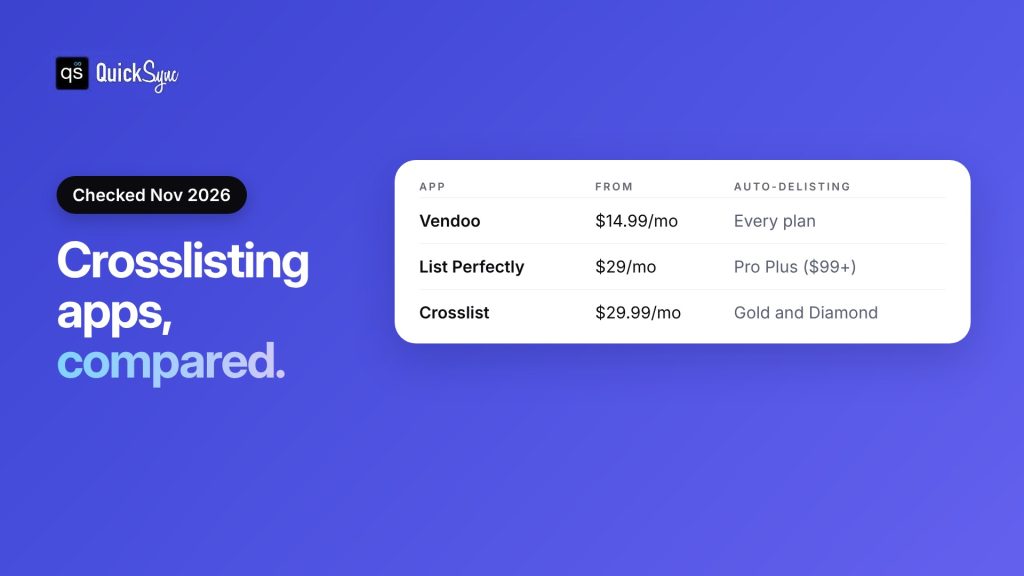
Here are three popular crosslisting apps. All three post to resale marketplaces like eBay, Poshmark, Mercari, Depop and Etsy.
| App | Starting price | Auto-delisting | Trial or guarantee |
|---|---|---|---|
| Vendoo | $14.99 a month | Every plan, on Poshmark, eBay, Mercari, Depop, Whatnot and Etsy | 14-day free trial |
| List Perfectly | $29 a month | Pro Plus ($99+ a month) | Money-back guarantee |
| Crosslist | $29.99 a month | Gold ($39.99) and Diamond ($44.99) | 3 days or 20 listings, money-back on first purchase |
- Vendoo costs $14.99, $29.99 or $59.99 a month. Every plan includes sale detection and auto-delisting on Poshmark, eBay, Mercari, Depop, Whatnot and Etsy.
- List Perfectly costs $29, $49, $69 or $99+ a month. It lists to Depop, eBay, Etsy, Facebook, Grailed, Mercari, Poshmark, Vestiaire Collective and Vinted. Auto Delist is on Pro Plus.
- Crosslist costs $29.99 to $44.99 a month depending on how many new listings you create. Auto-delisting is on Gold and Diamond.
Looking for a free cross listing app? Most apps offer a trial or money-back guarantee rather than a free plan, so you can test one before you pay. For a fuller comparison, see our guide to the best crosslisting apps and our List Perfectly review.
Crosslisting vs inventory sync
Crosslisting and inventory sync both help you sell on more than one channel. They solve different problems.
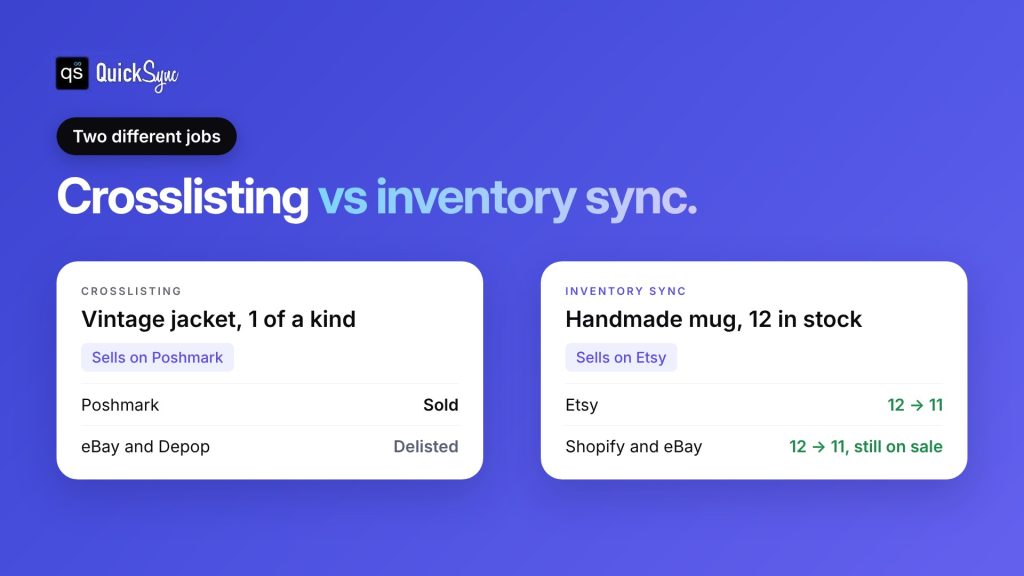
Crosslisting treats each item as one of a kind. When it sells, the job is to take it down everywhere else.
Inventory sync treats each product as a stock count. When one unit sells, the job is to lower the count on every channel, so the rest stay on sale.
| Crosslisting | Inventory sync | |
|---|---|---|
| Best for | One-of-a-kind items | Products with several units |
| After a sale | Delists the item everywhere | Lowers the stock count everywhere |
| Restocking | Relist by hand | Count goes up on every channel |
| Typical channels | eBay, Poshmark, Mercari, Depop, Etsy | Shopify, Etsy, eBay, Amazon, TikTok Shop, Square |
| Typical seller | Resellers and thrifters | Brands, makers and retail shops |
Here’s where the difference shows up. Say you sell a handmade mug and have 12 in stock. Some crosslisters can handle multiple quantities, but their main job is delisting. Inventory sync is built for counts: it lowers the number from 12 to 11 on every channel and keeps the mug on sale.
When to use inventory sync instead
Crosslisting is the right tool for many resellers. Inventory sync is the better fit if any of these sound like you:
- You sell more than one of the same product. Candles, mugs, clothing in sizes, phone cases. Anything you count in units, not one-offs.
- You restock. When new stock arrives, you want every channel’s count to go up at once, not relist by hand.
- You sell on Shopify, Amazon, TikTok Shop or in person. These channels work around stock counts and orders, not one-off listings.
If that’s you, a multichannel selling tool like QuickSync is built for the job. It keeps stock, listings, prices and orders in step across your channels:
- Stock counts, not single items. A sale on any channel lowers the count everywhere, and restocks raise it everywhere.
- Listings. On Pro, QuickSync creates and updates listings on your other channels from your main store, so you list once.
- Orders. On Pro, orders from every channel land in one place.
- Channels. Shopify, Etsy, eBay, Amazon, TikTok Shop, WooCommerce, Squarespace, Wix, Square, Clover and Lightspeed.
Pricing: Lite costs $19 a month for two shops and up to 1,000 items, with stock sync and unlimited orders. Pro costs $29 a month and adds listings and orders. Every trial is 14 days with no card. See the QuickSync pricing page.
Good to know: QuickSync doesn’t connect resale apps like Poshmark, Mercari or Depop. If most of your sales happen there, a crosslister is still the better tool.
Can you use crosslisting and inventory sync together?
Yes, and some sellers do. A common setup is a crosslister for one-of-a-kind resale items on Poshmark, Mercari and Depop, and inventory sync for repeat stock on Shopify, Etsy, eBay or Amazon.
The rule is to keep each product in one system. If a product is managed by your crosslister, don’t also sync it with QuickSync, or the two tools can change the same listing in different ways. Split your catalogue by product type, and each tool does what it’s best at. For example, a vintage seller might crosslist one-off finds on Poshmark and Depop, while syncing their own reproduction prints across Shopify and Etsy.
Final thoughts
Crosslisting is a simple idea: list once, post everywhere, delist when it sells. For resellers with one-of-a-kind items on eBay, Poshmark, Mercari and Depop, a crosslisting app like Vendoo, List Perfectly or Crosslist saves hours every week.
But crosslisting is built around single items. Once you sell several units of the same product, restock regularly, or sell on Shopify, Amazon, TikTok Shop or in person, you need stock counts that stay matched on every channel. That’s inventory sync.
Before you pay for any tool, look at your last month of sales. Count how many were one-of-a-kind and how many were products you’ve sold before. That split tells you which tool to start with.
If it’s mostly one-offs, crosslist. If it’s products you count and restock, sync your inventory. And if it’s both, split your catalogue and use each tool for what it does best.