On this page
- What Are Ecommerce Website Builders?
- How We Evaluated These Ecommerce Website Builders
- Best Ecommerce Website Builders Compared
- Top 10 Best Ecommerce Website Builders
- How to Choose the Best Ecommerce Website Builder
- Which is the Top Ecommerce Website Builder for Your Business?
- Can You Sell on Multiple Ecommerce Platforms?
- Conclusion
Choosing the right ecommerce website builder can feel harder than building the store itself. You have dozens of platforms promising easy setup, beautiful templates, powerful tools, and fast growth.
But here’s what most store owners miss: the best platform is not always the one with the most features. It is the one that fits how you sell, what you sell, and where you want your business to go.
Your ecommerce platform affects product management, checkout, payment gateways, search engine optimization, integrations, inventory management, and scalability. It can also affect how much technical work your team handles every week.
I’ve compared ten of the best ecommerce website builders for 2026. The list covers platforms for beginners, growing brands, retailers, WordPress users, and enterprise businesses.
You’ll also see where each platform works best, where it falls short, and what it costs.
Key Takeaways
- There is no single best ecommerce website builder for every business. Your choice depends on your products, budget, technical skills, and growth plans.
- Shopify, WooCommerce, Wix, BigCommerce, and Squarespace serve different types of online stores, from beginners and small businesses to growing and enterprise brands.
- Look beyond website design when choosing a platform. Consider ecommerce features, product management, payments, SEO, integrations, inventory, customization, pricing, and scalability.
- Selling across multiple ecommerce platforms creates new management challenges. Keeping products, inventory, and orders updated across channels can become difficult as your business grows.
- The right ecommerce platform is only the starting point. Multichannel sellers may need integration tools like QuickSync to keep products, inventory, and orders connected across supported sales channels.
What Are Ecommerce Website Builders?
Let’s first understand what an ecommerce website builder actually does.
If you want to sell online, you need a place where customers can browse products, add them to a cart, and pay securely. An ecommerce website builder gives you the tools to create that entire shopping experience without building everything from scratch.
But it is not just about creating a good-looking ecommerce site.
Your website builder can also help you manage products, process orders, accept payments, set up shipping, and connect other business tools. Some platforms also include SEO, marketing, analytics, and inventory features.
So, when I say ecommerce website builders, I mean platforms that help you build and operate an online store.
Now, let’s look at what they actually do for your business.
- Storefront: Build your online store and create a storefront customers can browse.
- Product Management: Add products, set prices, manage variants, create product pages, and organize your catalog.
- Checkout and Payments: Let customers complete purchases through checkout and secure payment processing.
- Order Management: Track and manage customer orders from one place.
- Shipping: Set up shipping options and manage the delivery side of your orders.
- Marketing and Analytics: Access marketing tools, analytics, and customer data to understand your store’s performance.
- SEO: Use built-in SEO features to help your ecommerce site appear in search results.
- Business Integrations: Connect your store with other tools and services your business uses.
- Advanced Selling: Some platforms support digital products, subscriptions, memberships, and B2B selling.
- Scalability: Choose a platform that matches your current needs and supports more products and sales channels as you grow.
How We Evaluated These Ecommerce Website Builders
Choosing the best ecommerce website builder is not only about comparing features. We looked at how each platform works for real online stores and what you get for the price.
We compared each platform across the areas that matter most when running an ecommerce business. These include ease of use, ecommerce features, customization, pricing, integrations, SEO, inventory management, and scalability.
For each platform, we looked at its main strengths, limitations, pricing, and the type of business it suits best. Here are the main factors we considered:
- Ease of Use: How easy is it to build and manage the store?
- Ecommerce Features: What tools are available for products, orders, payments, and selling?
- Customization: How much control do you have over the storefront?
- Pricing: What does the platform cost beyond its advertised starting price?
- Integrations: How easily can you connect other tools and sales channels?
- SEO and Marketing: What features help you attract and convert customers?
- Inventory Management: How well does the platform handle products and stock?
- Scalability: Can the platform support your business as your products and sales increase?
Also Read: Shopify vs Squarespace Comparison: Features, Costs, Pros, Cons, and Key Differences
Best Ecommerce Website Builders Compared
Now that we’ve looked at each ecommerce website builder platform, let’s compare them. This quick comparison shows where each builder stands out. Use it to narrow down the right option for your store. Then consider your budget, selling needs, and growth plans.
| Platform | Best For | Ease of Use | Customization | Scalability | Key Strength |
|---|---|---|---|---|---|
| Shopify | Overall ecommerce | Excellent | High | Excellent | Multichannel selling |
| WooCommerce | WordPress stores | Moderate | Excellent | Excellent | Flexibility |
| Wix | Beginners | Excellent | Excellent | Good | Easy store creation |
| BigCommerce | Growing stores | Good | High | Excellent | Built-in ecommerce tools |
| Squarespace | Design-led brands | Excellent | High | Good | Store design |
| Ecwid | Existing websites | Excellent | Moderate | Good | Easy ecommerce addition |
| Adobe Commerce | Enterprise | Advanced | Excellent | Excellent | Complex operations |
| Square Online | Retailers | Excellent | Moderate | Good | POS integration |
| GoDaddy | Simple stores | Excellent | Moderate | Moderate | Fast setup |
| Hostinger | Budget stores | Excellent | Moderate | Moderate | Affordability |
There is no single winner for every business.
Recent 2026 comparisons also show this split. Shopify tends to lead for scaling, WooCommerce for WordPress control, BigCommerce for complex catalogs, Square Online for retail, and Wix for simpler design-led stores.
Top 10 Best Ecommerce Website Builders
The best ecommerce website builders are not identical. Each platform has a different strength.
Shopify stands out for dedicated ecommerce businesses. WooCommerce gives WordPress users extensive control. Wix focuses on simplicity and design.
BigCommerce targets growing and complex stores. Squarespace works well for design-led brands. Square Online makes sense for many physical retailers.
The remaining platforms fill different gaps around affordability, simplicity, existing websites, and enterprise commerce.
Here are my top ten choices for 2026.
1. Shopify – Best Overall Ecommerce Website Builder

The first in my list of best ecommerce website builders is Shopify. Shopify is my top choice for most dedicated ecommerce businesses. It gives you everything needed to launch and manage an online store without handling the technical side of web hosting.
You can build your storefront, manage products, process payments, track orders, and connect sales channels from one platform. Its large app ecosystem also gives you room to add new tools as your store grows.
Key Features
- Store Builder: Create a professional ecommerce site using customizable themes and storefront tools.
- Product Management: Manage products, variants, collections, prices, and customer data from one dashboard.
- Shopify Payments: Accept payments through Shopify’s built-in payment processing solution.
- Shopify POS: Connect online selling with in-store sales through Shopify POS.
- Abandoned Cart Recovery: Recover potential sales from customers who leave checkout unfinished.
- Marketing Tools: Connect email marketing, advertising, analytics, and other growth tools.
- App Ecosystem: Add third-party apps for shipping, accounting, inventory, customer support, and more.
- Multichannel Selling: Sell through your Shopify store and connect other supported sales channels.
Pros
- Shopify makes the store-building process simple for beginners.
- It provides a strong set of built-in ecommerce features.
- Its checkout experience is designed for smooth online purchases.
- The extensive app ecosystem makes the platform highly flexible.
- Hosting and core technical infrastructure are handled for you.
- Shopify supports businesses selling through multiple channels.
- The platform can support both small and growing ecommerce businesses.
Cons
- Adding several apps can increase your monthly operating costs.
- Some advanced features are available only on higher-tier plans.
- Extensive storefront customization may require developer assistance.
Pricing
Shopify’s Basic plan starts at $29 per month when billed annually. Higher plans provide additional reporting, staff accounts, and advanced features. Your final costs can also depend on transaction fees, payment processing, and third-party apps.
Best For
Shopify is best for merchants who make ecommerce a core sales channel. I especially recommend it for growing brands, multichannel sellers, retailers, and businesses that want a managed ecommerce platform without handling web hosting themselves.
2. WooCommerce – Best for WordPress Stores
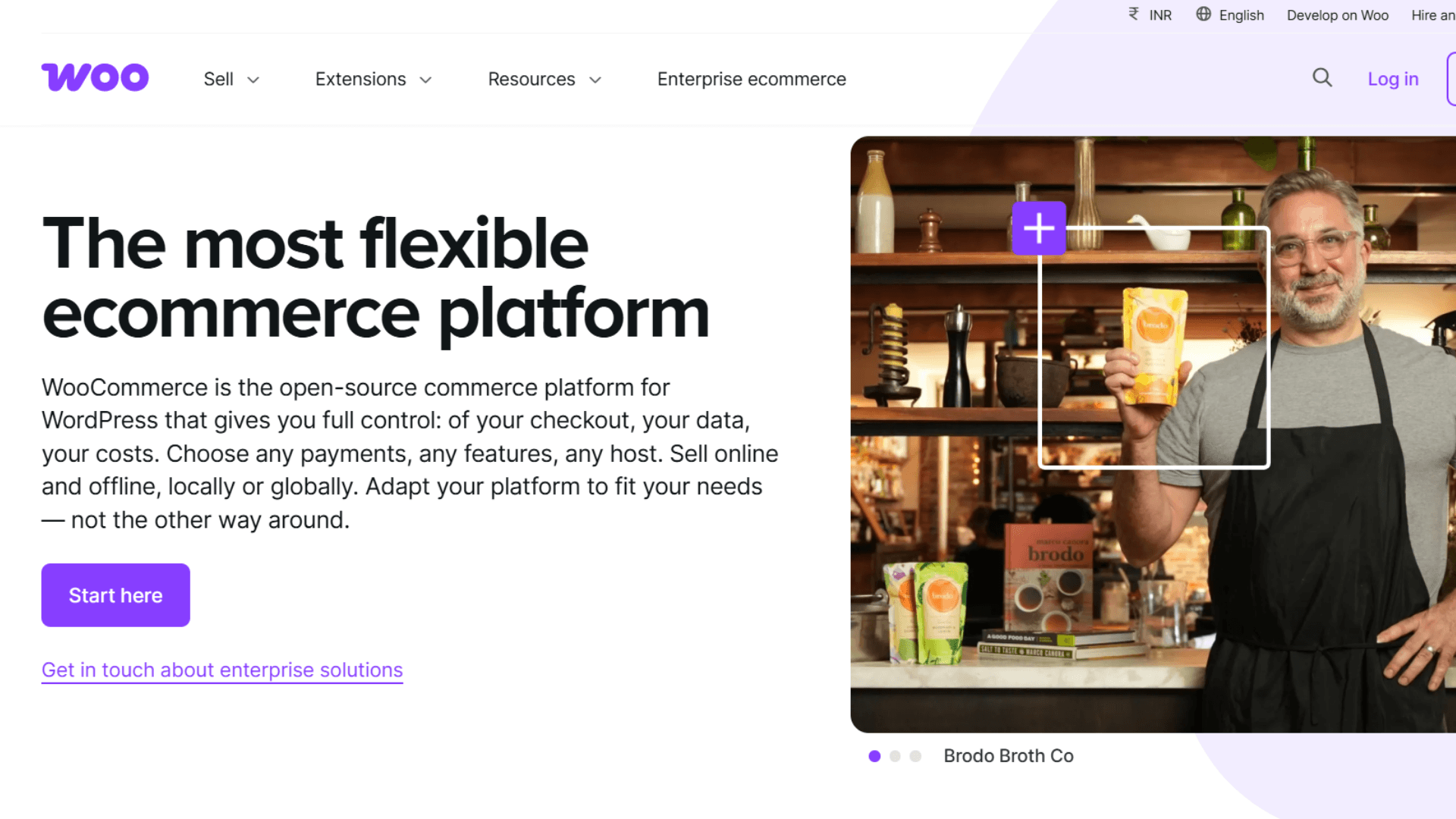
WooCommerce is another good option for merchants already using WordPress. It turns an existing WordPress site into a full ecommerce store while giving you control over hosting, design, extensions, and store functionality.
The core WooCommerce platform is free and open source. You can build around it with payment gateways, shipping tools, analytics, SEO plugins, and other extensions. That flexibility makes WooCommerce powerful, but it also means you handle more technical work.
Key Features
- WordPress Integration: Turn an existing WordPress site into a fully functional ecommerce store.
- Product Management: Sell physical products, digital products, subscriptions, bundles, and product variations.
- Payment Gateways: Connect payment solutions such as WooPayments, Stripe, PayPal, and Square.
- Store Customization: Customize your storefront, checkout, product pages, and other store elements.
- Extensions: Add shipping, tax, marketing, inventory, analytics, and other e commerce tools.
- SEO Flexibility: Use WordPress plugins and WooCommerce settings to control your store’s search visibility.
- Developer Access: Developers can customize the store using code, APIs, and WooCommerce hooks.
- Open-Source Control: Choose your hosting provider and control more of your store’s technical setup.
Pros
- WooCommerce gives WordPress users extensive control over their stores.
- The core platform is free with no monthly subscription.
- You can customize almost every part of your ecommerce site.
- Its large extension ecosystem supports many ecommerce requirements.
- WooCommerce offers strong SEO flexibility through WordPress.
- You can choose your own hosting provider and technical setup.
Cons
- WooCommerce requires separate web hosting for your store.
- Managing updates and security requires more technical involvement.
- Paid extensions can increase your overall operating costs.
- Complex stores may require developer support and maintenance.
Pricing
WooCommerce itself is free and does not charge a platform subscription or revenue share. However, you pay for hosting, payment processing, extensions, and development. WooCommerce estimates hosting at $25–$350 monthly for many stores, while extensions commonly cost $29–$299 annually.
Best For
WooCommerce is best for WordPress users who want control and flexibility. I especially recommend it for content-led brands, developers, agencies, and merchants with customized ecommerce requirements.
Also Read: Shopify vs WooCommerce Comparison: Pros, Cons, Costs, and Key Differences Explained
3. Wix – Best for Beginners

Another one in the list of best ecommerce website builders 2026 is Wix. In fact, Wix is one of the easiest ecommerce website builders for beginners. It combines website design with essential ecommerce tools. So you can create an online store without managing complicated technical systems.
Its drag-and-drop editor is the main feature. You can customize your storefront, product pages, navigation, and content while managing payments, marketing, and SEO from the same platform.
Key Features
- Drag-and-Drop Builder: Wix is an e commerce website builder designed for beginners, so you can build and customize your ecommerce site without coding.
- Store Templates: Choose from professionally designed templates for different industries to launch your own online store with simple setup.
- Product Management: Add products, manage product pages, and organize your online catalog.
- Payment Processing: Accept payments through supported payment methods and providers.
- SEO Tools: Manage essential SEO settings to improve your ecommerce site’s visibility.
- Marketing Tools: Connect email marketing, analytics, promotions, and other growth tools.
- Mobile Storefronts: Create responsive ecommerce websites that work across different screen sizes.
- AI Tools: Use AI-assisted tools to speed up parts of the website creation process.
Pros
- Wix makes ecommerce website creation simple for beginners.
- Its drag-and-drop editor provides strong design flexibility.
- The platform offers a wide range of store templates.
- Built-in marketing and SEO tools reduce the need for extra software.
- You can manage your website and ecommerce features together.
- It works well for smaller stores with straightforward operations.
Cons
- Wix is less suited to complex ecommerce operations.
- Larger stores may need more advanced ecommerce functionality.
- Some specialized requirements may require third-party tools.
- Businesses with complex catalogs may eventually need another platform.
Pricing
Wix ecommerce plans vary by market and billing period. Its paid plans provide different levels of ecommerce functionality, while lower-tier plans focus more on general website building. Check the current plan available in your region before choosing.
Best For
Wix is best for beginners and small business owners who value design and simplicity. I would choose it for manageable product catalogs and straightforward stores that do not need highly complex ecommerce workflows.
4. BigCommerce – Best for Growing Businesses
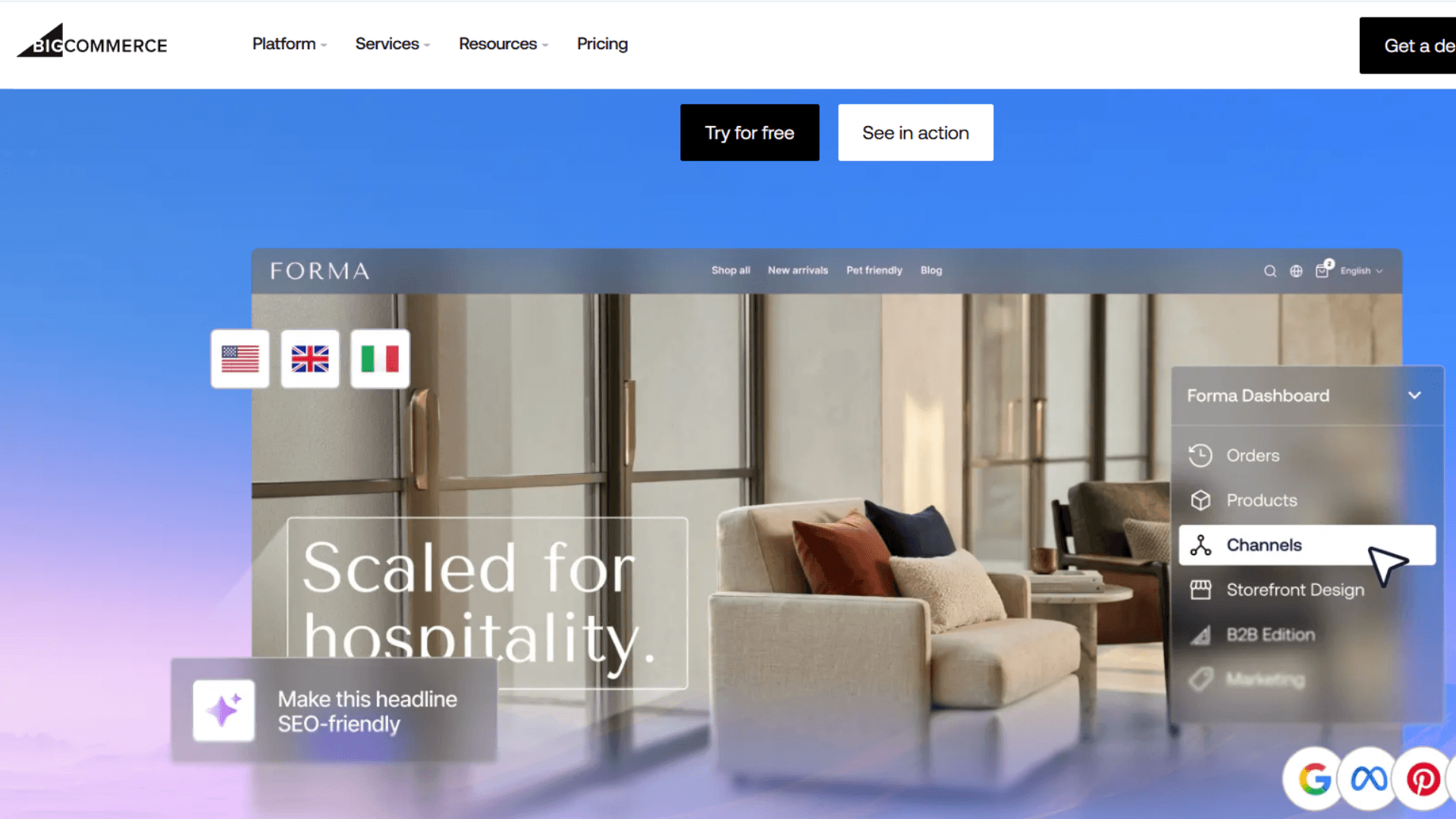
BigCommerce is built for merchants who need deeper ecommerce functionality as their business grows. It stands out for large catalogs, multichannel selling, B2B commerce, and built-in ecommerce tools.
The platform also supports multi-storefront capabilities and POS integrations, including Square and Clover. That makes it useful for businesses managing more complex multichannel selling operations.
Key Features
- Product Management: Manage large catalogs, products, variants, categories, and pricing for growing small and medium businesses as well as larger merchants.
- Multi-Storefront: Create and manage multiple storefronts from one BigCommerce account, making it one of the more capable ecommerce store builders for complex catalogs.
- B2B Ecommerce: Support business customers with specialized B2B ecommerce functionality.
- Multichannel Selling: Connect your store with marketplaces and other sales channels.
- Payment Providers: Support multiple payment providers and payment methods.
- SEO Tools: Access built-in tools for managing your ecommerce site’s search visibility.
- POS Integrations: Connect your online store with supported POS systems, including Square and Clover.
- International Selling: Support multiple currencies and languages for broader market reach.
Pros
- BigCommerce provides strong built-in ecommerce functionality.
- It supports large catalogs and growing product ranges.
- Multi-storefront features help businesses manage multiple brands.
- Its B2B tools support more complex selling requirements.
- The platform supports multichannel ecommerce operations.
- Many core features require fewer third-party apps.
Cons
- BigCommerce can take longer to learn than simpler builders.
- Some advanced functionality requires higher-tier plans.
- Pricing becomes more important as your sales volume grows.
- Open payment provider fees now apply to eligible self-serve orders.
Pricing
BigCommerce’s current Core plan starts at $29 per month when billed annually. Growth costs $79, while Scale costs $299 when billed. Performance plans start at $1,499 monthly. Eligible orders using open payment providers can also incur additional fees.
Best For
BigCommerce is best for growing businesses with larger catalogs or complex ecommerce needs. I would consider it for B2B stores, multichannel retailers, and businesses that need more functionality built into the platform.
5. Squarespace – Best for Design-Focused Stores

Squarespace is another good option among top ecommerce website builders when your ecommerce website design is highly important. Its polished templates help brands create visually impressive stores without requiring advanced technical skills.
Squarespace combines website building with ecommerce features, making it useful for boutiques, creators, lifestyle brands, and businesses selling a focused product range.
Key Features
- Professional Templates: Choose polished designs built for different industries and store types.
- Product Pages: Create visually appealing product pages for physical and digital products.
- Store Management: Manage products, orders, inventory, and customer information from one platform.
- Payment Processing: Connect supported payment methods for secure online checkout.
- SEO Tools: Manage essential search engine optimization settings for your store.
- Blogging: Publish content alongside your ecommerce store to support organic traffic.
- Marketing Tools: Use built-in marketing features to promote products and engage customers.
- Drag-and-Drop Editing: Customize pages without needing extensive coding knowledge.
Pros
- Squarespace offers some of the strongest ecommerce website designs.
- Its templates make professional stores easier to create.
- The editor is approachable for non-technical users.
- Blogging tools support content-focused ecommerce strategies.
- Built-in marketing features reduce the need for extra tools.
- It works particularly well for visually driven brands.
Cons
- Squarespace offers less flexibility than WooCommerce.
- It is not ideal for highly complex ecommerce operations.
- Larger stores may need additional ecommerce tools.
- Advanced customization can require more technical knowledge.
Pricing
Squarespace offers several plans with ecommerce functionality available on commerce-focused options. Pricing depends on the billing term and region. Review the current plans carefully because included features and transaction costs can vary.
Best For
Squarespace is best option for design-focused brands with manageable catalogs. I especially recommend it for boutiques, creators, lifestyle businesses, and brands where strong visual presentation supports the buying decision.
Also Read: Does Squarespace Integrate with QuickBooks?
6. Ecwid – Best for Adding Ecommerce to an Existing Website
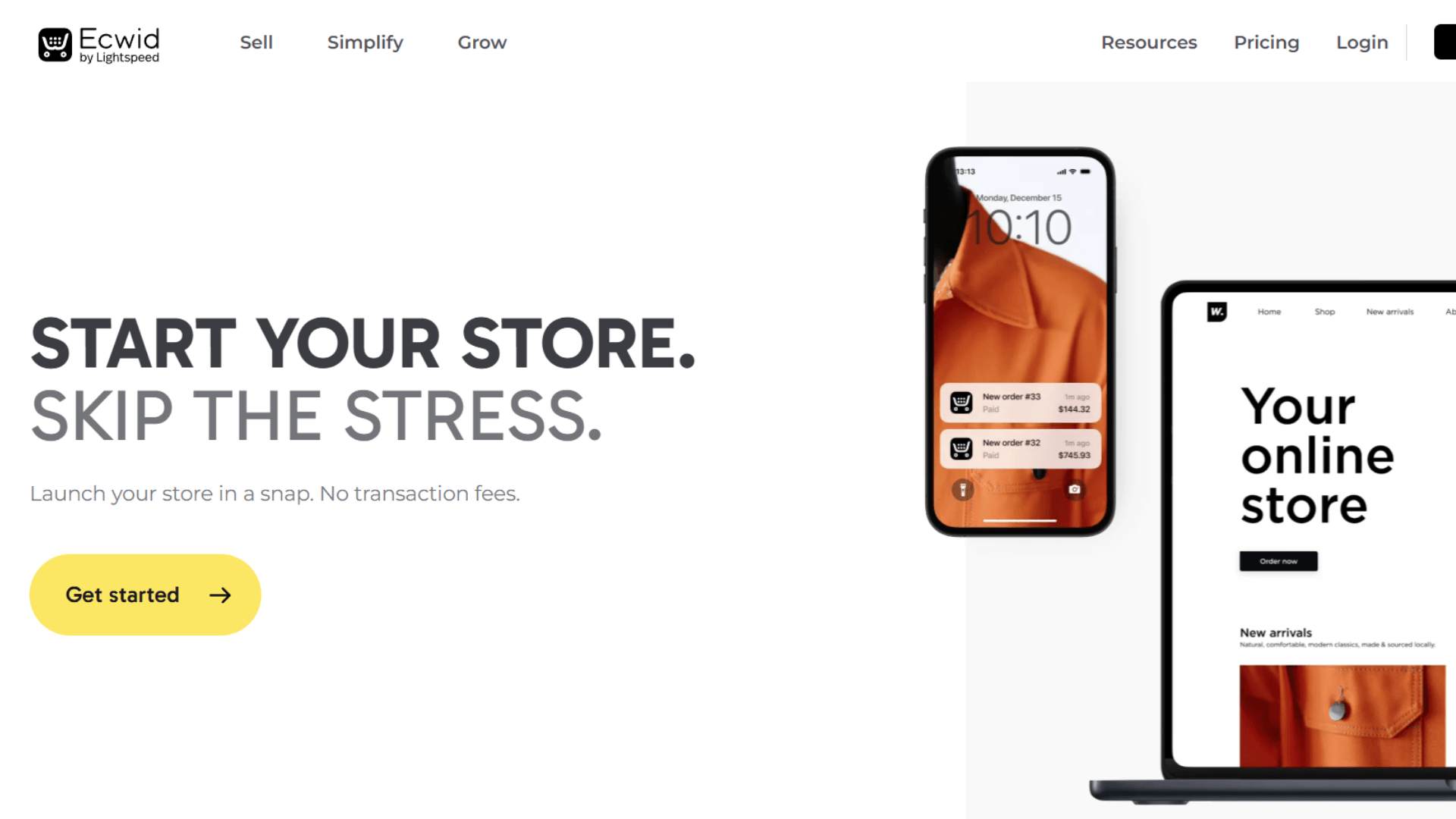
Ecwid takes a different approach from most ecommerce website builders. Instead of replacing your current website, it lets you add ecommerce functionality to an existing online presence.
That makes it useful for businesses that already have a WordPress site or another website. You can add products, payments, shipping, and store functionality without rebuilding everything from scratch.
Key Features
- Existing Website Integration: Add ecommerce functionality to your current website.
- Product Catalog: Create and manage product listings, categories, and product information.
- Payment Processing: Connect supported payment methods for online transactions.
- Shipping Tools: Configure shipping options and delivery methods for your customers.
- Social Selling: Promote and sell products through supported social channels.
- Store Management: Manage products, orders, customers, and store settings from one dashboard.
- Multichannel Selling: Connect your store with supported selling channels.
- Simple Setup: Launch ecommerce without rebuilding your existing website.
Pros
- Ecwid lets you add ecommerce to an existing website.
- Its setup process is relatively simple for small businesses.
- You can keep your existing website and branding.
- The platform supports several online selling channels.
- It works well for businesses with smaller catalogs.
Cons
- Ecwid offers less customization than fully flexible platforms.
- Some advanced features require higher paid plans.
- Complex ecommerce businesses may eventually outgrow the platform.
- Large operations may need more advanced inventory capabilities.
Pricing
Ecwid offers several plans for businesses with different ecommerce needs. Its entry-level options are designed for smaller sellers, while higher plans provide additional features and selling capabilities. Pricing and feature limits vary by plan and region.
Best For
Ecwid is best for merchants who already have a website and want to start selling online. It is especially useful for small businesses that want ecommerce without rebuilding their entire web presence.
7. Adobe Commerce – Best for Enterprise Ecommerce
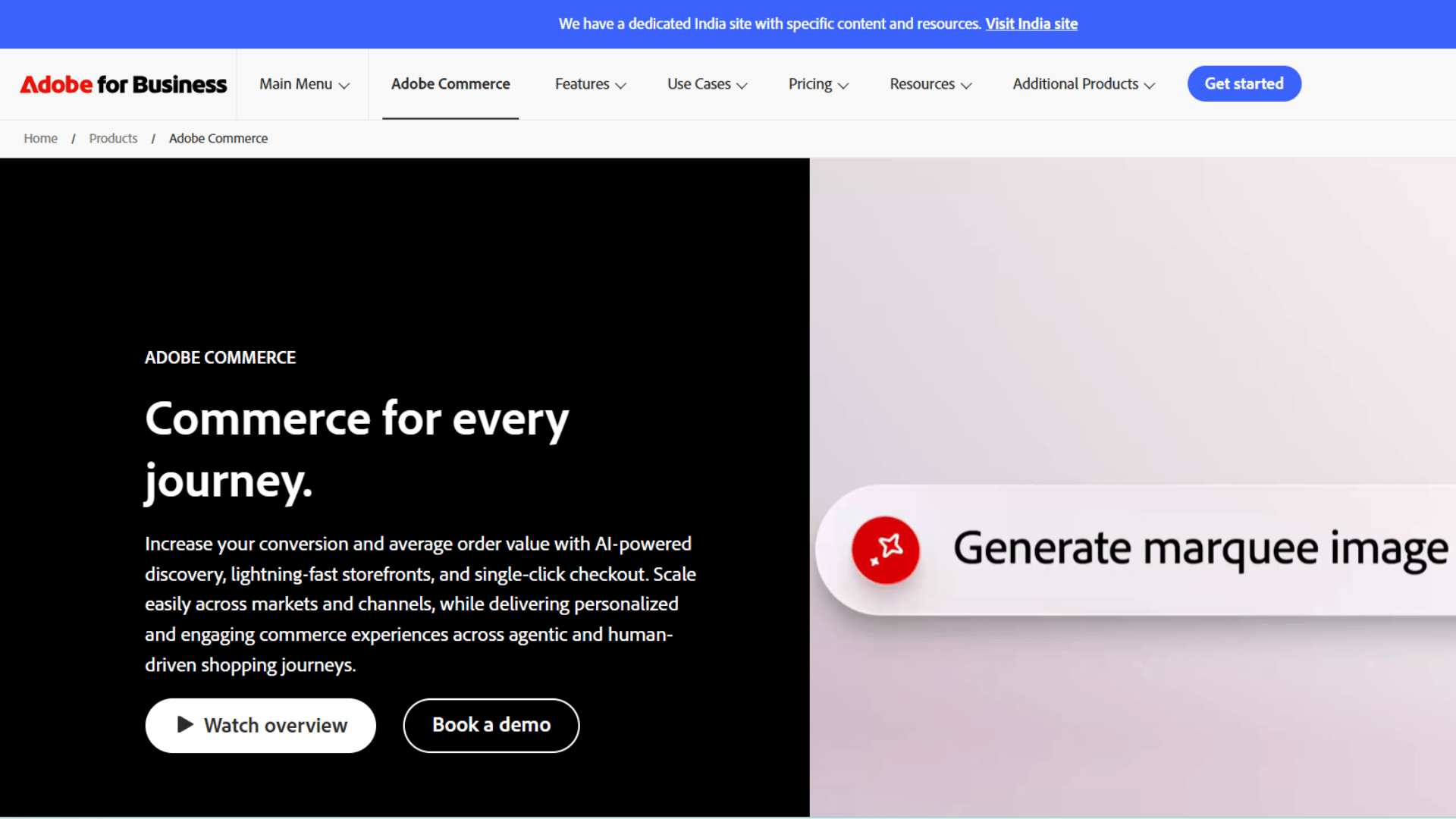
Adobe Commerce is designed for enterprise businesses with complex ecommerce requirements. It goes far beyond basic store creation, giving large organizations extensive control over catalogs, storefronts, customers, and integrations.
That power comes with a trade-off. Adobe Commerce typically requires experienced developers and technical teams to manage the platform effectively.
Key Features
- Advanced Catalog Management: Manage complex product catalogs and large inventories.
- Multiple Storefronts: Operate multiple websites and storefronts from one commerce environment.
- B2B Commerce: Support business customers with specialized B2B ecommerce features.
- Customer Segmentation: Create targeted experiences based on customer groups and behavior.
- API Access: Connect external systems and business tools through APIs.
- Custom Workflows: Build commerce processes around your specific business requirements.
- Advanced Integrations: Connect enterprise systems with your ecommerce platform.
- Scalability: Support complex operations across products, markets, and storefronts.
Pros
- Adobe Commerce provides extensive customization capabilities.
- It can support complex enterprise ecommerce operations.
- Its B2B tools support sophisticated business requirements.
- Multiple storefronts can be managed within the same ecosystem.
- APIs make integrations with enterprise systems more flexible.
- It provides greater control than simpler ecommerce builders.
Cons
- Adobe Commerce requires significant technical expertise.
- Implementation costs can be high for smaller businesses.
- Ongoing maintenance requires experienced technical resources.
- The platform can be unnecessarily complex for simple stores.
Pricing
Adobe Commerce uses custom enterprise pricing rather than a standard monthly subscription. Your cost depends on business requirements, implementation, integrations, and technical support. This makes it better suited to organizations with larger ecommerce budgets.
Best For
Adobe Commerce is best for enterprise businesses with complex ecommerce operations. I would choose it when deep customization, multiple storefronts, B2B functionality, and advanced integrations justify the additional technical investment.
8. Square Online – Best for Retailers Using Square
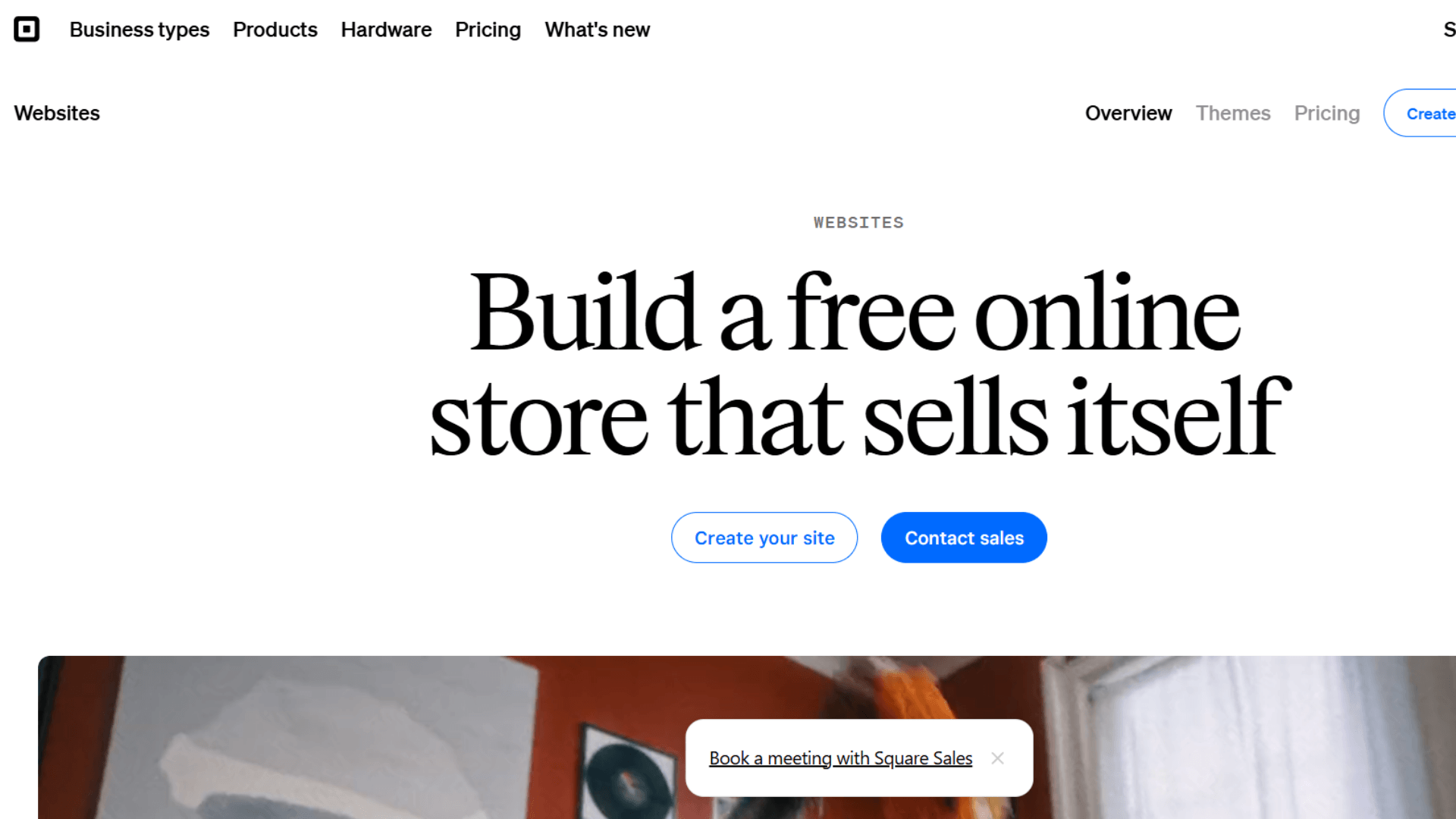
Square Online is another good option for ecommerce website builder. Square Online is particularly useful for retailers already using Square POS. It connects online selling with Square’s broader retail ecosystem, making it easier to manage physical and digital sales together.
For retailers, that connection can be more valuable than having the most customizable storefront.
Key Features
- Square POS Integration: Connect your online store with your existing Square point-of-sale system.
- Product Catalog: Manage products and catalog information across supported Square channels.
- Inventory Management: Track inventory across online and physical sales.
- Online Payments: Accept payments through Square’s payment processing system.
- Order Management: Manage online orders alongside your retail operations.
- Multiple Locations: Support businesses operating across multiple physical locations.
- Pickup and Delivery: Offer convenient fulfillment options for local customers.
- Mobile-Friendly Store: Give customers a shopping experience across different devices.
Pros
- Square Online connects naturally with Square POS.
- It works well for businesses selling online and in-store.
- Retailers can manage products within the Square ecosystem.
- The platform is relatively simple to set up.
- Inventory tools support connected retail operations.
- It provides an accessible path into ecommerce for physical stores.
Cons
- Square Online offers less design flexibility than some competitors.
- Complex ecommerce businesses may need additional tools.
- Its strongest value comes from the wider Square ecosystem.
- Multichannel sellers may need separate synchronization solutions.
Pricing
Square Online offers a free entry option, alongside paid plans with additional features. Payment processing fees depend on your plan and transaction type. Review Square’s current pricing for your market before choosing a plan.
Best For
Square Online is best for retailers already using Square POS. If you sell from a physical store and want to expand online, the connection can simplify product, payment, and retail management.
Also Read: Shopify vs eBay: Which Platform Is Better for Your Business in 2026?
9. GoDaddy – Best for Simple Online Stores

GoDaddy focuses on speed and simplicity. Its ecommerce website builder is designed for merchants who want to launch quickly without managing a complicated technical setup.
That makes it appealing to small business owners who need the basics. You get store creation, product management, payments, and shipping without a steep learning curve.
Key Features
- Online Store Builder: Create an ecommerce website without advanced technical knowledge.
- Product Catalog: Add and organize products within your online store.
- Payment Methods: Accept major payment methods through supported processors.
- Shipping Tools: Set up shipping options for customers ordering online.
- Templates: Choose from ready-made designs for different business types.
- Product Management: Manage product information and pricing from your dashboard.
- Mobile-Friendly Design: Create storefronts designed for customers using mobile devices.
- Marketing Tools: Access tools that help promote your online business.
Pros
- GoDaddy makes launching an online store straightforward.
- Its beginner-friendly tools reduce technical setup requirements.
- You can create a store relatively quickly.
- It supports multiple payment methods for online sales.
- Product and shipping management are easy to understand.
- It suits small businesses with straightforward ecommerce needs.
Cons
- GoDaddy offers fewer advanced ecommerce capabilities.
- It is less suitable for complex ecommerce operations.
- Customization is more limited than WooCommerce.
- Growing businesses may eventually need a more powerful platform.
Pricing
GoDaddy offers ecommerce plans that vary by market and billing period. Its pricing structure includes options for businesses starting with smaller online stores, and some plans may bundle a free domain for the first year depending on market and promotion. Review the current plan, transaction costs, and included features before subscribing.
Best For
GoDaddy is best for small businesses that want a simple online store. I would choose it when speed, ease of use, and essential ecommerce features matter more than advanced customization.
10. Hostinger – Best for Affordable Ecommerce Websites

Hostinger is another top ecommerce website builder for merchants. Hostinger combines website hosting, ecommerce functionality, website building, and AI tools. Its main advantage is affordability, especially for startups and small businesses launching their first online store.
You can handle your website, hosting, domain, and ecommerce setup through the same provider. That keeps the initial website setup relatively simple.
Key Features
- Website Builder: Use Hostinger as a site builder for merchants launching a business online on a tighter budget, with templates and visual editing tools.
- Web Hosting: Host your website without purchasing separate hosting, and bundled free hosting keeps setup simpler for new sellers.
- Ecommerce Tools: Add products and manage essential online selling functions.
- AI Tools: Use AI-assisted features during website and content creation.
- Custom Domain: Connect your own domain to your ecommerce website.
- Marketing Tools: Access built-in tools to support basic marketing activities.
- Business Email: Create professional email accounts for your business.
- Store Templates: Start with ecommerce-focused templates and customize them.
Pros
- Hostinger offers an affordable way to launch an online store.
- Hosting is included with the website-building experience.
- Its AI tools can speed up parts of site creation.
- The platform is easy for beginners to understand.
- Custom domain options help create a professional web presence.
- It works well for startups and smaller ecommerce businesses.
Cons
- Hostinger is not designed for complex enterprise ecommerce.
- It offers fewer advanced ecommerce tools than Shopify.
- Larger businesses may need more specialized functionality.
- Promotional pricing may require longer-term commitments.
Pricing
Hostinger’s ecommerce pricing varies by region, plan, and promotional period. Its current plans are positioned toward affordable store launches, with hosting included. Always check renewal pricing before committing to a longer-term plan.
Best For
Hostinger is best for startups and small businesses focused on keeping initial costs low. I would consider it when you need simple ecommerce functionality, hosting, and website creation in one package.
How to Choose the Best Ecommerce Website Builder
“Your brand is what other people say about you when you’re not in the room.” – Jeff Bezos, founder of Amazon
Choosing the right ecommerce website builder is crucial for your business success. The platform you choose becomes part of your daily operation. So I would not choose based on templates alone. Look at how the platform handles products, payments, integrations, marketing, and growth.
Ease of Use
A simple setup can
The platform you choose becomes part of your daily operation. So I would not choose based on templates alone. Look at how the platform handles products, payments, integrations, marketing, and growth.
Ease of Use
A simple setup can save hours during launch. Look for clear dashboards, drag-and-drop tools, and a guided website-building process; on most platforms, secure setup basics like HTTPS are standard alongside easy product management. Your team should update the store without needing a developer for every small change.
Ecommerce Features
Look beyond the storefront. Check product variants, checkout, discounts, order management, customer data, catalog tools, and inventory management tools. These features become more important as your product range and order volume increase, and some plans also support unlimited products for growing catalogs.
Design and Customization
Your storefront should reflect your brand. Check templates, themes, mobile layouts, branding controls, and custom code options. Some platforms prioritize simplicity, while others give developers much deeper control.
Payments and Shipping
Customers expect secure checkout and flexible payment methods. Check supported secure payment gateways with support for major processors like Stripe and PayPal, shipping options, automated sales tax tools, and shipping labels. Also review transaction fees before choosing your platform.
Integrations
Your ecommerce store rarely works alone. You may need marketplaces, POS systems, accounting software, email marketing, analytics, and other third-party apps. Strong integrations can prevent expensive manual work later.
SEO and Marketing
Your store needs more than attractive product pages. Look for built-in SEO tools, clean URLs, blogging, analytics, email marketing, and abandoned cart recovery. These tools help turn website traffic into online sales.
Pricing and Scalability
Do not compare only monthly subscription prices. Check transaction fees, app costs, hosting, extensions, and development expenses, since the right business plan can unlock features such as inventory management, payment processing, and marketing integrations. A cheap starter plan can become expensive after your store grows.
Which is the Top Ecommerce Website Builder for Your Business?
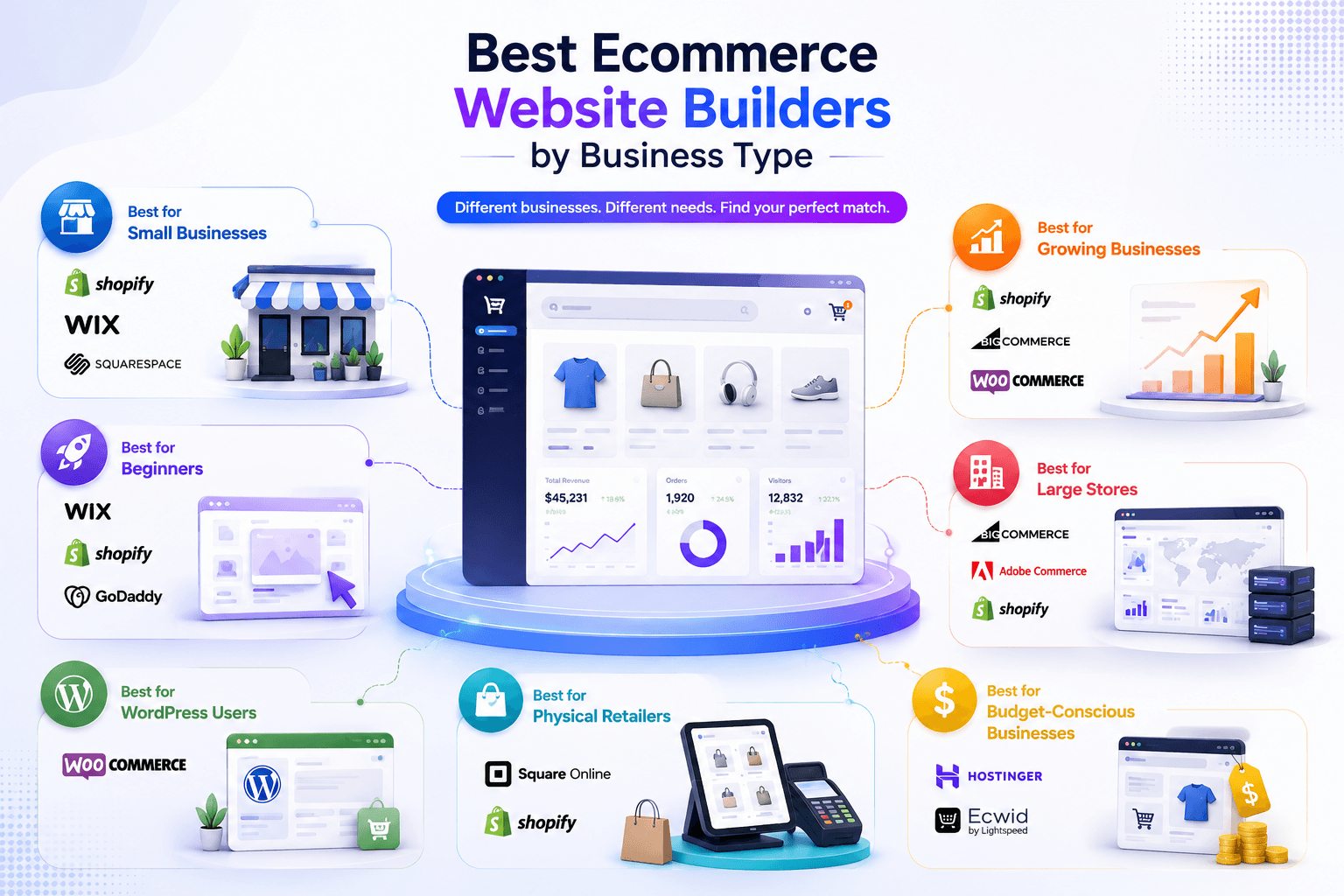
There are multiple top ecommerce website builders. However, not every store needs the same ecommerce platform. A solo seller has different needs than a growing retailer. Your product range, sales channels, budget, and technical skills matter.
So, let’s find the best fit for your business.
Best for Small Businesses
Shopify, Wix, and Squarespace are strong options for small and medium businesses. Shopify offers deeper ecommerce tools. Wix provides easier design control. Squarespace works especially well for brands that depend on visual presentation.
Best for Beginners
Wix, Shopify, and GoDaddy are good starting points. Their visual tools reduce the technical side of site creation. Shopify offers more room for growth once ecommerce becomes the main business.
Best for Growing Businesses
Shopify, BigCommerce, and WooCommerce provide stronger foundations for growth. Shopify offers a broad ecosystem. BigCommerce has strong built-in functionality. WooCommerce gives WordPress users extensive control.
Best for Large Ecommerce Stores
BigCommerce, Adobe Commerce, and Shopify are better suited to larger operations. Your choice depends on catalog complexity, technical resources, B2B requirements, integrations, and expected growth.
Best for WordPress Users
WooCommerce is the obvious choice for WordPress users. It adds ecommerce functionality without forcing you to rebuild your existing WordPress site.
Best for Physical Retailers
Square Online and Shopify are strong options for retailers. Square works naturally with Square POS. Shopify offers a broader ecommerce ecosystem and strong multichannel capabilities.
Best for Budget-Conscious Businesses
Hostinger and Ecwid can work well for smaller budgets. Still, compare the full cost. Look at paid plans, payment processing, apps, hosting, and future upgrades.
Also Read: Best Inventory Management Software for Small Business (2026)
Can You Sell on Multiple Ecommerce Platforms?
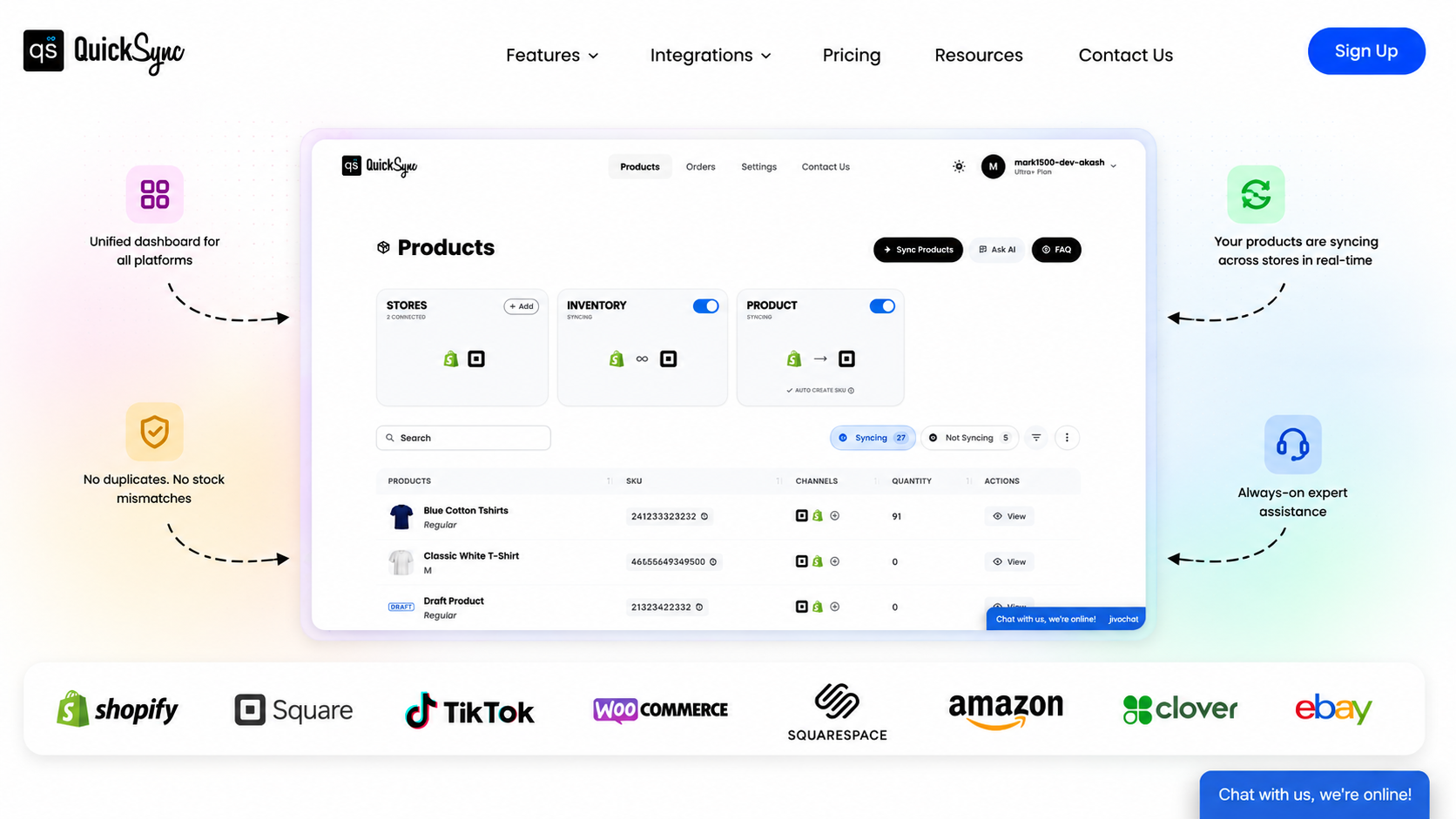
Absolutely. In fact, selling across multiple platforms can help you reach more customers and grow revenue. You can run a Shopify store while selling on Amazon and eBay, or connect your WooCommerce store with marketplaces and your POS system.
The challenge is managing all those channels without creating more manual work. QuickSync solves that problem by connecting your ecommerce platforms, marketplaces, and POS systems into one workflow. You can sync products, inventory, and orders while managing your multichannel operation more efficiently.
- QuickSync lets you sell on multiple platforms without switching between different dashboards.
- Inventory syncs** in real time across all channels with QuickSync.** You don’t need to update stock numbers across platforms manually.
- QuickSync allows you to expand to more ecommerce platforms without rebuilding your setup. You can sync products and listings without duplicate work.
- Product Sync lets you update product titles, descriptions, images, and prices from one store without duplicate updates.
- Order Sync** lets** you bring orders from all channels into one dashboard, so you can fulfill them from one place.
- QuickSync offers multichannel integrations to connect Shopify with Etsy, WooCommerce with Amazon, Etsy with eBay, and more.
- QuickSync also supports POS and online channel integrations, such as Shopify with Square and supported platforms with QuickBooks.
- QuickSync helps you sell on more platforms, reach more customers, and create more opportunities to increase revenue.
Conclusion
Choosing an ecommerce website builder is a business decision, not just a design decision. Your platform affects checkout, products, payments, SEO, integrations, and daily store management.
Shopify is my overall pick for most dedicated ecommerce businesses. WooCommerce wins for WordPress flexibility. BigCommerce suits complex and growing stores. Wix works well for beginners, while Square Online fits many physical retailers.
But your platform is only one part of the ecommerce stack.
Once you sell across multiple channels, keeping products and inventory synced becomes critical. QuickSync connects supported ecommerce platforms, marketplaces, and POS systems. It can sync inventory, products, orders, and other supported data between connected channels.