You go to list one more item and eBay stops you: you’ve reached your monthly selling limit. It usually happens just as things start to pick up, and eBay’s help page doesn’t tell you much beyond “we’ll increase your limit.”
Many new sellers report starting at around 10 items or $500 a month, whichever they hit first. At that size, one $450 listing uses 90% of your month. The good news: eBay reviews limits every month, you can ask for more, and a few habits make a raise much more likely.
This guide covers what eBay selling limits are, what counts toward them, how to check and increase yours, and the common workarounds that can get your account suspended. Every rule here comes from eBay’s own help and seller education pages, checked in November 2026.
What is an eBay Selling Limit?
An eBay selling limit is a monthly cap on how many items you can list and sell, and on their total value. Your active and sold listings both count toward it. eBay sets the limit for each account, reviews it every month, and adjusts it automatically, usually upward as you build sales and good feedback.
eBay doesn’t publish one standard number, because every account gets its own. Its seller education site lists the factors it looks at:
- How old your account is
- Whether you’ve confirmed your identity
- Whether the account is linked to an established account
- Your registered address and the eBay site you registered on
- Your selling performance and behavior
- The volume you’ve handled in the past
- The risk of the types of items you list
That’s why two new sellers can start with different limits, and why established sellers report limits in the thousands of items.
How to Check Your eBay Selling Limit
You can see your limit, and how much of it you’ve used this month, in two places:
- In Seller Hub: open the Overview tab and scroll down to Monthly limits.
- In My eBay: go to Selling Overview and scroll down to Monthly selling limits.
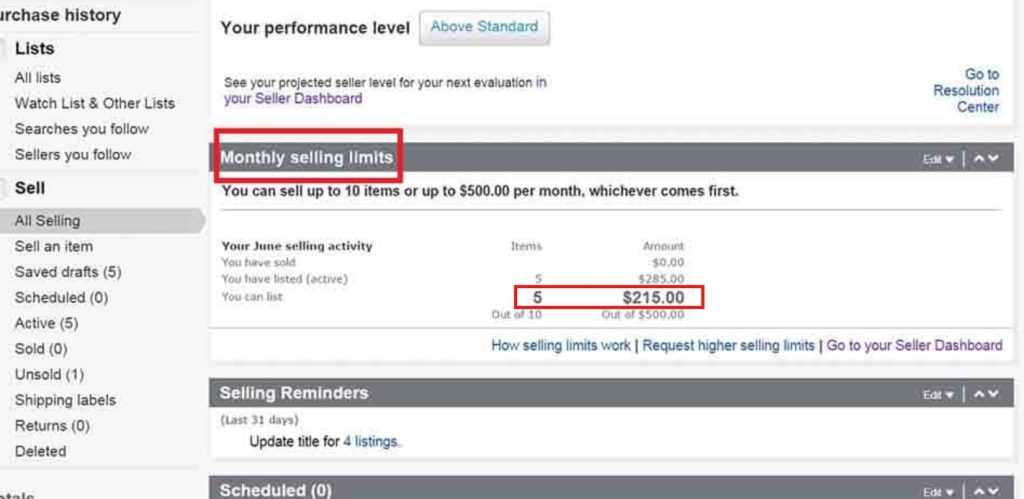
This is where eBay shows your current limits on items and value, and where you can ask for more. eBay also sends you a message when you get close to your selling limit. New to Seller Hub? Our eBay seller dashboard guide walks through each tab.
What Counts Toward Your Selling Limit
This is where most sellers get caught out. The limit isn’t just what you sell. It’s what you list as well.
| What | Counts? | What it means |
|---|---|---|
| Active listings | Yes | An unsold listing uses your limit from the moment it goes live. |
| Sold items | Yes | Selling an item doesn’t give you the slot back this month. |
| Quantity | Yes, every unit | eBay counts each item in a listing. A listing with a quantity of 5 uses 5 items, not 1. |
| Good ’Til Cancelled renewals | Yes | A GTC listing counts each month it renews, and won’t renew if you’re at your limit. |
| Listings still active at month end | Yes, next month too | Items in listings that are still live on the 1st count toward the new month’s limit. |
| Price rises | Blocked at the limit | Once you reach your limit, eBay won’t let you raise prices or add quantity. |
Here’s how that plays out on a limit of 10 items and $500:
- One listing, quantity 5: you’ve used 5 of your 10 items, even if nothing sells.
- One $450 item: you’ve used 1 item but $450 of your $500. You can still list 9 items, but only $50 worth.
- List 3, sell all 3, then list 3 more: that’s 6 items used, not 3. Sold items stay counted until the month ends.
Sellers in eBay’s community report that variations work the same way: each one you list counts toward the item total.
What Happens when You Reach Your Limit
- You can’t create new listings, raise prices or add quantity to a listing until one of your active listings ends or the next calendar month starts.
- Your live listings keep selling. Buyers can still buy what’s already up.
- GTC listings don’t renew. They end, and you can relist them when your allowance renews.
- eBay may end listings created over your limit. You can list them again once you have room.
- Your limit resets on the 1st of the month. eBay works on calendar months, not on the date you opened your account.
How to Increase Your eBay Selling Limit
There are three ways a limit goes up: eBay raises it on its own, you ask for more, or you link to an established account.
1. Let the monthly review raise it
eBay reviews every account each month and adjusts limits “based on your sales volume and the feedback you’ve received from buyers.” For most new sellers, this is how the limit grows. Sell what you list, ship on time and earn positive feedback, and the next review is more likely to go your way. Our guide to eBay feedback stars explains how feedback builds.
2. Request a higher limit
If you need more room before the next review, ask:
- Open Seller Hub and go to the Overview tab.
- Scroll down to Monthly limits.
- Click Request to list more. In My eBay, the link is Request a limit increase under Monthly selling limits.
- Follow the steps on screen. eBay may ask for contact or business details.
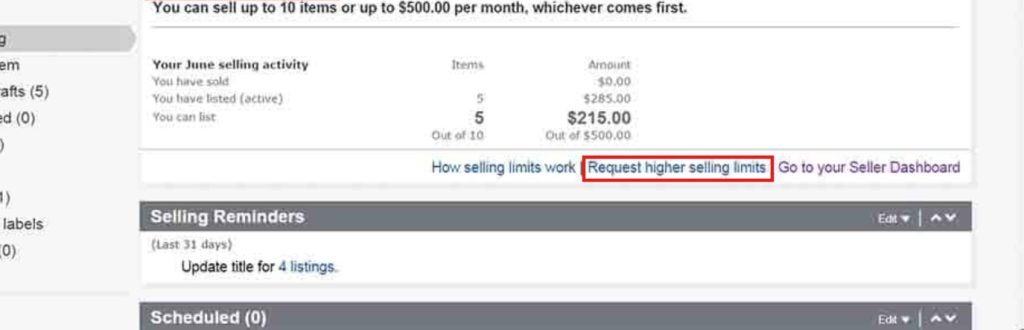
You can also request an increase straight from the message eBay sends when you’re near your limit. An eBay community admin has said sellers can ask once every 30 days, so if the first request doesn’t work, try again next month with more sales behind you. If the request is declined or the link is missing, contact eBay customer service; eBay’s community team points sellers there for account-specific questions.
Your chances are best when your seller performance is clean. eBay ties increases to “selling performance and sales metrics,” and the biggest drag on those is defects. Cancelling an order because the item is out of stock counts as a transaction defect, so see how to cancel an eBay order as a seller before you ever need to.
3. Link to an established account
If you have more than one seller account, eBay says linking the new one to your “other, more established seller account” may raise its limit. If your accounts can be linked, you’ll see the option when you request a higher limit.
eBay Category Limits
Category limits are separate from your account-wide selling limit. They cap how much you can list and sell in certain categories, and you can hit one while your overall limit still has room. eBay may apply a category limit if:
- It’s been less than 90 days since your first successful sale
- You haven’t sold multiple items in that category before
- You haven’t sold in that category for over a year
- More than 3% of your cases are open eBay Money Back Guarantee cases
eBay’s category limits page lists 14 categories where these limits apply: Books; Cameras & Photo; Cell Phones & Accessories; Clothing, Shoes & Accessories; Coins & Paper Money; Computers & Tablets; Consumer Electronics; Gift Cards & Coupons; Health & Beauty; Jewelry & Watches; Music; Musical Instruments & Gear; Sporting Goods; and Video Games & Consoles.
You don’t request these. They rise automatically once your account has been active for at least 90 days, you’ve confirmed your details, and you’ve sold a few items in the category with good service. One rule matters above all: never list an item in the wrong category to get around a category limit. eBay treats that as search manipulation.
Selling Limit Myths That Can Hurt Your Account
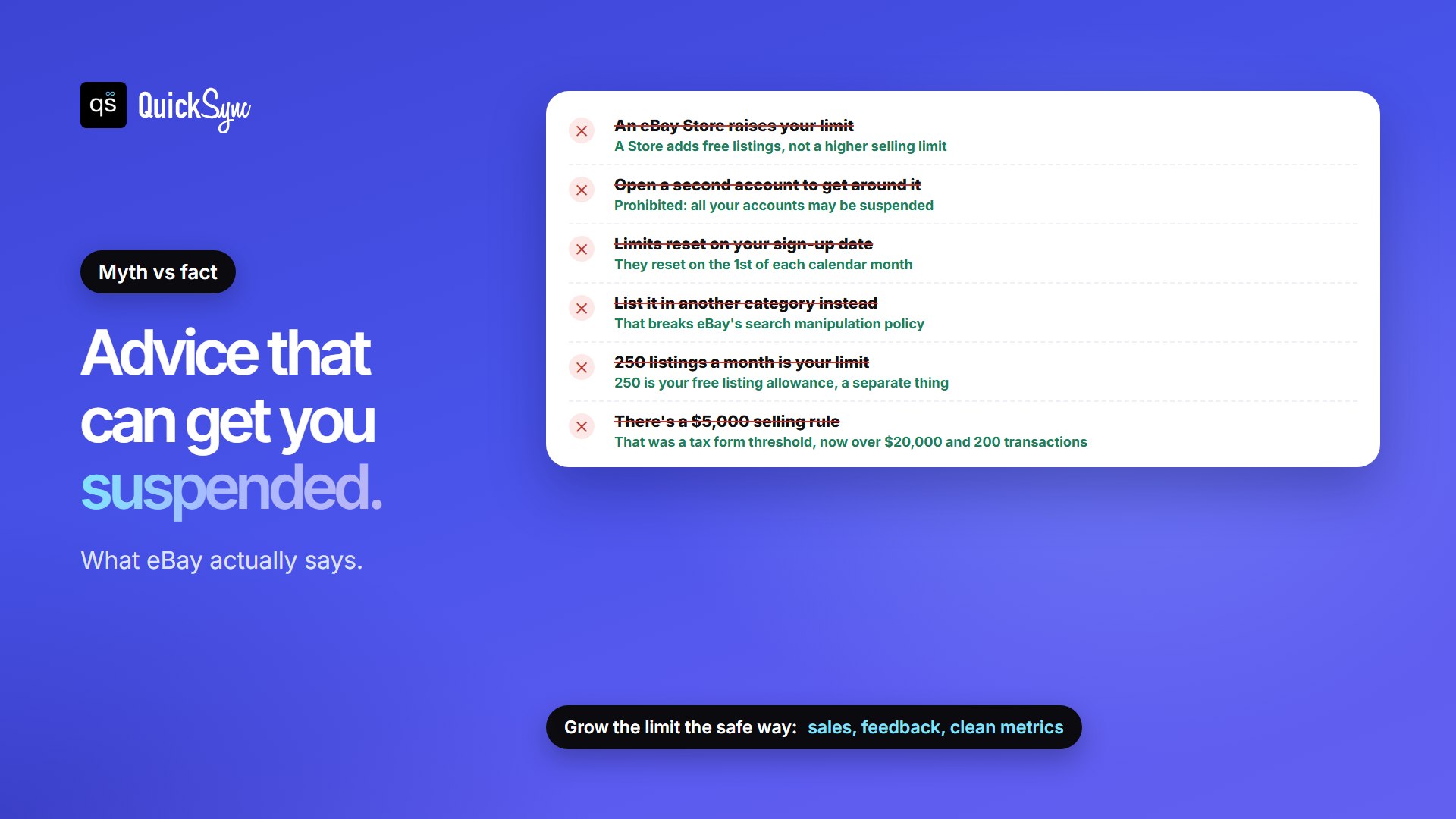
Some of the most-shared advice about eBay selling limits is wrong, and some of it breaks eBay’s rules:
| Myth | What eBay says |
|---|---|
| “Open an eBay Store and your limit goes up.” | “You can’t increase your selling limit by purchasing a Store subscription package.” A Store gives you more free listings, not a higher limit. |
| “Open a second account to get around it.” | Registering new accounts to get around selling limits is prohibited, and all your accounts may be suspended indefinitely. |
| “Limits reset on the day you signed up.” | They work on calendar months. Room opens up on the 1st, or sooner if an active listing ends. |
| “Hit a category limit? List it somewhere else.” | Listing in the wrong category breaks eBay’s search manipulation policy. |
| “250 listings a month is my limit.” | 250 is your free listing allowance. It isn’t related to your selling limit. |
| “There’s a $5,000 rule.” | $5,000 was the IRS’s 1099-K tax form threshold for 2024 payments, not a selling limit. eBay says the threshold is now back to $20,000 and 200 transactions. |
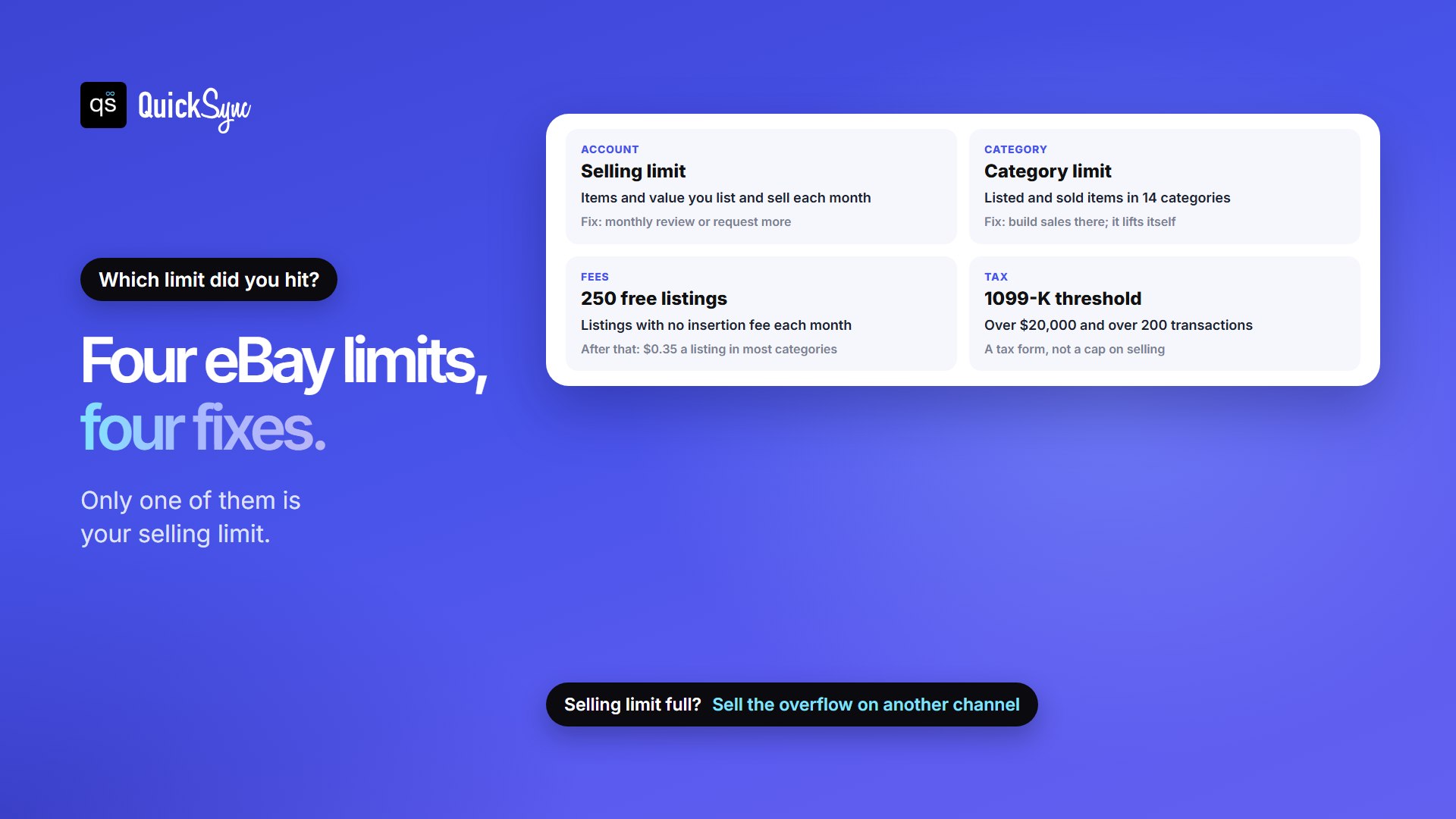
Four eBay Limits That Get Mixed Up
“eBay limit” can mean four different things. Knowing which one you’ve hit tells you what to do next:
| Limit | What it caps | Who sets it | What to do |
|---|---|---|---|
| Selling limit | Items and value you list and sell each month | eBay, per account | Wait for the monthly review, or request an increase |
| Category limit | Items listed and sold in certain categories | eBay, per category | Build sales in the category. It lifts automatically |
| Free listings | Listings without an insertion fee: up to 250 a month, more with a Store | Your plan | Past 250, most categories cost $0.35 a listing. A Store adds more |
| 1099-K threshold | When eBay sends you a tax form: over $20,000 and over 200 transactions | US tax law | Nothing stops you selling. Keep records, and check your state’s rules |
For what each sale actually costs once you’re selling, see what eBay takes from a $50 sale. If you’re weighing an eBay Store for the free listings, our guide to setting up an eBay Store covers the steps.
What To Do while You’re at Your Limit
Waiting for the 1st doesn’t mean standing still. A few moves keep sales coming in and put you in a better spot for the next review:
- Spend your limit on what sells. Every listed unit counts, so list your fastest sellers first and keep slow stock off eBay until you have room.
- List smaller quantities. If you’ll sell 3 units this month, a listing with a quantity of 20 wastes 17 items of your limit. Add more as it sells, while you’re under the limit.
- End listings that aren’t moving. When an active listing ends, you get room to list again. Stale GTC listings also count each time they renew.
- Protect your metrics. Ship on time, answer messages, and don’t sell what you don’t have. An out-of-stock cancellation is a defect, and defects work against a raise. Our eBay seller protection guide covers the standards eBay holds you to.
- Sell the overflow somewhere else. Your limit caps eBay, not your business. Etsy, Shopify, TikTok Shop or your own site can carry the stock eBay can’t take yet. Our list of eBay alternatives compares fees.
Selling in a second place brings its own risk: the same item sells in both places, and you cancel one order. On eBay, that cancellation is a defect, which is exactly what you don’t want while you’re waiting for a higher limit.
QuickSync keeps one stock count across eBay and your other shops. When something sells on Etsy or Shopify, the eBay quantity drops within minutes, and an eBay sale updates everywhere else. You choose which products sync to eBay, so a tight limit goes to your best sellers. If eBay’s monthly limit blocks a listing, QuickSync emails you and shows the product under Needs attention. One thing to know: QuickSync sends your full stock count to eBay, and that quantity counts toward your item limit, so sync fewer products rather than less stock.
Popular pairings: Etsy and eBay, Shopify and eBay, eBay and TikTok Shop, Square and eBay and Squarespace and eBay.
FAQs
More eBay guides: how to sell on eBay, eBay SEO, eBay vacation mode and inventory management for eBay.