eBay reported $23.2 billion in gross merchandise volume for the third quarter of 2026. To win a share of it, your listing has to compete in eBay’s search results. Unless a buyer picks another order, those results are sorted by Best Match.
Most eBay SEO advice online mixes what eBay has said with what sellers guess. This guide keeps the two apart. It covers how eBay’s search engine, Cassini, ranks listings, how to write a title that gets found, how to research keywords with free eBay tools, and one ranking factor most guides skip: keeping your stock right.
What is eBay SEO?

eBay SEO is the work of making your listings rank higher in eBay’s own search results. eBay’s search engine, Cassini, sorts results by Best Match by default. Best Match looks at how well a listing matches the search, how popular and well priced the item is, how complete and good the listing is, its terms of sale, and your record as a seller. You improve eBay SEO with clear 80-character titles, complete item specifics, the right category, good photos, fair terms and a clean selling history.
SEO for eBay differs from Google SEO in one big way. Google ranks web pages across the internet. Cassini ranks listings inside eBay, using eBay’s own data about sales, buyers and sellers. So the levers are your listing fields and your selling record, not website code or links.
How eBay Search Works: Cassini and Best Match
Cassini is the name eBay gives its internal search engine. In eBay’s seller guide to optimizing listings, it says Cassini considers not only the search query but also seller performance, return policy and many other parameters.
Best Match is the default order buyers see. eBay’s help page on optimizing listings for Best Match lists the factors it uses. Here they are, with what you control:
| Best Match factor (eBay’s words) | What you control |
|---|---|
| How closely the listing matches the buyer’s search terms | Title, category, item specifics, product identifiers |
| How popular the item is | Keeping one listing alive so sales and views build up |
| The price of the item | Pricing against sold listings, plus shipping cost |
| The quality of your listing (description, photos and so on) | Clear photos and an accurate description |
| How complete the listing is | Every recommended item specific filled in |
| Listing terms, such as return policy and handling time | Your business policies |
| Your track record as a seller | Shipping on time, tracking, and no cancelled sales |
eBay doesn’t publish weights for these factors. Its help page says it plainly: “There’s no secret to improving your position in the Best Match sort order.” Sellers who follow good listing and selling practices see their items rank higher.
Search is also changing. eBay’s buyer help says it is trialing an AI-powered search, eBay.ai, in its app for a limited number of buyers, who describe what they want in their own words. Clear titles and complete item specifics help in both kinds of search, because they tell eBay exactly what your item is.
What eBay Confirms vs What Sellers Believe
Forums are full of eBay SEO rules. Some come straight from eBay. Others are guesses that have been repeated so often they sound official. Here’s how common claims hold up against eBay’s own pages.
| Claim | What eBay says | Verdict |
|---|---|---|
| Keywords in the title matter | Best Match looks at how closely a listing matches the search terms, and eBay’s guide says to put buyers’ keywords in the title | Confirmed |
| All caps and symbols hurt | eBay’s guide says whole words in capitals or asterisks between words “can lower your listing ranking” | Confirmed |
| Item specifics help you rank | Complete, accurate item specifics “are likely to increase the visibility of your listing” | Confirmed |
| Sales history helps you rank | “A listing’s sales history is one of the things that determines its position in Best Match” | Confirmed |
| Ending and relisting gives a fresh boost | For more stock, eBay says to add it to the existing listing rather than create a new one | Contradicted for multi-quantity listings |
| Cancelled orders hurt you | Cancelling because an item is out of stock “can affect your seller standing”, and your track record is a Best Match factor | Confirmed |
| The description isn’t searched | eBay’s guide says to add keywords to the title and the description. It doesn’t say how much the description counts | Not confirmed either way |
| Free shipping is a ranking factor | eBay asks for “reasonable shipping” and counts listing terms. It doesn’t name free shipping | Partly: shipping cost and terms count |
| Promoted listings rank higher | Promoted listings that match the search “will also appear higher in search results” | Confirmed for the ad placement. eBay doesn’t say ads lift organic rank |
You’ll also see claims that Cassini weighs factors in a fixed order, or that listing at a certain time of day helps. eBay doesn’t publish either, so treat them as opinions.
How to Write an eBay Title That Ranks
The title is the field you control most directly. eBay allows up to 80 characters. Its seller guide suggests this order:
[Brand] [Product name] [Model number] [Size, color or other variant] [Extra keyword]
| Before | After | What changed |
|---|---|---|
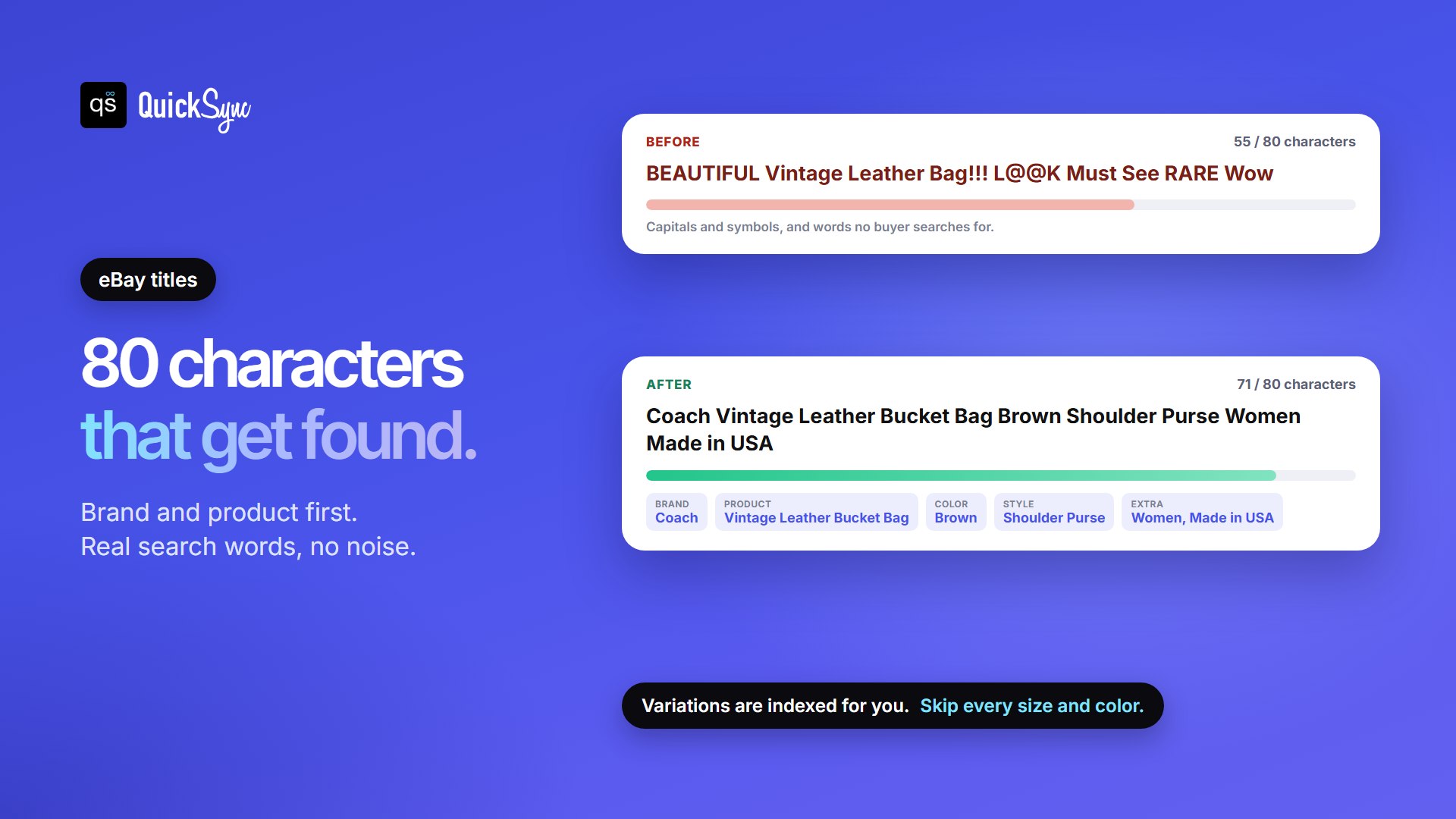
| BEAUTIFUL Vintage Leather Bag!!! L@@K Must See RARE Wow (55) | Coach Vintage Leather Bucket Bag Brown Shoulder Purse Women Made in USA (71) | Brand first, real search words, no caps or symbols |
| Running shoes (13) | Nike Air Max 90 Mens Size 10 White Black Running Shoes Sneakers (63) | Brand, model, size and color buyers type |
| The Willow (10) | Handmade Ceramic Coffee Mug 12 oz Speckled Cream Stoneware Pottery Gift (71) | Says what the item is, not its product name |
Five rules make most of the difference:
- Lead with the words buyers type. Brand and product type come first. “Handmade ceramic mug” beats a clever product name.
- Use the space, but only for real terms. Words like “L@@K”, “WOW” or “must see” use up characters without describing the item.
- Skip all caps and symbols. eBay says they can lower your ranking.
- Don’t list every size or color. In a listing with variations, eBay indexes the variations automatically.
- Keep it accurate. A title that promises something the description doesn’t deliver breaks eBay’s listing rules.
eBay also sells a subtitle as a paid listing upgrade. It can carry extra details, but it costs an extra fee, so get the free title right first.
Item Specifics, Categories and Product Identifiers
Item specifics are the structured fields under your listing, such as brand, size, color, material and style. Buyers use them as filters. If your item has no color filled in, it may not show up when a buyer filters by color.
- Fill in every recommended specific. Each category has its own recommended fields. eBay’s listing form shows hints with the number of searches buyers make for each one, which tells you which fields matter most.
- Pick the most relevant category. eBay says listing in an unrelated category breaks its policy and hurts visibility. A second category is allowed, but it adds an insertion fee. See our guide to eBay seller fees.
- Add product identifiers. eBay requires codes such as UPC, ISBN, MPN or GTIN in most categories. Use only codes that exactly match your item. eBay says identifiers make your item easier to find, on eBay and on external search engines.
Your own SKU belongs in eBay’s Custom label field. It’s how you and your tools track the item across channels. Our guide to SKUs explains how to set them up.
eBay Keyword Research with Free Tools
There’s no universal list of “best keywords for eBay”. The best keywords are the words buyers use for your item, and eBay shows you those for free.
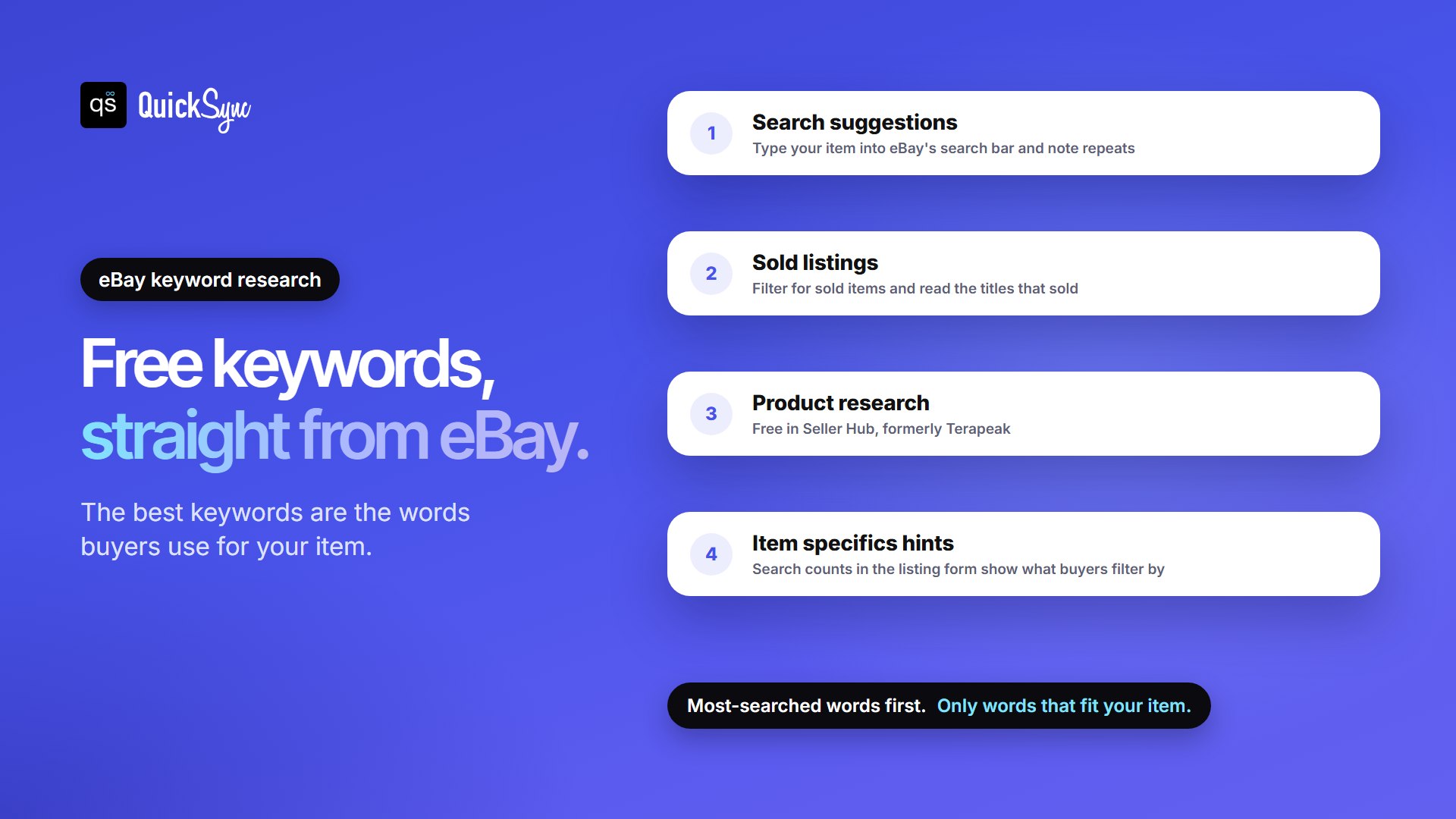
- eBay’s search suggestions. Start typing your item into eBay’s search bar. The suggestions show phrases buyers search for. Note the words that repeat.
- Sold listings. Search your item and filter for sold items. Titles that sold show which words and details buyers respond to. Here’s how to see sold items on eBay.
- Product research. eBay’s free research tool in Seller Hub, formerly Terapeak, shows popular searches and sold data for similar items. Our Terapeak guide walks through it.
- Item specifics hints. When you create a listing, the search counts next to each item specific show which details buyers filter by.
Then put the most-searched words near the front of your title and use the rest in item specifics and the description. Use only keywords that describe your item. eBay’s guide warns that unrelated keywords can lower your ranking.
Photos, Price, Shipping and Returns
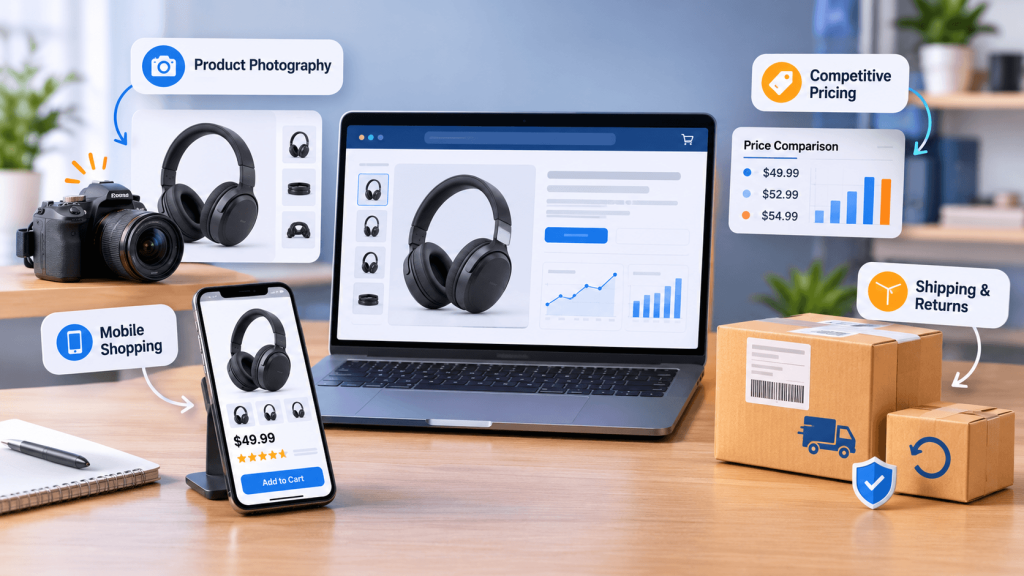
These shape both the quality and terms factors, and they decide whether a buyer clicks.
- Photos: you can add up to 24 for free. Shoot every angle on a plain background and show any flaws. eBay says not to add borders or text, and not to use a catalog stock photo as the main image if your item isn’t brand new.
- Mobile: eBay’s seller guide says more than half of all eBay transactions are viewed on a mobile device before purchase. Keep descriptions short and scannable, and use eBay’s photo uploader rather than images inside the description.
- Price: price is a Best Match factor. Check sold listings for what similar items actually sold for.
- Shipping, handling and returns: eBay counts your return policy and handling time, and asks for reasonable shipping. Fill in the listing’s policy fields rather than writing terms into the description.
Keep Listings Alive: Stock, Sales history and Cancellations
Most eBay SEO guides stop at titles and photos. eBay’s own help pages point to something just as important: the life of the listing.
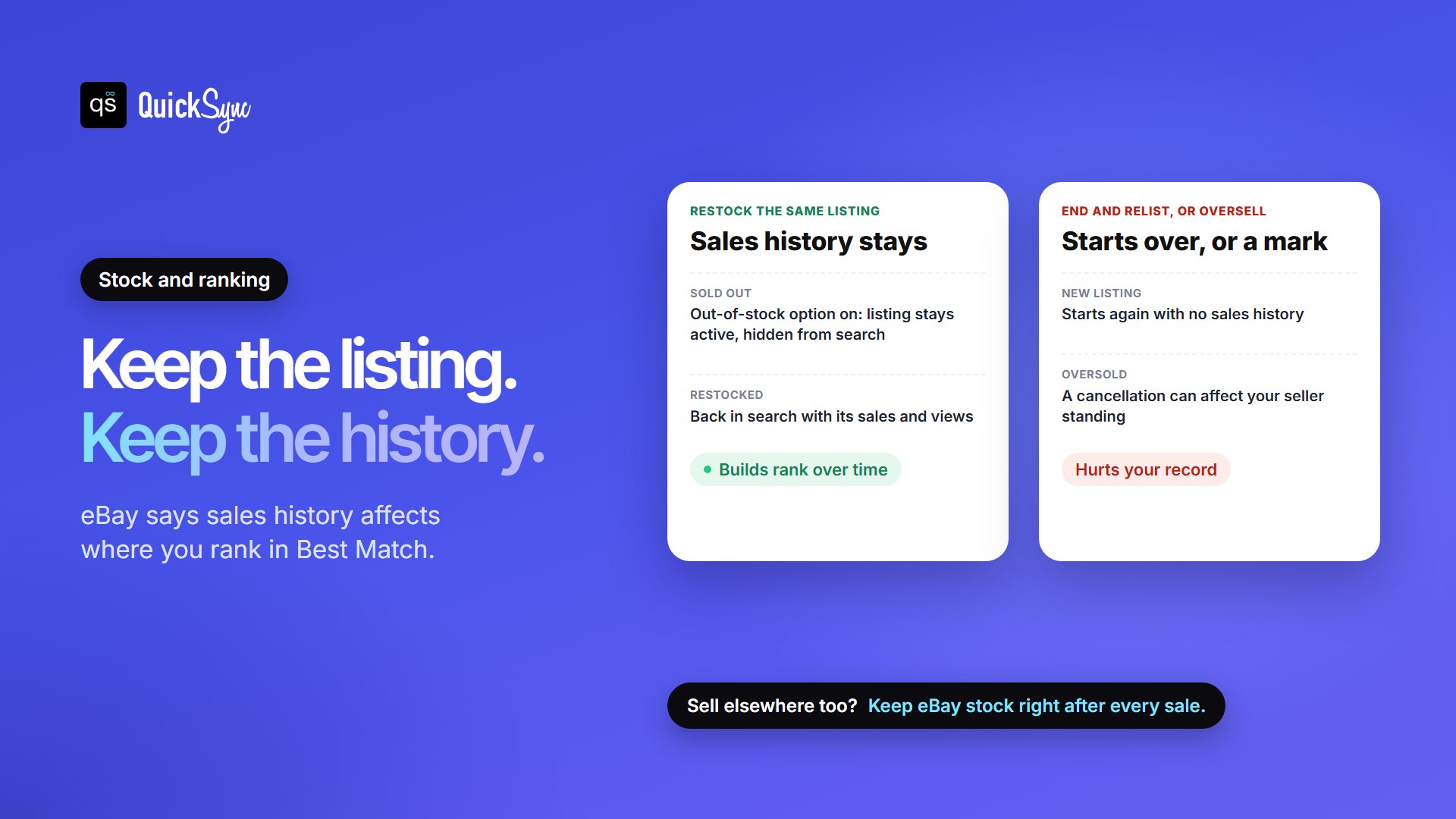
- Sales history counts. eBay says a listing’s sales history is one of the things that sets its Best Match position. When you get more stock, add it to the existing listing instead of creating a new one.
- Turn on the out-of-stock option. In Selling preferences, under Multi-quantity listings, switch on “Listings stay active when you’re out of stock”. At zero, the listing stays active but hidden from search, and it comes back when you add stock. eBay’s developer guide adds that because the listing stays alive, its sales history is kept. Without the option, the listing ends when it sells out.
- Don’t oversell. eBay says buyers don’t want orders cancelled because an item is out of stock, and that doing so can affect your seller standing. Its Best Match page tells sellers to keep track of inventory to avoid cancelling sales.
This matters most if you sell the same stock elsewhere. Sell the last unit on Shopify, Etsy or TikTok Shop, and your eBay listing still shows it until someone updates the count. The next eBay buyer gets a cancellation, and your seller record is one of the things Best Match reads.
eBay SEO When You Sell on More Than One Channel
If your products live in Shopify or another main store and flow out to eBay, your catalogue decides your eBay SEO. A product name that works on your own site can be a weak eBay title. Here’s how that plays out with QuickSync, based on its eBay guide:
- Only the first 80 characters go to eBay. Put the brand and product type at the start of your main store’s title, so the cut never removes them.
- The title picks the category. For a new listing, QuickSync asks eBay to suggest a category from the product title and uses eBay’s first suggestion. “Tan leather tote bag” tells eBay far more than “The Willow”.
- Item specifics come from facts in your product. QuickSync fills them from attributes, options and labelled lines such as “Material: Leather”, and never guesses. A missing required specific stops the listing until you add it.
- Listings are fixed price, Good ‘Til Cancelled. That’s the format where sales history builds over time. QuickSync doesn’t create auctions.
- Stock stays in step. QuickSync checks eBay every 2 minutes for sales and sends changes from your other stores as soon as it has them. Turn on eBay’s out-of-stock option first. Without it, eBay refuses a count of 0 on listings you created in eBay, so they stay for sale.
Stock sync works on every QuickSync plan. Lite costs $19 a month for two shops and up to 1,000 items. Pro, at $29, adds listing and order sync. See the Shopify eBay, Etsy eBay and eBay TikTok Shop integrations.
How to Get More Views on eBay
Views come from showing up in search and earning the click. If a listing gets few views, work through these in order:
- Check the category. A wrong category hides your item from the right searches and filters.
- Rewrite the title with words from eBay’s search suggestions and sold listings.
- Fill in every recommended item specific and add product identifiers.
- Replace a weak main photo with a clear shot on a plain background.
- Compare your price, including shipping, with recent sold listings.
- Use fixed price, Good ‘Til Cancelled, for items you restock, so sales history keeps building.
- Consider promoted listings for extra placement. You pay a fee, so treat it as advertising, not SEO.
To see results, check page views in Seller Hub. eBay says a new listing should show up in search within 24 hours. Your record also shows on your profile, so see what eBay star colors and Top Rated Seller requirements mean.
eBay SEO Checklist
Run this eBay listing optimization checklist on every new listing, and on any old one that gets few views.
| Check | Done when |
|---|---|
| Title | Up to 80 characters, brand and product type first, no caps or symbols |
| Keywords | Taken from eBay suggestions, sold listings or Product research |
| Category | The most relevant one for the item |
| Item specifics | Every recommended field filled in |
| Product identifiers | UPC, ISBN, MPN or GTIN added where the category asks, and matching exactly |
| Photos | Several clear photos, plain background, flaws shown, no borders or text |
| Description | Accurate, condition and any flaws stated, short paragraphs, readable on a phone |
| Price | Checked against recent sold listings |
| Terms | Shipping, handling time and return policy set in the listing fields |
| Format | Fixed price, Good ‘Til Cancelled for items you restock |
| Out-of-stock option | Turned on in Selling preferences |
| Stock | Correct on eBay after every sale, wherever it happens |
The Bottom Line
eBay SEO isn’t a trick. Write titles buyers would type, fill in the structured fields, price fairly, and keep one listing alive long enough to build a sales history. eBay has said as much in its own help pages.
If you also sell on other channels, the last part depends on accurate stock. Start a 14-day QuickSync trial with no card needed, or book a walkthrough and we’ll connect your first two shops with you. New to selling? Start with our guide on how to sell on eBay.