Selling on eBay and Etsy can put your products in front of two very different audiences, but getting your listings from one marketplace to the other is not as simple as clicking “Import.”
eBay has 134 million active buyers globally, and Etsy has 89.6 million active buyers. These are two of the largest ecommerce marketplaces in the world. But unfortunately, Etsy does not offer a native way to transfer eBay listings directly, so recreating dozens or hundreds of products manually can quickly become a time-consuming task. And once you are selling on both platforms, keeping inventory accurate becomes an even bigger challenge.
The good news is that there are three practical methods to import eBay listings to Etsy without rebuilding everything manually. This guide covers all three honestly so you can choose the right one for your situation. It also covers what needs to be adjusted after the import, how to sync inventory between the two platforms in real time, and how to troubleshoot the most common issues that arise during the process.
Can You Import eBay Listings to Etsy?
Yes, you can import eBay listings to Etsy. However, Etsy does not offer a direct way to import listings from eBay, so you cannot simply export your products from eBay and upload them to Etsy.
For a small number of products, you can transfer listings manually. But if you have dozens or hundreds of products, doing everything by hand quickly becomes time-consuming. That is where third-party tools can make the process much easier.
Before choosing a method, it is also important to decide what you actually want to do. Are you moving your business from eBay to Etsy, or do you want to keep selling on both platforms? The answer will determine the best way to transfer and manage your listings.
Why Import eBay Listings to Etsy? Key Benefits for Sellers
eBay and Etsy are not competitors for the same buyers. They serve different audiences, and that difference is exactly what makes having a presence on both worthwhile for the right type of seller.
Multichannel selling increases exposure to diverse audiences. Selling on both platforms reduces dependency on one channel, which protects revenue when one platform experiences algorithm changes, policy updates, or traffic fluctuations. That benefit alone can make adding a second sales channel worthwhile for established eBay sellers.
Different Buyer Audiences
eBay attracts all kinds of shoppers, from bargain hunters to collectors. Etsy, on the other hand, appeals more to buyers looking for unique, handmade, vintage, or one-of-a-kind products.
If your products fit what Etsy buyers are looking for, listing them there can put your products in front of a more relevant audience. Instead of competing with mass-produced products, your items can stand out among products that share the same handmade or unique appeal.
Less Commoditized Competition
On eBay, a handmade ceramic mug may appear alongside many factory-made mugs. On Etsy, it is more likely to compete with other handmade products.
This gives sellers a better chance to stand out and appeal to buyers who value craftsmanship and uniqueness. For the right products, that can also make it easier to charge a price that reflects their quality.
Stronger Brand-Building Environment
Etsy gives sellers more ways to create a unique and recognizable shop. You can customize your storefront with banners, shop announcements, and an About section that tells your brand’s story.
This helps create a more personal shopping experience and lets buyers connect with the people and story behind the products.
Revenue Diversification
Depending entirely on one marketplace can leave your business vulnerable to policy changes, algorithm updates, or sudden drops in traffic. A single policy change or algorithm update can significantly affect your revenue when all sales flow through one platform.
That’s why selling on Etsy alongside eBay gives you another way to reach customers and generate sales, helping reduce your dependence on a single platform. Etsy’s listing fee is only $0.20 for four months per listing, making it affordable for smaller sellers to maintain a presence on both platforms.
So, you know why selling on Etsy can be valuable. But how do you actually move all your eBay listings there? You have three main options, each suited to a different situation.
Different Methods to Import eBay Products to Etsy
The best option depends on how you plan to sell. If you only need to transfer your listings once, one approach may be enough. If you want both platforms connected, you’ll need a different solution. So your plan to sell matters more and shapes which approach is worth the setup effort.
Method 1: Manual Export and Import via CSV
So here comes the first and most basic method that eBay sellers might consider to import eBay products to Etsy. The first option is to export your eBay listings as a CSV file and manually prepare them for Etsy. This method is free and does not require any third-party tool.
The following are the steps to export your eBay listings to Etsy:
- Go to eBay Seller Hub.
- Open Active Listings.
- Select the listings you want to transfer.
- Click the Action dropdown.
- Select Export to File and choose CSV format.
- Download the CSV file containing your listing details, such as titles, descriptions, prices, and quantities.
However, the limitation is significant. eBay and Etsy use completely different CSV formats with different column structures and different required fields. The exported eBay file does not upload directly to Etsy. You need to manually reformat the data to match Etsy’s template before it can be imported.
For a catalog of 50 products that process can take several hours. For 200 products, it becomes a full day of work and introduces meaningful room for error.
In short, this method is free, but for anything beyond a small catalog, it is simply not worth the time.
Method 2: Migration Tool for One-Time Transfer
The second option is to use a dedicated eBay to Etsy migration tool to move your listings from eBay to Etsy. Unlike the manual CSV method, these tools automate most of the data transfer and formatting for you.
Typically, you connect your eBay and Etsy accounts, select the listings you want to move, and let the tool transfer the product data. This saves time and makes it much easier to move a large catalog.
However, certain limitations of this method are essential to note.
- Migration tools are designed mainly for one-time migration, not ongoing syncing.
- You may still need to optimize listings for Etsy after the transfer.
- Some tools require Shopify or WooCommerce as an intermediary, which adds extra setup.
In short, this method might be a good option for sellers who want to move their existing eBay catalog to Etsy and do not plan to actively manage both stores at the same time.
Method 3: Ongoing Sync with QuickSync
The third method is to use inventory sync software such as QuickSync for eBay and Etsy integration. Unlike the first two methods, this is not just a one-time transfer. It keeps your eBay and Etsy connected and automatically updates your listings, inventory, and orders across both platforms.
Once the stores are connected, changes made on one platform can be reflected on the other automatically. Ongoing sync can suit sellers who keep both shops open. eBay stock and orders are checked every two minutes. Etsy stock is checked every two minutes and orders every five. These are check intervals, not delivery guarantees. You can manage both sales channels without having to repeat the same work on each platform. Here are the key benefits that you can have using this method:
- Keeps eBay and Etsy connected with ongoing synchronization.
- Automatically updates inventory when a sale happens.
- Keeps product information and listings in sync.
- Helps to avoid overselling across both platforms.
- Reduces manual updates and day-to-day maintenance.
- Makes managing multiple sales channels much easier.
The only minor limitation is the monthly subscription cost. Unlike the manual CSV method, which is free, or a migration tool designed for a one-time transfer, real-time sync software is an ongoing service.
However, for sellers actively running both stores, the time saved and the reduced risk of inventory mistakes can make the cost worthwhile.
Which Methods Should You Pick? Quick Comparison
If you are still unsure which method to choose, the answer depends on what you want to achieve. If you are moving away from eBay and want to build your business on Etsy, a migration tool is the better choice for a one-time transfer.
If you plan to sell on both eBay and Etsy, compare ongoing inventory and listing sync with a one-time migration. Check timing, supported fields and your plan before connecting. The manual CSV method only makes sense if you have a very small number of listings.
Here’s a quick comparison to help you understand the difference between manual method, migration tool, and real-time third-party sync:
| Criteria | Manual CSV | Migration Tool | Real-Time Sync Tool |
| Setup time | Hours of manual work | Moderate, varies by catalog size | Under 20 minutes |
| Technical skill needed | Basic spreadsheet skills | Low to moderate | None, no coding required |
| Ongoing inventory sync | No | No | Yes, fully automatic |
| Order management | Manual on each platform | Manual on each platform | Centralized dashboard |
| Catalog size supported | Fewer than 20 listings | Any size | Any size |
| Requires third platform | No | Depends on tool | No, direct eBay to Etsy |
| Overselling risk | High | High after migration | Eliminated through real-time sync |
| Monthly cost | Free | One-time or subscription fee | From $19 per month |
| Best for | Small catalogs, one-time transfer | Full store migration to Etsy | Selling on both platforms simultaneously |
Among the three methods, a real-time sync tool like QuickSync is the clear winner for multichannel sellers. It does more than move your listings. It keeps eBay and Etsy connected, syncs inventory automatically, and helps prevent overselling. If you plan to run both stores long-term, QuickSync is the option worth choosing.
| “The most common mistake sellers make when moving eBay listings to Etsy is choosing a method based on upfront cost rather than total operational cost. The manual CSV method is free at setup but generates hours of ongoing work as inventory needs updating across two disconnected platforms. A sync tool with a monthly fee often costs less in total time and prevents errors than the free approach does in the same period.” – Jelena L., Product Sync & Multichannel Order Management Expert |
Things to Prepare Before Importing eBay Listings to Etsy via QuickSync
Taking a few minutes to prepare before connecting your platforms prevents the most common setup issues. Sellers who run into problems during the import process almost always skipped one of these steps.
- An active eBay seller account with listings ready to transfer: your eBay account should be in good standing, with the listings you want to import already active or, at minimum, fully drafted
- An active Etsy shop set up and ready to receive listings: if you do not yet have an Etsy shop, complete the basic shop setup first. QuickSync requires an active Etsy account to connect to.
- Consistent SKUs across both platforms: QuickSync uses SKUs to match the same product across platforms. If a product does not have a SKU on eBay, add one before connecting. This is what allows the sync to accurately match inventory between the two platforms.
- Accurate inventory counts before activating sync: the sync maintains accuracy from whatever counts it finds at the moment of activation. If your eBay inventory counts are wrong before you connect, those wrong counts carry across to Etsy. Do a quick stock check before going live.
- A QuickSync account: sign up at QuickSync.pro with a free 14-day trial. No credit card required.
- Admin access to both platforms: you need owner-level access to both your eBay seller account and your Etsy shop to authorize the connection during setup
With everything in place, the connection process itself takes under 20 minutes.
How to Import eBay Listings to Etsy via QuickSync Step by Step
Follow these steps in order, and you can connect your eBay and Etsy accounts, review matching SKUs and choose which syncing features to enable. Unlike tools that require you to first set up a Shopify or WooCommerce store as an intermediary, QuickSync connects eBay and Etsy directly.
Sign up or log in to QuickSync:
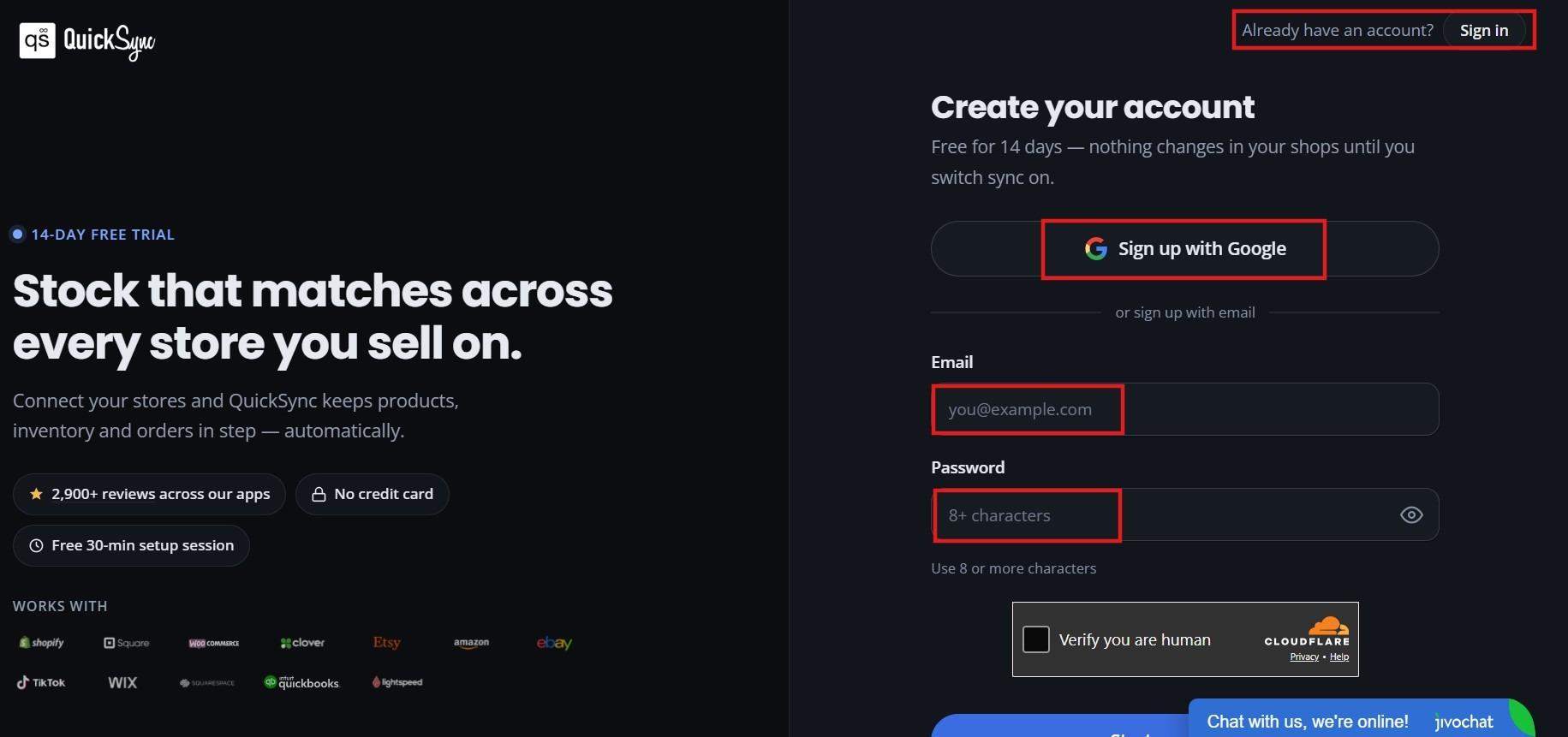
Visit QuickSync.pro and create your account or log in if you already have one. The setup process begins from your QuickSync dashboard.
Connect Your eBay store:
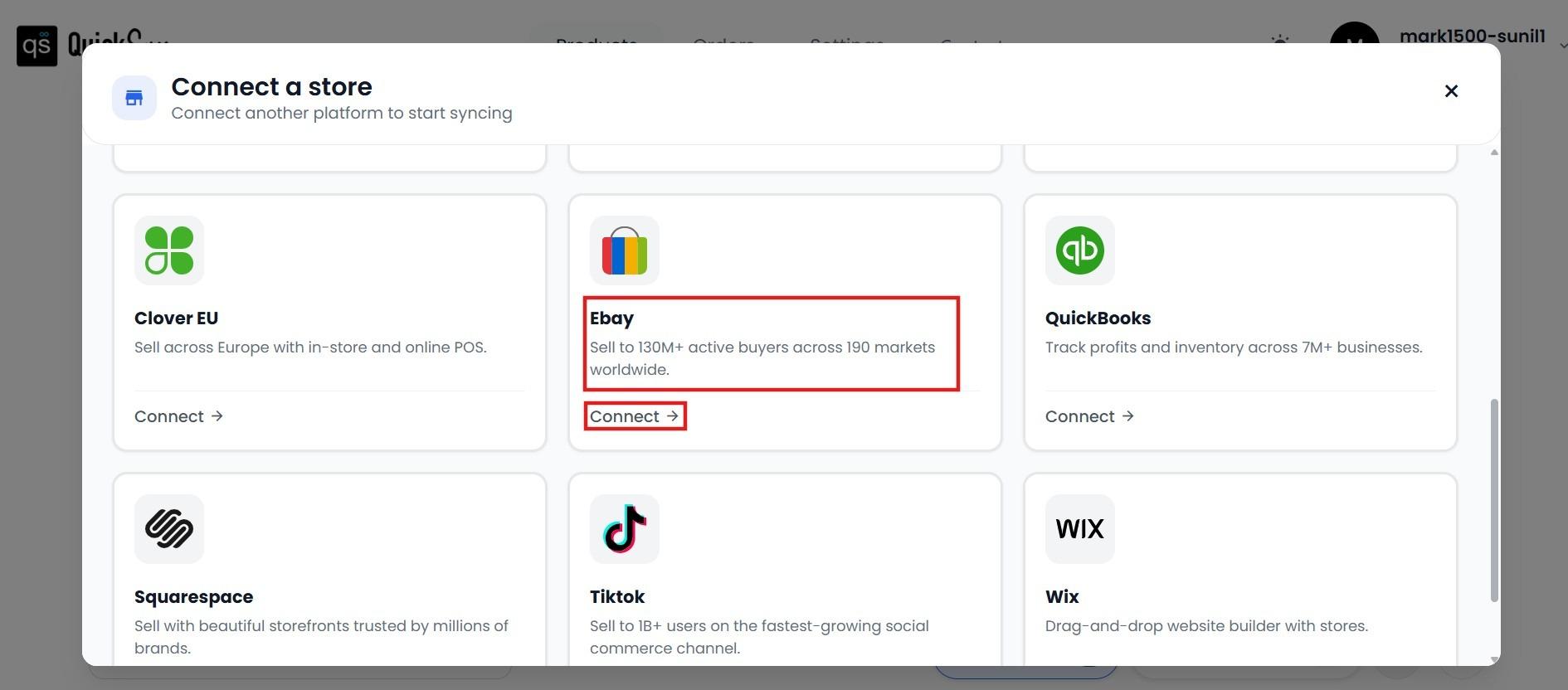
From the QuickSync dashboard, find the eBay sales channel icon and click Connect Store. You can also search your stores by name in the search bar. After that, you will be prompted to choose your store’s region.
Log in to your eBay account and authorize QuickSync access:
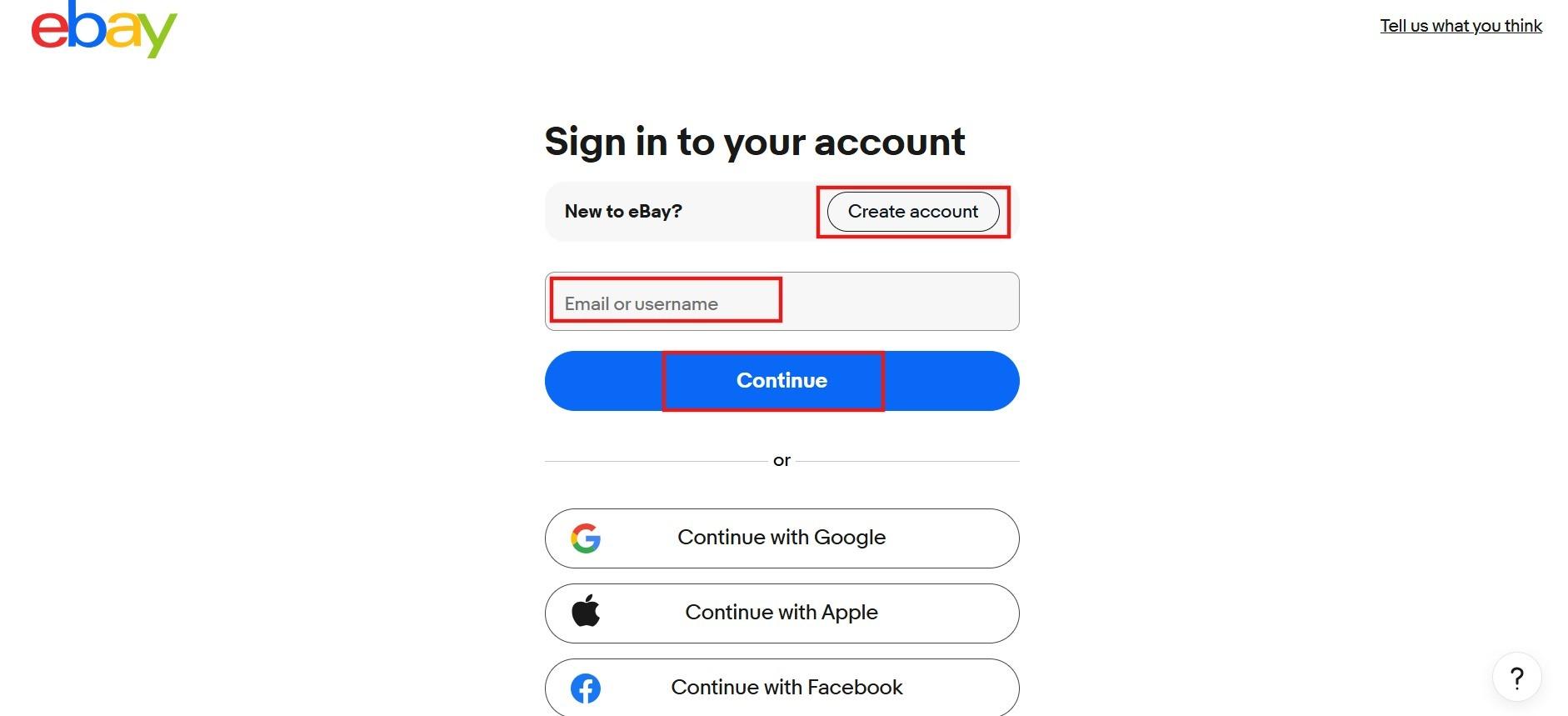
A pop-up window will appear asking you to log in to your eBay account and approve QuickSync’s access to your store data. Once authorized, QuickSync imports your eBay product listings and inventory counts automatically.
Connect Etsy platform:
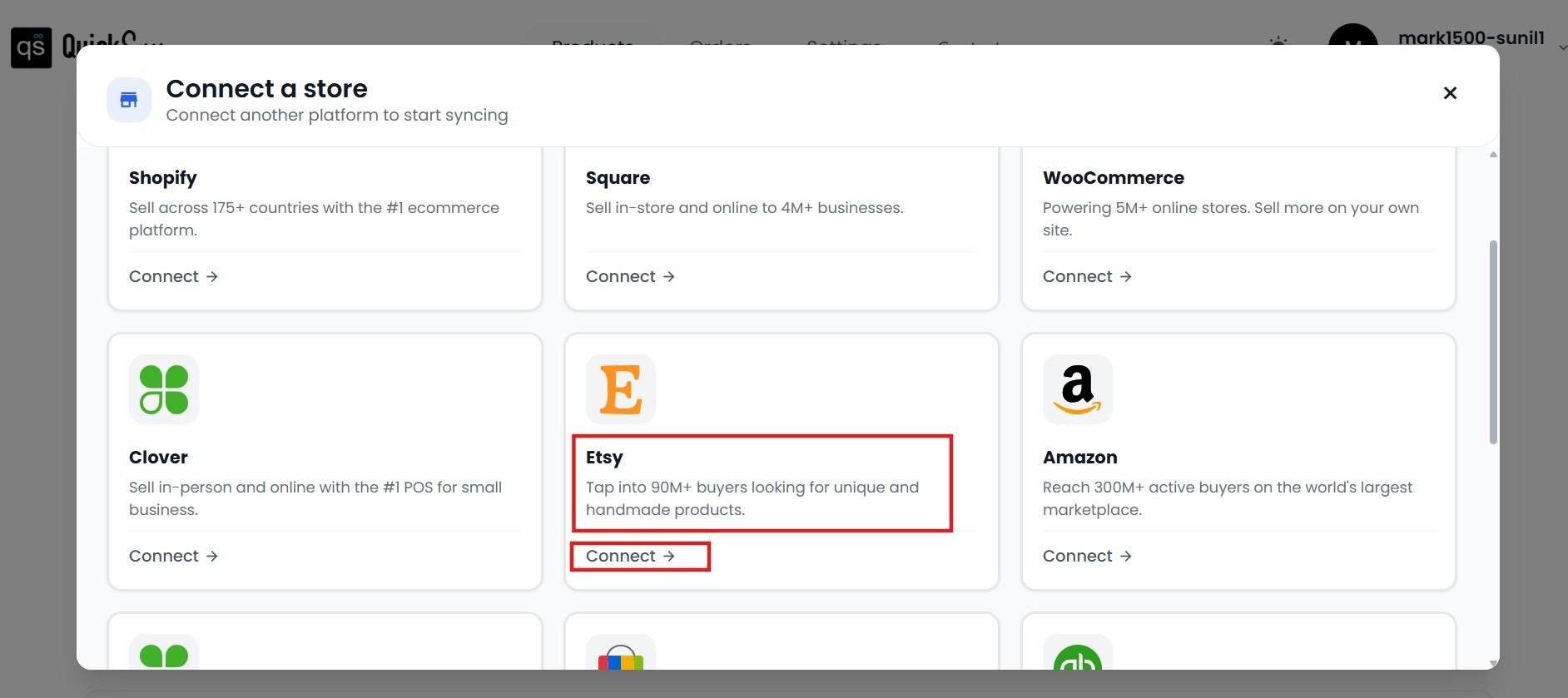
Return to the QuickSync dashboard, and repeat the same steps as followed for the eBay store.
Log in to your Etsy shop and authorize QuickSync access:
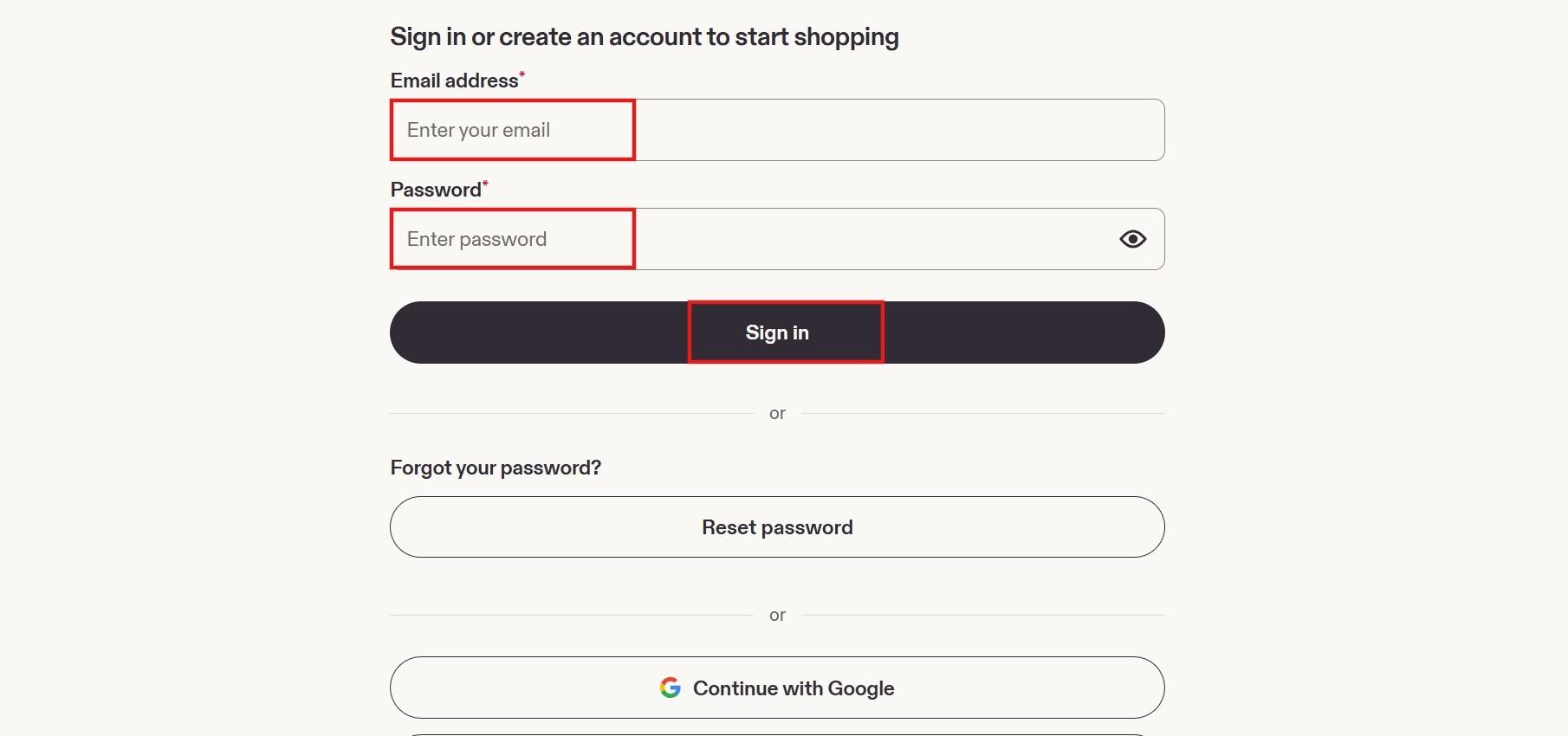
A pop-up window appears for Etsy. Log in and authorize QuickSync to access your Etsy account. QuickSync connects to your Etsy channel and prepares to receive product listings from eBay.
Choose what to sync:
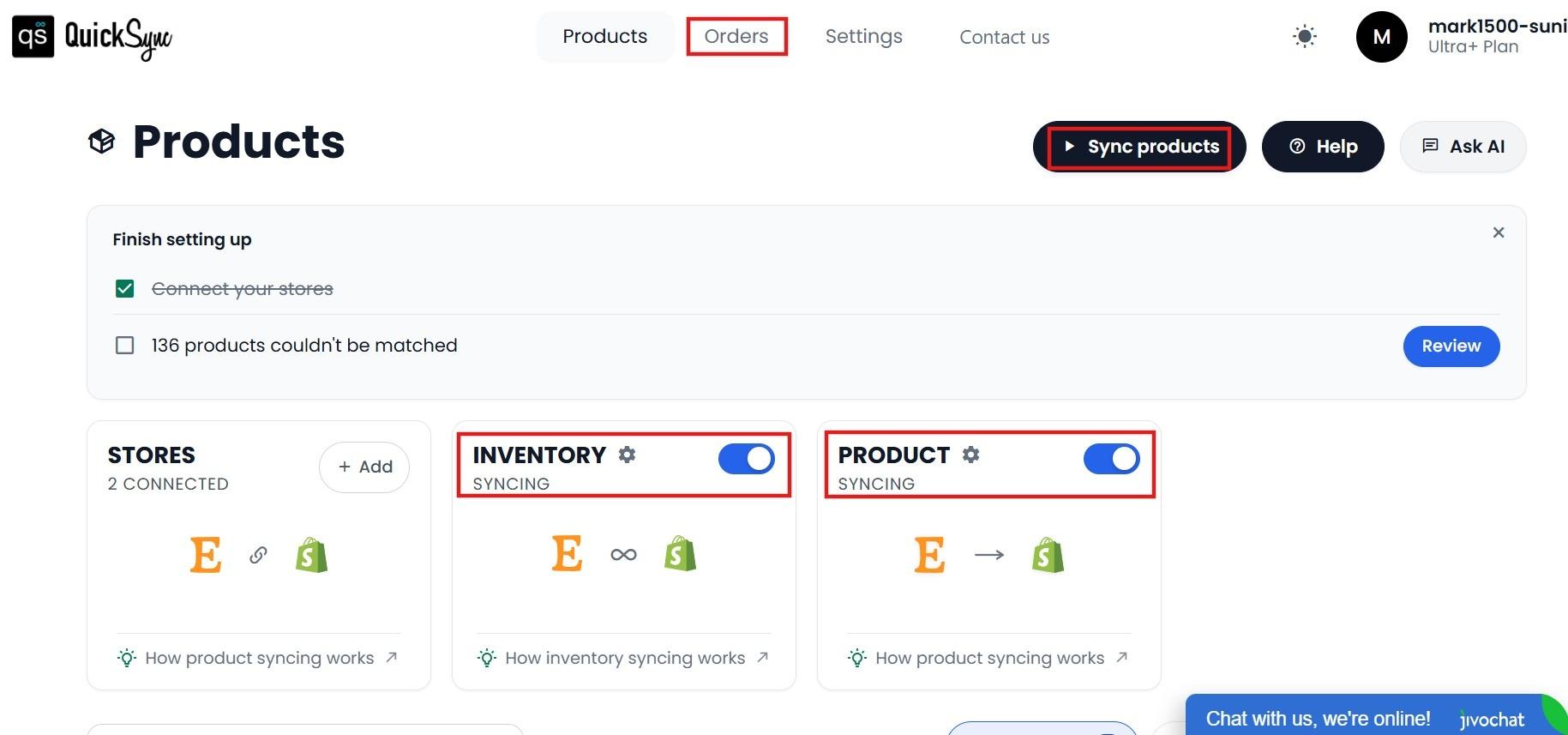
Once both stores are connected, the final step is to select which data you want QuickSync to sync between platforms.
You can enable all three simultaneously. Click Start Sync and review the initial import in the unified dashboard.
Review your product selection and export settings before starting the listing transfer. Inventory syncing and creating destination listings are separate actions. The initial import of a large catalog may take a few minutes to complete. Check the dashboard after it finishes to confirm listings have transferred correctly.
Troubleshooting Common eBay to Etsy Import Issues
Most import and sync problems have straightforward causes. Knowing what to check first saves significant time compared to working through issues without a clear diagnostic starting point.
Listings Not Appearing on Etsy After Import
If your imported listings are not showing on Etsy, the most likely cause is that the initial sync has not fully completed. Large catalogs can take several minutes to process. Wait fifteen minutes and check the QuickSync dashboard for the sync status before assuming something is wrong.
If listings still do not appear, verify that your Etsy account connection was fully authorized during setup and that your Etsy shop is in active status rather than vacation mode or under review.
Images Not Transferring Correctly
Image transfer issues typically occur when the source images on eBay are hosted on external servers that require authentication to access or when image file formats are not supported by Etsy. If specific images are not appearing after import, download those images from eBay and upload them directly to the affected Etsy listings as a manual fix. For ongoing sync, ensure your eBay listing images are stored in eBay’s own hosting rather than externally linked.
Inventory Counts Not Matching Between Platforms
If inventory counts are showing different numbers on eBay and Etsy after connecting, the most common cause is that a sale happened on one platform during the initial sync before the connection was fully active.
Check your orders on both platforms and manually reconcile the count for any affected products. Going forward, the real-time sync will maintain accuracy from the corrected starting point.
Sync Stops Unexpectedly
If syncing stops without an obvious error notification, check your QuickSync dashboard for any plan limit notifications or billing issues. Also verify that neither platform has had significant permission or settings changes since the original connection was authorized. If neither applies, contact QuickSync support with the date the sync stopped and the platforms involved.
The Bottom Lines
If you want to import eBay listings to Etsy platform, you have several options depending on the size of your catalog and how you plan to sell. Etsy can give your products access to a different audience while allowing you to keep your existing eBay business running.
For just a few listings, manual CSV transfer can work. If you are moving a large catalog once, a migration tool can save you time. But if you want to sell on both platforms long-term, a real-time sync tool like QuickSync is the better choice.
Remember, transferring your listings is only the first step. Once your products are on Etsy, make sure they are optimized for the platform and your inventory stays synced. With the right tool, managing both stores can be much simpler.