Every eBay listing carries three sets of rules: how you ship, whether you take returns, and how buyers pay. You can type them into each listing by hand, or you can save them once as eBay business policies and pick them from a list. With 10 listings, it barely matters. With 500, it decides whether changing your return window takes a minute or a weekend.
This guide covers what eBay business policies are, how to opt in, how to set up each of the three, a starter set worth copying, and what happens when you edit one. Everything here comes from eBay’s own help pages, checked in November 2026.
Short answer: eBay business policies are free, reusable templates for your shipping, return and payment details. Opt in from the Account section of My eBay or Seller Hub, create one policy of each type, and apply them to your listings. When you edit a policy, every listing that uses it updates automatically. Policies only work on the eBay site you create them on.
What Are eBay Business Policies?
eBay’s business policies help page puts it: whenever you create a listing, you need to choose a set of business policies. There are three types:
| Policy | What it tells buyers |
|---|---|
| Shipping | How long you take to ship, the delivery services you offer, and what each costs |
| Return | Whether you accept returns, for how long, and who pays to send an item back |
| Payment | How buyers pay you, including whether you require immediate payment |
The point is reuse. Instead of setting these details listing by listing, you save them as templates, apply them to new listings, and update many existing listings at once. You can keep as many variations as you need, for example, a separate shipping policy for heavy items. Business policies are free; you just have to opt in.
One exception to know about: starting July 20, 2026, business policies no longer apply to listings in eBay’s Vehicles category, which has its own way of setting deposit, payment and shipping details.
How to Opt in and Find Your Business Policies Page
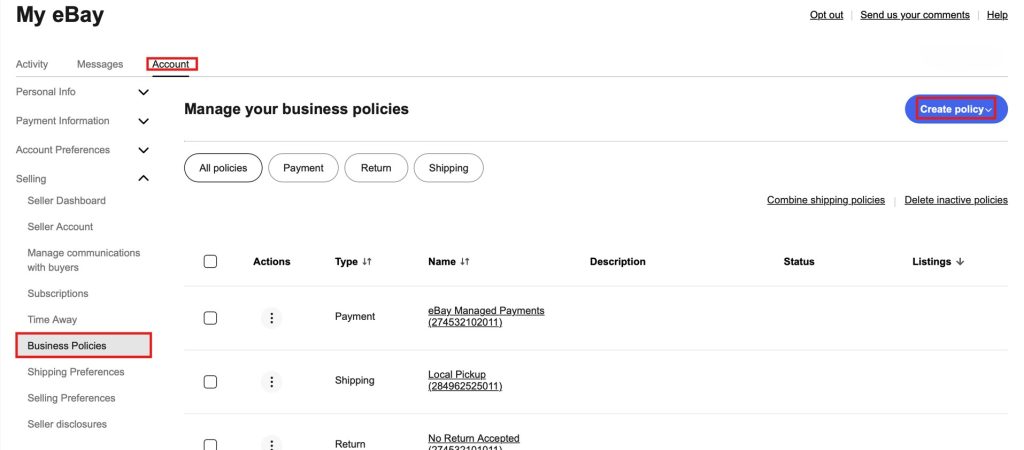
You’ll find business policies in the Account section of My eBay, and in the left-hand menu of Seller Hub. If you haven’t opted in yet, eBay asks you to. Accept it: you can’t create a policy until you do. eBay also recommends opting into Seller Hub for the best experience.
If you’re looking for the page directly, it lives at /bp/manage on each eBay site. Old links on bizpolicy.ebay.com no longer open anything.
| eBay site | Business policies page |
|---|---|
| United States | www.ebay.com/bp/manage |
| United Kingdom | www.ebay.co.uk/bp/manage |
| Canada (English) | www.ebay.ca/bp/manage |
| Australia | www.ebay.com.au/bp/manage |
| Germany | www.ebay.de/bp/manage |
Opting in is global, but the policies themselves aren’t. A policy you create on ebay.com only works on ebay.com. If you also list on ebay.de or ebay.ca, you need to create policies on that site too, so they reflect its own shipping options.
How to Create an eBay Business Policy
The steps are the same for all three types:
Open your business policies page in My eBay or Seller Hub.
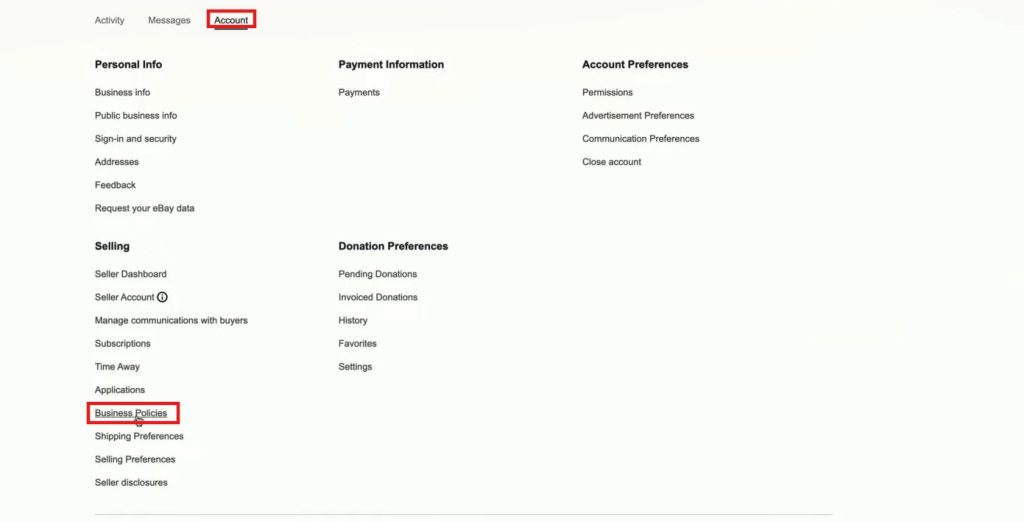
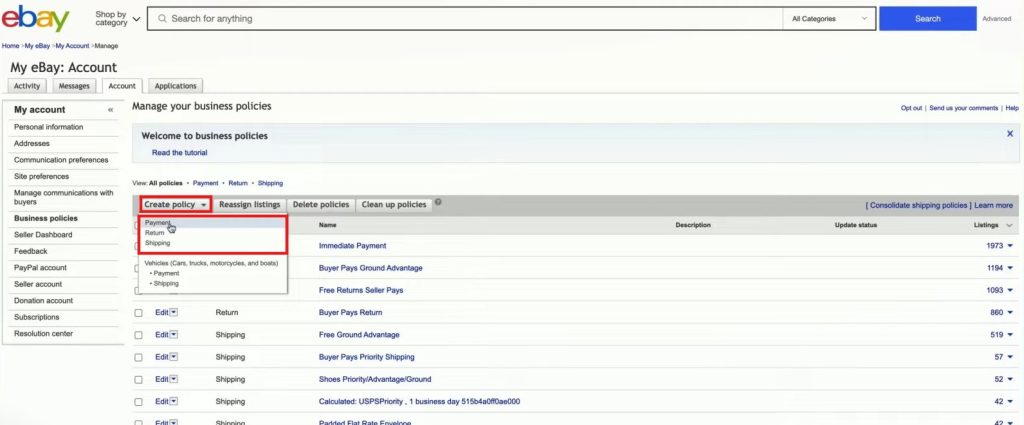
From the Create policy dropdown, choose Shipping, Return or Payment.
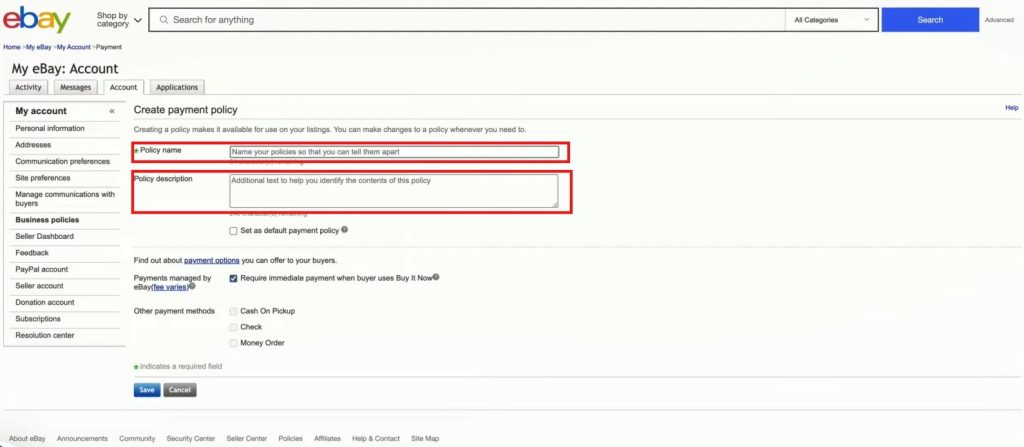
Give the policy a descriptive name and a short description.
Add the details and select Save.
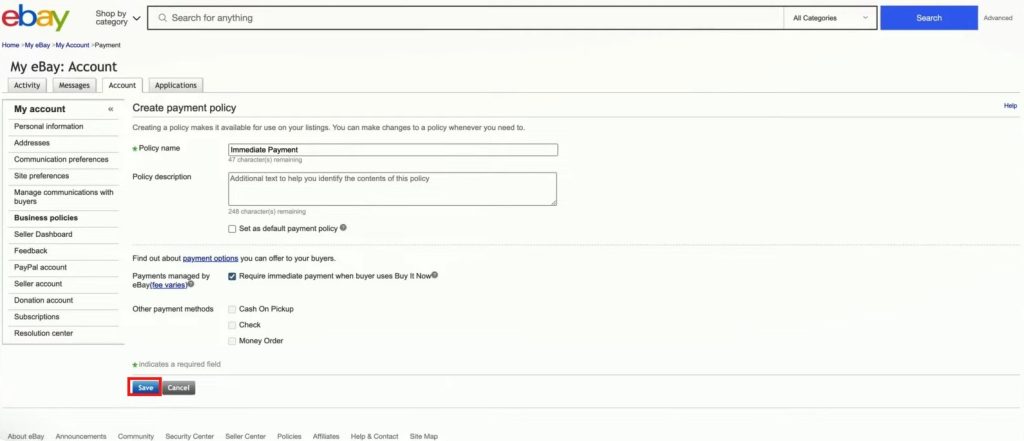
Name policies so you can tell them apart at a glance. eBay’s own example is “Shipping policy, International.” Good names matter more than they seem, because the eBay app only shows your 26 most-used policies of each type when you list.
Your Shipping Policy
Your shipping policy sets your handling time (how long you take to ship an item), the delivery services you offer and what each one costs the buyer. Since eBay redesigned the business policy page in January 2025, you pick shipping methods from pre-populated lists that show each carrier’s logo.
Most sellers need more than one shipping policy, because a padded envelope and a 20-pound box don’t ship the same way. Group your stock by package type rather than by product, and you’ll keep the list short. For light, flat items in the US, see our guide to eBay Standard Envelope, and for buyers who order several items, how to combine shipping on eBay.
Your Return Policy
Your eBay return policy as a seller comes down to one choice from a short list. eBay’s return policy help page lists the options you can offer:
| Return option | Who pays return shipping |
|---|---|
| No returns | n/a |
| 30-day returns | Buyer |
| 30-day free returns | You |
| 60-day returns | Buyer |
| 60-day free returns | You |
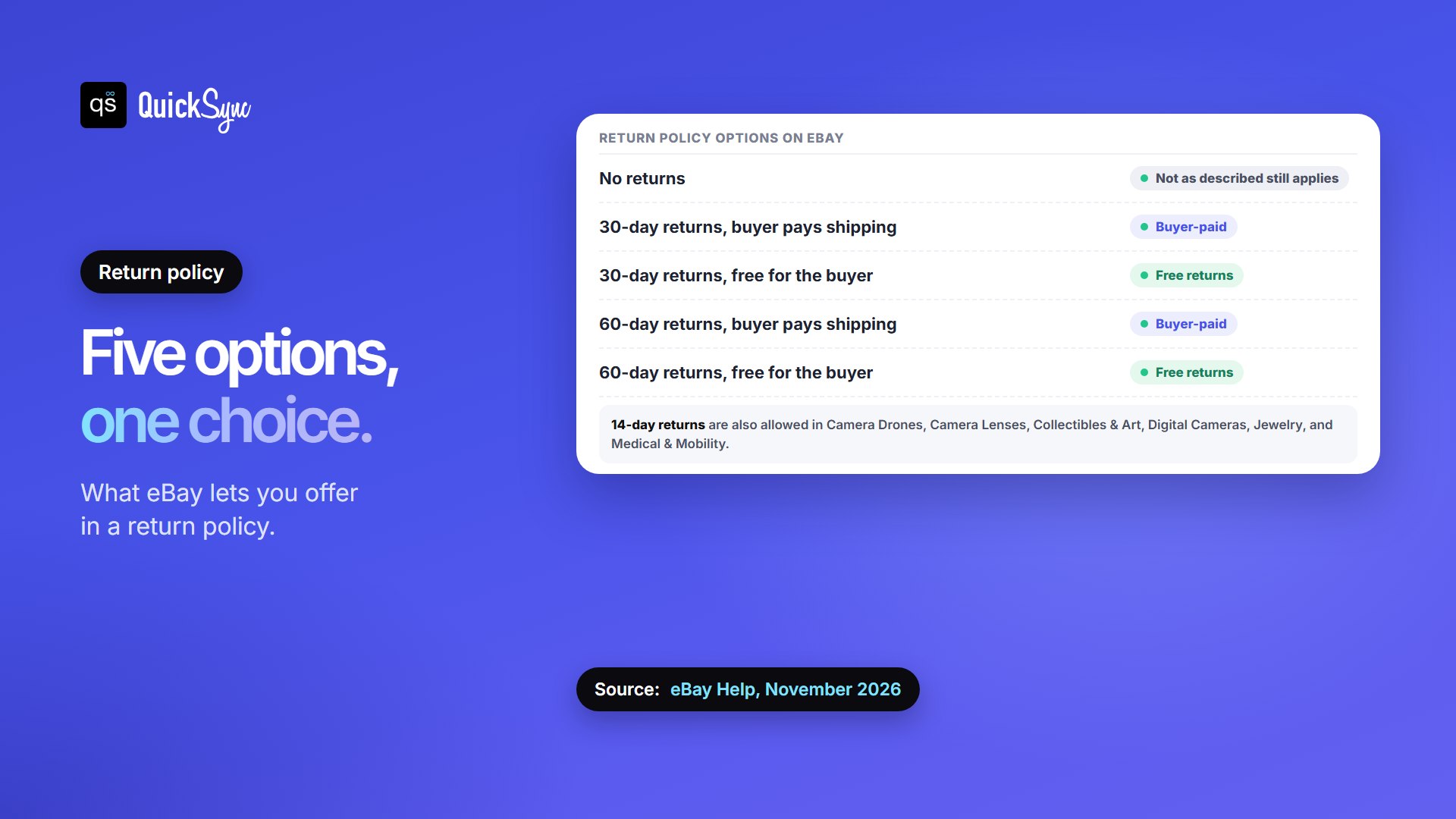
Three things to know before you pick “No returns”:
- It doesn’t cover everything. Under the eBay Money Back Guarantee, a buyer can still return an item that doesn’t match its listing description. Our guide to eBay seller protection covers what that means for you.
- EU sites work differently. Consumer buyers in the EU can withdraw from a purchase within 14 days, so return policies on EU sites must allow for that.
- You can automate the rest. In your Returns preferences, you can approve returns automatically below an amount you choose, or refund the buyer and let them keep the item when sending it back would cost more than it’s worth. You can also send returns to different addresses by reason, refund amount or category. Rule changes apply to new return requests, not ones already open.
Your Payment Policy
eBay only lets sellers offer eBay-approved payment methods, so the main choice in a payment policy is whether to require immediate payment. With it on, a Buy It Now item stays available until a buyer actually completes checkout. The first person to pay gets it, so it isn’t held for someone who hasn’t.
To require immediate payment, eBay says you need an account in good standing, a Buy It Now price of no more than $60,000, stated shipping costs or free shipping, and all costs including taxes shown to the buyer. On an auction with Buy It Now, the requirement drops away once someone bids.
A Starter Set of Business Policies for Most Sellers
eBay doesn’t prescribe a set, so this is our suggestion for a small to mid-sized shop. Six policies cover most catalogs, and the names tell you what each one does:
| Type | Policy name | Use it for |
|---|---|---|
| Shipping | Shipping, Letter, 1 day | Cards and flat items |
| Shipping | Shipping, Small parcel, 1 day | Most of your stock |
| Shipping | Shipping, Large parcel, 2 days | Bulky or heavy items |
| Return | Returns, 30 day free | Your default |
| Return | Returns, None | Items where you choose not to accept returns |
| Payment | Payment, Immediate | Buy It Now listings |
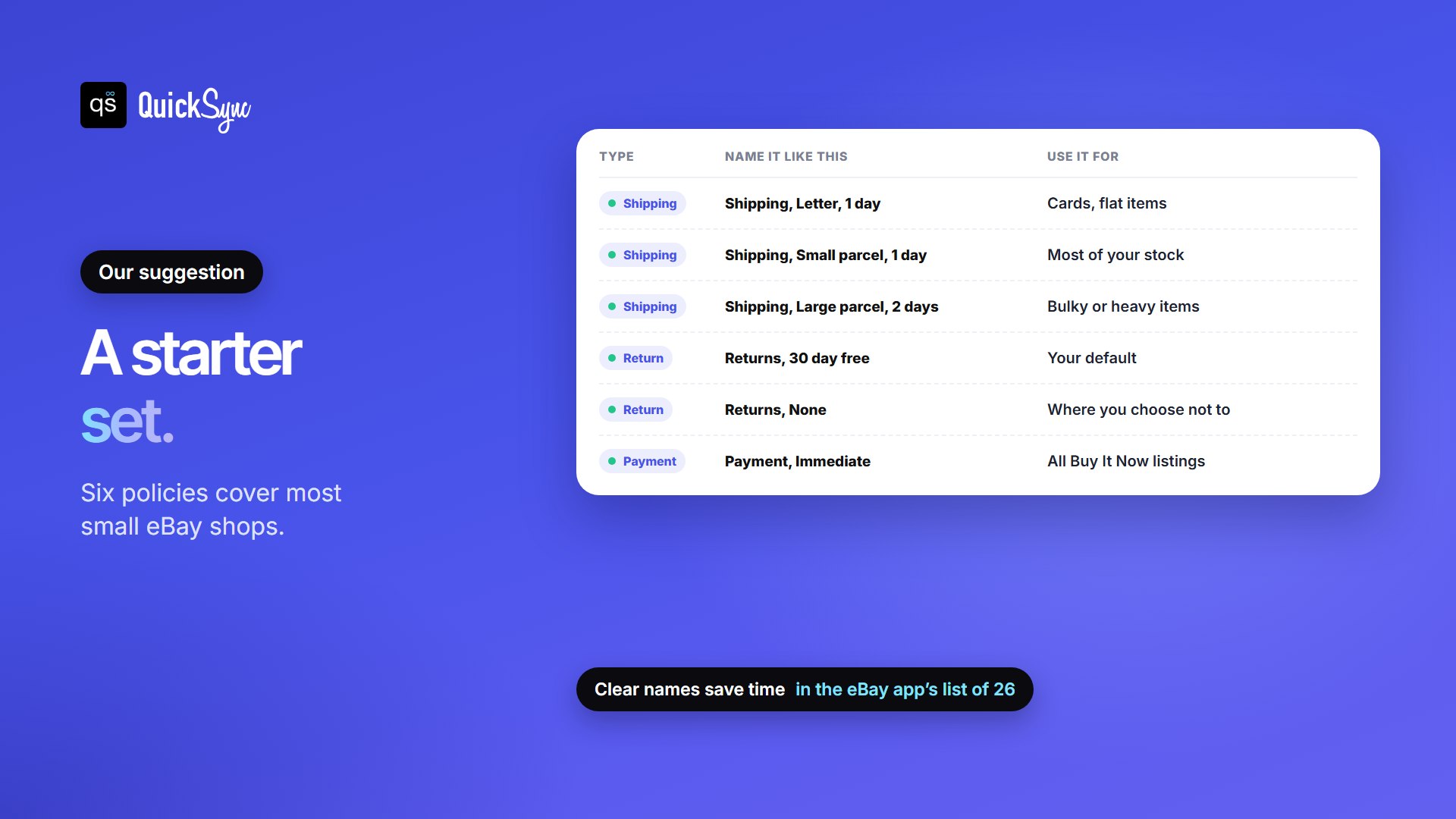
Start small. You can always add a policy later, for international shipping or a holiday return window, and it’s much easier than untangling twenty near-identical ones.
Editing, Copying and Deleting Business Policies
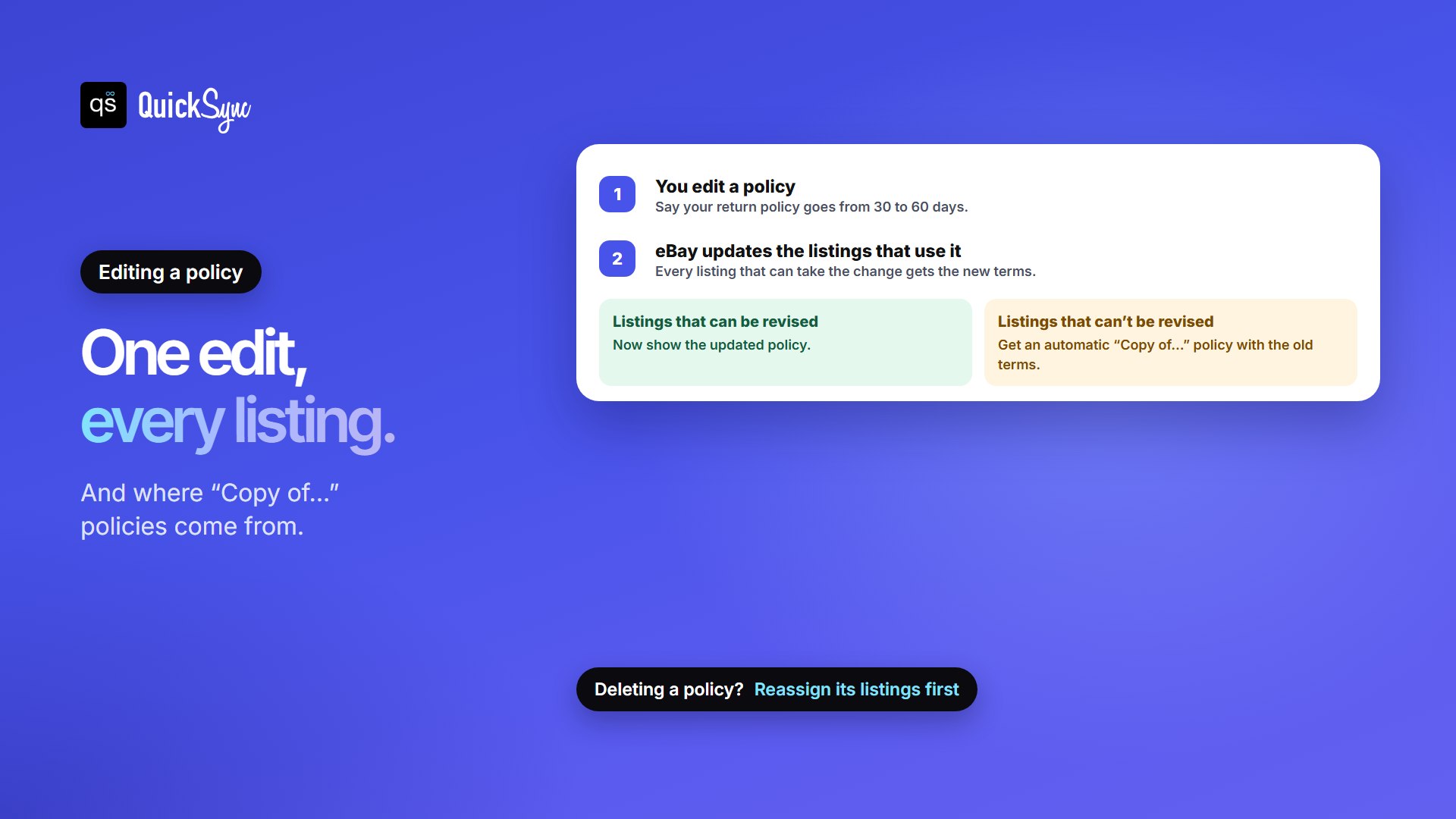
You can edit, copy, reassign or delete a policy whenever you like. When you edit one, eBay updates every listing that uses it. That’s the whole reason to use business policies, with two catches:
- Some listings can’t take the change. eBay restricts revising some listings. Those keep the old terms under an automatically created policy whose name starts with “Copy of.” It’s a duplicate of your policy before the edit, so nothing changes for buyers who already bought under the old terms. If you’ve seen “Copy of” policies you didn’t create, that’s where they came from.
- You can’t delete a policy that’s in use. If active or scheduled listings use it, reassign them to another policy first.
In the eBay app, you choose policies from the Listing Summary page: tap the pen next to Delivery for shipping policies, or next to Preferences for payment and return policies. The app shows up to 26 of your most-used policies of each type, with a search bar. Anything older has to be added from a desktop browser, and you need app version 6.2 or later.
Business Policies When You Sell on More Than eBay
If you list on eBay from another store, such as Shopify, Etsy or a Square POS, your listing tool needs your business policies before it can publish anything. Get them right once and every listing that tool creates inherits them.
Here’s how it works in QuickSync, from our eBay business policies docs:
- It reads your policies from eBay when you connect, and whenever you open the eBay store’s Review settings.
- You pick one of each: one shipping, one payment and one return policy. QuickSync uses those three on every listing it creates; there’s no per-product policy.
- It checks before listing. If a policy is missing, or was created on a different eBay site, the product waits under Needs attention with the message “eBay business policies required.”
- Calculated shipping needs a package. If your shipping policy works out the cost from the buyer’s address, add a package size and weight in Review settings.
Once listings are live, QuickSync keeps one stock count across eBay and your other shops, so the last item doesn’t sell twice. That matters on eBay in particular: canceling a sale because an item is out of stock counts against your seller standing. Our guide to canceling an eBay order as a seller explains why.
FAQs
More for eBay sellers: eBay Store subscription levels and fees, eBay seller fees, eBay vacation mode, and how QuickSync works with eBay.