A buyer finds three of your items, adds them all to the cart, and sees three separate shipping charges. Then they close the tab.
That’s a common way to lose a sale. Baymard Institute’s checkout research found that 40% of shoppers who abandon a checkout do it because extra costs like shipping are too high, not counting people who were just browsing. On eBay, paying postage three times for items that fit in one box feels exactly like that.
Combined shipping fixes it. This guide shows you how to combine shipping on eBay as a seller: setting rules once, sending one invoice, refunding shipping after the buyer pays, and printing one label for several orders. If you’re a buyer, the steps for you are near the end. Everything here was checked against eBay’s own help pages in October 2026.
How to combine shipping on eBay: the short version
- Allow invoice requests in your Shipping Preferences.
- Create a combined shipping rule: flat rate, calculated or promotional.
- Apply the rule to your listings or your shipping business policy.
- If the buyer hasn’t paid, send one combined invoice from Orders.
- If the buyer has paid, send a partial refund for the shipping you saved.
- Print one label with “Combine orders per buyer”.
Steps 1 to 3 are a one-time setup. After that, eBay applies your discount automatically when a buyer checks out with several items.
What combined shipping means on eBay
Combined shipping means sending several items to the same buyer in one package, and charging less shipping than the separate listings add up to. The buyer pays less, and you buy one label instead of three. Selling cards, coins or stamps for $20 or less? eBay Standard Envelope can carry a combined order from $0.82, with up to $50 of protection.
It can also grow your orders. eBay notes that shipping discounts can encourage buyers to add more of your items to their purchase. Once buyers know extra items ship cheaply, a second or third item feels like a deal.
Step 1: Allow combined invoices
First, let buyers ask you for a combined total. Without this, they can’t request it from their cart.
- Open your Shipping Preferences in My eBay or Seller Hub.
- Select Edit beside Allow invoice requests.
- Set Requests allowed to Yes.
- Choose how long you’ll wait for a buyer to combine purchases, then select Save.
Pick a window that matches your handling time. If you ship the next day, a long window means holding early orders back while you wait.
Step 2: Set a combined shipping rule
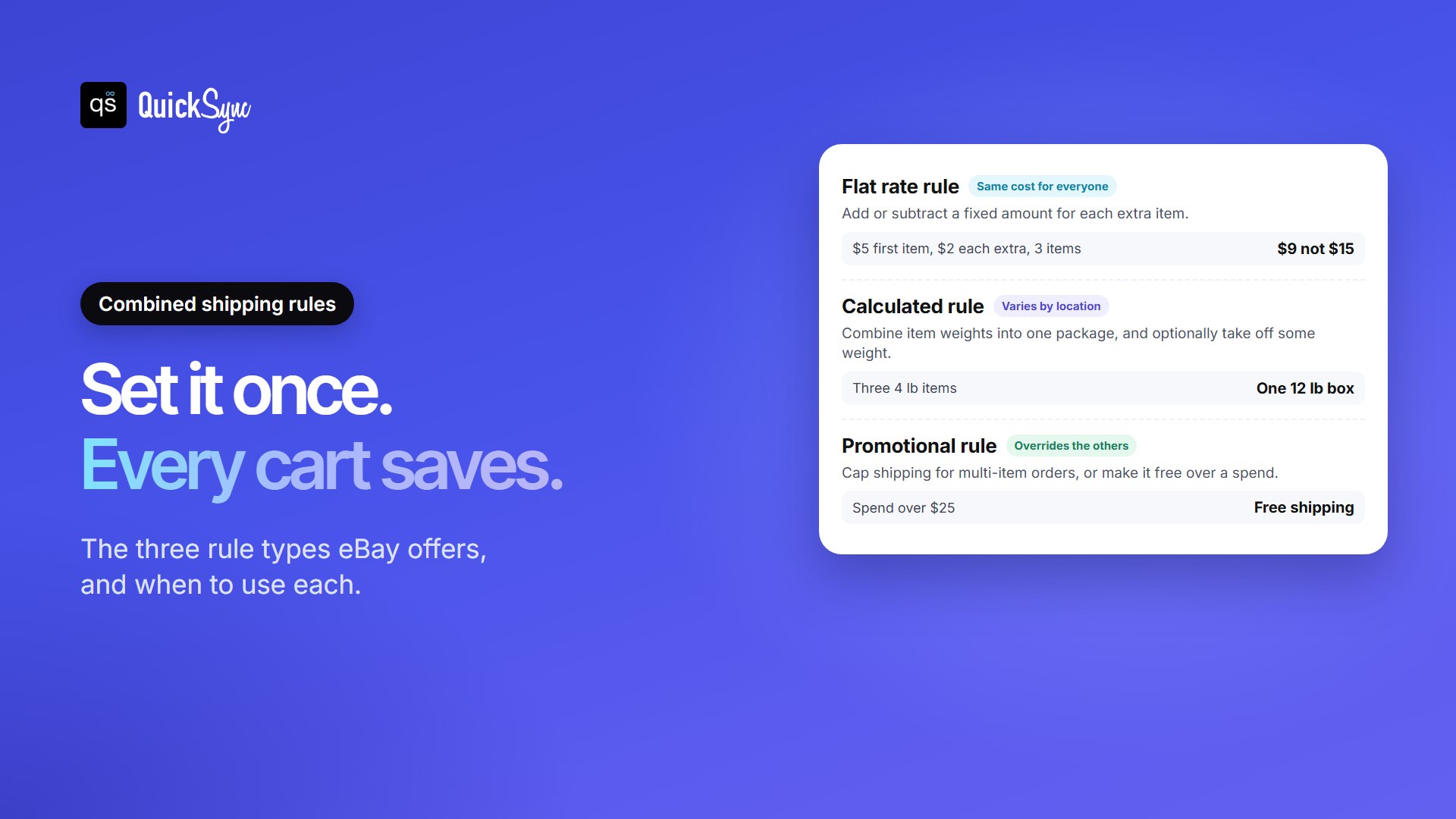
Rules are what make combined shipping automatic. eBay offers three types, set up from the same Shipping Preferences page.
Flat rate rule
Use this if you charge every buyer the same shipping price. You either add a fixed amount for each extra item, or subtract an amount from the shipping on each extra item.
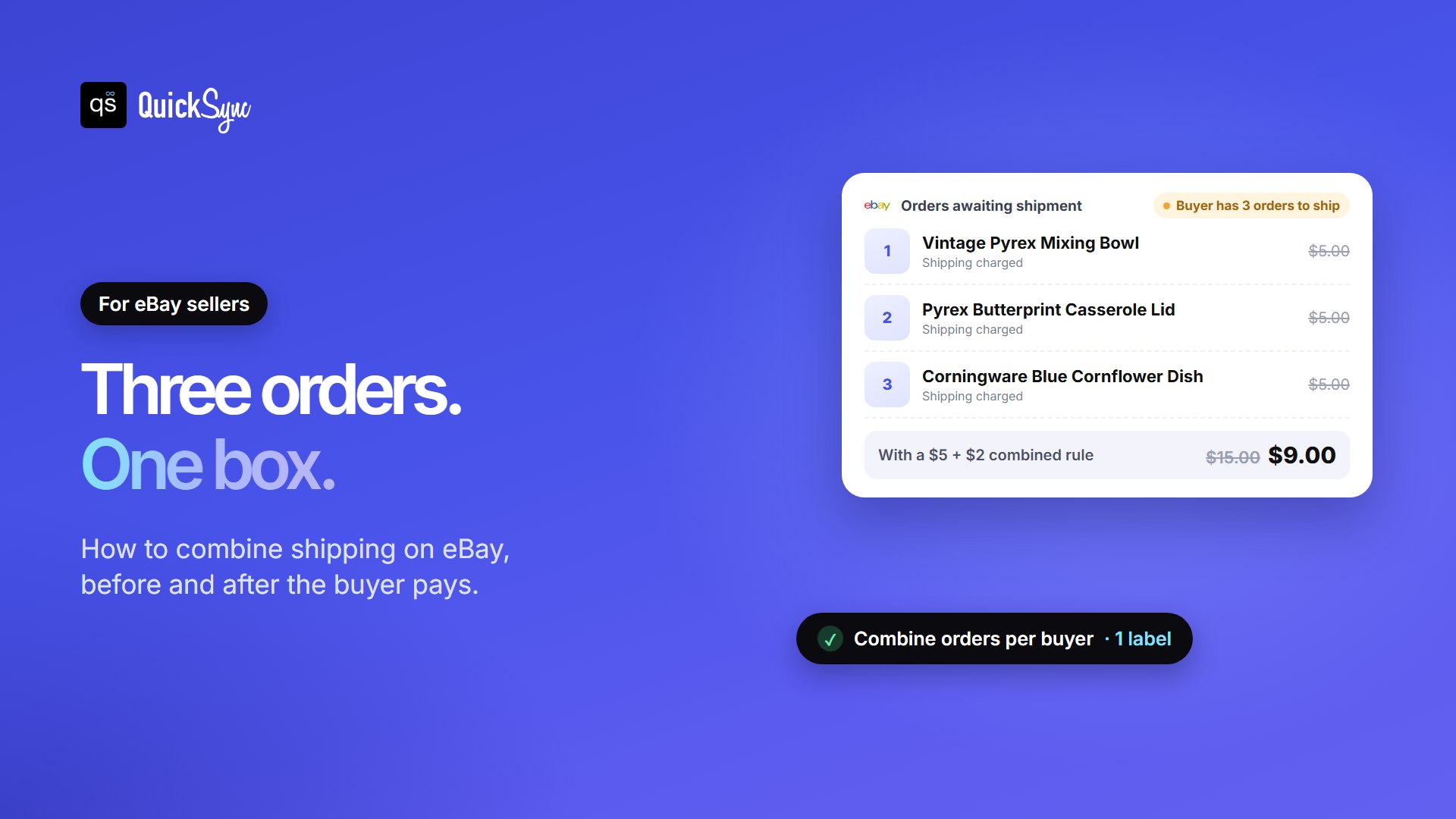
For example, if the first item ships for $5 and each extra item adds $2, a buyer who takes three items pays $9 instead of $15. To set it up, select Edit beside Combined shipping rule, choose add or subtract, enter the amount and a rule name, then save.
Calculated shipping rule
Use this if shipping depends on the buyer’s location. eBay adds up the item weights and prices them as one package. Three items that weigh 4 lb each ship as one 12 lb box. You can also take off some weight, in ounces, to reflect packing material you no longer need.
Select Edit beside Calculated shipping rule, choose whether to combine weights or combine and subtract, set your handling cost for extra items, then save.
Promotional rule
Use this to advertise a deal, like a maximum shipping cost on multi-item orders or free shipping over $25. Buyers see it highlighted on your listings. A promotional rule applies to every listing with a combined shipping discount, and it overrides your flat and calculated rules.
Whichever rule you choose, remember that eBay’s final value fee is charged on the shipping the buyer pays as well as the item price. A lower combined charge trims your fee slightly too, so the discount costs you a little less than it looks.
Step 3: Apply the rule to your listings
Creating a rule does nothing on its own. It only works on listings it’s applied to, and this is the step most sellers miss.
- New listing: in the listing tool’s Shipping section, pick your rule under Combined shipping rule.
- One existing listing: go to Active listings, select Revise, and pick the rule in the Shipping section.
- Many listings at once: open Business policies, edit your shipping policy, select the rule under Combined shipping rule, and save. Every listing using that policy gets the discount.
If you use shipping rules instead of policies, the shipping services on your listings must match for the discount to apply. Business policies handle that for you, which is why they’re the easier route.
How to combine shipping before the buyer pays
With your rules applied, most multi-item orders take care of themselves at checkout. Sometimes, though, a buyer wins several auctions or wants a custom total. That’s when you send a combined invoice.
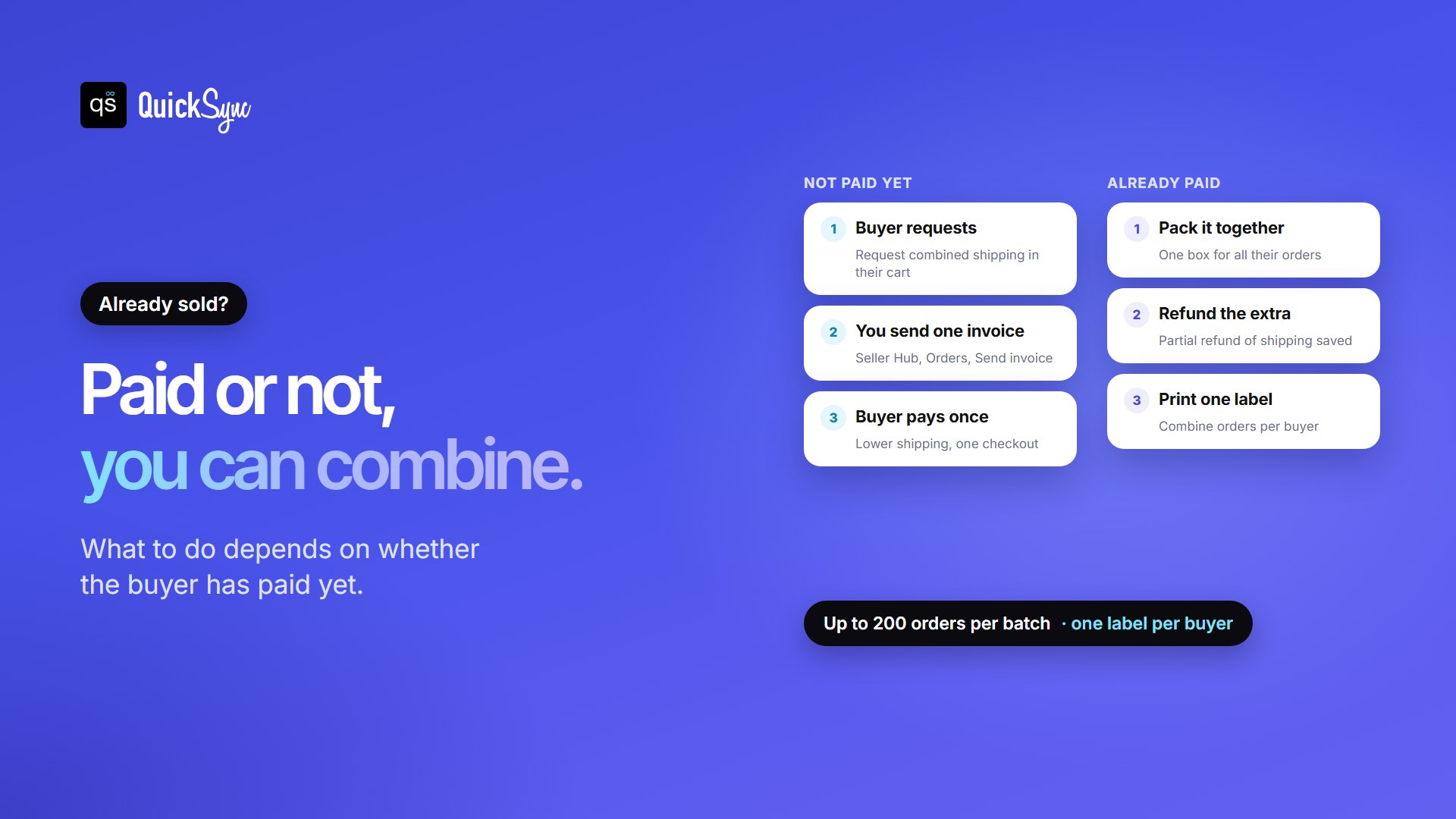
The buyer selects Request combined shipping in their cart. You then send one invoice with the new total:
- Go to Orders in Seller Hub.
- Tick the orders you want to combine.
- Select Send invoice on any of them, adjust the shipping, and send.
The buyer sees the lower shipping in their cart and pays once. Weigh and measure the packed box before you set the price, so the new shipping charge still covers the label.
Buyers can’t request combined shipping from the cart in a few cases: when the items are discounted, when free shipping already applies, or when the listing requires immediate payment.
How to combine shipping after the buyer has paid
If the buyer already paid shipping on each item, you can still combine. Pack the items together, then send a partial refund for the shipping you saved, from Orders in Seller Hub or My eBay. The buyer gets the discount, and you buy a single label.
Refunding the difference isn’t required, but buyers notice. A quick refund with a short message is an easy way to earn repeat orders and good feedback.
How to print one label for several orders
Once the items are in one box, eBay can put several orders on a single label.
- Go to Orders in Seller Hub or My eBay.
- Select the “Buyer has X orders to ship” tag.
- Tick the orders to include, or select all.
- Select Shipping, then Get label, and choose Combine orders per buyer.
If you buy your own label elsewhere, select Shipping, then Add tracking to upload your tracking number for the combined orders. On busy days, you can combine orders for many buyers at once from the Awaiting shipment view, up to 200 orders per batch.
Items you can’t combine
Some orders always ship separately, even with rules in place. eBay excludes:
- Items bought with Best Offer.
- Items listed with Local pickup.
- Items stored in the PSA Vault.
- Most items that need Authenticity Guarantee checks, except multiple units of the same sneakers or streetwear.
- Some eBay International Shipping items in specific categories.
If a buyer says combined shipping isn’t working, check this list first. Best Offer is the usual reason.
How buyers can get combined shipping
If you’re buying, look for a label on the listing saying the seller offers combined shipping. Then:
- Go to your cart and select Request combined shipping.
- Pick the items you want shipped together, and add a message if you like.
- Wait for the seller’s invoice, then pay at checkout.
Already paid separately? Contact the seller before the items are marked as shipped. The seller may still be able to combine them.
One newer option helps auction buyers. Since September 2026, some buyers see an Autopay choice after bidding on items eligible for combined shipping. Choosing 4-day autopay delays payment for up to four days, so you can win more items from the same seller and check out once.
Selling the same stock on eBay and elsewhere?
Combined shipping makes multi-item orders more common, and that has a side effect. When one buyer takes three units on eBay, your Shopify, Etsy or Amazon listings need to drop by three too. If they don’t, the next buyer elsewhere can pay for stock you no longer have.
An inventory sync tool keeps one stock count behind every channel, matched by SKU, so multi-quantity orders update everywhere. Our guide to the best Shopify eBay integration apps compares the options.
FAQs
More guides for eBay sellers: how to sell on eBay, eBay seller fees, how to see sold items on eBay and eBay Top Rated Seller requirements.