Two shops can run the same Clover Station and pay very different amounts for it. One bought it on clover.com. The other signed up through a bank.
That happens because Clover isn’t sold in one place. Its own pricing FAQ says it’s sold by banks like Citi, PNC and Wells Fargo, plus more than 1,000 other financial institutions. Contract terms and termination fees vary with each one, and the prices listed on clover.com apply only to orders placed there.
So the useful starting point is Clover’s own published price list. This guide breaks down Clover fees and pricing line by line: card rates, monthly plans, hardware and the extras. It also shows which plan costs least at your sales volume. Every figure was checked on clover.com on 22 October 2026, using Clover’s retail pricing. Restaurant and service plans are priced separately.
How Much Does Clover Cost?
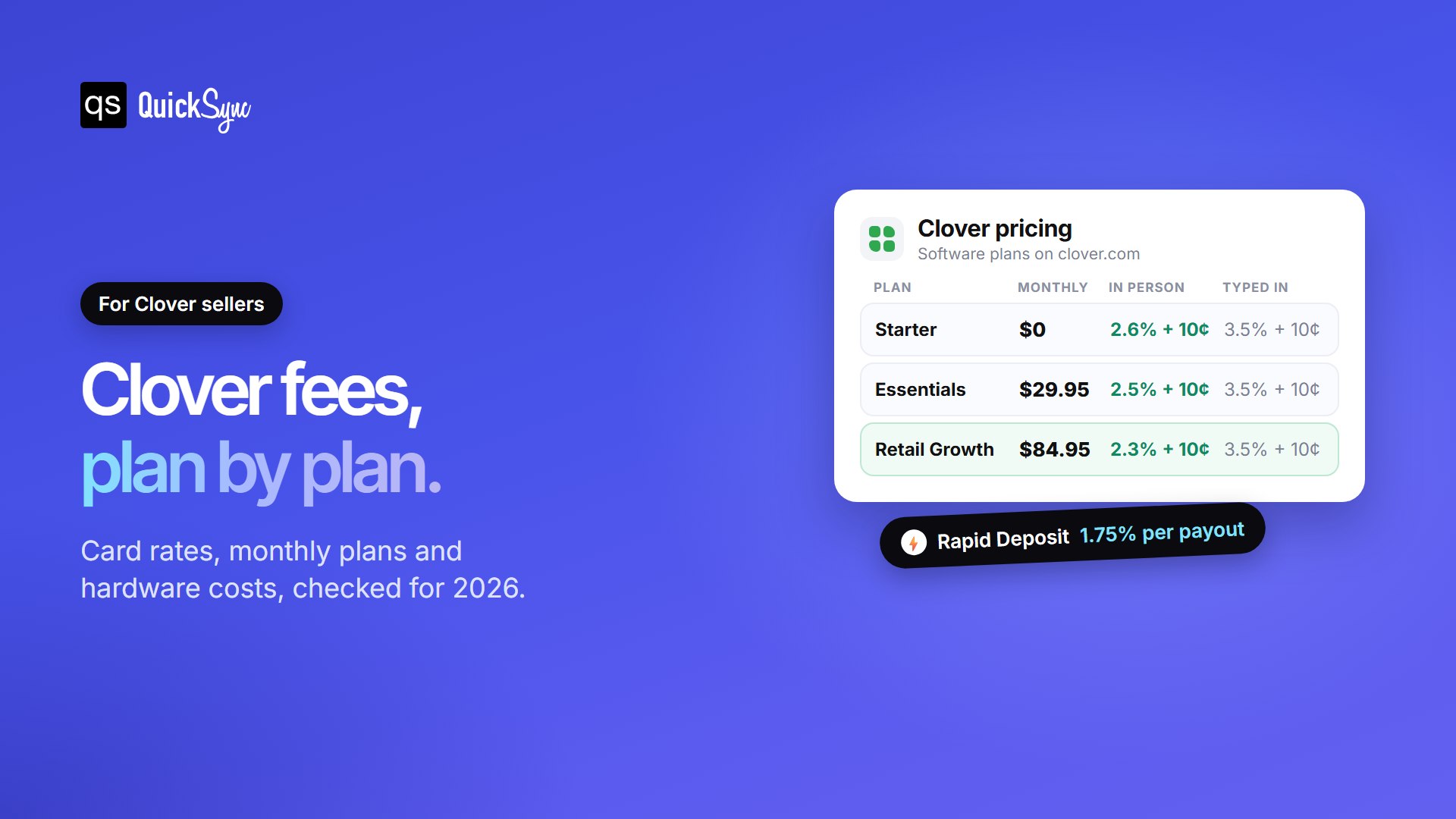
Clover charges a card fee on every sale, a monthly software plan, and hardware. In-person card fees run from 2.3% + 10¢ to 2.6% + 10¢, and typed-in payments cost 3.5% + 10¢. Software plans run from $0 to $84.95 a month. Hardware starts at $199 for Clover Go and reaches $1,899 for Station Duo.
| Clover plan | Monthly software fee | Card tapped, swiped or inserted | Card typed in (online, phone) | Example hardware |
|---|---|---|---|---|
| Starter | $0 | 2.6% + 10¢ | 3.5% + 10¢ | Clover Go ($199) or Compact ($349) |
| Essentials | $29.95 | 2.5% + 10¢ | 3.5% + 10¢ | Clover Go ($199) |
| Retail Growth | $84.95 | 2.3% + 10¢ | 3.5% + 10¢ | Station Duo ($1,899) |
Each of those three costs works differently, so it’s worth taking them one at a time, starting with the one you pay most often.
Clover Transaction Fees
Clover processing fees have two parts on every card payment: a percentage of the sale and a flat 10¢. The percentage depends on your plan and how the card reaches Clover.
- Card present (tapped, swiped or inserted): 2.6% + 10¢ on Starter, 2.5% + 10¢ on Essentials and 2.3% + 10¢ on Retail Growth.
- Card typed in: 3.5% + 10¢ on every plan. This covers phone orders, invoices you key in, and online payments.
On a $40 sale, that’s $1.14 on Starter and $1.02 on Retail Growth. Typed in, the same sale costs $1.50. Clover also charges the same rate for every card, including American Express and rewards cards, so you won’t pay more when a customer hands over a premium card.
The low 10¢ flat fee is where Clover stands out. Square’s free plan charges 2.6% + 15¢ in person, so Clover costs 5¢ less per sale at the same percentage. That adds up for shops with lots of small sales. Our Clover vs Square guide compares the two in full.
Clover Monthly Fees: Starter, Essentials and Retail Growth
Your software plan sets two things: your monthly fee and your card rate. Higher plans cost more each month but take a smaller cut of each sale.
- Starter, $0 a month. Takes payments and tracks sales. On the retail Compact bundle, Clover lists item and category management, detailed sales reports and online store integration as not included.
- Essentials, $29.95 a month. Adds real-time sales tracking, gift cards and the option to connect an existing online store. Clover offers it with devices like Clover Go.
- Retail Growth, $84.95 a month. Clover’s full retail plan. It adds inventory management, itemized returns, detailed reports, shift management and a single dashboard for online and in-store sales.
Features matter, but the price question is simple: Does the lower rate save you enough to justify the cost?
Which Clover Plan is Cheapest for You?
Retail Growth saves 0.3% on every in-person sale compared with Starter. At $84.95 a month, that saving only covers the plan once you take about $28,300 a month in card sales. Below that, the free Starter plan costs less in fees.
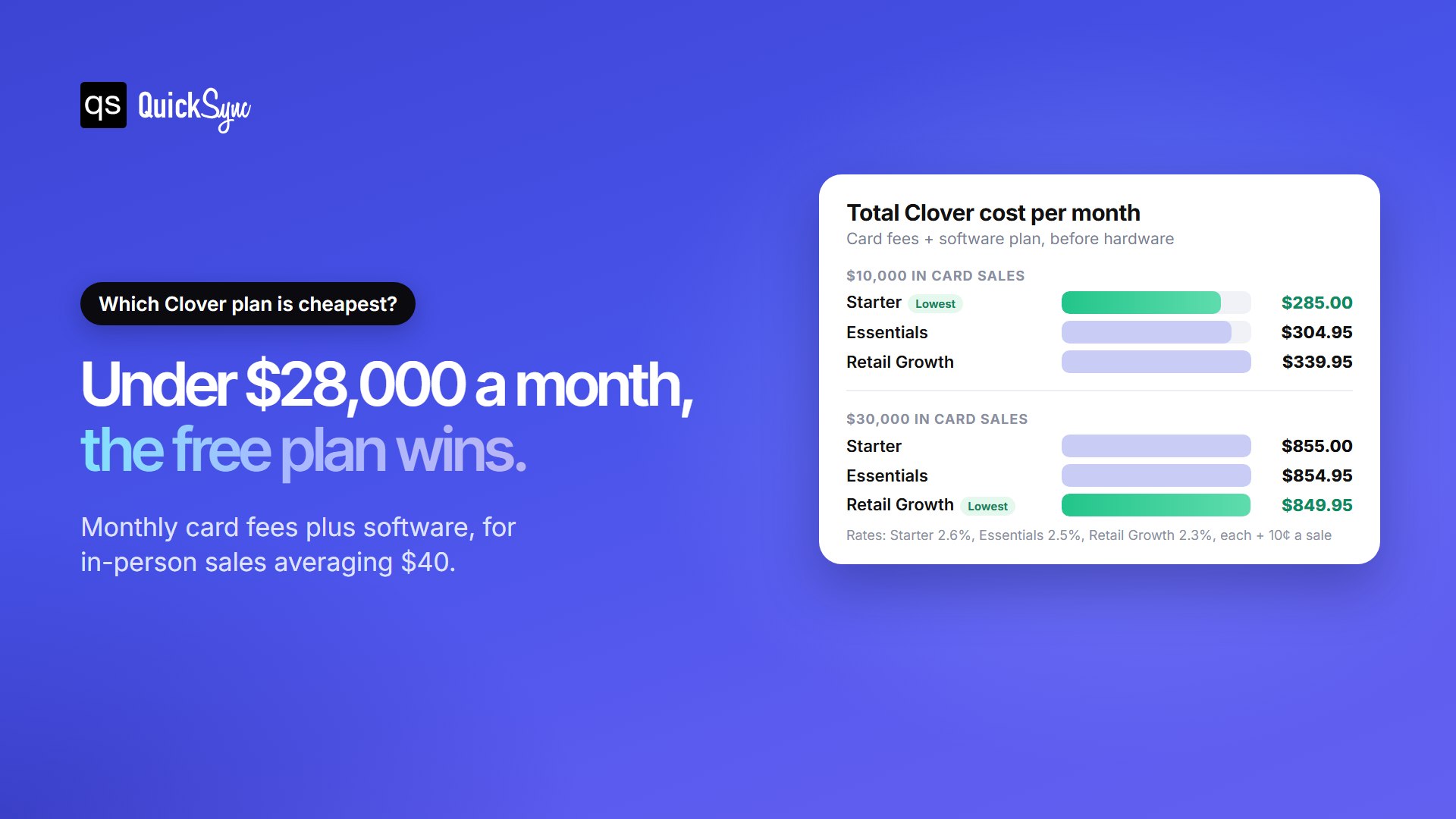
Here’s how it plays out for a shop with an average in-person sale of $40:
| Monthly card sales | Starter | Essentials | Retail Growth |
|---|---|---|---|
| $10,000 (250 sales) | $285.00 | $304.95 | $339.95 |
| $30,000 (750 sales) | $855.00 | $854.95 | $849.95 |
So pick your plan for the features you need, not for the rate, until your card sales pass about $28,000 a month. A shop that needs inventory tracking may still choose Retail Growth earlier, and that’s a fair trade. Just know you’re paying for the tools, not saving on fees.
Clover POS Hardware Costs
Hardware is the highest upfront cost in Clover pricing. You can buy each device outright or rent it through a 36-month subscription.
| Device | What it is | Buy outright | Or subscribe (36 months) |
|---|---|---|---|
| Clover Go | Mobile card reader | $199 | Not offered |
| Compact | Small countertop terminal | $349 | $16/mo |
| Flex Pocket | Handheld, no printer | $699 | $35/mo |
| Flex | Handheld with printer | $749 | $40/mo |
| Mini | 8″ countertop POS | $849 | $45/mo |
| Station Solo | 14″ countertop POS | $1,799 | $174/mo |
| Station Duo | 14″ POS with 8″ customer screen | $1,899 | $180/mo |
A subscription means no money down, and in most states it includes Clover’s Equipment Protection Program for accidental damage, theft, and loss. Bought hardware comes with a one-year limited warranty instead. That coverage has a price, though.
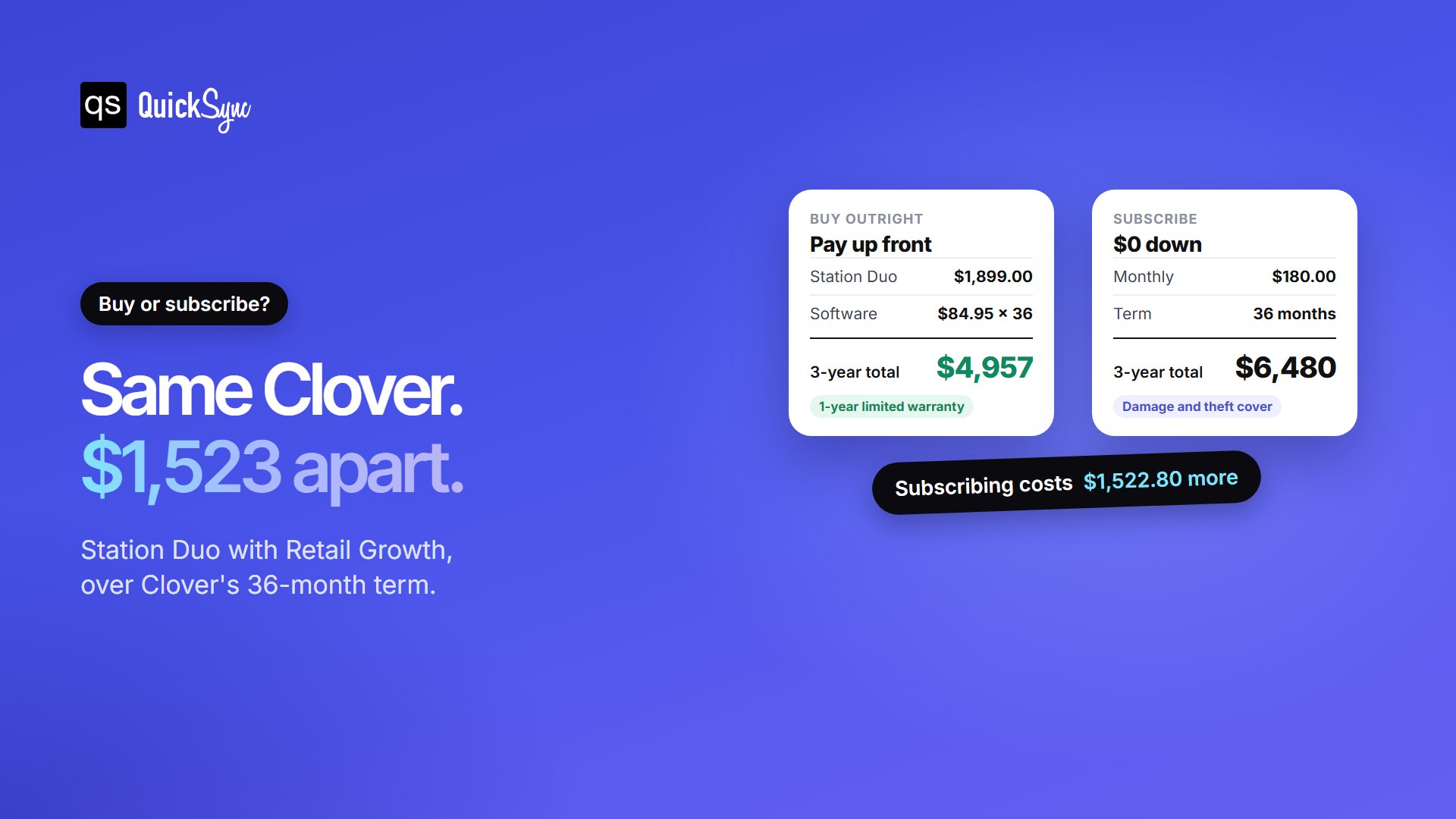
Take Station Duo with Retail Growth. Bought outright, you pay $1,899 plus $84.95 a month, or $4,957 over three years. On subscription, Clover charges $180 a month for both, or $6,480. That’s $1,522.80 more for the same setup.
If you can afford the upfront cost, buying is cheaper. Subscribe only if cash flow matters more right now, or you want the damage cover.
Other Clover Fees to Check before You Sign
Card fees, plans and hardware make up most of your bill. A few other costs and terms are easy to miss.
- Rapid Deposit, 1.75%. Optional. It sends card sales to your bank within minutes, for 1.75% of the amount. On $1,000, that’s $17.50.
- Subscriptions can’t be cancelled. Clover’s FAQ says they’re non-cancelable and not refundable. You can pay once or upgrade your plan.
- The end of a subscription renews it. When the 36 months end, you buy or return the device. If you do neither, Clover keeps charging the same monthly amount. Tell Clover at least 30 days before the term ends.
- Termination fees depend on who sold it. Clover direct, your bank and other partners each set their own contract terms.
- Devices are tied to Clover processing. Clover hardware can’t be used with another payment processor, so leaving Clover usually means new hardware.
- Kitchen displays cost $25 a month each. Relevant for restaurants, on top of $799 or $899 for the screen.
If a bank or reseller quotes you Clover, ask three questions in writing: what’s the card rate, what’s the monthly fee, and what does it cost to leave early? Then compare the answers with clover.com.
5 Ways to Pay Less for Clover
Most of the savings come from a few simple choices.
- Match the plan to your volume. Under about $28,000 a month in card sales, Starter or Essentials usually costs less than Retail Growth.
- Tap, don’t type. A typed-in card costs 3.5% + 10¢ against 2.3% to 2.6% + 10¢ in person. Take the card in person whenever you can.
- Buy hardware if you can. Over 36 months, buying a Station Duo setup saves about $1,500 compared with subscribing.
- Skip Rapid Deposit unless you need the cash. It adds 1.75% on top of your card fees, or $17.50 on every $1,000.
- Get every quote in writing. Rates and exit terms differ between Clover direct and bank partners.
Selling Online too? Plan for the Stock as well as the Fees
Many Clover shops also sell on Shopify, Etsy, eBay or WooCommerce. That brings a cost you won’t find on Clover’s price list: selling an item online that just sold at the counter. The refund is only part of the cost. You also lose the customer’s trust and, on marketplaces like eBay and Etsy, risk your seller standing.
Clover’s Starter plan doesn’t connect to an existing online store, and its own online store is an optional add-on. A sync app keeps one stock count across both. QuickSync’s Clover integration syncs stock both ways between Clover and up to seven other shops, matching products by SKU. When something sells at the counter, your online listings update automatically. It can also send online orders into Clover to fill. Plans start at $19 a month for two connected shops.
Running Clover in more than one place? Our guides on Clover inventory management and syncing multiple Clover accounts cover the stock side in detail.
FAQs
Still choosing a system? See our guide to the best POS system for small business, or compare Shopify vs Clover.