Your POS system does two jobs. It takes the payment at the counter, and it decides whether your website knows what just sold. Most small businesses focus only on the first job until an online order arrives for something that sold out an hour ago.
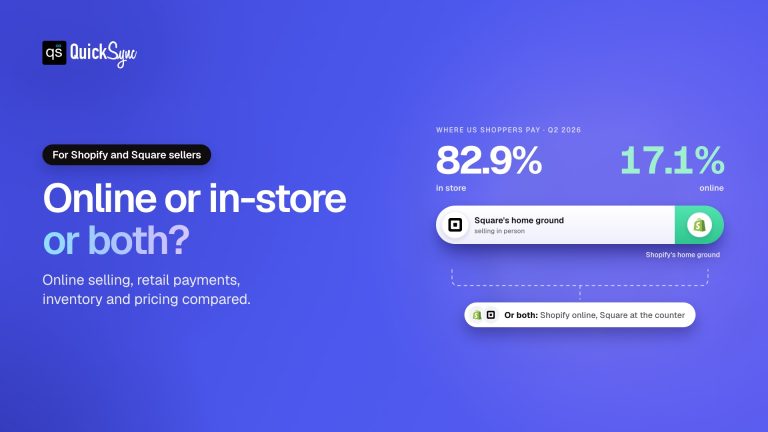
That second job matters more every year. Online sales made up 17.1% of US retail in the second quarter of 2026, according to the US Census Bureau. They grew 12.2% over the year, almost twice as fast as total retail at 6.7%. Most customers still pay at a counter, but more of them now buy from you online too.
So the best POS system for small business owners today is one that handles both. This guide compares six of them on monthly cost, card fees, hardware and online selling, using US prices checked in October 2026. You’ll also see what each costs for a real shop, and which ones keep your stock in step with Shopify, Etsy and eBay.
The Best POS System for Small Business at a Glance
| POS | Best for | Software from | In-store card rate | Cheapest card reader | Online selling |
|---|---|---|---|---|---|
| Square | Most new shops | $0 a month | 2.6% + 15¢ (free plan) | $59 | Square Online, free |
| Shopify POS | Shops where online comes first | $39 a month | 2.6% + 10¢ (Basic) | $49 | Full Shopify store |
| Clover | Busy counters | $29.95 a month | 2.3% to 2.6% + 10¢ | $349 (Compact) | Pickup and local delivery |
| Lightspeed Retail | Big catalogues, several locations | $89 a month, billed yearly | Quoted | Quoted | Lightspeed eCom included |
| Helcim | Lowest card fees | $0 a month | Interchange-plus | $199 | Basic online checkout |
| SumUp | Markets and pop-ups | $0 a month | 2.6% + 10¢ | $54 | Online payments at 3.5% + 15¢ |
Every one of these can run a small shop well. The right choice depends on how you sell, so it helps to know what to look for before reading the reviews.
How to Choose a POS System for a Small Business
Four questions can help you narrow down your options quickly. Answer them in order, as each one helps you eliminate the POS systems that don’t fit your needs.
- Where do your customers pay? A shop that sells mostly at the counter needs fast, reliable hardware. A shop that sells mostly online needs a POS that shares a catalogue with its website.
- What will it cost each month? Card fees are usually bigger than the software fee. A free plan with a higher rate can cost more than a paid plan with a lower one.
- What hardware will you buy? Most POS hardware only works with that company’s own card processing. Switching later means buying new devices.
- Does it connect to where else you sell? If you also sell on Shopify, Etsy, eBay, or Amazon, your POS and those channels need one shared stock count.
Keep these four questions in mind as you read the reviews below. Each one notes where the system is strong and where it falls short.
The 6 Best POS Systems for Small Business
1. Square: best overall for most small businesses
Square is the easiest way to start. The POS software is free, the Square Reader costs $59, and there’s no contract. In-store payments cost 2.6% + 15¢ on the free plan, dropping to 2.5% + 15¢ on Plus at $49 per location a month. Beyond the reader, hardware runs from the $149 Square Stand to the $899 countertop Square Register.
Square also gives you Square Online, a free website that shares one catalogue with your in-person shop. The free plan covers basic stock tracking, and the Plus plan adds purchase orders and cost reports. Our guide to Square inventory management covers what each plan includes. However, there is one catch to note here: Square has no built-in connection to Etsy, eBay or Amazon.
2. Shopify POS: best if online is your main channel
Shopify POS comes with every Shopify plan, from $39 a month on Basic. Because it runs on the same system as your Shopify store, products, stock, and customers stay in one place. In-store payments cost 2.6% + 10¢ on Basic, and the Tap & Chip reader is $49.
A full shop will usually need POS Pro, at $89 a month per location. It adds staff roles and permissions, unlimited staff on the POS, and returns at any location. Shopify’s readers only work with Shopify Payments. If online is where you plan to grow, this is the strongest base. Our Shopify vs Square comparison goes deeper on that choice.
3. Clover: best for busy counters
Clover is built for counters that never stop. Its hardware is designed for heavy daily use, from the $349 Clover Compact to the $1,899 Station Duo. Software plans run from $29.95 to $129.85 a month, and in-store rates range from 2.3% + 10¢ to 2.6% + 10¢. That lower fixed fee helps shops with lots of small sales.
Check the contract before you sign. Clover is sold directly and through banks and resellers, and terms differ by seller. Its online store covers pickup and local delivery, so retailers who ship usually pair Clover with Shopify or WooCommerce. See Clover vs Square for a side-by-side.
4. Lightspeed Retail: best for big catalogues and several locations
Lightspeed Retail suits shops with thousands of products, many variations or more than one store. Plans cost $89, $149 or $289 a month when billed yearly, or $109, $179 and $339 month to month. Each includes Lightspeed eCom, its online store. The Basic plan gets a limited version of eCom, without extras like abandoned cart recovery or discount coupons.
It costs more than Square or SumUp, and it’s more than a one-till shop needs. Lightspeed quotes card rates and hardware separately, so ask for both in writing before you compare. For a growing retailer with complex stock, the deeper tools are worth it.
5. Helcim: best for the lowest card fees
Helcim takes a different approach to pricing. Its POS software is free, with no monthly or statement fees, and it charges interchange-plus card rates. That means you pay the card network’s cost plus a small margin, rather than one flat rate. Helcim advertises an average in-store rate of 1.79% + 8¢, and its margin falls as your volume grows.
The card reader costs $199 and the Smart Terminal $349. Helcim also offers a free, basic online checkout, but it isn’t designed to be a fully customisable store. Choose Helcim if card fees are your highest cost and you sell mostly in person.
6. SumUp: best for markets and pop-ups
SumUp is the cheapest way to take cards on the move. The SumUp Plus reader costs $54, the free POS plan has no monthly fee, and in-person payments cost 2.6% + 10¢. The SumUp Terminal costs $249. There are no monthly minimums.
SumUp is lighter on inventory and online selling than the others. Online and manually entered payments cost 3.5% + 15¢. It’s a strong fit for markets, fairs and side businesses, and less so for a shop that ships orders every day.
What a POS System Really Costs Each Month
Software fees alone don’t tell the whole story. The actual cost also includes card processing fees, so let’s compare these systems for a shop making $10,000 in monthly sales across 300 in-store transactions.
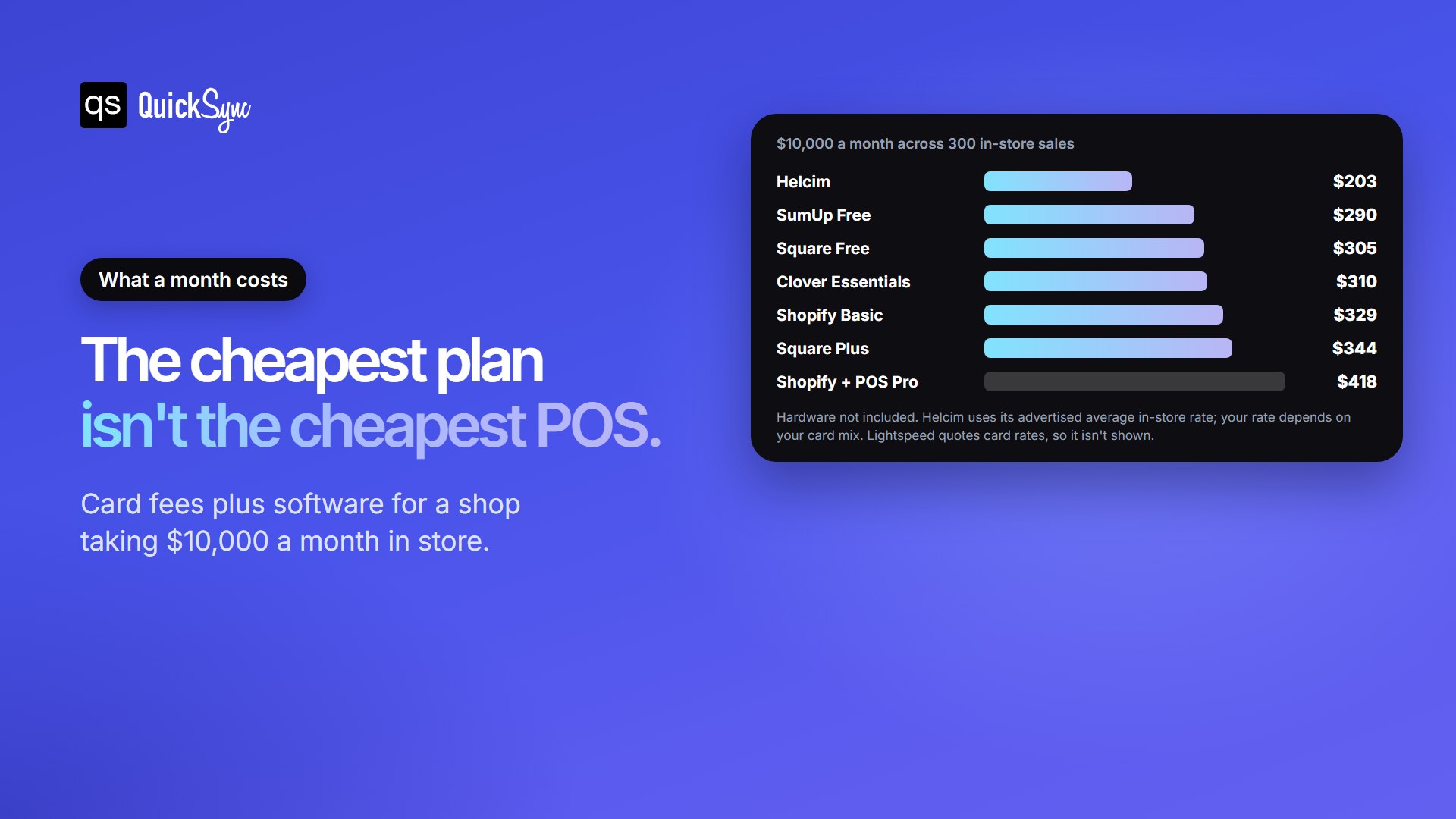
Helcim has the lowest estimated cost at around $203 a month, but this figure is only a guide. Its interchange-plus pricing varies depending on the types of cards your customers use. SumUp, Square Free, and Clover Essentials cost within $20 of one another. Shopify costs $418 a month with POS Pro added, reflecting the cost of managing both your online store and in-person sales through one system.
The lesson is simple. For this shop, SumUp, Square Free and Clover Essentials sit within $20 a month of each other. Choose on features and fit first, then fees. You can run your own numbers in our free Square fee calculator.
Selling Online Too? Choose a POS That Shares Your Stock Count
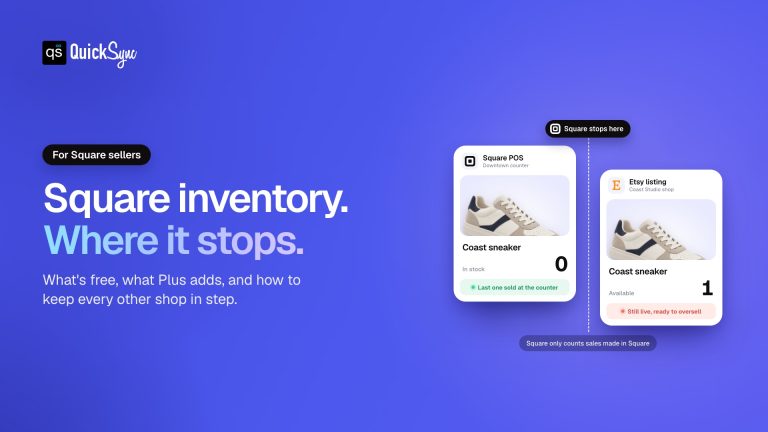
This is where most small businesses get caught out. A POS system keeps its own stock count. If you also sell on Etsy, eBay, Amazon, or a separate ecommerce platform or website, those channels don’t know what sold at the counter. The last item sells twice, and you refund an online order.
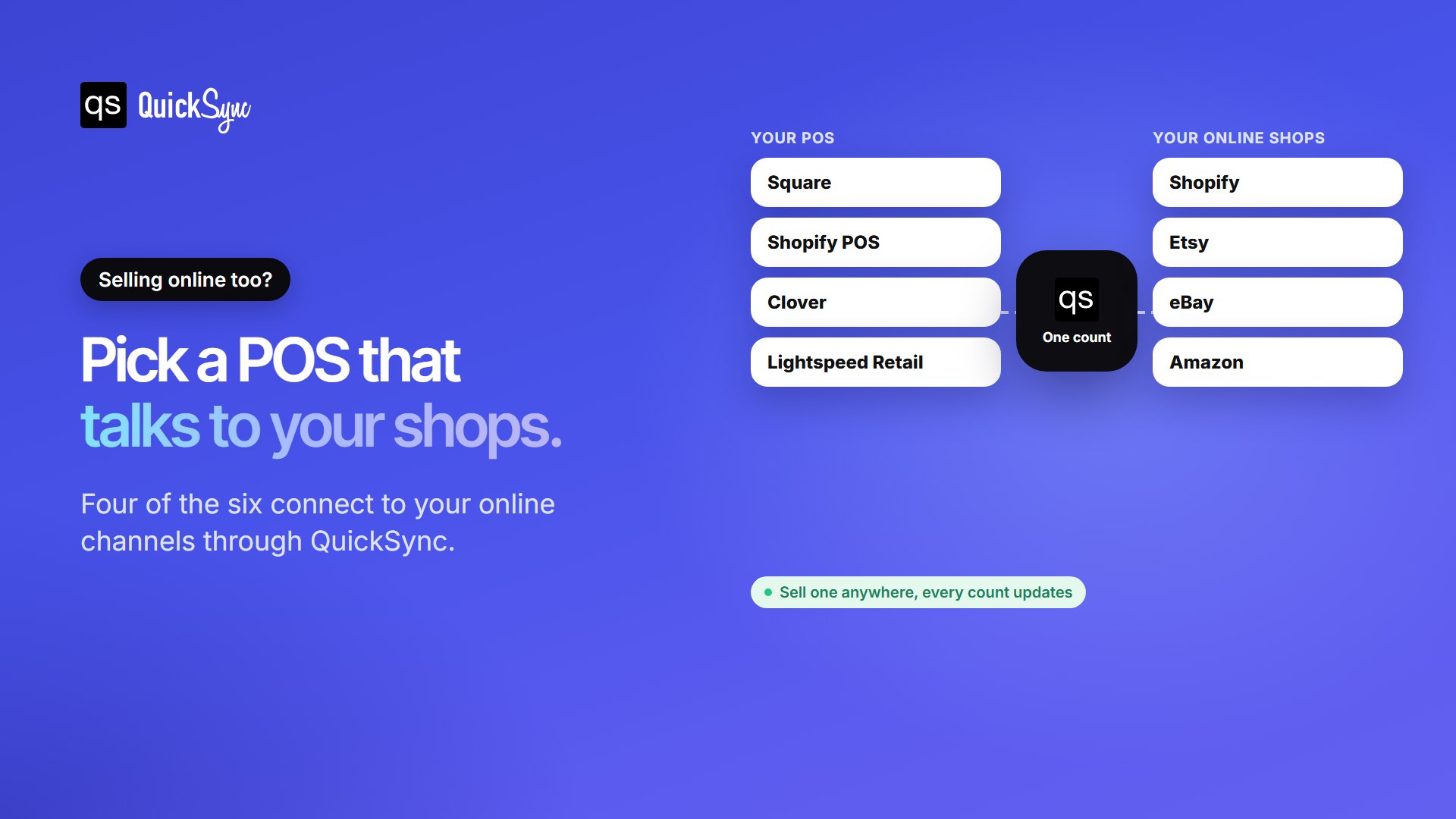
QuickSync lets you connectyour POS systems to your other sales channels. Every sale updates inventory across connected channels, helping you keep stock counts consistent. Products match by SKU, so you can link your existing catalogue without listing products again. Helcim and SumUp aren’t currently supported, but in the future these both might be included.
| Your POS | Sync with Shopify | Sync with Etsy |
|---|---|---|
| Square | Shopify Square integration | Square Etsy integration |
| Clover | Shopify Clover integration | Etsy Clover integration |
| Lightspeed | Shopify Lightspeed integration | Lightspeed Etsy integration |
Which POS System Should Your Small Business Choose?
- Choose Square if you want to start free, sell mostly in person and keep things simple.
- Choose Shopify POS if online is your main channel and you want one system for both.
- Choose Clover if you run a busy counter and want sturdy, all-in-one hardware.
- Choose Lightspeed Retail if you have a large catalogue or several locations.
- Choose Helcim if card fees are your biggest cost and you sell mostly in person.
- Choose SumUp if you sell at markets and events and want the cheapest reader.
Down to two finalists? Compare them head to head in Clover vs Square, Shopify vs Square or Shopify vs Clover.