A customer asks for the last cedar candle. Square says you have one. The shelf is empty, because it sold on Etsy last night.
Small gaps like that add up across retail. Empty shelves cost retailers $690.9 billion a year, the biggest single cause of inventory loss, according to IHL Group’s 2026 Inventory Distortion Study. For a small shop, it’s a lost sale at the counter or a refunded order online.
Square’s inventory tools prevent most of this, as long as you know what they cover. This guide explains what Square inventory management does on the free plan and what Plus and Premium add. It then shows how to set it up and where it stops. Prices were checked against Square’s own pages in October 2026.
Does Square have inventory management?
Yes. Square includes inventory management on every plan, including the free one. You can track stock on each item, and each sale takes it off the count automatically. The paid plans add tools for running a stockroom: purchase orders, vendor management, cost reports and transfers between locations. Plus costs $49 and Premium $149, per location per month.
Whichever plan you use, Square keeps one catalogue for your point of sale and your Square Online store. An item sold at the counter comes off the website too. What it can’t see is a sale anywhere outside Square.
What Square inventory does on the free plan
Square says basic item management comes with Square Free, and for a single shop that’s often enough. On the free plan you can:
- Track stock on each item and variation. Turn on Track stock for an item in the Square Dashboard, and every sale lowers the count.
- Adjust counts with a reason. Pick a reason, such as stock received, or create your own, so you always know why a number changed.
- Import items in bulk. Upload a CSV or Excel file to add or update thousands of items at once, from the Dashboard.
- Set low-stock alerts. Choose a threshold per item and location in the Dashboard. Square emails you a list of items running low after each location closes.
- See stock by location. Filter your stock view by one or more locations if you run more than one.
That covers the day-to-day basics. What the free plan lacks is the paperwork side of buying stock: purchase orders, supplier records and cost reports.
What Square Plus and Premium Plans add
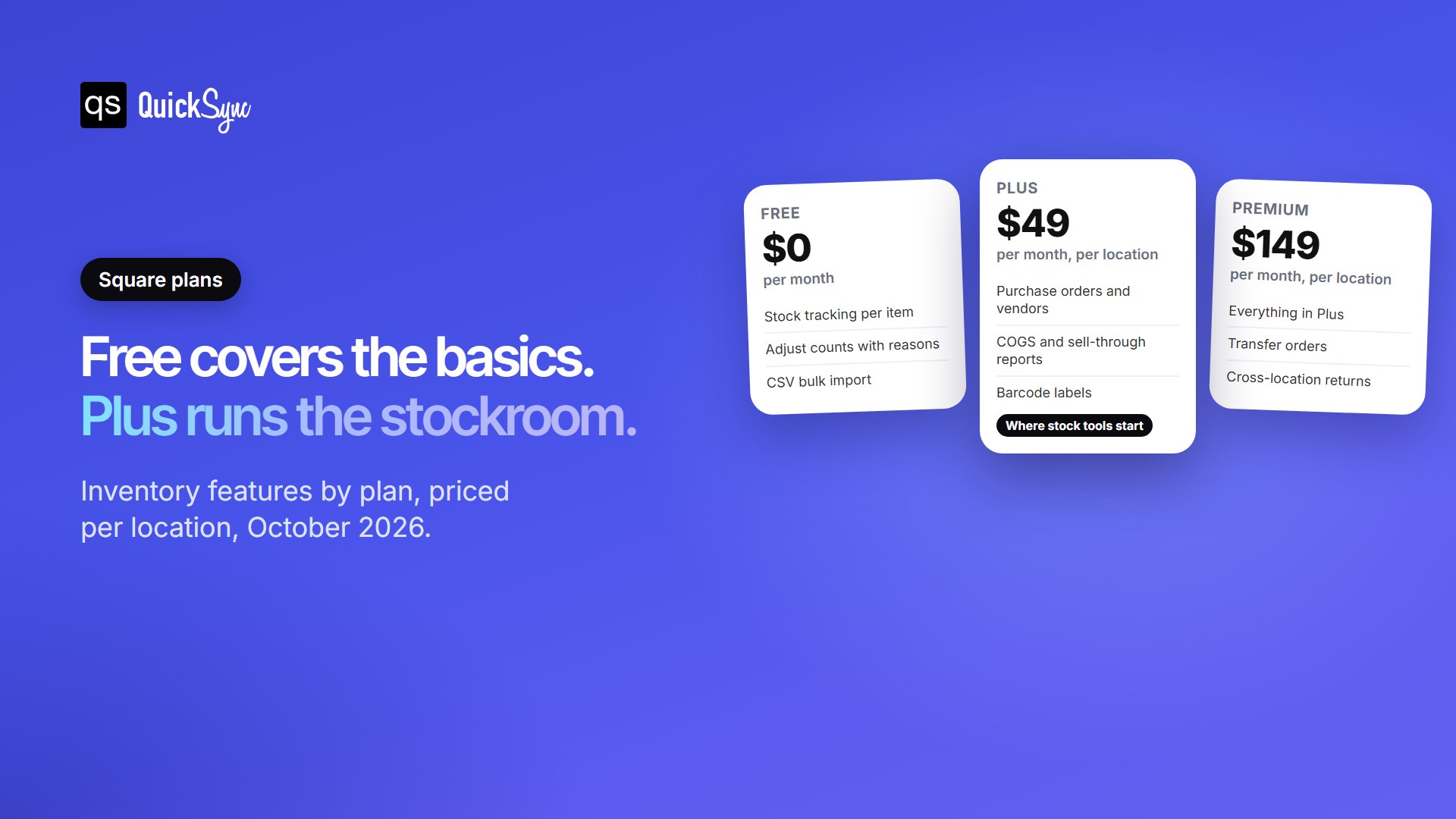
| Inventory feature | Free | Plus ($49/location) | Premium ($149/location) |
|---|---|---|---|
| Stock tracking and automatic deductions | Yes | Yes | Yes |
| Bulk import by spreadsheet | Yes | Yes | Yes |
| Stock intake and inventory management tools | Basic | Yes | Yes |
| Purchase orders and vendor profiles | No | Yes | Yes |
| Cost of goods sold, sell-through and aging reports | No | Yes | Yes |
| Barcode label printing | No | Yes | Yes |
| Transfer orders between locations | No | Varies by product | Yes |
The reports are the most underrated part of Plus. Cost of goods sold shows your real margin on each item. Sell-through shows how fast stock moves, and aging shows what’s sitting on the shelf tying up cash. If you buy from more than a couple of suppliers, those reports can pay for Plus through smarter reorders alone.
Keep the pricing model in mind as you grow. Both paid plans are charged per location, so three shops on Plus cost $147 a month. Square also charges card fees on every sale, which you can estimate in our free Square fee calculator.
How to set up inventory in Square
A clean setup takes an afternoon and saves months of fixing counts later. Work through these steps in order.
- Add your items with variations and SKUs. Create each product once, with a variation for every size or colour. Give every variation its own SKU. For a big catalogue, use the spreadsheet import in the Dashboard.
- Turn on Track stock. Open each item in the Square Dashboard and switch on Track stock under Inventory. Items without it never count down.
- Enter starting counts for each location. Count what’s actually on the shelf, not what you think is there, and enter it per location.
- Set low-stock alerts. Pick a threshold for each item based on how long a supplier takes to deliver. Fast sellers need a higher number.
- Record every change with a reason. When stock arrives, breaks or goes missing, adjust it with the matching reason so your reports stay honest.
- Count regularly. Recount your fastest sellers every week or two rather than doing one big count a year. Small, frequent counts catch problems while they’re still small.
Treat SKUs as the one rule you never break. A SKU is how Square, your reports and any app you connect later know two listings are the same product. Keep them short, unique and identical everywhere you sell.
Where Square inventory management stops
Square is very good at keeping its own count right. Its limits show up the moment your stock lives in more than one system.
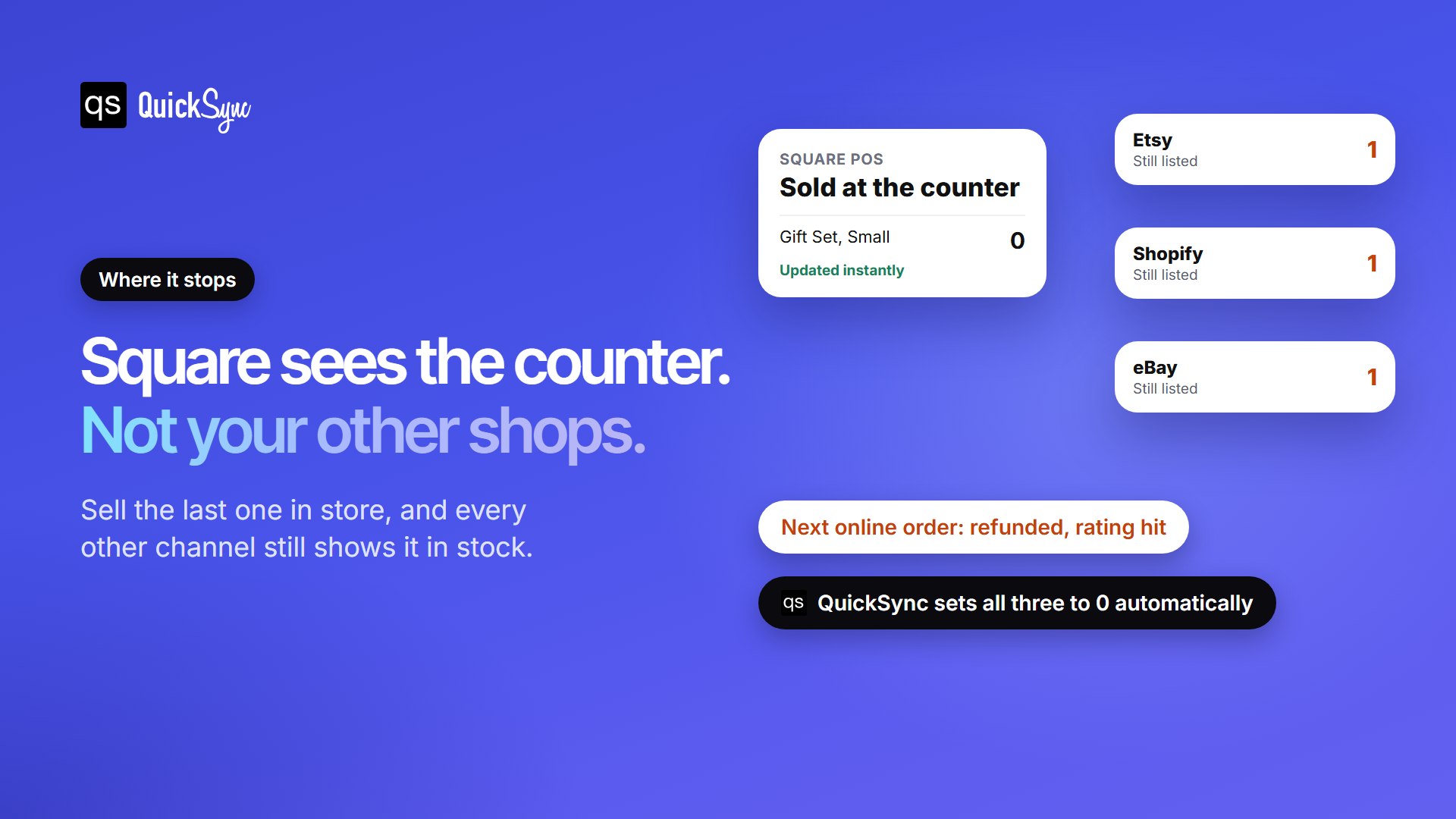
- It only sees Square. Square has no built-in stock sync with Etsy, eBay, Amazon or Shopify. Sell the last unit at the counter, and those listings stay live until someone changes them by hand.
- Separate Square accounts don’t share stock. If two shops run on different Square accounts, each keeps its own count. See our guide to syncing multiple Square accounts.
- The advanced tools cost per location. Purchase orders and cost reports need a paid plan at each location, which adds up across several shops.
- Restaurants need a separate tool. Square’s restaurant ingredient tracking runs through a separate add-on, Square Restaurant Inventory by MarketMan.
The first limit is the one that costs most sellers money. A shop that also sells on Etsy or a website is running two stock counts. The gap between them turns into oversold orders, refunds, and lower seller ratings.
How to keep Square inventory in sync with your other channels
The fix is one stock count that every channel draws from. QuickSync’s Square integration connects Square to your other shops and keeps stock in step both ways. Sell one at the counter, and your online listings drop at once. Sell one online, and Square’s count follows.
| If you also sell on | Connect it with |
|---|---|
| Etsy | Square Etsy integration |
| Shopify | Shopify Square integration |
| eBay | Square eBay integration |
| Amazon | Square Amazon integration |
| WooCommerce | WooCommerce Square integration |
Products match by SKU, so your existing catalogue links up instead of doubling. You choose which Square locations feed your online stock, which matters if only one shop ships online orders. Square can also be the shop that fills orders from your other channels. One limit to know: Square has no field for a tracking number, so tracking stays in QuickSync and the shop the order came from.
At QuickSync, inventory sync costs $19 a month for two connected shops on Lite, covering up to 1,000 items. Product and order sync start on Pro at $29. For a wider look at the options, see our comparison of the best Shopify Square integration apps.