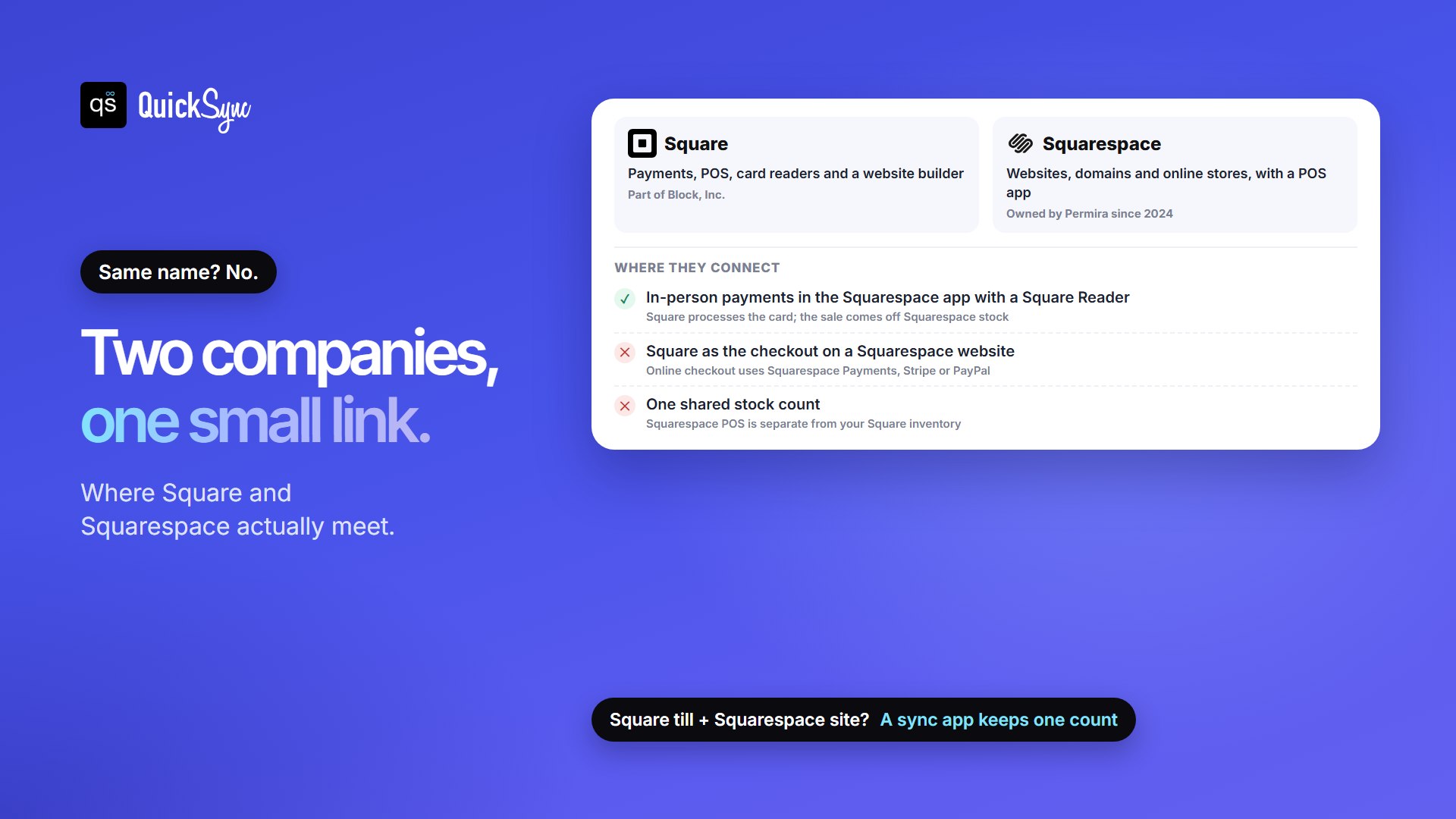
No, Square and Squarespace aren’t the same company. Square is a payments and point-of-sale company owned by Block, Inc. Squarespace is a website builder, owned by the investment firm Permira since 2024. The names are close, but the products start from opposite ends of a shop.
Square starts at the counter: a card reader, a till app and a free plan you can open today. Squarespace starts at your website: templates, a domain and an online store. Both now do a bit of the other’s job, which is why the choice gets confusing.
This guide compares Square vs Squarespace for selling: what each does, what each costs, where they connect, and how to run both if you have a shop and a website. All prices are US prices from Square’s and Squarespace’s own pages, checked in November 2026.
Square vs Squarespace: A Brief Overview
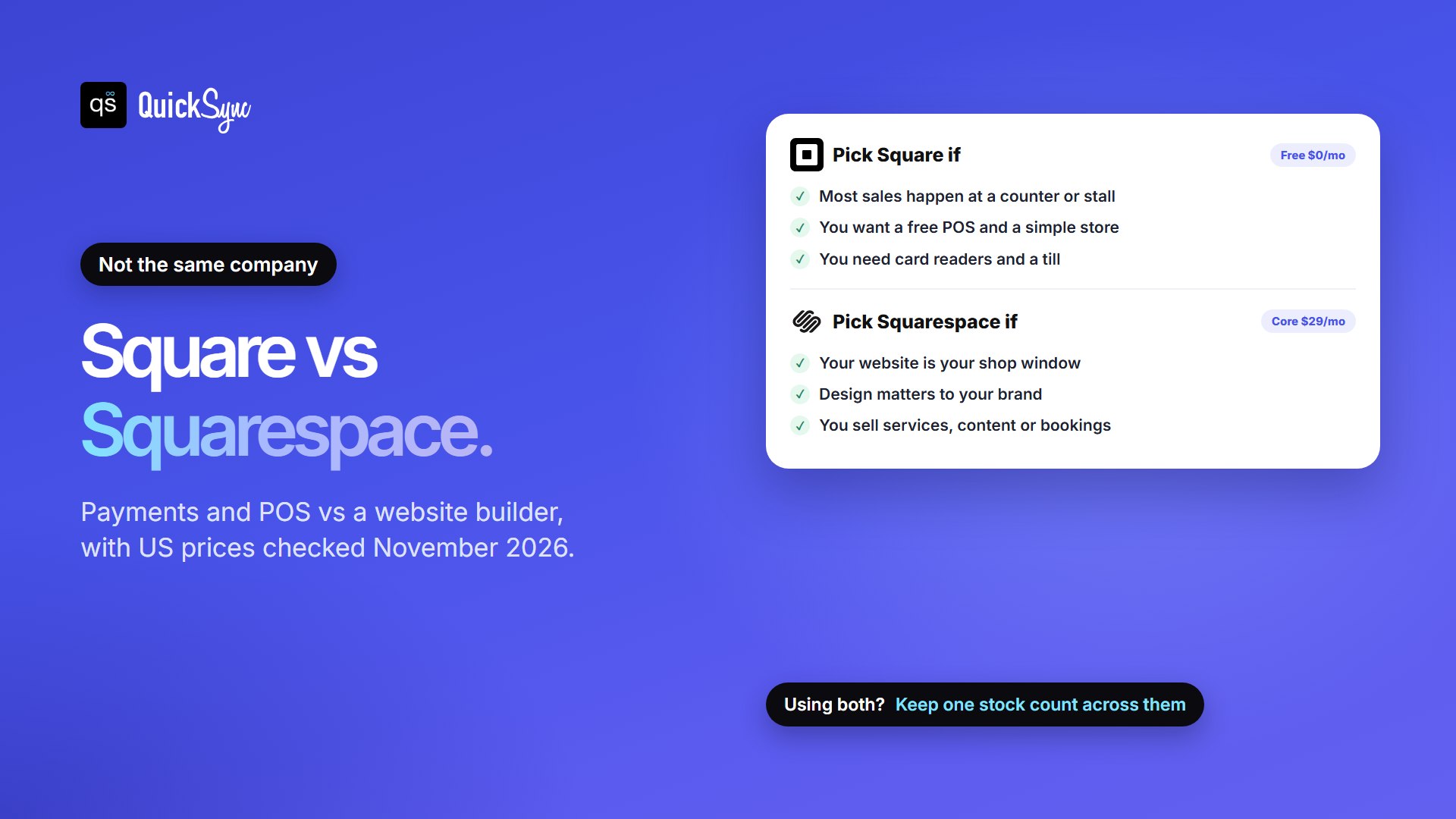
Choose Square if most of your sales happen in person. Its POS and basic online store are free, and you pay only card fees. Choose Squarespace if your website is the main way customers find and buy from you, especially if design, content or bookings matter. If you have both a busy counter and a brand website, you can use the two together.
| Key-points | Square | Squarespace |
|---|---|---|
| What it is | Payments, POS and card readers, with a website builder | Website builder and online store, with a POS app |
| Owned by | Block, Inc. | Permira (private since October 2024) |
| Cheapest plan that can sell | Free, $0/mo | Basic, $19/mo billed yearly |
| Transaction fee | None | 2% on Basic, none on Core and up |
| Online card rate | 3.3% + 30¢ on Free, 2.9% + 30¢ on Plus | 2.9% + 30¢, falling to 2.5% + 30¢ on Advanced |
| In-person card rate | 2.6% + 15¢ on Free | Taken through a Square Reader, and Square processes the payment |
| Your own domain | From Plus ($49/mo) | Every plan, free for a year on annual billing |
| Abandoned cart emails | From Plus | Every plan |
| Support hours | Phone on weekdays, 6am to 6pm PT (first 90 days on Free); 24/7 on Premium | 24/7 on every plan |
| Free trial | Free plan, plus a 30-day trial of Plus | 14 days, no credit card |
| Best for | Shops, cafés and stalls that sell mostly in person | Brands, makers and services that sell mostly online |
Is Square The Same As Squarespace?
No. They’re separate companies, and neither owns the other. Squarespace’s own help center spells it out: Squarespace sells websites and online store tools, while Square makes card readers and point-of-sale devices.
- Square is part of Block, Inc., the company that also runs Cash App. Square sells payment processing, POS software, card readers and registers, invoicing, payroll and a website builder.
- Squarespace is a website, domain and online store platform. Permira completed its $7.2 billion purchase of Squarespace in October 2024, taking it private.
The two meet in one place: Squarespace’s point-of-sale app takes in-person card payments through a Square Reader. That link is narrower than most people expect, and we cover it below.
Square vs Squarespace Pricing Plans
The Square and Squarespace charge in different ways. Square’s base plan is free, and you pay per payment. Squarespace charges a monthly plan, and you pay card fees on top.
Square pricing
| Plan | Monthly price | In person (tap, dip, swipe) | Online and invoices |
|---|---|---|---|
| Free | $0 | 2.6% + 15¢ | 3.3% + 30¢ |
| Plus | $49 per location | 2.5% + 15¢ | 2.9% + 30¢ |
| Premium | $149 per location | 2.4% + 15¢ | 2.9% + 30¢ |
| Pro | Custom, for over $250,000 a year | Custom | Custom |
Square’s Free plan includes the POS app, inventory, and a basic website or online store. Square used to call this Square Online and now just calls it websites. Free has real limits online, though. You can’t connect your own domain, send abandoned cart emails or sell subscriptions until you move to Plus, and online card payments cost 3.3% + 30¢ instead of 2.9%. Our Square fees guide breaks down every rate.
Squarespace pricing
| Plan | Billed yearly | Billed monthly | Transaction fee | Card rate (Squarespace Payments) |
|---|---|---|---|---|
| Basic | $19/mo | $25/mo | 2% | 2.9% + 30¢ |
| Core | $29/mo | $39/mo | 0% | 2.9% + 30¢ |
| Plus | $49/mo | $65/mo | 0% | 2.7% + 30¢ |
| Advanced | $99/mo | $139/mo | 0% | 2.5% + 30¢ |
Squarespace has no free plan, only a 14-day trial. Basic is the cheapest way to sell, but its 2% fee on store sales makes Core the cheaper plan once you sell more than about $500 a month online. Annual plans include a free domain for the first year.
Breaking Down the Monthly Costs of Each Selling Setup
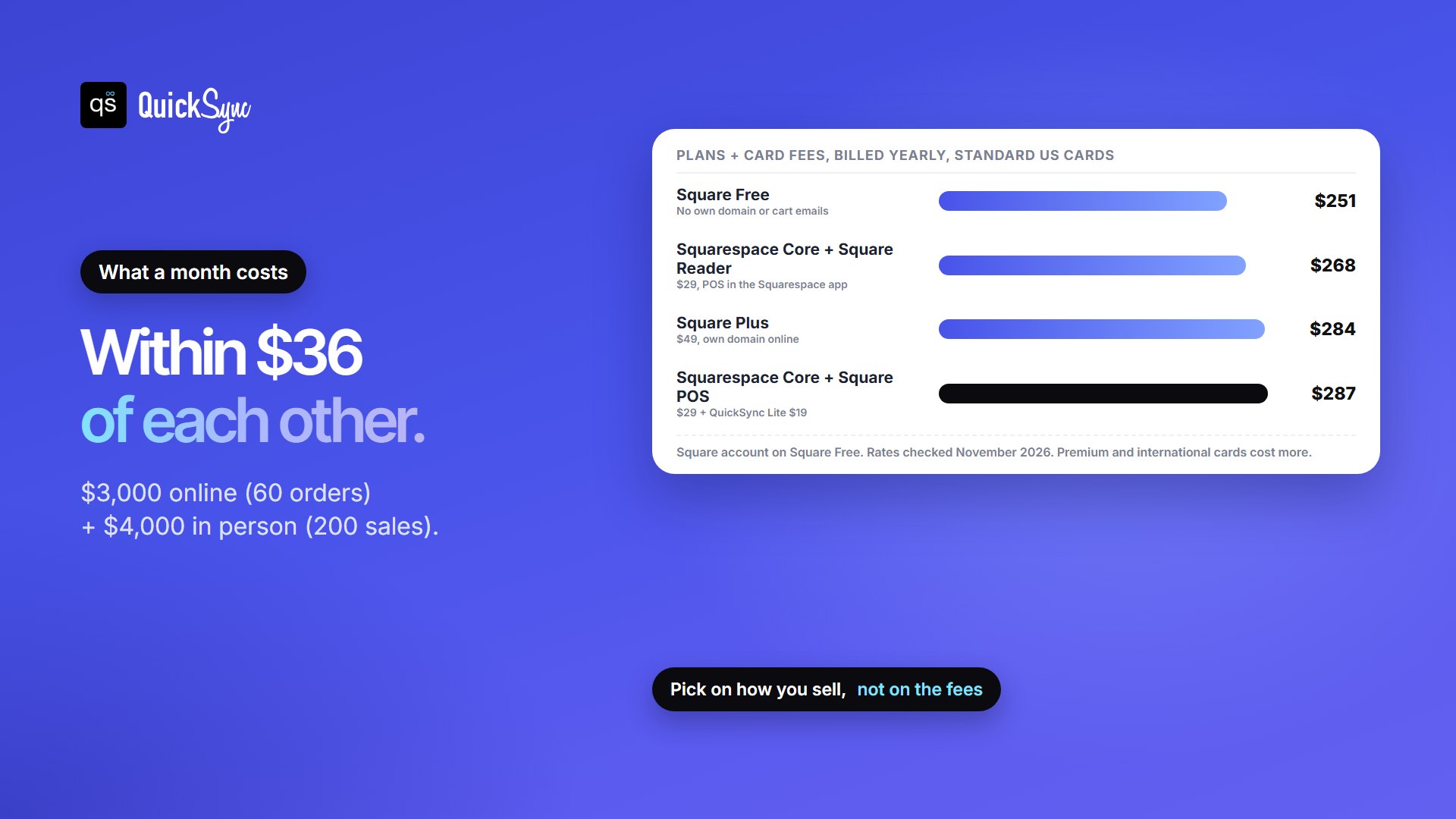
Rates are easier to compare in dollars. Take a gift shop selling $3,000 a month online across 60 orders of $50, and $4,000 a month at the counter across 200 sales of $20. Here are four ways to run it:
| Setup | Plans | Online card fees | In-person card fees | Total a month |
|---|---|---|---|---|
| Square Free | $0 | $117 | $134 | $251 |
| Squarespace Core + Square Reader in the Squarespace app | $29 | $105 | $134 | $268 |
| Square Plus | $49 | $105 | $130 | $284 |
| Squarespace Core + Square POS + QuickSync Lite | $48 | $105 | $134 | $287 |
Square Free is the cheapest, but the store runs without your own domain or abandoned cart emails. The other three cost within $20 of each other, so the right pick depends on how you work, not on the fees:
- Online only? With your own domain, Squarespace Core costs $134 a month for the $3,000 of online sales, and Square Plus costs $154. Squarespace is $20 cheaper and has more design control.
- Mostly in person? Square Plus pays for itself through lower rates only at about $49,000 a month of in-person card sales, or $12,250 a month online, per location. Most small shops upgrade for the features, not the rates.
- Avoid Squarespace Basic for a real shop. Here, its 2% fee would add $60 a month on the online sales alone.
Which Works Better for Selling in person?
This is where Square started. It sells card readers, registers and terminals, and the free POS app takes any kind of payment and tracks your items and stock. Plus adds retail, restaurant and appointment features, a loyalty program and staff scheduling. If you want to compare Square’s retail tools in depth, see our Square for Retail review.
Squarespace’s point of sale lives in the Squarespace phone app, and it runs on Square. Squarespace’s help page lists what you need and where the limits are:
- You need a Square account and a Square Reader. Square processes the payment, and the money goes to the bank account linked to your Square account.
- US sellers only, on any current Squarespace plan.
- It doesn’t work with Square Register, Stand or Terminal, only the small readers that connect to a phone or tablet.
- The app shows up to 500 of your most recent products. Subscription products don’t appear.
- Saved discounts and gift cards don’t work at checkout. You can add a one-time discount, but you can’t apply an existing discount code or take a gift card directly.
- Sales come off your Squarespace stock, and Squarespace says this is “separate from your Square inventory.”
For a market stall or the odd pop-up, that’s plenty. For a shop with a till, several staff, and a few hundred items, you’ll usually want Square’s full POS instead.
Which Works Better for Selling Online?
Squarespace is the stronger online store. Every plan includes unlimited products, abandoned cart recovery, subscriptions, customer accounts, and tools to promote products on Facebook and Instagram. Core adds automatic discounts, shipping labels, carrier-calculated shipping and Google Shopping. Squarespace’s templates are its biggest draw: it’s the better tool if your site needs to look like a brand, carry a blog or portfolio, or take bookings.
Square’s websites are built around your Square item library. Products you sell at the counter appear online without being added twice. Free includes shipping labels, pickup and local delivery, and SEO tools. Plus adds your own domain, more design options, abandoned cart emails, subscriptions and preorders. It’s a practical store for a business that already runs on Square, but it gives you less design control than Squarespace.
Can Squarespace use Square for online payments?
No. Squarespace’s fees page says you can only use Square for Squarespace’s point of sale. Website checkout runs on Squarespace Payments, Stripe or PayPal. If you hoped to put all your card payments, online and in person, through one Square account, Squarespace can’t do that. Square’s own website builder can.
Design, SEO, Marketing and Support
- Design. Squarespace’s templates and editor are its main selling point, with a drag-and-drop editor and CSS editing on every plan. Square’s website builder gives you basic layouts and design options on Free. More customization, such as custom fonts and animations, needs Plus.
- Blogging and SEO. Both include SEO tools and a blog. Squarespace is the better fit if content, a portfolio or galleries are a big part of your site.
- Bookings. Square’s Free plan includes appointment booking. Squarespace offers bookings through Acuity Scheduling, its scheduling product.
- Email and text marketing. Square Plus includes unlimited email campaigns and 500 free texts, then 3¢ per text. Squarespace has its own Email Campaigns tool.
- Support. Squarespace offers 24/7 support on every plan. Square’s phone support runs on weekdays, 6am to 6pm PT (for your first 90 days on Free), and 24/7 on Premium.
Using Square and Squarespace Together
Plenty of shops end up with both: Square at the counter because it’s fast and cheap, and Squarespace for the website because it looks right. There are three ways to set that up.
1. Squarespace POS with a Square Reader
You sell in person through the Squarespace app, and Square only processes the card. There’s one catalogue and one stock count, both in Squarespace. This is the simplest setup, and it suits market traders and makers with a small range. You’re limited to Square’s small readers, 500 products in the app, and Squarespace’s POS features.
2. Square POS and a Squarespace site, updated by hand
You run Square’s full POS in the shop and Squarespace online, and you keep the stock numbers in line yourself. It works when you sell a few items a week online. It breaks when you’re busy, and you usually find out when a customer buys the last one online while the same item is being rung up in the shop.
3. Square POS and Squarespace, synced automatically
Square and Squarespace each keep their own catalogue, and neither reads the other’s. Square’s pricing page lists a built-in sync with Wix stores, but not with Squarespace. To hold one stock count across both, you need a sync app.
QuickSync connects the two in a few minutes:
- Connect Square. Sign in to Square, approve QuickSync and pick the locations to sync.
- Connect Squarespace. Create an API key in Squarespace and paste it into QuickSync.
- Match your products by SKU. Squarespace allows SKUs of up to 60 characters and Square up to 80, so keep yours to 60 or fewer. A longer SKU gets cut short on its way to Squarespace and stops matching.
- Choose which shop holds the right count on day one, then start syncing.
After that, a sale at the till lowers the stock on your website, and a website order lowers it at the till. Square reports changes to QuickSync straight away, and so does Squarespace when an order comes in. If you edit a quantity by hand in Squarespace, QuickSync picks it up on its next check, within a couple of minutes. Keep a little safety stock on your fastest sellers to cover that gap.
One thing to know first: Square has no field for a tracking number, so tracking for shipped Square orders stays in QuickSync. Squarespace orders take tracking as normal.
Selling on Etsy or eBay as well
Many Square and Squarespace sellers also list on Etsy or eBay, and each marketplace keeps its own stock count too. Squarespace can import Etsy products from a CSV file, but it calls this “a one-time import, not a sync,” and its help page adds, “It’s not possible to sync your inventories across both stores.”
QuickSync connects up to eight shops on one stock count. The most common pairs with these two are Square and Etsy, Squarespace and Etsy, Square and eBay and Squarespace and eBay.
Square vs Squarespace: Which Should You Choose?
Start with where your sales happen:
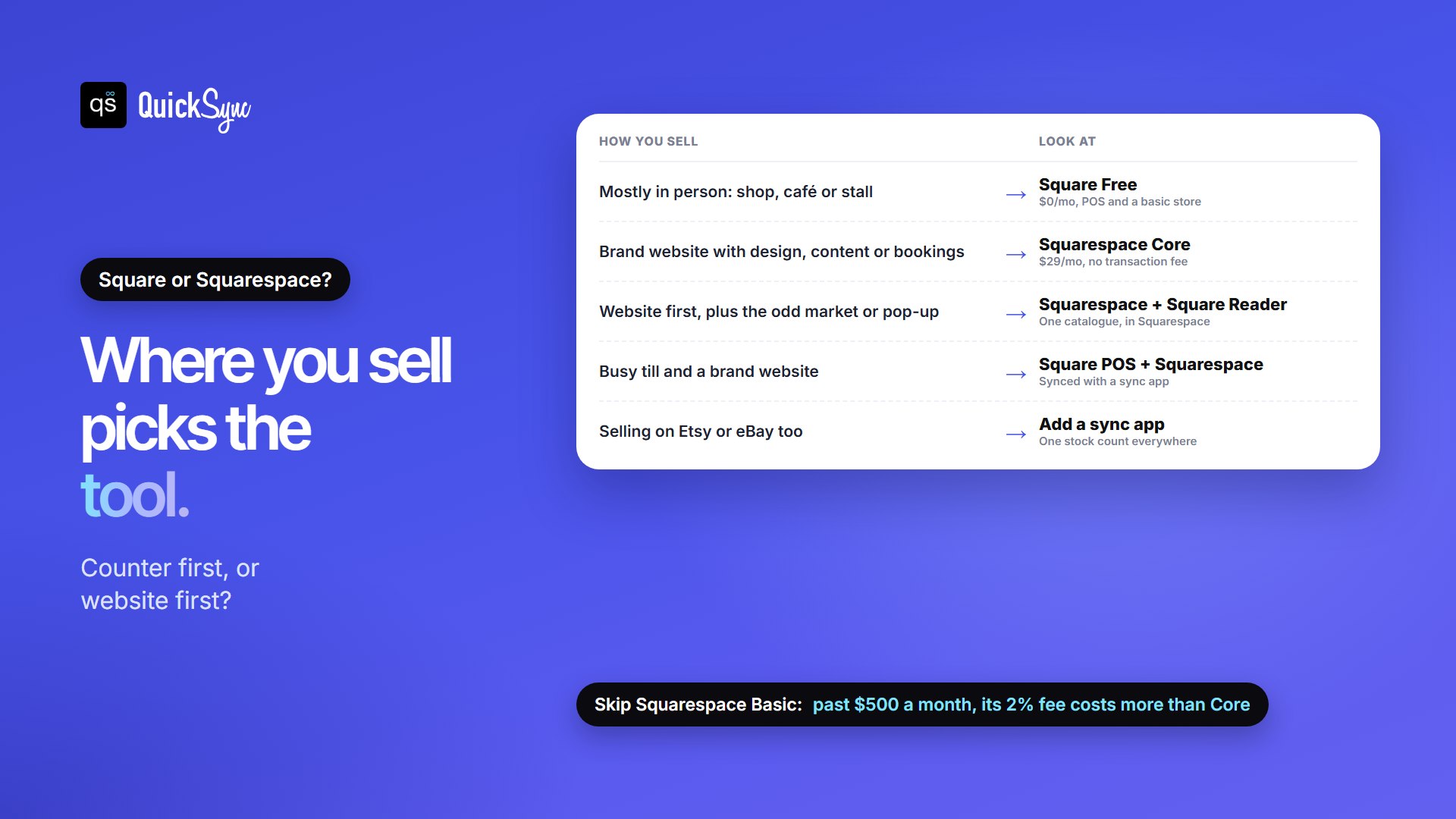
- Choose Square if most sales happen at a counter, a stall or on the road. Start on Free, and move to Plus when you want your own domain or the advanced POS features.
- Choose Squarespace if your website does the selling: a design-led brand, a maker shop, or services and bookings. Start on Core, not Basic, to skip the 2% fee.
- Use Squarespace with a Square Reader if you’re mainly online and sell in person now and then, at markets or pop-ups.
- Use Square POS with Squarespace, synced, if you have a busy till and a brand website and want each tool doing what it’s best at.
Still deciding Square vs Squarespace? Our comparisons of Wix vs Squarespace, Shopify vs Squarespace, Shopify vs Square and Clover vs Square cover the other common pairings. If you’re leaving Square, see our list of Square alternatives.
FAQs
More guides: Square inventory management, syncing multiple Square accounts, and our Square and Squarespace integration pages.