Squarespace can copy your Etsy products into your store, but it can’t keep the two shops in sync afterwards. If you sell the same pieces on a Squarespace site and on Etsy, the ring that sells on Etsy this morning still shows as in stock on your site until someone updates it. That’s the gap the best Squarespace Etsy integration apps close.
So, here are the six Squarespace Etsy Integration apps worth comparing. They differ in four ways that matter more than their feature lists: which Squarespace plan they need, how fast a sale reaches the other shop, what they charge you for, and what they do with orders.
This guide compares all six integration apps on those points, using Squarespace’s and Etsy’s own help pages and each vendor’s pricing, checked in November 2026. QuickSync is our product, so we’ve listed its limits alongside everyone else’s.
Quick Verdict of Squarespace Etsy Integration Apps
QuickSync is the best fit if Etsy and Squarespace are two of several places you sell, from $19 a month with no cap on orders, as long as you’re on Squarespace’s Core or Advanced plan. Trunk is the simplest real-time stock sync on any plan, from $35 a month. LitCommerce suits you if you want to list Squarespace products on Etsy and pull Etsy orders into Squarespace. Under 100 orders a month, Base.com’s free plan works if you are fine with its hourly sync.
Does Squarespace Integrate with Etsy?
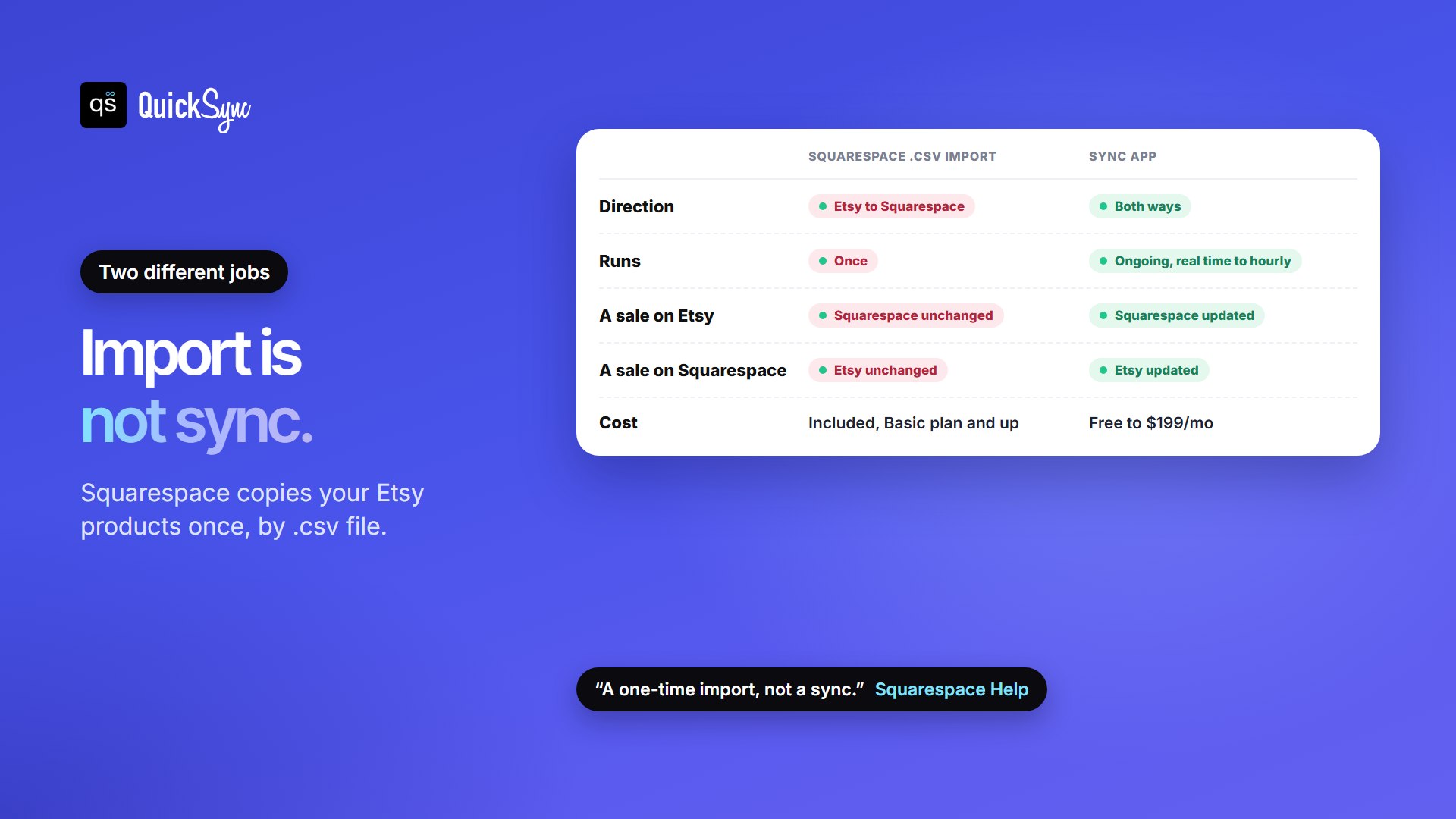
Yes, but only in one direction, and only once. Squarespace’s help page on using Etsy lets you import your Etsy products with a .csv file, then says plainly: “This is a one-time import, not a sync.” It adds that “it’s not possible to sync your inventories across both stores,” and suggests adjusting stock by hand after every sale.
The other built-in option is a link. You can add an “Etsy Shop” link or buttons to your site, and list your website under “Around the web” on your Etsy profile. Embedded Etsy widgets work the same way: they send shoppers to Etsy, but they don’t move any stock.
If all you want is a website for an Etsy shop, and you aren’t attached to Squarespace, Etsy has its own option. Pattern builds a site from your Etsy shop, imports most of your content and inventory, and lets you choose which listings appear from Shop Manager. It costs $15 a month after a 30-day trial. If you’re keeping Squarespace, read on.
If you’re importing anyway, get the SKUs right
Many sellers import first and sync second, which is a good order. Two details in the import decide whether a sync app can match your products later:
- Download your listings from Etsy. In Shop Manager, go to Settings, then Options, then Download Data, and click Download CSV. Etsy’s file covers your active listings: title, description, price, currency, quantity, tags, materials, image URLs and SKUs.
- Move them into Squarespace’s template. In your Squarespace Products panel, click Import, then Download CSV template, and copy your Etsy columns into it. A version 7.1 site takes up to 10,000 products, with up to 250 variants each.
- Copy your Etsy SKUs into the SKU column. If that column is blank, Squarespace generates its own SKUs, and they won’t match Etsy’s. QuickSync and Trunk link products by SKU, so this one column saves you an afternoon of matching later.
- Rebuild variations. Variations aren’t among the fields Etsy lists for this download, and Squarespace’s template needs one row for every size and color combination. Check your multi-option products after the import.
Check Squarespace Plan Compatibility Before Etsy Integration
Some tools install as a Squarespace extension; others connect with a Squarespace API key you create in your site settings. Squarespace’s pricing table includes Extensions on every plan but lists APIs as “Not included” on Basic. Its API keys help page puts the Orders and Inventory APIs on Core, Plus, Advanced and the older Commerce Advanced plan.
| How the tool connects | Tools | Squarespace plan needed |
|---|---|---|
| Squarespace extension | LitCommerce, Trunk | Any plan, since Extensions are included on all |
| Squarespace API key | QuickSync | Core, Plus or Advanced (or the older Commerce Advanced) |
| Not stated by the vendor | Base.com, Stockpilot, Stocksmith | Ask before you subscribe: if setup asks for an API key, Basic won’t work |
The 6 Squarespace Etsy Integration Apps at a Glance
| App | Best for | Starts at | You pay by | Connects as | Trial |
|---|---|---|---|---|---|
| QuickSync | Squarespace, Etsy and other shops on one count | $19/mo | Items; orders unlimited | API key (Core or Advanced) | 14 days |
| Trunk | Simple real-time stock sync | $35/mo | Orders on every channel | Extension | 14 days |
| LitCommerce | Listing Squarespace products on Etsy | $29/mo | Listings and channels | Extension | 7 days |
| Base.com | Under 100 orders a month on a budget | Free | Orders | Integration | 14 days |
| Stocksmith | Makers tracking materials and costs | $99/mo | Order lines | Integration | 14 days |
| Stockpilot | European sellers paying in euros | €79/mo | Orders | Integration | Free trial |
How Fast Do These Apps Update Stock?
Plenty of Etsy shops sell one-of-a-kind items: a single vintage brooch, one hand-thrown bowl, a print in an edition of one. With a quantity of one, the time a sale takes to reach the other shop is the window in which the same piece can sell twice. Here’s how each vendor describes its own speed:
| Tool | How quickly a sale reaches the other shop |
|---|---|
| Trunk | “Real-time” stock level syncing |
| Stockpilot | “Real-time stock sync” |
| QuickSync | Squarespace orders arrive immediately; Etsy stock is checked every 2 minutes and Etsy orders every 5 |
| LitCommerce | Every 15 minutes on its pricing page; its Squarespace Etsy page says every 60 minutes |
| Stocksmith | Hourly order imports and automatic stock sync on Business; daily imports and manual sync on Indie |
| Base.com | Every hour on Freemium; real time on Business |
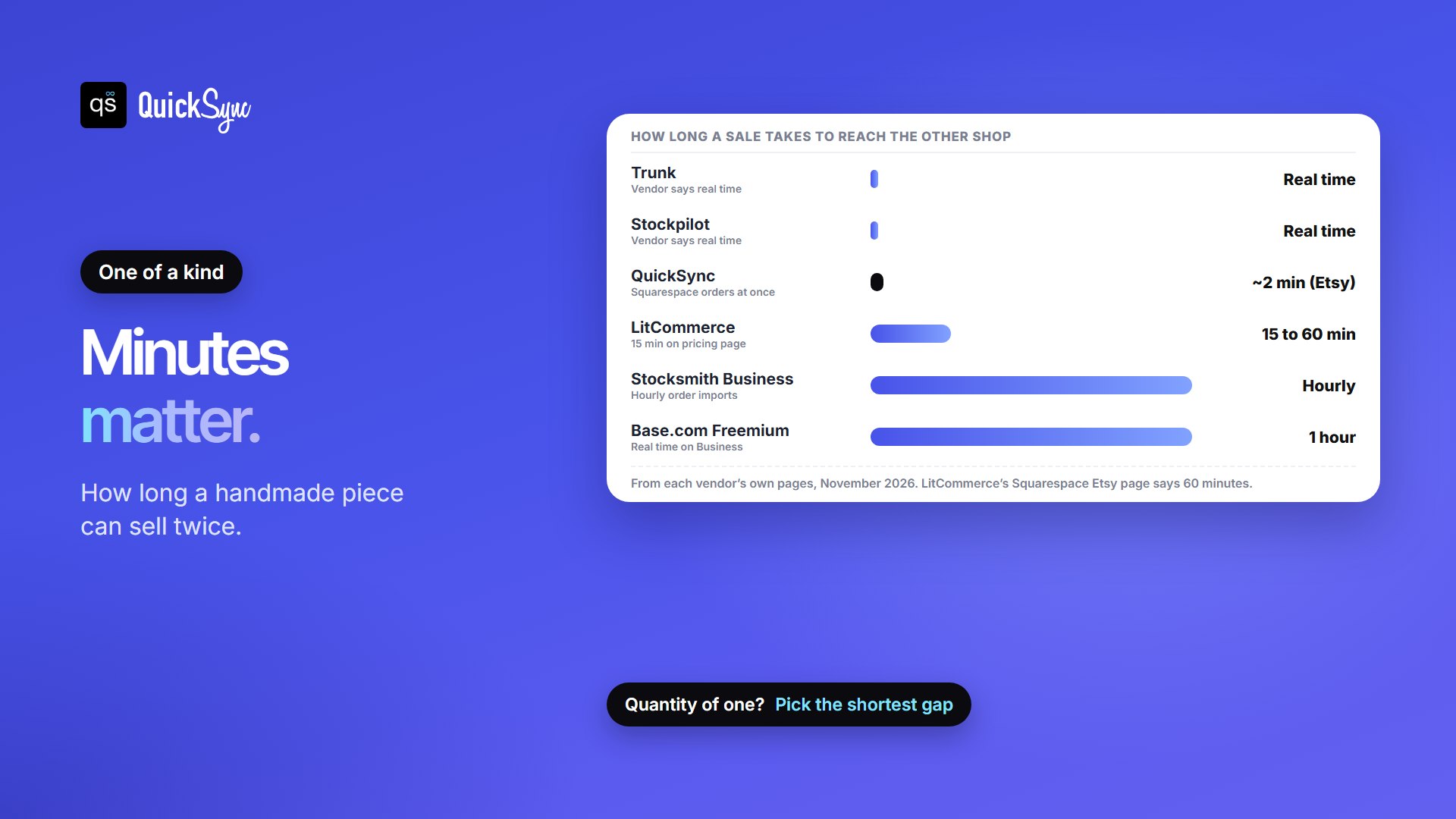
Why aren’t all these apps instant? The reason is that Etsy doesn’t announce a sale the moment it happens, so most tools have to check it on a timer. Squarespace announces new orders, but not a stock number you edit by hand. If you sell ten of the same mug, an hourly gap rarely matters. If most of your listings have a quantity of one, a shorter gap means fewer refunds and fewer apologetic messages to buyers.
What Will Each Etsy & Squarespace Sync App Cost You?
Say you run a handmade jewelry shop on Squarespace’s Core plan: 200 pieces, 40 orders a month, 25 of them on Etsy and 15 on your site. Here’s the cheapest plan on each tool that covers it:
| App | Plan | Monthly cost | Why |
|---|---|---|---|
| Base.com | Freemium | $0 | Under 100 orders and 1,000 products; syncs hourly |
| QuickSync | Lite | $19 | 200 items is under 1,000; orders don’t count |
| LitCommerce | Pay As You Go | $29 | 200 Etsy listings is under 1,000 |
| Trunk | Essential | $35 | 40 orders is under 100 |
| Stockpilot | Starter | €79 | Under 500 orders |
| Stocksmith | Business | $199 | The first plan with automatic stock sync ($99 Indie syncs stock manually) |
For a small shop, Base.com’s free plan wins on price, at the cost of an hourly sync. As you grow, the billing model matters more than the starting price. Trunk and Stockpilot count orders on every channel, and Base.com Business charges per order, so a busy holiday month can move you up a tier. QuickSync charges by the number of items you sync, so more orders don’t change the bill. LitCommerce counts listings, so adding a third channel uses more of your allowance.
1. Squarespace Etsy integration by QuickSync
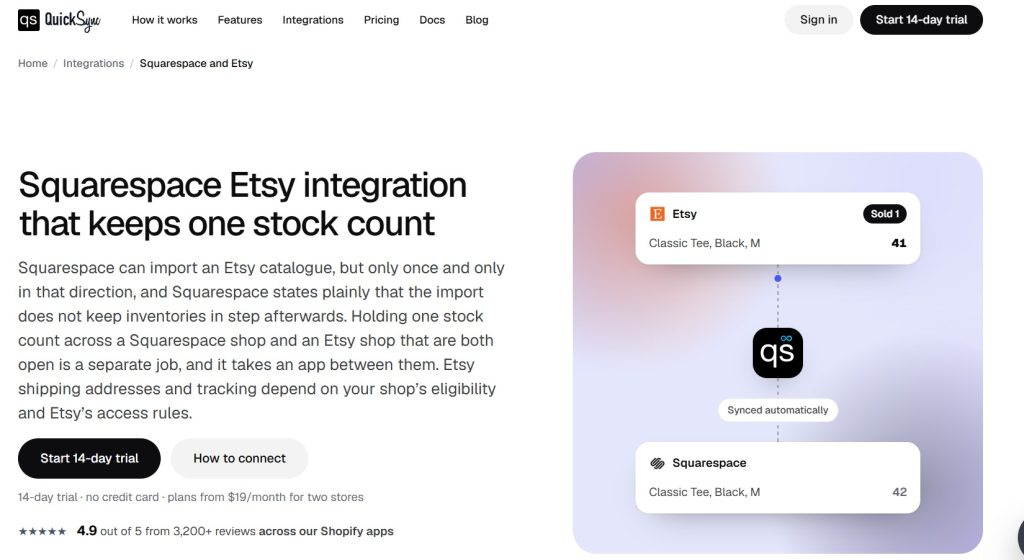
QuickSync connects to Squarespace with an API key you paste in, and to Etsy when you approve it from your Etsy account. It matches products by SKU, takes the starting count from the shop you pick as the source, then keeps stock levels both ways. The same account can also connect eBay, Shopify, Square, TikTok Shop and more, which is where it pulls ahead if Etsy isn’t your only other channel.
- Price: Lite $19/mo for two shops and up to 1,000 items, with automatic stock sync. Pro $29/mo raises that to 2,500 items and adds product sync and order sync into one packing list. Ultra $69/mo covers up to 10,000 items, adds price rules, so your Etsy price can sit above your site price to cover Etsy’s fees, and includes setup done for you. Each shop after the first two adds the plan price again, up to eight shops. Orders are unlimited on every plan.
- Speed: Squarespace orders arrive as they’re placed. Etsy stock is checked every 2 minutes and Etsy orders every 5.
- Orders: each order stays on the shop it came from. On Pro and up, QuickSync pulls both shops’ orders into one list so you pack from one place.
- Trial: 14 days, no credit card.
- Watch for: it needs Squarespace Core or Advanced. Keep Etsy SKUs to 32 characters or fewer, and don’t reuse a SKU on two Etsy listings, or both drop out of the sync.
2. Trunk
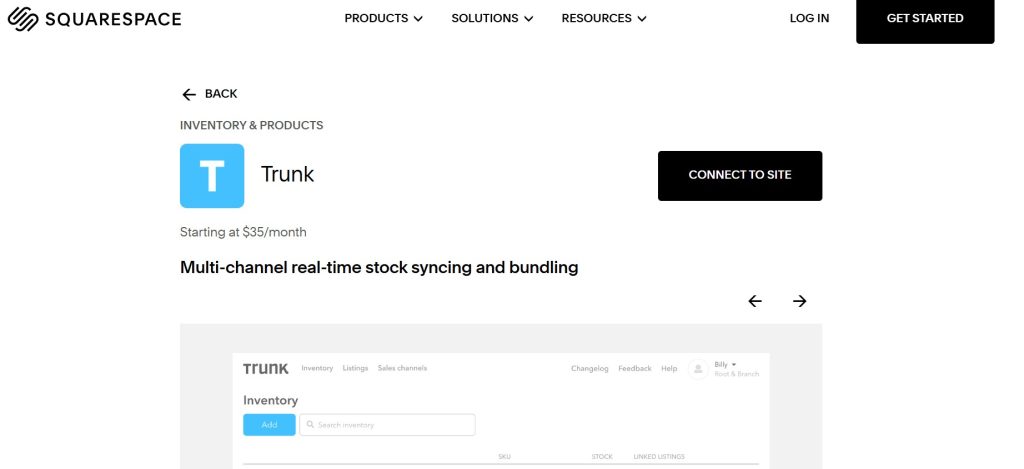
When a seller asked on Squarespace’s community forum how to sync Etsy, the answer pointed to Trunk. It installs as a Squarespace extension, builds one inventory from your listings, and links any listings that share a SKU. It sticks to stock: it doesn’t describe creating listings or moving orders between shops.
- Price: Essential $35/mo for up to 100 orders, $45 for 101 to 200, $59 for 201 to 400 and $89 for 401 to 800. Pro starts at $39 and adds bundles, kits and duplicate-SKU syncing. Unlimited channels and listings on every plan.
- Speed: “real-time” syncing, in Trunk’s words.
- Trial: 14 days, no credit card.
- Watch for: orders on every channel count toward your band, and Trunk checks your volume before each billing cycle, so a strong month can move you up a tier.
3. LitCommerce
Search Squarespace’s Extensions marketplace for “Etsy” and LitCommerce is the one result. It handles three starting points: listing your Squarespace products on Etsy, importing Etsy products into Squarespace, or linking products that already exist on both. New Etsy listings land as drafts you can edit first, with an AI tool for Etsy descriptions. With Order Sync on, Etsy orders come into Squarespace, so you can fulfill everything from one dashboard.
- Price: from $29/mo for 1,000 listings across 3 channels, with unlimited orders. Listings on every connected channel count toward the 1,000.
- Speed: 15 minutes for stock, prices and orders on its pricing page; every 60 minutes on its Squarespace Etsy page. Ask which applies before you rely on it for one-of-a-kind stock.
- Trial: 7 days.
- Watch for: the sync gap if most of your pieces are a quantity of one.
4. Base.com
Base.com, formerly BaseLinker, lists products from your Squarespace store on Etsy and keeps stock and prices in step, with your own pricing rules if you want them. It ends an Etsy listing when stock hits zero and relists it on restock. Etsy orders can go to Squarespace, or you can manage every order inside Base.com.
- Price: Freemium is $0 for up to 100 orders a month and 1,000 products. Business is $99 a month plus $0.49 per order.
- Speed: orders, stock and prices every hour on Freemium; real time on Business.
- Trial: 14 days of full access.
- Watch for: the hourly gap on the free plan, and that Base.com is a full operations system, so expect more setup than a single-purpose sync app.
5. Stocksmith (formerly Craftybase)
Stocksmith answers a different question: not just how many necklaces you have, but how much silver wire and how many clasps are left, and what each piece cost to make. It imports orders from Squarespace and Etsy, tracks raw materials and recipes, and calculates your cost of goods. After a production run, its Stock Push sends the new finished-goods count back to your shops.
- Price: Indie $99/mo ($83 billed yearly) with manual stock sync and daily imports. Business $199/mo ($166 billed yearly) with automatic stock sync and hourly imports. A $41 Studio plan covers inventory and recipes before you go multi-channel.
- Trial: 14 days, no credit card.
- Watch for: you need Business for automatic stock sync, and hourly imports leave a wider gap than a dedicated sync app.
6. Stockpilot
Stockpilot is a Dutch order and inventory platform with a ready-made Etsy and Squarespace connection. It keeps products, stock and orders in sync, and adds shipping labels, pick-and-pack and purchase orders as you grow.
- Price: Starter €79/mo for up to 500 orders and 3 marketplace integrations, then €0.09 per extra order. Growth €149/mo for up to 2,000 orders with unlimited integrations.
- Speed: “real-time stock sync,” in Stockpilot’s words.
- Watch for: it’s priced in euros and aimed at European sellers, and it’s more platform than a small shop needs.
Things to Set Up Before Syncing Squarespace With Etsy
- Check your Squarespace plan. On Basic, use an extension such as Trunk or LitCommerce. For an API-key tool such as QuickSync, you need Core or Advanced.
- Give every product and variation the same SKU on both shops. Etsy suggests 4 to 8 characters, no symbols, and no letter O or I, which look like numbers. Short codes also stay inside the 32-character ceiling QuickSync works to. Our guide to what a SKU is has a simple system to copy.
- Check your variation limits. Etsy allows up to 3 variation types, but unique SKUs and quantities only work for up to 400 option combinations. A listing past that can’t give every combination its own SKU, so it can’t sync combination by combination. Our guide to Etsy variation limits covers workarounds.
- Pick the shop that holds the true count on day one, usually the one you update most. The app copies that count to the other side.
- Test one sale each way on a cheap listing before you switch on the whole catalog.
Which Squarespace Etsy Integration Should You Choose?
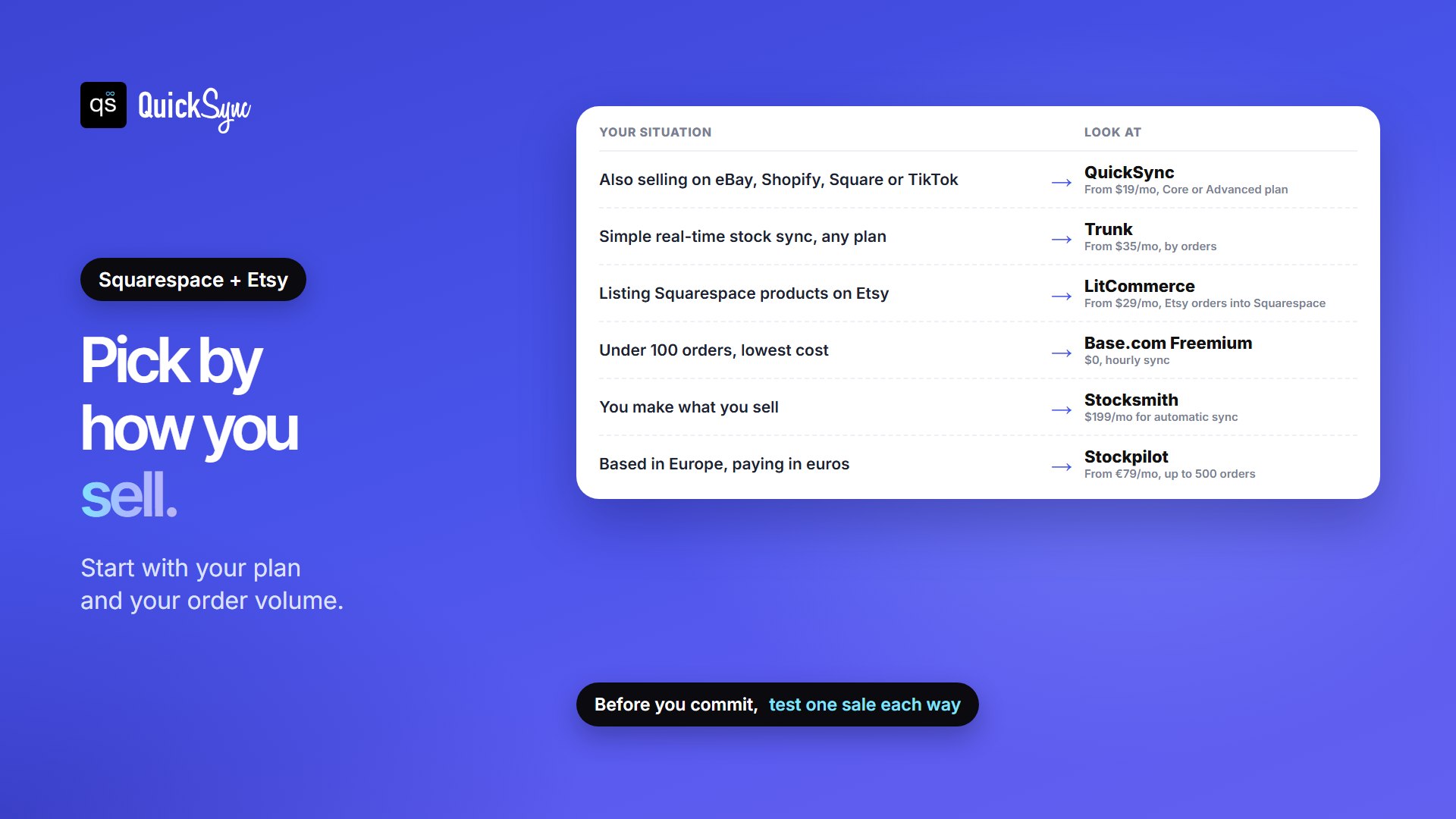
- You also sell on eBay, Shopify, Square or TikTok Shop: QuickSync, from $19/mo, on a Core or Advanced plan.
- You want simple, fast stock sync on any plan: Trunk, from $35/mo.
- You want to list Squarespace products on Etsy and handle Etsy orders in Squarespace: LitCommerce, from $29/mo.
- You sell under 100 orders a month and want to spend nothing: Base.com Freemium, if an hourly sync is fast enough.
- You make what you sell and want material costs: Stocksmith Business, $199/mo.
- You’re in Europe and want shipping and fulfillment in the same tool: Stockpilot, from €79/mo.
Still deciding between the platforms themselves? Read Etsy vs Squarespace, and our guide to Etsy inventory management for the day-to-day side. Selling elsewhere too? We compare the best Square Etsy integration apps, the best Shopify Etsy integration apps and the best Squarespace eBay integration apps.
FAQs
More guides: the best WooCommerce Etsy integration plugins, the best TikTok Shop Etsy integration apps, Square vs Squarespace, and our Squarespace and Etsy integration pages.