Squarespace tracks stock well for a single website. You set a quantity, it drops with every sale, and the product shows “Sold Out” at zero. The trouble starts when the same items also sell on Etsy, at a market stall or in a second shop, because Squarespace only knows about its own sales.
Squarespace inventory management happens in the Products panel: you set stock for each product and variant, Squarespace lowers it after every sale, and it can email you when stock runs low.
It doesn’t sync stock with Etsy, eBay, Shopify or Square’s own inventory, and it has no back-orders, so sellers on more than one channel add an inventory extension or a sync app. This guide covers what Squarespace does on its own, where it stops, and how the main inventory tools compare.
How Squarespace Inventory Management Works
Everything lives in the Products panel. It lists every product across all your store pages, including hidden and scheduled ones, and lets you search, sort and edit price, stock, visibility and fulfillment profile in one place.
- Stock per variant. Each size or color has its own count.
- Automatic updates. Stock drops after every purchase on your site.
- Quantity limits. You can cap how many of an item one customer can buy. This setting is on desktop only, not in the app.
- Reserved carts. If you turn on the cart countdown timer, items in a shopper’s cart are held for 5 to 20 minutes, so other shoppers see less available stock until the timer runs out.
- Low-stock alerts. Squarespace can email you when stock runs low, and the Squarespace app sends push notifications. You can also show a low-stock label on products and choose the stock level that triggers it.
One detail catches people out: products belong to a store page. Delete a store page and its products leave your inventory too. Move products between pages, and they can lose their categories.
How to Update Stock on Squarespace
One product at a time
- Open the Products panel.
- Click the arrow next to a product to show its variants.
- Click the Stock value and type the new number.
In the Squarespace app, go to Commerce > Products, tap the product, then tap Quantity.
Many products at once with a CSV
For bulk changes, export your products, edit the file and import it again:
- In the Products panel, click the All tab, then Export all. You can export up to 10,000 products.
- Edit stock, prices or details in the .csv.
- Import the file back. Bulk editing by CSV works on the Basic, Core, Plus and Advanced plans.
Two things to know: the file is a snapshot, so changes in Squarespace after you export don’t appear in it, and download products and gift cards don’t export.
Mark a product as sold out
Squarespace marks a product sold out when the last one sells. To do it yourself, set the stock to 0 in the Products panel (for variants, expand the product first). You can change the “Sold Out” label too, for example to “Sold” for one-of-a-kind pieces or “Class Full” for services.
Sold Out, Waitlists and Back-Orders
When something sells out, Squarespace gives you a waitlist, not a back-order. In Squarespace’s own words, it “doesn’t currently have a back-order system.”
Product waitlists let shoppers leave their email on a sold-out product. They come with limits worth knowing before you rely on them:
- Plans: Core, Plus and Advanced, plus the Commerce Basic and Commerce Advanced plans. Not Basic.
- Manual emails: when stock is back, you click Email all. Nothing goes out automatically.
- No export: you can’t download the list or get notified of sign-ups, and the list disappears after you email it.
- All or nothing: waitlists show on every sold-out product. You can’t pick which ones.
- Dropdowns only: the sign-up doesn’t appear if your variants display as buttons.
If you also sell on Etsy, it works differently there: Etsy’s restock requests email shoppers automatically, but they need a paid subscription. Our guide to Etsy Plus covers that.
Selling in Person with Squarespace POS
Squarespace’s point of sale uses a Square Reader inside the Squarespace app. In-person sales update your Squarespace stock, which is handy for markets and pop-ups. There are limits:
- It’s US only and needs a Square account and a Square Reader. It doesn’t work with Square Register, Stand or Terminal.
- The app shows up to 500 of your most recent products.
- It doesn’t touch Square’s own inventory. Squarespace says that if you already use Square for inventory, “this integration is separate from your Square inventory.”
So if you run a full Square POS in a shop and Squarespace online, you have two stock counts that don’t talk to each other. Our Square vs Squarespace guide explains the difference, and a Square Squarespace integration keeps the two counts matched.
Where Squarespace Inventory Stops
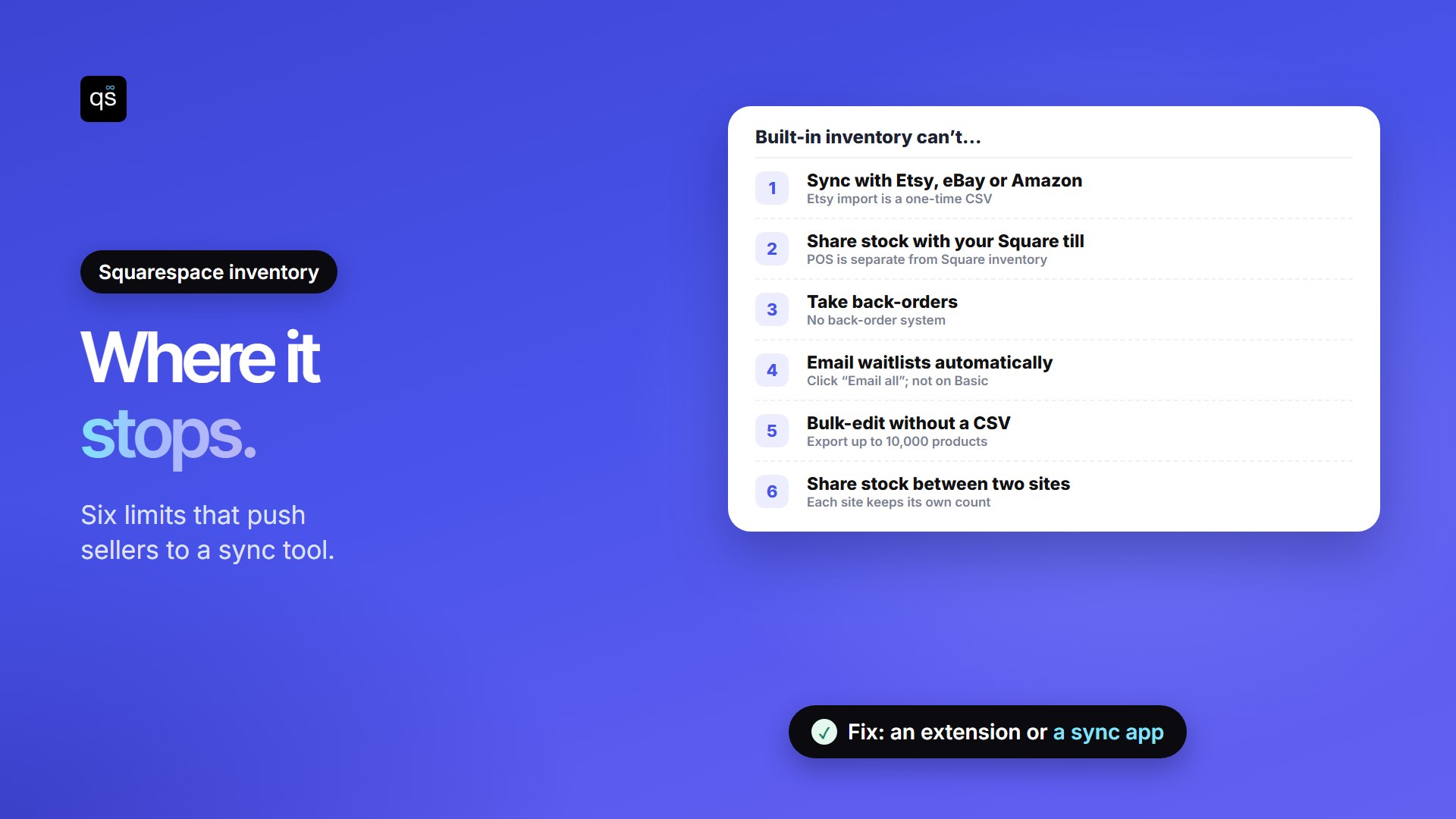
| Limit | Who it affects | What fixes it |
|---|---|---|
| No stock sync with Etsy, eBay, Amazon or TikTok Shop | Anyone selling the same items on a marketplace | An inventory extension or sync app |
| Squarespace POS is separate from Square’s inventory | Shops with a Square till and a Squarespace website | A Square and Squarespace sync |
| No back-orders | Made-to-order and pre-order sellers | A waitlist, or taking orders on another channel |
| Waitlists are manual and not on Basic | Sellers with frequent restocks | Core or higher, and a restock routine |
| Bulk changes only by CSV | Large catalogs | Export, edit and re-import, or an app that writes stock for you |
| Each Squarespace site keeps its own stock | Sellers running two sites from one stockroom | A sync app that treats each site as a store |
The first one hurts most. Squarespace’s own Etsy import is “a one-time import, not a sync,” and its Etsy help page says it’s “not possible to sync your inventories across both stores.” If a mug sells on Etsy at 2 p.m., your Squarespace site keeps selling it until you change the number by hand.
Tools That Sync Squarespace Inventory
Squarespace’s answer to these limits is extensions. Its help center lists inFlow Cloud, LitCommerce and Trunk as inventory extensions. Other tools, including ours, connect through Squarespace’s sign-in instead. Here’s how they compare:
| Tool | Best for | What it connects to Squarespace | Price |
|---|---|---|---|
| Squarespace Integration by QuickSync | One stock count across marketplaces, online stores and POS | Etsy, eBay, Shopify, Square, Clover, WooCommerce and more | From $19/month for 2 stores |
| Trunk | Stock sync with bundles and kits | Multiple selling channels; listed by Squarespace as an extension | $35/month |
| inFlow Cloud | Warehouse work: barcode scanning and receiving stock | Updates Squarespace stock from inFlow; listed as an extension | From $99/month billed yearly |
| LitCommerce | Listing Squarespace products on marketplaces | Amazon, eBay, Etsy and others; listed as an extension | From $29/month |
| Stocksmith (formerly Craftybase) | Makers who track materials and costs | Squarespace and marketplaces | Automatic sync from $199/month, or $166 billed yearly |
An honest way to choose:
- You run a stockroom with barcode scanning and stock receiving: inFlow is built for that.
- You make your products and need cost-of-goods tracking: look at Stocksmith.
- You want to push Squarespace listings onto marketplaces: LitCommerce focuses on listing.
- You already list everywhere and need one stock count that updates on its own: that’s the job of Trunk and QuickSync. QuickSync also covers POS systems like Square and Clover.
Prices change often, so check each tool’s pricing page before you decide. For marketplace-specific comparisons, see our roundups of the best Squarespace Etsy apps and best Squarespace eBay apps.
How to Sync Squarespace Stock with Etsy, eBay, Square or Shopify
Here’s the setup with QuickSync, from our Squarespace setup guide. Take a ceramics studio that sells on its Squarespace site, on Etsy and at weekend markets with a Square till:
- Give every variant a SKU, the same one on each channel. QuickSync matches products by SKU, and Squarespace SKUs should be 60 characters or fewer.
- Connect Squarespace. In QuickSync, go to Settings > Stores > Add a store, pick Squarespace, sign in and allow access to products, inventory and orders. Connecting doesn’t change your products.
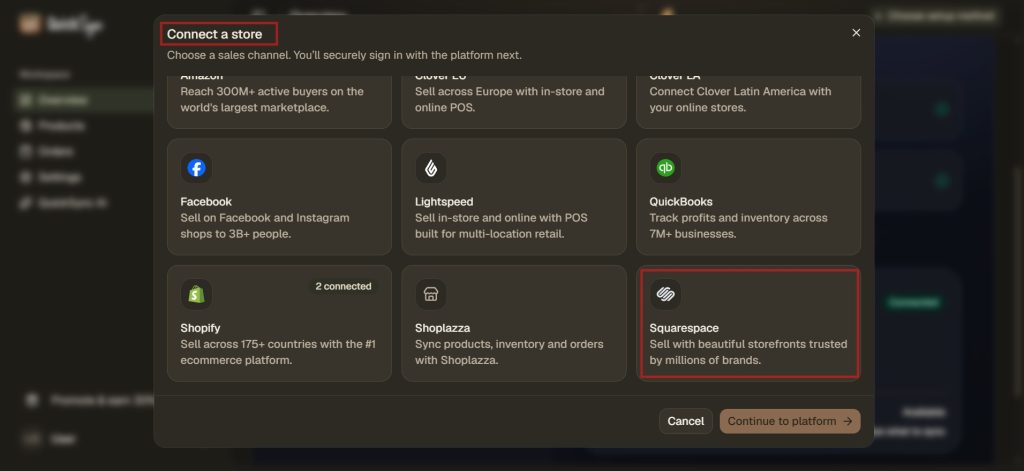
- Connect your other channels, such as Etsy and Square.
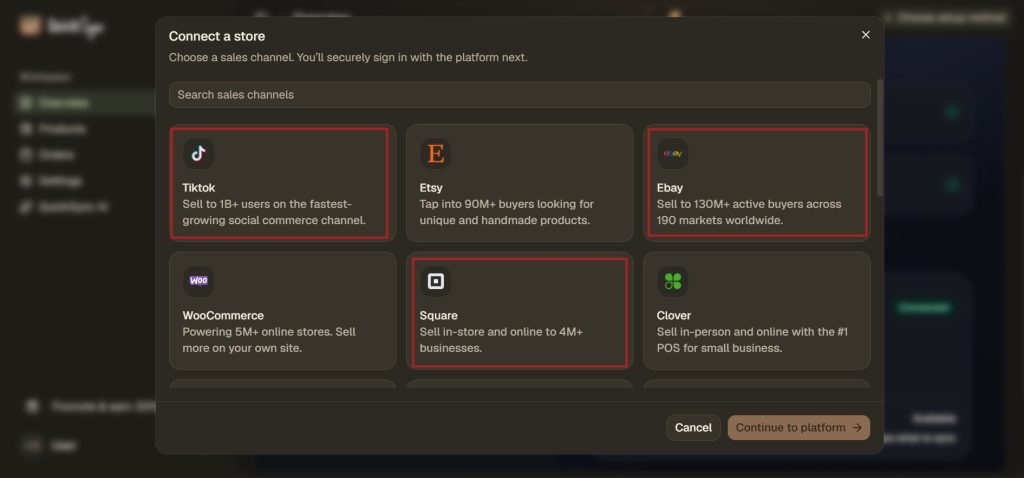
- Choose your main store if you want product details to flow from one place. Squarespace can be the main store.
- Start syncing. From then on, one stock count covers every channel.
What to expect once it’s running:
- Speed. Squarespace reports new orders as they happen, but it doesn’t announce stock edits, so QuickSync checks Squarespace stock every 2 minutes. Changes going to Squarespace are sent straight away.
- One count per site. QuickSync syncs one stock count with each Squarespace site. If your other store has several locations, you choose which location’s count Squarespace gets.
- Orders. On the Pro plan, Squarespace orders can be copied to the store you ship from, such as Shopify, Square or Clover. Squarespace itself can’t be that packing store.
- Copying products. Missing products can be copied into Squarespace on every plan. Keeping them updated needs Pro.
One plan covers two stores: Lite is $19 a month for stock sync up to 1,000 variants, and Pro is $29 for up to 2,500 variants plus product and order syncing.
Running Two Squarespace Sites from One Stockroom
Some sellers run a retail site and a wholesale site, or one site per brand, with the same physical stock behind both. Each Squarespace site keeps its own inventory, and the CSV export won’t keep them matched. In QuickSync, a second Squarespace site is simply another store on your plan, so both sites draw from one count.
FAQs
More for Squarespace sellers: Squarespace pricing, Etsy vs Squarespace and our Squarespace integration.