Two shops can run the same Clover Station and sign very different deals. One bought it on clover.com. The other signed up through its bank, with a different rate, a different contract and a different exit fee.
That’s because Clover isn’t sold in one place. It’s sold on clover.com and by banks such as Citi, PNC and Wells Fargo, plus more than 1,000 other financial institutions, and each sets its own terms. So most Clover POS reviews you’ve read describe somebody else’s deal.
This Clover POS review covers what Clover does well, where it falls short, what it really costs, the contract terms to check, and who should pick it. Prices and features were checked on clover.com on 29 October 2026, using Clover’s retail plans.
Clover POS Review: in Short
Clover is a strong POS for businesses that sell mostly in person. It has a wide range of hardware, the same card rate for every card, offline payments and 24/7 phone support. The weak spots are contracts that depend on who sold it to you, hardware that only works with Clover’s payments, and limited tools for selling online.
- Best for: busy retail counters, restaurants and cafes, and shops that want staff, loyalty and inventory tools in one system.
- Not ideal for: businesses that sell mostly online and ship orders, and anyone who might switch payment processors in the next few years.
What is Clover POS?
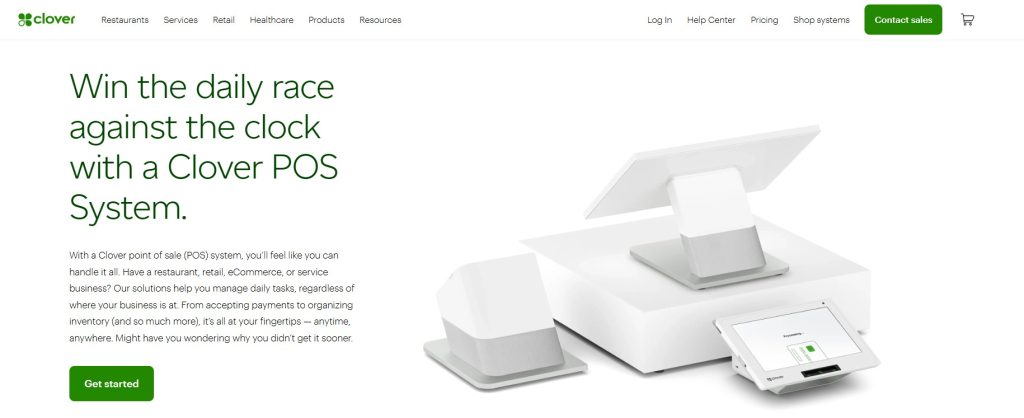
Clover is a point of sale system owned by Fiserv, a US payments and financial technology company. A Clover POS system combines Clover’s own hardware, software plans for restaurants, retail and service businesses, and Clover’s payment processing. The Clover App Market adds third-party apps, from QuickBooks to Mailchimp.
You manage everything in the Clover Dashboard, on the web or in the Clover app. And you can buy it in two ways: directly on clover.com, or through a bank or reseller. That choice matters more than any feature, as you’ll see below.
Clover POS Features
The free Starter plan covers the basics. Most of the features below need Clover’s paid plans, mainly Retail Growth for shops.
- Payments: tap, dip and swipe cards, Apple Pay and Google Pay, PayPal and Venmo, cash and checks, invoices and keyed-in payments. Every card, including Amex and rewards cards, costs the same rate.
- Orders: itemized orders, discounts, returns and exchanges, open tabs and split bills, and weighing items with a connected scale on Retail Growth.
- Inventory: item and category management on Retail Growth. Our guide to Clover inventory management covers the setup.
- Customers: a customer database on every plan, Clover gift cards from Essentials up, and loyalty, promotions and private feedback on Retail Growth.
- Staff: individual logins and permissions on every plan, and shift management on Retail Growth. Clover can also track each employee’s sales and tips.
- Reports: real-time sales and tax reporting on every plan, with detailed sales reports on Retail Growth.
- Virtual Terminal: take card payments from a computer, tablet or phone, with no Clover device.
- App Market: add apps for accounting, payroll, marketing and more. Many apps charge their own monthly fee.
Does Clover work offline?
Yes, on several devices. By default, several Clover devices can take card payments offline for up to 7 days, and they send them for approval once the internet is back. There are limits. A payment taken offline can still be declined later, for example if the card has expired. Offline mode doesn’t work for EBT or gift cards, and Clover Go doesn’t support it at all (Clover docs).
Clover customer support
Clover offers 24/7 phone support for merchants, and its pricing page says it’s available 24/7/365 for troubleshooting. If you bought through a bank or reseller, they may be your first point of contact, so ask who handles support before you sign.
Clover POS Hardware: Which Device Fits
Clover’s range runs from a $199 card reader to a $1,899 two-screen station. Apart from Clover Go, the devices below can also be rented on a 36-month subscription. Clover also sells a self-service Kiosk and Kitchen Display Systems for restaurants.
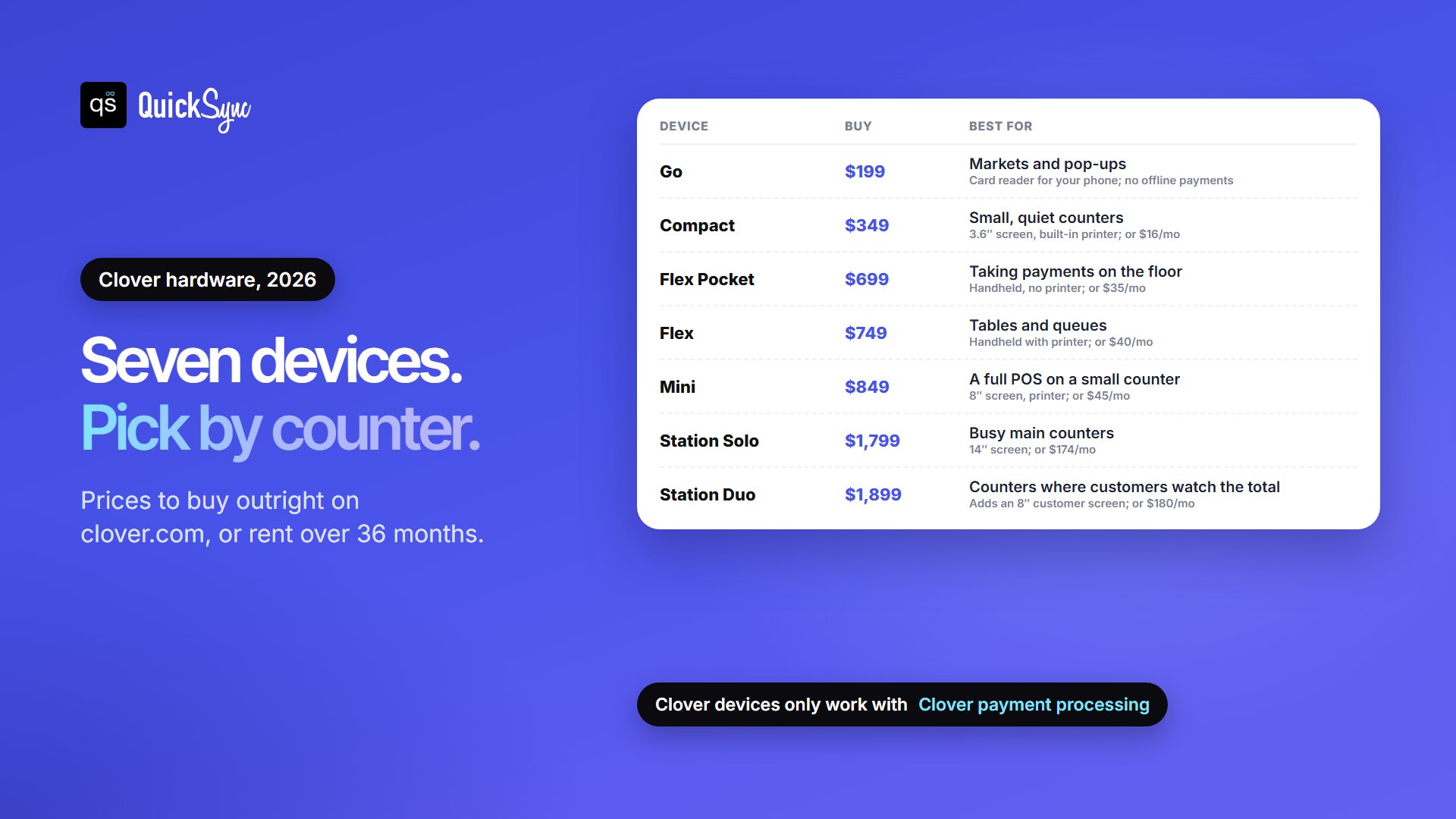
| Device | Buy outright | Or rent (36 months) | Best for |
|---|---|---|---|
| Clover Go | $199 | Not offered | Markets, pop-ups and mobile sales (no offline payments) |
| Compact | $349 | $16/mo | Small counters with low volume |
| Flex Pocket | $699 | $35/mo | Taking payments on the shop floor |
| Flex | $749 | $40/mo | Tables and queues, with a built-in printer |
| Mini | $849 | $45/mo | A full POS on a small counter |
| Station Solo | $1,799 | $174/mo | Busy main counters |
| Station Duo | $1,899 | $180/mo | Counters where customers watch the total |
One thing to know before you buy: Clover devices only work with Clover’s payment processing. If you leave Clover, you usually replace the hardware too.
What Clover Costs
You pay three things: a card fee on every sale, a monthly software plan and the hardware. Here are Clover’s retail plans on clover.com:
| Plan | Monthly fee | Card tapped, dipped or swiped | Card typed in | What it adds |
|---|---|---|---|---|
| Starter | $0 | 2.6% + 10¢ | 3.5% + 10¢ | Payments, real-time sales and tax reporting, staff logins |
| Essentials | $29.95 | 2.5% + 10¢ | 3.5% + 10¢ | Gift cards and connecting an existing online store |
| Retail Growth | $84.95 | 2.3% + 10¢ | 3.5% + 10¢ | Inventory, detailed reports, loyalty, shifts, online store |
The 10¢ fixed fee is one of Clover’s real strengths, because Square charges 15¢. On the other hand, the free plan is basic. On Clover’s retail Compact bundle, item management and detailed reports aren’t included, and an online store is an optional add-on. Our Clover fees and pricing guide works out which plan is cheapest at your sales volume, and covers extras like the 1.75% Rapid Deposit fee.
Clover Contracts and Resellers: Read This Before You Sign
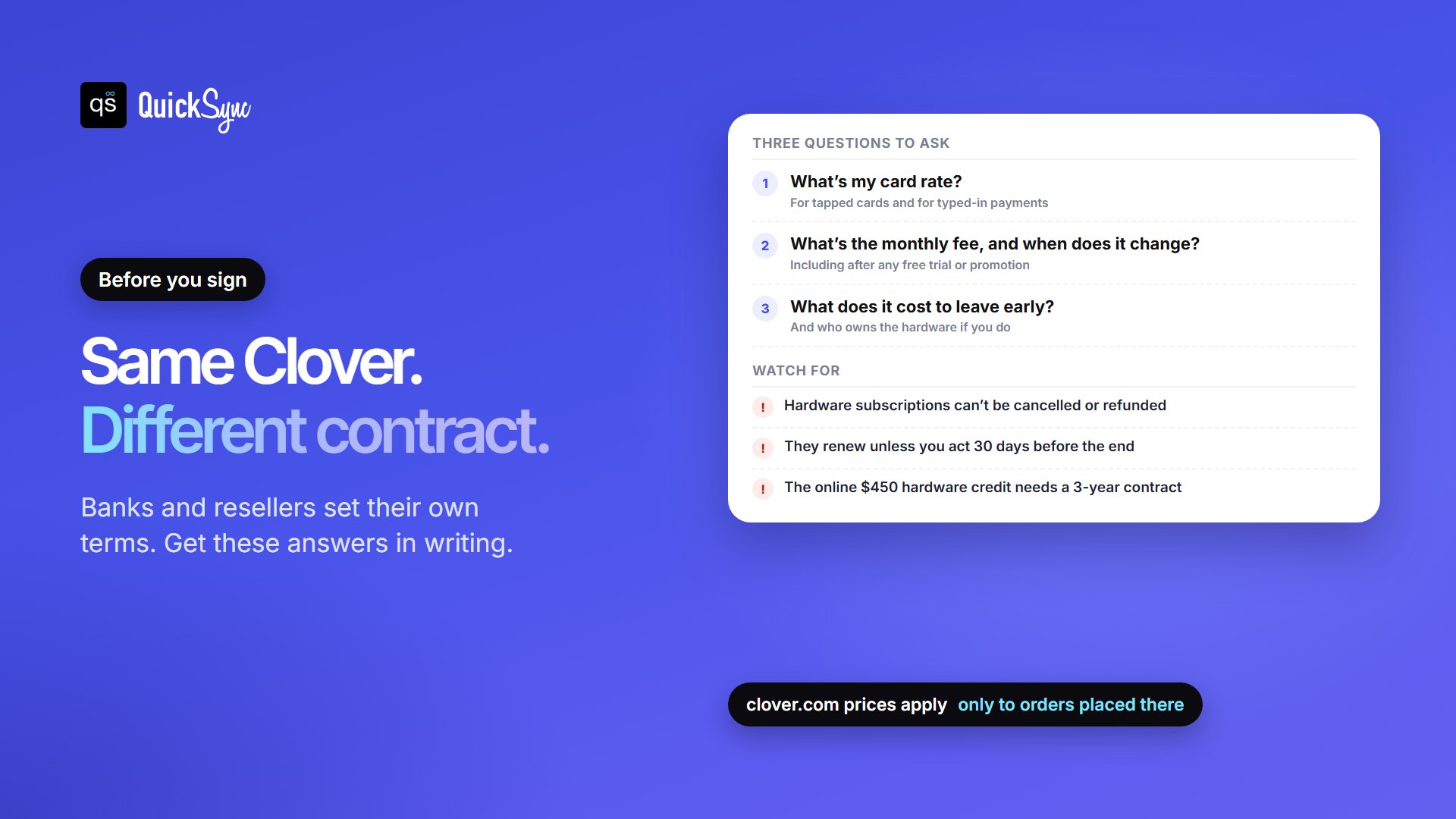
Many of the complaints you’ll find about Clover are about the deal, not the software. Clover says the prices on clover.com apply only to orders placed there, and that contract terms and termination fees vary with each bank or partner that sells it.
Even buying direct, read the terms closely:
- Hardware subscriptions can’t be cancelled or refunded. Clover’s FAQ says you can pay in full or upgrade your plan, but not cancel.
- They renew automatically. At the end of 36 months, you buy or return the device. Do neither and Clover keeps charging. Tell Clover at least 30 days before the term ends.
- Promotions can come with a contract. Clover’s online $450 statement credit on Station, Mini or Flex requires a 3-year contract and $10,000 in card sales within your first four billing cycles. The offer ends 31 December 2026.
If a bank or reseller quotes you Clover, ask three questions and get the answers in writing: What’s my card rate, both in person and typed in? What’s the monthly fee, and when does it change? What does it cost to leave early, and who owns the hardware if I do? Then compare the answers with clover.com.
Selling online with Clover
Clover is built for the counter, and online selling is where it’s most limited. Clover Online Store lets you set up a webstore and manage it in the Clover Dashboard. For retail orders, Clover’s setup guide covers in-store pickup and, where available, local delivery through DoorDash. Restaurants also get online menus and ordering through Google. On the free Starter plan, the online store is an optional add-on, and you can’t connect an existing online store.
If you already sell on Shopify, WooCommerce or another platform, Clover’s eCommerce page points you to SKU IQ, an App Market app, to connect it. And Clover doesn’t connect to marketplaces like Etsy, eBay or Amazon on its own.
That leaves a gap. Your Clover register and each online shop keep separate stock counts. Sell the last unit at the counter and it stays listed online until someone updates it by hand. The next online order for it has to be refunded.
QuickSync closes that gap. It syncs stock both ways between Clover and your other shops, matching products by SKU, so a counter sale updates your online listings and an online sale updates Clover. It connects Clover with Shopify, Etsy, WooCommerce, eBay, Amazon and more. If you’re comparing tools, our SKU IQ alternatives guide lays out the options.
Clover POS Pros and Cons
Pros
- One rate for every card, including Amex and rewards cards, with a low 10¢ fixed fee.
- Hardware for every counter, from a $199 reader to a two-screen station, plus handhelds for tables and queues.
- Offline payments for up to 7 days on several devices.
- 24/7 phone support.
- Built-in staff, loyalty and inventory tools on Retail Growth, with more in the App Market.
Cons
- Your deal depends on who sold it. Rates, contracts and exit fees vary by bank and reseller.
- Hardware is tied to Clover payments, so switching processors usually means new devices.
- Hardware subscriptions can’t be cancelled and renew automatically.
- The free plan is basic. Inventory, detailed reports and loyalty need Retail Growth at $84.95 a month.
- Limited online selling. Pickup and local delivery only through Clover’s own store, and no marketplace connections without an app.
- Typed-in payments cost more, at 3.5% + 10¢.
Is Clover a Good POS System? Who it’s for
Clover is a good POS system for the right business. Here’s how it fits common setups:
| Your business | Clover? | Why |
|---|---|---|
| Busy retail counter | Good fit | Station hardware, low fixed fee and Retail Growth’s inventory and staff tools |
| Restaurant or cafe | Good fit | Tabs, split bills, handhelds, kitchen displays and online ordering |
| Shop that also sells online | Fit, with a sync app | Clover runs the counter; a sync tool keeps your online stock right |
| Mostly online, shipping orders | Usually not | Clover’s store covers pickup and local delivery, not a full online shop |
| Markets and pop-ups only | Compare first | Clover Go works, but Square’s $59 reader is a cheaper way in with no contract |
| Unsure how long you’ll stay | Be careful | Hardware lock-in and contract terms make leaving costly |
Running Clover in more than one location? Our guide to syncing multiple Clover accounts covers keeping stock right across them.
Clover alternatives
- Square: no contract, a $59 reader and an online store on the free plan, but a 15¢ fixed fee in person. See Clover vs Square.
- Shopify POS: the better choice if your online store is your main channel. See Shopify vs Clover.
- Lightspeed Retail: built for large catalogues and several locations.
Our roundup of the best POS systems for small business compares all of them side by side.
FAQs
More guides for Clover sellers: Clover fees and pricing, the best inventory app for Clover, Clover QuickBooks integration apps and how to integrate Shopify and Clover.