Clover handles the basics out of the box: taking payments, tracking items and running simple reports. Most shops then hit a limit in one of a few places. They want to sell online, count stock properly, get sales into QuickBooks, pay staff or reward regulars.
The Clover App Market is where you fix that. It has apps for almost every job, and the prices on their listings run from free to $1,199 a month. Apps bill monthly, so a few wrong picks add up fast.
This guide picks the best Clover App Market apps by job, with the price and rating shown on each app’s listing. It also explains how installing, billing and cancelling work, so you can try apps without surprises. All prices are US prices from the Clover App Market, checked in October 2026.
What is the Clover App Market?
The Clover App Market is Clover’s app store for its point of sale. Apps add features your system doesn’t have, such as online store syncing, loyalty programs or payroll. Once you install an app, it appears on your Clover dashboard and on every supported Clover device.
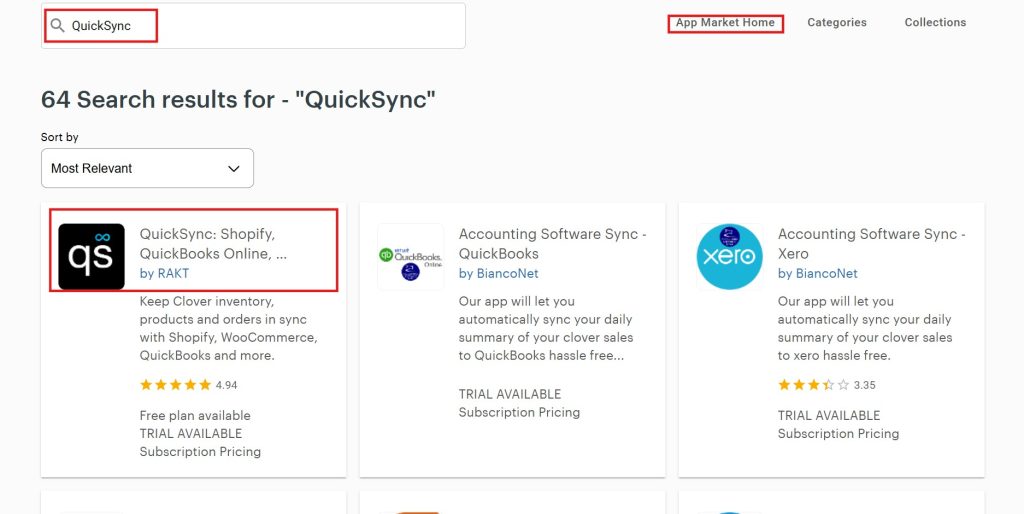
Where to find it: log in to your Clover dashboard and choose More, then App Market. You can search, or browse by category (such as ecommerce, inventory, accounting, marketing or employee management) or by collections Clover puts together, like Popular Apps.
How billing works: Clover says most apps have a free trial, then a flat or per-use fee, billed monthly to the bank account on file. Your charges show under Account & Setup, then Monthly Statements. Apps bill for the full month, and if you uninstall partway through, the next bill refunds the unused days.
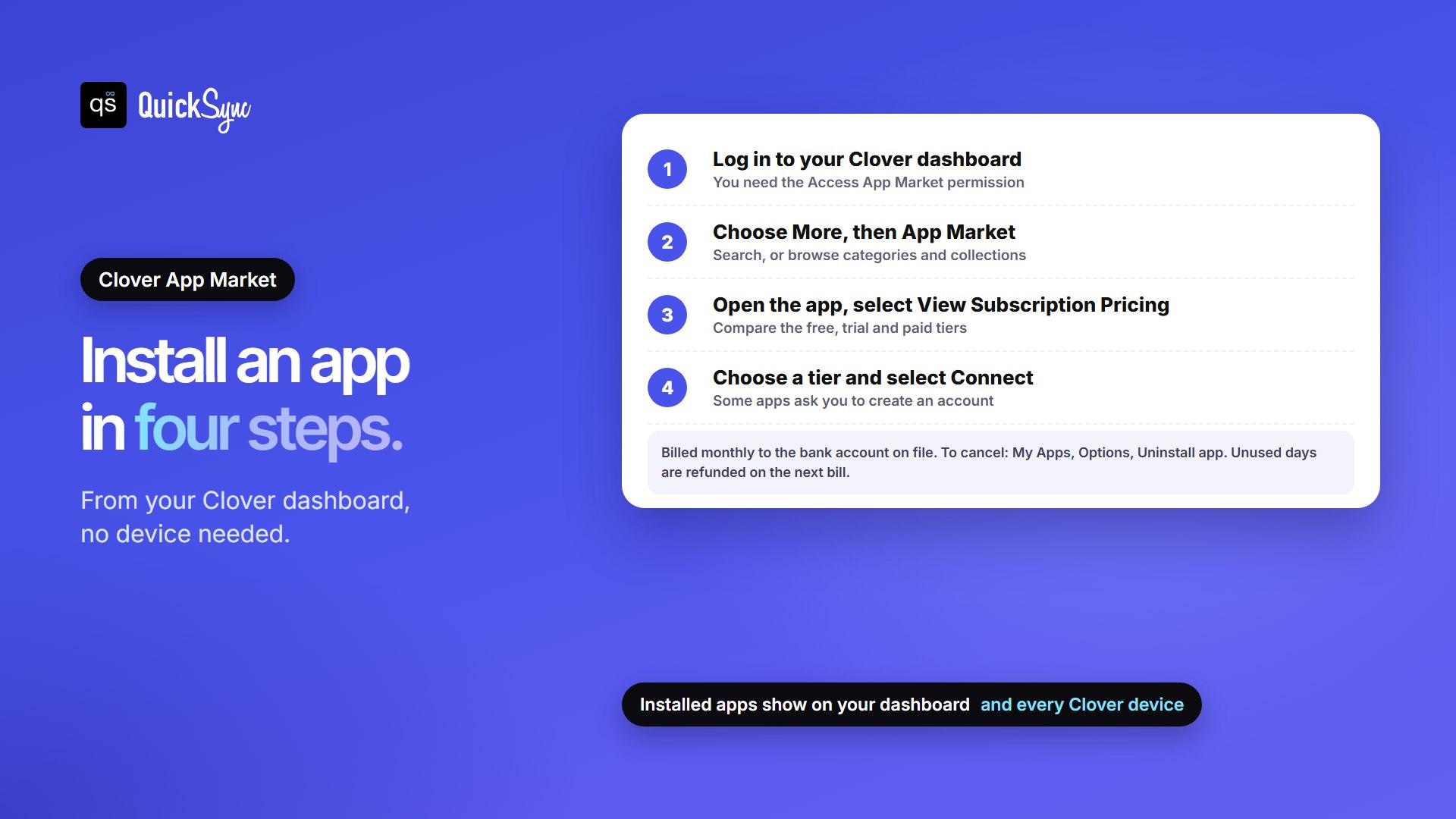
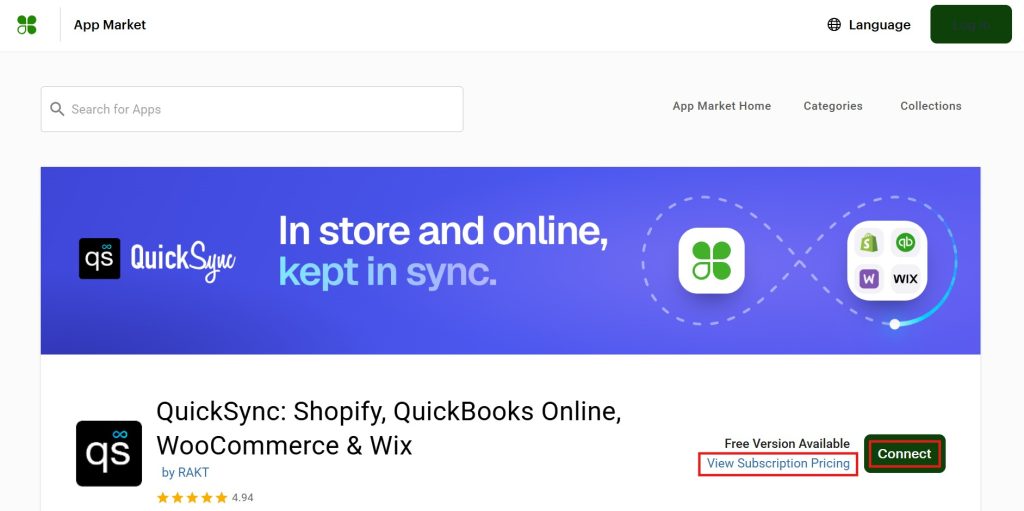
To install an app, open it, select Connect, then View Subscription Pricing, choose a tier and select Connect again. Some apps ask you to create an account with them. You need the Access App Market permission on your Clover account to install or remove apps. Clover’s Manage your apps page has the full steps.
The Best Clover Apps List: A Quick Overview
The best Clover App Market apps in 2026 are QuickSync for selling online and on marketplaces, Thrive for inventory and reports, Commerce Sync for QuickBooks, Clover Rewards or Loyalzoo for loyalty, Homebase for staff scheduling, Gusto for payroll and Easy Labels for barcode labels. Start with the job you need done, not the most popular app.
| If You | App | Price on Clover | Rating |
|---|---|---|---|
| Sell online and on marketplaces | QuickSync | $19 to $99/mo | 4.94 (584 reviews) |
| Sync with your web store | SKU IQ | $17 to $89/mo | 4.59 (159) |
| Web store plus eBay and Amazon | Kosmos eSync | $29 to $135/mo | 4.51 (40) |
| Inventory and reports | Thrive by Shopventory | $59 to $1,199/mo | 4.81 (292) |
| Daily sales email | Daily Email Report | $3.99/mo | 4.44 (19) |
| QuickBooks and Xero | QuickBooks by Commerce Sync | $31.95 to $59.95/mo | 3.87 (175) |
| Loyalty | Clover Rewards | Included in Essentials and Growth plans | Not rated |
| Loyalty and marketing | Digital Loyalty by Loyalzoo | $77 to $167/mo | 4.71 (144) |
| Loyalty, more reward types | Trezoro Loyalty + Marketing | $39.99 to $99.99/mo | 4.50 (25) |
| Scheduling and time clock | Homebase Time Clock | Free basic tier | 3.57 (289) |
| Payroll | Gusto Payroll | App free, payroll billed by Gusto | 4.39 (33) |
| Barcode labels | Easy Labels | $9.99 to $14.99/mo | 3.66 (71) |
Best Clover Apps for Selling Online and on Marketplaces
Clover’s own online store covers pickup and local delivery. If you also sell on Shopify, Etsy, eBay or Amazon, each place keeps its own stock count unless an app keeps them in sync. These three apps do that job, but they reach different places, so check your channels first. For Shopify, we compare them on real monthly cost in our guide to the best Shopify Clover integration apps.
1. QuickSync: best for selling on online stores and marketplaces
QuickSync is our app, so weigh that. Here’s what its Clover listing shows. It keeps one stock count across Clover and your other shops, matching products by SKU. Sell an item at the counter and its stock updates online; sell it online and Clover updates too. It connects Clover with Shopify, WooCommerce, Wix, Squarespace, Etsy, eBay, Amazon and TikTok Shop. It can also send fully paid Clover sales to QuickBooks Online.
Price: Lite $19 a month for stock syncing, Pro $29 adds product and order syncing, and Ultra ($69) and Ultra+ ($99) include setup done for you, with a 14-day free trial. It has the highest rating in this guide: 4.94 from 584 reviews.
The catch: product and order syncing need Pro or above. Clover doesn’t receive product photos or long descriptions, and Clover can’t take a tracking number back for orders.
2. SKU IQ: best for one web store
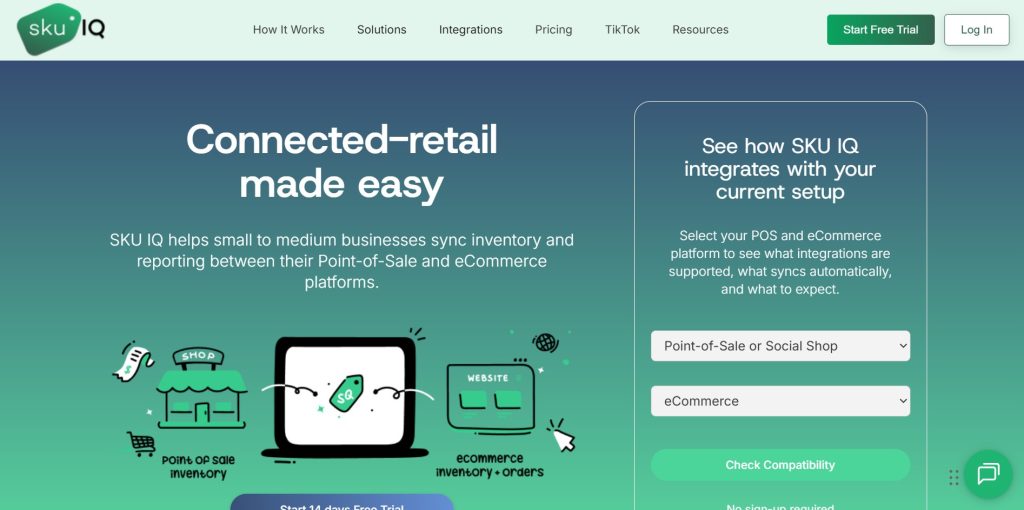
SKU IQ’s Real-Time Inventory Sync is the first app in Clover’s Popular Apps collection. It syncs Clover with Shopify, WooCommerce, Wix, BigCommerce and Squarespace. Basic costs $17 a month for stock and attribute syncing, Plus ($45) adds image syncing and pushes new products online, and Pro ($89) adds order syncing. It has a 14-day free trial and a 4.59 rating from 159 reviews.
The catch: its listing covers web stores only, with no Etsy, eBay, Amazon or TikTok Shop, and order syncing needs the $89 plan.
3. Kosmos eSync: best if you price by order volume
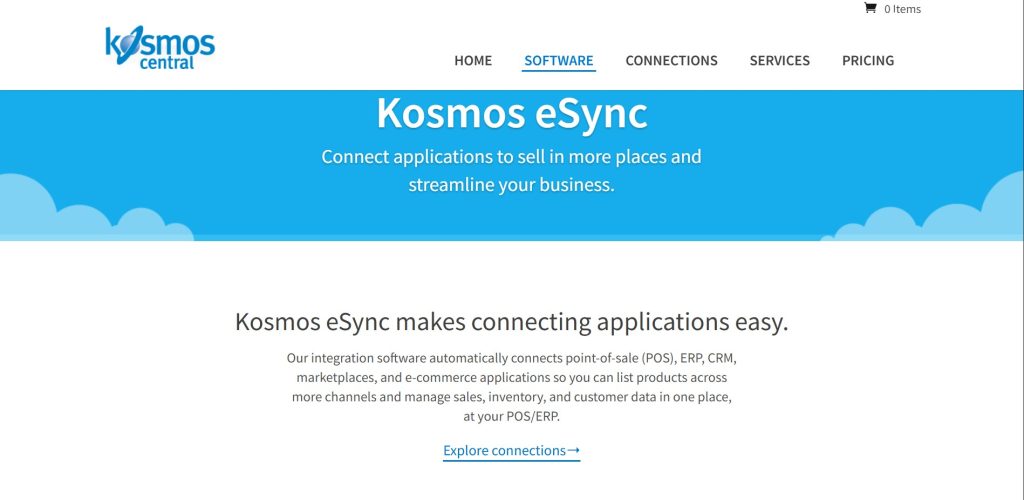
Kosmos eSync connects Clover with Shopify, WooCommerce and BigCommerce, and its listing says it can list items on eBay and Amazon using marketplace tools. Plans are priced by orders: $29 a month for up to 250 orders, $49 for 450, $75 for 1,250 and $135 for 2,550. It has a 4.51 rating from 40 reviews.
The catch: the price climbs with your orders, so a busy month can move you up a plan.
Best Clover Apps for Inventory and Reports
4. Thrive by Shopventory: best for deeper inventory
Thrive turns Clover into a fuller inventory system. Its listing highlights more than 20 reports, including stock changes and cost of goods sold, stock counts with a barcode scanner or a Clover device, and support for several locations and sales channels. It has a 4.81 rating from 292 reviews and a 14-day free trial.
Price: Starter $59 a month covers one location or sales channel and one user. Standard is $129 for two, Professional $279 for five, Elite $559 for ten and Enterprise $1,199 for twenty.
The catch: the price rises with every location and channel you add. Our guide to the best inventory apps for Clover compares it with five others, and Clover inventory management covers what Clover does on its own.
5. Daily Email Report: best cheap daily summary
Daily Email Report by Abreeze Technology sends a daily email to the people you choose, with sales broken down by payment type, category and item, so you don’t have to log in to check. It costs $3.99 a month, or nothing if you already pay for Abreeze’s Mission Control app. It has a 4.44 rating from 19 reviews.
Best Clover App for Accounting
6. QuickBooks by Commerce Sync: best for QuickBooks or Xero
Commerce Sync sends your Clover sales to QuickBooks Online, QuickBooks Desktop or Xero every night, usually as one daily summary. It tracks each payment type, so card payments line up with the deposits in your bank account. It’s in Clover’s Popular Apps collection, with a 3.87 rating from 175 reviews.
Price: Essential $31.95 a month, or Expert $59.95, which adds syncing sales by category. If you also use QuickSync for stock, it can send fully paid Clover sales to QuickBooks Online as sales receipts with their line items. Our guide to Clover QuickBooks integration apps compares seven options.
Best Clover Loyalty Apps
7. Clover Rewards: best place to start
Rewards is Clover’s own loyalty app. You set up a simple program in minutes, and customers join by email, text or the Clover app. It’s included in Clover’s Essentials and Growth plans, and its listing also shows a $0.01 pay-per-action loyalty fee. If you’re on Clover’s Starter plan, check the listing for your price. Our Clover fees and pricing guide explains the plans.
8. Digital Loyalty by Loyalzoo: best for loyalty plus marketing
Loyalzoo gives you points or stamp cards, automated birthday and win-back campaigns, and Apple and Google Wallet passes. Grow costs $77 a month, and Smart costs $167 with 5,000 SMS credits and tiered loyalty. Both start with a 7-day free trial. It has a 4.71 rating from 144 reviews.
9. Trezoro Loyalty + Marketing: best for more reward types
Trezoro grows with you by reward type. Starter ($39.99 a month) gives you one, Growth ($59.99) three and Pro ($99.99) all nine. It has a 4.50 rating from 25 reviews.
Best Clover Apps for Staff and Payroll
10. Homebase Time Clock: best free scheduling
Homebase lets staff clock in on your Clover device or their phone, and it tracks hours, breaks and overtime. The free Basic tier includes the time clock, scheduling, availability and team messaging. It’s in Clover’s Popular Apps, with a 3.57 rating from 289 reviews.
11. Gusto Payroll: best for running payroll
Gusto’s Payroll app connects your Clover account to Gusto, which pays staff and contractors and files payroll taxes, W-2s and 1099s for you. It also pulls hours from Homebase. The app is free on Clover, and its listing offers Clover merchants three months of free payroll processing. After that, Gusto bills for payroll separately. It has a 4.39 rating from 33 reviews.
Best Clover App for Barcode Labels
12. Easy Labels: best for price and barcode labels
Easy Labels prints price and barcode labels from your Clover items. Advanced costs $9.99 a month and lets you change the font, barcode size and add your logo. Pro costs $14.99 and adds web access, label sheets on a desktop printer, and Zebra and DYMO label printers. It has a 3.66 rating from 71 reviews.
How to Choose Clover Apps without Overpaying
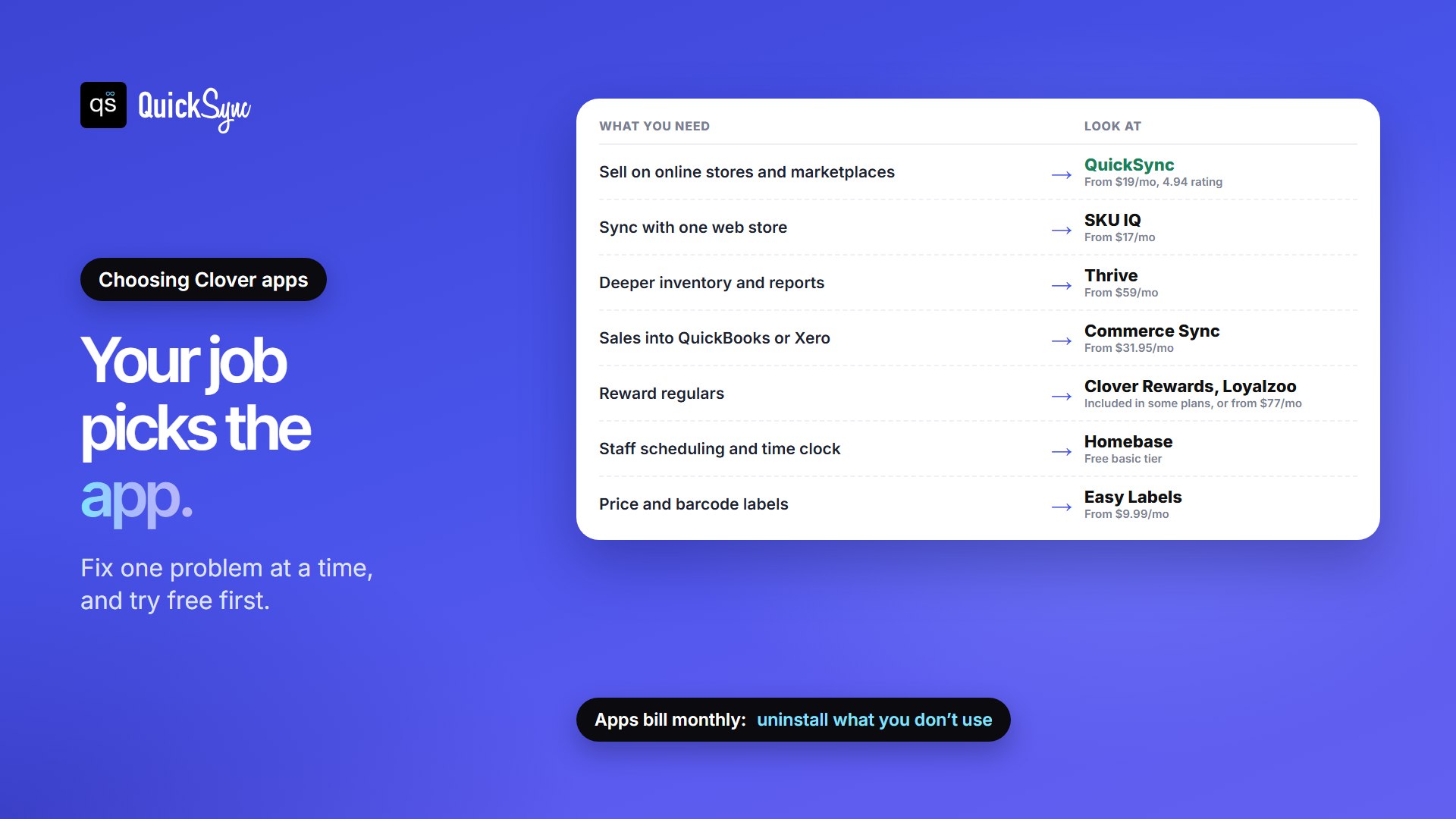
- Start with what you have. Some Clover plans already include apps like Rewards. Check your plan before you pay for a second loyalty app.
- Fix one job at a time. Pick the problem that costs you the most, like overselling online or hours spent on the books, and solve that first.
- Use the free trials. Most apps have one. Test with your real items and staff before the first bill.
- Add up the monthly total. A small retail stack of QuickSync Lite ($19), Easy Labels Advanced ($9.99) and Homebase’s free tier costs $28.99 a month.
- Remove what you don’t use. Uninstall from My Apps, then Options, then Uninstall app, and finish the confirmation steps so billing stops.
Not sure Clover is the right system in the first place? Our Clover POS review, Clover vs Square and Shopify vs Clover guides cover that. Running more than one Clover location? See syncing multiple Clover accounts.