You post a 20-second clip of a candle being poured. By the morning, it has 40,000 views, and the comments all say the same thing: “Where can I buy this?” If your shop is on Etsy, the answer has to be one tap away.
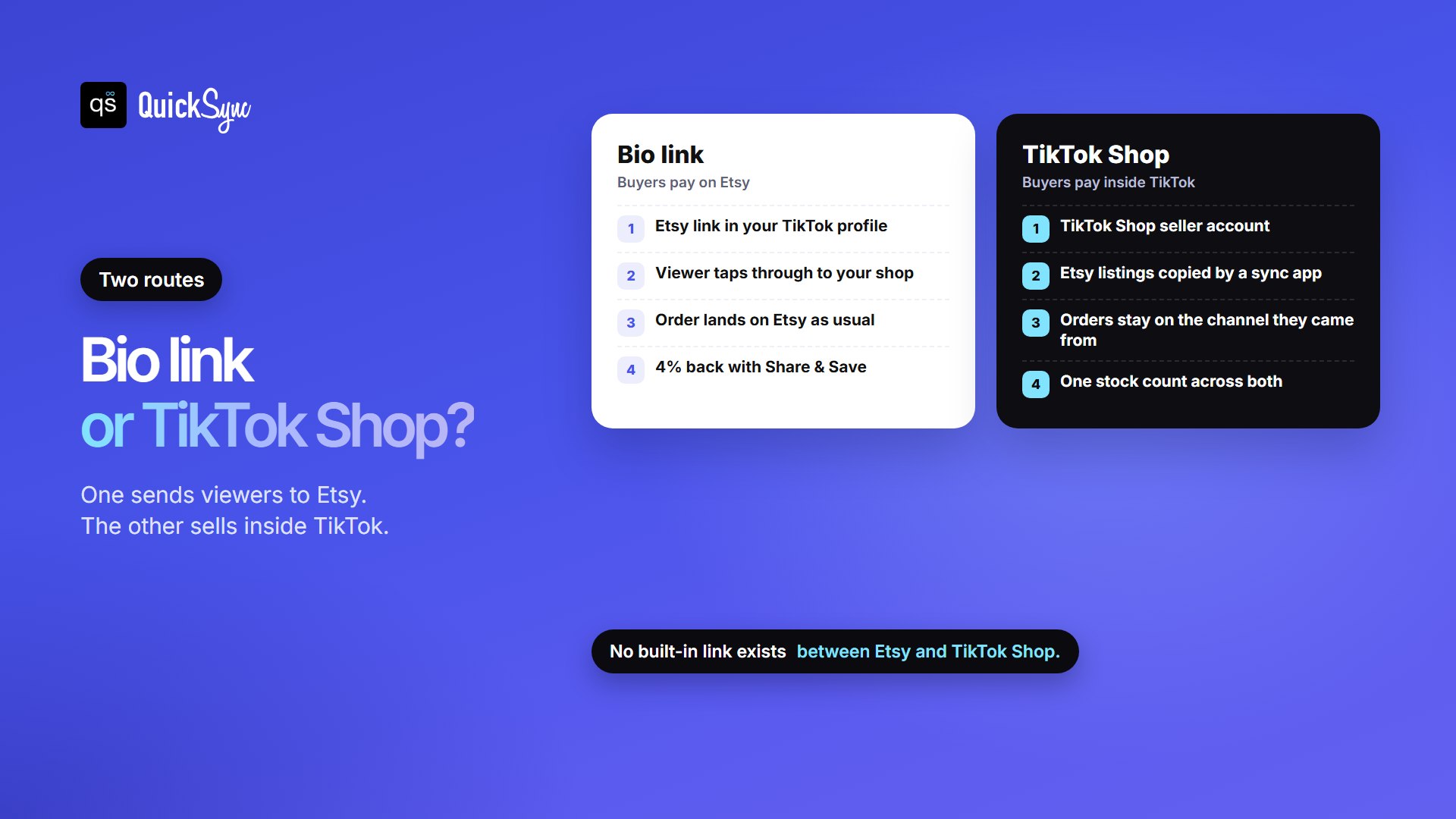
There are two ways to link your Etsy shop to TikTok, and they do different jobs. A link in your bio sends viewers to Etsy, where they buy. TikTok Shop lets them buy inside TikTok, which means running a second shop and keeping its stock in step with Etsy. This guide covers both, plus an Etsy program that pays you back part of your fees for the sales your TikTok link brings in.
Can you link your Etsy shop to TikTok?
Yes. To send TikTok viewers to Etsy, add your shop link in the website field of your TikTok profile. TikTok lists link-in-bio as a business account feature. To sell your Etsy products inside TikTok Shop, you need a connector app, because Etsy and TikTok Shop have no built-in integration.
How to add your Etsy link to your TikTok bio
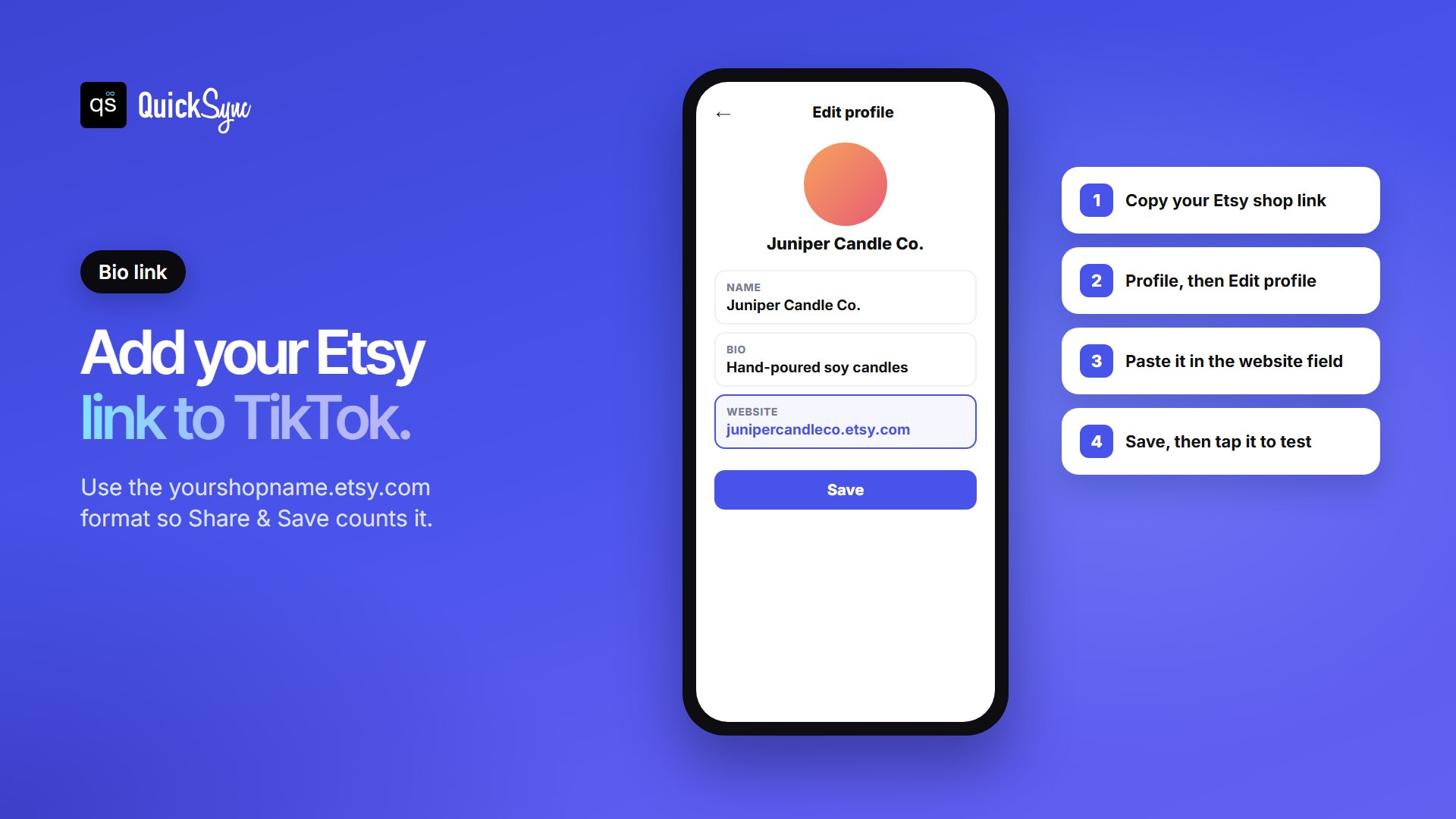
- Copy your Etsy shop link in the format yourshopname.etsy.com. If you’ve joined Share & Save (below), copy the trackable link from your Shop Manager instead.
- Open TikTok, tap Profile, then Edit profile.
- Paste the link into the website field and save.
- Test it. Open your profile and tap the link to check it lands on your shop.
Don’t see a website field? Switch to a free TikTok business account in your account settings. TikTok’s business account page lists link-in-bio among its features, along with business contact details and analytics. Etsy’s own TikTok guide also recommends a business account for promoting a shop. You’ll often read that you need 1,000 followers first. TikTok doesn’t publish a single number we could verify, and eligibility can vary by account and region, so check your Edit profile screen after switching.
One link has to do a lot of work, so point it at your shop rather than one listing, and say “link in bio” in your videos and captions. Want more ideas for promoting your shop on TikTok and elsewhere? See our guide to promoting your Etsy shop on social media.
Get part of your Etsy fees back with Share & Save
This is the step most guides skip. With Etsy’s Share & Save program, when a buyer orders within 30 days of clicking a link you shared, Etsy gives you an instant refund of 4% of the eligible order total. Etsy suggests sharing those links in your social media posts and bios, which is exactly where your TikTok link lives.
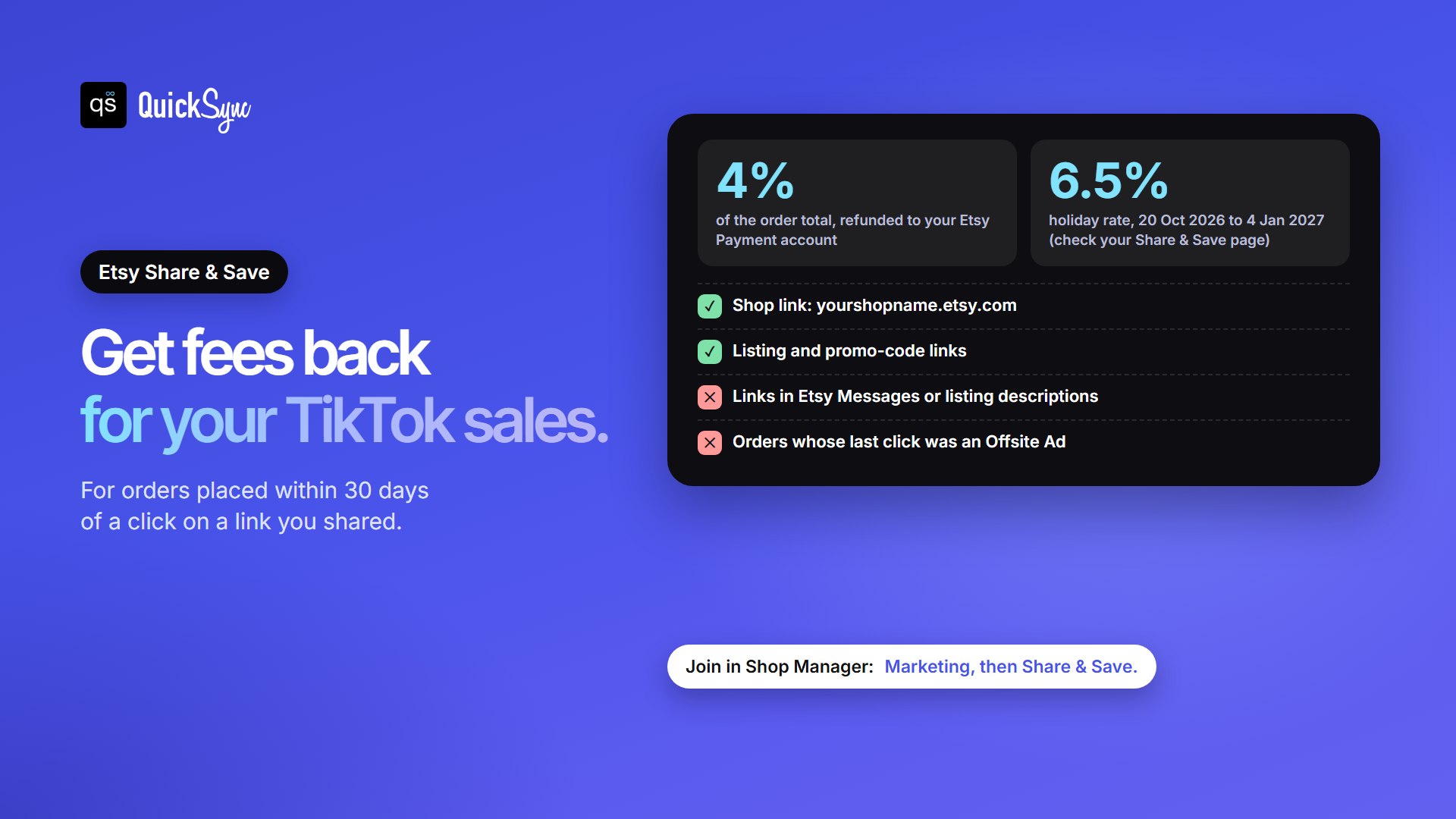
- How to join: in Shop Manager, go to Marketing, select Share & Save, then Join now.
- Which links count: your shop link in the format yourshopname.etsy.com, links to specific listings (the gear icon, then Share), and promo-code links from Sales and Discounts. If you use a custom domain, forward it to the yourshopname.etsy.com format.
- Which don’t: links you send in Etsy Messages or put in listing descriptions. And if a buyer’s last click before buying was an Etsy Offsite Ad, the order doesn’t qualify.
- How to see results: Stats shows clicks, orders, revenue and savings from your links, orders carry a Share & Save badge, and the refund shows under Fees in your Payment account.
The 4% is worked out like Etsy’s transaction fee: on the order total including shipping and gift wrap, but not taxes. A $50 order from your TikTok link puts $2 back in your account.
Over the holidays it’s more. Etsy’s promotion terms set the refund at 6.5% instead of 4% from 20 October 2026 to 4 January 2027, so that $50 order returns $3.25. The terms describe it as an invitation, so check your Share & Save page to confirm your shop is included. For a full picture of what Etsy charges, see our guide to Etsy fees.
Share & Save vs Etsy’s affiliate programs
Etsy runs two more programs that pay for links. Its Affiliates policy (updated 9 October 2026) says sellers can earn commission “on sales from any shops, including their own,” and lists TikTok as an allowed channel.
| Share & Save | Affiliates | Creator Collective | |
|---|---|---|---|
| Built for | Any seller | Sellers and publishers with approved channels | Social media creators |
| Pays on | Sales you send to your own shop | Sales from any shop, including your own | Sales from any shop |
| Reward | 4% of the order back on fees (6.5% until 4 Jan 2027) | Commission, at a rate Etsy sets | Commission, at a rate Etsy sets |
| How to join | Shop Manager > Marketing > Share & Save | Apply | Apply and verify a social handle |
Two rules from the Affiliates policy matter on TikTok: affiliates can’t run ads using their affiliate links on social platforms, and if 51% or more of your sales come from social media, you must apply through Creator Collective. For most sellers sharing their own shop, Share & Save is the simple choice.
Can you connect Etsy to TikTok Shop?
Not directly. Etsy and TikTok Shop have no built-in connection, so neither can see the other’s listings or stock. To sell your Etsy products inside TikTok, you list them on TikTok Shop too, and something has to keep the two in step. Your options:
- A sync app such as QuickSync, Nembol, LitCommerce or CedCommerce. It copies listings across and keeps stock matched.
- Your print-on-demand provider, if you sell print-on-demand. Printify and Printful can publish to TikTok Shop as well as Etsy.
- By hand, which works for a handful of items and breaks down once both shops are selling.
Before you list, you’ll need a TikTok Shop seller account, which is separate from your TikTok profile. Our guide on how to sell on TikTok Shop covers setting one up, and TikTok Shop integrations compares every platform that connects.
How to sell your Etsy products on TikTok Shop
Here’s how it works with QuickSync. Have these ready first:
- A TikTok Shop seller account with a warehouse set up in Seller Center. A personal TikTok account has no shop to connect.
- A SKU on every Etsy variation, used only once in your shop. Keep SKUs to 32 characters: Etsy’s limit, against TikTok Shop’s 50. Our guide to what a SKU is shows how to build short ones.
- An Etsy shipping profile and return policy, which QuickSync needs before it can create Etsy listings.
- Connect TikTok Shop. Approve QuickSync in TikTok Shop Seller Center, then set a default category and package size. TikTok needs both for every new listing.
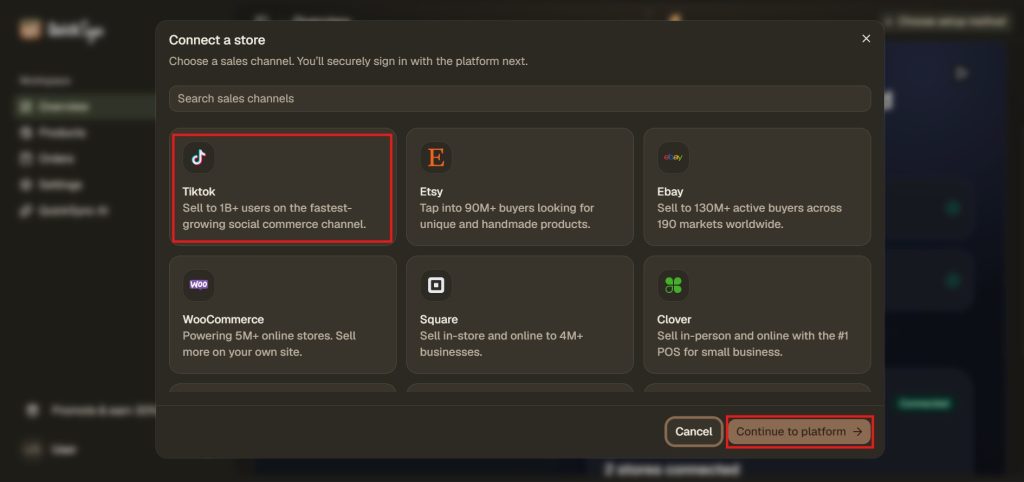
- Connect Etsy. Approve QuickSync from your Etsy account, then save Etsy’s listing defaults once.
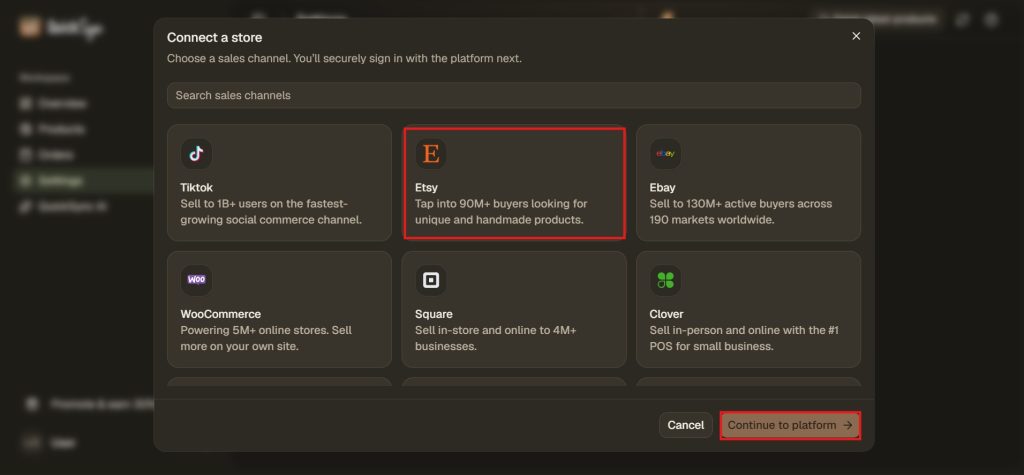
- Choose what to sync. Pick all products or a list, and the store that holds the true stock count. Existing listings match by SKU.
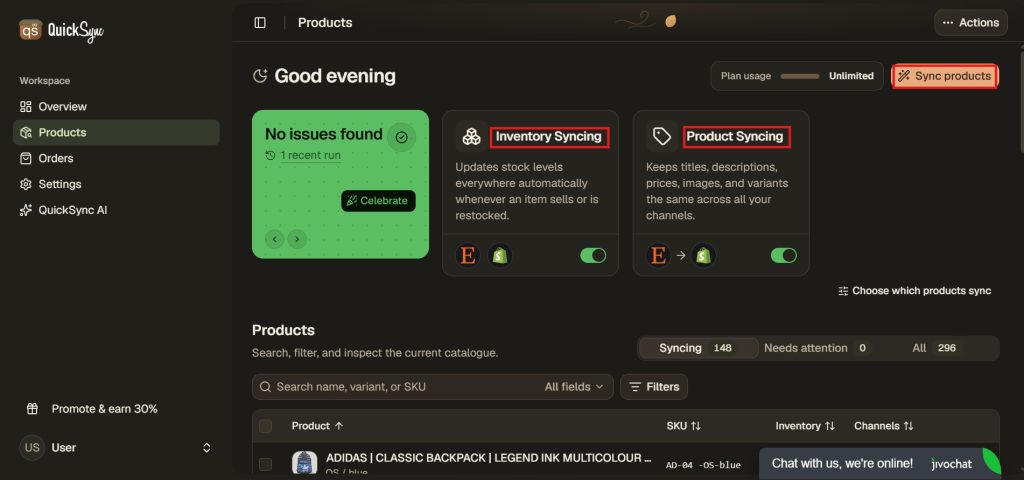
- Start syncing. Products missing from TikTok Shop can be copied across, and stock stays matched from then on.
Expect TikTok to pace you. It can limit how many new listings a shop adds each day, and it can cap a shop on probation at a total number of listings. No app can raise those limits, so send your best sellers first.
Keeping stock in sync between Etsy and TikTok Shop
Once the same candles sell in two places, the stock count is what goes wrong. A sale on TikTok has to come off Etsy, and the other way round, or you end up cancelling orders for things you’ve already sold.
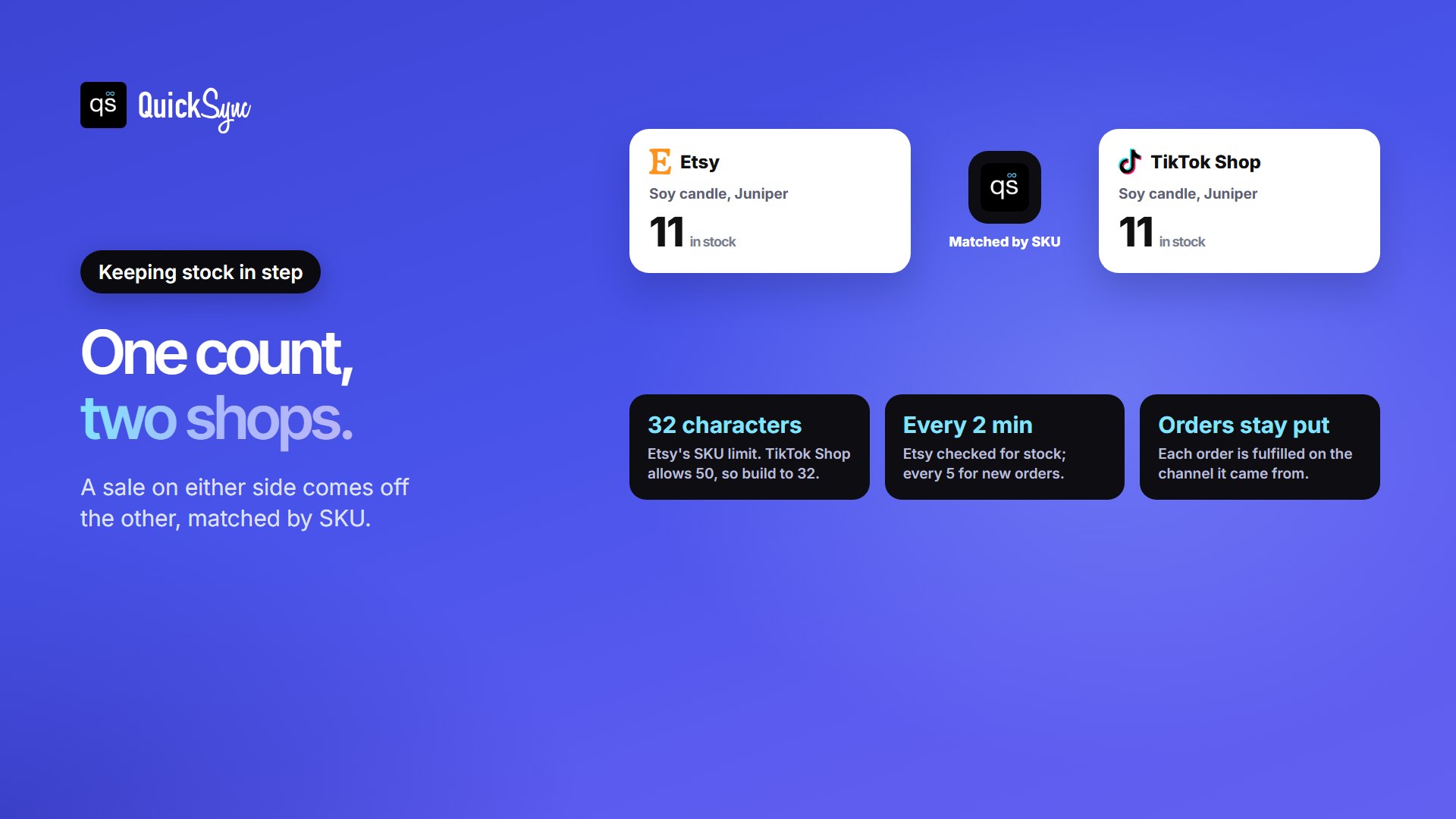
- Etsy is checked on a timer. Etsy doesn’t tell apps when something sells, so QuickSync checks it every 2 minutes for stock and every 5 for new orders. Keep a small buffer on your fastest sellers.
- Each order stays where it was placed. Neither marketplace accepts orders created elsewhere, so a TikTok order is fulfilled through TikTok and an Etsy order through Etsy. QuickSync brings both into one view (order syncing is on Pro and above).
- A refund doesn’t put stock back by itself. When a shop restocks the item, the new count passes to the other.
Our Etsy inventory management guide covers the rest of the stock routine.
Bio link or TikTok Shop: which should you use?
| Link in your TikTok bio | Sell on TikTok Shop | |
|---|---|---|
| Where the buyer pays | On Etsy | Inside TikTok |
| Fees | Etsy’s fees, with 4% back through Share & Save | TikTok Shop’s fees on those orders |
| Setup | A few minutes | A seller account, a warehouse, listings and a sync app |
| Stock risk | None added: one shop sells | Two shops sell the same stock, so it needs syncing |
| Good fit | Testing TikTok, one-of-a-kind or made-to-order items | Repeatable products and sellers who post often |
Many sellers start with the bio link, then add TikTok Shop once videos are selling the same items again and again. You don’t have to choose forever: the bio link keeps working after you open a TikTok Shop.
What to post on TikTok as an Etsy seller
Etsy’s own advice for TikTok is to show the work behind the product. Four formats that suit handmade and vintage shops:
- Your process, sped up as a timelapse: pouring, stitching, painting.
- A studio tour of your space and tools.
- “Pack an order with me” clips that show buyers what arrives.
- Niche hashtags you find by searching your product type in TikTok.
FAQs
More for TikTok and Etsy sellers: TikTok Shop countries and how many variations you can have on Etsy.