A store disconnects when its platform stops accepting QuickSync’s access. Usually the login expired and the platform wouldn’t renew it, or someone removed the app. Reconnect it from Settings, Stores with the same account you used before. Its products, matches and settings stay put.
Don’t disconnect the store first. Disconnecting deletes our copy of its products and matches, and you’d have to set it up again.
1. Find the store
We email your account’s primary address when a store disconnects, unless someone removed the app. The subject reads Reconnect your Etsy store | QuickSync, with your platform’s name, or Your … store needs reconnecting. Products you try to sync while it’s down show Store disconnected. If you retry an order from it, the order shows Store Disconnected and a Go to Settings to reconnect button.
Open Settings, then the Stores tab, and find the store’s card.
- It says Needs attention. The card has a Reconnect button. We still have it, settings and all. Go to check 2.
- It isn’t there. We removed it, because the platform told us the app was gone or kept refusing our access. Go to check 3.
- It says Connected. We aren’t flagging the store. A Store disconnected status on a product dates from an earlier outage. If it stays, contact support.
WooCommerce is the exception. Its card stays Connected when its keys fail. If we emailed you Unauthorised Access about WooCommerce, reconnect it through Add a store, then go through the WooCommerce checks. At your plan’s store limit, contact support instead.
2. Reconnect with the same account
- Open Settings, then the Stores tab.
- On the card marked Needs attention, click Reconnect.
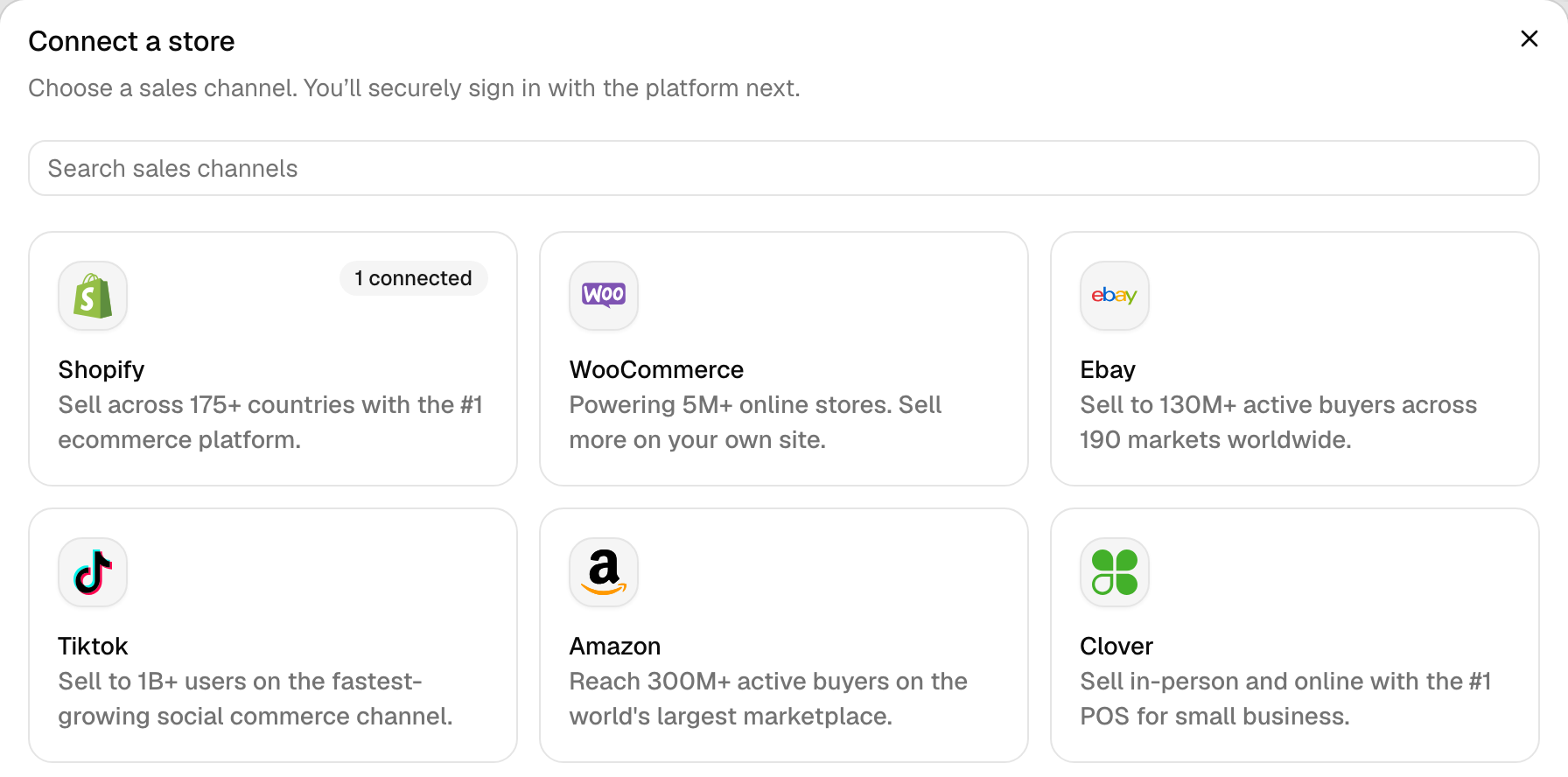
- In Connect a store, pick the same platform. Shopify, WooCommerce, Amazon and TikTok Shop ask for one detail first: the same Shopify URL, Website URL, Marketplace or Region as before. Then click the button that names the platform, such as Continue to Shopify.
- Sign in to the platform with the account you connected before, and approve access.
Back in QuickSync, a message such as This Etsy store is already connected! means it worked. We saved the new login on the store you already have. Its products, matches, sync list and location links stay as they were. If the card still says Needs attention a few minutes later, contact support with the store’s name.
Your plan’s store limit doesn’t stop this while the card says Needs attention: we don’t count a reconnect as a new store.
3. Store gone? Connect it again
We remove a store in two cases: its platform tells us someone removed the app, or the platform keeps refusing our access even after a fresh login. Square, eBay and Squarespace go the second way. Etsy stores can go when the shop changes owner.
Removing a store deletes our copy of its products and matches. Your listings on the platform don’t change. If it was your main store, we turned product syncing off. If it was your packing store, we turned order syncing off.
- In Settings, Stores, click Add a store and connect it again.
- Wait until its card says Catalogue available.
- On the Products page, click Sync products. It matches the store’s products by SKU again, and lets you connect its locations and turn syncing back on. When it asks for your starting stock, pick the store whose counts are right today. Until you finish, stock doesn’t sync between any of your stores.
Can’t sign in at all? The store we removed may be the one your account started from, and removing that store deletes the whole account. Contact support.
4. Check sales from the gap
Until you reconnect a store, its sales don’t reach your other stores, theirs don’t reach it, and its new orders don’t come in. We don’t resend stock updates that failed while it was down.
- Orders. After you reconnect, our scheduled order check picks up recent orders the store missed, as long as order syncing is on. How far back it looks is under Common questions.
- Etsy’s own sales. We check Etsy on a timer, so our first check after you reconnect picks up what sold there.
- Everything else. Check each product that sold during the gap. Where a store’s count is wrong, set the right number in that store, and we pass the change on to the others.
Open the product in QuickSync to compare its stock in every store at once.
5. Fix the cause
Most platforms’ logins expire within a few hours, and we renew them without you noticing. A store disconnects when the platform refuses a renewal, or for one of the other reasons below. Reconnecting fixes a refused login. For the rest, fix the cause too, or the store disconnects again.
| What happened | Where | What to do |
|---|---|---|
| The platform refused to renew our login | Any platform except WooCommerce, most often Clover | Reconnect it (check 2). |
| Someone removed QuickSync, or its access, on the platform | Shopify, Square, Clover, Wix, TikTok Shop | Connect it again (check 3), and leave the app installed. |
| The platform kept refusing our access after a fresh login | Square, eBay, Squarespace | Connect it again (check 3). |
| The shop moved to another Etsy account | Etsy | Connect it again, signed in as the shop’s owner. |
| The website’s Squarespace subscription expired | Squarespace | Renew it in Squarespace, then connect again. |
| We started asking for a new permission | Square stores connected before the change | Reconnect Square and approve. The card still says Connected, but some Square updates fail until you do. |
Switch to another account
Reconnect works only with the account you used before. A different account or shop is a new store to us: we read its products from scratch, and you match them again with Sync products. Matches with the old store don’t carry over.
Before you disconnect anything. Disconnecting deletes our copy of the store’s products and matches. Product syncing turns off if it was your main store, and order syncing turns off if it was your packing store. On Shopify, it also uninstalls QuickSync from that shop.
The store your account started from has no Disconnect option. Don’t uninstall QuickSync from it either: that deletes your whole QuickSync account, with every store, product, order and login. Contact support to switch that store.
- In Settings, Stores, open the menu on the old store’s card, click Disconnect, then Disconnect store. Removing it can take a few minutes.
- Sign out of the platform in your browser, or open a private window, so the platform asks you to sign in.
- Click Add a store, pick the platform and sign in with the new account.
- When its card says Catalogue available, click Sync products on the Products page. Until you finish it, stock doesn’t sync between any of your stores.
Still disconnected?
If reconnecting shows an error, A store won’t connect explains each message. Otherwise, contact support with the store’s name, its platform, and roughly when it stopped syncing.
Common questions
Why does my Clover store keep disconnecting?
Clover’s logins for apps are short, so we check yours every 15 minutes in the US and EU, and daily for Clover LA. If a renewal fails, we retry before flagging anything unless Clover refuses it outright, and the store goes back to Connected by itself when a later renewal works. It needs you only when Clover keeps saying no. Then reconnect it from Settings, Stores with the same Clover account. Don’t disconnect it first, or you’ll lose its matches.
Will reconnecting delete my products or settings?
No. Reconnecting with the same account saves a new login on the store you already have, so its products, matches, sync list and location links stay. Your listings don’t change either. Disconnecting is different: it deletes our copy of the store’s products and matches, and you’d run Sync products again afterwards. So reconnect from the store’s card in Settings, Stores, and leave Disconnect alone.
Do missed orders sync after I reconnect a store?
Recent ones do, once the store is back and order syncing is on. Our order check re-reads each store that sends orders on a schedule: the last 4, 8 and 12 hours every 4, 8 and 12 hours, the last 24 hours daily, the last 48 hours twice a week and the last 72 hours weekly. Any order it finds missing syncs then, unless a shop already completed or cancelled it. If the store was off for more than a day, contact support so we can check nothing slipped through.
How do I switch to a different shop or account?
Disconnect the old store, then connect the new one, because Reconnect only works with the account you used before. Disconnecting deletes our copy of the old store’s products and matches, and on Shopify it uninstalls the app from that shop. Then sign out of the platform or open a private window, click Add a store, and run Sync products. If the old store is the one your account started from, contact support instead: removing the app from it deletes your account.
Will QuickSync tell me when a store disconnects?
Yes. We email your account’s primary address once, when the store first disconnects, unless someone removed the app, and as long as email notifications are on under Settings, General, Email. The subject reads Reconnect your Etsy store | QuickSync with your platform’s name, or Your … store needs reconnecting. In the app, the store’s card in Settings, Stores says Needs attention, and products you try to sync while it’s down show Store disconnected.
Next step
To check a product’s stock after a reconnect, read Stock didn’t update after a sale. For how stores, matches and syncs fit together, read How QuickSync works.