Accurate inventory is a crucial factor in a successful eBay business. It determines whether your listings stay up to date, whether orders can be fulfilled on time, and whether customers receive the products they expect. Even small inventory errors can lead to overselling, canceled orders, delayed shipments, and negative feedback that affects your seller performance.
This is what poor inventory management for eBay looks like in practice. And it happens to eBay sellers at every level, from those managing a few dozen listings to high-volume sellers running thousands of active listings across multiple warehouses. eBay has over 1.4 billion active listings, as per eBay Inc.’s Q4 2024 earnings report.
In a marketplace that size, the sellers who win are not always the ones with the best products. They are the ones with the most accurate, efficient, and well-organized eBay inventory management. This guide explains everything you need to know about inventory management for eBay in 2026, including best practices, inventory techniques, software recommendations, and the metrics that matter most.
📌 Key Takeaways: Inventory Management for eBay at a Glance
- Inventory management for eBay is the process of tracking, organizing, and controlling your stock so the right products are always available when buyers place orders.
- Over 1.4 billion active listings exist on eBay making inventory accuracy a direct competitive advantage not just an operational nicety.
- A transaction defect rate above 2% leads to Below Standard seller status which directly affects your search visibility and selling privileges.
- Effective inventory management on eBay involves a mix of physical organization and digital tracking working together.
- For multichannel sellers: inventory sync prevents overselling across eBay and every other platform you sell on simultaneously.
- Safety stock should cover 7 to 14 days of average sales to protect against supply chain delays and unexpected demand spikes.
What Is Inventory Management for eBay?
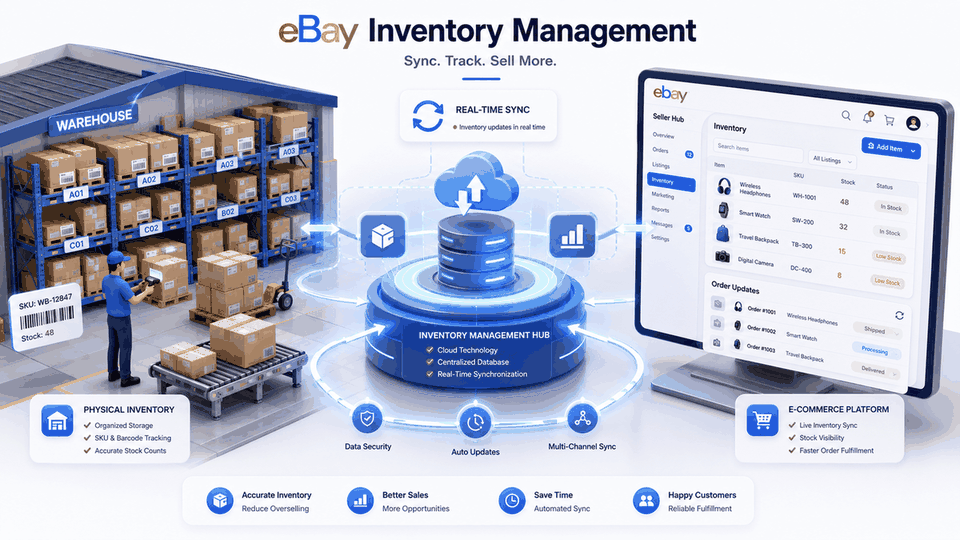
Inventory management for eBay is the organized process of tracking, controlling, and maintaining your product stock so that your listings always reflect accurate availability. Eventually, your orders are fulfilled correctly, and your seller performance standards remain protected.
In simple terms, managing inventory on eBay means knowing exactly what you have in stock at any given moment, where each item is located, and how to keep your listing data accurate as stock levels change with every sale. Effective inventory management on eBay involves a mix of physical organization and digital tracking working together rather than either one operating alone.
The physical side of inventory management involves storing, labeling, and organizing products efficiently. The digital side involves tracking those products, updating stock levels, and syncing inventory information across eBay and other selling platforms. When both sides are aligned, inventory stays accurate, replenishment happens on time, and every order can be fulfilled smoothly.
Who Needs Proper Inventory Management for eBay?
Does Every eBay Seller Need Inventory Management? Yes, but not every seller needs the same type of system.
Managing inventory for a small eBay store looks very different from managing thousands of products across multiple sales channels. The more products you sell and the more orders you receive, the more important it becomes to have a reliable inventory process.
Here is what inventory management usually looks like at different stages:
- New and casual sellers: For sellers managing a small catalog with fewer than 50 unique products and a low number of daily orders, a simple spreadsheet combined with a clear labeling system may be enough to maintain accurate stock records.
- Growing sellers: Sellers with expanding catalogs and regular order volume need structured inventory processes. Inventory tracking tools, reorder points, and routine stock checks help maintain accuracy and reduce the problems caused by manual updates.
- High volume sellers: Sellers managing large product catalogs and frequent orders need more advanced inventory solutions. Automated inventory software helps update stock in real time, manage inventory across multiple locations, and keep products available across every selling channel.
- Multichannel sellers: Sellers selling across eBay, Amazon, Shopify, Etsy, or offline stores need centralized inventory management. Real-time synchronization across channels helps maintain accurate stock levels, reduce the risk of overselling, and improve multichannel order management.
If Shopify is your other shop, the eBay and Shopify integration page has the timings and the two limits worth reading before you connect them.
How Inventory Management Affects Your eBay Seller Performance
Inventory management is often viewed as an internal operational task, but on eBay, its impact goes much further. A single inventory mistake may seem small, but repeated issues such as overselling, cancellations, and delayed shipments can create larger problems for your account.
Successful sellers understand that inventory management is not only about controlling stock. It is about creating a reliable process that supports customer satisfaction, protects seller metrics, and allows the ecommerce business to grow without operational issues.
Understanding this connection is what separates sellers who manage inventory reactively from those who manage it strategically.
How eBay Measures Seller Performance
eBay evaluates every seller against three core performance metrics. Each one is directly affected by how well you manage your inventory.
- Transaction defect rate: This measures the percentage of orders that result in a problem, including buyer-reported issues or cases closed without a seller resolution. If your defect rate goes above eBay’s acceptable limit, it can affect your seller status, search visibility, and selling privileges.
- Late shipment rate: This tracks how often orders are shipped after the handling time you promised. When inventory records are inaccurate, or products are difficult to locate, delays in picking, packing, and shipping become more likely.
- Order cancellation rate: This measures how often you cancel orders before they are completed. One of the most common causes is selling an item that is no longer available, which often happens when inventory levels are not updated correctly.
Selling the same stock on eBay and somewhere else? eBay tells no one when something sells, so QuickSync checks it every two minutes and corrects your Shopify, Etsy, Amazon or Square count in under a second. See how it handles eBay, or Start 14-day trial
eBay-Specific Inventory Rules Every Seller Must Know
Understanding how inventory affects your seller performance is only one part of running a successful eBay store. The next step is knowing the platform-specific rules that influence how your listings, stock levels, and order fulfillment work.
Unlike a traditional online store, eBay has its own listing formats, seller limits, and inventory features that can directly impact how you manage your products. A mistake in any of these areas can lead to inaccurate listings, overselling, delayed fulfillment, and unnecessary performance issues.
Whether you manage a small catalog or thousands of products, understanding these eBay-specific inventory rules helps you keep your listings accurate and your operations running smoothly.
Good Till Cancelled Listings:
Most eBay listings today use the Good Till Cancelled format, which automatically renews every 30 days until you end the listing or the available quantity reaches zero.
While this feature makes managing listings easier, it also means your inventory information needs to stay accurate at all times. Your listing continues to show available stock based on the quantity recorded in your system.
For example, if your inventory system shows five units available but your actual stock is zero, customers can still place orders for products you cannot fulfill. This can result in canceled orders, unhappy buyers, and negative effects on your seller performance.
The key takeaway is simple: inventory accuracy is not only important when a sale happens. It needs to be maintained continuously because your eBay listings are always visible to potential buyers.
eBay Selling Limits:
Selling limits are another factor that can influence how you plan and manage inventory on eBay. New sellers and accounts with recent performance issues may have restrictions on the number of items they can list and the total sales value they can generate within a given period.
These limits affect inventory decisions in two ways. First, buying large amounts of stock without understanding your listing capacity can leave you with products you cannot sell immediately. Second, growing sellers need to monitor their limits carefully to avoid accepting more orders than they can manage.
Maintaining accurate inventory, fulfilling orders consistently, and keeping strong seller performance are important steps toward increasing your selling limits over time.
Item Specifics and Listing Accuracy:
Accurate listings are important not only for buyers but also for inventory management.
eBay uses item specifics such as brand, size, color, condition, and other product details to help match listings with buyer searches. Incorrect or incomplete information can reduce visibility and create confusion when customers receive products that do not match the listing description.
From an inventory perspective, your product details should match across three places:
- Your physical inventory
- Your internal SKU records
- Your eBay listings
Keeping these details consistent reduces picking mistakes, improves order accuracy, and creates a better customer experience.
For sellers managing large catalogs, bulk editing tools can make it easier to update product information across multiple listings without making changes one by one.
eBay Seller Hub Inventory Tools:
Before investing in third-party inventory solutions, many sellers can start with the tools available inside eBay Seller Hub. Seller Hub provides useful features such as listing management, sales insights, inventory visibility, and performance data that can support sellers with smaller catalogs and a single selling channel.
However, as your business grows, you may need more advanced capabilities such as fast inventory synchronization, automated reorder alerts, multi-warehouse management, and eBay inventory integration with other business systems.
This is where dedicated inventory management software becomes valuable for sellers managing larger catalogs or selling across multiple channels.
eBay Inventory Management Best Practices and Techniques
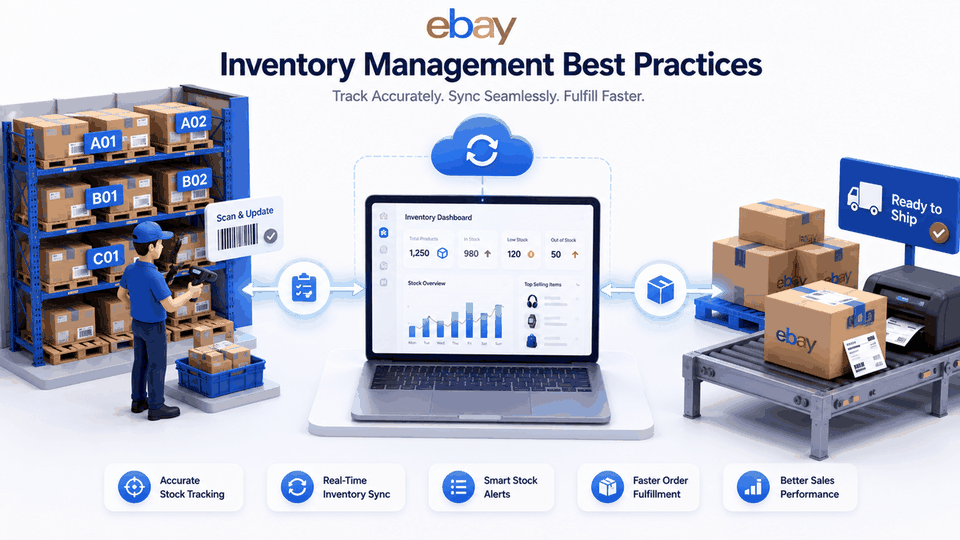
Knowing how eBay handles listings, seller limits, and inventory information gives you a strong foundation. But the real challenge begins when you have products to track, orders coming in, and inventory changing every day.
The sellers who manage inventory successfully are not just counting products. They use consistent systems and habits that help them avoid common problems like overselling, stockouts, and delayed shipments.
Each practice below addresses a real problem that sellers encounter and provides a specific approach to preventing it.
Physical Organization: The Starting Point of Inventory Accuracy
Before you can manage inventory digitally, you need to organize it physically.
Inventory management software can track products, update quantities, and automate processes, but it cannot fix a disorganized storage space. If items are misplaced, unlabeled, or stored differently from what your system shows, inventory errors will continue to happen.
A clear physical organization system creates the foundation for accurate tracking, faster order fulfillment, and fewer mistakes.
Implement a Structured SKU System
Implement a structured SKU system to track item locations effectively. Every product in your inventory needs a unique identifier that connects three things: the physical location where the item is stored, the record in your inventory system, and the listing on eBay and any other platforms where it is sold.
A good SKU system uses a consistent format that encodes meaningful information. For example, a format like CAT-COLOR-SIZE-LOC encodes the product category, color variant, size variant, and storage location in a single scannable code.
When a picker scans the SKU at fulfillment, the system confirms they have the right item before it leaves the shelf. This single step eliminates a significant portion of wrong-item shipment errors.
Organize Inventory With Labeled Bins and Shelves
Finding products quickly becomes much harder as your inventory grows. Using labeled bins, shelves, and storage locations helps you know exactly where every item is stored.
A simple SKU-based labeling system allows anyone to pick and pack orders without wasting time searching or depending on personal knowledge of where products are kept.
Returns should also have their own dedicated space. Before putting returned products back into available inventory, inspect them to make sure they are still in sellable condition. This prevents damaged or incorrect items from being sent to customers.
Inventory Tracking and Accuracy Practices
Organizing your inventory is only the first step. As products are sold, returned, and restocked, you need a reliable way to keep your inventory records accurate. Good tracking practices help prevent overselling, missed reorders, and fulfillment mistakes.
Conduct Regular Inventory Audits
Inventory accuracy depends on regularly verifying the connection between your physical stock and digital records.
Over time, discrepancies can occur due to returns, damaged products, human errors, or incorrect stock updates. These differences, often referred to as inventory shrinkage, can affect listing accuracy and create fulfillment issues if left unmanaged.
Rather than relying only on occasional full inventory counts, experienced sellers often use cycle counting. By regularly reviewing specific groups of products, sellers can identify discrepancies early, maintain accurate stock records, and reduce operational disruptions.
Set Reorder Points and Maintain Safety Stock
One of the easiest ways to prevent overselling is knowing when to reorder products before they are completely sold out. A reorder point tells you the right time to place a new order. Instead of waiting until inventory is almost gone, you reorder early enough for new stock to arrive before customers are affected.
The basic formula is: Reorder Point = (Average Daily Sales × Supplier Lead Time) + Safety Stock
Safety stock is the extra inventory kept as a backup. It protects your business when suppliers are delayed, products sell faster than expected, or demand suddenly increases.
For many sellers, keeping around 7 to 14 days of additional stock can provide a useful safety buffer. Products with seasonal demand may need more protection during busy sales periods.
Enable Automated Low Stock Alerts
Using automated alerts helps manage low stock situations effectively before they become stockouts that trigger cancellations. Most inventory management software allows you to set minimum stock thresholds per product.
When inventory drops to that level, the system notifies you to reorder. This removes the need to manually monitor every product’s stock level every day and ensures you act before you run out rather than after.
Inventory Planning Techniques
Knowing when to reorder is important, but successful inventory management also means planning for what comes next. The right inventory planning techniques help sellers prepare for demand changes, seasonal trends, and unexpected situations.
Use ABC Analysis to Prioritize Your Attention
ABC analysis categorizes your inventory into three groups based on sales volume and value.
- Category A products are your high-velocity, high-value items that generate the most revenue and need the closest monitoring.
- Category B products are your moderate sellers with average turnover.
- Category C products are your low-velocity, low-value items that need minimal attention.
ABC analysis allows eBay sellers to prioritize inventory management based on product importance. High-value and fast-selling items receive more frequent checks, better storage placement, and closer reorder monitoring, while lower-priority items require less attention. This helps sellers maintain inventory accuracy without increasing daily workload.
Use Demand Forecasting to Improve Inventory Planning
Waiting until products start selling out is often too late to place a reorder. Demand forecasting helps you prepare in advance by looking at your past sales, seasonal buying patterns, and planned promotions to estimate future demand.
Many eBay sellers see the same seasonal trends every year. If you know when demand usually increases, you can order additional inventory before the rush begins instead of dealing with stock shortages during your busiest sales periods.
Apply FIFO for Time-Sensitive Stock
FIFO, or First In, First Out, is an inventory management method where the oldest stock is sold before newer inventory. This helps reduce the risk of products becoming outdated, expiring, or losing value while sitting in storage.
The easiest way to follow FIFO is to organize your inventory so that newly received products are placed behind existing stock. This ensures that the oldest items are picked and shipped first.
For eBay sellers dealing with products such as beauty items, health products, food, or electronics, using FIFO helps reduce waste, improve inventory turnover, and ensure customers receive products with the longest possible shelf life.
Use Bulk Editing to Manage Listings More Efficiently
As your eBay catalog grows, updating every listing individually becomes time-consuming and increases the chances of mistakes. Bulk editing allows you to update multiple listings at the same time, making inventory management faster and more consistent.
Whether you need to adjust stock quantities, update prices, edit item specifics, or change shipping settings, bulk editing helps you make changes across your catalog in just a few steps. This saves time, reduces manual work, and keeps your listings accurate.
Choosing the Right eBay Inventory Management Software
At some point in your eBay selling journey, manual inventory tracking stops working. It might happen at 100 products or at 500 products. But it always happens. When it does, the best eBay inventory management software is what allows you to grow without the operational challenges that manual management creates at volume.
Inventory management software automates inventory level updates across multiple platforms, which means every sale on every connected channel automatically adjusts your inventory count without manual intervention.
Key Features to Look For In Every eBay Inventory Management Tool
- Inventory sync: Synchronization keeps inventory levels accurate across all connected sales channels and helps prevent overselling; we check eBay every two minutes and push updates out in seconds.
- Multi-channel selling support: If you sell on eBay alongside Amazon, Shopify, Etsy, WooCommerce, or through a physical store, your inventory should stay synchronized across all platforms.
- Bulk editing capability: Bulk editing allows you to update multiple eBay listings at once, helping you save time, reduce manual work, and keep your catalog accurate.
- Automated reorder alerts: Low stock alerts notify you when inventory levels drop, giving you enough time to reorder products before they run out and cause missed sales or order cancellations.
- Order management: The right tool brings all your orders together in one dashboard, helping you process shipments faster and keep fulfillment organized.
- Multi-warehouse support: Multi-warehouse inventory tracking is essential for sellers with distributed inventory across more than one storage location.
- Reporting and analytics: Good inventory software gives you insights into your sales and stock levels, helping you know what to reorder, what is selling well, and what needs attention.
- Accounting integration: Instead of manually entering every transaction, accounting integrations help sync your sales and inventory data with tools like QuickBooks automatically.
- Custom pricing: If you sell on multiple platforms, you can manage different prices for each channel without creating separate product listings.
“Many sellers focus on software cost instead of operational value. A tool that saves money but creates extra manual work may cost more in the long run. The right inventory software saves time, reduces errors, and supports growth.”
— eBay Seller CommunityKey eBay Inventory Metrics Every Seller Should Track
Tracking key inventory metrics helps sellers understand their stock performance and make better decisions about restocking, pricing, and product selection. The sellers who grow most consistently on eBay are not just the ones who manage inventory accurately. They are the ones who measure it systematically and use what they learn to improve.
Here are the seven most important inventory metrics for eBay sellers in 2026 and specifically what each one tells you about your business.
| Metric | Description | How to Measure | Why It Matters |
| Inventory Turnover Rate | How quickly products sell and are replaced | Sales divided by average inventory value | Shows if stock is moving efficiently or sitting idle |
| Sell-Through Rate | Percentage of inventory sold in a period | Units sold divided by units received | Identifies slow-moving products before they become dead stock |
| Days of Inventory on Hand | How many days current stock will last | Inventory divided by average daily sales | Predicts when restocking is needed before stockout occurs |
| Order Accuracy Rate | Percentage of orders fulfilled correctly | Correct orders divided by total orders multiplied by 100 | Directly affects eBay defect rate and seller rating |
| Stockout Rate | Frequency of running out of popular items | Number of stockouts divided by total products | Signals reorder point problems before they damage ratings |
| Return Rate | Percentage of orders returned by buyers | Returns divided by total orders multiplied by 100 | Highlights listing accuracy issues causing buyer disappointment |
| GMROI | Profitability of inventory investment | Gross profit divided by average inventory cost | Shows which products generate the best return on stock investment |
No single inventory metric tells the complete story. Each one measures a different part of your inventory performance. When you review them together, you can better understand what’s working well and what needs improvement. This makes it easier to make smarter decisions about restocking, pricing, and inventory planning.
Common Problems of Inventory Management for eBay Sellers
Even sellers with a well-organized inventory system can run into problems from time to time. The difference between successful sellers and those who struggle is how quickly they identify issues and take action before small mistakes turn into bigger operational problems.
Below are the most common inventory management challenges eBay sellers face, along with practical solutions to help you fix them and prevent them from happening again.
Products Showing as In Stock When Physical Stock Is Zero
When your eBay listing shows inventory that you do not actually have, it creates a serious risk of overselling and order cancellations. This happens when there is a gap between your recorded inventory levels and your actual physical stock.
Several issues can create this gap, such as incorrect stock adjustments, damaged items that were not removed from inventory, returns that were not processed properly, or inaccurate manual counts.
The solution starts with verifying your physical inventory and updating your stock records immediately. If inventory discrepancies continue, improve your audit process by using regular cycle counts and reviewing how products are stored, labeled, and tracked.
Inventory Counts Drifting Between eBay and Other Platforms
When your eBay inventory shows a different quantity than Amazon, Shopify, or another marketplace, it usually means your inventory is not syncing correctly. This can happen because of delayed updates, failed syncs, or manual inventory changes on one platform but not another.
To resolve this issue, ensure you check the inventory sync tool for sync errors and reconnect any failed integrations if needed. A real-time inventory sync system helps keep stock levels accurate across all sales channels and prevents overselling.
Orders Coming In for Items Already Sold Out
This is a common overselling issue that happens when your inventory does not update quickly enough after a sale. Your listing still shows available stock even though the product has already been sold.
The first step is to contact the buyer quickly, explain the situation, and offer a refund or restock option. Clear communication helps reduce frustration and protects your seller reputation.
The long-term solution is automated inventory sync, which updates your eBay quantity after every sale across all connected platforms.
Negative Feedback From Inventory Errors
Negative feedback from inventory-related errors, whether from overselling, wrong items shipped, or delayed fulfillment caused by disorganized storage, affects your feedback score in a way that is slow to recover from. eBay calculates your feedback percentage across the last 12 months, which means a cluster of negative feedback from an inventory crisis can affect your score for a full year.
The response strategy is twofold. First, respond to each negative feedback professionally and, where appropriate, request a feedback revision from the buyer after resolving their issue. Second, fix the underlying inventory problem immediately so the same error does not repeat and generate more negative feedback while you are trying to recover from the existing problem.
eBay Account Restriction From High Defect Rate
Poor inventory management can eventually affect your eBay seller status. When issues like overselling, cancellations, and late shipments increase your defect rate, eBay may lower your account standing or apply selling restrictions.
The best way to recover is to fix the inventory problems behind these issues. Keep stock quantities accurate, improve your storage and fulfillment process, and prevent errors that lead to canceled orders or unhappy customers.
The Bottom Line
Summing it up, inventory management for eBay is about more than tracking products. It is about creating a reliable system that keeps stock accurate, prevents costly mistakes, and helps your business grow without unnecessary operational challenges. Start with strong inventory practices, including organized storage, accurate tracking, regular audits, and smart reorder planning.
As your sales increase, use automation and real-time syncing to keep every marketplace updated and your operations running smoothly. When your inventory system works properly, you spend less time fixing problems and more time focusing on growing your eBay business.