Shopify began as an online store and later added a POS system. Square started with a card reader and later added online selling. Today both platforms do both, which is exactly why choosing between Shopify vs Square feels so challenging.
The answer starts with where your customers pay. Online sales made up 17.1% of US retail sales in the second quarter of 2026, according to the US Census Bureau. Most shopping still happens at a counter, but the online share keeps climbing, and plenty of shops now need both.
This guide compares Shopify and Square on fees, online selling, in-store selling and inventory, using US prices checked in October 2026. It ends with a clear pick for each type of shop. That includes the setup many growing sellers land on: Shopify online and Square at the counter.
Shopify vs Square At a Glance
| Shopify | Square | |
|---|---|---|
| Built for | Selling online, with in-person selling added | Selling in person, with an online store added |
| Monthly plan | $39 (Basic), $105 (Grow), $399 (Advanced), or about 25% less billed yearly | $0 (Free), $49 (Plus) or $149 (Premium), per location |
| Online card rate | 2.9% + 30¢ on Basic, down to 2.5% + 30¢ on Advanced | 3.3% + 30¢ on Free, 2.9% + 30¢ on Plus and Premium |
| In-store card rate | 2.6% + 10¢ on Basic, down to 2.4% + 10¢ on Advanced | 2.6% + 15¢ on Free, down to 2.4% + 15¢ on Premium |
| Point of sale | Shopify POS included; POS Pro is $89 a month per location | Square POS included on the free plan |
| Cheapest card reader | Tap & Chip reader, $49 | Square Reader, $59 |
| Online store | Full store with themes, apps and checkout | Square Online, included free; own domain needs a paid plan |
| Marketplaces | Amazon, eBay, Walmart and Target Plus through Marketplace Connect | None built in |
| Best for | Shops where online is the main channel | Shops where the counter is the main channel |
Shopify vs Square fees
Card fees are the highest cost for most shops, so start there. Both charge a percentage plus a fixed amount on every payment. The surprise is how close they are.
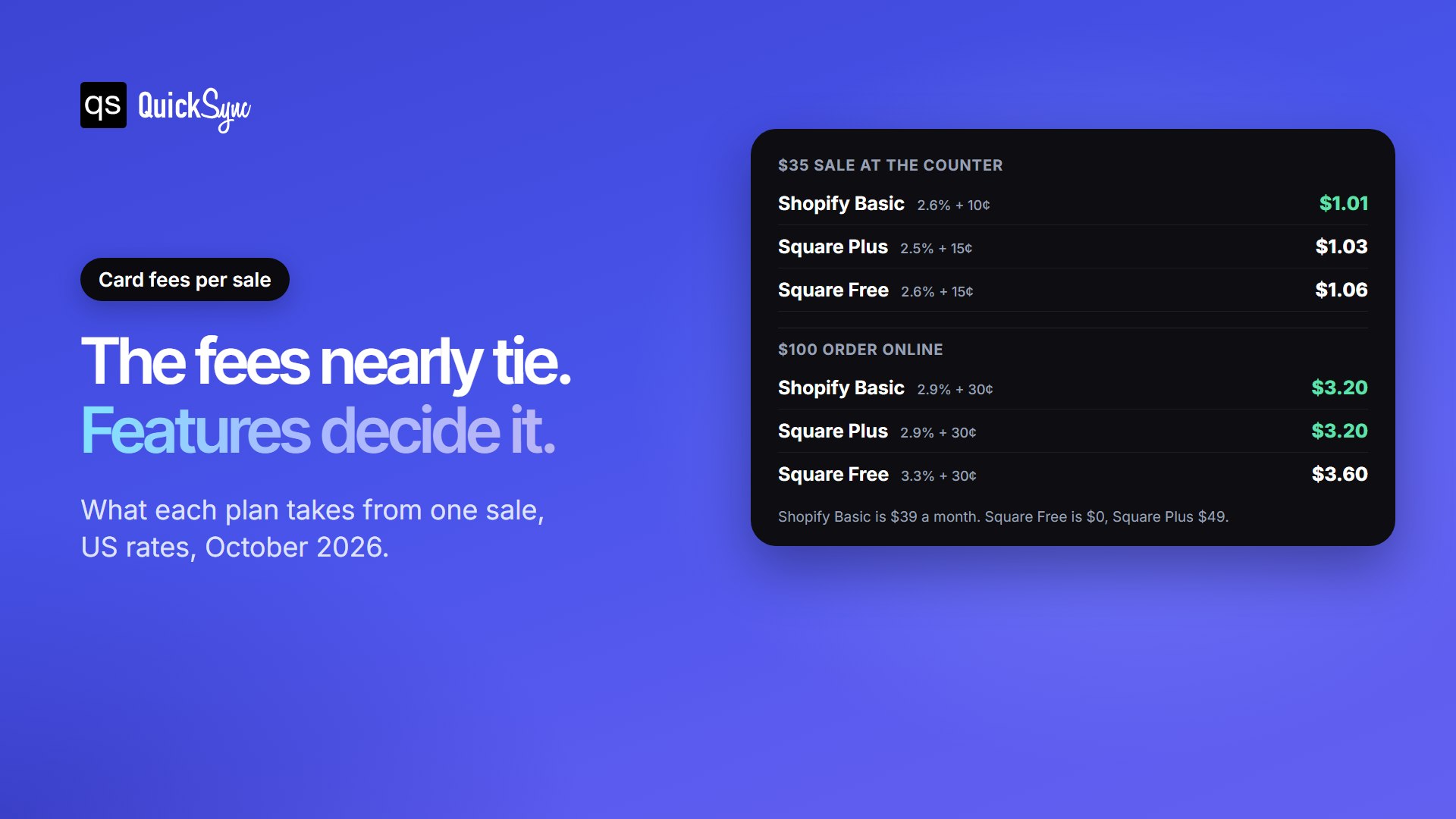
In store, Shopify is a few cents cheaper. Shopify has a small price advantage for in-store sales. If a customer spends $35, you’ll pay $1.01 in fees with Shopify Basic, compared with $1.03 on Square Plus and $1.06 on Square Free. The main reason is that Shopify charges a lower fixed fee per payment.
Online, they tie on the paid plans. For online payments, Shopify Basic and Square Plus cost the same. You’ll pay $3.20 in fees on a $100 order with either plan. Square Free charges $3.60, but you don’t have to pay a monthly fee to use it.
What Will You Pay Each Month?
Card fees aren’t the only cost to consider. You also need to account for each platform’s monthly subscription.
Let’s compare two businesses that each make $10,000 in monthly sales. One mainly sells in a physical shop, while the other sells entirely online.
| Plan | Shop A: mostly in-store | Shop B: all online |
|---|---|---|
| Square Free | $329 | $390 |
| Shopify Basic | $346 | $389 |
| Square Plus | $359 | $399 |
| Shopify Grow | $399 | $435 |
| Shopify Basic + POS Pro | $435 | Not needed |
The cheapest plan changes with your sales mix, but never by much. Square Free wins for the counter-heavy shop by $17 a month. Shopify Basic wins for the online shop by $1. At this size, fees shouldn’t decide it. What each platform does well should. You can run your own Square numbers in our free Square fee calculator.
There’s one more cost to keep in mind if you use Shopify. If you accept online payments through a provider other than Shopify Payments, Shopify charges an additional fee. On the Basic plan, that fee is 2% of the transaction.
You also can’t use Square to process payments directly through Shopify’s checkout. If you use both platforms, each processes its own payments separately. You’ll need to account for the fees charged by each platform.
Selling online: Shopify Has More to Offer
Shopify is built around the online store, and it shows. You get a choice of themes, a built-in checkout, and an app store for almost any add-on, from reviews to subscriptions. Through Shopify’s free Marketplace Connect app, you can also sell the same catalogue on Amazon, eBay, Walmart, and Target Plus.
Square Online is simpler, and for some shops that’s the point. It comes free with every Square account and shares one catalogue with your in-person selling. An item sold at the counter comes off the website too. It handles shipping, pickup, and local delivery. Connecting your own domain needs a paid Square plan, and there are fewer design options and add-ons than on Shopify. Square also has no built-in way to sell on Amazon, eBay, or Etsy.
If you mainly sell in person and only need a basic website, Square Online should be enough. If you want to build a bigger online business, Shopify is the better option.
Selling in person: Square takes the lead
Square’s point of sale is free, quick to learn and built for the counter. The Square Reader costs $59 and works with your phone or tablet. Square Stand turns an iPad into a till for $149, Square Terminal is $299, and the full countertop Square Register is $899. Restaurants, salons and retail each get their own versions of the POS.
Shopify POS comes with every Shopify plan and keeps your store and counter on one catalogue. The Tap & Chip reader costs $49, and the countertop POS Terminal is $349. For a full shop, though, you’ll likely want POS Pro at $89 a month per location. It adds staff roles and permissions, unlimited staff on the POS, and returns and exchanges at any location.
There’s one important catch with both platforms: their hardware is tied to their own payment systems. Square devices work with Square, and Shopify’s readers work with Shopify Payments. If you change platforms later, you may have to replace your devices.
Inventory and multiple locations
Both track stock per item and per variation, and both handle more than one location. Shopify’s standard plans include up to 10 inventory locations, and POS Pro adds deeper retail stock tools. Square counts stock per location from the free plan, with more advanced item settings on Plus.
Where both fall short is stock that sells somewhere else. Neither one sees a sale on Etsy or eBay, and they can’t see each other either. If you run more than one channel, plan for how the count stays right before your first busy weekend, not after it.
Shopify or Square: Which should You Choose?
- Choose Square if most of your sales happen at a counter, you want to start with no monthly fee, and a simple website is enough.
- Choose Shopify if online is your main channel, you want a full online store, or you plan to sell on marketplaces like Amazon and eBay.
- Choose Shopify with Shopify POS if you’re starting fresh and want one system for online and in-store.
- Choose both if you already run Square in your shop and want a stronger online store without changing your existing checkout system.
Still weighing up tills? Our Clover vs Square comparison covers the other big counter option.
Using Shopify and Square together
Running Shopify online and Square at the counter is common, and it plays to each one’s strengths. The catch is that Shopify and Square have no native integration. Each keeps its own stock count, so a sale in one doesn’t reach the other. Sell the last jacket in the shop, and your website keeps selling it.
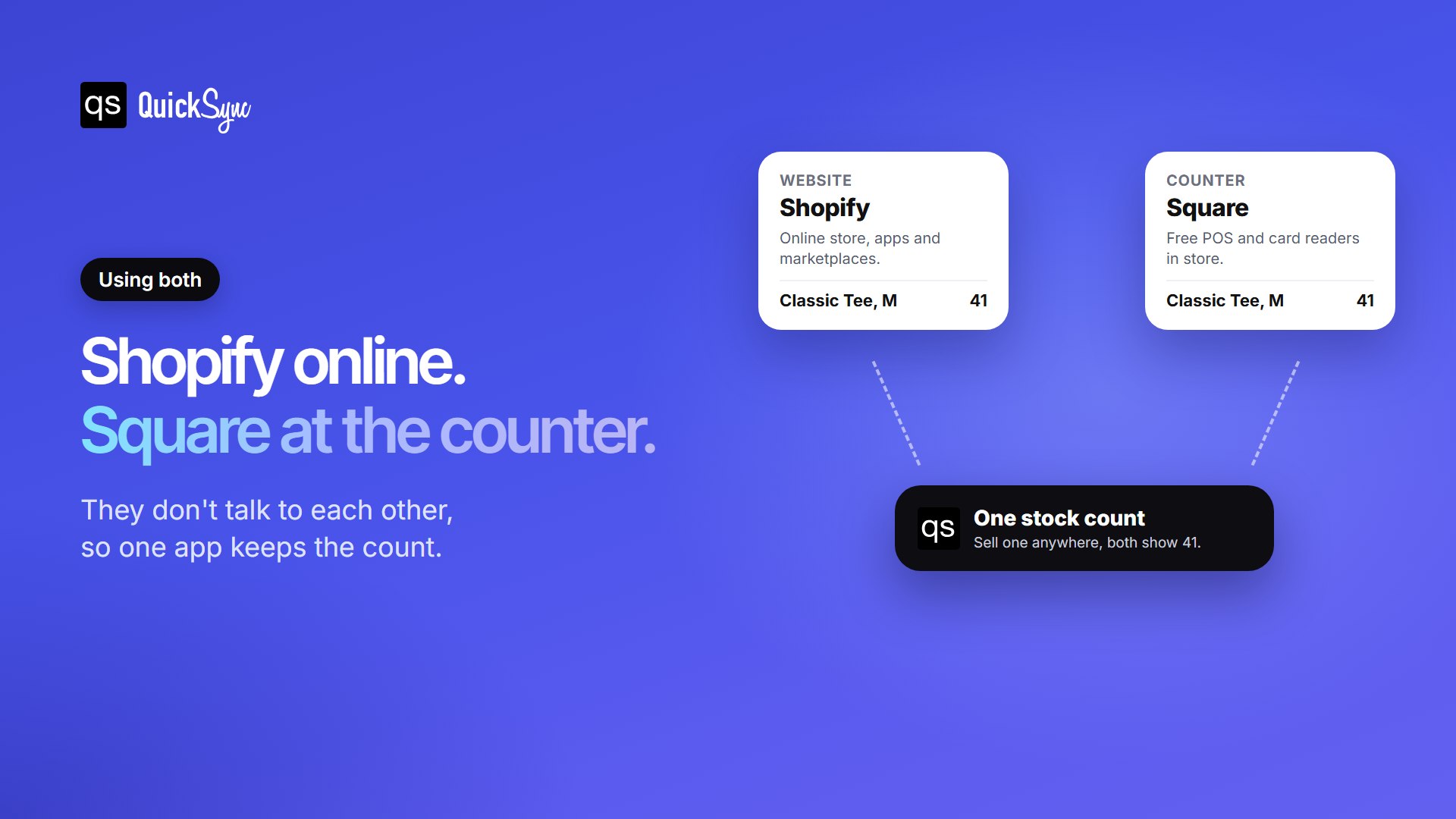
A sync app closes that gap. QuickSync connects Shopify and Square and keeps one stock count across both, in both directions. Products match by SKU, so your existing catalogue links up instead of doubling. It can also copy listings and prices between them and bring orders from both into one place. Plans start at $19 a month for two shops, with product and order sync from $29.
One tip before you connect anything: Square counts stock per location, so decide which locations should feed your website. If your posted orders ship from one shop, connect that one. Connecting every branch is the usual mistake, and it lets the site sell stock sitting in a different town. For a wider look at your options, see our comparison of the best Shopify Square integration apps.