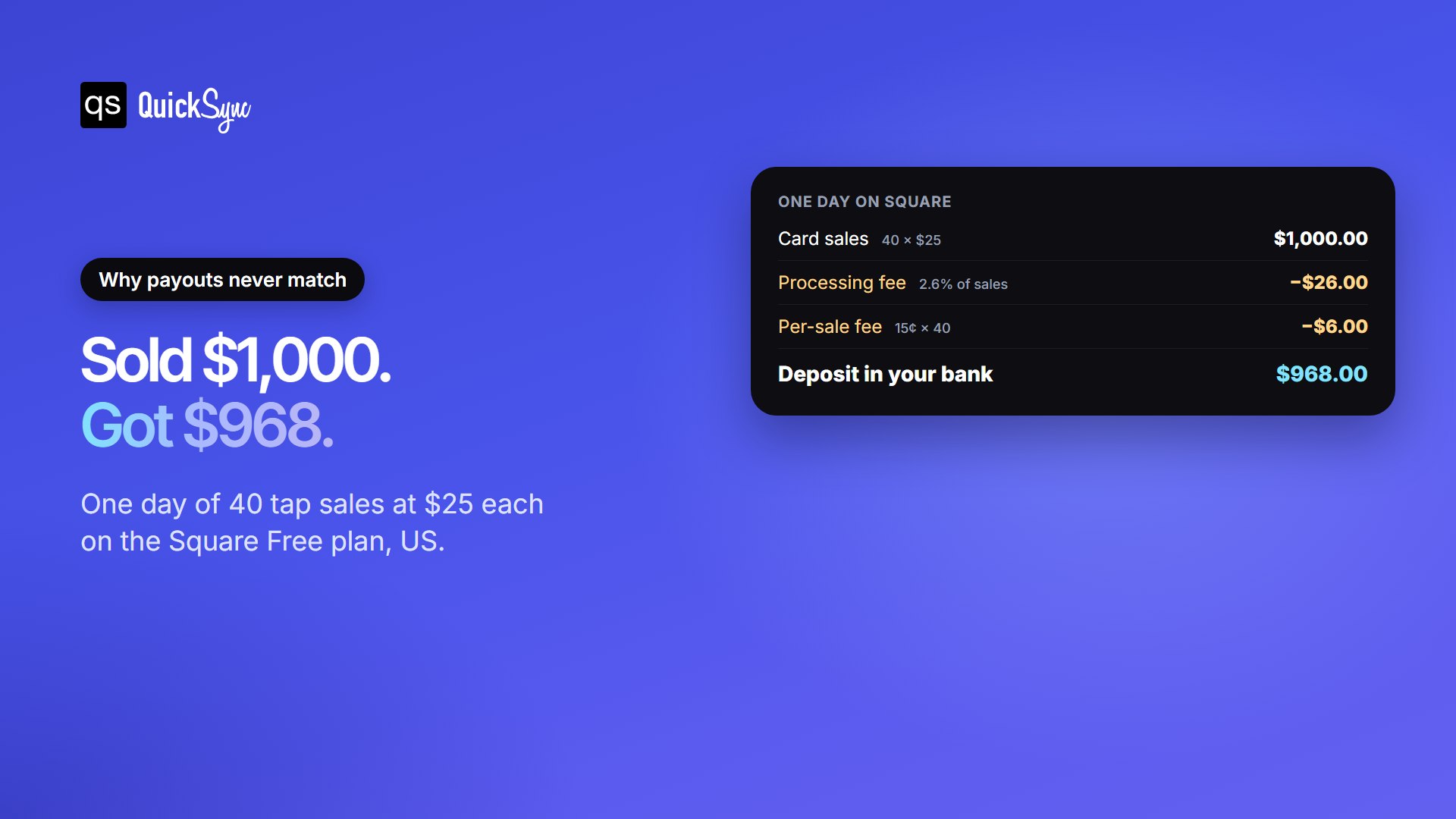
Your Square report says you sold $1,000 today. When the payout lands, your bank shows $968. Now QuickBooks has to explain the $32 gap.
That gap is normal. On the Free plan, Square charges 2.6% + 15¢ on every in-person card sale. Forty sales of $25 cost you $26 in percentage fees and $6 in per-sale fees. Add refunds, tips and sales tax, and typing it all into QuickBooks by hand gets slow and easy to get wrong.
A Square QuickBooks integration does that automatically for you. This guide compares the five best Square QuickBooks integration apps on price, what they record and which QuickBooks versions they support. Every price and feature was checked on each vendor’s own pages on 21 October 2026. QuickSync is one of the five, and each section says where another app is unbiasedly the better pick.
Does Square Integrate with QuickBooks?
Yes. Square and QuickBooks Online connect through Intuit’s free Square Connector by QuickBooks, which brings in your sales, fees, and payouts. It works in the US only and does not support QuickBooks Desktop. For Desktop, per-item stock, or Square plus other sales channels, you need a third-party app like the ones below.
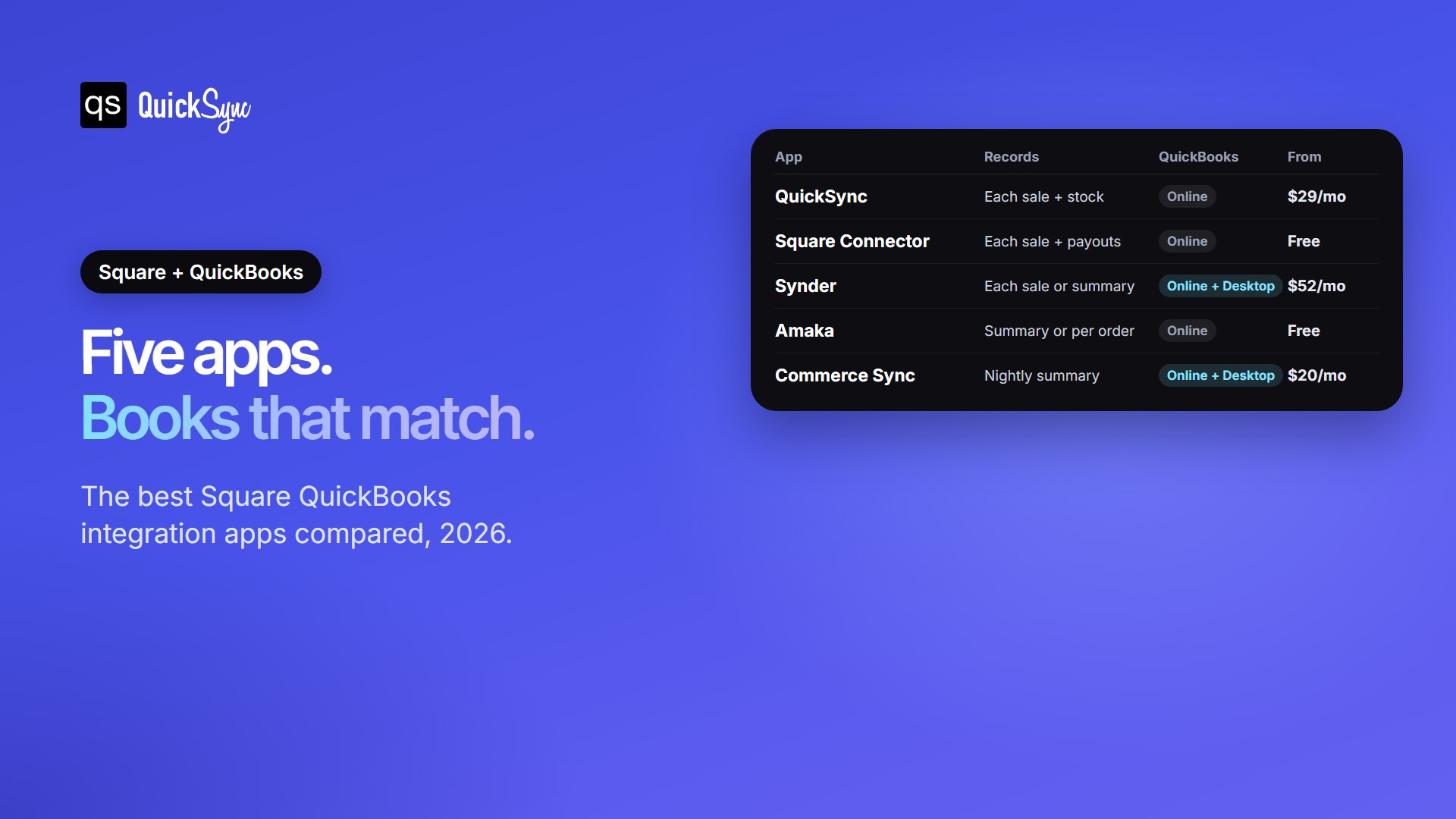
The 5 Best Square QuickBooks Integration Apps at a Glance
| App | Best for | Records Square sales as | QuickBooks | Price from | Free trial |
|---|---|---|---|---|---|
| QuickSync | Square + other sales channels | One sales receipt or invoice per sale, plus stock counts | Online | $19/mo for two shops | 14 days, no card |
| Square Connector by QuickBooks | A free start | Sales receipts, fees and payout deposits | Online (US) | Free | Not needed |
| Synder | Desktop users, or a choice of detail | Each sale or a daily summary | Online and Desktop | $52/mo billed yearly | 15 days |
| Amaka | Low sales volume on a budget | Daily summary, or each order on paid plans | Online | Free up to 60 sales a month | 7 days |
| Commerce Sync | Simple nightly summaries | A daily summary, by category or by customer | Online and Desktop | $20/mo (Desktop $46/mo) | 15 days |
We compared and tested each app on four things a Square seller feels at month-end. How do sales land in QuickBooks? Do fees and payouts reconcile? What happens to stock? And what does it really cost each month? The details are below, starting with the app we know best.
1. QuickSync
Best for: Square sellers who also sell online, on Shopify, Etsy, eBay, Amazon or TikTok Shop, and want every channel in the same books.
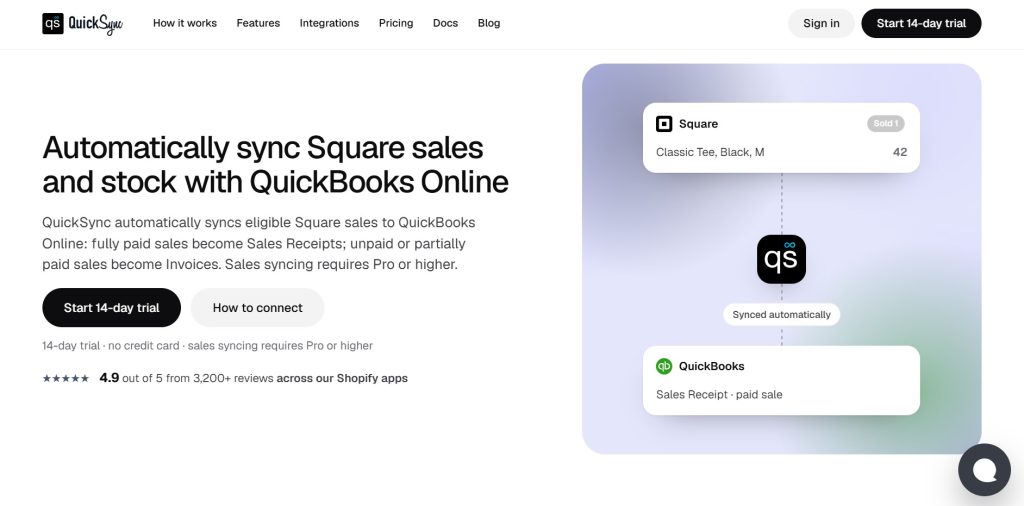
QuickSync sends each Square sale to QuickBooks Online on its own. Fully paid sales become sales receipts. Unpaid or part-paid sales become invoices. Each one carries the items sold, so your reports show what sold, not just how much.
It also keeps stock in step. Products match by SKU, and you choose which Square locations to sync. When an item sells on Square, the quantity updates on the matching QuickBooks item and on your other connected shops. Prices go one way, from Square to QuickBooks, so the books show what you actually charge.
Pricing: sales sync needs the Pro plan, at $29 a month for two connected shops and up to 2,500 items. Lite, at $19, syncs stock only. QuickSync prices on items, never on orders, so a busy month doesn’t raise your bill. You can start a 14-day trial with no card.
Where it falls short: QuickSync does not post Square fees or match payouts to bank deposits. It doesn’t support QuickBooks Desktop. Stock counts in QuickBooks also need an Online plan with inventory tracking, which Intuit includes in Plus and Advanced.
2. Square Connector by QuickBooks
Best for: US sellers on QuickBooks Online who only sell through Square and want a free way to start.
This is Intuit’s own app, and it’s free to connect. It solves the deposit problem from the start of this guide. According to Intuit’s setup guide, each sale comes in as a sales receipt. Square fees post as an expense to a Square Fees account. Each payout becomes a bank deposit linked to those sales and fees. Holds, disputes and adjustments show up in the deposit too.
Where it falls short: items match by name. Anything that doesn’t match lands on a general “Square Sales” item, which blurs item reports. It connects one Square account per QuickBooks company, and it can import up to two years of history. Nothing flows back to Square, so it won’t keep stock in step with other shops.
3. Synder

Best for: QuickBooks Desktop users, and bookkeepers who want to choose between a summary and each sale.
Synder offers both recording styles. Per-transaction sync writes each sale with its customer, products and tax. Summary sync posts one entry per day or payout, covering sales, fees, refunds and discounts. It works with QuickBooks Online and Desktop, and it can connect Stripe, PayPal and online stores to the same books.
Pricing: the Basic plan costs $52 a month billed yearly, or $65 monthly, for up to 500 transactions, according to Synder’s pricing page. Essential costs $92 a month billed yearly for up to 3,000. There’s a 15-day free trial.
Where it falls short: price climbs with sales volume, so a busy counter can outgrow Basic quickly. Synder also brings in Square sales only once they’re marked complete.
4. Amaka
Best for: small shops with low sales volume who want a cheap, tidy daily summary.
Amaka syncs your Square sales to QuickBooks Online once a day. You can post a simple summary, or break the day down by category or by product. It also helps match sales to your bank deposits.
Pricing: the Free plan covers up to 60 transactions a month at one location, as a summary. Premium costs $18 a month billed yearly for up to 500 transactions, two locations and per-order sync. Premium+ costs $49 a month billed yearly with no transaction limit. Fees and refunds don’t count toward the limit.
Where it falls short: the free plan only backfills one day of history, and 60 sales a month is about two a day. Amaka also works with QuickBooks Online only.
5. Commerce Sync
Best for: restaurants, salons and busy counters that want one clean entry per day and no limits on sales.
Commerce Sync has been on the Square App Marketplace since 2015. Every night, it moves the day’s Square sales into QuickBooks Online, QuickBooks Desktop or Xero. You can post them as one daily summary, by the categories you set up in Square, or by customer. It handles sales tax, gift cards and deposit reconciliation.
Pricing: the Essential plan costs $20 a month for QuickBooks Online or Xero. Expert costs $46 a month and adds QuickBooks Desktop. Both cover unlimited sales, and paying yearly saves up to 20%. There’s a 15-day free trial.
Where it falls short: its own FAQ says it does not support inventory or cost of goods sold. Past sales need a separate historical transfer, which costs a flat fee.
Decide How You Want Square Sales Recorded in QuickBooks
The apps above handle sales in two ways. The best choice depends on how much detail you need.
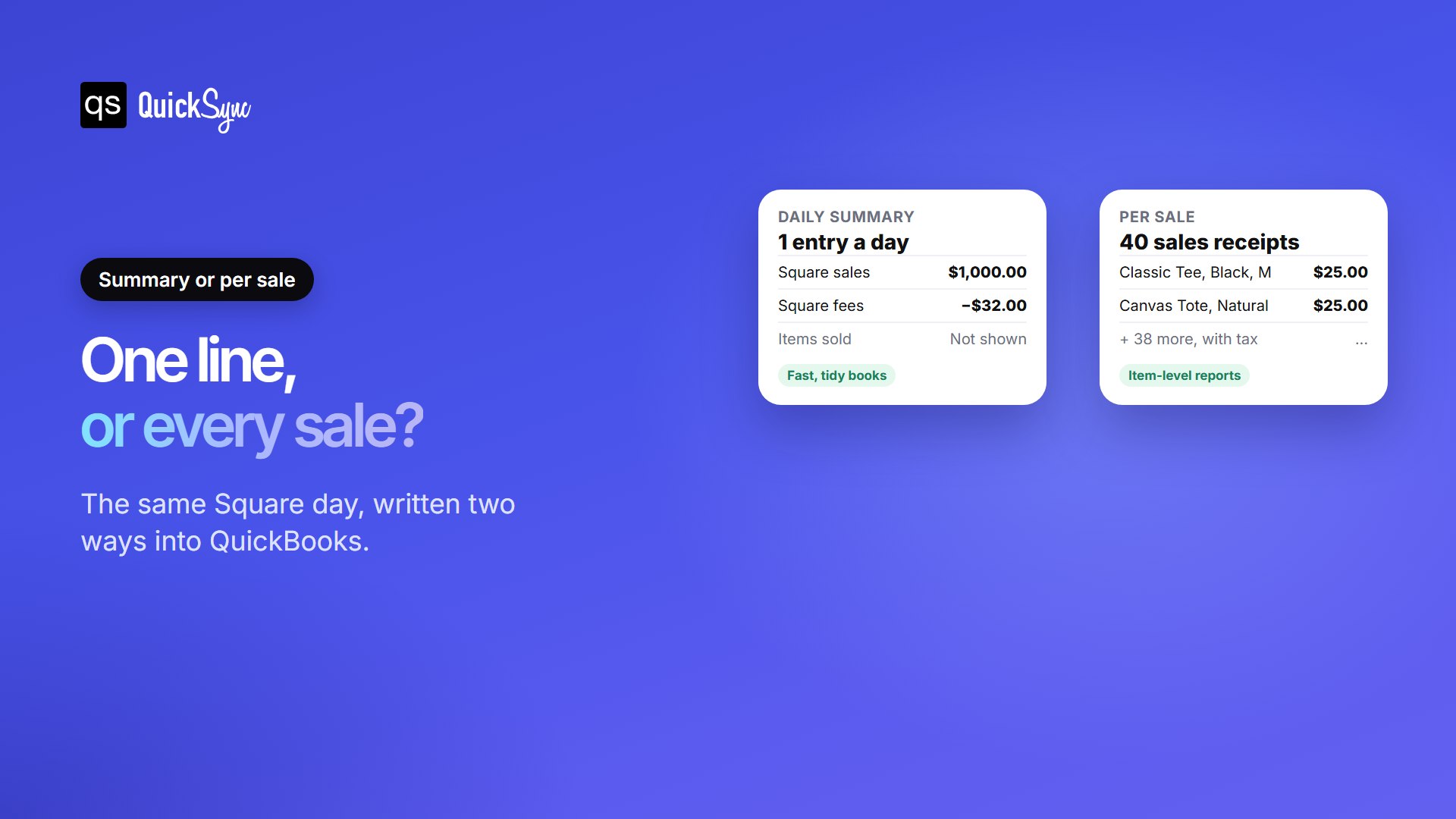
A daily summary posts one entry for the day: total sales, fees, tax and refunds. Your books stay short, and the entry is easy to match to the bank. It suits high-volume counters where you track stock in Square, not QuickBooks.
Per-sale sync writes every sale as its own record, with items and tax. That’s more entries, but you get item-level reports and accurate quantities in QuickBooks. It suits sellers who manage inventory in QuickBooks or sell the same stock on more than one channel.
If you’re unsure, ask your accountant one question: “Do you need each sale, or just the daily total?”
Why Square Payouts Don’t Match Sales and How to Fix It
Reconciling means making the deposit in QuickBooks match the deposit in your bank. Because Square takes its fees before paying you, the sales total and the deposit never match on their own.
The fix is to record three things, not one: the sales, the fees as an expense, and the payout as a deposit. When those three add up, the deposit in QuickBooks matches your bank feed to the cent. Intuit’s connector, Synder, Amaka and Commerce Sync all do this. If you use QuickSync for sales and stock, your bookkeeper still matches fees and deposits in QuickBooks.
5 Things to Do Before Connecting Square to QuickBooks
Setup takes minutes with any of these apps. A little preparation first saves hours of clean-up later.
- Pick a start date. Choose the day after your last manual entry. Starting earlier records those sales twice.
- Tidy your items. Make names or SKUs match on both sides, depending on how your app matches. Intuit’s connector uses names. QuickSync uses SKUs.
- Connect both accounts. Sign in to Square and approve access, then sign in to QuickBooks and pick the company.
- Choose locations and accounts. Select which Square locations to sync and which bank account receives your payouts.
- Check the first day. Compare one day of synced sales with your Square sales report before you trust the totals.
One rule matters more than the rest: let only one app post your Square sales. Two apps writing the same sale doubles your revenue in QuickBooks. If you’re switching apps, disconnect the old one before the new start date.
What about QuickBooks Desktop?
Intuit stopped selling new US subscriptions to QuickBooks Desktop Pro Plus, Premier Plus and Mac Plus after 30 September 2024. Existing subscribers can still renew, and Enterprise is still on sale. So Desktop isn’t gone, but most new QuickBooks Square integration apps are built for Online first.
Of the five apps here, only Synder and Commerce Sync (on its $46 Expert plan) support Desktop. If you plan to move to QuickBooks Online, it’s worth choosing your Square app after the move.
Which Square QuickBooks integration should You Choose?
- You sell on Square and online: QuickSync. One app keeps stock in step across every shop and sends each sale to QuickBooks.
- You only sell on Square and want it free: Square Connector by QuickBooks.
- You use QuickBooks Desktop: Synder or Commerce Sync.
- You make fewer than 60 sales a month: Amaka’s free plan.
- You want one entry a day and no sales limit: Commerce Sync.
If Square is one of several places you sell, your bigger risk isn’t the books. It’s selling the last item twice. Our guide to Square inventory management covers the stock side in detail.
FAQs
Comparing other setups? See our best Shopify QuickBooks integration apps, Clover and QuickBooks, and Shopify vs Square guides.