BFCM packs a big share of the year’s online sales into a few days. Adobe expects Cyber Week alone to bring in 17.3% of all US online holiday spending in 2026. For a seller with one store, the main job is getting the offer right.
For a seller on Shopify, Etsy, eBay, Amazon, or TikTok Shop at the same time, there’s a second job. Every order on one channel has to lower the stock on all the others, fast. Most BFCM checklists skip this part.
This guide covers:
– What BFCM means and the 2026 dates
– What the 2026 numbers look like
– A dated checklist for sellers on more than one channel
– How to decide between shared and split stock
What is BFCM?

BFCM stands for Black Friday Cyber Monday, the four days from Black Friday to Cyber Monday. In 2026, that’s November 27 to November 30. Adobe and many retailers also count Thanksgiving, making a five-day stretch called Cyber Week.
| Day | 2026 date | What it is |
|---|---|---|
| Thanksgiving | Thursday, November 26 | Many sales start online |
| Black Friday | Friday, November 27 | The traditional start of holiday shopping |
| Small Business Saturday | Saturday, November 28 | Shoppers focus on independent stores |
| Sunday | Sunday, November 29 | Sales continue into Cyber Monday |
| Cyber Monday | Monday, November 30 | Last year’s biggest online shopping day |
Cyber Monday was the biggest online shopping day of 2025. US shoppers spent $14.25 billion online on Cyber Monday, compared with $11.8 billion on Black Friday, according to Adobe.
BFCM 2026 by the numbers
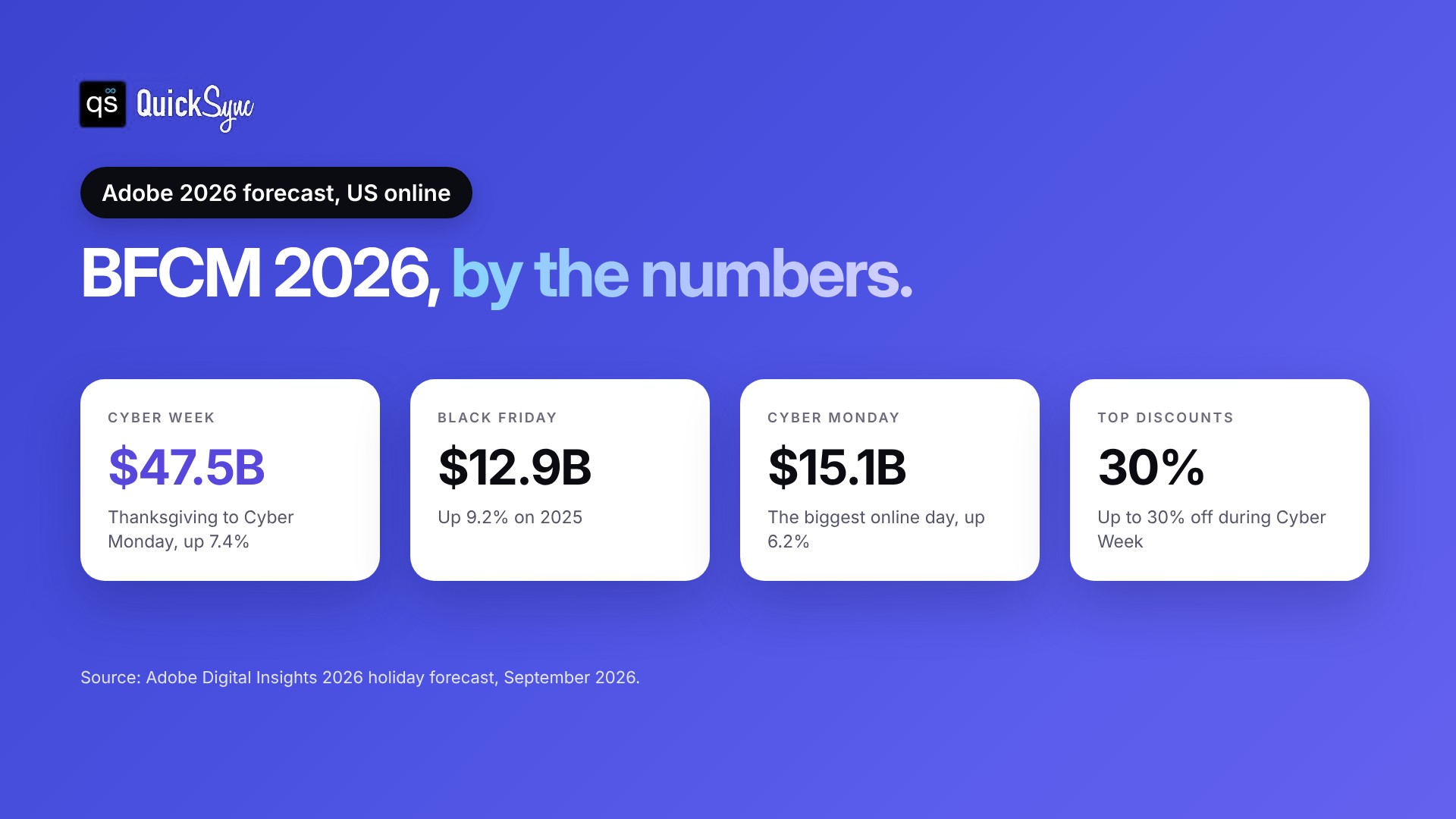
Adobe’s 2026 holiday forecast, published in September, expects another record. Here’s what it predicts for US online sales, next to Adobe’s 2025 results.
| 2025 actual | 2026 forecast | |
|---|---|---|
| Black Friday | $11.8 billion | $12.9 billion |
| Cyber Monday | $14.25 billion | $15.1 billion |
| Cyber Week (Thanksgiving to Cyber Monday) | $44.2 billion | $47.5 billion |
| Full holiday season (Nov 1 to Dec 31) | Record $257.8 billion | $275.1 billion |
The 2025 season total comes from Adobe’s January 2026 recap. Two more numbers from the 2026 forecast matter for sellers:
– Discounts peak during Cyber Week. Adobe expects discounts of up to 30% off listed prices, compared with up to 14% in early November.
– Most shopping happens on phones. Adobe expects 63% of online spend on Thanksgiving to come from mobile devices.
Already have your offers planned? Jump to the checklist.
Why BFCM is harder when you sell on several channels
On a normal day, a few orders come in, and you can update stock by hand. During BFCM, orders arrive faster on every channel at once. A manual update that takes an hour is too slow.
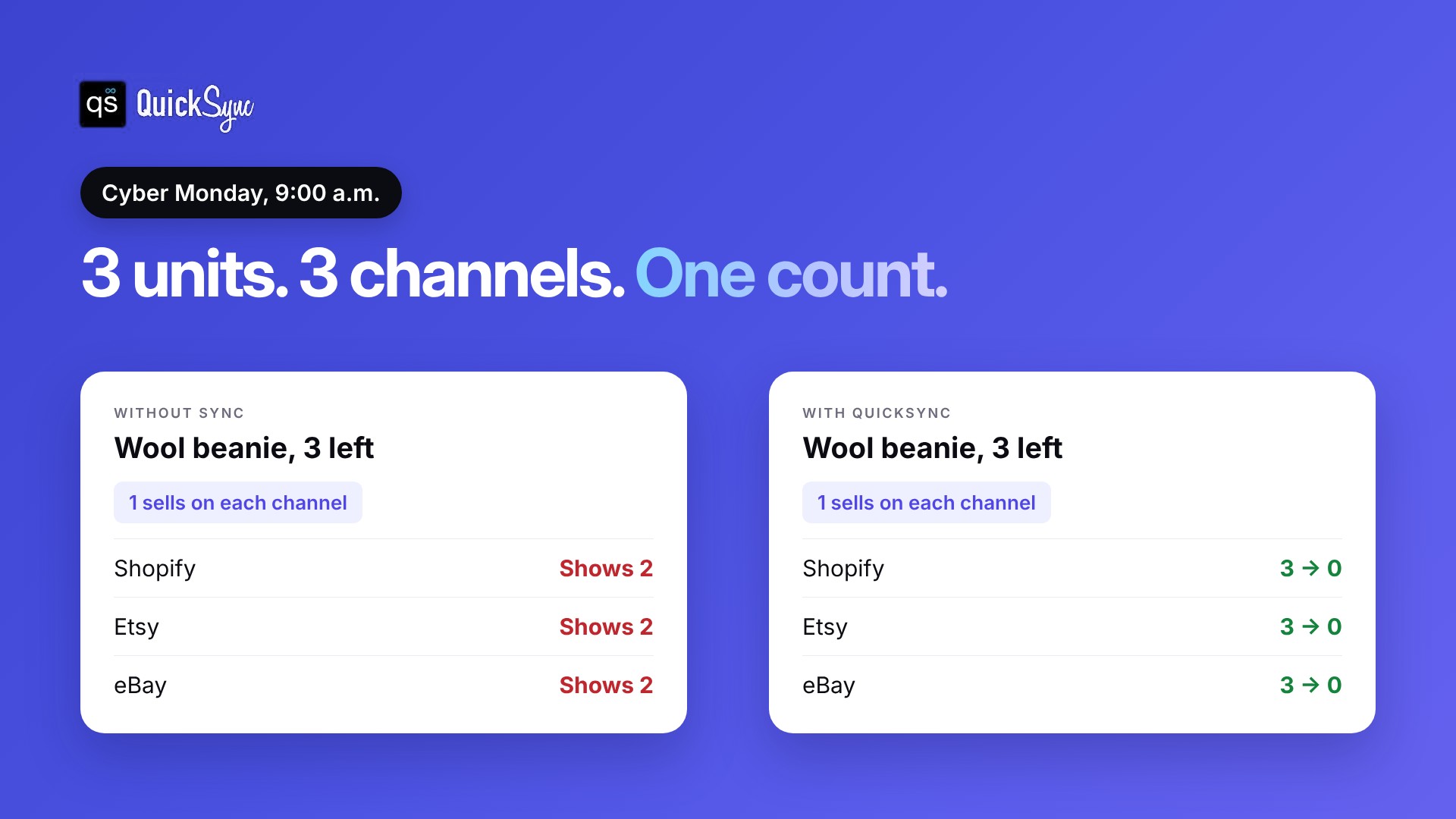
Here’s what goes wrong:
– The same last unit sells twice. It’s listed on Shopify and Etsy. Both channels still show it in stock, so both take the order.
– You cancel orders. On eBay, an order you cancel because the item is out of stock counts as a transaction defect under the seller standards policy. Too many defects can push your account to Below Standard.
– Your best products run out first. Deals send buyers to a few products, and those are the ones most likely to oversell.
The fix is one stock count that every channel reads from, updated after every order. Our guide on how to prevent overselling covers the basics. The checklist below covers BFCM week.
BFCM checklist for multichannel sellers
This Black Friday checklist shows how to prepare for Black Friday when you sell on more than one channel. Work through it in order. The dates are for BFCM 2026.
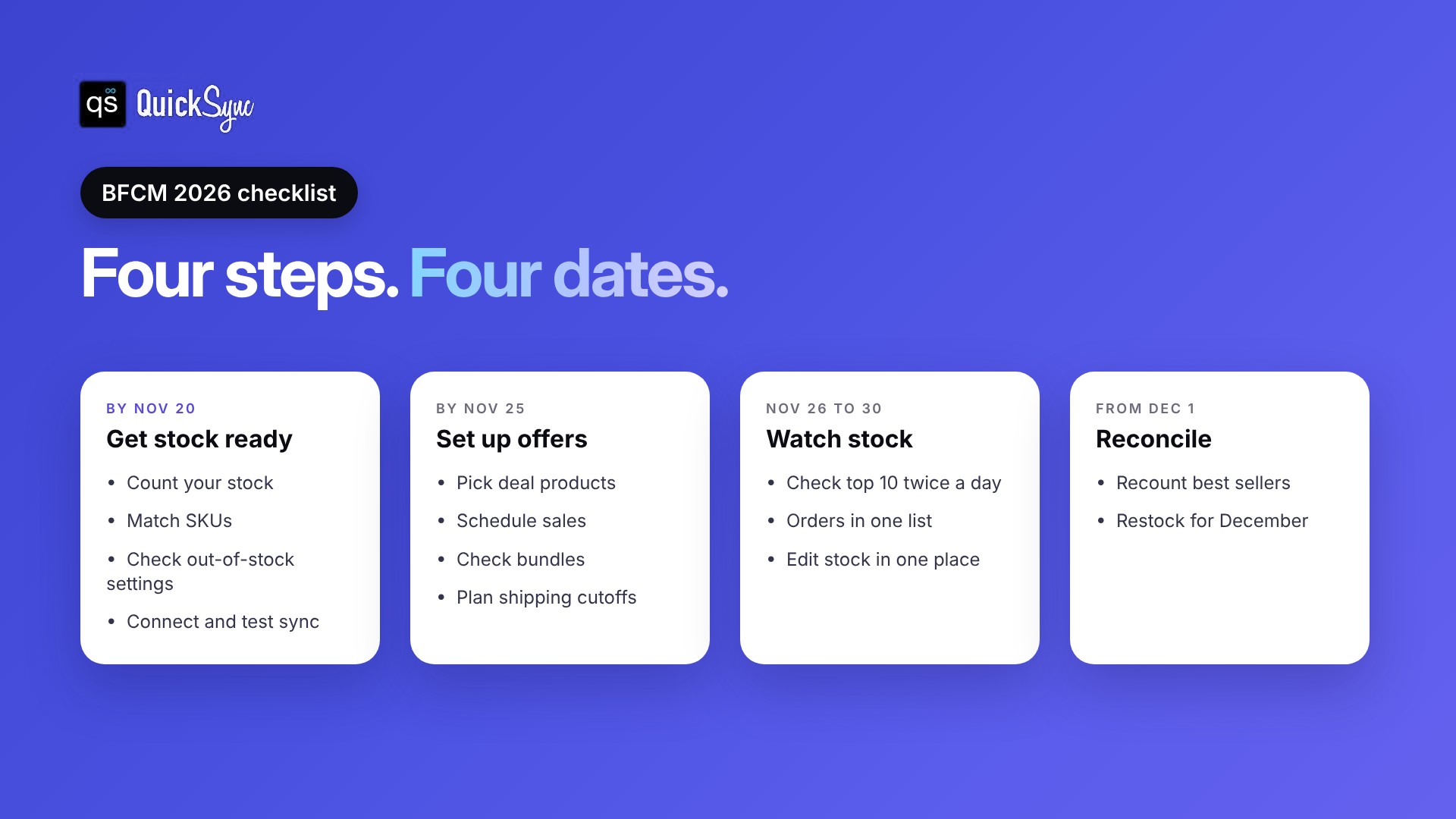
By November 20: get your stock ready
1. Count your stock. Do a physical count of your BFCM products and fix the numbers in your main store. A wrong starting number gets copied to every channel.
2. Match your SKUs. Give each product the same SKU on every channel. Sync tools use SKUs to match listings, so a mismatch means a listing that never updates. Our guide on what a SKU is explains how to set them up.
3. Check your out-of-stock settings. In Shopify, make sure deal products are set to stop selling at zero, not Continue selling when out of stock. Shopify’s inventory guide shows where the setting is.
4. Connect inventory sync and test it. Connect your channels, sync a few products and make a test sale. Check that the quantity drops everywhere before you trust it with BFCM orders.
By November 25: set up your offers
5. Pick your deal products. Choose products you have enough stock of. A deal on an item with three units left creates more cancellations than sales.
6. Schedule sales on each channel. Shopify discounts, Etsy sales, eBay promotions and TikTok Shop campaigns are all set up separately. Put the start and end times in one list so nothing runs late.
7. Check your bundles. If you sell bundles, make sure each one lowers stock for every product inside it.
8. Plan your shipping cutoffs. USPS recommends shipping by December 17 for Ground Advantage and December 18 for Priority Mail for delivery before Christmas in the lower 48 states. Add your own cutoff to listings and emails.
November 26 to 30: watch your stock
9. Check low-stock products twice a day. Look at your top 10 deal products every morning and evening.
10. Keep orders in one place. Pull orders from every channel into one list, so you pack from one screen.
11. Don’t edit stock in two places. Change quantities in your main store only, and let sync update the rest.
From December 1: reconcile and restock
12. Recount your best sellers. Compare physical stock with your system and fix any gaps before the next rush.
13. Restock for December. Reorder fast sellers early enough to sell them before your shipping cutoffs.
Shared stock or split stock?

Shared stock means every channel sells from the same count. Split stock means you give each channel a fixed number of units. Shared stock sells more, but it needs inventory sync. Split stock is safer without sync, but some channels run out while others still have units left.
| Shared stock | Split stock | |
|---|---|---|
| How it works | Every channel sells from one count | Each channel gets its own fixed units |
| Risk of overselling | Low with sync, high without it | Low |
| Risk of running out on one channel | Low | High |
| Needs inventory sync | Yes | No |
| Best for | Sellers who want every unit available everywhere | Sellers with no sync tool and very limited stock |
If you split stock, keep the split simple. For example, put most units on the channel that sold the most last November, and keep the rest in your main store.
How QuickSync helps during BFCM
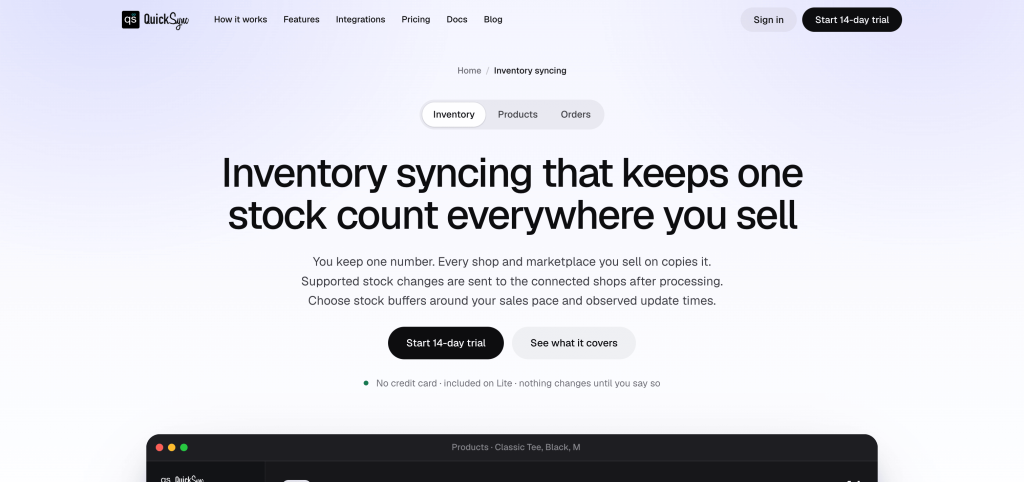
QuickSync keeps one stock count across your channels. When something sells on Etsy, the quantity drops on Shopify, eBay, Amazon, TikTok Shop, and your POS too.
What that means for BFCM:
– One stock count across 13 platforms, including Shopify, Etsy, eBay, Amazon, TikTok Shop, WooCommerce, Square and Clover. See all integrations.
– No extra cost for busy days. Orders are unlimited on every plan, so BFCM volume doesn’t change your bill. Plans start at $19 a month for two shops, according to the QuickSync pricing page.
– Orders in one place. On the Pro plan, orders from every channel come into one list for packing.
– Set up before Thanksgiving. Every plan starts with a 14-day free trial with no card, and the team connects your first two shops with you on a free 30-minute call. A trial started on November 17 runs through Cyber Monday.
Final thoughts
BFCM 2026 runs from November 27 to November 30, and Adobe expects Cyber Monday to be the biggest online day again. The offers get the attention, but the stock behind them decides how the weekend goes.
Count your stock, match your SKUs and connect your channels before November 20. Then spend BFCM watching your best sellers instead of fixing quantities by hand. Our holiday inventory management tips cover the rest of the season.