A customer pays $100 for an order in your Shopify store. A couple of days later, $96.80 lands in your bank. Xero now has to explain where the other $3.20 went.
That gap is the card fee. On the Basic plan, Shopify Payments charges 2.9% + 30¢ on standard card payments, and it comes out before you’re paid. Add refunds, tax and a second payment gateway, and typing Shopify sales into Xero by hand becomes a weekly chore with plenty of room for mistakes.
A Shopify Xero integration does that work for you. This guide compares seven of the best on price, how they record sales and whether they keep stock in step. We checked every price, rating and feature on each app’s own listing on 23 October 2026. QuickSync is one of the seven, and each section says where another app is the better pick.
Does Xero integrate with Shopify?
Yes. Xero offers a free Shopify integration, built with Amaka. It sends your Shopify sales to Xero as a daily summary or as individual sales, and it matches Shopify payouts to your bank account. It doesn’t sync stock, and Xero says it doesn’t account for US sales tax. Paid apps fill those gaps. Some integration apps add an invoice for each order and two-way stock sync. Others add deeper payout reconciliation.
The Best Shopify Xero Integration Apps at a Glance
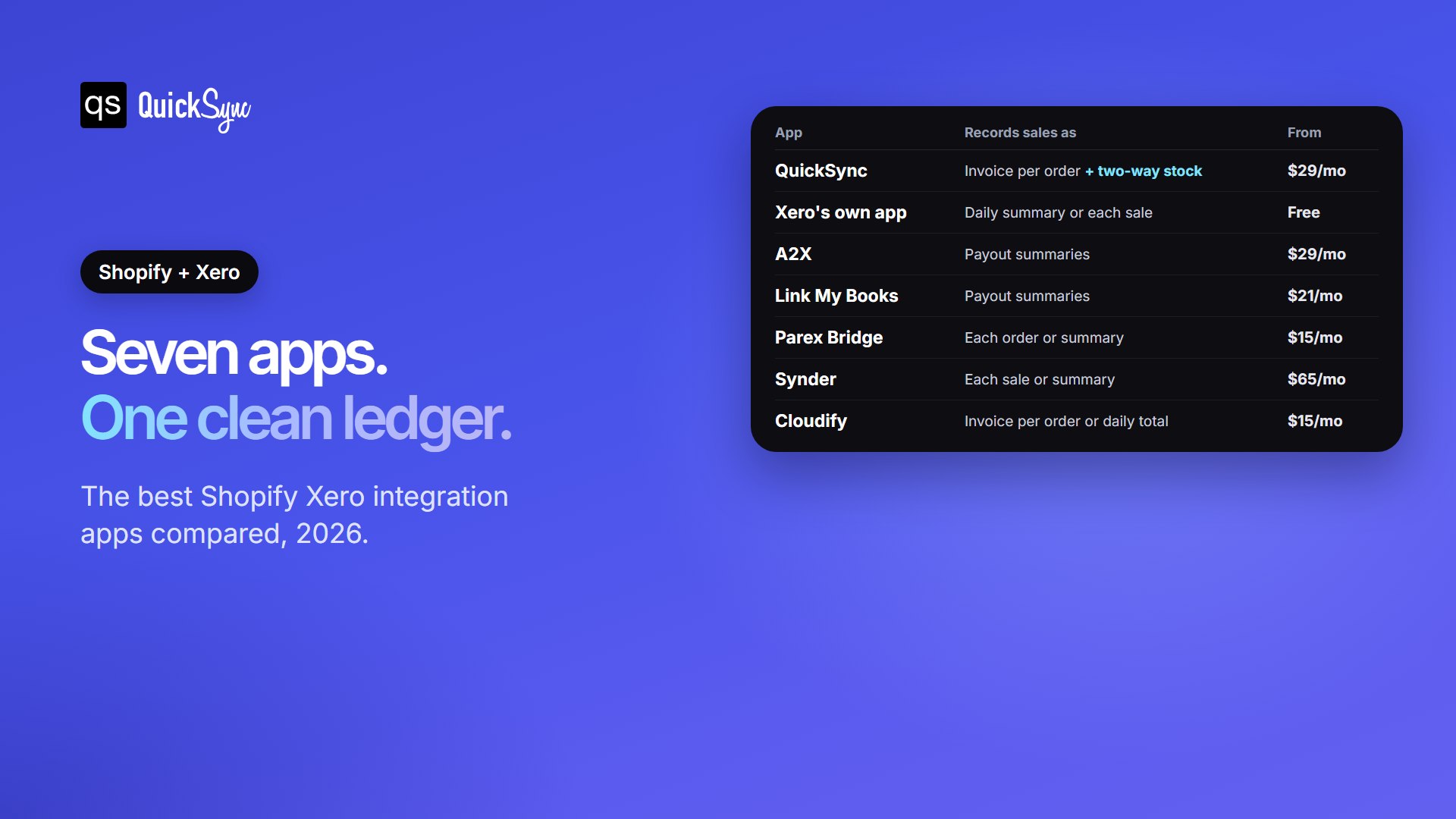
| App | Best for | Records sales as | Stock sync | Price from (free trial) | Rating |
|---|---|---|---|---|---|
| Shopify-Xero integration by QuickSync | Stock that must match in Shopify, Xero and other channels | One draft invoice per order | Both ways, for Xero tracked items | $19/mo stock only, $29/mo with orders, for two shops (14-day free trial, no card) | 4.9 across QuickSync’s Shopify apps (3,200+ reviews) |
| Shopify integration by Xero | A free, simple start | Daily summary or each sale, per payment gateway | No | Free on all Xero plans | 4.7 (76, Xero App Store) |
| A2X | Accountant-ready payout records | Payout summaries matched to deposits | No | $29/mo for 200 orders (30 days) | 4.9 (360) |
| Link My Books | Bank-matched summaries across several marketplaces | Payout summaries matched to deposits | No | $21/mo for 200 orders (14 days, no card) | 4.8 (44) |
| Parex Bridge for Xero | Order detail and payouts on a budget | Each order, or a payout summary | Listed, direction not stated | $15/mo for 100 orders (7 days) | 4.9 (309) |
| Synder | Sales taken through several payment gateways | Each sale or a daily summary | Listing says inventory and COGS update in real time | $65/mo for 500 transactions (15 days) | 4.7 (222) |
| Cloudify Xero Integration | An invoice per order at a low price | Invoice per order, or daily totals on Growth | Listed, direction not stated | $15/mo for 100 orders (30 days, 30 orders) | 4.7 (4) |
We compared and tested each app on four things a Shopify seller feels at month-end. How do sales land in Xero? Do fees and payouts reconcile? What happens to stock? And what does it really cost as orders grow? The details are below, starting with the app we know best.
1. Xero Integration by QuickSync
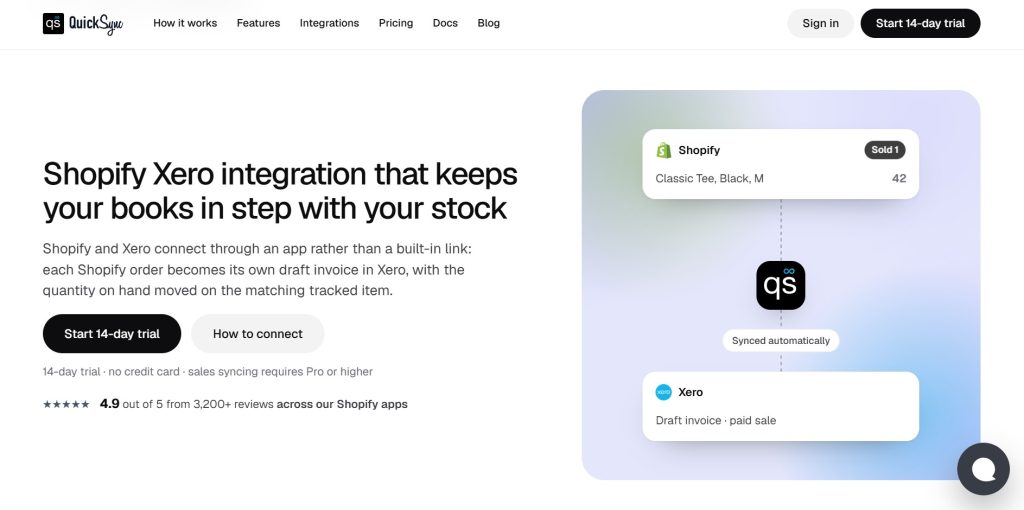
QuickSync writes each Shopify order into Xero as its own draft invoice, a second or just after the sale. The buyer is matched or created as a contact by name and email. Each item gets its own line at the price actually paid, in the order’s own currency. Drafts wait for your approval, so nothing posts to your accounts behind your back.
Stock is where it differs from the rest of this list. Once you turn on tracked inventory, a Shopify sale takes one off the matching Xero item. If you change a quantity in Xero, QuickSync picks it up within two minutes and sends it to Shopify and your other shops. Prices go one way, from Shopify to Xero.
Best for: Shopify sellers who track stock in Xero, or who sell the same stock on Etsy, eBay, Amazon or a POS like Square.
Pricing: Lite costs $19 a month for two shops and syncs stock only. Order sync needs Pro, at $29 a month for two shops and up to 2,500 items. QuickSync prices on items, not orders, so a busy month doesn’t raise your bill. There’s also a 14-day trial with no card.
Where it falls short: QuickSync doesn’t record payments, card fees, or payouts, so you still match deposits in Xero’s bank reconciliation. Xero also caps item codes at 30 characters, so Shopify SKUs that only differ after character 30 will clash.
2. Shopify integration by Xero
Xero’s own Shopify integration is free on every Xero plan. You choose a daily summary or a separate transaction for each sale, split by payment gateway. Payouts from Shopify Payments and other gateways are matched to your bank account, with fees, refunds and taxes handled. It covers Shopify POS as well as your online store, and it can bring in up to 90 days of past sales. It’s rated 4.7 from 76 reviews on the Xero App Store.
Best for: simple stores that want a free start and keep stock in Shopify.
Where it falls short: it doesn’t sync stock or inventory items. In the US, Xero says the integration doesn’t account for sales tax, so you download sales tax reports from Shopify for filing. History stops at 90 days.
3. A2X

A2X turns each Shopify payout into one summary entry in Xero. The entry breaks the payout into sales, refunds, fees and tax, so it matches the deposit in your bank feed. You can set tax rules for every transaction type, and higher plans add cost of goods sold (COGS). It also works with QuickBooks, Sage and NetSuite, and it’s rated 4.9 from 360 reviews.
Best for: growing stores whose accountant wants every payout to reconcile to the cent.
Pricing: Mini costs $29 a month for up to 200 orders. Basic costs $45 for 500 orders and adds COGS. Professional costs $79 for 2,000 orders, and Advanced costs $115 for 5,000. Every plan has a 30-day free trial.
Where it falls short: you get payout summaries, not an invoice per order with customer details. It doesn’t move stock counts, and the price climbs as orders grow.
4. Link My Books
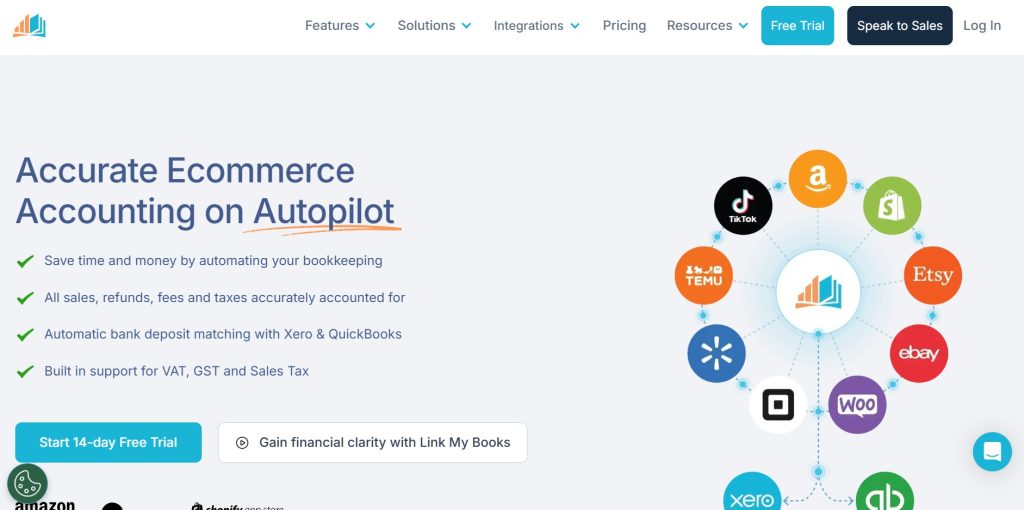
Link My Books works like A2X. It posts summaries of your sales, refunds, fees and tax that match each deposit in your bank feed. It handles PayPal, Klarna and Clearpay payouts, and it connects Amazon, eBay, Etsy and TikTok Shop too. It works with Xero and QuickBooks Online and is rated 4.8 from 44 reviews.
Best for: sellers on several marketplaces who want bank-matched summaries for less.
Pricing: $21 a month for 200 orders, $41 for 1,000, $60 for 5,000 and $100 for 10,000. There’s a 14-day free trial with no card.
Where it falls short: it’s built around payouts, not single orders, and it isn’t designed to keep stock counts in step.
5. Parex Bridge for Xero
Parex Bridge is one of the best-reviewed Xero apps on the Shopify App Store, with 4.9 stars from 309 reviews. You choose individual or summary sync. Individual sync sends orders and refunds one by one, with an option to sync products and customers. Every plan also syncs payouts and fees for Shopify Payments reconciliation and works with multi-currency stores. Older orders can be synced on request.
Best for: budget-minded stores that want order detail and payout matching in one app.
Pricing: Silver costs $15 a month for 100 orders, then 10¢ per extra order. Gold costs $30 for 500 orders and Platinum $45 for 1,500. Platinum Plus costs $100 for 10,000. Each plan has a 7-day free trial.
Where it falls short: per-order charges add up in a busy month, and seven days is short for testing a full month-end. Its listing tags stock updates but doesn’t say which way quantities move, so test that during the trial if stock matters to you.
6. Synder

Synder records each sale with its customer, products, fees, tax and shipping, or posts a daily summary. Payouts match to your bank feed automatically. Its listing says COGS and inventory values update in real time. It works with Xero, QuickBooks, NetSuite and Sage Intacct and is rated 4.7 from 222 reviews.
Best for: businesses that take payments in several places, such as Shopify plus Stripe, PayPal or Klarna.
Pricing: Basic costs $65 a month, or $624 a year, for up to 500 sales transactions, with daily imports. Essential costs $129 a month for 3,000 transactions, with hourly imports and COGS tracking. There’s a 15-day free trial.
Where it falls short: it’s the priciest starting point here. COGS tracking starts on the $129 plan, and importing past sales costs extra on both of the first two plans.
7. Cloudify Xero Integration
Cloudify turns every Shopify order into a Xero invoice. The Growth plan adds credit notes for refunds, daily sales totals, payout matching and bulk sync for past orders. Professional adds Shopify Payments reconciliation.
Best for: small stores that want an invoice for every order at a low price.
Pricing: Starter costs $15 a month for 100 orders. Growth costs $29 for 300, Professional $45 for 800, and Scale $69 for 2,000 orders. The 30-day free trial covers 30 orders.
Where it falls short: it has only 4 reviews so far, so there’s little track record to judge. On the $15 plan, you get invoices only, without refunds or payouts.
Payout Summary or One Invoice Per Order: Which Do You Need?
The seven apps record sales in one of two ways. Knowing which way suits you narrows the choice fast.
A payout summary posts one entry per payout or per day, with sales, fees, refunds and tax rolled up. Xero stays short and easy to reconcile. It suits busy stores that manage stock in Shopify, not Xero. A2X and Link My Books work this way, as do Xero’s own integration and Parex Bridge in summary mode.
One invoice per order writes each order separately, with items, customer and tax. That’s more entries, but you get item-level sales reports and customer history in Xero. It suits sellers who track inventory in Xero, sell wholesale, or sell the same stock on more than one channel. QuickSync, Cloudify, Parex Bridge and Synder can all work this way.
If you’re unsure, ask your accountant one question: “Do you need each order, or just the payout total?”
Reconciling Shopify Payments in Xero
Reconciling means matching what Xero expects with what actually hit your bank. Shopify takes its fee before it pays you, so your sales total and your deposit never match on their own.
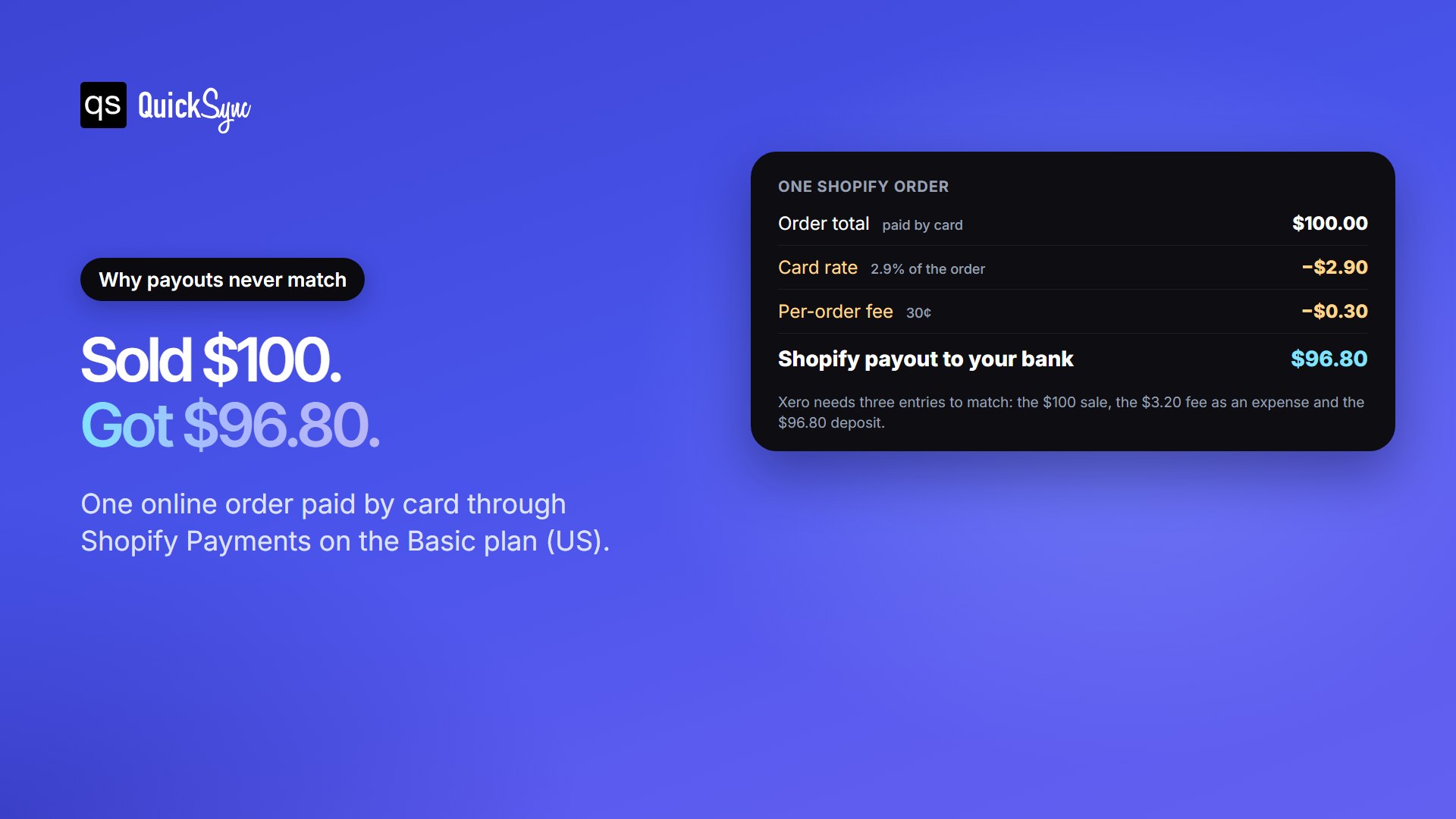
The fix is to record three things, not one: the $100 sale, the $3.20 fee as an expense, and the $96.80 payout as a deposit. Most bookkeepers run these through a Shopify clearing account. Sales go in, fees come out, and the payout moves the balance to your bank. When the clearing account reaches zero, everything has reconciled.
The fee depends on your plan. Standard card rates drop to 2.7% + 30¢ on Grow and 2.5% + 30¢ on Advanced. If you use a payment provider other than Shopify Payments, Shopify adds its own fee on top: 2% on Basic, 1% on Grow and 0.6% on Advanced. Xero’s integration, A2X, Link My Books, Parex Bridge, Synder and Cloudify’s Growth plan and up all handle this matching for you. QuickSync focuses on the order and the stock, so with it you match fees and deposits in Xero’s bank reconciliation.
Can a Shopify Xero Integration Sync Inventory?
Some integrations can, but most don’t. Xero can track stock itself. Xero says you can manage up to 4,000 items, and stock levels update as you buy and sell them. The catch is that payout apps move money, not quantities. When a Shopify sale is posted as a payout summary, the item count in Xero never changes.
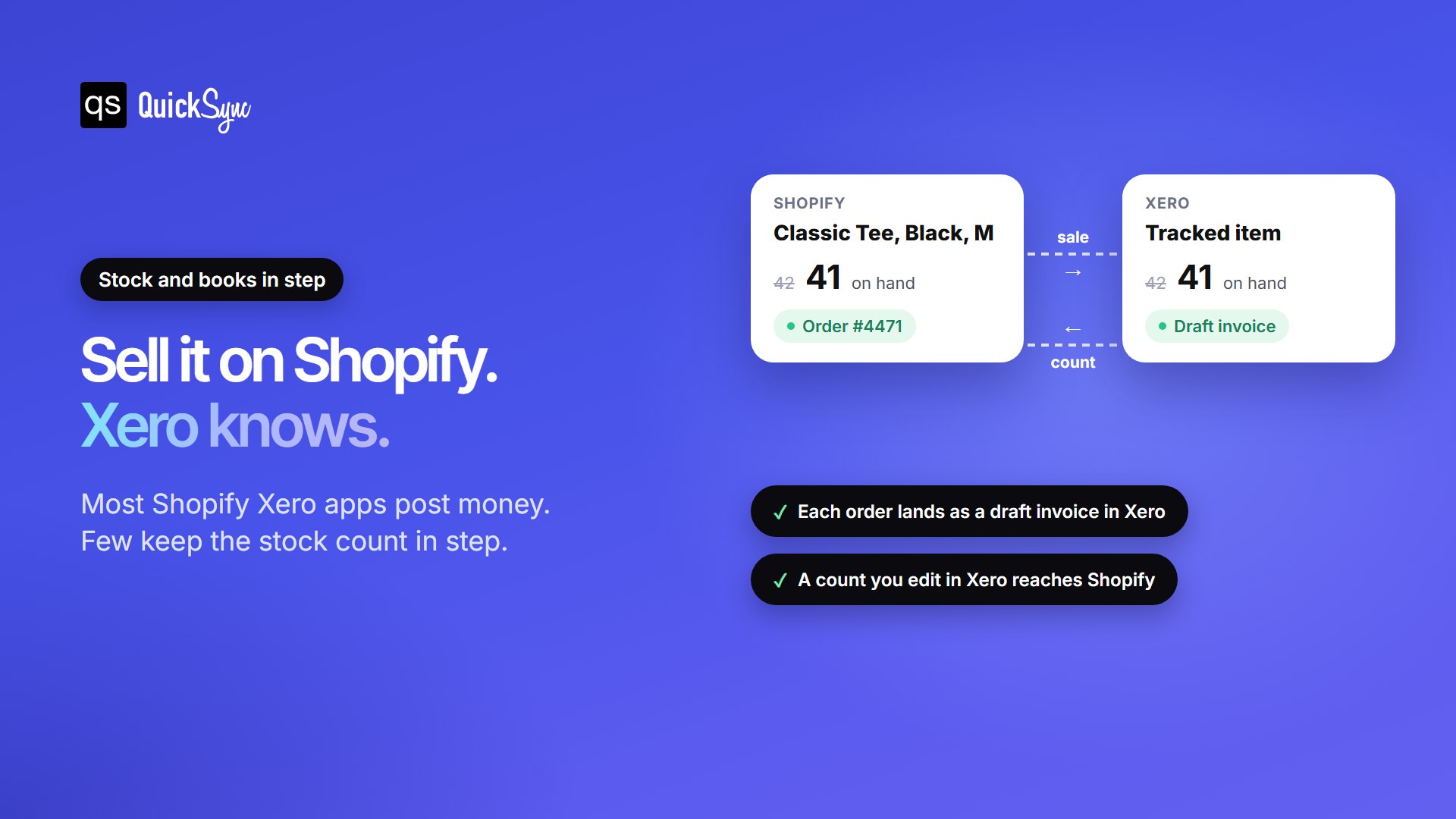
To sync inventory between Shopify and Xero, you need three things:
- Tracked items in Xero. Each product needs an inventory asset account and a cost of goods sold account, so a sale moves both the count and its cost.
- Matching codes. Shopify SKUs can run to 255 characters, but a Xero item code stops at 30. Keep SKUs short and unique so each one maps to one Xero item.
- An app that moves quantities. QuickSync lowers the Xero item on every Shopify sale and sends counts you edit in Xero back to Shopify. Parex Bridge and Cloudify tag stock features on their listings without saying which way they sync. A2X, Link My Books and Xero’s own integration don’t move counts.
Stock sync matters most when Shopify isn’t your only shop. If the same item also sells on Etsy, eBay, Amazon or in person, one late update can sell your last unit twice. Our guide to Shopify inventory sync covers that side in more depth.
VAT, GST and US Sales Tax
Every app on this list asks you to map Shopify’s tax to Xero’s tax rates. Get this right before the first sync, because fixing it afterwards means editing every entry.
- UK VAT: Xero is on HMRC’s list of software for Making Tax Digital for VAT, so you can file VAT returns straight from Xero. Map each Shopify VAT rate, including zero-rated and EU sales, to its matching Xero rate.
- Australia and New Zealand GST: map taxable sales and shipping to your GST on income rate, and GST-free items to a GST-free rate. That keeps your BAS or GST return accurate.
- US sales tax: Xero’s own integration doesn’t account for it, so you pull sales tax reports from Shopify. A2X, Link My Books and Cloudify list sales tax mapping, and Synder lists tax tracking.
5 Things to Do Before Connecting Shopify to Xero
Setup takes minutes with any app on this list. A little preparation first saves hours of clean-up later.
- Pick a start date. Choose the day after your last manual entry. Starting earlier records those sales twice.
- Choose one app to post sales. Two apps writing the same orders doubles your revenue. If you’re switching from Xero’s own integration, disconnect it before the new start date.
- Check your SKUs. Keep them unique and within 30 characters if you plan to track stock in Xero.
- Map tax rates and accounts. Match each Shopify tax rate to a Xero rate, and pick the sales, fees and clearing accounts.
- Connect both sides. Approve the app in your Shopify admin, then sign in to Xero and pick the organisation.
- Check the first day. Compare one day of synced sales with Shopify’s finance reports before you trust the totals.
Which Shopify Xero Integration Should You Choose?
- You track stock in Xero, or sell on Shopify and other channels: QuickSync. Each order lands as an invoice, and stock stays in step everywhere.
- You want a free start and keep stock in Shopify: Shopify integration by Xero.
- Your accountant wants every payout reconciled: A2X.
- You sell on several marketplaces and want summaries for less: Link My Books.
- You want order detail and payouts on a small budget: Parex Bridge for Xero.
- You take payments through Stripe, PayPal or Klarna as well: Synder.
- You want a simple invoice per order and have few orders: Cloudify.
If Shopify is one of several places you sell, the bigger risk usually isn’t the books. It’s selling an item you no longer have. That’s the problem an app that moves both orders and stock solves.
FAQs
Comparing other setups? See our best WooCommerce Xero integration, best Shopify Etsy integration apps and best Shopify Amazon integration apps guides.