A discount code is one of the easiest ways to bring in more Christmas orders on Shopify. You create it once, share it with your customers, and they enter it at checkout to get the offer.
To create one, go to Discounts in your Shopify admin and click Create discount. Pick the discount type, enter the code and the value, and click Save.
For Christmas, a few settings make the difference. Give the code an end date before your last shipping day, so every order arrives in time. Limit how many times it can be used, so it doesn’t spread further than you planned. And decide whether it can be combined with your other offers, so you don’t discount more than you meant to.
This guide covers:
- The four Shopify discount types and which one suits each Christmas offer
- Discount codes vs automatic discounts
- How to create a discount code on Shopify, step by step
- The Christmas settings to get right
- Six Christmas discount code ideas, with the settings for each
Shopify discount types
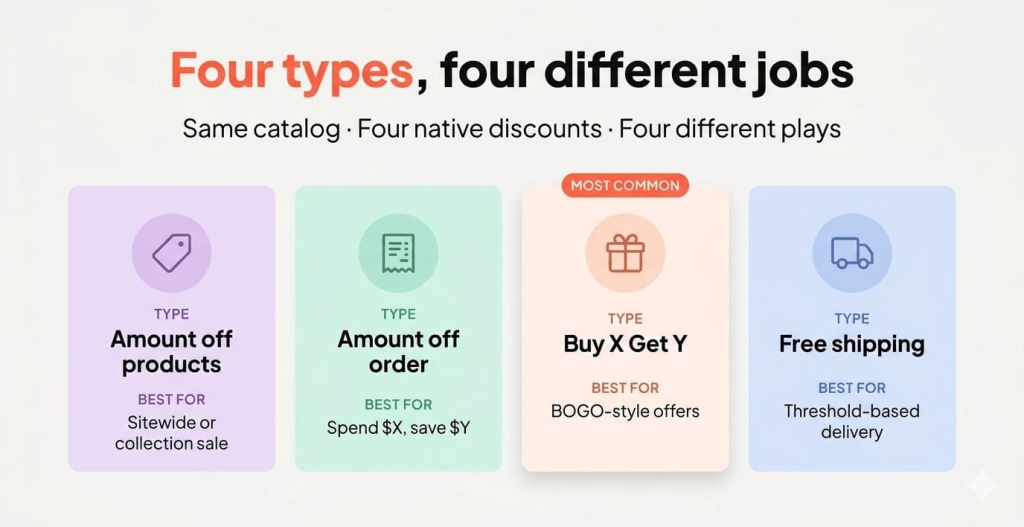
When you click Create discount, Shopify asks you to pick a type first. You can’t change the type after you create the discount, so pick carefully.
| Discount type | What it does | Christmas example |
|---|---|---|
| Amount off products | A percentage or fixed amount off specific products or collections | 20% off your gift collection |
| Buy X get Y | Buy certain items, get others free or discounted | Buy 2 candles, get a third free |
| Amount off order | A percentage or fixed amount off the whole order subtotal | $10 off orders over $75 |
| Free shipping | Free shipping, limited by country or shipping rate if you like | Free US shipping until the last shipping day |
Amount off discounts don’t apply to shipping costs, according to Shopify’s guide to amount off discounts.
Discount codes vs automatic discounts
Every Shopify discount uses one of two methods:
- Discount code. Customers type a code at checkout. Good for offers you share by email, social media or with specific customers.
- Automatic discount. Applied at checkout without a code. Good for offers you want every shopper to get, like free shipping over $50.
You can have up to 25 automatic discounts active at once, including discounts from apps, according to Shopify’s discount codes page. For most Christmas offers you’ll share, a code is the better fit, because you control who gets it.
Know which offer you want? Jump to the Christmas code ideas.
How to create a discount code on Shopify
These steps come from Shopify’s Help Center:
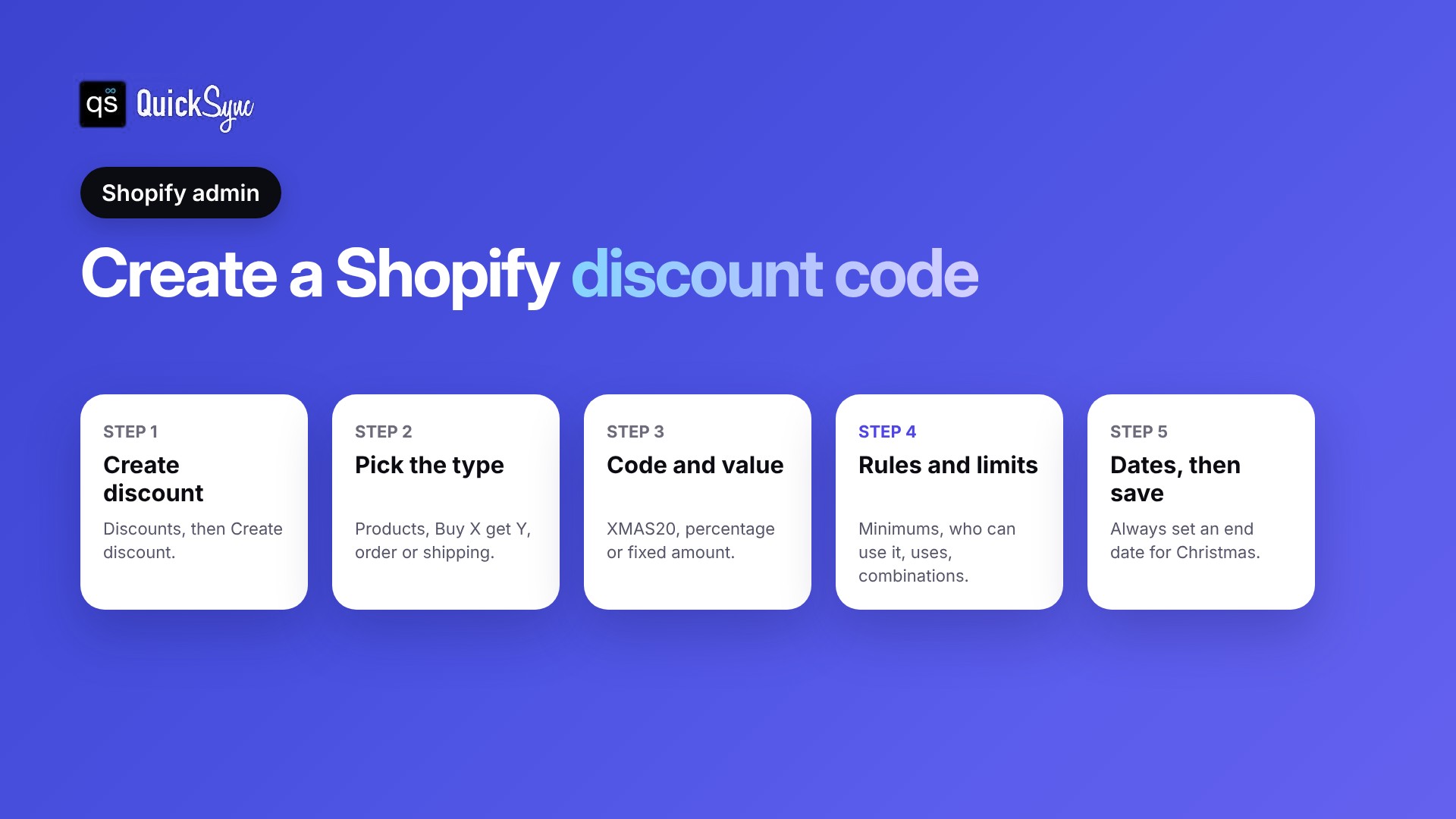
- Go to Discounts. In your Shopify admin, open Discounts and click Create discount.
- Pick the discount type. Choose Amount off products, Buy X get Y, Amount off order or Free shipping.
- Choose Discount code. Under Method, select Discount code. Type a code, like XMAS20, or click Generate code for a random one. Shopify suggests avoiding special characters.
- Set the value. Choose a percentage or a fixed amount. For product discounts, pick the products or collections it applies to.
- Set minimum requirements. Optional. Choose a minimum purchase amount or a minimum number of items.
- Choose who can use it. All customers, specific customers, customer segments or markets.
- Set usage limits. Limit the total number of uses, limit it to one use per customer, or both. Codes are unlimited by default.
- Choose combinations. Tick which other product, order or shipping discounts this code can combine with.
- Set the active dates. Choose a start date and, for Christmas offers, always set an end date.
- Click Save.
4 Shopify discount settings to check before Christmas

Before you share your Christmas code, check four settings: when it starts and ends, how many times it can be used, who can use it, and whether it combines with other discounts.
Getting these right stops late orders, shared codes, and bigger discounts than you planned.
Start and end times
Shopify uses your store’s time zone for active dates. A code set to start on December 1 starts at midnight in your admin’s time zone, not your customers’. If you sell across the US, set your end time with the earliest-closing time zone in mind, or say the time zone in your email.
Usage limits
Codes travel. A code you send to 500 subscribers can end up on a coupon site the same day. For one-off Christmas offers, tick Limit to one per customer, which Shopify tracks by email address or phone number. For limited offers, set a total number of uses too.
Who can use it
Use Customer segments to send a code only to past buyers, or only to people who haven’t ordered yet. Each code can apply to up to 100 specific customers, products or variants.
Combinations
Shopify applies product discounts first, then order discounts, then shipping discounts, according to its guide to combining discounts. Two percentage order discounts both use the original subtotal: 10% plus 20% off a $100 order takes off $30.
Customers can use up to 5 product or order discount codes and 1 shipping discount code on the same order. Combining product and order discounts is only available to eligible stores, so check your settings. If you don’t want your Christmas code to stack with a site-wide sale, leave the combination boxes unticked.
Six Christmas discount code ideas
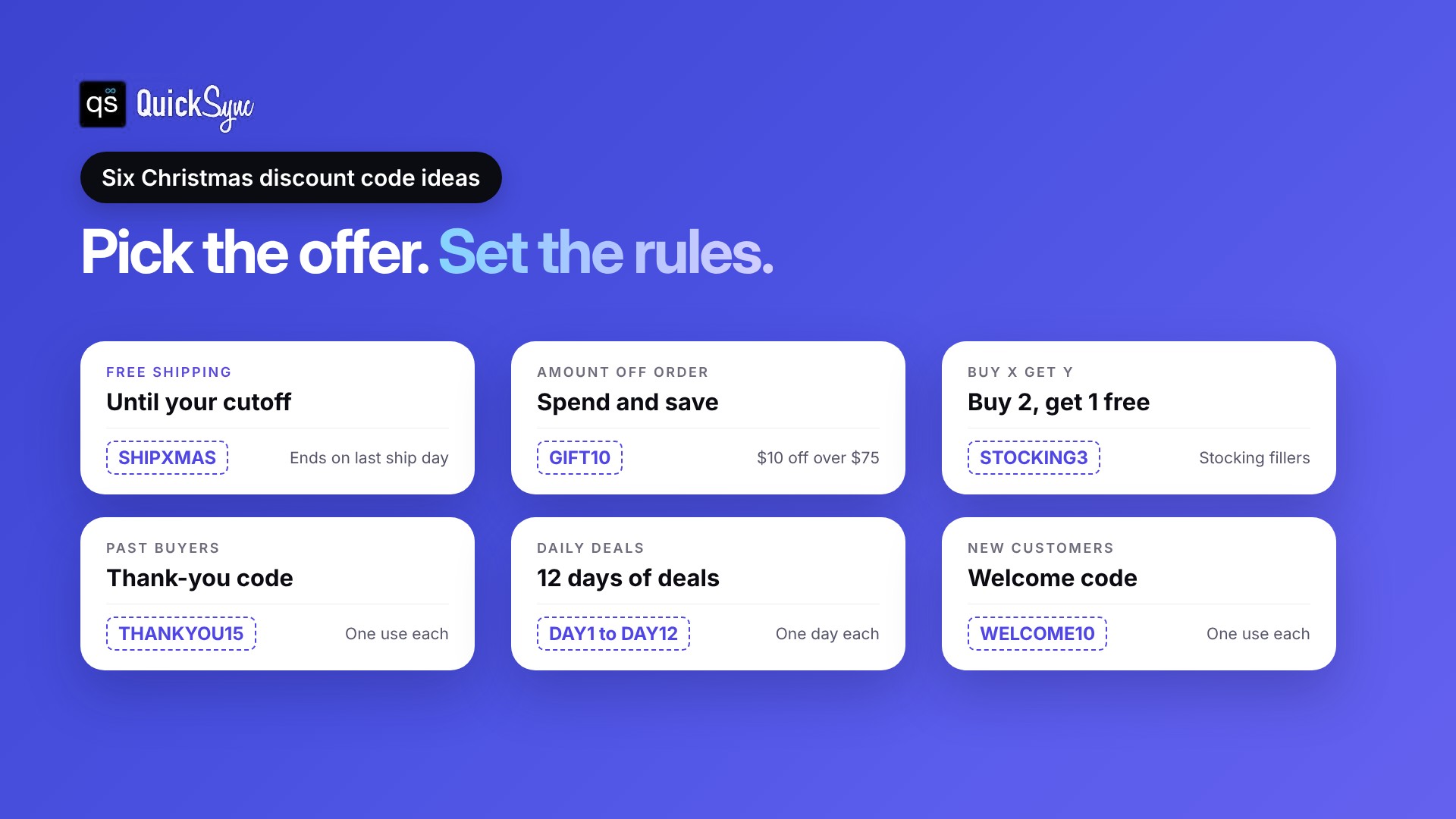
| Idea | Discount type | Example code | Settings to use |
|---|---|---|---|
| Free shipping until the cutoff | Free shipping | SHIPXMAS | End date on your last shipping day |
| Spend and save | Amount off order | GIFT10 | $10 off, minimum purchase $75 |
| Buy 2, get 1 free | Buy X get Y | STOCKING3 | Limit to your stocking-filler collection |
| Thank-you code for past buyers | Amount off order | THANKYOU15 | Customer segment of past buyers, one use each |
| 12 days of deals | Amount off products | DAY1 to DAY12 | One code per day, each on one product, each with a one-day date range |
| New customer code | Amount off order | WELCOME10 | Customer segment of people who haven’t ordered, one use each |
Selling on Shopify and other channels at Christmas?
Shopify discount codes work in your Shopify store and Shopify POS. They don’t apply on Etsy, eBay, Amazon or TikTok Shop, which each run their own sales tools. Plan your marketplace offers separately, and keep your prices consistent so buyers don’t find a bigger discount on one channel than another.
Your stock is shared, though. A Christmas code can sell out a product on Shopify in an afternoon. If the same product is listed on other channels, they need to drop too, or you’ll sell the last one twice. Our guide on how to prevent overselling covers the basics.
QuickSync connects Shopify to your other channels and keeps stock, listings, prices and orders in step. According to the Shopify integration page:
- Stock syncs both ways. Sell on Shopify and your other shops update. Sell anywhere else and Shopify follows.
- Listings: on the Pro plan, QuickSync can create and update listings on your other channels from Shopify, with photos, sizes and colours.
- Prices are sent to your other channels, with price rules on Ultra and above.
- Orders from other shops come into QuickSync and can be filled in Shopify. Tracking is sent back to the order.
Plans start at $19 a month for two shops, according to the pricing page. Orders are unlimited on every plan, so a busy December doesn’t change your bill. Every plan has a 14-day free trial with no card, and the team connects your first two shops with you on a free 30-minute call.
Final checks for your Shopify Christmas discount code
Your code is set up, but quick checks before you share it can save you from late orders, lost profit, and confused customers.
Time your codes around shipping cutoffs
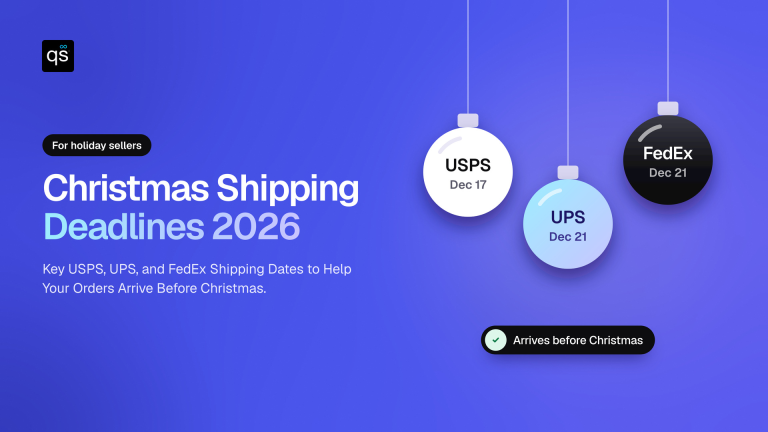
Your last shipping day decides when a free shipping code should end. USPS recommends shipping by December 17 for Ground Advantage and December 18 for Priority Mail for delivery before Christmas in the lower 48 states. Set your shipping code to end a day or two before your own cutoff, so you have time to pack the last orders.
Check your margin before you send a code
A discount comes out of your profit, not your price. If an item costs you $20 and sells for $40, 25% off cuts your profit from $20 to $10, before payment fees and shipping. Set codes that still leave you a profit on every item they apply to. Our Shopify fees guide covers the costs to include.
Test the code before you send it
Add an eligible product to your cart, go to checkout and enter the code. Check the discount, the shipping and the total. Then try it with an item it shouldn’t apply to, and with your other offers in the cart. It takes two minutes and saves a lot of customer emails.
Set your codes up this week
Creating a Shopify discount code takes a few minutes. Getting it right for Christmas takes a few more: set an end date, limit how often it can be used, decide what it combines with, and check the margin. Then line your codes up with your shipping cutoffs, so every order you take can arrive in time.