Shopify Marketplace Connect is the easiest way to get a Shopify catalogue onto Amazon, eBay, Walmart and Target Plus. It’s Shopify’s own app, it’s free to start, and it runs inside your Shopify admin. For a lot of sellers, that’s the whole decision made.
The details matter once orders pick up, though. The first 50 synced marketplace orders each month are free. After that, Shopify charges 1% per synced order, capped at $99 a month. And the app has gaps: it can’t make new Etsy connections, and Walmart and Target Plus are US only.
This Shopify Marketplace Connect review covers what the app does well, what it costs at different order volumes, where it stops, and which alternatives fit the gaps. Facts come from Shopify’s Help Center and pricing pages, checked in November 2026.
Shopify Marketplace Connect at a Glance
Shopify Marketplace Connect is worth it if your Shopify store is the centre of your business and you want to add Amazon, eBay, Walmart or Target Plus without another monthly subscription. It’s less of a fit if you sell on Etsy or TikTok Shop, sell in person on another POS, or ship enough marketplace orders that the 1% fee reaches its $99 cap every month.
| What it is | Shopify’s own marketplace app (formerly Codisto) |
| Marketplaces | Amazon, eBay, Walmart (US only), Target Plus (US only) |
| Etsy | No new connections; existing Etsy users can keep using it |
| What syncs | Listings, inventory, orders and pricing, managed from Shopify admin |
| Cost | Free to install; first 50 synced orders a month free; then 1% per synced order, capped at $99 a month |
| Rating | 4.1 out of 5 from 2,135 reviews on the Shopify App Store |
| Best for | Shopify-first sellers adding Amazon, eBay or Walmart |
What Shopify Marketplace Connect Does
Marketplace Connect links your Shopify product catalogue to your marketplace seller accounts. You create and manage marketplace listings from Shopify, and Shopify keeps them up to date. According to Shopify’s Help Center, changes you make to products and orders in your online store sync to your marketplaces automatically.
In practice, that covers four jobs:
- Listings. List one product at a time in single edit mode, a whole catalogue in bulk edit mode, or use attribute mapping mode to control how all your products show on a marketplace.
- Inventory. You manage marketplace listings and stock from your Shopify admin, and changes in your store sync to your marketplaces.
- Orders. Marketplace orders are imported automatically and appear in Shopify’s Orders page as if they were placed on your store, labelled with the marketplace’s name.
- Tracking. Once you fulfil an order, the app sends the shipping status and tracking number back to the marketplace.
- Currency. The app converts prices into each marketplace’s local currency, and you can sell in any region and currency that marketplace offers.
Because it’s built by Shopify, there’s no separate login or dashboard to learn. That’s its biggest strength.
Pros and cons
| Pros | Cons |
|---|---|
| Built by Shopify, managed from your Shopify admin | No new Etsy connections, and no TikTok Shop |
| Free for your first 50 synced orders each month | The fee grows with sales, up to $99 a month |
| Orders land in Shopify; tracking goes back to the marketplace | Walmart and Target Plus are US only |
| Single, bulk and attribute mapping listing modes | Shopify has to be the hub; it doesn’t connect an in-store POS |
| Converts prices into each marketplace’s currency | Only one marketplace connector app should be connected at a time |
Shopify Marketplace Connect Fees
Shopify’s own pricing comparison puts it simply: as of October 2026, the first 50 marketplace-synced orders each month are free, and after that it’s 1% per synced order, capped at $99 a month. Charges are billed in US dollars.
A few things to know before you rely on that number:
- The 1% is on sales. A Shopify support reply in the Shopify Community describes the overage as 1% of the sales from the 51st order onwards. Check the exact wording in the app before you budget.
- Which orders count. Per that reply, orders count if they come from a listing the app manages, or if they’re pushed into Shopify. Manual order imports are free and unlimited.
- Other fees still apply. Amazon, eBay and Walmart selling fees, and your Shopify payment fees, are charged separately.
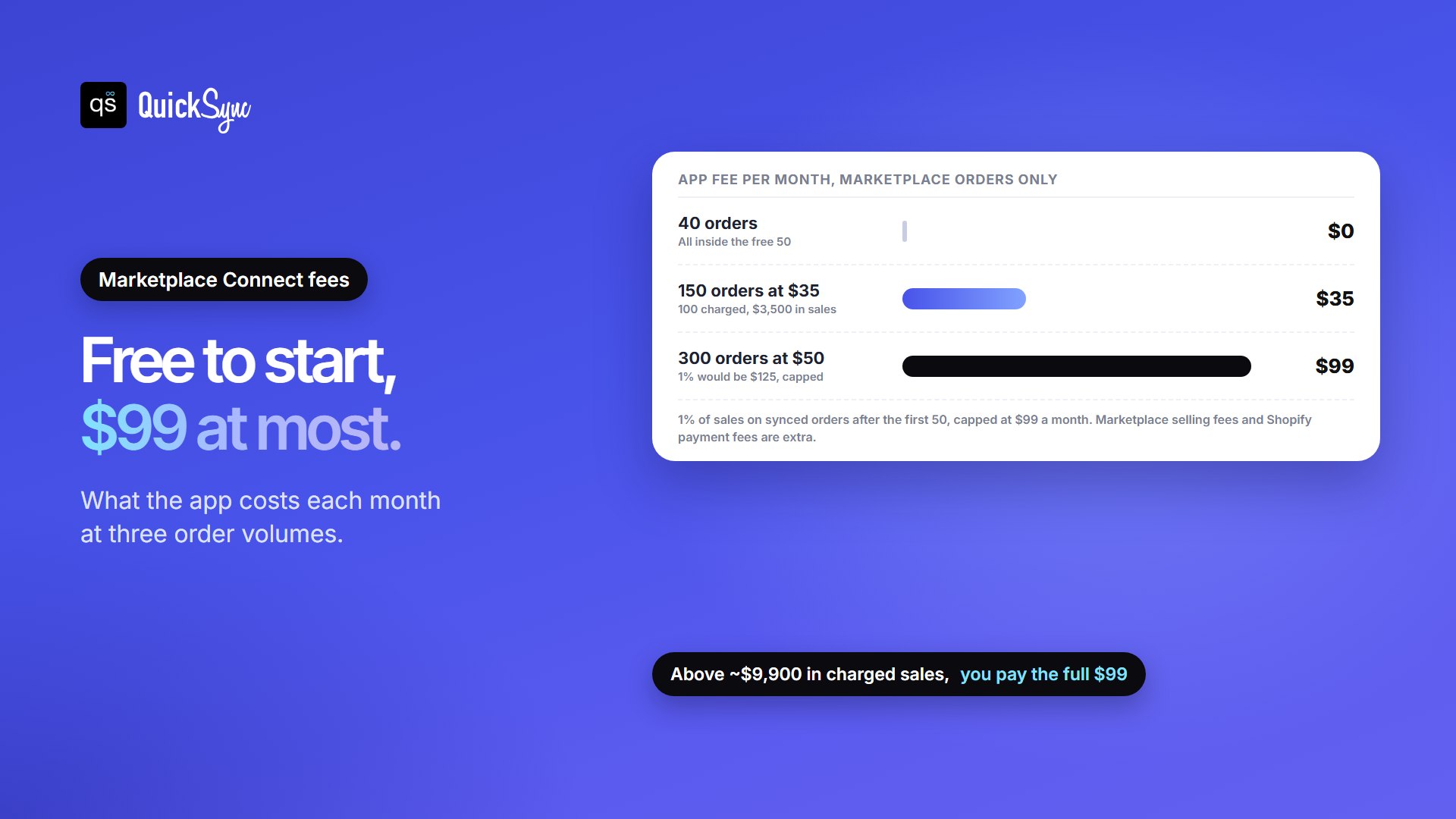
Here’s what that looks like at three order volumes:
| Marketplace orders a month | Average order | Orders charged | App fee |
|---|---|---|---|
| 40 | Any | 0 | $0 |
| 150 | $35 | 100 ($3,500 in sales) | $35 |
| 300 | $50 | 250 ($12,500 in sales) | $99 (1% would be $125) |
So the app is genuinely free for a small marketplace business, and it tops out at $99 for a busy one. Above roughly $10,000 a month in synced marketplace sales after the free orders, you’ll pay the full $99 every month.
How to Set up Shopify Marketplace Connect
Start with the checklist on Shopify’s requirements page. You need:
- A live online store. Your Shopify store can’t be in private mode.
- A payment provider activated in your Shopify admin.
- Shipping rates for every country you want to sell to, and a currency each country supports.
- A verified seller account on each marketplace. For Amazon, open it in the country you want to sell in. Target Plus needs an approved seller application.
- Only one marketplace connector. Shopify says to keep just one marketplace connector app connected, to avoid data conflicts.
Then set it up in four steps:
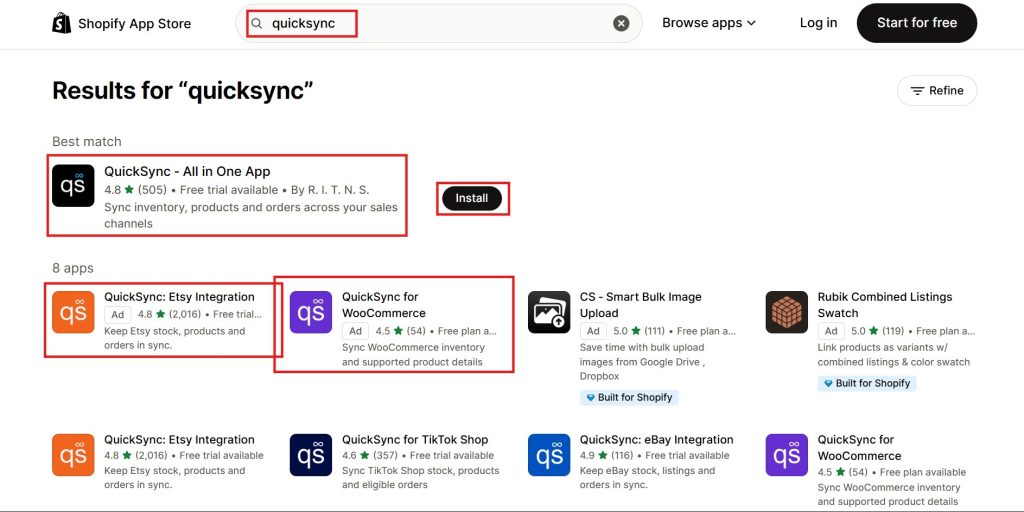
- Install the app from the Shopify App Store.
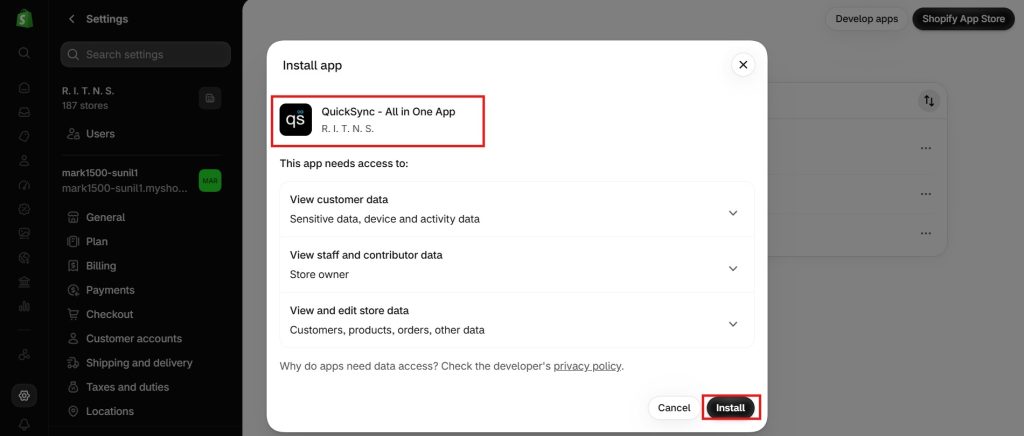
- Connect your marketplace. In your Shopify admin, go to Apps, then Marketplace Connect, select Connect account for the marketplace, and sign in. Use Connect marketplace to add more accounts later.
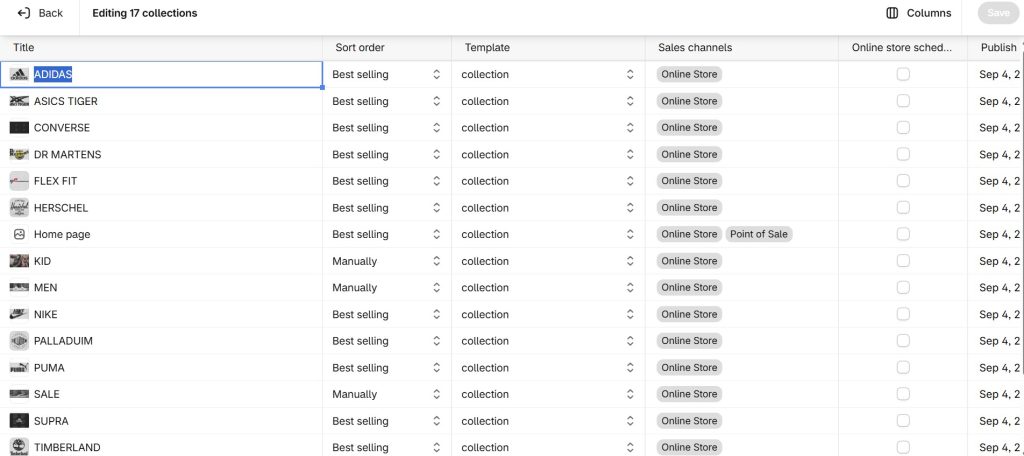
- List your products from the Listings section, using single edit, bulk edit or attribute mapping mode. If you already have marketplace listings, link them to your Shopify products instead of creating duplicates.
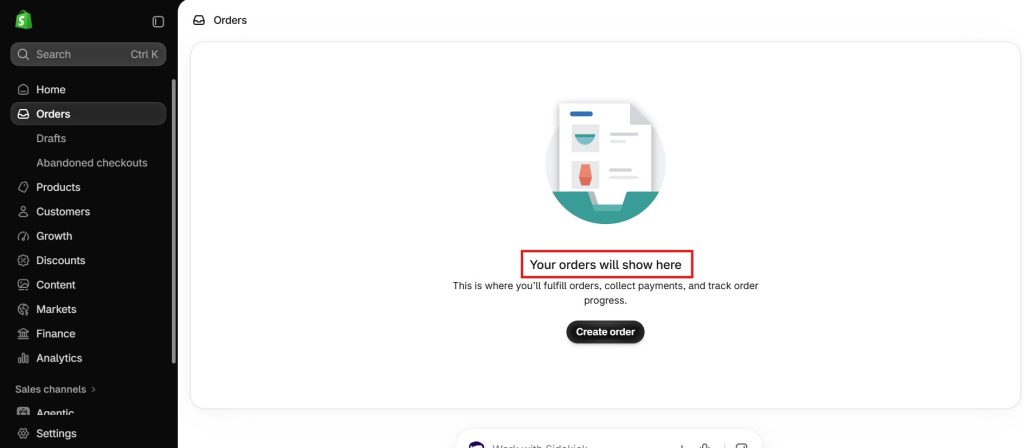
- Check your first orders. They should appear in Shopify’s Orders page with the marketplace’s name in the Channel column.
Shopify Marketplace Connect Limits
The app’s main limits are about coverage and cost. Check them against how you sell today and where you want to sell next year.
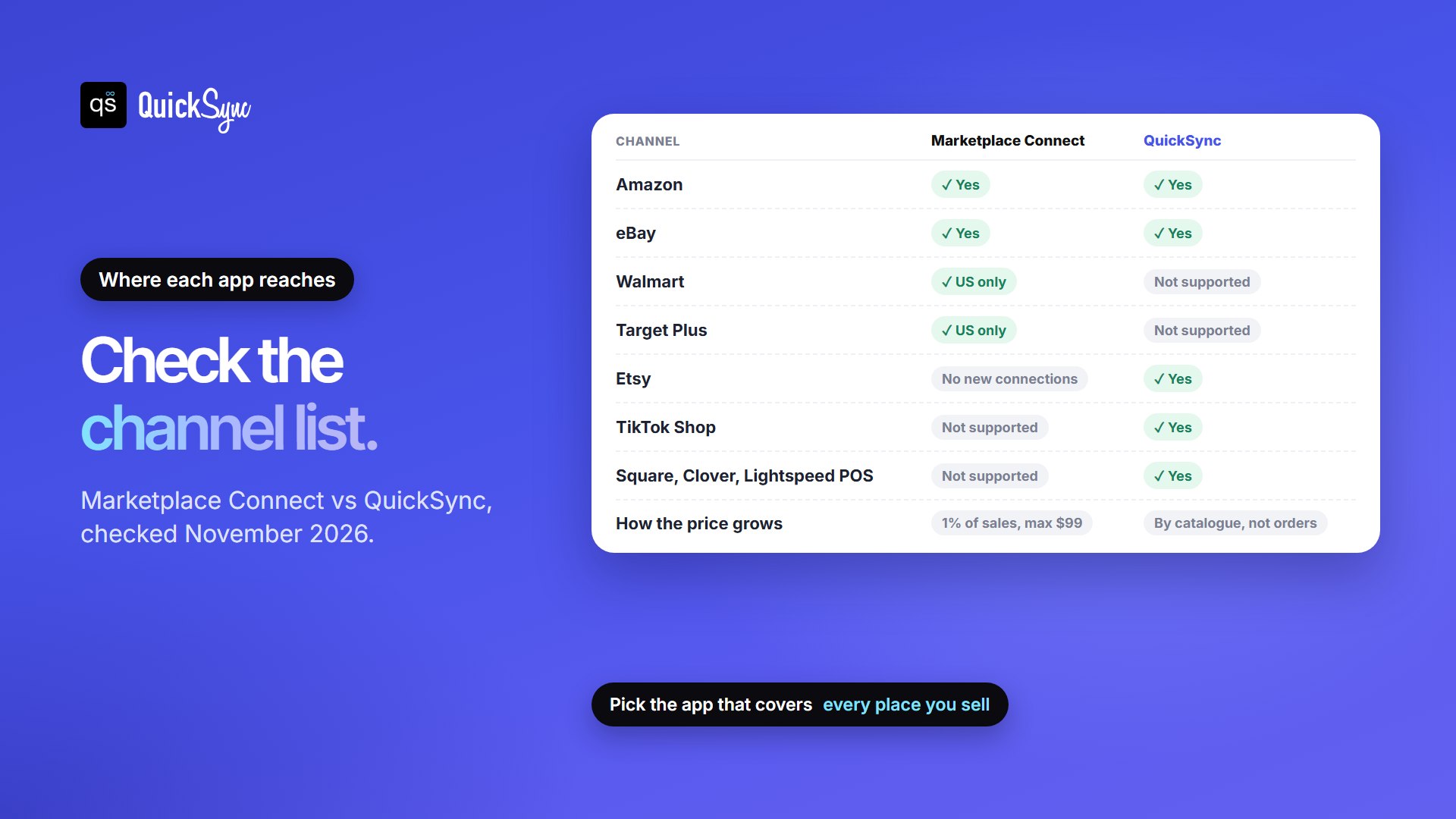
- No new Etsy connections. Shopify’s Help Center says new connections to Etsy can’t be made at this time. If you’re starting on Etsy, you’ll need another app.
- Walmart and Target Plus are US only. For Amazon, you need a seller account in each country you want to sell in.
- No TikTok Shop. It isn’t one of the app’s marketplaces.
- Shopify has to be the hub. The app connects Shopify to marketplaces. It doesn’t link another online store, or an in-store POS like Square or Clover, to your marketplaces.
- Cost grows with orders. The fee rises with sales until it hits $99, so a growing seller pays more each month for the same setup.
- One connector at a time. Shopify says to keep only one marketplace connector app connected, to avoid data conflicts.
Reviews are mixed in a predictable way. The app is rated 4.1 out of 5 from 2,135 reviews. One recent reviewer on AppNavigator (August 2026) said a short setup video was all they needed. Another, on the Shopify App Store, said a problem with the app went unfixed for over a month. Read the most recent reviews before you commit.
If none of the limits above affect you, Marketplace Connect is a sensible default. If one does, look at an app that covers the channel you need.
Shopify Marketplace Connect Alternatives
Each alternative fixes a different gap. Here’s how they compare on the things that usually decide it: channels and how the price grows.
| App | Best for | Key channels | How the price grows | Starting price |
|---|---|---|---|---|
| Shopify Marketplace Connect | Shopify plus Amazon, eBay or Walmart | Amazon, eBay, Walmart (US), Target Plus (US) | 1% of sales after 50 orders, capped at $99 | Free |
| QuickSync | Etsy, TikTok Shop or an in-store POS alongside Shopify | Shopify, Etsy, eBay, Amazon, TikTok Shop, WooCommerce, Square, Clover and more | By catalogue size and shops; orders unlimited | $19/mo for two shops |
| Sellbrite (for Shopify) | Walmart and Etsy from one tool | Amazon, Walmart, Etsy, eBay and more | By orders a month | Free up to 30 orders; Pro 100 $19/mo |
| LitCommerce | Listing-heavy sellers on several marketplaces | eBay, Etsy, Amazon and more | By listings and channels; orders unlimited | Check its live pricing page |
QuickSync: for Etsy, TikTok Shop and in-store sales
QuickSync is our app, so weigh that. It keeps one stock count across Shopify and the other places you sell, matching products by SKU. It connects Shopify with Etsy, eBay, Amazon and TikTok Shop, plus online stores like WooCommerce and Wix and in-store systems like Square and Clover.
Price: Lite is $19 a month for two shops and up to 1,000 items, with stock syncing. Pro is $29 and adds product and order syncing. Each extra shop adds the plan price again, and order volume never changes the bill. There’s a 14-day free trial with no card; see the pricing page for every plan. The catch: QuickSync doesn’t connect to Walmart or Target Plus.
Sellbrite: for Walmart plus Etsy
Sellbrite lists and syncs across Amazon, Walmart, Etsy, eBay and other channels. Its Shopify pricing is based on monthly orders: free up to 30, then Pro 100 at $19 a month, Pro 500 at $59 and Pro 2K at $99. Shopify orders don’t count towards the limit on that plan. The catch: like Marketplace Connect, the price climbs with orders. See our Sellbrite alternatives guide.
LitCommerce: for listing across many marketplaces
LitCommerce focuses on creating and managing listings across marketplaces, including eBay, Etsy and Amazon, with plans priced by listings and channels rather than orders. Prices change often, so check its live pricing page. Our LitCommerce alternatives guide compares it with other tools.
When a seller asked the Shopify Community for replacements in April 2026, replies suggested LitCommerce, Salestio, Channable and CedCommerce. For channel-by-channel comparisons, see our guides to the best Shopify eBay, Shopify Amazon and Shopify Etsy integration apps.
Is Shopify Marketplace Connect worth it?
Pick by where you sell, not by the app’s feature list:
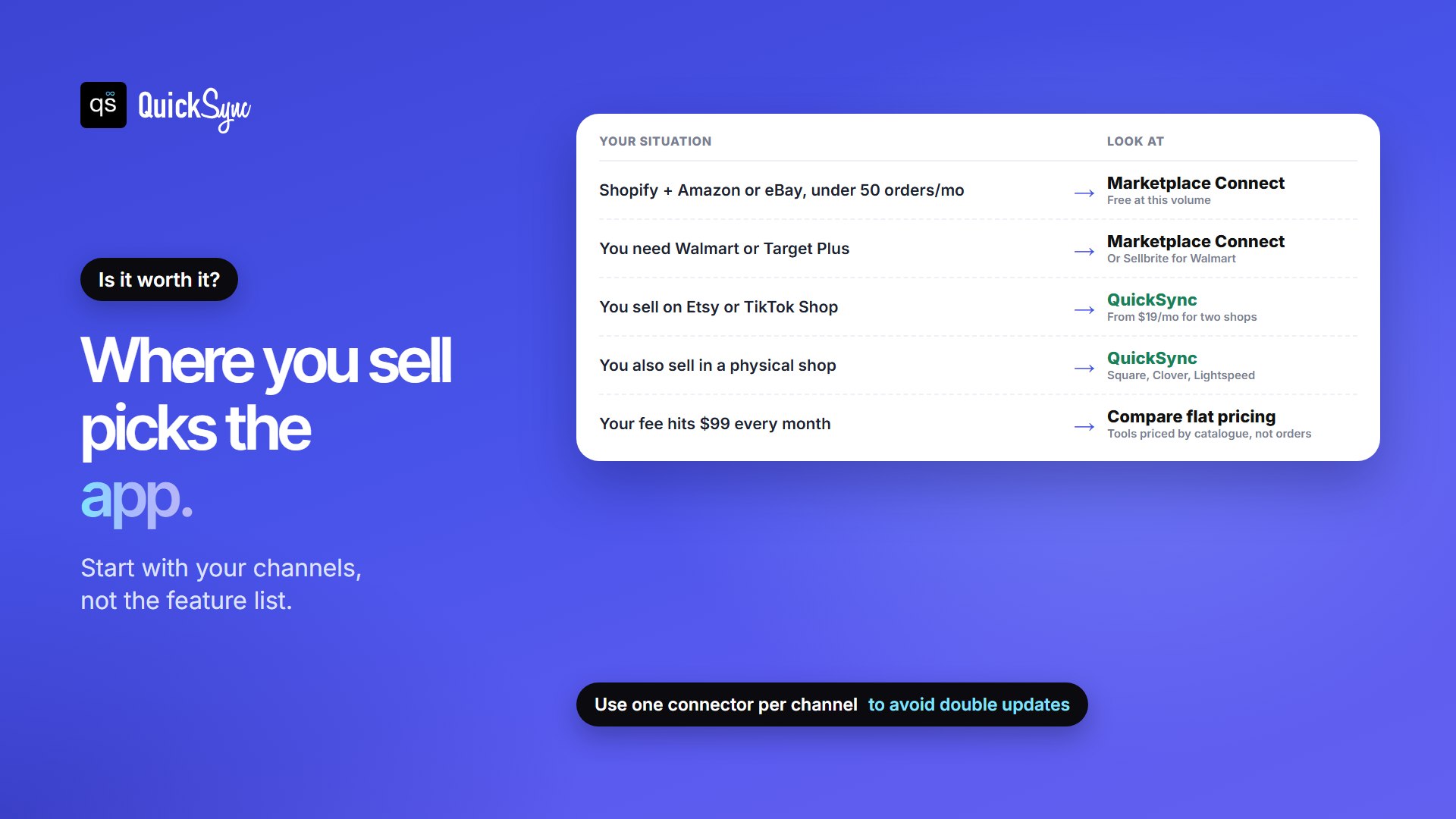
- Shopify plus Amazon or eBay, fewer than 50 marketplace orders a month: Marketplace Connect. It costs nothing.
- You need Walmart or Target Plus: Marketplace Connect, or Sellbrite for Walmart.
- You sell on Etsy or TikTok Shop: QuickSync, since Marketplace Connect can’t add either.
- You also sell in a physical shop: QuickSync, which syncs Square, Clover and Lightspeed with your online channels.
- Your fee hits $99 every month: compare it with a tool priced by catalogue size. On QuickSync, Shopify plus Amazon plus eBay on Pro is three shops, or $58 a month, however many orders you ship.
How to Switch without Breaking Your Stock
Because Shopify recommends one marketplace connector at a time, switching needs a little care:
- Pick one source of truth for stock, usually Shopify.
- Check your SKUs. Every product should have the same SKU on Shopify and on each marketplace, so the new app can match them.
- Move one marketplace at a time. Disconnect it from the old app, then connect it to the new one, so two apps never update the same listings.
- Test with a few products and compare stock levels on both sides before moving the rest.
- Watch the first week of orders to make sure every sale lowers stock everywhere.
Our guide to multichannel selling software covers more tools if you’re comparing a wider range.