Sometimes you can’t ship an Etsy order. The item sold out, the buyer changed their mind, or the order came through by mistake.
When that happens, you need to cancel it the right way. That way, the buyer gets their money back quickly, and your shop stays in good standing.
The good news is that it only takes a minute. In this guide, you’ll learn how to cancel an Etsy order as a seller, step by step. You’ll also see when Etsy lets you cancel, what happens to your fees, and how to reply to a buyer who asks to cancel.
How do you cancel an Etsy order as a seller?
You cancel an Etsy order from Shop Manager. Go to Orders & Shipping, select the three-dot icon next to the order, and choose Cancel. Pick a cancellation reason, check the refund amount, add an optional message for the buyer, and select Cancel order. Only the seller can cancel an order on Etsy.
Here are the exact steps from Etsy’s help article on canceling a sale.
Cancel Etsy Order On a computer
Step 1: On Etsy.com, open Shop Manager.
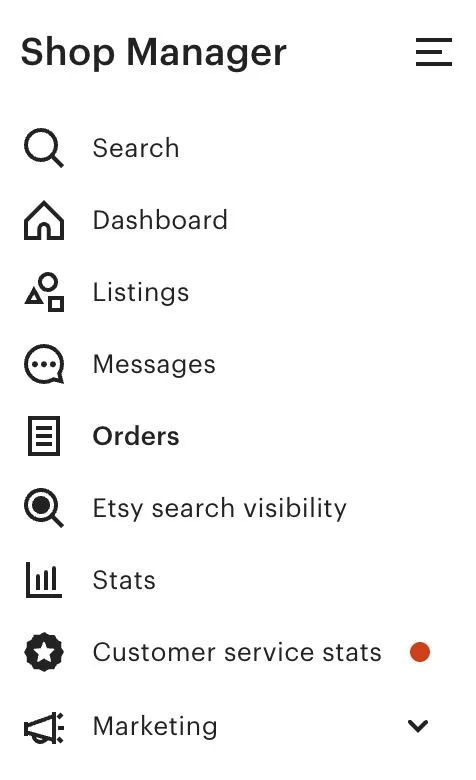
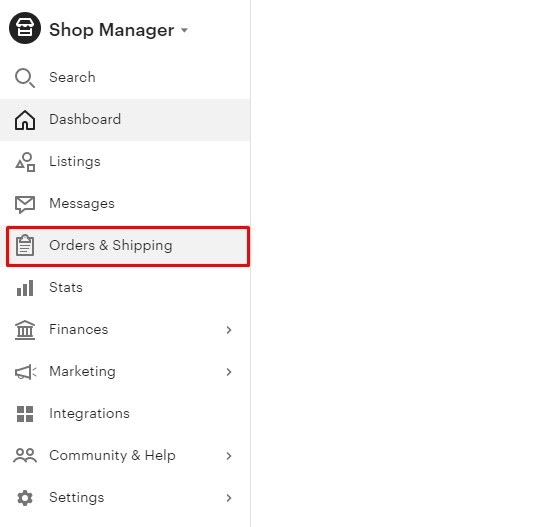
Step 2: Select Orders & Shipping.
Step 3: Select the three-dot icon next to the order, then choose Cancel. You can also open the order and select More actions, then Cancel.
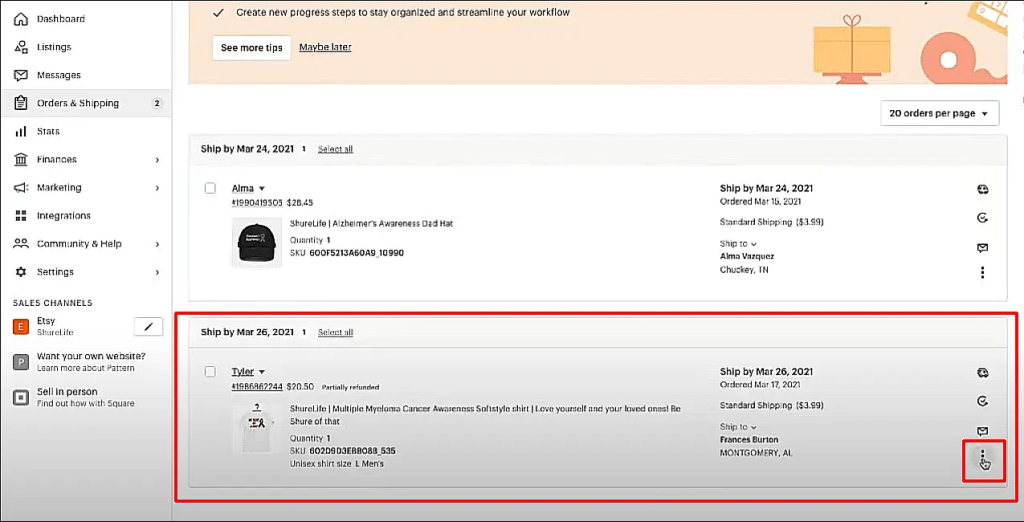
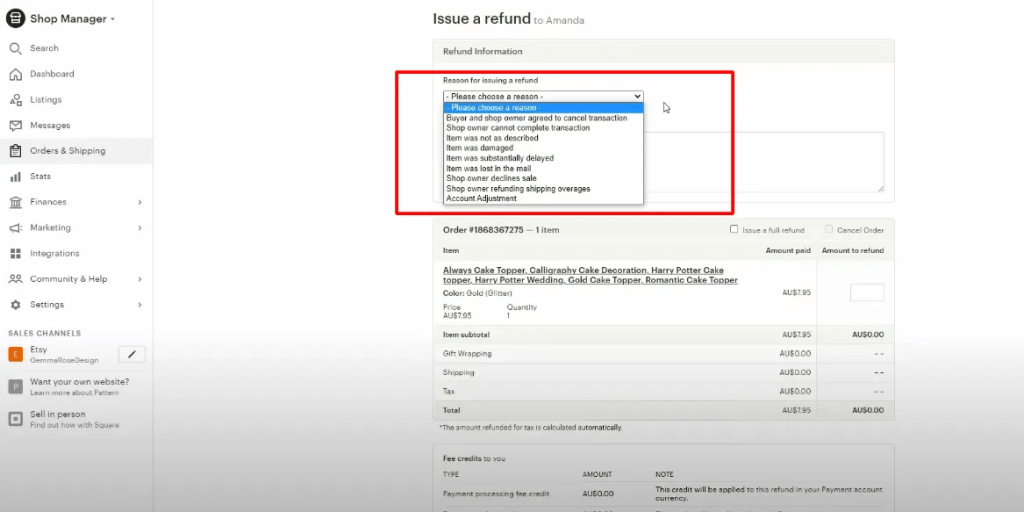
Step 4: Choose a reason from the dropdown. Etsy shows you the refund amount due to the buyer.
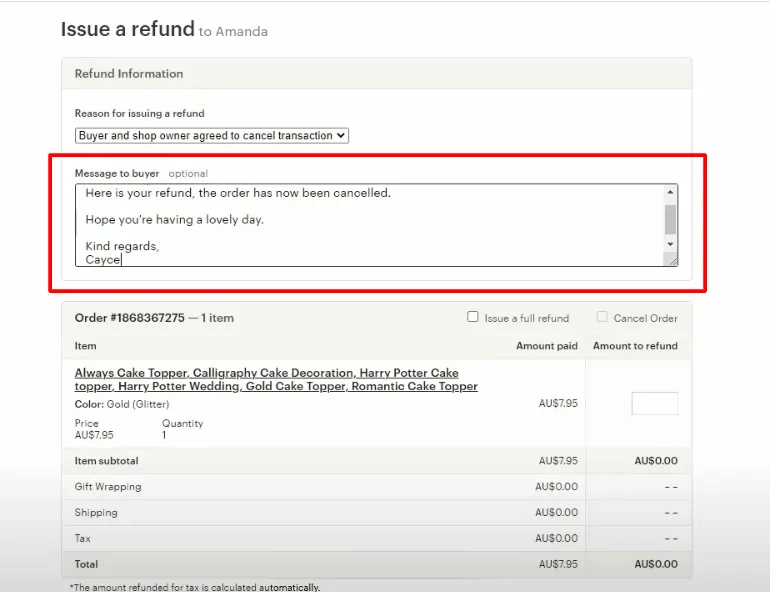
Step 5: Write an optional message to the buyer in the text box.
Step 6: Select Cancel order.
Cancel Etsy Order in the Etsy Seller app
Go to More, then select Cancel order, and follow the prompts.
Cancel part of an order
Sometimes you can ship most of an order but not all of it. In that case, use the refund screen instead. From Orders & Shipping, select the three-dot icon, then select Issue a refund. Tick Issue a full refund and Cancel Order, then choose which items to cancel. Etsy lets you cancel some or all transactions in an order.
Before you select Cancel
Run through this quick list first:
- Message the buyer. Etsy’s Seller Policy says you must notify the buyer through Messages if you can’t complete an order.
- Refund unused shipping labels. If you already bought a label on Etsy, request a refund for it.
- Save what you need. Note the buyer’s details and order number for your records.
- Check that the payment has cleared. You can’t cancel an order that’s still processing. Most Etsy Payments orders clear within 24 to 72 hours.
When are you allowed to cancel an Etsy order?
Etsy lets you cancel when the payment didn’t go through. If it did, you can cancel and refund when the buyer asks before you ship, you refuse service, the item never arrives, or the buyer returns it. Etsy’s Seller Policy also says you must cancel and fully refund any order you can’t complete.
Here’s how the Cancellation Policy breaks it down.
| Situation | Can you cancel? | What you must refund |
|---|---|---|
| Payment failed, was canceled or was charged back | Yes | Nothing (no payment reached you) |
| Buyer asked to cancel before you shipped | Yes | Full refund |
| You’ve decided to refuse service to the buyer | Yes | Full refund, including postage |
| Item never arrived | Yes | Item cost (postage too if they paid with Etsy Payments) |
| Buyer returned the item | Yes, once you receive it | Item cost (postage too if they paid with Etsy Payments) |
There’s one more case the table doesn’t spell out: you can’t complete the order. Maybe it’s out of stock, damaged or you can’t make it in time. The Seller Policy says you must tell the buyer, cancel and issue a full refund. Don’t leave the order sitting open.
Cancel vs refund on Etsy: what’s the difference?
A refund sends money back to the buyer. A cancellation closes the order and voids the sale. On Etsy, refunding an order does not cancel it. If you won’t ship anything, you need to cancel. If you’re giving back part of the money and still shipping, a partial refund is enough.
Mixing these up is a common mistake. A seller refunds the buyer in full but never cancels, so the order stays open in Shop Manager.
| Refund | Cancel | |
|---|---|---|
| What it does | Sends money back, fully or partly | Closes the order and voids the sale |
| Order status | Stays open until you ship or cancel it | Moves to the Complete tab |
| Use it when | You overcharged shipping, forgot a coupon or agreed a partial refund | You won’t ship the order at all |
| Fees | Transaction and processing fees refunded to your Payment account | Listing and transaction fees credited back |
You’ll find the rules for refunds in Etsy’s guide to issuing a full or partial refund. Refunds through Etsy Payments are available for up to 180 days after the payment is processed.
What happens after you cancel an Etsy order?
Once you cancel, Etsy voids the order and the buyer gets a full refund, usually within 3 to 5 days. Etsy credits back the listing and transaction fees, so canceling costs you nothing extra. The sale drops off your shop’s sales count, and the sold-out listing stays inactive until you renew it.
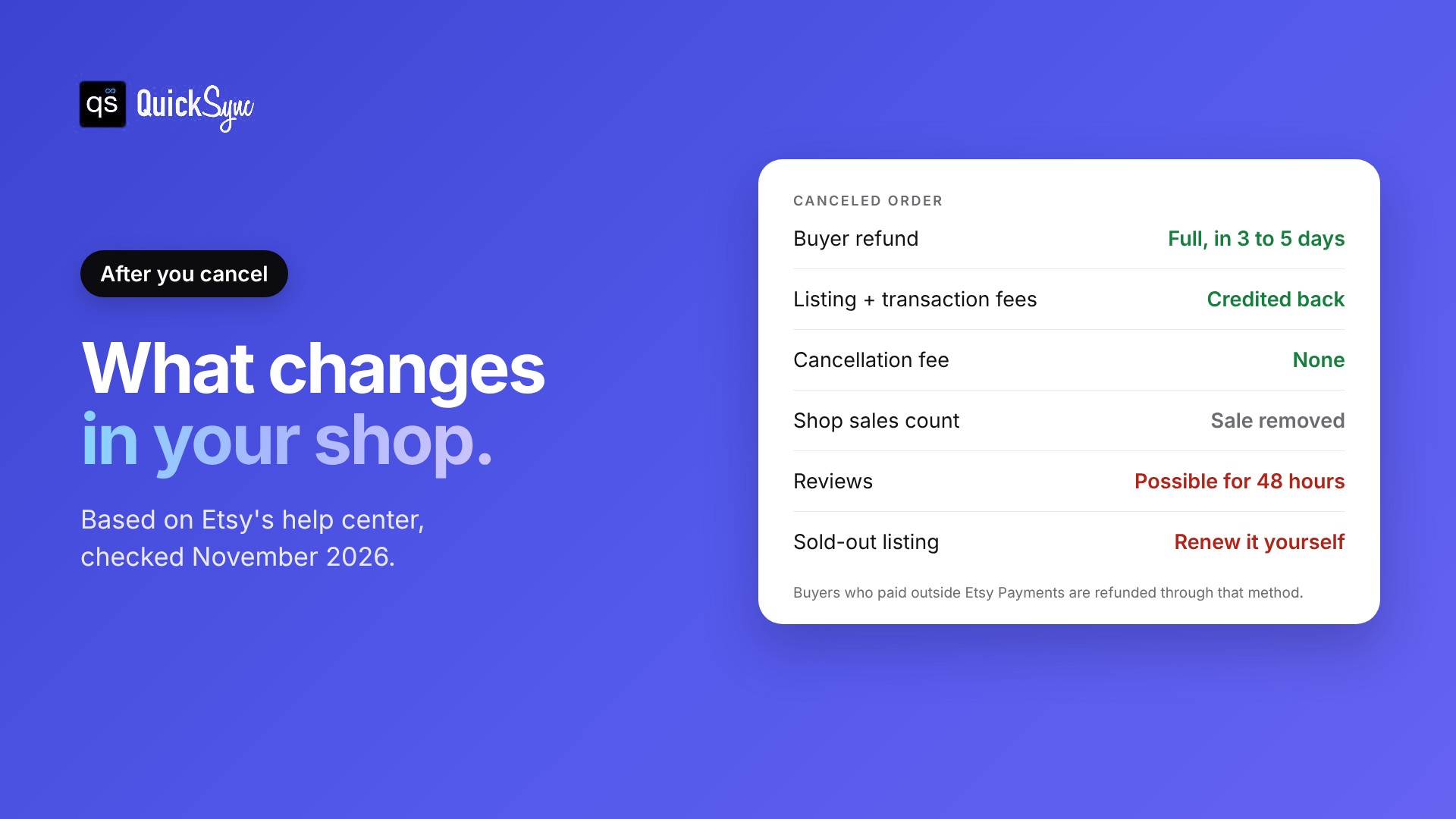
Here’s what changes, and what to watch.
- The buyer’s refund. If they paid through Etsy Payments, the refund is automatic. If they paid another way, such as PayPal outside Etsy Payments, you refund them through that method yourself.
- Your fees. Etsy credits back the listing and transaction fees and doesn’t charge a cancellation fee. If your Payment account is short, Etsy charges your card on file for the rest of the refund. For the full numbers, see our breakdown of Etsy seller fees.
- Your sales count. The canceled sale is removed from the count on your shop homepage. The order moves to the Complete tab in Orders & Shipping.
- Reviews. The cancellation can take up to 48 hours to fully process. During that window, the buyer can still leave or edit a review. That’s another reason to message them before you cancel.
- Your listing. Canceling a sold-out item doesn’t put it back in your shop. If you still have stock, renew the listing so it shows up again.
Does canceling hurt your Etsy shop?
Etsy doesn’t publish a cancellation rate standard. Its customer service standards focus on message response rate, on-time shipping, average review rating, and case rate. Canceled orders are left out of your on-time shipping stat.
So one cancellation won’t sink your shop. But the buyer still had a bad experience. A disappointed buyer can leave a low review during that 48-hour window. And an order you leave open instead of canceling can turn into a late shipment or a case. Both of those do count against you, and repeated case problems are one of the ways sellers get banned on Etsy.
How to handle a buyer who wants to cancel

Buyers can’t cancel an Etsy order themselves. Etsy tells buyers to contact the seller because each seller decides on cancellations. So when a buyer asks, the decision is yours.
Your answer should follow your shop’s cancellation policy. You set it in Shop Manager > Settings > Policy Settings > Cancellations. You can turn cancellations on or off and choose how long after purchase you’ll accept them.
A few practical rules:
- Not shipped yet: if your policy allows it, cancel and refund in full. It’s faster than handling a return later.
- Already shipped: you can’t cancel a shipped order as a quick fix. Treat it as a return. Agree to the terms, wait for the item, then refund and cancel.
- Custom or made-to-order work you’ve started: check your policy first. If you don’t accept cancellations, explain that politely and point to the policy.
Message templates you can copy
Keep the message short, clear, and kind. Here are three you can paste and edit.
When an item is out of stock:
Hi [name], thanks so much for your order. I’m sorry, but the [item] sold out before I could pack yours. I’ve canceled the order and Etsy is sending you a full refund, which usually shows up within 3 to 5 days. I’m sorry for the trouble.
When a buyer asks to cancel (and you accept):
Hi [name], no problem at all. I’ve canceled your order and you’ll get a full refund within 3 to 5 days. Thanks for letting me know before it shipped.
When a buyer asks to cancel a custom order you’ve started:
Hi [name], thanks for reaching out. I’ve already started making your piece, so I’m not able to cancel it, as noted in my shop’s cancellation policy. It’s on track to ship by [date]. Let me know if there’s anything I can adjust.
Why most seller cancellations happen (and how to stop them)
Most cancellations a seller starts come down to one problem: the item isn’t actually available. It sold in person, on another marketplace, or on your own website, and your Etsy listing didn’t update in time. If you sell on more than one channel, keeping stock counts in sync is the only reliable fix.
Here’s what this looks like in practice.
You make ceramic mugs. You have one sage-green mug left. You list it on Etsy and on your Shopify store. At 2:10 pm, someone buys it on Shopify. At 2:40 pm, someone buys it on Etsy because Etsy still showed a quantity of 1. Now you’re canceling an Etsy order for an item you never had.
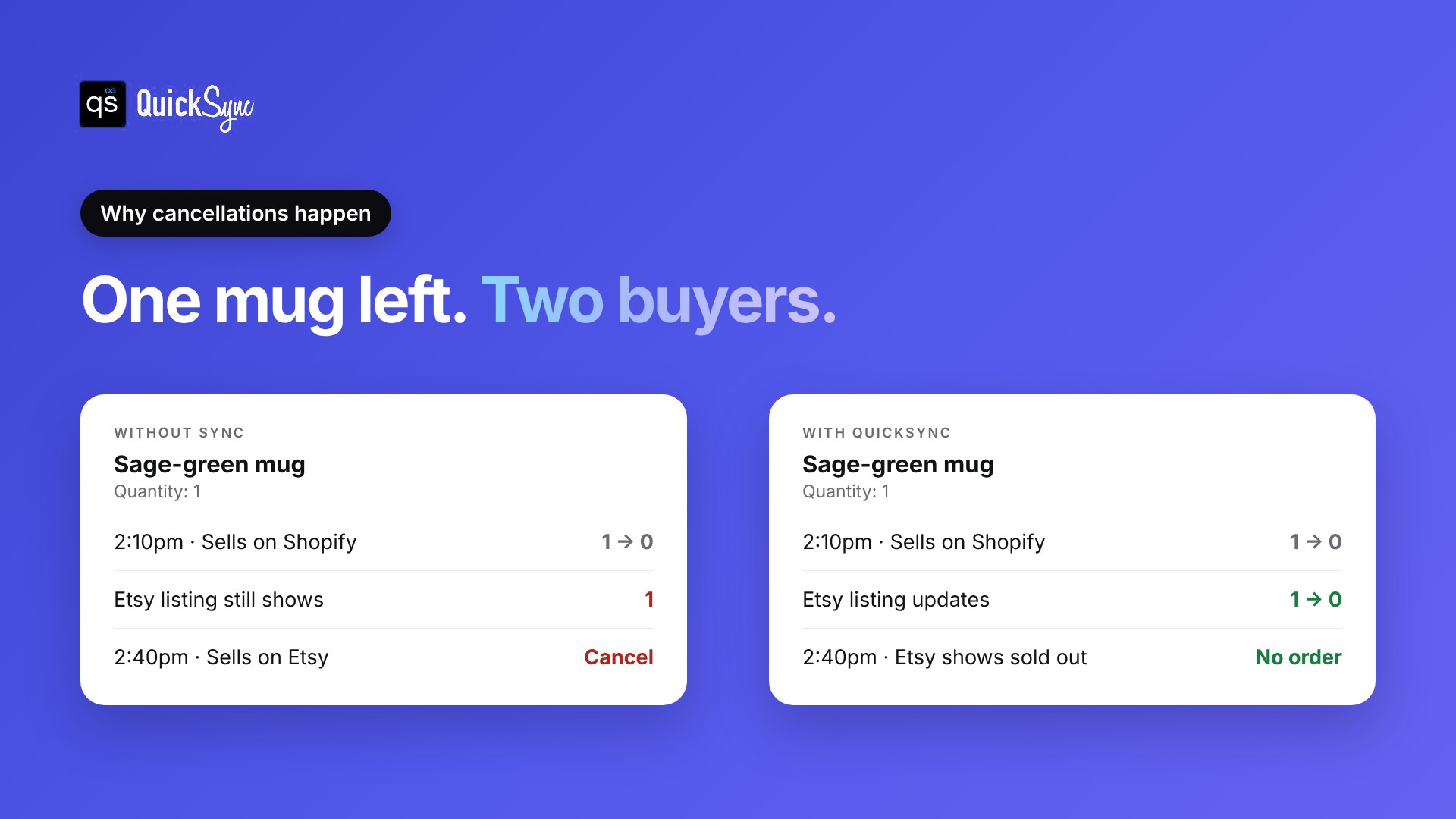
That’s overselling, and it gets worse during busy periods like Black Friday, when orders land minutes apart.
Ways to cut cancellations
- Update Etsy quantities right after every sale elsewhere. It works for a handful of items. It breaks once you have dozens of listings or sell at markets.
- Hold back buffer stock. Show one fewer unit on Etsy than you really have. Fewer oversells, but your last units sit unsold.
- Sync your stock automatically. A tool like QuickSync watches every channel. When a mug sells on Shopify, Square or eBay, it updates your Etsy listing quantity straight away. This is the only option that scales.
QuickSync connects your Etsy shop with Shopify, eBay, Square POS, TikTok Shop, WooCommerce and more. You set one store as your Source Store, and its stock count becomes the baseline for every connected channel. Each sale anywhere lowers the count everywhere.
Final thoughts
Canceling an Etsy order takes about a minute: Shop Manager, Orders & Shipping, the three-dot icon, Cancel. Message the buyer first, pick the right reason, and check whether you need to refund outside Etsy Payments.
The process isn’t the hard part. The hard part is the cancellation you could have avoided. If you sell the same stock on Etsy and anywhere else, a sale on one channel needs to reach your Etsy listing before the next buyer does.
Start a 14-day QuickSync trial and connect your Etsy shop with your other channels. It’s free for 14 days, and you don’t need a card. Fewer cancellations mean fewer apologies to write.