To run a sale on eBay, you use the discount tools in Seller Hub. You pick the items, set the discount and choose the dates, and eBay shows buyers the original price crossed out next to the sale price, in search results and on your listing.
eBay gives you several ways to do it. A sale event marks down a group of items. A coupon gives buyers a code to use at checkout. Order discounts, volume pricing and shipping discounts reward bigger orders. Offers to buyers let you send a lower price to people watching an item.
Two things trip sellers up. The tools have moved: what used to be Promotions Manager and Markdown Manager is now under Seller Hub > Marketing, called Discounts Manager. And most of the tools need an eBay Store subscription, while some discounts stack in ways you might not expect.
This guide covers information on how to run a sale on eBay. Check how to set up a sale event (markdown sale), step by step, which discounts stack, and other rules to know, and how to check your margin after eBay’s fees and how to plan an eBay sale for Black Friday and Cyber Monday 2026
Where to find eBay’s sale tools
eBay’s sale tools are in Seller Hub > Marketing. eBay’s Seller Center calls them Seller Hub Discounts, and its export guides call the tool Discounts Manager. If you’ve seen “Promotions Manager” or “Markdown Manager” in older guides, this is the same place.
From there you can create a discount, schedule it and watch how it’s doing on the Discounts page.
Ways to run a sale on eBay
eBay has six main discount types. Here’s what each one does and who can use it, according to eBay’s Seller Hub Discounts pages:
| Discount type | What it does | Who eBay lists it for | Best for |
|---|---|---|---|
| Sale event | Lowers the price on items you choose and shows the old price crossed out | eBay Store subscribers | A store sale, like Black Friday |
| Coded coupon | A discount code buyers enter at checkout | eBay Store subscribers | Sharing a code by email or on social media |
| Order discount | A discount when buyers spend over an amount or buy several items | eBay Store subscribers | Raising the order size |
| Volume pricing | A discount for buying more than one of the same item | eBay Store subscribers | Items people buy in multiples |
| Shipping discount | Cheaper or free shipping when an order hits a set amount | eBay Store subscribers, US only | Getting buyers over a spend threshold |
| Offers to buyers | Send a price offer to people watching your item | All sellers. Automated offers need a Store | Turning watchers into buyers |
eBay’s pages are clear that coded coupons and automated offers need a Store subscription. For sale events and order discounts, they say Store subscribers can find them under the Marketing tab. Check your own Marketing tab to see what’s available to you.
Planning a Black Friday sale? Jump to the BFCM section.
No eBay Store? You can still run a sale
Without a Store, you have three options:
- Lower the price yourself. Edit the listing and change the price. Remember to change it back after the sale.
- Send offers to watchers. Sending an offer by hand has “no additional fees apart from the standard fees for fixed price listings,” according to eBay’s offers page. The minimum discount is 5%.
- Turn on Best Offer. Let buyers suggest a price and accept the ones that work for you.
New to selling on eBay? Our guide on how to sell on eBay covers the basics.
If you plan to run sales often, a Store may pay for itself. Store subscribers also pay a lower final value fee in most categories. Our guide to eBay seller fees compares the Store tiers.
How to set up a sale event on eBay
A sale event is what most sellers mean by an eBay sale. It’s also called a markdown sale. Here’s how to set one up, based on eBay’s sale event guide:
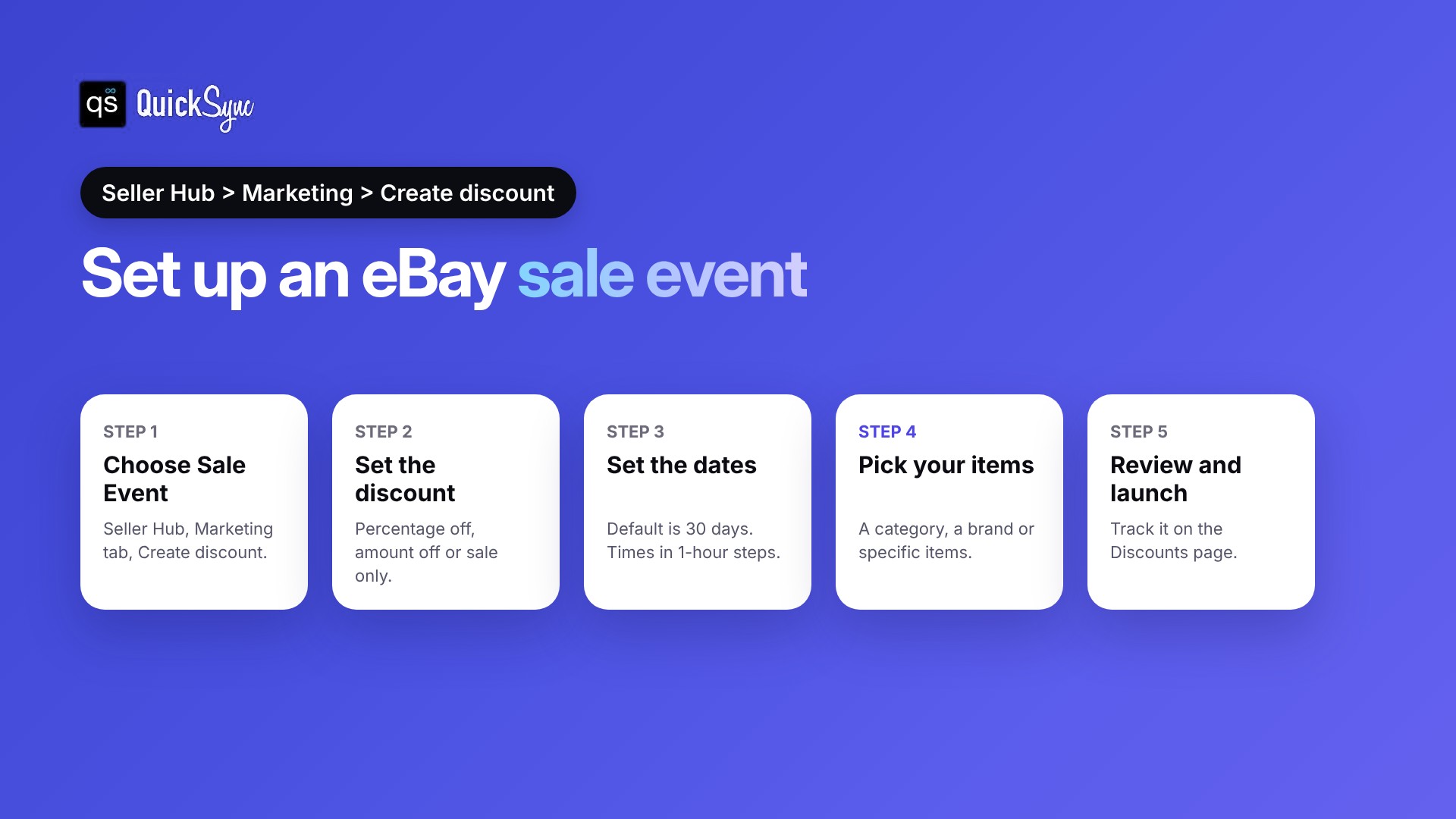
- Open Seller Hub and go to Marketing. Under Create discount, choose Sale Event.
- Choose the discount type. Pick Percentage Off, Amount Off or Sale Event Only, then enter the amount. Percentage Off has an allowed range, such as 5% to 80%.
- Set the dates. The sale starts now by default and ends 30 days later. You can change both, and set times in one-hour steps.
- Name the sale and pick your items. Give it a name buyers will see, then choose all your inventory, an eBay category, a store category, or specific items by item ID or SKU.
- Review and launch. Check the details and click Launch. You can also save it as a draft and launch later.
Once it’s live, buyers see the original price and the sale price side by side. Sale prices show in eBay search results and on the listing page, according to eBay’s Discounts Manager help page. You can pause or edit the sale from the Discounts page.
Tip from eBay: don’t put your whole store on sale. eBay’s guide suggests discounting specific categories, brands or themed groups instead. For low-priced items, a percentage off usually looks better than a small dollar amount.
eBay sale rules to know before you start
These are the details that catch sellers out, all from eBay’s Seller Hub Discounts pages:
- Sale events are for fixed-price listings. eBay’s sale events page says auctions aren’t supported, and items need to be eligible for strike-through pricing.
- You can include up to 10,000 items in your sale event campaigns.
- Coupons stack with sale events. A 20% sale and a 10% coupon on the same item add up to a bigger discount than you might have planned.
- Coupons don’t stack with order discounts or volume pricing.
- Offers win over coupons. If a buyer uses Best Offer or accepts your offer, the coupon can’t be applied.
- Shipping discounts can apply on top of other discounts.
- Coupons have a budget. When spending on a coupon reaches 90% of the budget you set, eBay pauses the campaign.
Check your margin before you discount
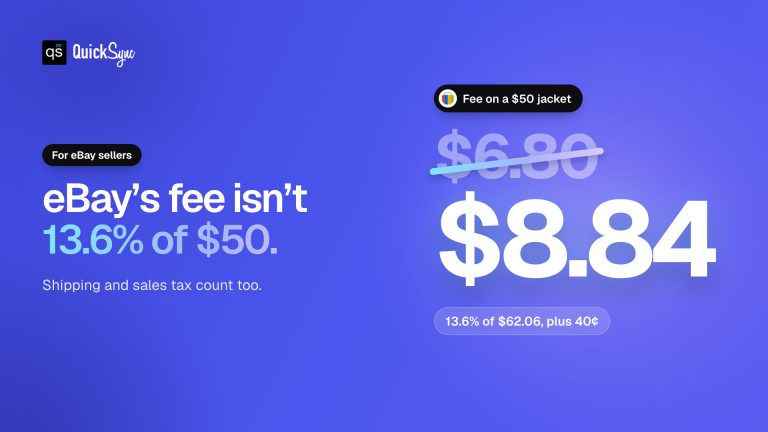
eBay’s final value fee is a share of what the buyer pays. For most categories it’s 13.6%, or 12.7% for Basic Store subscribers and above, according to our eBay seller fees guide. A discount lowers the fee in dollars, but it lowers your profit by more.
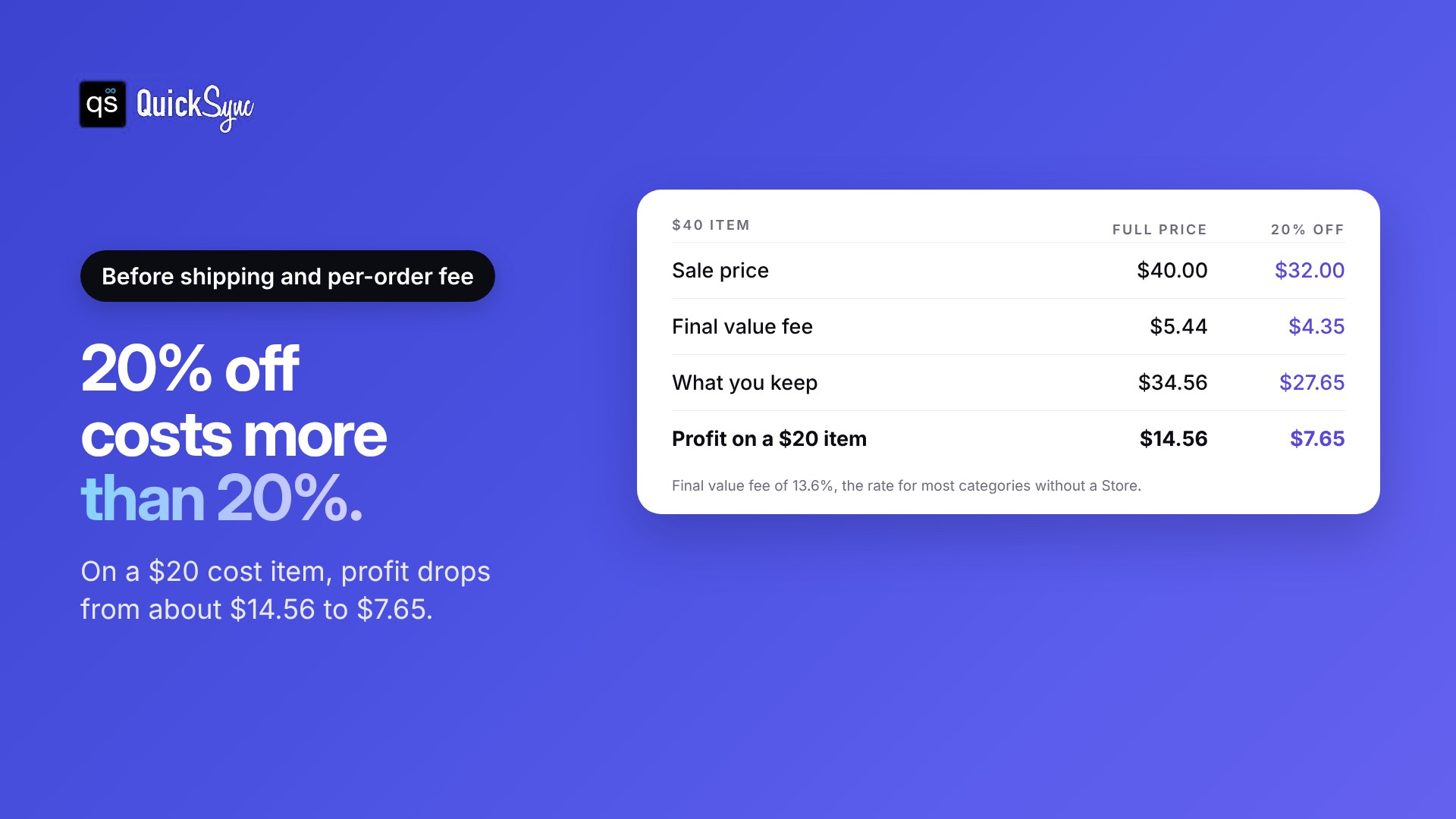
Here’s a simple example, before shipping and the per-order fee:
| Full price | 20% off | |
|---|---|---|
| Sale price | $40.00 | $32.00 |
| Final value fee (13.6%) | about $5.44 | about $4.35 |
| What you keep before costs | about $34.56 | about $27.65 |
A 20% discount cut what you keep by about $6.91, or 20%. If your item costs $20 to make or buy, your profit drops from about $14.56 to about $7.65. That’s almost half.
So pick discounts you can afford, and remember that a coupon on top of a sale event cuts deeper. Our eBay fee calculator works out the fees for your category.
Selling on eBay and other channels?
Sales move stock fast. If your eBay items are also on Shopify, Etsy, Amazon or TikTok Shop, every channel needs to know when something sells.
QuickSync connects eBay to your other shops and keeps listings, stock, prices and orders in step. According to the eBay integration page:
- Stock syncs both ways. Sell on eBay and your other shops update. Sell anywhere else and eBay follows.
- Listings: on the Pro plan, QuickSync can create and update eBay listings from your main store, with photos, sizes and colours.
- Prices: prices are sent to eBay, with price rules on Ultra and above.
- Orders: eBay orders come into QuickSync, and tracking is sent back to the order.
Plans start at $19 a month for two shops, according to the pricing page. Orders are unlimited on every plan, so a busy sale doesn’t change your bill. Every plan has a 14-day free trial with no card, and the team connects your first two shops with you on a free 30-minute call.
How to plan an eBay sale for Black Friday and Cyber Monday 2026
Black Friday is November 27, 2026, and Cyber Monday is November 30. Here’s how to get your eBay sale ready:
- Set your dates now. Start the sale event on Thanksgiving, November 26, or Black Friday, and end it on Cyber Monday at 11:59 p.m. Scheduling it ahead means it starts on time even if you’re busy.
- Pick items you have stock of. A deal sends buyers to a few listings fast. If you only have two left, the sale ends in minutes and you risk overselling.
- Discount groups, not your whole store. Choose a category, brand or theme, as eBay suggests. It’s easier to track, and you keep full price on items that sell anyway.
- Decide on coupons up front. If you also share a coupon code, it stacks with your sale event. Set the coupon smaller, or leave sale items out of it.
- Send offers to watchers. Buyers who watched an item before BFCM are a ready audience. A 10% to 15% offer can close the sale without discounting for everyone.
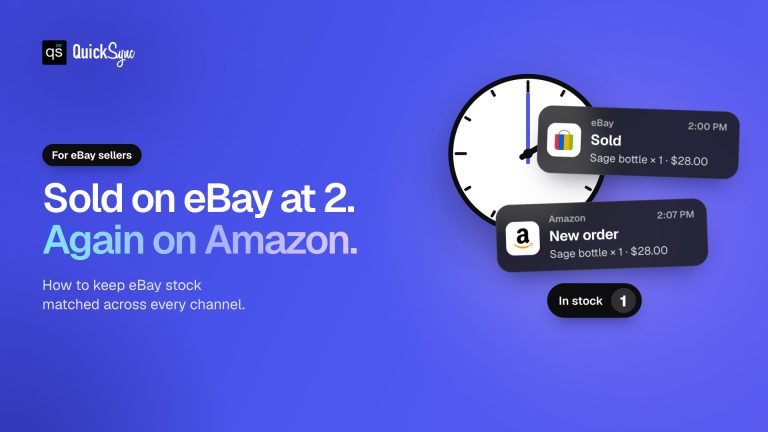
- Keep stock matched on every channel. If the same items are on Shopify, Etsy or Amazon, a sale on one channel needs to lower stock on the others. Otherwise you sell the last one twice and cancel an order, which eBay counts as a transaction defect under its seller standards policy.
After Cyber Monday, check the Discounts page to see what sold, then end any sales you don’t want running into December. Our BFCM checklist for multichannel sellers covers the rest of the weekend.
Run sales you can actually fulfil
The best eBay sale is one you’ve planned. Use a sale event for a store-wide moment like Black Friday, offers for watchers, and coupons for buyers you reach outside eBay. Check your margin first, and know which discounts stack.
Then make sure the stock is there. A sale that sells the same item twice costs you more than it earns.