Shopify BFCM 2026 runs from Black Friday on November 27 to Cyber Monday on November 30, and most Shopify guides cover the Shopify side only: discounts, checkout, and email.
But if your products are also listed on Etsy, eBay, or Amazon, you’re running several Black Fridays at once. Each marketplace has its own way of running sales and takes its own fees. Each also has its own rules for shipping and cancellations.
A 25% discount that works on Shopify can wipe out your margin on a marketplace. A late shipment can hurt your seller standing for weeks after the sale ends. And a product that sells out on one channel can keep selling on another.
This guide covers what Shopify stores selling on other channels need to plan for BFCM 2026:
- The key dates
- How to plan deals and protect your margin on each channel
- The shipping and cancellation rules each marketplace measures you on
- How to keep stock and orders in step across Shopify and your marketplaces
- What to check during BFCM and after it
Shopify BFCM 2026 dates
| Day | 2026 date | Why it matters if you sell on several channels |
|---|---|---|
| Thanksgiving | Thursday, November 26 | Many deals start online, on every channel |
| Black Friday | Friday, November 27 | The busiest stretch for orders across channels |
| Small Business Saturday | Saturday, November 28 | In-store and online sales draw on the same stock |
| Cyber Monday | Monday, November 30 | Last year’s biggest online shopping day in the US |
Why BFCM is riskier when Shopify isn’t your only channel
Shopify updates its own stock the moment an order comes in. It doesn’t know about a sale on Etsy, eBay, Amazon or TikTok Shop unless something tells it.
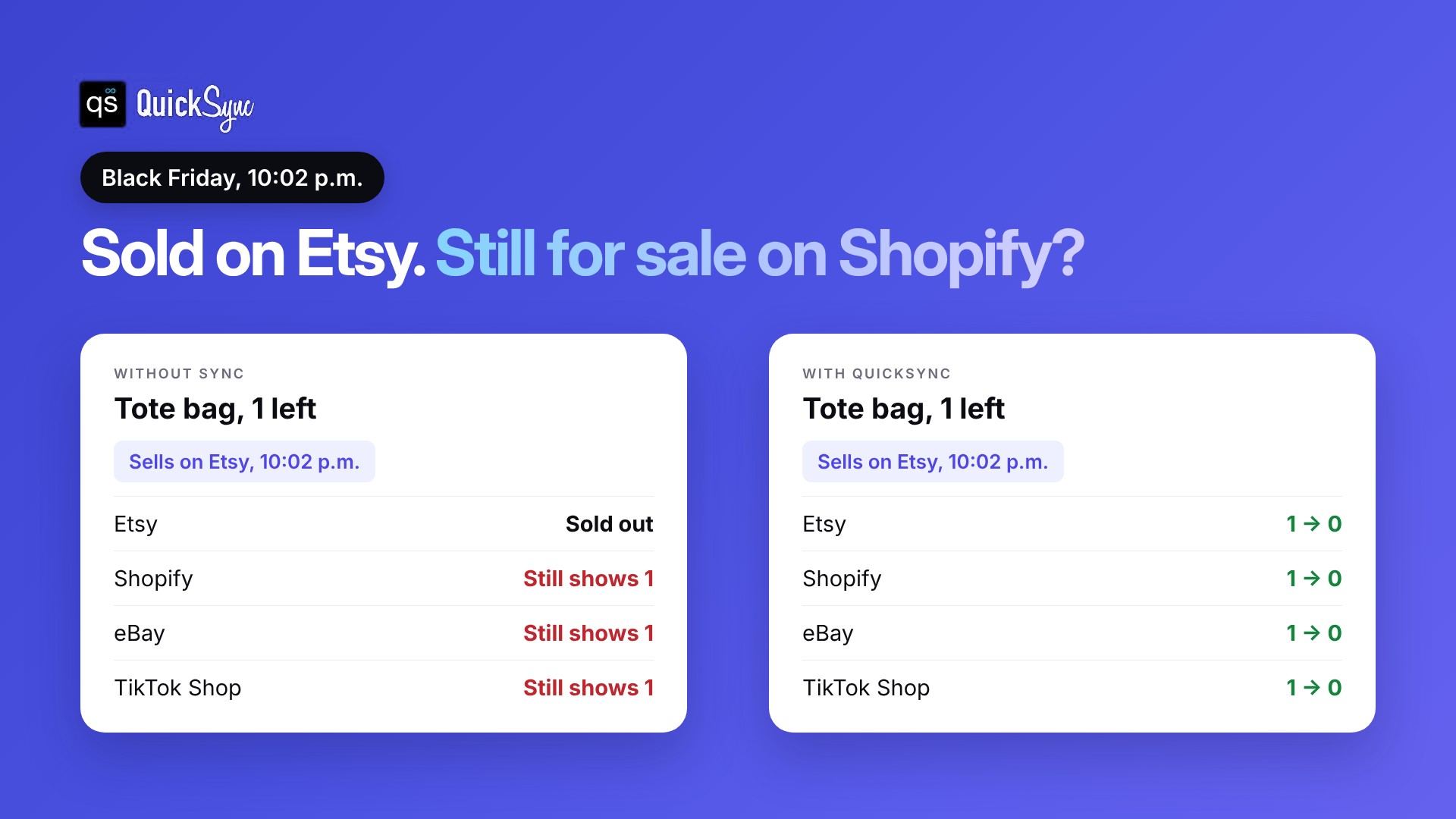
Say you have one tote bag left. It sells on Etsy at 10:02 p.m. on Black Friday. Unless your stock is synced, Shopify, eBay and TikTok Shop still show one in stock. A second buyer orders it on Shopify, and now you have to cancel.
One cancelled order is annoying. Over a busy weekend, they add up, and each marketplace measures them:
| Channel | What a cancelled or late order affects |
|---|---|
| eBay | Cancelling because you’re out of stock counts as a transaction defect under eBay’s seller standards policy |
| Amazon | Amazon asks sellers who ship their own orders to keep their pre-fulfillment cancel rate under 2.5% |
| Etsy | The Star Seller badge needs 95% of orders to ship on time with tracking |
| TikTok Shop | Campaign products must be in stock and ready to ship, and your Late Dispatch Rate must stay at 20% or lower |
| Shopify | No marketplace score, but a cancelled order still means a refund and an unhappy customer |
The fix is one stock count that Shopify and every other channel share, updated after every order.
How to get Shopify and your channels ready for BFCM

Work through these in order. Each one takes minutes, not days.
1. Make Shopify your main stock count
Pick one place where stock numbers are right, and make every other channel follow it. For most stores, that’s Shopify.
- Turn on quantity tracking for every product you also sell elsewhere. Shopify’s inventory guide shows where.
- Turn off “Continue selling when out of stock” on those products, so Shopify stops at zero.
- Count your best sellers and fix the numbers in Shopify. Whatever Shopify says gets copied to every other channel.
2. Check your product details on every channel
Buyers compare. If your Shopify listing says “navy, size M” and your eBay listing says “blue, medium”, some will ask questions and some will buy somewhere else.
- Match titles, photos and variants. Each product should have the same sizes, colours and photos on Shopify, Etsy, eBay and Amazon.
- Check your prices. If you charge more on marketplaces to cover fees, decide the difference now, before you add BFCM discounts on top.
- List your best sellers everywhere. A deal product that’s only on Shopify misses the buyers who shop on marketplaces.
On the Pro plan, QuickSync can create and update listings on your other channels from Shopify, with photos, sizes and colours, so you fix a product once instead of on every channel. On Ultra and above, price rules can add a set amount or percentage for each channel.
3. Connect your channels
Connect Shopify and your other channels to your sync tool. Start with the channel where you sell the most of the same products as Shopify, then add the rest one at a time.
In QuickSync, setup takes four steps:
- Connect Shopify. You connect your shop from QuickSync and approve it in your Shopify admin. It takes about two minutes.
- Connect your second shop. For Etsy, eBay or Amazon, you sign in to that marketplace and give QuickSync access to your selling account.
- Choose what to sync. Pick Shopify as your source store, choose which Shopify locations to count, then sync all products or only a list. Existing products match by SKU.
- Check your numbers, then start syncing. When you start, every matched product is set to the same quantity as your source store. So check your Shopify counts first, especially for your BFCM deal products.
4. Plan your deals on each channel
Every channel runs discounts in its own place. Shopify discounts, Etsy sales, eBay promotions and Amazon deals are all set up separately, with their own start and end times. Put every start and end time in one list so nothing starts late or runs past Cyber Monday.
- Schedule what you can. Shopify’s Rollouts tool, under Markets > Rollouts, can schedule your Shopify changes for the weekend, according to Shopify’s guide to BFCM campaigns. Set up your marketplace sales ahead of time too.
- Check your margin on each channel. Fees differ by channel, so the same 25% off leaves you with a different profit on each. Work out what you keep after fees before you set the discount. Our guides to Shopify fees, Etsy fees and eBay fees break down the costs.
- Pick deal products you have stock of. A deal on an item with three units left creates more cancellations than sales.
- Keep your price gaps steady. If you charge more on marketplaces to cover fees, keep that gap when you discount. On Ultra and above, QuickSync’s price rules can add a set amount or percentage for each channel.
5. Set up how you’ll handle orders
Over BFCM, orders come in from every channel at once. Switching between Shopify admin, Etsy, eBay Seller Hub and Amazon Seller Central to find them slows you down.
- Keep orders in one list. On the Pro plan, orders from every channel come into QuickSync, so you can pack from one place.
- Fill marketplace orders in Shopify if you want. QuickSync can send orders from your other shops into Shopify. That means you can use the same shipping apps and labels for every order.
- Get tracking back to each channel. When you add tracking, QuickSync sends it to the order. That helps you meet each marketplace’s on-time shipping and tracking rules, like Etsy’s 95% on-time target for Star Seller.
- Set realistic handling times. If BFCM volume will slow you down, extend your processing time on each channel before the weekend, not after orders are late.
Fees differ by channel, so the same 25% off leaves you with a different margin on each. Check your numbers with our guides to Shopify fees, Etsy fees, eBay fees and TikTok Shop fees.
How to sync Shopify with your other channels
You have three main options. Pick before Thanksgiving, not during BFCM.
| Option | What it covers | Cost | Watch out for |
|---|---|---|---|
| Update stock by hand | Whatever you retype | Your time | Too slow once orders come in on several channels at once |
| Shopify Marketplace Connect | Amazon, eBay, Walmart and Target Plus | First 50 synced orders a month free, then 1% per synced order, capped at $99 a month | Can’t make new Etsy connections and doesn’t cover TikTok Shop |
| An inventory sync tool like QuickSync | Shopify plus Etsy, eBay, Amazon, TikTok Shop, Square and more | From $19 a month for two shops, unlimited orders | Plan price depends on items and shops |
The Marketplace Connect pricing is from its Shopify App Store listing. A big BFCM weekend can push you past 50 marketplace orders, so check what the 1% adds up to. Our Shopify Marketplace Connect review covers its limits in more detai
How QuickSync helps Shopify stores during BFCM
QuickSync connects Shopify to your other channels and keeps stock, listings, prices and orders in sync automatically. According to the Shopify integration page:
- Stock syncs both ways. Sell on Shopify and your other shops update. Sell anywhere else and Shopify follows.
- Listings can be created and updated on your other channels from Shopify, with photos, sizes and colours. Product sync is on the Pro plan.
- Orders come into QuickSync, and orders from your other shops can be filled in Shopify. Tracking is sent back to the order.
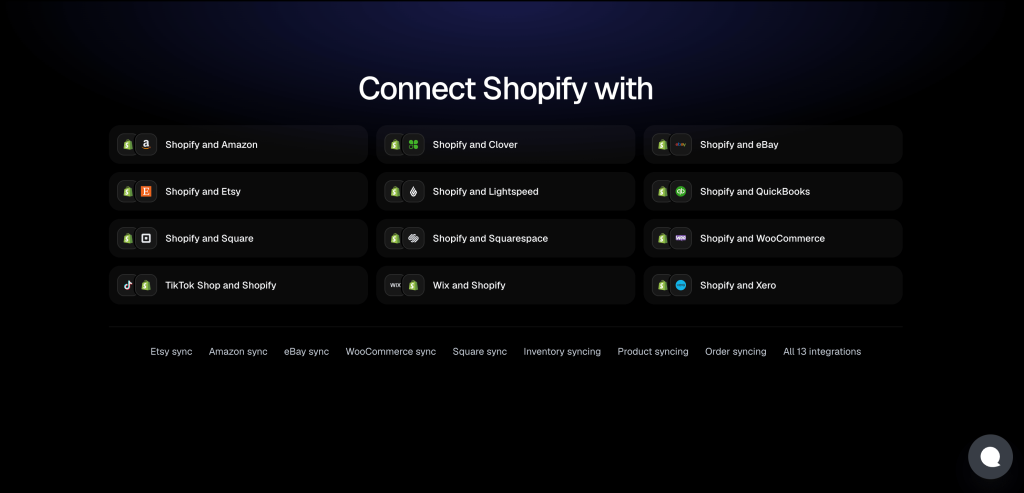
- 13 integrations, including Etsy, eBay, Amazon, TikTok Shop, Square and Clover.
Plans start at $19 a month for two shops, according to the pricing page. Orders are unlimited on every plan, so a big BFCM weekend doesn’t change your bill. Every plan has a 14-day free trial with no card, and the team connects your first two shops with you on a free 30-minute call. A trial started today runs past Cyber Monday.
Things to do during BFCM: November 26 to 30
- Check your top 10 deal products every morning and evening. Look at the stock on Shopify and one other channel.
- Change stock in Shopify only. Editing the same product in two places is the quickest way to get the counts wrong.
- Keep an eye on low stock. When a deal product gets down to its last few units, decide whether to keep it on every channel or only your best one.
- If you do oversell, act fast. Message the buyer, refund them and end the listing on any channel that still shows stock.
Things to focus on after BFCM: from December 1
- Recount your best sellers and compare them with Shopify. Fix any gaps before the December rush.
- Restock early. USPS recommends shipping by December 17 for Ground Advantage for delivery before Christmas in the lower 48 states.
- Put returns back in Shopify. When a returned item is ready to sell again, add it back to Shopify’s stock so every channel can sell it.
- Check what sold where. If one channel sold most of a product, give it more stock or more of your budget next year.
Our BFCM checklist for multichannel sellers has the full dated list.
Get your channels in step before Black Friday
Shopify BFCM 2026 starts on November 27. If your Shopify products are on other channels too, the biggest risk this weekend isn’t a weak offer. It’s selling stock you’ve already sold.
Make Shopify your main count, match your SKUs, connect your channels and test one sale before Thanksgiving. Then spend BFCM packing orders, not cancelling them.