A TikTok Shop video can sell more in an hour than your other channels sell in a week. That’s the good news. The bad news is that the same stock is often listed on Shopify, Etsy or a store register too, and none of those channels knows what TikTok just sold.
For a few products, you can manage stock by hand in Seller Center. Once you sell the same stock on two or more channels, use a sync tool that updates TikTok Shop automatically.
This TikTok Shop inventory management guide covers how stock works inside TikTok Shop, why TikTok sellers oversell, the four ways to manage it, and a checklist to run before your next video takes off.
TikTok Shop Inventory Management at a Glance
TikTok Shop inventory management comes down to four things: keep one count that every channel follows, give each item the same SKU everywhere, sync only the warehouses you ship from yourself (never Fulfilled by TikTok stock), and update TikTok within minutes of a sale on another channel.
How Inventory Works on TikTok Shop
TikTok Shop keeps its own stock count for every SKU, and it ties that count to a warehouse. Three parts matter:
- Warehouses. A TikTok warehouse is an address on your account where couriers collect orders. TikTok needs at least one before you can create products. You set it in Seller Center under Logistics, then Warehouse & shipping, then Warehouse settings. Our guide to the TikTok Shop warehouse address walks through the form.
- Stock per warehouse. If you ship from more than one address, TikTok holds a separate count at each one. Spreading a product’s stock across several warehouses needs TikTok’s multi-warehouse mode, and TikTok doesn’t open it to every shop.
- Available stock. TikTok Seller University separates stock you have on hand from stock that’s available to sell. Units set aside for a campaign, such as a flash deal, aren’t available to regular orders.
You manage all of this in Seller Center. Seller University points sellers to Products, then Manage products, then Manage stock. From there, you can change counts one by one or in bulk with a spreadsheet, and set low-stock alerts based on a quantity or on how many days of stock are left.
Why TikTok Shop Sellers Usually Oversell
Overselling on TikTok usually comes from speed, not carelessness. Four situations cause most of it:
- A video goes viral. Orders arrive faster than you can check other channels, and the last units sell on TikTok and Etsy at the same time.
- LIVE sessions and flash deals. Sales come in bursts while you’re busy presenting, not watching stock.
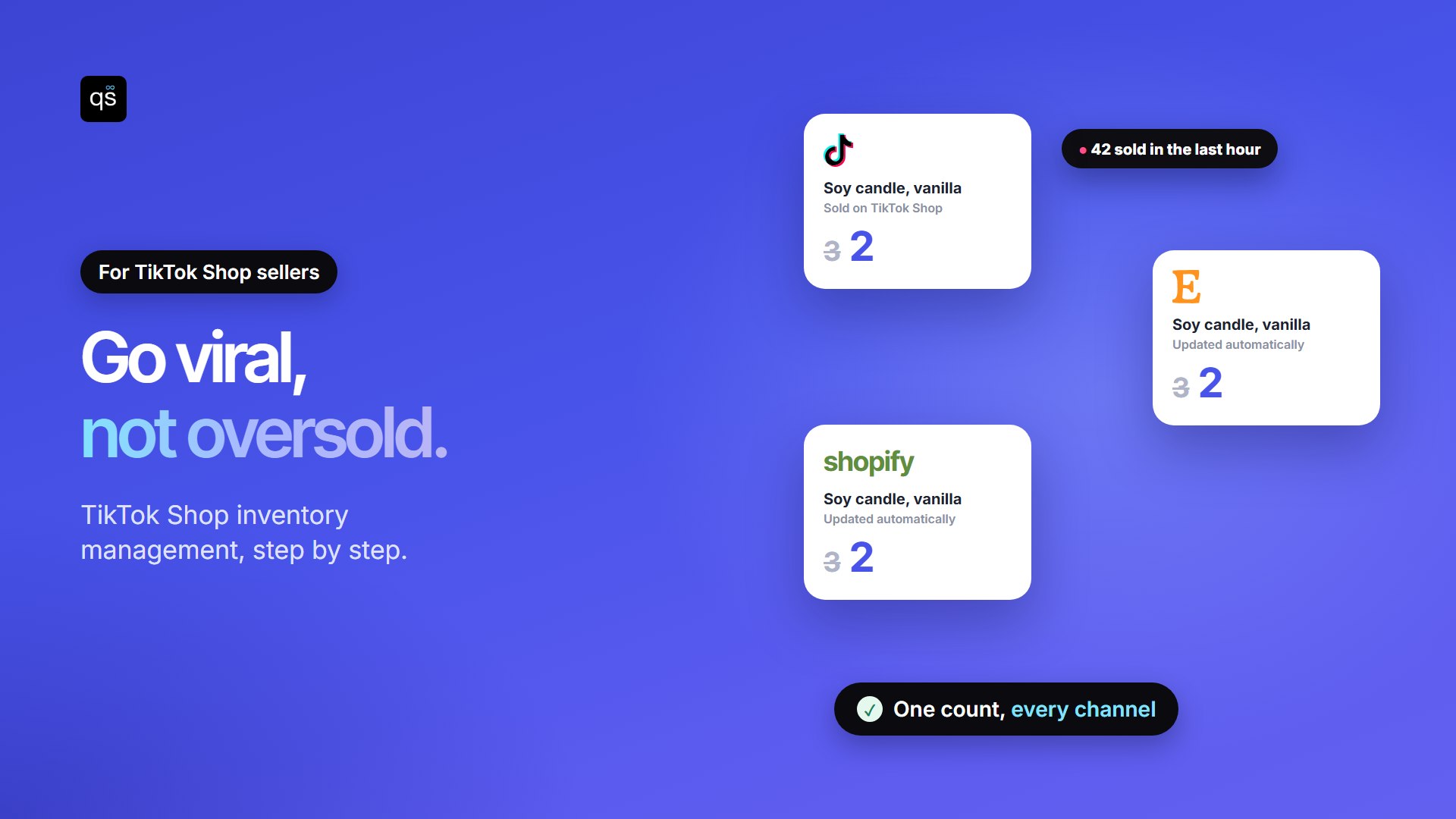
- The same stock on other channels. A candle listed on TikTok Shop, Etsy and Shopify has one real count but three listed counts.
- Slow manual updates. If you update counts once a day, every channel can sell the same last unit for hours.
The resulting cancellation costs more than one refund. TikTok tracks a seller-fault cancellation rate, and its Seller University says out-of-stock cancellations count toward it. Shops that go over TikTok’s limit can face enforcement, such as Account Health Rating point deductions, lower visibility or longer settlement times.
Late shipping is measured too. When an item is missing from an order, you can cancel only that item and ship the rest, but you have to tell the buyer and give the reason. TikTok’s policy also says not to ask the buyer to cancel for you.
Fulfilled by TikTok vs Shipping It Yourself
Before you choose a tool, decide which stock you ship yourself and which stock TikTok ships for you.
- Fulfilled by TikTok (FBT) stock sits in TikTok’s warehouses. TikTok counts it, packs it and ships it, and its count is managed through FBT rather than edited by hand like your own stock. Seller University says that when a listing has both FBT and seller stock, orders go to FBT first.
- Stock you ship yourself sits in your own warehouse, garage or store. It’s the stock that has to match across TikTok Shop and your other channels.
Keep FBT stock out of any sync. A tool that writes your shelf count over TikTok’s warehouse count can make a product look available when it isn’t. QuickSync, for example, never writes stock to warehouses TikTok runs for you, and it leaves return warehouses alone too. Our guide to TikTok seller fulfillment covers when FBT is worth it.
4 Methods to Manage TikTok Shop Inventory
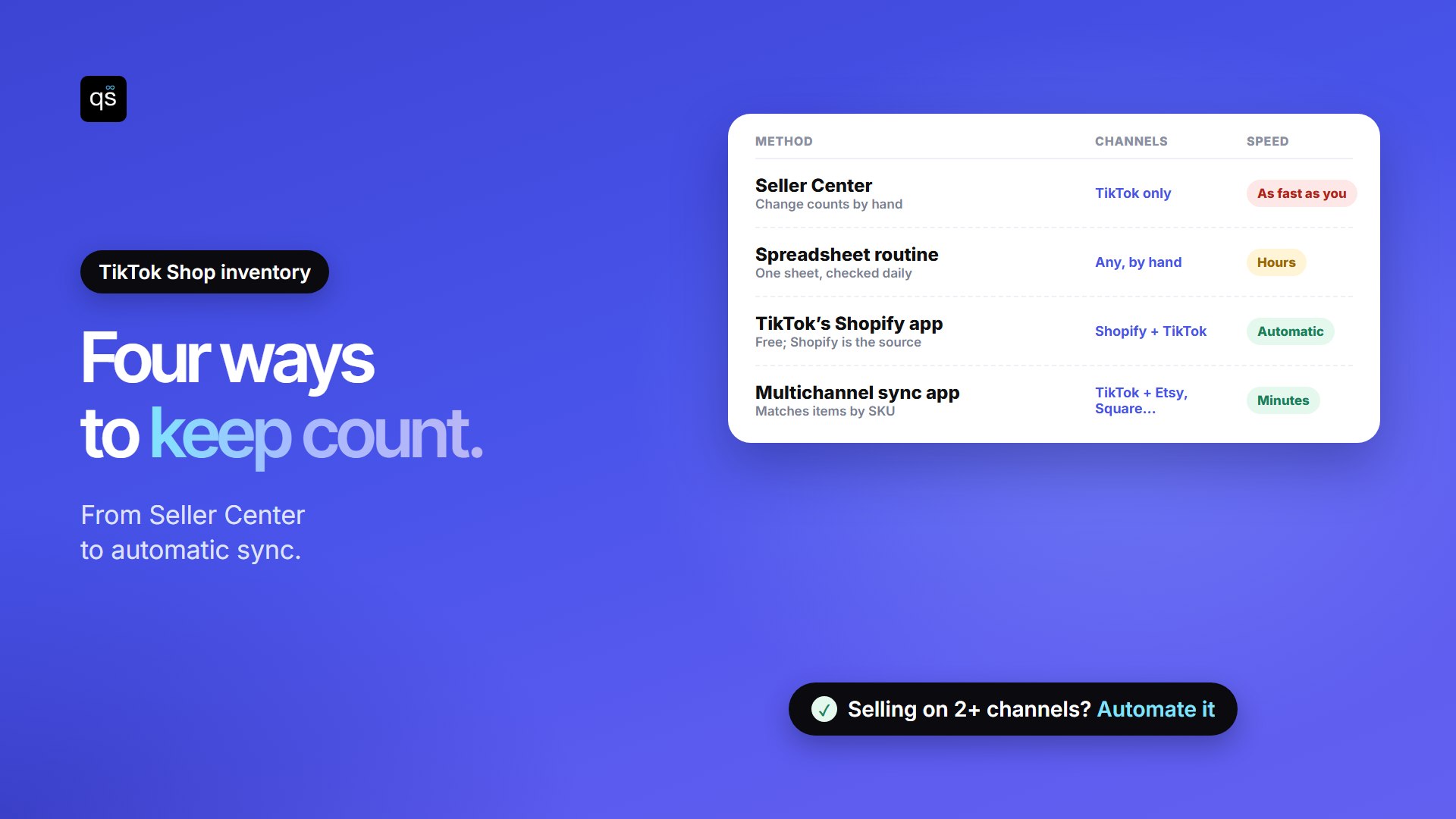
| Method | How it works | Channels covered | Speed | Best for |
|---|---|---|---|---|
| Update in Seller Center | Change counts by hand after each sale elsewhere | TikTok only | As fast as you are | A few products, TikTok as your only channel |
| Spreadsheet routine | One sheet holds the true count; you update each channel once or twice a day, or upload TikTok’s bulk stock file | Any, by hand | Hours | A small catalog with slow sales |
| TikTok’s free Shopify app | Shopify is the source of truth and sends stock to TikTok Shop | Shopify and TikTok only | Automatic | Shopify stores that sell nowhere else |
| Multichannel sync app (such as QuickSync) | Matches items by SKU and updates every connected channel after a sale | TikTok plus Etsy, Shopify, Square, eBay, Amazon and more | Automatic, minutes | Sellers on TikTok and at least one other channel |
Manual methods work until a fast-selling product catches you out. The gap is time: if you update twice a day, there are hours in which every channel shows the same last unit.
TikTok’s own Shopify app is free and rated 4.8 stars from more than 16,000 reviews. It treats Shopify as the source of truth, so edits you make to synced products in Seller Center get overwritten by Shopify. It doesn’t cover Etsy, eBay, Square or Amazon. Once your stock is on any of those, you need a tool that reads all of them.
How to Sync Shopify Products to TikTok Shop
If Shopify and TikTok Shop are your only two channels, you have two options:
- TikTok’s Shopify app. Install it from the Shopify App Store, link your TikTok Shop, and choose which Shopify locations feed which TikTok warehouses. Inventory sync is on by default. TikTok recommends keeping a small buffer on fast sellers, because a delay between the two can leave an order that Shopify never receives.
- A sync app. Connect both stores, match products by SKU, and pick which store holds the correct count on day one. Use this route if you plan to add Etsy, eBay or a POS later, so you don’t have to switch tools.
Either way, use the same SKU on Shopify and TikTok for every variant. Our TikTok Shop Shopify integration page shows the QuickSync setup, and our roundup of the best Shopify TikTok Shop integration apps compares the other options.
How QuickSync Keeps Your TikTok Shop Inventory in Sync
Many TikTok sellers started on Etsy, or sell from a shop counter with Square. Keeping those counts matched with TikTok Shop takes a tool that reads every channel. Here’s how QuickSync handles it:
- Stock moves both ways, per SKU and per warehouse. A sale on Etsy lowers TikTok, and a TikTok sale lowers Etsy.
- TikTok is checked every 2 minutes for stock and product changes. New TikTok orders come in as they happen.
- Available stock only. QuickSync reads TikTok’s available count, which already leaves out units waiting in unshipped orders.
- Zero means zero. When a product sells out, TikTok gets 0 in each warehouse you run, never a negative number.
- Each warehouse pairs with a location. One TikTok warehouse and one location elsewhere pair on their own. With more, you choose the pairs in settings.
- FBT stays out. Warehouses TikTok runs for you never get stock written to them.
One Etsy detail to know: when every variation of an Etsy listing reaches 0, QuickSync switches the listing to inactive, because Etsy won’t keep an empty listing on sale. When you restock, turn it back on in Etsy.
Running a physical shop? The same sync works with a Square register. See our Square TikTok Shop integration. Stock sync is included on every QuickSync plan, from $19 a month for two stores.
Managing TikTok Orders in One Place
Stock is half the job. If you pack orders from several channels, it helps to have them in one queue. On the QuickSync Pro plan, TikTok orders you ship yourself can be copied into Shopify, WooCommerce or Square once TikTok marks them Awaiting shipment. When Shopify, WooCommerce or Square ships the order, the tracking goes back to TikTok, as long as the carrier is one TikTok offers for that order.
Two limits to plan around:
- FBT orders don’t copy into another store, because TikTok already ships them.
- Cancellations don’t follow automatically. If a buyer cancels on TikTok, cancel the copy in your packing store too, so nobody ships it.
Checklist Before Your Next Viral Moment
- Match your SKUs. Use the same SKU for the same item on every channel, including each size or color. Make each one unique, and keep it to 50 characters or fewer. When QuickSync creates a TikTok listing, it cuts a longer SKU to 50 characters, and the shortened SKU won’t link, so that product’s stock won’t sync.
- Check your warehouses. Make sure your pickup warehouse is set in Seller Center, and turn on multi-warehouse mode if you ship from more than one. If you can’t, ask your TikTok account manager.
- Separate FBT. Keep FBT stock out of your sync, and don’t pair it with a location on another channel.
- Hold a buffer on hot items. For a product you’re about to promote, list a few units fewer than you have. Even a 2-minute delay matters when a video is selling one unit every few seconds.
- Set low-stock alerts in Seller Center, so you hear about a product running low before it runs out.
- Adjust stock in one place. After a delivery, update the count in your main store and let the sync carry it to TikTok.
- Test a sale. Sell one cheap item on each channel and watch the others update before a big campaign.
- Watch TikTok’s daily listing limit. TikTok caps how many new listings a shop can add per day. If you’re adding products before a launch, add your best sellers first.
Common Mistakes to Avoid
- Syncing FBT stock. TikTok holds that count. Let the sync handle only the stock you ship.
- Two tools writing to TikTok. If TikTok’s Shopify app and another sync app both update quantities, they overwrite each other. Let one tool own the count.
- Editing synced products in Seller Center. With Shopify as the source of truth, those edits get replaced. Make changes in your main store.
- Ignoring the warehouse warning. Without multi-warehouse mode, TikTok refuses stock spread across several warehouses, and counts stop updating.
FAQs
More for TikTok Shop sellers: how to sell on TikTok Shop, TikTok Shop fees, the best TikTok Shop Etsy integration apps and our TikTok Shop integration.