Amazon gives you two ways to get orders to customers. You can send your stock to Amazon’s warehouses and let Amazon ship it, or you can keep the stock yourself and ship each order. The second option is called FBM, and it’s how many sellers start, especially those who already have a shop, a warehouse or other sales channels.
This guide covers how Amazon FBM works, what it costs, the rules you’re measured on, FBA vs FBM, Seller Fulfilled Prime, and how to run FBM stock alongside Shopify, Etsy or a physical store.
Amazon FBM at a Glance
Amazon FBM (Fulfilled by Merchant) means you store, pack and ship your Amazon orders yourself instead of using Fulfillment by Amazon (FBA). You pay Amazon’s selling plan and referral fees, but no FBA fulfillment or storage fees. In return, Amazon measures how well you ship: your late shipment rate must stay under 4%, your cancellation rate under 2.5%, and from June 29, 2026, your handling times must be accurate.
What Is FBM on Amazon?
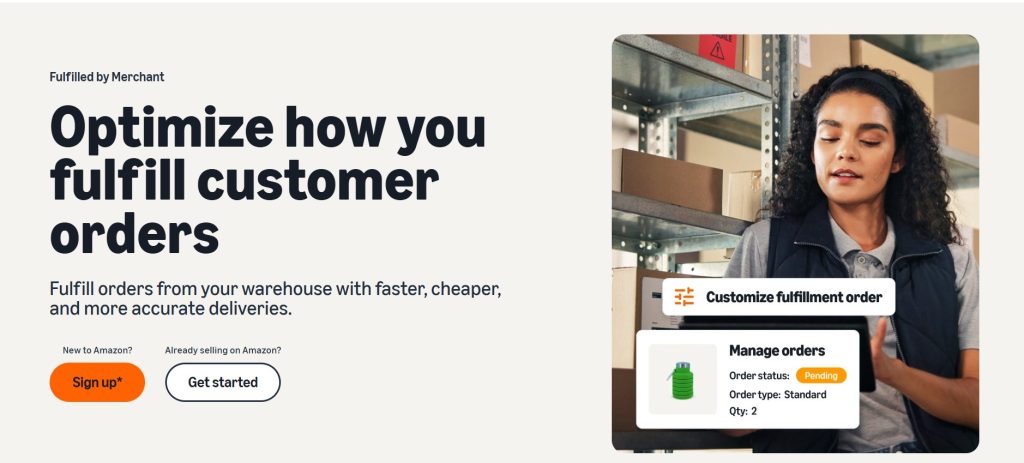
FBM stands for Fulfilled by Merchant. You may also see it called merchant fulfilled or seller fulfilled. With FBM, you list products in the Amazon store, and when an order comes in, you ship it from your own location: your home, your shop, your warehouse or a third-party logistics (3PL) provider you hire.
Amazon describes FBM as a set of tools for sellers who fulfill orders themselves. You can use it for your whole catalog, or for some products while the rest go through FBA. Amazon says many sellers use both on a per-product basis.
FBM suits products that are awkward for FBA: heavy or bulky items, slow sellers, made-to-order or personalized pieces, and temperature-sensitive goods that FBA doesn’t accept. It also suits sellers who already ship orders from another channel and don’t want a second pool of stock sitting in Amazon’s warehouses.
How to Set Up and Manage Amazon FBM Orders
1. Open a seller account. Amazon recommends the Professional plan for FBM, so you can use its full range of services.
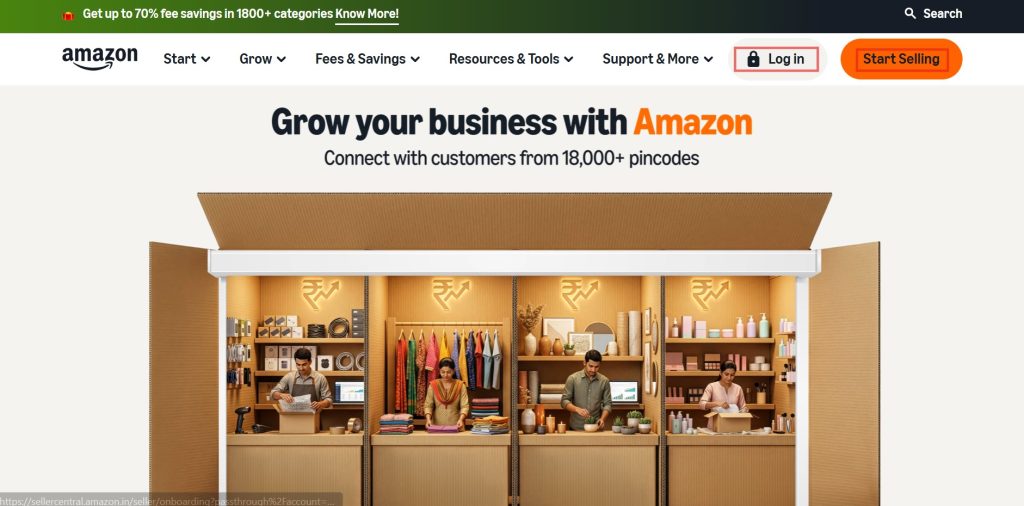
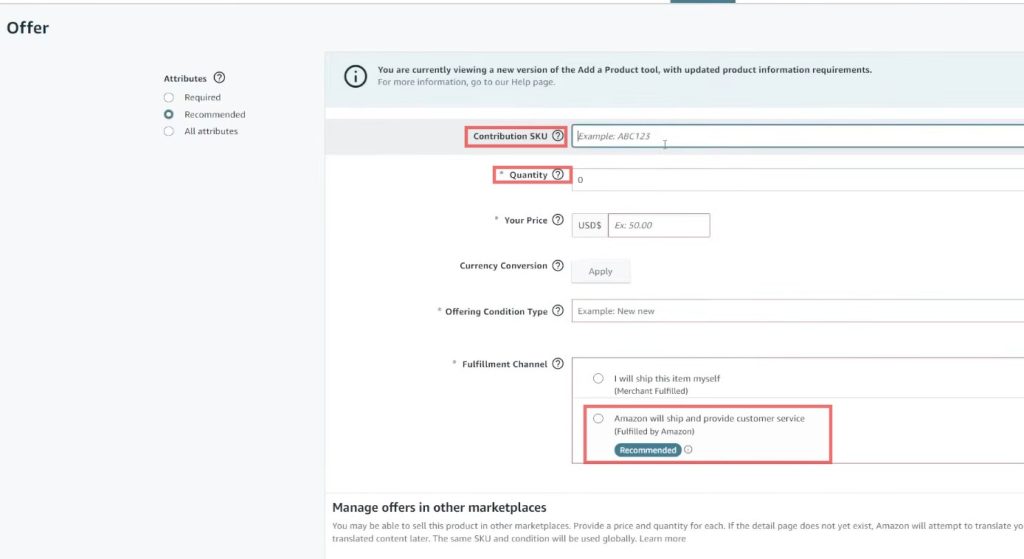
2. List your products. Match an existing product page in Amazon’s catalog, or create a new one.
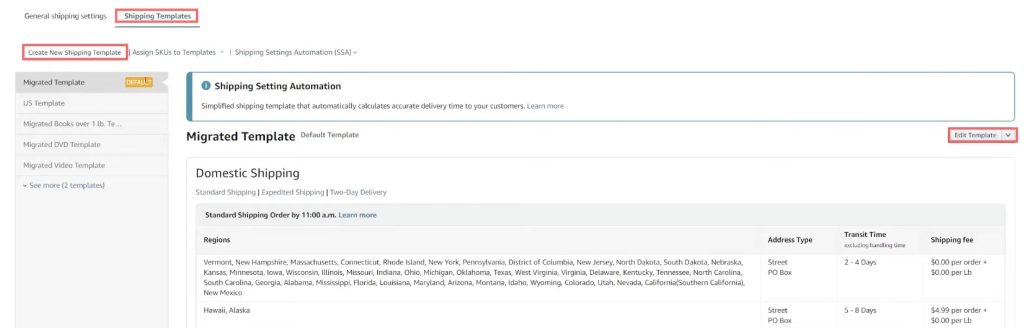
3. Set up shipping templates. Choose your shipping rates, handling time (how long you take to ship), transit time and a capacity limit. Amazon uses these to show delivery dates to customers.
4. Ship each order on time. When an order arrives, pack it, buy a label and confirm shipment with a tracking number in Manage Orders before the expected ship date.
5. Handle returns and messages. Answer buyer messages, and respond to return requests within 24 hours.
6. Watch your performance. Check your Account Health page for late shipments, cancellations and tracking.
You can buy labels through Amazon Buy Shipping, which Amazon says averages over 31% less than retail ground rates for UPS, FedEx and USPS. Labels bought there also confirm shipment and upload tracking for you, and they give you extra protection on delivery claims.
What Amazon FBM Costs
FBM has no fulfillment fee and no storage fee from Amazon. You still pay Amazon to sell, and you pay for shipping yourself.
| Cost | What you pay | Paid to |
|---|---|---|
| Selling plan | Individual: $0.99 per item sold. Professional: $39.99 a month | Amazon |
| Referral fee | A percentage of each sale, set by category (for example, 15% for backpacks, handbags and luggage), with a $0.30 minimum per item in most categories | Amazon |
| Shipping labels | Your carrier rate, or Amazon Buy Shipping rates | Carrier or Amazon |
| Packaging and labor | Boxes, mailers, tape and your time (or a 3PL’s fees) | You or your 3PL |
| Returns | Return shipping, depending on the reason and your return settings | Varies |
| FBA fulfillment and storage fees | None | n/a |
Here’s a simple example. You sell a $30 handbag on the Professional plan. Amazon takes a 15% referral fee, which is $4.50. The rest of your cost is the label, the mailer and the time it takes to pack. With FBA you’d pay a fulfillment fee per unit plus monthly storage instead of the label. Our guide to Amazon FBA fees breaks those down.
Whether FBM is cheaper depends on your product. Small, light, fast-selling items often cost less through FBA. Large, heavy or slow-moving items often cost less through FBM, because you avoid storage fees and size-based fulfillment fees.
FBM Rules: The Metrics Amazon Checks
When Amazon ships for you, Amazon owns the delivery. With FBM, you do, so Amazon tracks how reliably you ship. These metrics apply only to seller-fulfilled orders.
| Metric | What it measures | Amazon’s target |
|---|---|---|
| Late shipment rate | Orders confirmed as shipped after the expected ship date, over 10 and 30 days | Under 4% |
| Cancellation rate | Orders you cancel, over 7 days, including orders cancelled automatically because you didn’t confirm shipment in time | Under 2.5% |
| Valid tracking rate | Shipments with a tracking number the carrier actually scans, by product category | A minimum shown on your Account Health page |
Missing these targets can cost you your seller-fulfilled offers, or your FBM selling privileges entirely. Customer cancellations don’t count against your cancellation rate. Cancellations you make because an item is out of stock do, which is the main risk if the same stock also sells on another channel. We cover how to avoid that below.
Amazon also gives every seller an Account Health Rating from 0 to 1,000 points, based on policy issues over the last 180 days. New sellers start at 200. A score of 200 or more is Healthy, 100 to 199 is At Risk, and 99 or lower means your account can be deactivated.
The 2026 Handling-Time Rule
From June 29, 2026, Amazon requires seller-fulfilled products to have accurate handling times. Amazon says over 87% of US seller-fulfilled orders are handled within one day, but many sellers set longer handling times than they need, which pushes back the delivery date customers see.
You have two ways to comply:
- Turn on Automated Handling Time. Amazon sets each product’s handling time from your recent shipping history and protects your late shipment rate. This is the option Amazon recommends.
- Keep your own handling times accurate. Amazon watches each product for 30 days. If you consistently ship at least a day faster than you state, Amazon flags it, and you get 30 days to fix it before Amazon sets it for you.
Custom, handmade, and heavy and bulky less-than-truckload shipments are exempt. Amazon’s announcement has the details.
FBA vs FBM: Which One Should You Use?
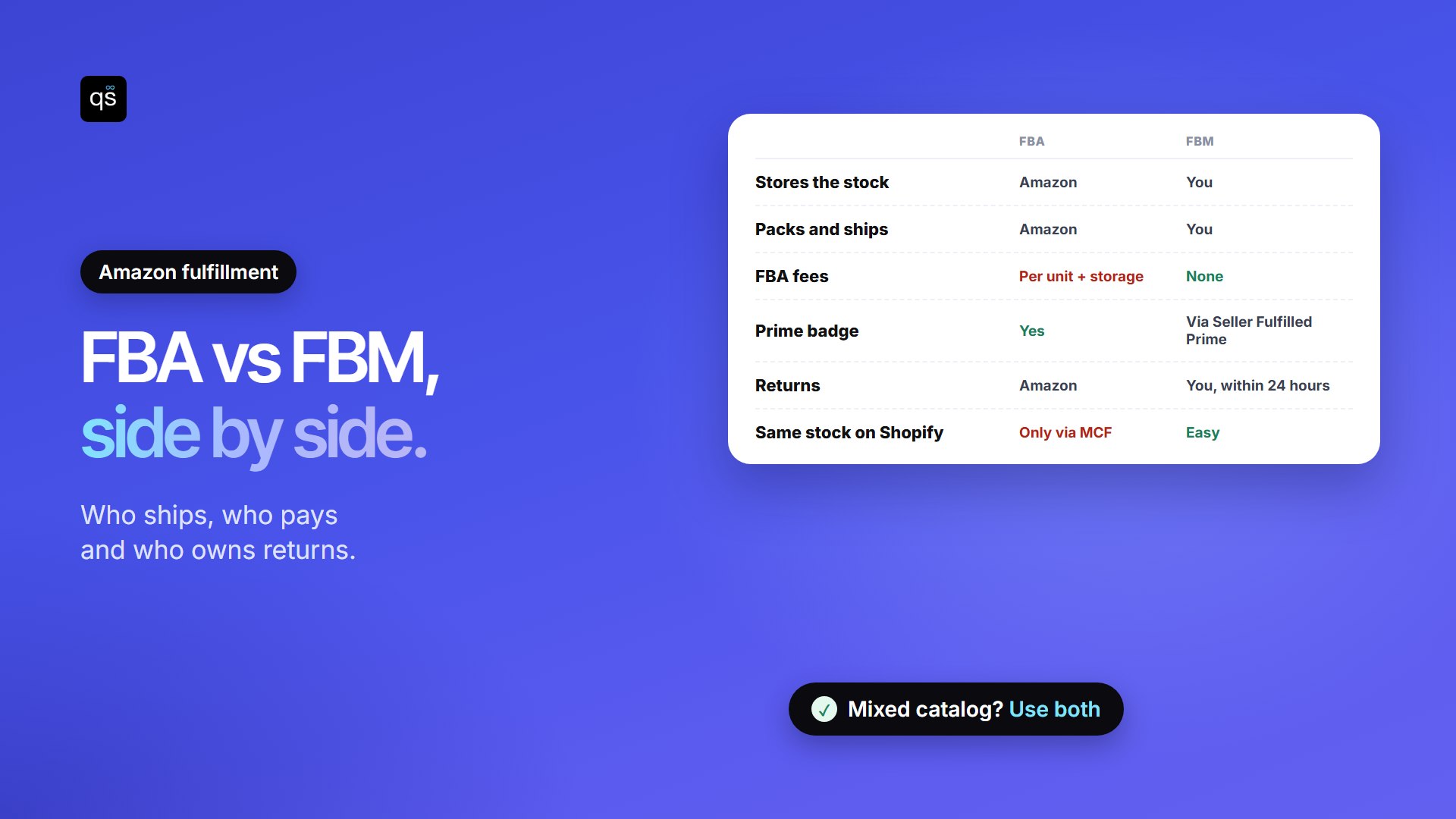
| Feature | FBA | FBM |
|---|---|---|
| Who stores the stock | Amazon | You or your 3PL |
| Who packs and ships | Amazon | You |
| Amazon fees | Selling plan, referral fee, fulfillment fee per unit, monthly storage and other FBA fees | Selling plan and referral fee |
| Prime badge | Yes, automatically | Only through Seller Fulfilled Prime |
| Returns and customer service | Amazon handles them | You handle them |
| Shipping metrics | Amazon’s responsibility | Yours: late shipments, cancellations, tracking |
| Selling the same stock elsewhere | Only through Multi-Channel Fulfillment, for a fee | Easy: one shelf for every channel |
| Best for | Small, light, fast-selling items | Bulky, slow-moving, custom or multichannel items |
Choose FBA if you want Amazon to handle shipping and returns, and your products are small and sell quickly. Choose FBM if you want control, sell large or slow items, or already ship orders from another channel. Use both if your catalog is mixed: fast sellers through FBA, everything else through FBM.
If you use both, keep them apart. Give FBA listings their own SKUs, so stock that sits in Amazon’s warehouse never gets mixed up with stock on your shelf.
Can FBM Sellers Get the Prime Badge?
Yes, through Seller Fulfilled Prime. It puts the Prime badge on offers you ship yourself, as long as you can meet Prime delivery speeds. To join:
- Prequalify. You need a Professional account, a US default shipping address, and to meet Amazon’s prequalification performance requirements.
- Pass a 30-day trial. You get Prime shipping templates for one- and two-day delivery, but no Prime badge yet.
- Stay enrolled. Amazon reviews your performance every week. Missing the requirements again and again can switch off your Prime offers.
You don’t need a warehouse for Seller Fulfilled Prime, and you can cap how many Prime orders you take each day so you don’t overcommit. Amazon is also piloting FBM Ship+, which sets fast delivery dates and protects your on-time delivery rate when you buy its labels. It’s open to selected US sellers only for now.
How to Run FBM Alongside Shopify, Etsy or a Physical Store
Many FBM sellers don’t sell only on Amazon. The stock on your shelf may also be listed on Shopify, Etsy or eBay, or sold over the counter. That’s one of FBM’s strengths, and also its biggest risk: one item, several listings, and no channel knows what the others just sold.
Selling the last unit twice is worse on Amazon than elsewhere, because cancelling for lack of stock counts toward your 2.5% cancellation rate. Four habits prevent it:
- Keep one count. Pick one place where your true stock count lives, and let every channel follow it.
- Match your SKUs. Use the same SKU for the same item on Amazon and your other channels.
- Keep FBA separate. Only stock you ship yourself should be shared. FBA stock belongs to Amazon’s count.
- Update fast. The longer the gap between a sale and the update, the more likely a double sale.
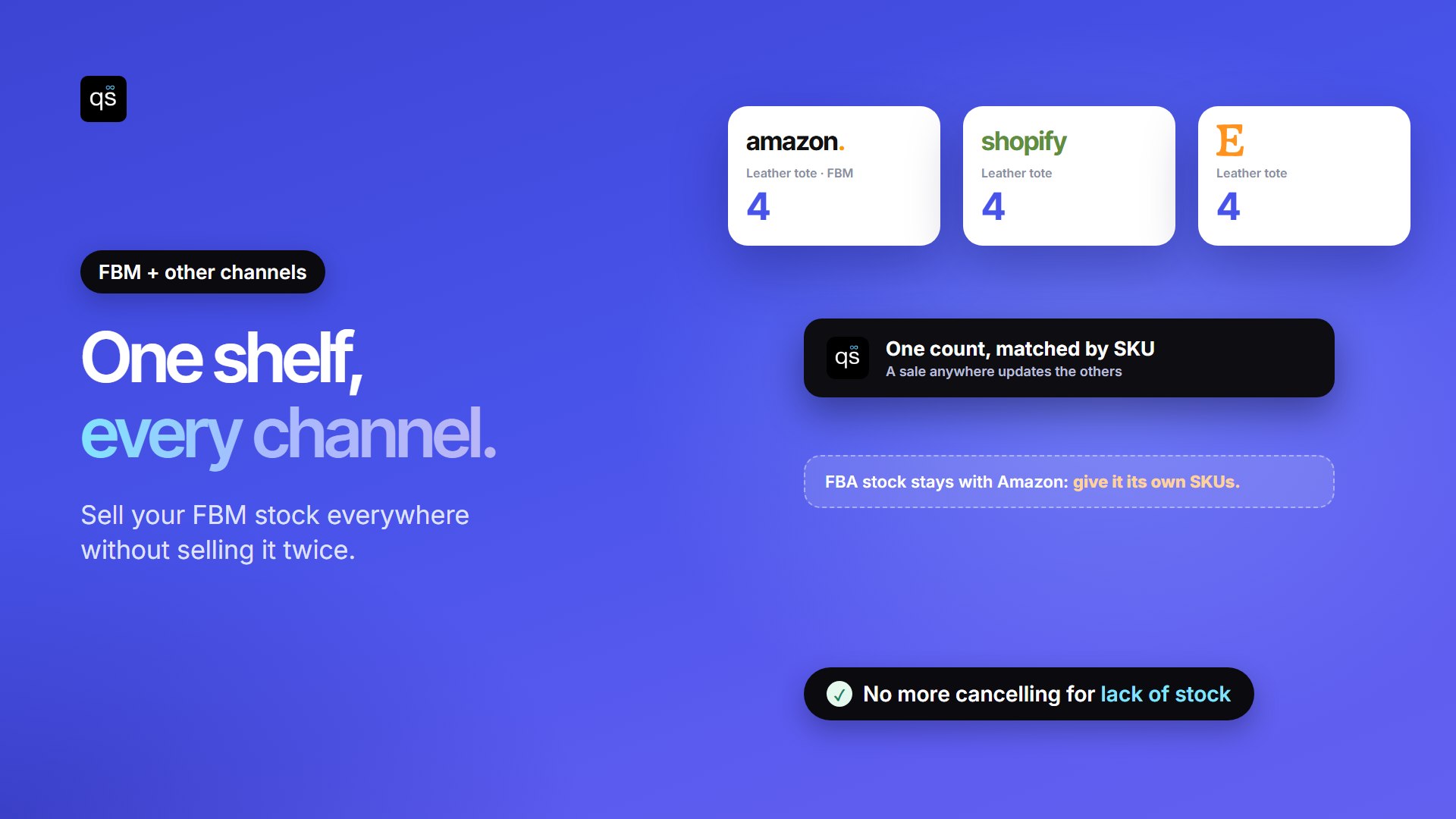
This is what QuickSync does. Here’s how it works with Amazon:
- Stock syncs both ways for the Amazon listings you ship yourself, depending on your sync settings and product matching. A sale on Shopify lowers Amazon, and an Amazon sale lowers Shopify. FBA stock isn’t touched.
- Amazon orders come to you. With order syncing on (Pro plan), Amazon orders are checked about every 1.5 minutes and copied into Shopify, WooCommerce or Square, so you pack every order in one place.
- Tracking goes back. When Shopify, WooCommerce or Square ships the order with a carrier and tracking number, QuickSync confirms the shipment on Amazon with that tracking number, so you don’t enter it twice.
- SKUs keep it simple. Products match by SKU. QuickSync supports Amazon SKUs of up to 20 characters, so keep yours that short or shorter.
QuickSync works with US Seller Central. Stock sync is included on every plan, from $19 a month for two stores, and there’s a 14-day free trial.
Selling on Etsy instead? Our Etsy Amazon integration works the same way. If you sell on eBay too, see how to manage Amazon and eBay inventory together.
Tips for Selling with FBM
- Turn on Automated Handling Time. It keeps you compliant with the 2026 rule and protects your late shipment rate.
- Buy labels through Amazon Buy Shipping for lower rates, automatic shipment confirmation and better protection on delivery claims.
- Set a capacity limit in your shipping settings before busy seasons, so Amazon doesn’t promise more orders than you can ship.
- Confirm shipment the same day you hand the package to the carrier.
- Choose your carrier from Amazon’s list when you enter tracking, rather than typing it in, so Amazon can match the tracking number to the carrier.
- Never cancel for lack of stock if you can avoid it. Sync your stock so it doesn’t happen.
FAQs
More for Amazon sellers: what is Amazon Seller Central, how to connect Shopify to Amazon, the best Shopify Amazon integration apps and our Amazon integration.