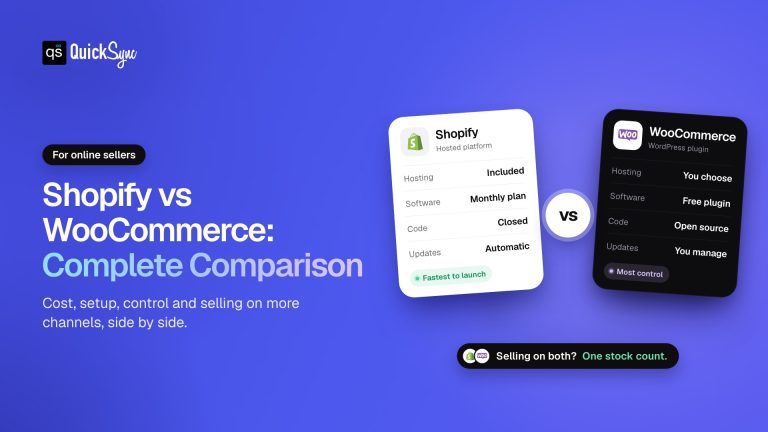
Wix and Shopify can both run an online store, and on their entry plans they even charge the same card fee. The difference shows up later: when your catalog grows, when you start selling in person or on marketplaces, or when you try to move from one to the other.
Wix vs Shopify: pick Shopify if selling products is the main job of your site, because it gives you unlimited products, more ways to sell and a store built to scale. Pick Wix if you need a website that also sells, such as a service business, portfolio or small shop, because it gives you more design freedom, bookings on every plan that takes payments, and up to 6 product options.
At the entry level both cost about $29 a month billed yearly and charge 2.9% + 30¢ per online card sale in the US.
We checked both companies’ US pricing pages and help centers in November 2026. Some popular comparisons still show Shopify’s old prices, so the numbers below may differ from what you’ve read elsewhere.
Wix vs Shopify at a Glance
| Feature | Wix | Shopify |
|---|---|---|
| What it is | Website builder with ecommerce | Ecommerce platform with a website builder |
| Cheapest plan that takes payments | Core, $29/month billed yearly | Basic, $29/month billed yearly or $39 monthly |
| Online card fee (US, entry plan) | 2.9% + 30¢ (Wix Payments) | 2.9% + 30¢ (Shopify Payments) |
| Fee for using another payment provider | None listed | 2% on Basic, 1% on Grow, 0.6% on Advanced |
| In-person card fee | 2.6% + 0¢ (Wix POS) | 2.6% + 10¢ on Basic |
| Products | Up to 50,000 per site | Unlimited |
| Options per product | Up to 6 | Up to 3 |
| Inventory locations | Several warehouses on Wix’s newer catalog | 10 on Basic to Advanced |
| Team access | 5 collaborators on Core, 10 on Business | No staff accounts on Basic, 5 on Grow |
| Bookings and services | Included from Core | Through apps |
| Selling on marketplaces | Check Wix’s current sales channels | Shopify’s Marketplace Connect: 50 orders a month free, then 1% up to $99 |
| Trial | Free plan to build; 14-day money-back guarantee | 3 days free, then $1/month for 3 months |
| Best for | Service businesses, creatives and small shops | Product brands that want to grow |
Wix vs Shopify Pricing in 2026
Both companies push yearly billing. Wix shows yearly prices only, and says prices vary by location. Shopify shows both.
| Wix plan | Price (billed yearly) | Can it sell? | Storage |
|---|---|---|---|
| Free | $0 | No | Not listed |
| Light | $17/month | No, payments aren’t included | 2 GB |
| Core | $29/month | Yes, basic ecommerce | 50 GB |
| Business | $39/month | Yes, standard ecommerce | 100 GB |
| Business Elite | $159/month | Yes, advanced ecommerce | Unlimited |
| Shopify plan | Billed monthly | Billed yearly (per month) | Online card rate |
|---|---|---|---|
| Basic | $39 | $29 | 2.9% + 30¢ |
| Grow | $105 | $89 | 2.7% + 30¢ |
| Advanced | $399 | $359 | 2.5% + 30¢ |
| Plus | From $2,300 | Not listed | 2.25% + 30¢ |
Watch for older articles here. Some still list Shopify Grow at $79 and Advanced at $299. The US pricing page now shows $89 and $359 billed yearly.
What Each Platform Takes From a $50 Order
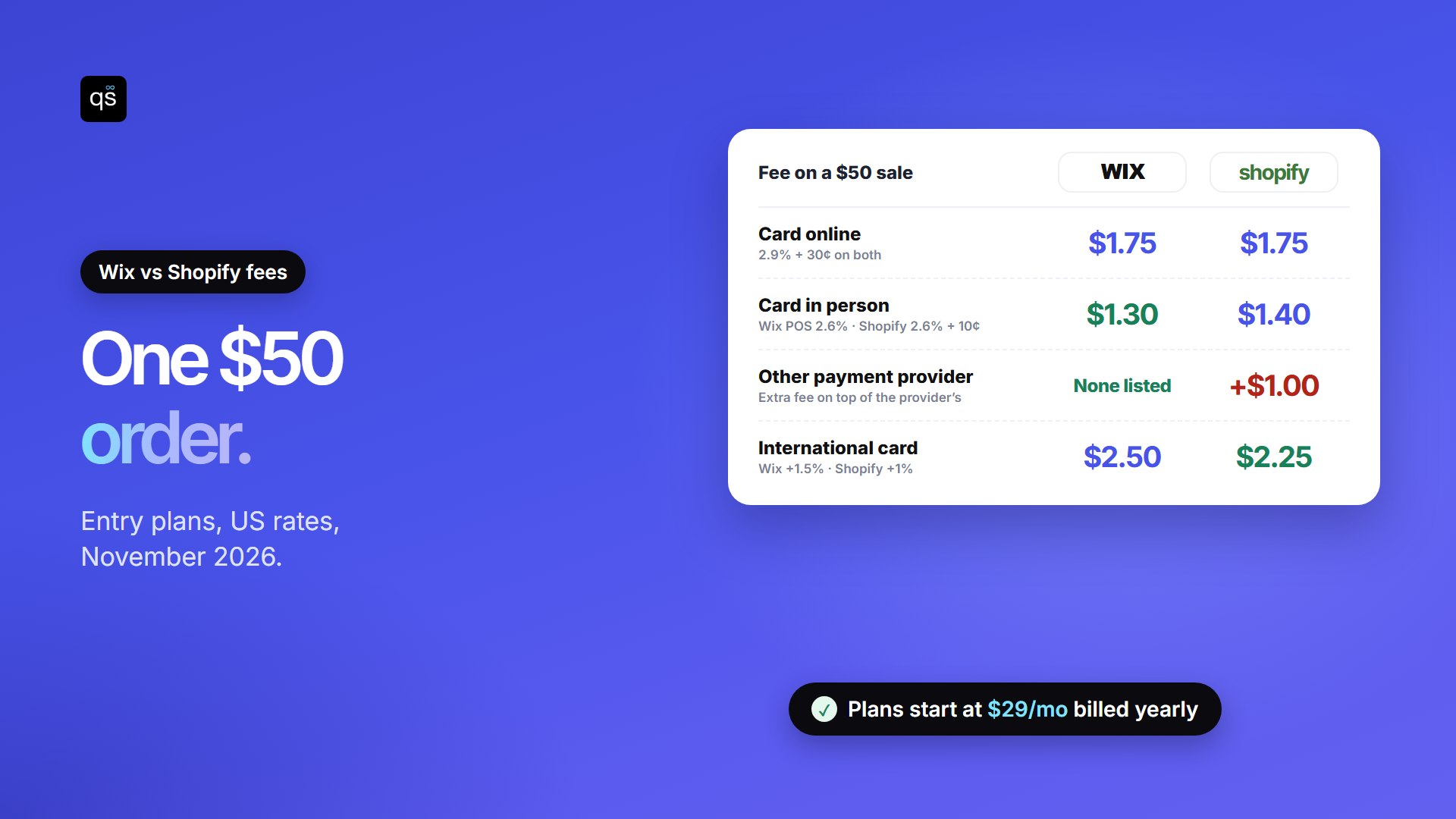
The monthly plan is only half the cost. Here’s what each platform takes from a single $50 sale on its entry plan in the US:
| $50 sale paid by | Wix (Core or Business) | Shopify Basic |
|---|---|---|
| Card online | 2.9% + 30¢ = $1.75 | 2.9% + 30¢ = $1.75 |
| Card in person | 2.6% + 0¢ = $1.30 (Wix POS) | 2.6% + 10¢ = $1.40 |
| Another payment provider | That provider’s fee | That provider’s fee + $1.00 (2% Shopify fee) |
| International card | $1.75 + 1.5% = $2.50 | $1.75 + 1% = $2.25 |
So how much does Shopify take from a $20 sale? On Basic with Shopify Payments, it’s 2.9% + 30¢, or $0.88. Wix Payments takes the same $0.88. Shopify doesn’t add a sales commission on top when you use Shopify Payments, and Wix’s fee page lists payment processing fees only.
Now a month. Say you sell 40 orders of $50 online, $2,000 in sales:
- Wix Core: $29 plan + $70 in card fees = $99
- Shopify Basic (yearly): $29 plan + $70 in card fees = $99
- Wix Business: $39 plan + $70 = $109
- Shopify Grow (yearly): $89 plan + $66 = $155
At this size, the two are level. Shopify’s lower card rate on Grow saves only $0.10 per $50 order, so it pays for its higher plan price only at much bigger volumes. The real cost differences come from the 2% third-party fee on Shopify Basic, from selling in person, and from the apps you add.
Where Shopify Feels Better Than Wix
- It’s built for selling first. Orders, inventory, shipping, taxes and checkout are the core of the product, not an add-on to a website.
- Unlimited products. Every Shopify plan lists unlimited products. Wix allows up to 50,000 per site, which most small shops never reach but large catalogs can.
- Inventory in 10 locations. Basic, Grow and Advanced each include 10 inventory locations.
- Marketplaces from the admin. Shopify’s Marketplace Connect app lists your products on Amazon, eBay, Walmart and Target Plus. The first 50 synced orders each month are free, then it’s 1% per order, capped at $99. Our Marketplace Connect review covers the details.
- Retail when you need it. Every plan can take in-person payments, and POS Pro adds staff roles, in-store pickup and in-store inventory tools for $89 a month per location.
- A huge app ecosystem. Shopify says it integrates with “1000s of apps”, so most gaps have an app.
Shopify also claims its checkout “converts 15% better on average than other platforms.” That’s Shopify’s own figure, not an independent test.
Where Wix Feels Better Than Shopify
- Design freedom. Wix’s drag-and-drop editor and 2,000+ templates let you place anything anywhere. If your site is part brand story, part portfolio and part shop, Wix is easier to shape.
- Bookings and services on every plan that sells. Core, Business and Business Elite all include scheduling and services. A yoga studio that also sells mats, or a photographer who sells prints, gets both in one plan.
- More product options. Wix products can have up to 6 options, such as size, color, material, finish, length and pack size. Shopify allows 3.
- A flat in-person rate. Wix POS charges 2.6% with no per-transaction cents, so small in-person sales cost a little less.
- A real free plan to build on. You can build your whole site for free and only pay when you’re ready to take payments, with a 14-day money-back guarantee.
The Downsides of Wix and Shopify
Wix:
- The Free and Light plans can’t take payments, so a store starts at $29 a month.
- It’s harder to leave. Products with 4 or more options don’t carry over to Shopify cleanly, and Wix doesn’t export digital products (more on this below).
- Ecommerce features are split across “basic”, “standard” and “advanced” tiers. Check Wix’s plan comparison for the features you need before choosing Core.
Shopify:
- Monthly billing costs more: $39 instead of $29 on Basic.
- Using a payment provider other than Shopify Payments adds 2% on Basic.
- Only 3 options per product, which can force you to split listings.
- No staff accounts on Basic. You need Grow ($89 a month billed yearly) to add a team.
- Design is theme-based. It’s flexible, but less freeform than Wix.
Shopify vs Wix: Which One Should You Choose?
| Your situation | Better fit | Why |
|---|---|---|
| Service business that sells a few products | Wix | Bookings included from Core; one site for both |
| Product brand planning to grow | Shopify | Unlimited products, stronger selling tools, more apps |
| Products with many variations (4 to 6 options) | Wix | Shopify allows 3 options per product |
| Large catalog or several stock locations | Shopify | Unlimited products, 10 locations on standard plans |
| Selling on Amazon, eBay or Walmart too | Shopify | Marketplace Connect is Shopify’s own app |
| Mostly in-person sales with a small website | Either | Compare Wix POS (2.6% + 0¢) with Shopify POS (2.6% + 10¢ on Basic) and the hardware you need |
| Design-heavy site, small catalog | Wix | Freeform editor and 2,000+ templates |
Weighing other builders too? See Wix vs Squarespace, Shopify vs Squarespace and Shopify vs WooCommerce.
How to Move From Wix to Shopify
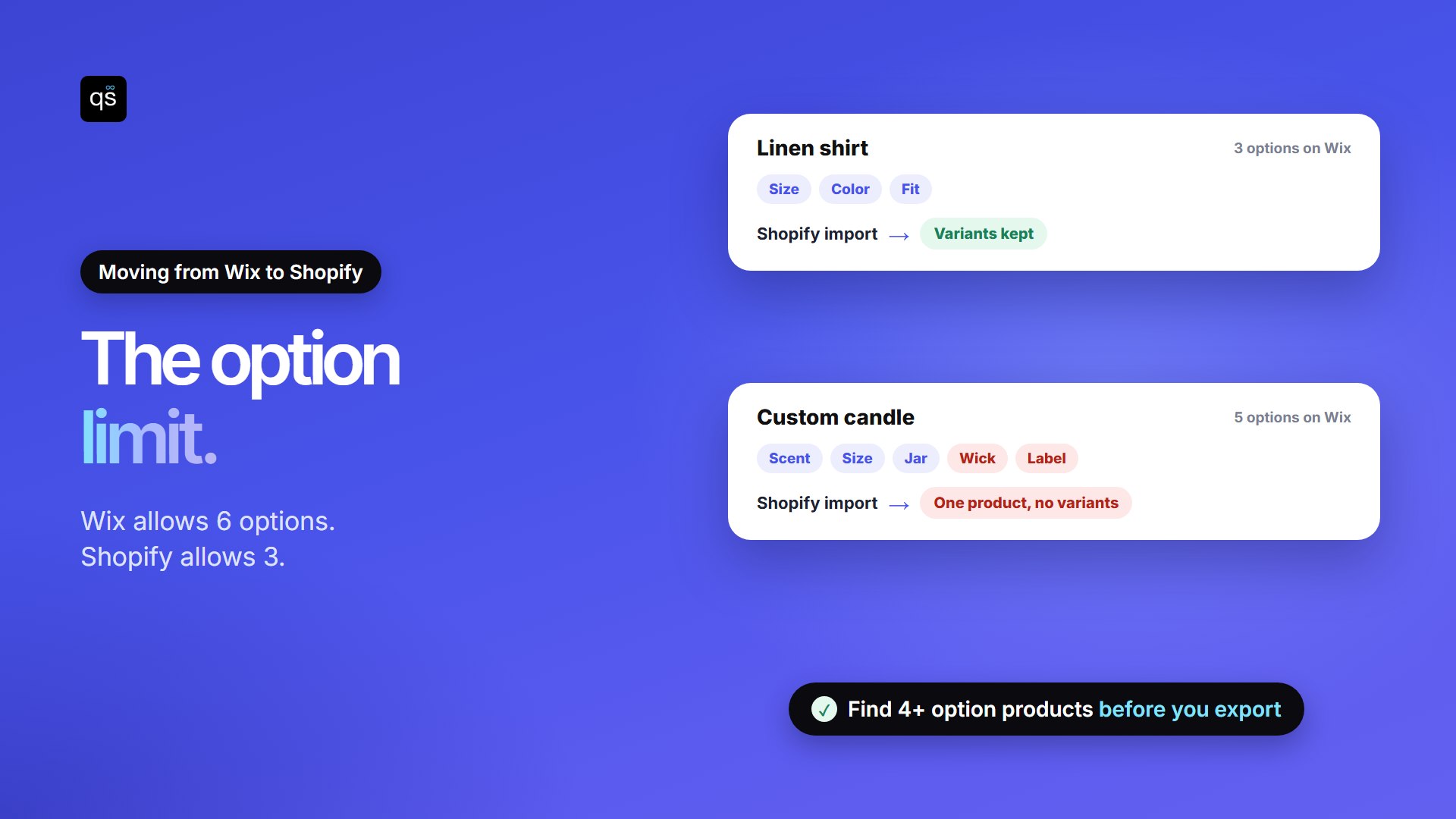
You can transfer a Wix store to Shopify with a free Shopify app, but one limit catches a lot of stores: Shopify products can have 3 options and Wix products can have 6. According to Shopify, a Wix product with 4 or more options is imported as a single product, without any of its options or variants.
Here’s the move, based on Shopify’s Wix migration guide:
- Find products with 4+ options in Wix. Decide how to rebuild them in Shopify: split them into separate products, or recreate the variants after import.
- Export your products from Wix as a CSV. Each file holds up to 5,000 rows, so large catalogs need several files. Digital products don’t export, so note them for later.
- Install Shopify’s free Store Migration app and upload the Wix CSV without editing it. You can import customers the same way.
- Review the import report. Products arrive as drafts, and Wix collections and ribbons become product tags.
- Add digital products by hand, rebuild any variants that didn’t carry over, then publish.
- Set up shipping, taxes and payments, then place a few test orders.
- Move your domain and set up redirects from your old Wix URLs, so you keep your search rankings.
Shopify’s guide also covers order history, reviews and staff, and lists third-party migration apps and Shopify Partners if you’d rather hand it off. Moving the other way, from Shopify to Wix, follow Wix’s own help center.
Want to keep selling on Wix while the Shopify store fills up? You can run both for a while, as long as stock stays matched. See how a Wix Shopify integration keeps one stock count, or read the next section.
Running Wix and Shopify Together
Some sellers don’t choose. They keep a Wix site for bookings and content and run a Shopify store for products, or keep Wix live for a few weeks while the Shopify store fills up. Wix and Shopify have no built-in link, so the same item can sell on both and you won’t know until the second order lands.
A sync app fixes that. With QuickSync, according to our Wix setup guide:
- Stock syncs both ways, as it happens. Both Wix and Shopify report changes instantly, so there’s no waiting for a timer. Wix products need Track inventory turned on.
- SKUs must fit 40 characters, Wix’s limit (Shopify allows 255). Products match by SKU.
- You choose a main store. If Shopify is the main store, product details flow from Shopify, and edits made directly in Wix are replaced on the next sync. Product syncing needs the Pro plan.
- Wix orders can be copied into Shopify to pack and ship from one place, on Pro. Wix itself can’t be the packing store.
- One catch: tracking doesn’t go back to Wix when Shopify packs the order, so mark those Wix orders fulfilled in Wix.
Stock sync is included on every QuickSync plan, from $19 a month for two stores.
FAQs
More comparisons: Etsy vs Wix, Shopify fees explained and our Wix integration.