List Perfectly is one of the best-known crosslisting tools for resellers. It’s fast at getting one item onto many marketplaces, and its AI listing assistant saves real time.
The harder part is what happens after a sale. Which plan removes the item everywhere else? What happens when you have 12 of the same product, not one?
This List Perfectly review covers its features, every plan and price, and where it falls short. It also shows how to tell if you need a crosslister or an inventory sync tool. We checked every price and feature on List Perfectly’s own website in November 2026.
What is List Perfectly?

List Perfectly is a crosslisting tool for resellers. You create a listing once in its catalog, then post it to other marketplaces from your browser. When the item sells, List Perfectly can alert you and remove the other listings, depending on your plan.
It works through a Chrome extension and a web catalog. According to List Perfectly’s FAQ, you need a desktop or laptop with Chrome (or another Chromium browser) and the List Perfectly extension. On a phone, you can create drafts and edit photos, but not crosslist.
List Perfectly’s platforms page lists 14 places you can post to:
- Resale marketplaces: eBay, Poshmark, Mercari, Depop, Grailed, Vestiaire Collective, Vinted and Whatnot
- Handmade and music: Etsy and Reverb
- Social and stores: Facebook Marketplace, Instagram, Shopify and Listing Party
One limit to know upfront: the FAQ says it supports U.S. marketplaces only.
List Perfectly pricing 2026
List Perfectly has four plans: Simple at $29 a month, Business at $49, Pro at $69 and Pro Plus from $99. Every plan includes unlimited listings and every marketplace. The higher plans add bulk tools, Shopify, sales detection and Auto Delist.
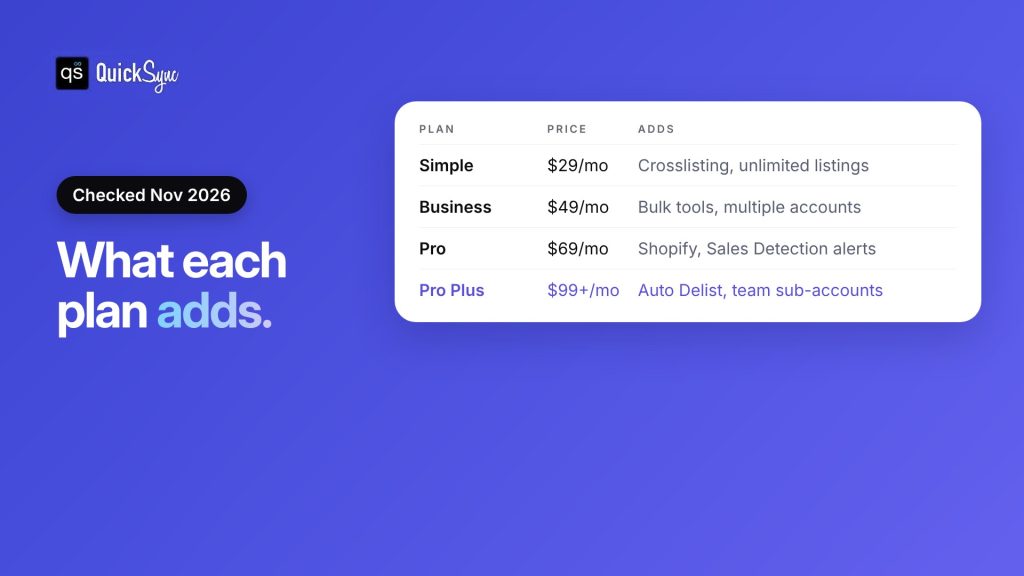
Here’s what each plan adds, from List Perfectly’s pricing page:
| Plan | Price | AI listings a month | What it adds |
|---|---|---|---|
| Simple | $29/mo | 25 | Crosslisting to every marketplace, unlimited listings |
| Business | $49/mo | 50 | Bulk import, bulk edit, bulk relist, multiple accounts, sales analytics |
| Pro | $69/mo | 200 | Shopify, Sales Detection, Poshmark sharing, self-hosted images |
| Pro Plus | From $99/mo | 1,000+ | Auto Delist, stale listings, team sub-accounts |
Prices checked November 2026. Billing is monthly.
Free trial: There isn’t a classic free trial. The FAQ says you need a card or PayPal to sign up. You then get a money-back guarantee for “5-day or up to 100 listings (whichever comes first).” Cancel within that window and you get a full refund.
Cancelling later: You can cancel or change plans at any time. If you downgrade, the new plan starts right away, with no refund or credit for unused time.
Selling the same stock on Shopify, eBay or Etsy? Jump to when you need inventory sync instead.
How List Perfectly works
Here’s the basic flow, in four steps:
- Install the extension. Add the List Perfectly extension to Chrome on your computer and log in to your marketplaces.
- Create the listing. Add photos and details to your List Perfectly catalog, or let the AI listing assistant write the title, description and item specifics.
- Crosslist it. Post the listing to the marketplaces you pick. On Business and up, you can do this in bulk.
- Handle the sale. Use Mark Sold to end the other listings, get a Sales Detection alert on Pro, or let Auto Delist remove them on Pro Plus.
Step 4 is where the plans differ most. We’ll come back to it.
List Perfectly pros and cons
| Pros | Cons |
|---|---|
| Posts to 14 platforms, including Grailed, Vestiaire Collective and Whatnot | Auto Delist is only on Pro Plus, from $99 a month |
| Unlimited listings on every plan, with no add-ons | Auto Delist needs a computer that stays on |
| AI listing assistant on every plan | Built for one-off items, not stock you restock |
| Bulk tools and multiple accounts from $49 | Sales Detection doesn’t cover Shopify |
| Human support by chat and email on all plans | U.S. marketplaces only; a card is needed to start |
What List Perfectly does well
Reach for resellers. Besides eBay, Poshmark and Mercari, it covers Grailed, Vestiaire Collective, Whatnot, and Reverb. Our crosslisting apps roundup found Vestiaire Collective support is rare. If you sell fashion or collectibles, that range matters.
Fast listing. The AI listing assistant creates a listing from a few photos and writes the title, description, tags and item specifics. Simple includes 25 AI listings a month, and Pro includes 200.
No listing limits. Every plan includes unlimited listings and every marketplace. You pay for features, not for how much you list.
Bulk work on Business. From $49 a month, you can import, edit, crosslist and relist in bulk, and run more than one account.
Where List Perfectly falls short
Auto Delist costs $99 or more. On the cheaper plans, you end the other listings yourself. Pro adds Sales Detection, but per List Perfectly’s help article, it’s an alert you respond to. Only Pro Plus removes the other listings for you.
Your computer has to stay on. List Perfectly says Auto Delist “currently operates through the List Perfectly Extension on the designated device,” which must “remain on and active.” If that computer is off, Auto Delist can’t run.
It’s built for single items. The FAQ is clear: “If the quantity is 2 or more, Auto Delist will not end the listing automatically.” That’s fine for a vintage jacket. It’s a problem for a candle you have 40 of, where every sale needs to lower the count on every channel.
Gaps by marketplace. The FAQ says Shopify isn’t supported by Sales Detection. Vinted doesn’t allow Auto Delist at all, and List Perfectly’s help article describes Sales Detection for eBay, Poshmark and Mercari as a beta feature.
Crosslisting vs inventory sync: what’s the difference?
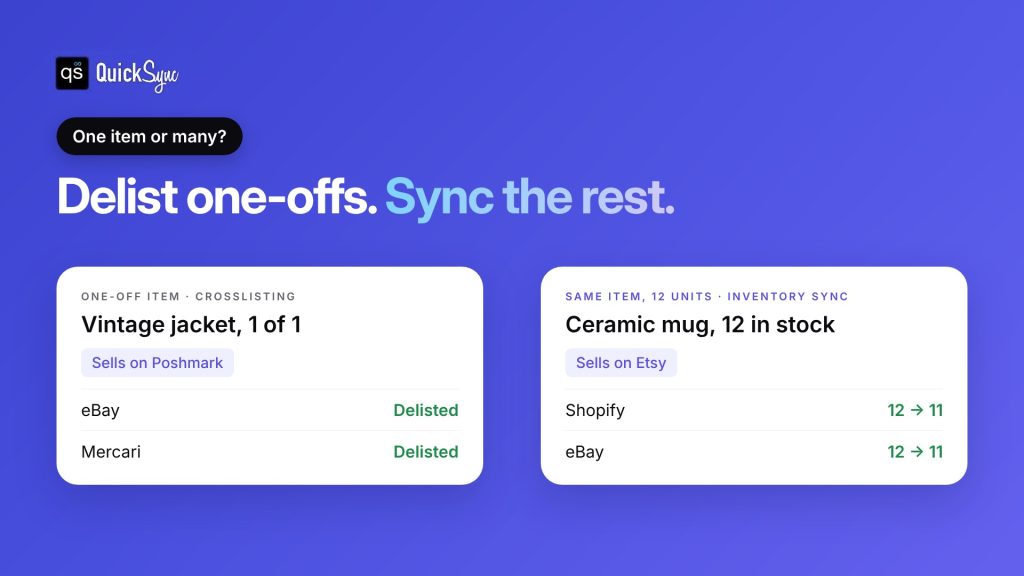
Crosslisting copies one listing to many marketplaces, then removes it everywhere once it sells. Inventory sync keeps one stock count across your channels and updates the quantity on all of them after every sale. Crosslisting suits one-of-a-kind items. Inventory sync suits products you restock or sell in more than one unit.
Here’s what that looks like with two items:
| Crosslisting (List Perfectly) | Inventory sync (QuickSync) | |
|---|---|---|
| Best for | One-off resale items | Products you restock, sizes and colours |
| What happens after a sale | Other listings are ended | Quantity drops on every channel |
| Quantity | Usually 1 | Any number |
| Typical channels | eBay, Poshmark, Mercari, Depop, Grailed | Shopify, eBay, Etsy, Amazon, TikTok Shop, POS |
| How it connects | Browser extension on your computer | You approve it on each channel’s own screen |
Our guide to the best crosslisting apps covers more of the crosslisting side.
When do you need inventory sync instead of List Perfectly?
You need inventory sync when you sell the same product more than once across channels. That includes restocked items, sizes and colours, products on your own Shopify store, and anything you also sell in person. A crosslister removes listings. Sync keeps the numbers right.
Look for these signs:
- You restock. The same SKU comes back again and again.
- You have more than one unit. You list 12 mugs, not one.
- You sell variants. Sizes and colours each need their own count.
- Your own store is the hub. Shopify, WooCommerce or Squarespace holds your main catalog.
- You sell in person. A Square or Clover sale needs to come off your online stock too.
- You don’t want to leave a laptop on. Sync shouldn’t depend on a browser staying open.
If two or more of these sound like you, a crosslister will start to feel like extra work. Each sale means checking quantities by hand, and that’s how overselling starts.
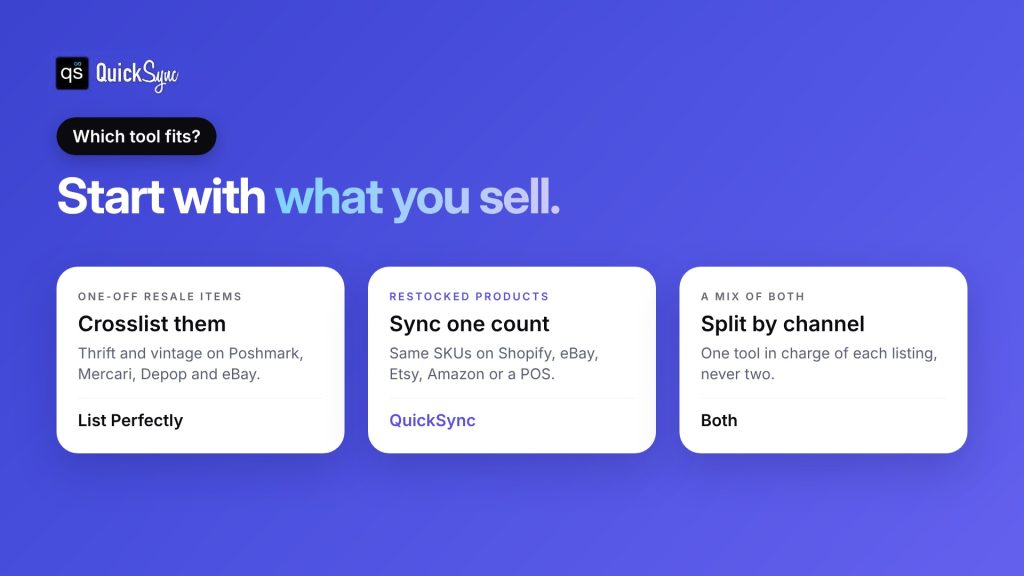
| Your situation | What to use |
|---|---|
| One-off thrift and vintage items on Poshmark, Mercari and eBay | List Perfectly |
| Restocked products on Shopify, eBay, Etsy or Amazon | QuickSync |
| A Shopify store plus a Square or Clover POS | QuickSync |
| One-off items on resale apps and a branded line on Shopify and Etsy | Both, split by channel |
QuickSync: inventory sync for stock you sell more than once
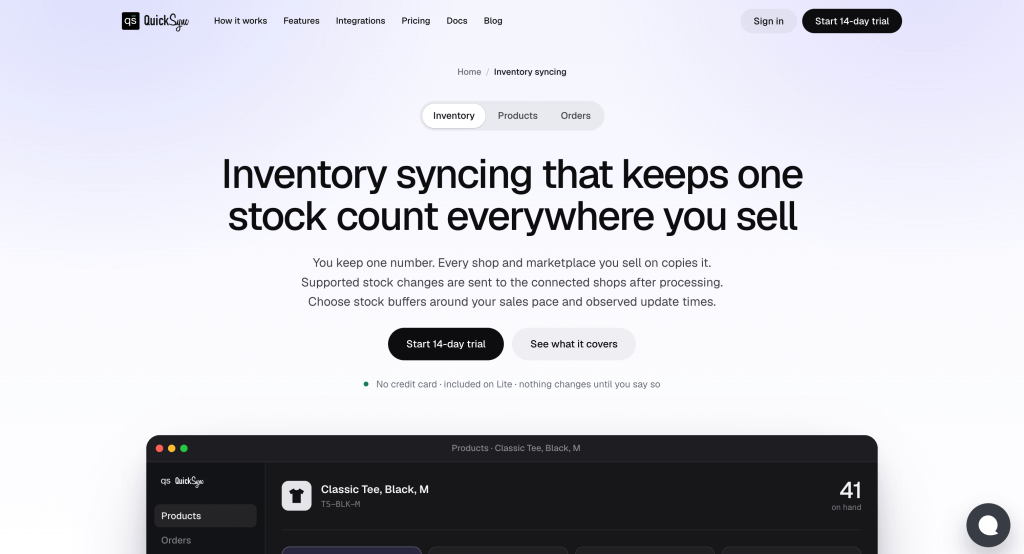
QuickSync is an inventory sync tool, not a crosslister. You connect your stores and marketplaces, and it keeps one stock count across all of them. When a mug sells on Etsy, the count drops on Shopify and eBay too.
Works with: Shopify, eBay, Etsy, Amazon, TikTok Shop, WooCommerce, Squarespace, Wix, Square, Clover, Lightspeed, QuickBooks and Xero. According to the inventory sync page, stock syncs both ways on Shopify, Etsy, eBay, WooCommerce, Square, Clover, TikTok Shop, Squarespace and Lightspeed. On Amazon, it updates listings you ship yourself and leaves FBA stock to Amazon.
Pricing: Lite costs $19 a month for two shops and up to 1,000 items, with stock sync. Pro costs $29 a month for up to 2,500 items and adds product sync, listings and order sync. Orders are unlimited on every plan, and each extra shop adds the plan price. See the QuickSync pricing page for every plan.
Why it stands out: It’s built for multi-quantity stock and variants, and it matches products by SKU across channels. eBay and Etsy stock are checked every two minutes. You connect each channel by logging in and approving QuickSync there, so there’s no browser extension to keep running. Every trial is 14 days with no card, and the team helps you connect your first two shops on a free 30-minute call.
Watch out for: QuickSync isn’t a crosslister, and it doesn’t connect to Poshmark, Mercari, Depop or Grailed. If those resale apps are your main channels, List Perfectly is the better fit.
Can you use List Perfectly and QuickSync together?
Yes, as long as each tool owns different listings. A common setup: List Perfectly handles one-off items on Poshmark, Mercari and Depop. QuickSync handles a restocked product line on Shopify, eBay and Etsy.
The rule is simple: never let two tools change the same listing’s quantity. If List Perfectly delists an eBay item while QuickSync is also updating it, the counts can drift. Pick one owner for each listing and keep it that way.
For more on how other resellers set this up, see our Vendoo alternatives guide.
How to set up inventory sync next to (or instead of) List Perfectly
If your restocked products are outgrowing crosslisting, here’s how to move them over without breaking anything.
- Sort your listings. Split them into one-off items and products you sell more than once. Only the second group moves to sync.
- Match your SKUs. Give each product the same SKU on every channel. Sync tools match listings by SKU, so a mismatch means a listing that never updates. Our guide on what a SKU is covers the format.
- Pick your source store. Choose the store whose stock counts are right today, usually Shopify. QuickSync uses it as the starting point.
- Test with a few products. Connect two channels, sync 5 to 10 products, make a test sale and check the count on both.
- Turn off delisting for those items. Stop List Perfectly from ending or relisting the products QuickSync now manages.
Is List Perfectly worth it? Our verdict
List Perfectly is worth it if you resell one-off items across resale apps. Its marketplace range, unlimited listings and AI listing assistant make it one of the strongest crosslisters for that job. Budget for Pro Plus if you want delisting to happen without you, and plan to keep a computer on.
It’s not the right tool if most of your sales are products you restock. A crosslister ends listings. It doesn’t keep 40 units in step across Shopify, eBay, Etsy and your POS. That’s the job inventory sync does, and it’s where overselling stops. Our guide on how to prevent overselling covers the rest.
Here’s the verdict in three lines:
- Choose List Perfectly if you resell one-of-a-kind items on Poshmark, Mercari, Depop and eBay.
- Choose QuickSync if you sell restocked products or variants on Shopify, eBay, Etsy, Amazon, TikTok Shop or a POS.
- Use both if you do each, with one tool in charge of each listing.
Not sure which group you’re in? Look at last month’s sales. If most were items you had more than one of, start with sync.
If the second line sounds like your store, you can sync Shopify and eBay or Etsy and eBay in an afternoon. Test it on a few products first.