Search for a Clover WooCommerce integration and you’ll find two kinds of plugin that sound the same but do completely different jobs. One lets shoppers pay on your WooCommerce checkout through your Clover merchant account. The other keeps your Clover register and your website on the same stock count, so the last candle sold at the counter disappears from the website too.
Most shops that sell in person and online need both, and a payment plugin won’t sync a single item. This guide sorts the options by job and compares them on price, ratings, what they sync and how fast.
Prices and ratings come from the Clover App Market, WordPress.org, the WooCommerce Marketplace and each vendor’s site, checked in November 2026. QuickSync is our product, and its limits are listed next to everyone else’s.
Clover WooCommerce Integration Apps: The Quick Answer
To take Clover card payments on WooCommerce, use Clover’s free official plugin or Kestrel’s Clover Gateway ($99 a year). To keep Clover and WooCommerce on one stock count, use an inventory sync app. QuickSync is the most-reviewed on the Clover App Market (4.94 from 588 reviews) and starts at $19 a month. SKU IQ starts at $17, Kosmos eSync at $29, and Thrive by Shopventory at $59 as part of a full inventory system. WeeConnectPay does both jobs on its $79.95 plan.
Payment Plugin or Inventory Sync: Which Do You Need?
Start with the problem you’re solving.
- “I want online card payments to land in my Clover account.” You need a payment plugin. It adds Clover as a payment method on your WooCommerce checkout. It doesn’t touch your products or stock.
- “I keep selling things online that are already sold in the shop.” You need inventory sync. It matches your Clover items to your WooCommerce products and keeps the counts in step. It doesn’t process payments; WooCommerce still needs a payment method of some kind.
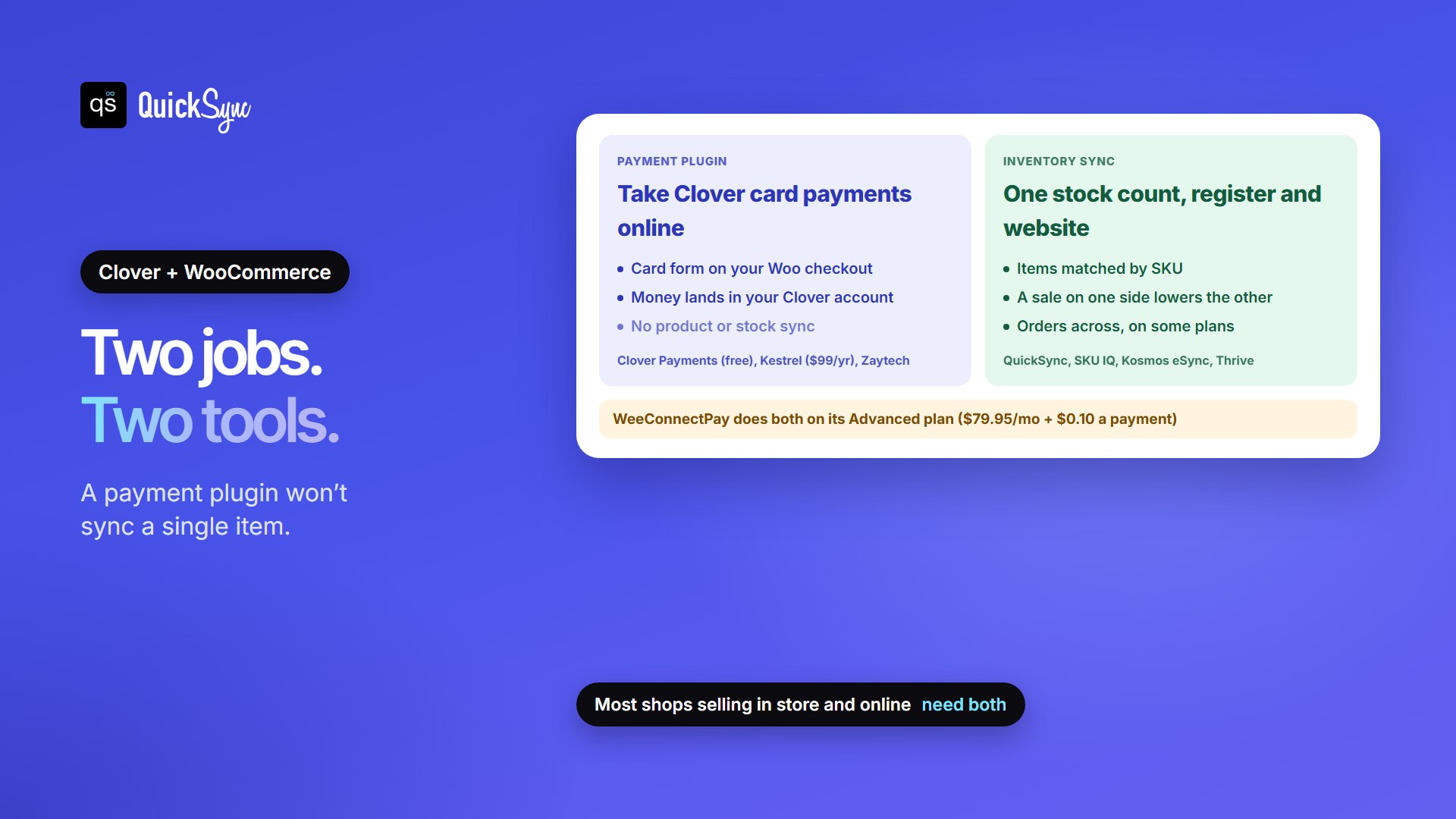
Kestrel says it plainly on its WooCommerce Marketplace listing: its Clover gateway “takes card payments only, and it doesn’t sync products, inventory, customers or orders with Clover.” Clover’s own plugin is the same, a way to take payments. If you already take payments some other way, such as Stripe or WooPayments, you may only need the sync app.
The Clover WooCommerce Integrations at a Glance
| Tool | Job | Starts at | Rating | What it handles | Trial |
|---|---|---|---|---|---|
| QuickSync | Inventory sync | $19/mo for two shops | 4.94 (588) on Clover | Stock both ways; products and orders on Pro ($29) | 14 days |
| SKU IQ | Inventory sync | $17/mo | 4.59 (159) on Clover | Stock and attributes; images, auto push and orders on higher plans or add-ons | 14 days |
| Kosmos eSync | Inventory sync | $29/mo | 4.51 (40) on Clover | Items, stock and orders; variants from $49 | 14 days |
| Thrive by Shopventory | Inventory system with sync | $59/mo | 4.81 (292) on Clover | Stock, purchasing, reporting, 1 location and 1 integration on Starter | 14 days |
| WeeConnectPay | Payments, plus sync on top plan | Free + $1 per transaction | 4.03 (7) on Clover | Clover card payments; two-way inventory sync on Advanced ($79.95) | 14 days |
| Clover Payments for WooCommerce | Payments | Free | 1.7 (16) on WordPress.org | Clover card payments only | Free |
| Kestrel Clover Gateway | Payments | $99/year | 4.9 (10) on WooCommerce.com | Card payments, saved cards, refunds, Subscriptions | Not listed |
How Fast Does a Register Sale Reach WooCommerce?
This is the question most comparisons skip. Every sync app says it keeps your stock up to date, but timing depends on how it reads sales from Clover, and the two directions aren’t always equal.
Here’s how QuickSync works, from our own docs. A WooCommerce sale reaches Clover as it happens. A sale at the Clover register reaches WooCommerce about 30 minutes after Clover closes the order, because QuickSync reads each Clover order’s sold items half an hour after it closes. It also rechecks recent Clover orders every 4 hours while order syncing is on.

Other vendors describe timing in general terms. SKU IQ’s Clover listing is called “Real-Time Inventory Sync,” and its Pro plan adds “Priority Syncing speeds.” Kosmos says inventory levels are “automatically updated” as items sell in Clover. None of them publish an interval for the Clover side, so test before you trust it.
In practice, keep a buffer on fast-moving items. If you have 3 of a popular mug, list 2 online during a busy Saturday. Then a register sale and a web order landing in the same half hour can’t sell the same last unit.
What Each One Costs a Real Shop
Say you have one Clover register, about 400 items including sizes and colors, and 300 orders a month across the counter and the website. You want stock in sync and Clover card payments online. Here’s the cheapest setup on each sync tool, plus a payment plugin where you need one:
| Sync tool | Plan | Sync cost | Payments | Notes |
|---|---|---|---|---|
| QuickSync | Lite | $19/mo | Free Clover plugin, or Kestrel $99/yr | Pro ($29) if you want web orders sent into Clover |
| SKU IQ | Basic | $17/mo | Free Clover plugin, or Kestrel $99/yr | Images, auto push and orders cost more |
| Kosmos eSync | $49 plan | $49/mo | Free Clover plugin, or Kestrel $99/yr | Variants need the $49 plan; it covers up to 450 orders |
| Thrive | Starter | $59/mo | Free Clover plugin, or Kestrel $99/yr | 1 location, 1 integration, 1,500 transactions; adds purchasing and reporting |
| WeeConnectPay | Advanced | $79.95/mo + $0.10 per transaction | Included | One plugin for both jobs |
Watch the billing model. QuickSync charges by items and SKU IQ’s Clover listing says orders are unlimited, so a busy month costs the same. Kosmos and Thrive set order or transaction limits by plan, and WeeConnectPay adds a fee to every payment it processes.
Inventory Sync Apps for Clover and WooCommerce
1. QuickSync
You connect WooCommerce through its own approval screen, with no API keys to copy. Then you sign in to Clover and approve QuickSync on the merchant account that owns the register. Items match by SKU, you pick which store holds the true count, and stock syncs both ways. The same account can add Shopify, Etsy, eBay, Square, QuickBooks Online and more.
- Price: Lite $19/mo for two shops with stock sync; Pro $29/mo adds product and order sync; Ultra $69/mo adds price rules. Orders are unlimited.
- Orders: on Pro, web orders can go into Clover as Clover orders, recorded under an “External Payment” tender. Clover needs an order type set up for them first.
- Speed: WooCommerce to Clover as it happens; Clover to WooCommerce about 30 minutes after an order closes.
- Watch for: every Clover item needs a unique SKU of 100 characters or fewer and Clover doesn’t accept tracking numbers.
2. SKU IQ

SKU IQ links your Clover POS with WooCommerce and updates the other side whenever one sells. Product details such as titles, descriptions, prices, variants and SKUs can sync too, and higher tiers add images and automatic pushing of new products. It says it’s built for single-location retailers and asks multi-location shops to talk to it first.
- Price (Clover listing): Basic $17/mo for quantity and attribute sync with unlimited orders and linked products; Plus $45 adds images and auto push; Pro $89 adds order syncing and priority speeds. Its own pricing page lists some of these differently, with attribute sync, order sync and extra locations as paid add-ons, so confirm what’s included in the app.
- Trial: 14 days, limited to 50 product pushes.
- Watch for: extras are priced as add-ons, so check the final total in the app.
3. Kosmos eSync
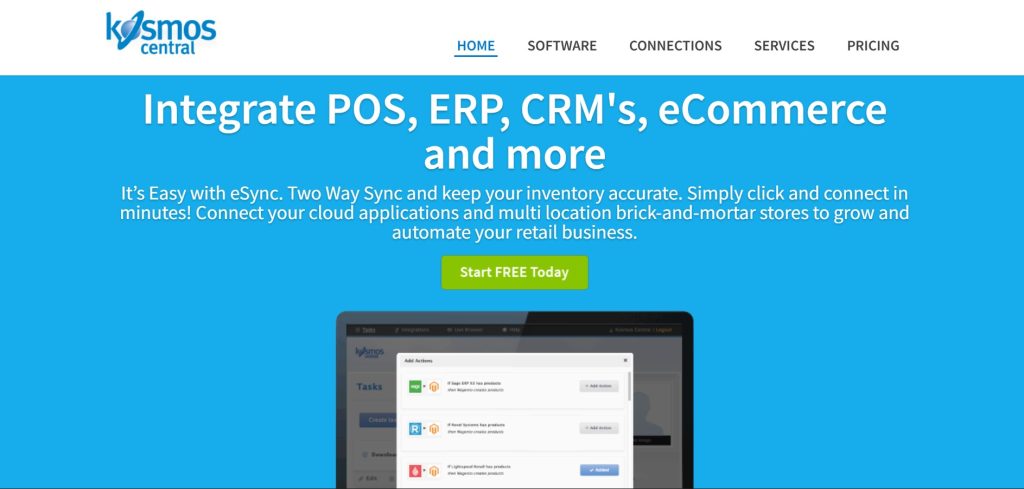
Kosmos eSync lists Clover items in WooCommerce, Shopify or BigCommerce, syncs stock, and syncs order details between Clover and your online store. Each plan connects one physical location and one online store.
- Price: $29/mo for up to 250 orders a month (standard items only), $49 for 450 orders and variant items, $75 for 1,250 and $135 for 2,550.
- Watch for: if you sell sizes or colors, start at $49, because the $29 plan doesn’t sync variant (“matrix”) items.
4. Thrive by Shopventory

Thrive is an inventory management system for Clover first, with sync on top. You get purchase orders, stock counts with a barcode scanner, variant and modifier management, and more than 20 reports, and its catalog and stock sync to your WooCommerce store.
- Price (its pricing page): Starter $59/mo (1 location, 1 integration, 1,500 transactions a month), Standard $129 (2 of each, 3,000 transactions), Professional $279, Elite $559. Annual billing is a little cheaper.
- Watch for: it costs more because it does more. If you only need the counts to match, a sync app is cheaper.
5. WeeConnectPay

WeeConnectPay is a Clover payment gateway for WooCommerce that also works with WooCommerce Subscriptions. On its Advanced plan, it adds two-way inventory synchronization with Clover.
- Price: Basic free plus $1.00 per transaction; Standard $29.99/mo plus $0.10; Advanced $79.95/mo plus $0.10, with inventory sync.
- Watch for: sync is only on the top plan, and it covers WooCommerce alone. If you also sell on Etsy, eBay or Shopify, you’ll still need a multichannel sync tool.
Clover Payment Plugins for WooCommerce
Clover Payments for WooCommerce (official, free)

Clover’s own plugin collects card details in Clover-hosted iframes, so card data never touches your site and, in Clover’s words, it “does not contribute to the PCI scope.” The plugin is free; transactions are charged under your Clover account. It has 2,000+ active installs on WordPress.org but a 1.7-star average from 16 ratings, so test checkout and refunds before you switch over fully.
Kestrel Clover Gateway ($99 a year)
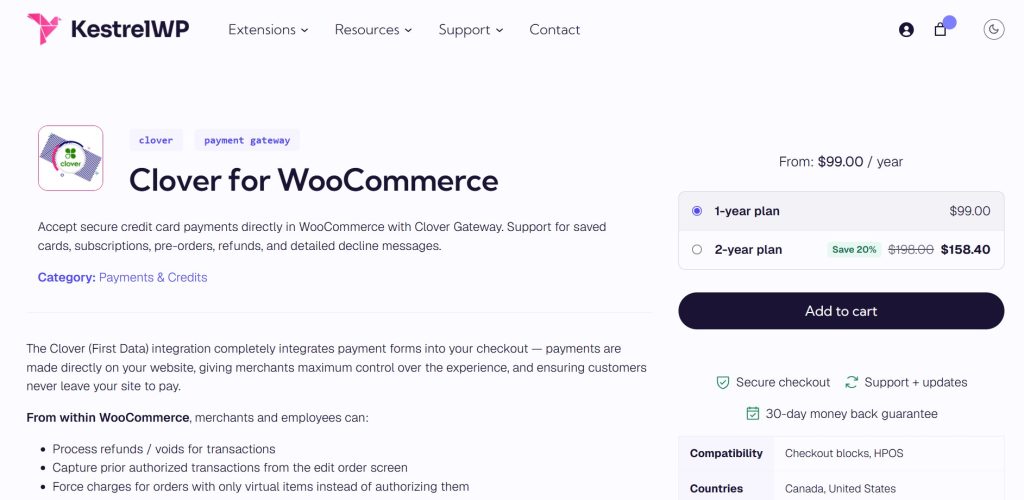
Kestrel’s gateway on the WooCommerce Marketplace supports Clover accounts in the US and Canada. It adds saved cards, renewals for WooCommerce Subscriptions, Pre-Orders, and full or partial refunds from the order screen. It’s rated 4.9 from 10 reviews. It also notes that the older Payeezy and Global Gateway connections are being retired, so stores on those need to move to the Clover connection.
Clover Payment Gateway by Zaytech
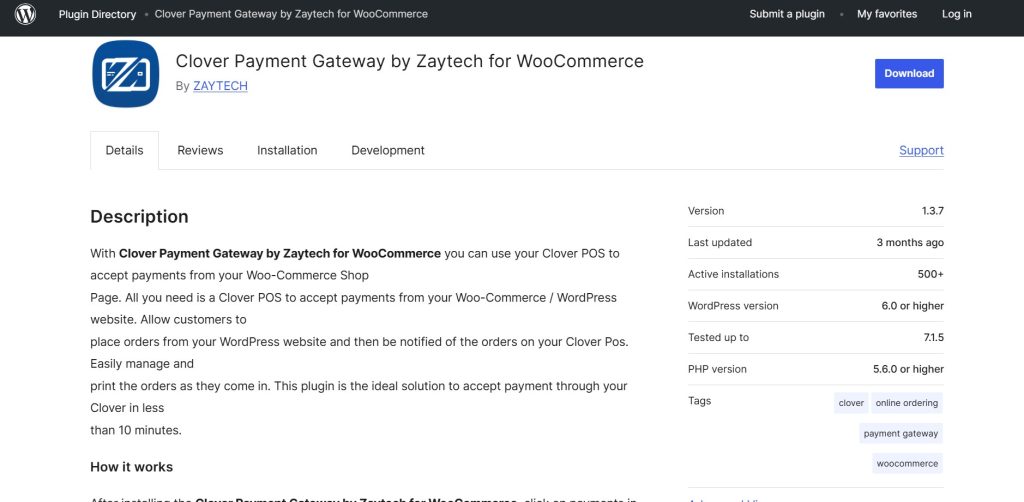
Zaytech’s gateway plugin works with its Smart Online Order setup for Clover, which is popular with restaurants. On WordPress.org it has 500+ installs and 7 ratings averaging 3.4 stars. It’s a good fit if you already use Smart Online Order; otherwise the two options above are simpler.
6 Things to Do before You Connect Clover and WooCommerce
- Give every item a unique SKU in both Clover and WooCommerce. Sync tools match on SKU, not name or barcode. Our guide to what a SKU is has a simple system.
- Decide which store holds the true count on day one. Usually that’s Clover, if you count stock in the shop.
- Check how variants come across. Clover item groups and WooCommerce variable products don’t always map one to one, so test a product with sizes before you sync the whole catalog.
- Set up a Clover order type before sending web orders into Clover, if your tool supports it.
- Test a sale both ways: sell one item at the register, one online, and check both counts.
- Test your payment plugin with a small real order and a refund.
For a longer walkthrough of the options, including manual updates and CSV imports, see our guide to syncing WooCommerce and Clover inventory.
Which Clover WooCommerce Integration Should You Choose?
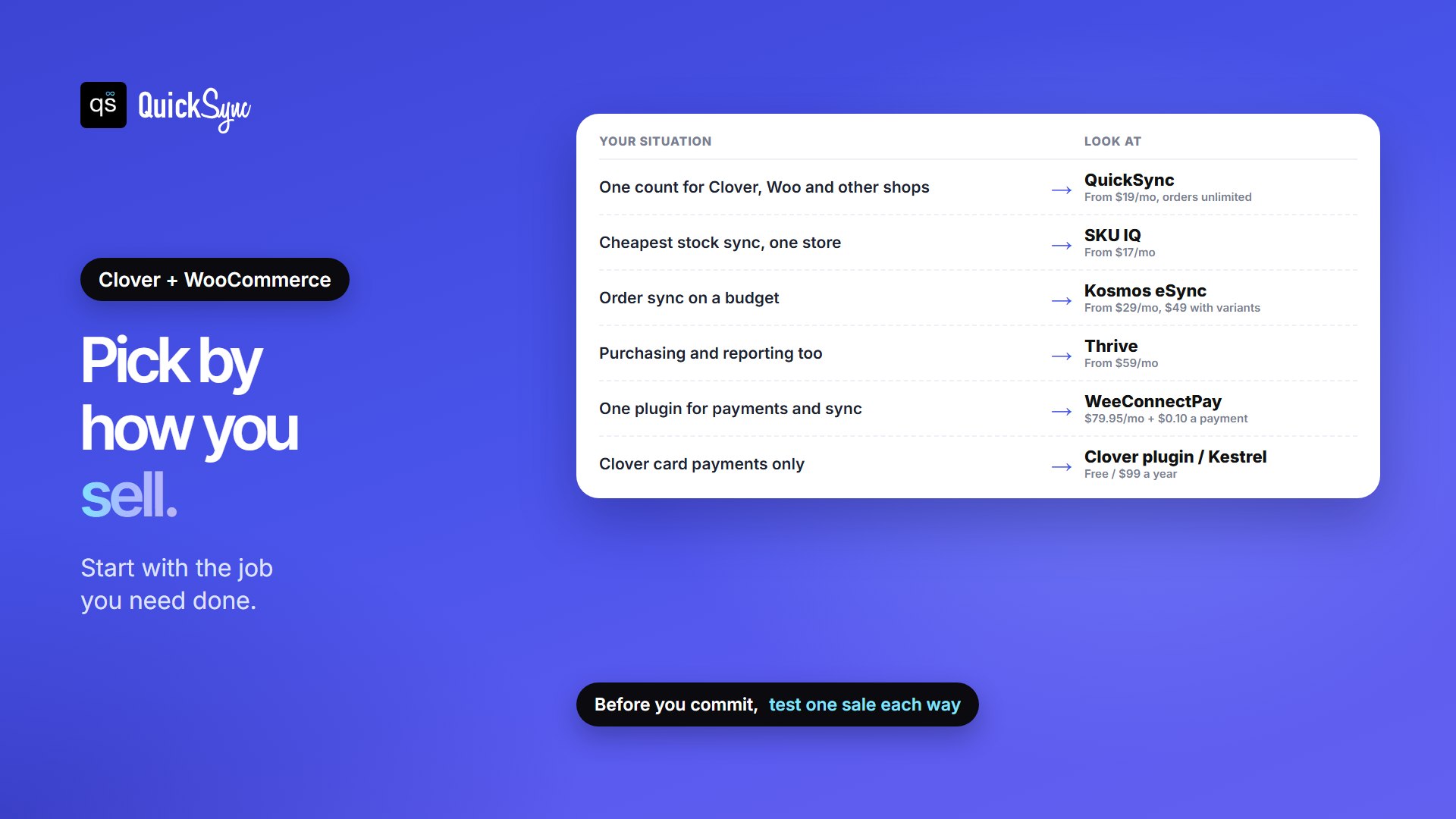
- You want one stock count for Clover, WooCommerce and maybe Etsy, eBay or Shopify: QuickSync, from $19/mo.
- You want the cheapest stock sync for one store: SKU IQ, from $17/mo.
- You want order sync on a budget: Kosmos eSync, from $29/mo ($49 with variants).
- You want purchasing and reporting too: Thrive by Shopventory, from $59/mo.
- You want one plugin for payments and sync: WeeConnectPay Advanced, $79.95/mo plus fees.
- You only need Clover card payments: Clover’s free plugin, or Kestrel at $99 a year for saved cards and subscriptions.
Selling Clover stock online somewhere other than WooCommerce? Compare the best Shopify Clover integration apps, browse our pick of Clover App Market apps, or see whether Clover has its own online store.
FAQs
More guides: Clover fees and pricing, our Clover POS review, WooCommerce inventory management plugins, WooCommerce TikTok Shop integration plugins, and our Clover and WooCommerce integration pages.