
QuickSync connects Lightspeed Retail (X-Series) to your other stores and matches the same product in each one by SKU. Stock syncs both ways at the outlets you connect, except that while another store packs your orders, we don’t pass on stock changes made in Lightspeed. Product details flow out of your main store, and Lightspeed can be that store. Paid Lightspeed sales go to the store you pack from.
Lightspeed can be the packing store too, on any account. Orders from other stores arrive as parked sales. Lightspeed tells us about each change as it happens, so there’s no timer to wait for.
Below: what you need first, the connect steps, what syncs which way, the Lightspeed rules that catch sellers out, and how to reconnect.
Before you start
- Use Lightspeed Retail X-Series. That’s the Lightspeed point of sale that used to be Vend. We don’t connect Lightspeed R-Series, Restaurant or eCom.
- Check where your account started. Lightspeed shows up in the store list for every QuickSync account, except those that started by installing QuickSync in Shopify. If yours did, contact support to turn on point-of-sale stores. Don’t uninstall QuickSync from Shopify to start over: uninstalling deletes your QuickSync account.
- Check your plan. Stock syncing works on every plan. Product syncing and order syncing need Pro or above.
- Check your SKUs. We match by SKU, so give each variant its own, up to 64 characters. A Lightspeed variant with no SKU uses its barcode instead.
- Map your outlets. We treat every Lightspeed outlet as a location. With more than one outlet, you’ll link each to a location in your other store, or we can’t send stock to it.
Connect Lightspeed
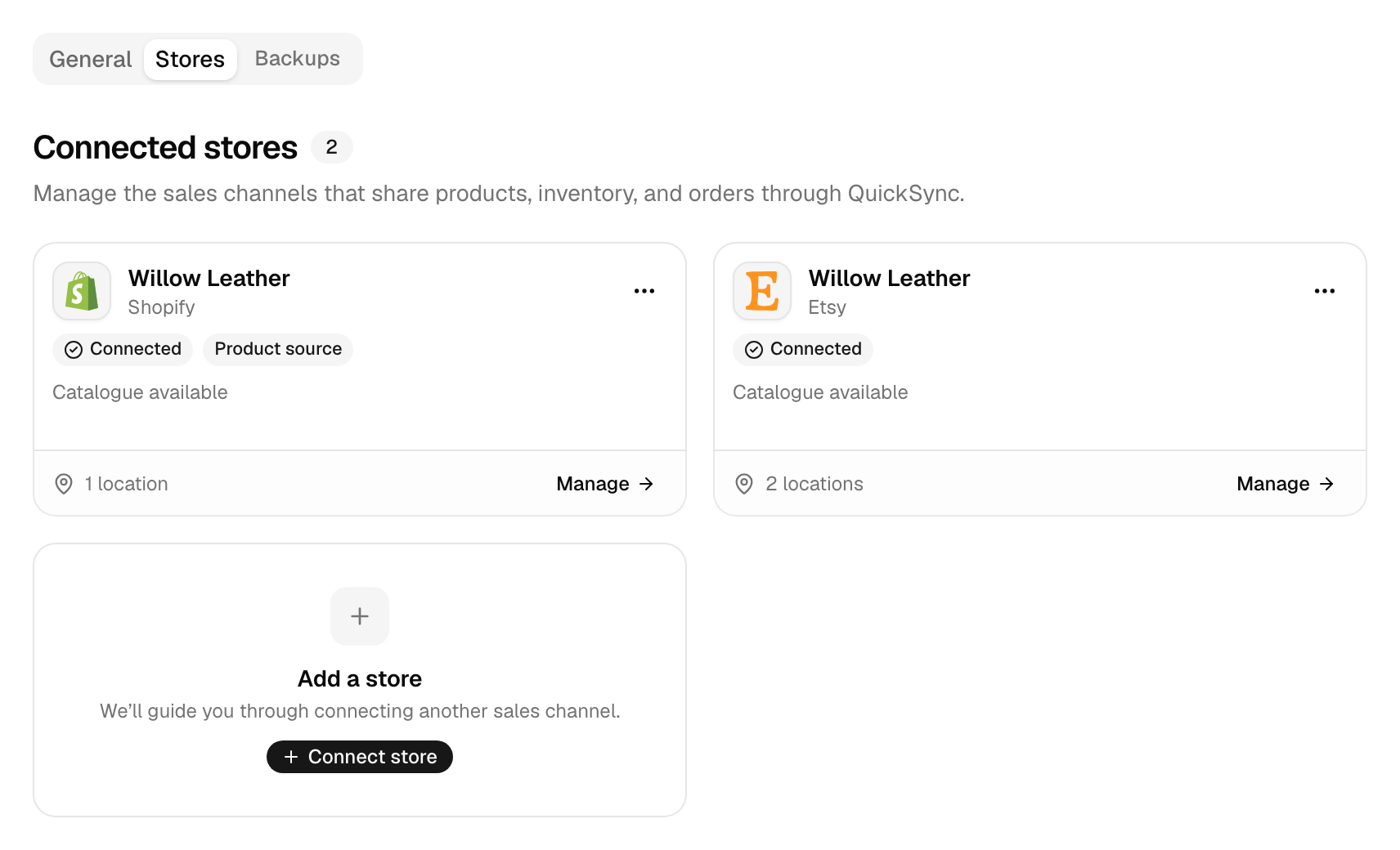
- In QuickSync, open Settings, then the Stores tab, and click Add a store. During setup, Connect another store on the Overview page opens the same window.
- In Connect a store, click Lightspeed. It doesn’t need a store address, so this takes you straight to Lightspeed’s sign-in.
- Sign in to your Lightspeed Retail store and approve the access QuickSync asks for.
- Lightspeed sends you back to QuickSync. The Lightspeed card says Connecting while we read your catalogue, then Connected.
We read your store’s name, currency and time zone, whether your prices include tax, every outlet, and the whole catalogue. Lightspeed keeps variants in product families, and we turn each family into one product with its variants. We also add three webhooks in Lightspeed, for product, stock and sale changes. They’re how Lightspeed tells us about each change.
Connecting doesn’t change your products or stock in Lightspeed. There’s nothing else to set up. The store’s Review settings say No extra listing defaults.
What syncs
Lightspeed tells us about product, stock and sale changes as they happen, so a Lightspeed sale goes out without waiting for a check. How QuickSync works compares the timing for every app.
| What | With Lightspeed |
|---|---|
| Stock into Lightspeed | Yes, at the outlets you connect, or at your only outlet |
| Stock from Lightspeed | Yes, per outlet, except in one setup: see Stock and outlets below |
| Product details into Lightspeed | Yes, from your main store. Pro and above |
| Lightspeed as your main store | Yes. Your Lightspeed edits go out to your other stores. Pro and above |
| Orders from Lightspeed | Yes, paid sales. Pro and above |
| Lightspeed as your packing store | Yes, on every account. Orders arrive as parked sales. Pro and above |
| Tracking into Lightspeed | The shipped status only. Lightspeed keeps no tracking number or carrier |
| Tracking from Lightspeed | No. Shipping a sale in Lightspeed doesn’t mark the original order shipped |
| How fast | As it happens, for products, stock and sales |
Lightspeed rules
Products
| Rule | What happens |
|---|---|
| SKU | Up to 64 characters, and a longer one is cut. A variant with no SKU in Lightspeed uses its barcode, or its first product code, in QuickSync. |
| Variants | Lightspeed groups variants into families. We send up to 3 variant attributes and drop any extra option groups. A product with one variant goes over as Regular. |
| Extra variants | When product syncing updates a Lightspeed product, we delete any of its variants that your main store doesn’t have. |
| Images | Up to 10 per product, 8 MB each. We download each image and upload it to Lightspeed. Alt text doesn’t go. |
| Drafts | Lightspeed has no drafts. A draft in your main store becomes active in Lightspeed. Archived and inactive products go over archived. |
| Category, tags and brand | Your first category, or the product type, becomes the Lightspeed category. Tags go too, up to 100, and the vendor becomes the brand. We create any that are missing. Lightspeed categories come back to us as tags. |
| Price | We write the retail price with or without tax to match your Lightspeed setting, and, when we create a product, the cost as its supply price. Compare-at price, weight and SEO fields don’t go. |
| Name and description | Name up to 255 characters, description up to 65,000. |
| Stock tracking | We turn on stock tracking for every product we create or update. |
Stock and outlets
- Outlets link one to one. Link each outlet to a location in your other store under Settings, General, Connect locations. If there’s one outlet and one location in the other store, we link them for you. More in Locations.
- Unlinked outlets get nothing. With several outlets and none connected, we can’t send stock to Lightspeed at all.
- Negative counts sync. Counts below zero go through unchanged.
- When another store packs. With order syncing on and a different store as your packing store, we don’t send Lightspeed stock changes to your other stores. Sales go there as orders instead, but those orders may not lower stock there. A restock or stock count you make in Lightspeed doesn’t reach your other stores. Make those in your packing store.
Orders
- Paid sales only. We copy a Lightspeed sale once it’s paid: closed sales, and on-account sales and laybys once closed. Open, parked and saved sales wait.
- Voids and returns. We don’t copy voided sales, but a completed return can come in as a new order. Void a sale we’ve already copied, and the void doesn’t reach the copy right away, so cancel the copy in your packing store too.
- Parked sales. When Lightspeed packs, each order from your other stores arrives as a parked sale on your first active register, under your primary user, with your first tax. Its note says which store it came from. There’s no shipping line, and we don’t create a Lightspeed customer.
- Unmatched lines drop off. We match each line to a Lightspeed product by SKU. Lines with no match drop off the sale. If nothing matches, we try copying those products to Lightspeed first, then create the sale.
- Cancelling. When Lightspeed packs, cancelling a Shopify order voids its Lightspeed sale. A cancellation in any other store doesn’t reach the Lightspeed sale right away, so void it in Lightspeed yourself. Cancellations and refunds has the details.
- Shipping in Lightspeed. It doesn’t mark the original order shipped. Mark it shipped in the store it came from, with the tracking number.
- Tracking into Lightspeed. When Shopify, WooCommerce or Square packs a Lightspeed sale and ships it with a carrier and tracking number, we mark the whole sale fulfilled. Lightspeed doesn’t keep the tracking number or carrier.
Reconnect or switch account
The Lightspeed card says Needs attention. We couldn’t renew our access to Lightspeed. You’ll see this too if someone removes QuickSync’s access in Lightspeed. Click Reconnect on the card, pick Lightspeed and sign in to the same Lightspeed store. We swap in the new login. Nothing else changes.
Switch Lightspeed accounts. Each Lightspeed account is its own store in QuickSync, and there’s no switch inside the app. Disconnect the old one: open the menu on its card under Settings, Stores, pick Disconnect, then Disconnect store. Then connect the other account.
Know what stops before you disconnect. If Lightspeed is your packing store, order syncing turns off. If it’s your main store, product syncing turns off. With only two stores, both turn off. We remove our webhooks from Lightspeed and don’t delete anything else there. QuickSync’s access stays approved in Lightspeed until you remove it there.
Common questions
Does QuickSync work with Lightspeed R-Series or eCom?
No. QuickSync connects Lightspeed Retail X-Series, the point of sale that used to be Vend. We don’t connect Lightspeed R-Series, Lightspeed Restaurant or Lightspeed eCom. If you’re not sure which one you use, check your Lightspeed plan or ask Lightspeed. On X-Series, stock, product details and paid sales all sync. Lightspeed can pack your orders too.
Why can’t I see Lightspeed when I connect a store?
Your QuickSync account probably started by installing QuickSync in Shopify. Those accounts don’t see Lightspeed, Square or Clover in the store list. Contact support to turn on point-of-sale stores for your account, and you’ll keep everything you’ve set up. Don’t uninstall QuickSync from Shopify to start again, because uninstalling deletes your QuickSync account and everything in it.
How do online orders show up in Lightspeed?
When Lightspeed is your packing store, each order from your other stores arrives as a parked sale on your first active register. Its note says which store it came from, and each line carries its price, tax and discount. We leave off any line whose product isn’t in Lightspeed with the same SKU, so keep everything you sell online in Lightspeed too. Order syncing needs Pro or above.
Does QuickSync send tracking numbers to Lightspeed?
No, only the shipped status. When Shopify, WooCommerce or Square packs a Lightspeed sale and ships it with a carrier and tracking number, we mark the whole sale fulfilled in Lightspeed. Lightspeed doesn’t keep a carrier or tracking number for that fulfilment, so the number stays in your packing store and in QuickSync. Other packing stores don’t send a shipped status back at all.
Does shipping a sale in Lightspeed update the original order?
No. When Lightspeed packs an order from Shopify, Etsy or another store, marking the sale shipped in Lightspeed doesn’t reach the store the customer bought from. Mark the order shipped there yourself, with the tracking number, so the customer gets their update. We send shipping back for you only when Shopify, WooCommerce or Square packs.
How fast does Lightspeed sync?
As it happens. Lightspeed tells us about product, stock and sale changes through three webhooks we add when you connect. There’s no timer to wait for. A Lightspeed change goes out to your other stores straight away. One setup differs: with order syncing on and another store packing your orders, Lightspeed sales travel to the packing store as orders instead.
Next step
If you have more than one outlet, link them next in Locations. If Lightspeed will pack your orders, read Choose your packing store.









