
QuickSync connects Amazon Seller Central to your other stores for stock and orders. We send stock counts to the Amazon listings you ship yourself, and bring Amazon orders into the store you pack from. When you ship from Shopify, WooCommerce or Square, we confirm the shipment on Amazon.
Two things we don’t do. We don’t create or edit Amazon listings, and Amazon can’t be your packing store.
Before you start
- A Seller Central account in the US. QuickSync’s Marketplace list offers only United States. Each seller account is one store.
- Matching SKUs. We match products by SKU, so each Amazon seller SKU must be identical to the SKU in your other store. We can’t change SKUs on Amazon. Change the other store’s instead.
- FBA listings kept apart. We don’t read Fulfillment by Amazon stock. We don’t hold FBA SKUs back when we send counts, either. Give FBA listings SKUs no other store uses, or leave them off your sync list.
- A brand name. Setup won’t move on until the Amazon store’s Review settings have a Brand. We’d only use it to create listings, which is off. Your shop name will do.
- The right plan. Stock syncing works on every plan. Order syncing needs Pro or above, and so does product syncing with Amazon as your main store.
Connect Amazon
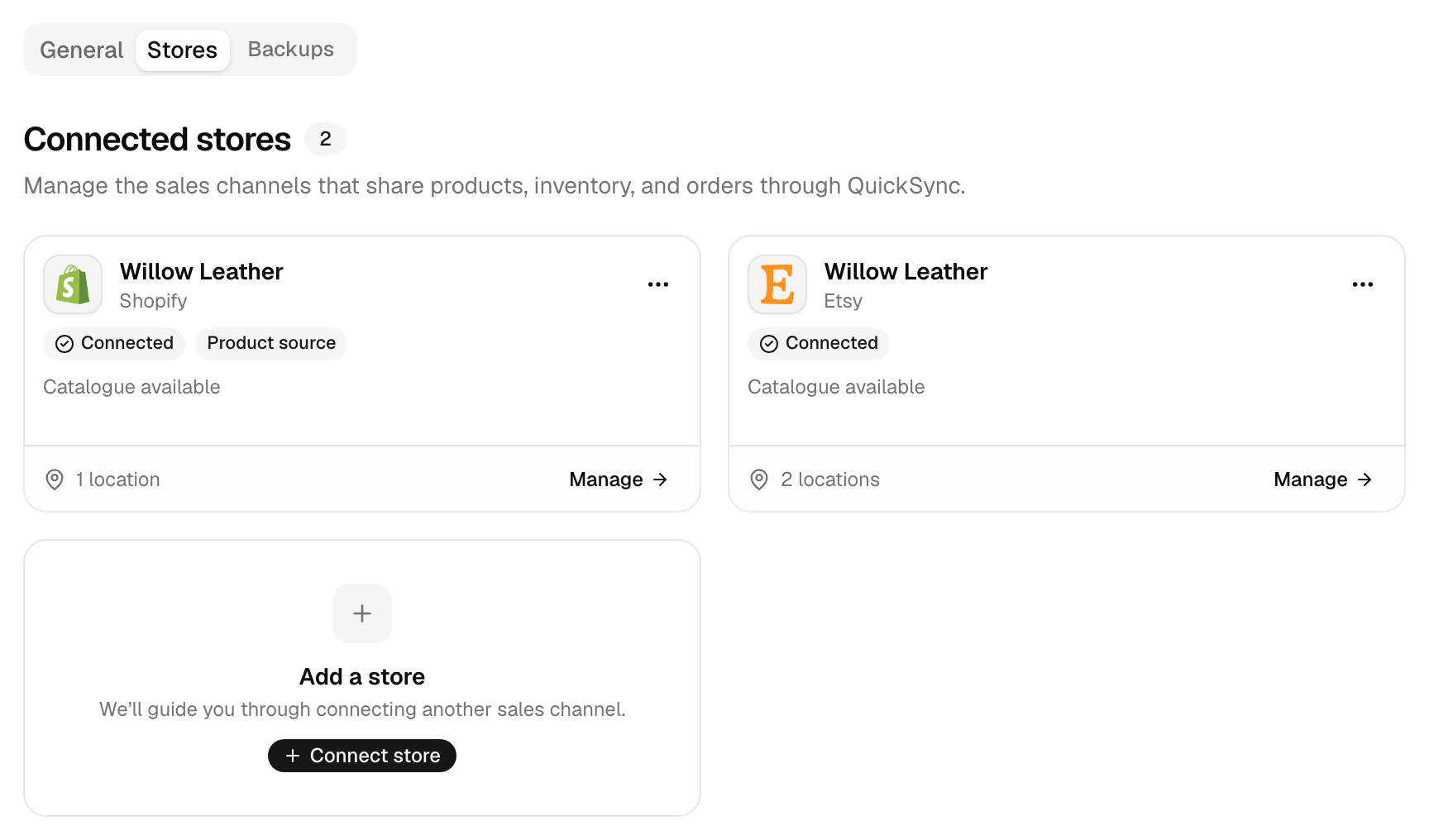
- In QuickSync, open Settings, then Stores. Click Add a store. In your first setup, use Connect another store on Overview instead.
- Pick Amazon. Leave Marketplace on United States. Click Continue to Amazon.
- Sign in to Seller Central and approve QuickSync’s access. Amazon sends you back.
- Wait while the Amazon card says Connecting. It turns Connected once we’ve read your listings.
- Click Manage on the Amazon card and open Review settings. Type a Brand, then click Save changes. In setup, Review settings on the Amazon row opens the same window.
Connecting changes nothing on Amazon. We read your marketplace’s country and currency, your listings, and each listing’s catalogue details. A big catalogue takes a while, because we look up each listing one by one. Orders start coming in once you turn on order syncing.
What syncs
| What | With Amazon |
|---|---|
| Stock to Amazon | Yes, to listings you ship yourself (merchant-fulfilled) |
| Stock from Amazon | Not checked on a timer. Change stock in your other store, not in Seller Central |
| Product details to Amazon | No. Product export to Amazon has been off since 9 September 2026 |
| Amazon as your main store | Yes. Titles, descriptions, photos, prices, barcodes and variations copy from Amazon to your other stores, with options only for colour, or colour and size. We don’t check Amazon for listing edits on a timer |
| Orders from Amazon | Yes, on Pro and above. FBA orders come in but don’t go to your packing store |
| Amazon as the packing store | No |
| Tracking back to Amazon | Yes, since 18 August 2026, when Shopify, WooCommerce or Square packs the order |
| How fast | We check for new orders every 2 minutes. Stock goes to Amazon as soon as we have the new count |
Watch the Stock from Amazon row. We don’t check Amazon’s stock counts on a timer. So we can’t promise that an Amazon sale, or a count you change in Seller Central, reaches your other stores. Make stock changes in your other store, and we’ll send the new number to Amazon. Timings for every app are in How QuickSync works.
Amazon rules
Check these before you rely on the sync.
| Rule | What happens |
|---|---|
| New listings | We don’t create Amazon listings. Create the listing in Seller Central with your other store’s SKU, then click Fetch latest products in Settings so we read it. After your first sync, that can’t read new listings, so contact support. |
| SKUs | Must match your other store’s exactly. We can’t change a SKU on Amazon, so edit the other store’s SKU instead. |
| FBA | We don’t read FBA stock, and we don’t hold FBA SKUs back when we send counts. Keep FBA listings out of the sync. |
| Locations | An Amazon store has one location. If your other store has several, Amazon gets the count of the location you connect to it. |
| Listing status | We read Active listings as active, Incomplete ones as drafts and Inactive ones as archived. Archived listings stay out of the sync while the store’s Product status filter leaves out Inactive, as it does by default. |
| Stock limit | 0 to 100,000 per SKU. A bigger count goes to Amazon as 100,000. |
| Orders | We bring in Unshipped and partly shipped orders, and update them when Amazon marks them Shipped or Canceled. A Pending order waits until Amazon marks it Unshipped. A cancellation on Amazon is recorded in QuickSync, but it doesn’t reach the copy in your packing store right away, so cancel it there yourself. We don’t read refunds. See Cancellations and refunds. |
| Tracking | Needs a carrier and a tracking number on the shipment in your packing store. We confirm every item in the order as one package. |
| Carriers | We send UPS, USPS, FedEx, DHL, Royal Mail, OnTrac, GLS and DPD under Amazon’s code for that carrier. Amazon may refuse any other carrier, Amazon Logistics included, so check those orders in Seller Central and confirm them there. |
Reconnect or switch account
If Amazon stops accepting our access, the Amazon card under Settings, Stores says Needs attention. We also email you, if email notifications are on. Reconnecting keeps your products, matches and orders.
- Click Reconnect on the Amazon card.
- Pick Amazon and leave United States selected. Click Continue to Amazon.
- Sign in with the same seller account. Approve access again.
To switch to a different seller account, disconnect this one first. Disconnecting removes the Amazon store from QuickSync, with our copy of its listings and orders. It changes nothing on Amazon and leaves QuickSync’s access in Seller Central in place. If Amazon was your main store, product syncing turns off.
- Under Settings, Stores, open the menu (the three dots) on the Amazon card. Click Disconnect.
- Click Disconnect store. It can take a few minutes.
- Connect the new seller account with the steps above.
A seller account belongs to one QuickSync account at a time. If it’s already connected elsewhere, we say so and show that account’s email, partly hidden.
Common questions
Can QuickSync list my products on Amazon?
No. Product export to Amazon has been off since 9 September 2026. We don’t create or edit Amazon listings, and Create missing products skips Amazon. Amazon is stock and orders only today. List new products in Seller Central with the same SKU as your other store. Fetch latest products in Settings reads them before your first sync. After that, contact support. The other direction works: with Amazon as your main store, we copy its listings to your other stores.
Does QuickSync work with Fulfillment by Amazon?
Not for stock. We don’t read the stock Amazon holds for you. We also don’t hold FBA SKUs back when we send counts to Amazon. So keep FBA listings out of the sync: give them SKUs no other store uses, or leave them off your sync list. FBA orders still show up in QuickSync. They never go to your packing store, because Amazon ships them.
Does QuickSync send tracking numbers to Amazon?
Yes, since 18 August 2026. Your packing store has to be Shopify, WooCommerce or Square, and its shipment needs a carrier and a tracking number. We pass both to Amazon and mark the whole order shipped, as one package. Amazon may refuse a carrier that’s not on its list, such as Amazon Logistics. Clover and Lightspeed don’t send tracking back. If one of them packs, or Amazon refuses, confirm those orders in Seller Central yourself.
How often does QuickSync check Amazon for orders?
Every 2 minutes, once order syncing is on. We bring in orders Amazon marks Unshipped or partly shipped, and update them when they’re shipped or cancelled. A Pending order waits. Once Amazon moves it to Unshipped, it arrives on the next check. Stock goes the other way as soon as we have it. When a count changes in your other store, we send the new number to Amazon straight away.
Can I connect Amazon and TikTok Shop?
Yes. We match their products by SKU, and a stock change in TikTok Shop goes to your Amazon listings. Neither can be the packing store, though. With only those two connected, orders have nowhere to go. To pack every order from one place, add a store that takes orders in, such as Shopify, WooCommerce or Square. A plan covers two stores, and each extra store adds the plan price again.
Can Amazon be my packing store?
No. Amazon sends its orders to QuickSync but doesn’t let us create orders in it. So orders from your other stores can’t go there, and we don’t send orders to Amazon’s own fulfillment network either. Pick the store you ship from, such as Shopify, WooCommerce, Square, Clover or Lightspeed. Your Amazon orders go there too. When Shopify, WooCommerce or Square ships one, Amazon gets the tracking number.
Next step
Setting up for the first time? Set up your first sync covers every screen. For tracking rules in each store, read Tracking and shipping status.









