
QuickSync order sync helps merchants automatically synchronize orders across multiple sales channels while keeping fulfillment centralized and organized.
When you sell across different platforms such as Shopify, WooCommerce, Square, Clover, Etsy, or eBay, managing orders from each store separately can quickly become complicated. Orders may come from different marketplaces, inventory must stay accurate, and fulfillment teams need a single place to process shipments.
QuickSync solves this challenge by automatically sending orders from all connected sales channels to one fulfillment store, allowing your team to process, ship, and track orders from a single system.
Key Features of QuickSync Order Sync #
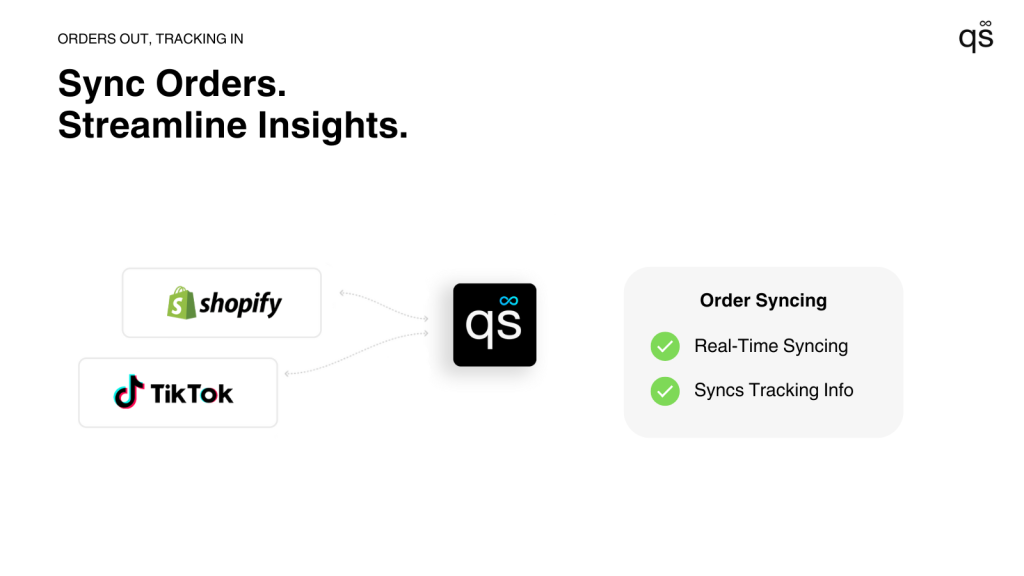
- Centralized Order Fulfillment:
- With QuickSync order sync, you can designate one store as your fulfillment store. Whenever a new order is placed on any connected sales channel, QuickSync automatically sends that order to the fulfillment store where your team processes shipping and order management.
- This allows businesses to manage fulfillment from a single location even when selling across multiple platforms.
- Real-Time Order Synchronization:
- The moment an order is created on any connected platform, QuickSync instantly syncs it to the fulfillment store.
- This real-time synchronization ensures that your team always sees the latest incoming orders without needing to manually check multiple stores or marketplaces.
- Status & Tracking Synchronization
- Order Cancellations: If an order is cancelled in the original channel, the cancellation is automatically reflected in the fulfillment store.
- Shipping & Fulfillment Updates: When a tracking number or carrier is added, QuickSync pushes these updates back to all connected sales channels so customers always see the correct status.
- Error Handling & Retry Logic
- Built-in safeguards automatically retry failed sync attempts and log issues for quick review.
Note: Some sales channels may have limitations for receiving tracking numbers or carrier information. You can check the syncing reference table for platform-specific details.
How QuickSync Order Sync Works #
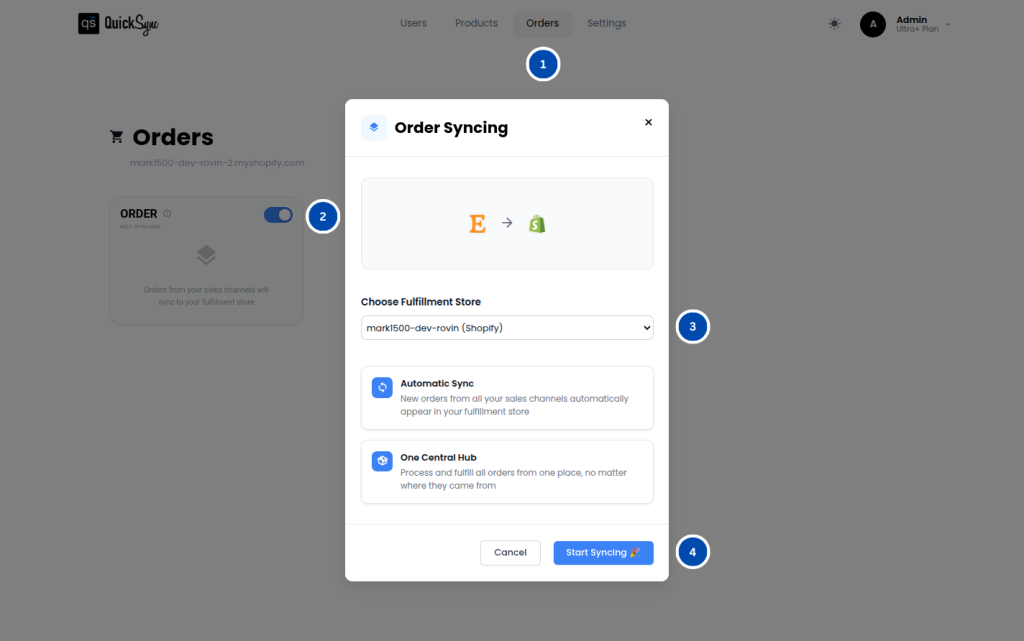
Setting up QuickSync order sync is simple and only requires a few steps.
1. Connect Your Sales Channels: #
Start by connecting the stores or platforms where you receive orders. QuickSync supports many popular ecommerce and POS systems such as Shopify, Square, Clover, Etsy, TikTok, etc.
- Shopify
- WooCommerce
- Square
- Clover
- Etsy
- eBay
Once connected, QuickSync can access order data from each sales channel.
2. Enable Order Syncing: #
After connecting your stores, enable Order Syncing from the QuickSync dashboard. This activates the system that listens for incoming order events across all connected platforms.
3. Choose Your Fulfillment Store #
Next, select the fulfillment store where all orders will be sent for processing. This store acts as the central hub for your fulfillment team to manage packing, shipping, and order status updates.
4. Start Syncing Orders: #
Once your fulfillment store is selected, click Start Syncing. From that point forward, QuickSync will automatically send every new order from your connected sales channels to the fulfillment store.
Orders will continue syncing in real time without requiring manual intervention.
Popular Use Cases #
Centralized Warehouse: #
Many retailers operate a central warehouse that handles order fulfillment for multiple online stores and marketplaces.
With QuickSync order sync, orders from platforms like Shopify, Square, and eBay can all be automatically routed to the warehouse’s fulfillment store, making it easier for teams to process shipments from one location.
Multi-Store Brands: #
Brands that operate multiple online stores for different regions or audiences can use QuickSync to centralize order processing.
For example, a company may run separate Shopify stores for different markets while using a single store as the fulfillment hub. QuickSync automatically routes orders from each store to the central fulfillment system.
Marketplace and POS Integration: #
Some merchants sell through both online marketplaces and physical POS systems.
For example, a business might sell products on Etsy while also processing in-person sales through Clover POS. QuickSync can sync marketplace orders directly into the POS fulfillment system, so all orders are managed in one place.
High-Volume Seasonal Sales: #
During busy seasons such as holiday promotions or flash sales, order volume can increase dramatically.
QuickSync’s automated order syncing and retry logic help ensure that orders continue syncing reliably even during traffic spikes. This allows merchants to handle large volumes of orders without needing to manually manage each platform.
Need Help With QuickSync Order Sync? #
If you experience any issues while setting up or using QuickSync order sync, our support team is here to assist you.
Whether you need help connecting your sales channels, selecting a fulfillment store, or resolving order synchronization issues, our team will guide you through the process.
Contact our support team at support@quicksync.co, and we will respond as quickly as possible to help you get your order syncing running smoothly.